
Paste A Video ·
Quick Start ·
Try These Prompts ·
Pipelines ·
How It Works ·
Providers ·
Review Guide ·
Agent Guide




Turn your AI coding assistant into a full video production studio. Describe what you want in plain language — your agent handles research, scripting, asset generation, editing, and final composition.
Important distinction: OpenMontage can make image-based videos, but it can also make a real video video for free/open-source workflows: the agent builds a corpus from free stock footage and open archives, retrieves actual motion clips, edits them into a timeline, and renders a finished piece. That is not the usual "animate a handful of stills and call it video" trick.
"SIGNAL FROM TOMORROW" — a cinematic sci-fi trailer fully produced through OpenMontage: concept, script, scene plan, Veo-generated motion clips, soundtrack, and Remotion composition.
"THE LAST BANANA" — a 60-second Pixar-style animated short about a lonely banana who finds friendship with a kiwi. 6 Kling v3-generated motion clips (via fal.ai), Google Chirp3-HD narration, royalty-free piano music, TikTok-style word-level captions, and Remotion composition. Total cost: $1.33.
"OBJECTS IN OVERDRIVE" — a 54-second, music-driven 3D showcase featuring ten objects with distinct choreography: gravity-shifting furniture, frozen car drifts, cloth impacts, refractive lenses, moving gears, an acrobatic robot, and more. Custom Blender animation and physics, kinetic typography, and a phonk soundtrack. Rendered with Blender Eevee/Cycles and assembled with FFmpeg. No narration.
"Reimagine Your Universe" — a 50-second vertical transformation film in which one visual idea moves across objects, eras, materials, and scale. Five generated motion scenes, sparse Google Chirp narration, a Pixabay score, and a bespoke HyperFrames composition turn separate clips into one authored cinematic journey. Total cost: about $4.
"Products Come to Life" — a 60-second product film built from approved hero stills. Five hard-surface products separate into their own engineering and reassemble, with each still pinned as the first and last frame so the model invents motion without losing product identity. Image-to-video generation, bespoke sound, narration, and a custom composition complete the film.
"Imagine the Possibilities with OpenMontage" — seven generated worlds collected into one music-only showcase. Three image models supply campaign, fashion, and miniature-world artwork; four video models expand the journey through architecture, material transformation, a living greenhouse, and a creature encounter. OpenMontage animates the stills, edits the motion, unifies the soundtrack, and closes with Monty the Clapper. Source generation cost: about $5.
"How Salt Made History" — a 100-second cinematic documentary about the mineral that funded empires, shaped trade routes, sparked revolutions, and gave us the word “salary.” Real-world footage is woven together with original narration and hand-authored motion graphics for its etched title, etymology reveal, animated maps, historical timeline, and closing thesis.
"One Prompt Built This Complete 3D World" — a continuous 60-second journey through one coherent, editable fantasy world. Distinct terrain regions, an inhabited village, waterways, ruins, dense vegetation, and a late hero-landmark reveal are assembled from textured 3D assets, then brought together with cinematic lighting, atmospheric music, and a planned camera path.
Subscribe to @OpenMontage on YouTube to see new videos as they ship — every video includes the full prompt, pipeline, tools used, and cost so you can reproduce it yourself.
Start From A Video You Already Love
Starting from a reference video is often faster than starting from a blank prompt.
OpenMontage can start from a YouTube video, Short, Reel, TikTok, or local clip and turn it into a grounded production plan:
- Paste a reference video
- The agent analyzes transcript, pacing, scenes, keyframes, and style
- You get 2-3 differentiated concepts, an honest tool path, cost estimates, and a sample before full production
"Here's a YouTube Short I love. Make me something like this, but about quantum computing."
What you get back is not "best guess prompt spaghetti." You get:
- What it keeps from the reference: pacing, hook style, structure, tone
- What it changes: topic, visual treatment, angle, narration approach
- What it will cost at your target duration, before asset generation starts
- What it will actually look like with your currently available tools
Works with Claude Code, Cursor, Copilot, Windsurf, Codex — any AI coding assistant that can read files and run code.
Watch It Happen — The Backlot Living Storyboard
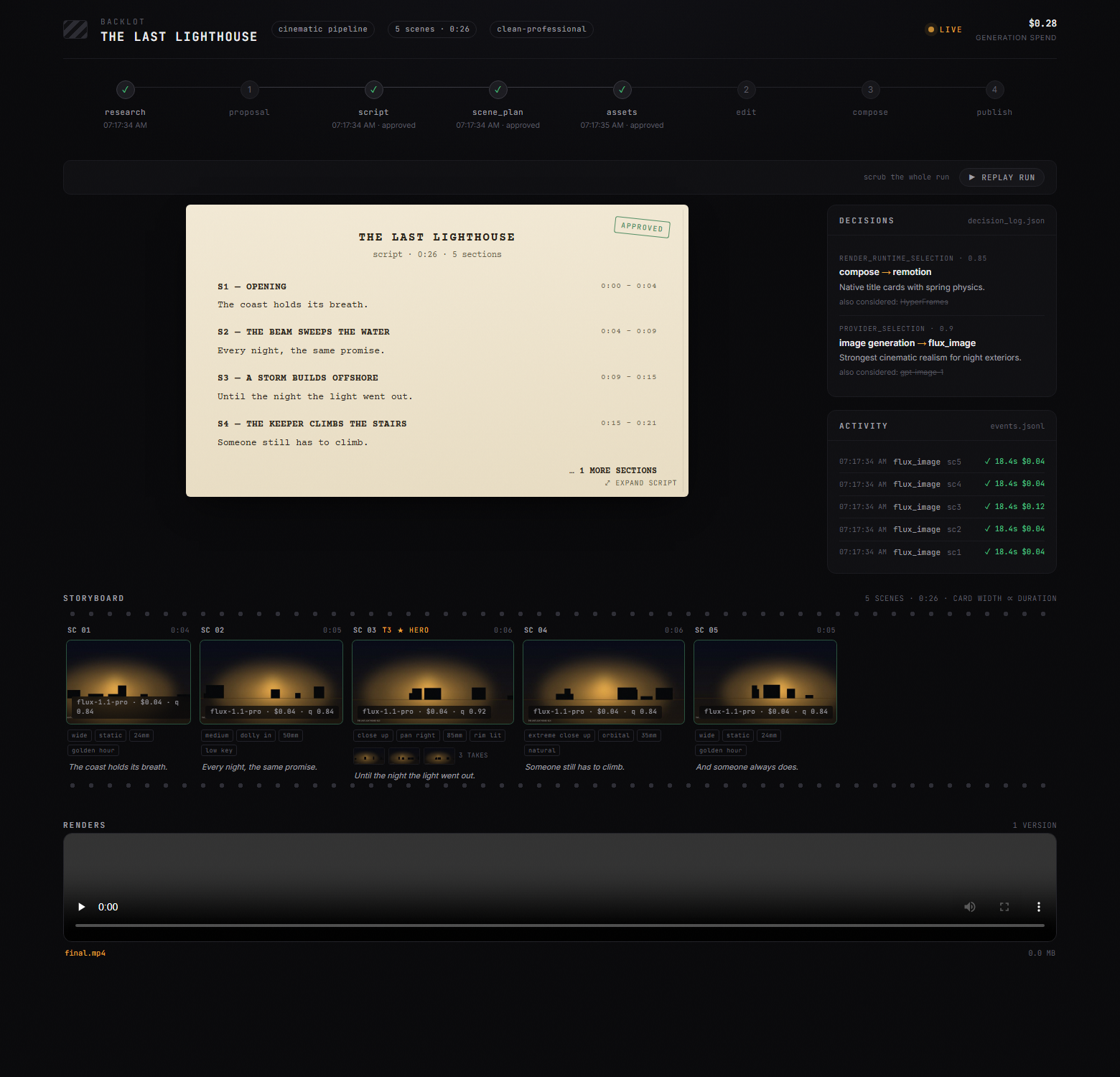
Chat tells you what the agent said. Backlot shows you what the production is actually doing — a local board that fills itself in as the pipeline runs. Stages light up, the script lands as a screenplay page, scene cards shimmer while assets generate, and every provider decision and dollar spent is on the wall.
When a production starts, the agent opens it for you automatically. No setup, no reporting — the board derives everything from the project files the pipeline already writes.
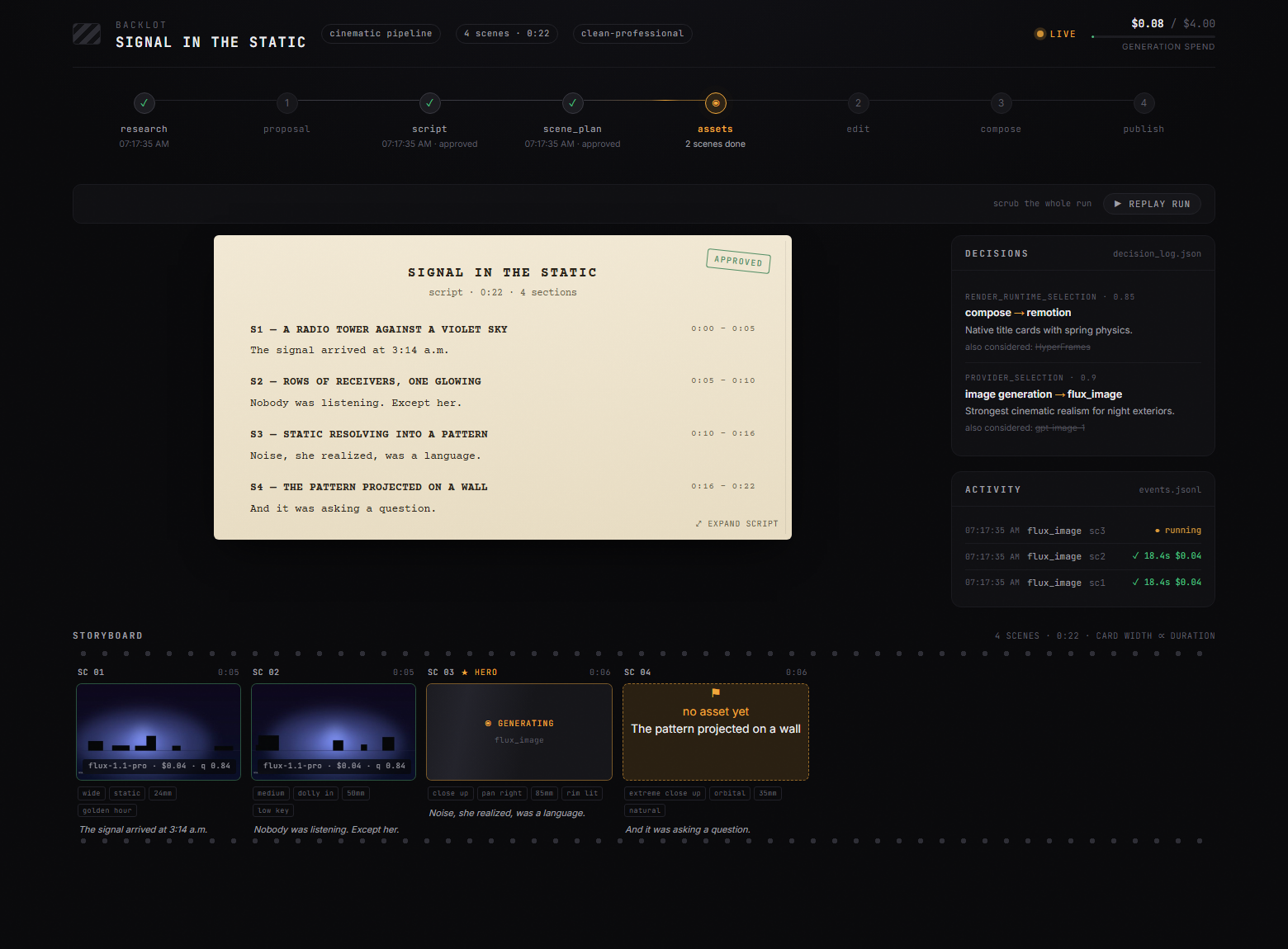
The storyboard is now a real approval gate. Asset generation pauses on a scene-by-scene contact sheet — takes, prompts, per-asset cost, quality scores — so you approve the visuals before the render, not after it's too late:
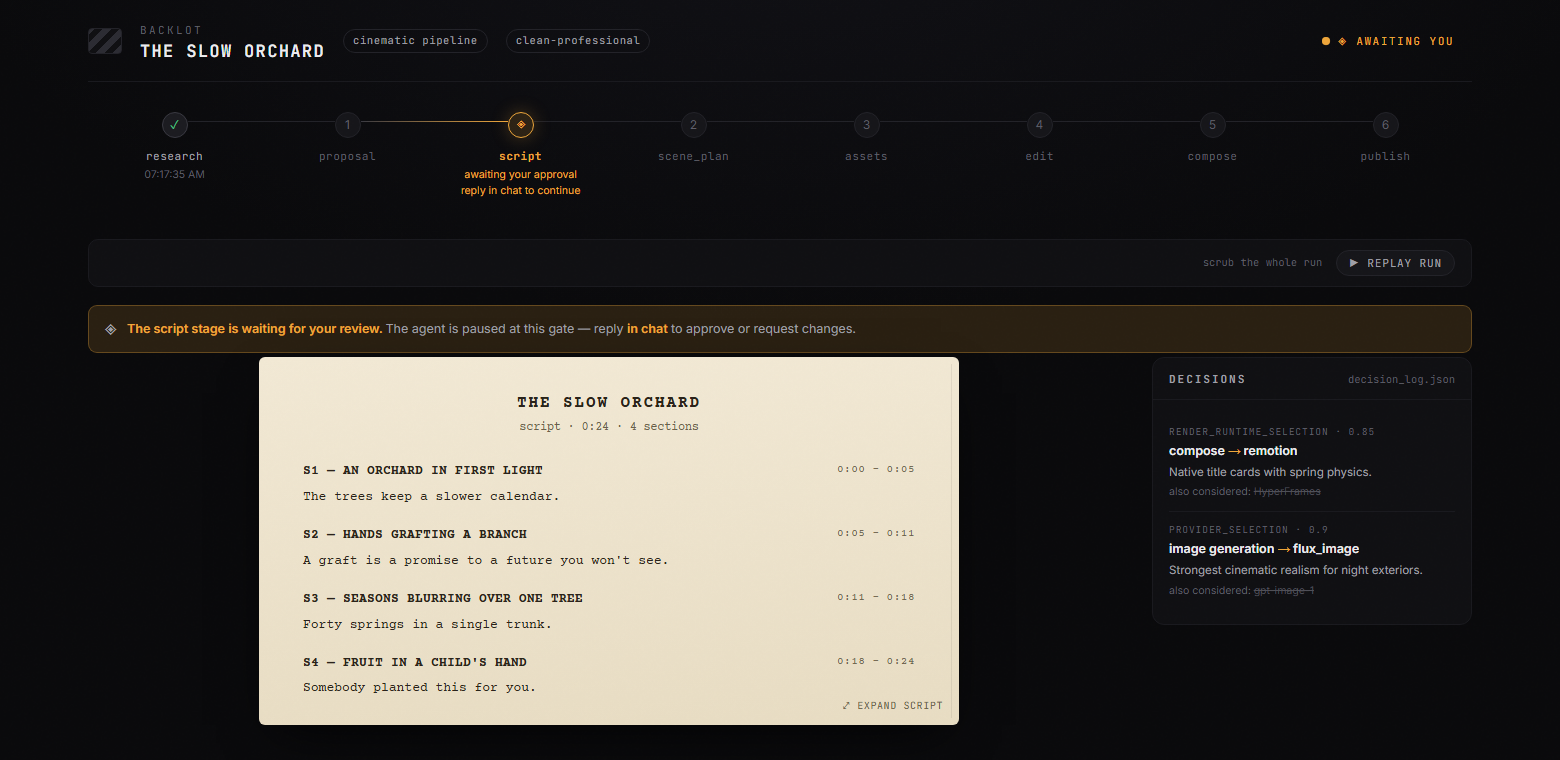
Creative gates hold until you answer. The board shows what's waiting and why; you reply in chat:
Every production on your machine, live-first, in the library:
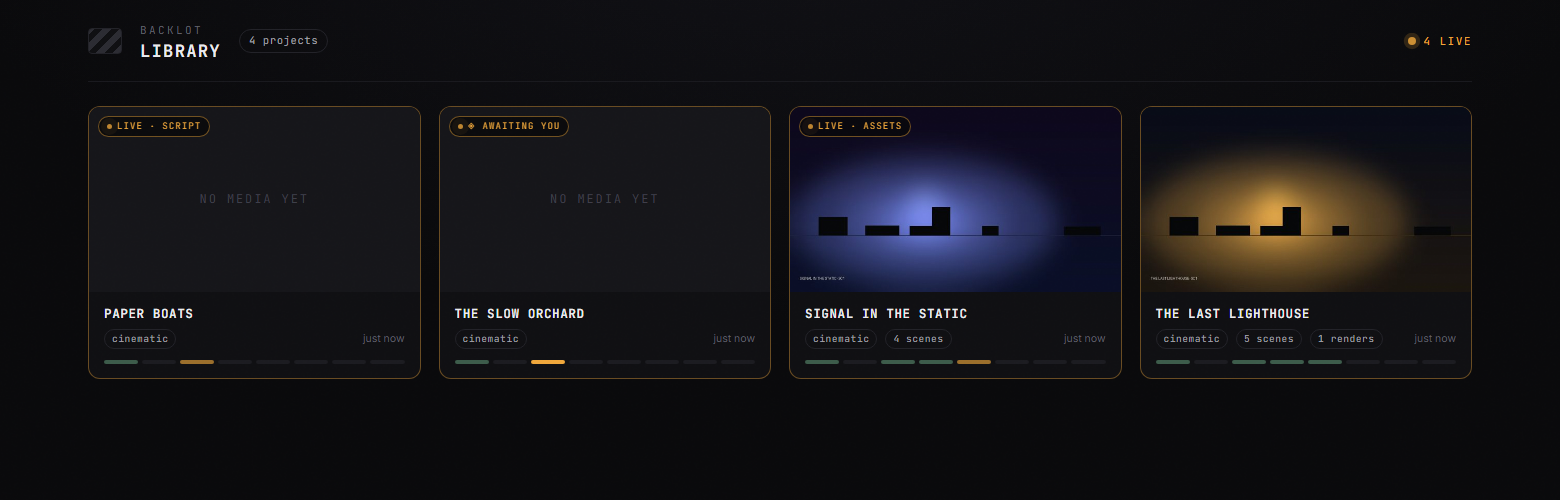
python -m backlot open                  # the library — every project on disk
python -m backlot open <project-id>     # one production's live board
python scripts/backlot_simulate_run.py  # no production yet? watch a simulated one live
And when a run is done, hit ▶ REPLAY RUN — the whole production replays from its timestamps, scrubbable end to end. See backlot/README.md for how it works.
Quick Start
Prerequisites
- Python 3.10+ — python.org
- FFmpeg —
brew install ffmpeg / sudo apt install ffmpeg / ffmpeg.org
- Node.js 18+ — nodejs.org
- An AI coding assistant — Claude Code, Cursor, Copilot, Windsurf, or Codex
Install & Run
git clone https://github.com/calesthio/OpenMontage.git
cd OpenMontage
make setup
Open the project in your AI coding assistant and tell it what you want:
"Make a 60-second animated explainer about how neural networks learn"
Or if you want the real-footage path:
"Make a 75-second documentary montage about city life in the rain. Use real footage only, no narration, elegiac tone, with music."
That's it. The agent researches your topic with live web search, generates AI images, writes and narrates the script with voice direction, finds royalty-free background music automatically, burns in word-level subtitles, and renders the final video. Before you see anything, the system runs a multi-point self-review — ffprobe validation, frame sampling, audio level analysis, delivery promise verification, and subtitle checks. Every provider selection is scored across 7 dimensions with an auditable decision log. Every creative decision gets your approval.
No make? macOS/Linux: python3 -m venv .venv && source .venv/bin/activate && python -m pip install -r requirements.txt && cd remotion-composer && npm install && cd .. && python -m pip install piper-tts && cp .env.example .env



 @heygen-com

