
Development
Plugin
boss
Languages / 语言 / 言語 / 언어 / Idiomas / Langues: English · 中文 · 日本語 · 한국어 · Español · Français · Português This project is part of the AtomGit G-Star Incubation Program.

Plugin Signal88/100Strong
maintained100
capable82
documented100
adopted58
Install on Claude Code
> /plugin marketplace add echoVic/boss-skill> /plugin install boss@boss-skill
Stats
559
Stars
50
Forks
Active
Maintenance
TypeScript
Language
MIT
License
2d ago
Last commit
8mo ago
Created
Repo: echoVic/boss-skill
In this plugin
- skills
- architecture-design
- data-api-design
- tech-research
- api-development
- testing-guide
- brainstorming
- changelog-generation
- deployment-process
- monitoring-alerting
- component-development
- competitive-analysis
- prd-writing
- requirement-penetration
- strategic-review
- user-research
- e2e-playwright
- test-execution
- test-strategy
- risk-assessment
- task-breakdown
- tech-stack-detection
- code-review
- technical-standards
- component-specification
- design-system
- design-variants
- interaction-specification
- agents
- commands
What's inside
Skill(27 skills)
/architecture-design系统架构设计方法论,包含架构模式选择、系统分层、目录结构设计/data-api-design数据模型和API设计方法论,包含ERD设计、数据字典、RESTful API规范/tech-research技术调研方法论,通过系统性调研和对比分析,为技术选型提供数据支持
- /api-development
- /testing-guide
- /brainstorming
- /changelog-generation
- /deployment-process
- /monitoring-alerting
- /component-development
- /competitive-analysis
- /prd-writing
- /requirement-penetration
- /strategic-review
- /user-research
- /e2e-playwright
- /test-execution
- /test-strategy
- /risk-assessment
- /task-breakdown
- /tech-stack-detection
- /code-review
- /technical-standards
- /component-specification
- /design-system
- /design-variants
- /interaction-specification
Agent(16 agents)
Command(7 commands)
Badges





README
boss-skill
Languages / 语言 / 言語 / 언어 / Idiomas / Langues: English · 中文 · 日本語 · 한국어 · Español · Français · Português
This project is part of the AtomGit G-Star Incubation Program. GitHub is the canonical repository; AtomGit provides an automatically synchronized mirror for faster access in China. Please submit issues and pull requests on GitHub.
GitHub: https://github.com/echoVic/boss-skill · AtomGit mirror: https://atomgit.com/echoVic/boss-skill
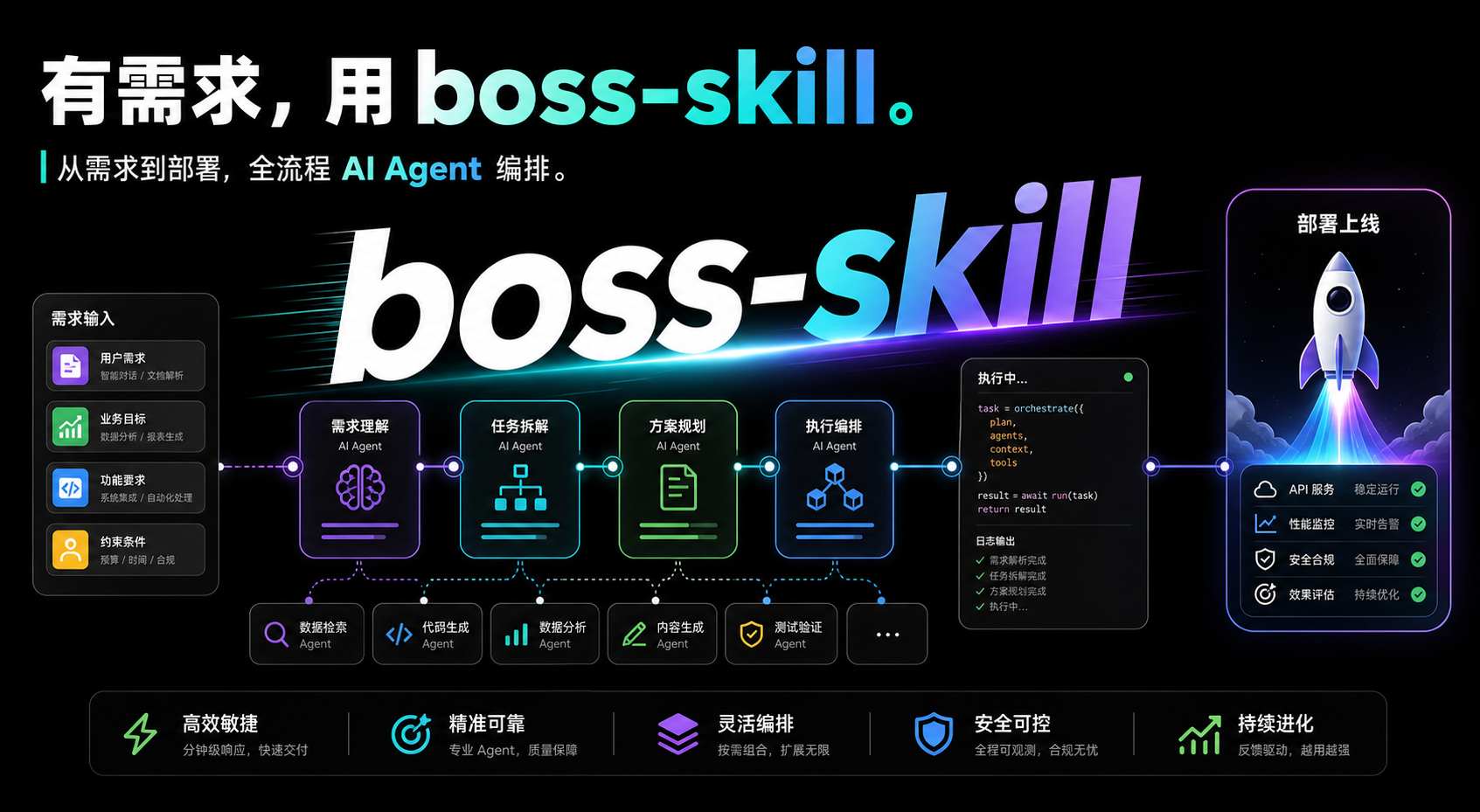
Boss is an auditable agent-team workflow for coding agents. It turns one coding agent into a structured engineering team: PM, Architect, UI Designer, Tech Lead, Scrum Master, Frontend, Backend, QA, and DevOps. Unlike prompt-only agent teams, Boss adds runtime state, append-only events, quality gates, deterministic evals, hooks, and replayable artifacts.
Boss works with Claude Code, Codex, OpenClaw, Antigravity, and Hermes.
Why Boss
Prompt-only orchestration can sound organized, but it usually cannot prove that the plan was followed, tests were run, gates passed, or state was not hallucinated. Boss is built around evidence:
- Event-sourced runtime: pipeline state is appended to
.boss/<feature>/.meta/events.jsonland projected into read-only execution state. - Verifiable gates: QA, deployment, and final checks run as real commands whose verdicts are recorded as events.
boss gate finalandboss doctorfail when a completed stage carries a failed gate. Enforcement still relies on the orchestrating agent honoring the protocol; the CLI makes the verdict checkable, not unavoidable. - Replayable artifacts: PRDs, architecture docs, task lists, QA reports, deploy reports, and summaries live under
.boss/<feature>/. - Deterministic evals: captured transcripts can be scored without calling a real LLM.
- Agent-friendly CLI: commands support JSON output,
--describe, dry runs, bounded fields, and structured errors.
Use One Role Or The Whole Team
Boss is not a single monolithic command. You can run one role against an existing project, or run the full pipeline from idea to delivery.
| Command | What it does | Use when |
|---|---|---|
/boss | Full 4-stage pipeline | You want to go from idea to shippable work |
/boss:plan | PM + Architect planning | You want PRD and architecture before implementation |
/boss:review | Tech Lead review | You need a read-only code, PR, or design review |
/boss:qa | QA plus gates | You need verifiable test evidence |
/boss:ship | DevOps build and deployment checks | You are ready to ship |
/boss:extend | Custom agent, pack, or gate | You want to adapt Boss for your team |
/boss:upgrade | Upgrade Boss Skill and reinstall hooks | You want the latest npm package and hook config |
Quick Start
1. Install
Boss is a skill you install into your coding agent — not a tool that installs other skills.
Recommended — via the skills CLI (vercel-labs/skills, skills.sh):
npx skills add echoVic/boss-skill
This is the standard, agent-agnostic way to install a skill: it discovers boss from the repo, prompts for target agent / scope (project vs global) / install method, and records a skills-lock.json you can commit. Boss ships a single skill root, so the picker shows just boss — its internal methodologies travel with it.
Alternative — Boss's own multi-agent installer (auto-detects Claude Code, Codex, OpenClaw, Antigravity, Hermes and installs into all of them, plus merges Codex hooks):
# One-shot, no global install
npx @blade-ai/boss-skill

# Or install globally, then run the self-install wizard
npm install -g @blade-ai/boss-skill
boss-skill
For Claude Code plugin mode:
claude --plugin-dir "$(boss-skill path)"
2. Try It On A Project You Already Have
The lowest-cost first run is a single role against existing code. It reads, it does not write:
/boss:review
You get tech-review.md under .boss/<feature>/ with risks, findings and severity. Nothing else in your repo is touched.
Want verifiable test evidence instead? /boss:qa runs the tests and the gates, and writes qa-report.md.
3. Run The Full Pipeline
Inside your coding agent:
/boss Build a local personal todo app --roles core --skip-deploy
--roles coreuses PM, Architect, Dev, and QA.--skip-deploystops after implementation and test evidence.
4. Inspect Results
boss status todo-app --json
boss runtime inspect-pipeline todo-app
Expected artifact layout:
.boss/todo-app/
├── design-brief.md
├── prd.md
├── architecture.md
├── tasks.md
├── qa-report.md
└── .meta/
    ├── events.jsonl
    ├── execution.json
    └── workflow-plan.json
When To Use Boss
| Good fit | Poor fit |
|---|---|
| New features that need requirements, design, implementation, tests, and delivery evidence | One-line fixes or tiny local edits |
| API, full-stack, UI, or medium-sized product work | Pure code reading or explanation |
Work where .boss/<feature>/ artifacts are valuable | Tasks with a complete existing spec where you only need a quick patch |
| Teams that want repeatable gates and audit trails | Work that does not need coordination or review evidence |
Rule of thumb: if you do not need a traceable .boss/ folder, you probably do not need the full /boss pipeline. Use a single role or let your coding agent edit directly.
No CLI? Still Works
Boss detects the boss CLI at runtime. Without it, the workflow can degrade to Markdown artifacts under .boss/<feature>/ instead of the event stream. The CLI is the auditability upgrade: event sourcing, replayable resume, deterministic evals, runtime gates, and structured diagnostics.
Boss does not mean "install once and get guaranteed autonomous delivery." It provides a runtime workflow and evidence gates; the active coding agent still has to follow the Boss protocol.
Installation Details
npm install -g @blade-ai/boss-skill
boss-skill install
Useful install commands:
boss-skill install --dry-run
boss-skill uninstall
boss-skill path
boss-skill --version
Auto-detected targets:
| Agent | Detection | Install method |
|---|---|---|
| OpenClaw | ~/.openclaw/ | Copy to ~/.openclaw/skills/boss/ and inject metadata |
| Codex | ~/.codex/ | Copy to ~/.codex/skills/boss/, inject metadata, merge hooks |
| Antigravity | ~/.gemini/antigravity/ | Copy to Antigravity skills directory and inject metadata |
| Hermes | ~/.hermes/ | Copy to ~/.hermes/skills/boss/ and inject metadata |
| Claude Code | Always available | Plugin mode with --plugin-dir |
Platform Support
Boss targets Node.js >=20 and runs on Linux, macOS, and Windows. The CLI shells out
only through spawnSync with explicit argument arrays (never shell: true), and resolves
npm/npx to their .cmd variants on Windows, so there is no POSIX-only assumption in
the core pipeline.
Two capabilities depend on optional external tools and degrade gracefully when they are absent:
- WIP checkpoints (stash/commit/branch) require
gitand a git working tree. Outside a repository, or withoutgitonPATH, checkpointing is silently skipped — the pipeline is unaffected. - Legacy hand-written
gate.shplugins are executed viabash. On Windows without a bash inPATHthese will fail to launch; prefer the cross-platform Node gate entry (gate.js/gate.mjs) for portable plugins.
Run boss doctor to see the resolved runtime environment (Node version, platform, and
whether git is available) alongside install and event-stream health.
Commands
Common slash commands:
/boss Build a todo app
/boss Add authentication to this existing project --skip-ui
/boss Build an API service --skip-deploy --quick
/boss Continue the previous task --continue-from 3
/boss Lightweight mode --roles core --hitl-level off
/boss:upgrade
Common options:
| Option | Meaning |
|---|---|
--roles <preset> | full for all 9 roles, or core for PM/Architect/Dev/QA |
--skip-ui | Skip UI design |
--skip-deploy | Skip deployment |
--quick | Skip confirmation and requirement clarification nodes |
--template | Initialize .boss/templates/ and pause |
--continue-from <1-4> | Resume from a pipeline stage |
--hitl-level <level> | Human-in-the-loop mode: auto, interactive, or off |
Boss CLI commands:
boss --help
boss doctor                              # install, runtime and per-feature health
boss status FEATURE
boss continue FEATURE
boss gate FEATURE                        # one quality gate
boss gate final FEATURE                  # release gate (subcommand comes first)
boss qa attack FEATURE
boss project init FEATURE
boss design preview FEATURE
boss packs detect
boss runtime inspect-pipeline FEATURE
boss runtime generate-summary FEATURE
boss runtime rebuild-state FEATURE       # rebuild execution.json from events.jsonl
execution.json is a projection, not a source of truth: if it is ever unreadable, boss runtime rebuild-state regenerates it from the event stream.
Agent-facing boss commands use these common options where applicable; run --describe on a command for its exact JSON schema:
--json: structured output; non-TTY stdout defaults to JSON--describe: JSON command schema--dry-run: structured action plan for writes or risky operations--json-input=<json|->: JSON input payload--fields=<a,b>and--limit=<n>: bounded output--yes: required only for high-risk non-interactive commands that need an extra confirmation
Structured errors are written to stderr as {"error":{...}} and include code, message, input, retryable, and suggestion. Domain conditions carry their own codes rather than a generic failure — retry_budget_exhausted, invalid_state_transition, run_id_mismatch, feedback_budget_exhausted, gate_not_found, workflow_plan_mismatch, state_unreadable, pipeline_not_initialized, invalid_usage — and each suggestion names the next command to run.
Workflow
Boss follows a four-stage workflow:
User request
  -> requirement clarification
  -> Stage 1: PM, Architect, UI Designer
  -> Stage 2: Tech Lead, Scrum Master
  -> Stage 3: Frontend, Backend, QA, gates
  -> Stage 4: DevOps, deployment checks, summary
The full role set:
| Role | Responsibility |
|---|---|
| PM | Requirement discovery, PRD, hidden needs, edge cases |
| Architect | System architecture, technical design, APIs |
| UI Designer | UI/UX spec plus renderable design JSON |
| Tech Lead | Technical review, risk assessment |
| Scrum Master | Task breakdown and acceptance criteria |
| Frontend | UI implementation and frontend tests |
File tree
FAQ
boss is a Claude Code plugin with 27 hand-picked skills for development work, indexed on Flowy. Install it with the command on its page. It includes architecture-design, data-api-design, tech-research. Its skills do not fire on their own yet. Request auto-invocation to have Flowy route them as you prompt. Free and open source.
- What is boss?
- Languages / 语言 / 言語 / 언어 / Idiomas / Langues: English · 中文 · 日本語 · 한국어 · Español · Français · Português This project is part of the AtomGit G-Star Incubation Program.
- How do I install boss?
- Run these in Claude Code: /plugin marketplace add echoVic/boss-skill then /plugin install boss@boss-skill. Then prompt normally.
- Does boss auto-invoke its skills?
- Not yet. It is indexed on Flowy as a plain plugin. Request auto-invocation on its page and Flowy will route its skills for you as you prompt.
- Is boss free?
- Yes. Flowy is free and open source, with nothing gated. You can read every skill in full before you install.
Is this plugin yours?
Claim it with GitHubSubmit a pluginPromote it