
Development
Plugin
codeg
English | 简体中文 | 繁體中文 | 日本語 | 한국어 | Español | Deutsch | Français | Português | العربية Codeg (Code Generation) is a multi-agent coding workspace: run every AI coding agent in one place — and let them work together.

Plugin Signal82/100Strong
maintained100
capable69
documented75
adopted76
Install
$ npx -y skills add xintaofei/codeg --agent claude-code
Stats
3,616
Stars
461
Forks
Active
Maintenance
Rust
Language
Apache-2.0
License
7m ago
Last commit
7mo ago
Created
Repo: xintaofei/codeg
In this plugin
- brainstorming
- dispatching-parallel-agents
- executing-plans
- finishing-a-development-branch
- receiving-code-review
- requesting-code-review
- subagent-driven-development
- systematic-debugging
- test-driven-development
- using-git-worktrees
- using-superpowers
- verification-before-completion
- writing-plans
- writing-skills
- citation-management
- experimental-design
- exploratory-data-analysis
- hypothesis-generation
- paper-lookup
- peer-review
- scholar-evaluation
- scientific-brainstorming
- scientific-critical-thinking
- scientific-schematics
- scientific-visualization
- statistical-analysis
- statistical-power
What's inside
Skill(27 skills)
/brainstormingYou MUST use this before any creative work - creating features, building components, adding functionality, or modifying behavior. Explores user intent, requirements and design before implementation./dispatching-parallel-agentsUse when facing 2+ independent tasks that can be worked on without shared state or sequential dependencies/executing-plansUse when you have a written implementation plan to execute in a separate session with review checkpoints
- /finishing-a-development-branch
- /receiving-code-review
- /requesting-code-review
- /subagent-driven-development
- /systematic-debugging
- /test-driven-development
- /using-git-worktrees
- /using-superpowers
- /verification-before-completion
- /writing-plans
- /writing-skills
- /citation-management
- /experimental-design
- /exploratory-data-analysis
- /hypothesis-generation
- /paper-lookup
- /peer-review
- /scholar-evaluation
- /scientific-brainstorming
- /scientific-critical-thinking
- /scientific-schematics
- /scientific-visualization
- /statistical-analysis
- /statistical-power
Badges



README
Codeg
Codeg (Code Generation) is a multi-agent coding workspace: run every AI coding agent in one place — and let them work together.
It aggregates your sessions from every supported agent CLI into one searchable workspace, and lets a main agent delegate to sub-agents of other types within a single task. Work you'd rather not sit through goes on a to-do board instead — each task in its own branch, running unattended, waiting for your review before it lands. Codeg runs as a desktop app, a standalone server, or a Docker container, with native iOS and Android clients for when you're away from your desk; fifteen agents come built in, and you can register any other ACP-compatible agent yourself.
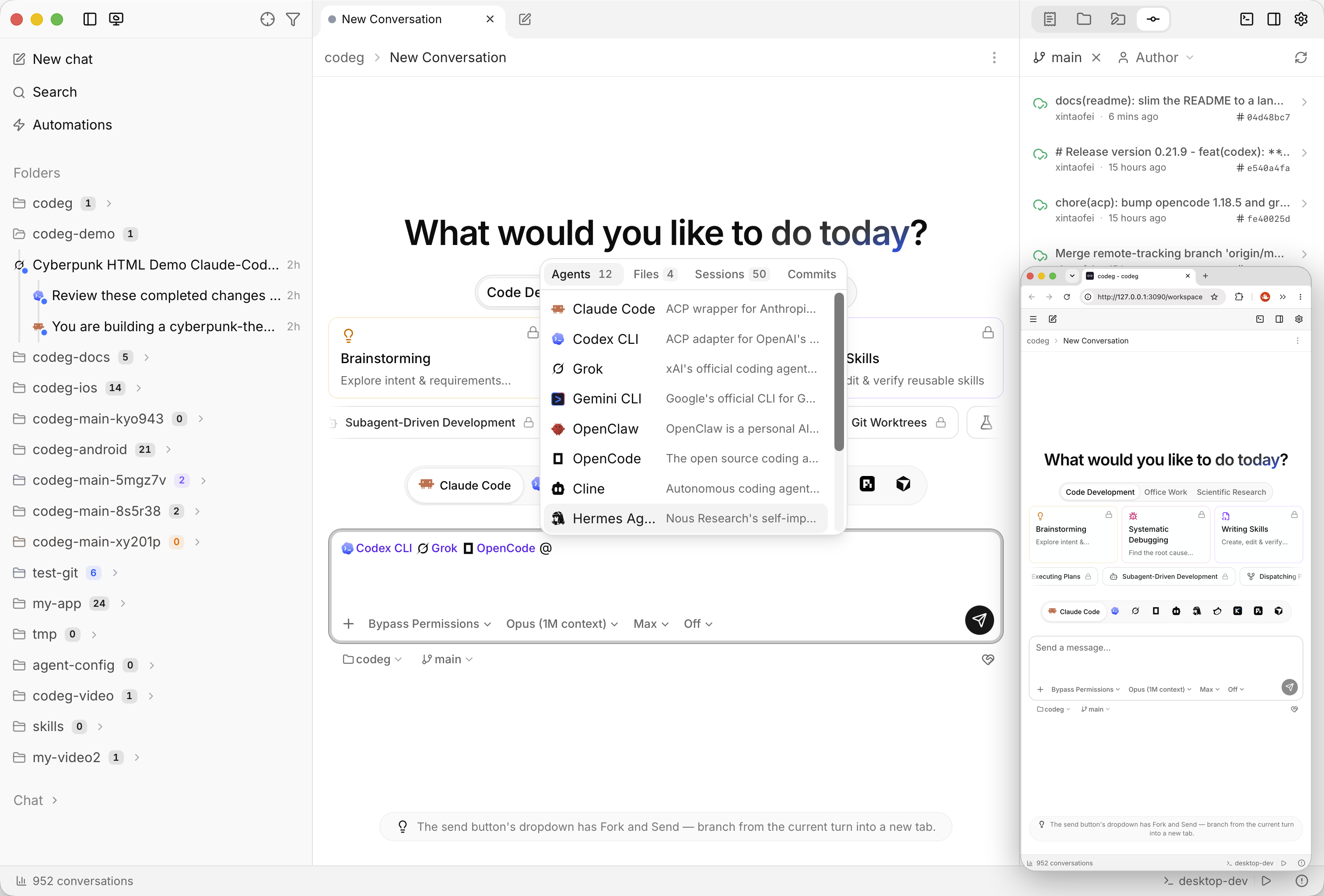
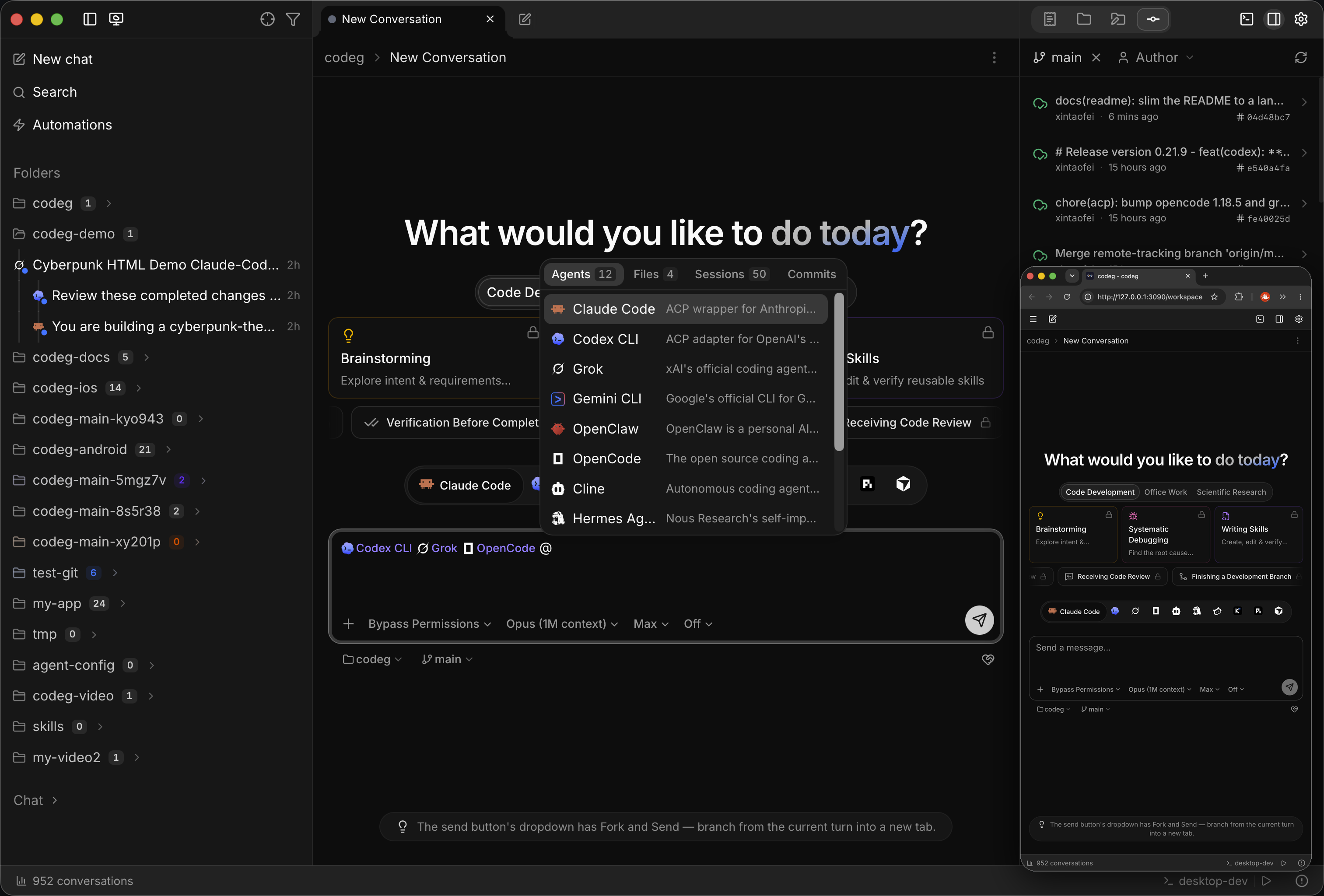
📖 Documentation
Full documentation lives at docs.codeg.app — Getting Started · Guide · Reference
💖 Sponsors
Want to become a Codeg sponsor? Reach out to us by email.
🤖 Supported Agents
Claude Code · Codex · Gemini · OpenClaw · OpenCode · Cline · Hermes · CodeBuddy · Kimi Code · Pi · Grok · Cursor · DeepSeek Harness · Qoder · Google Antigravity
Codeg installs, pins, and updates most of them for you. See Supported Agents for the full roster, each agent's runtime requirements, and where it keeps its sessions on disk.
Not on the list? Add it yourself. Pick any agent from the public ACP registry or paste its distribution JSON, and Codeg installs it, checks it can launch, and treats it like a built-in — it shows up in the picker, takes @ delegation and skills, and gets its conversations recorded and searchable even when the agent keeps no history of its own. → Custom Agents
🤝 Multi-Agent Collaboration
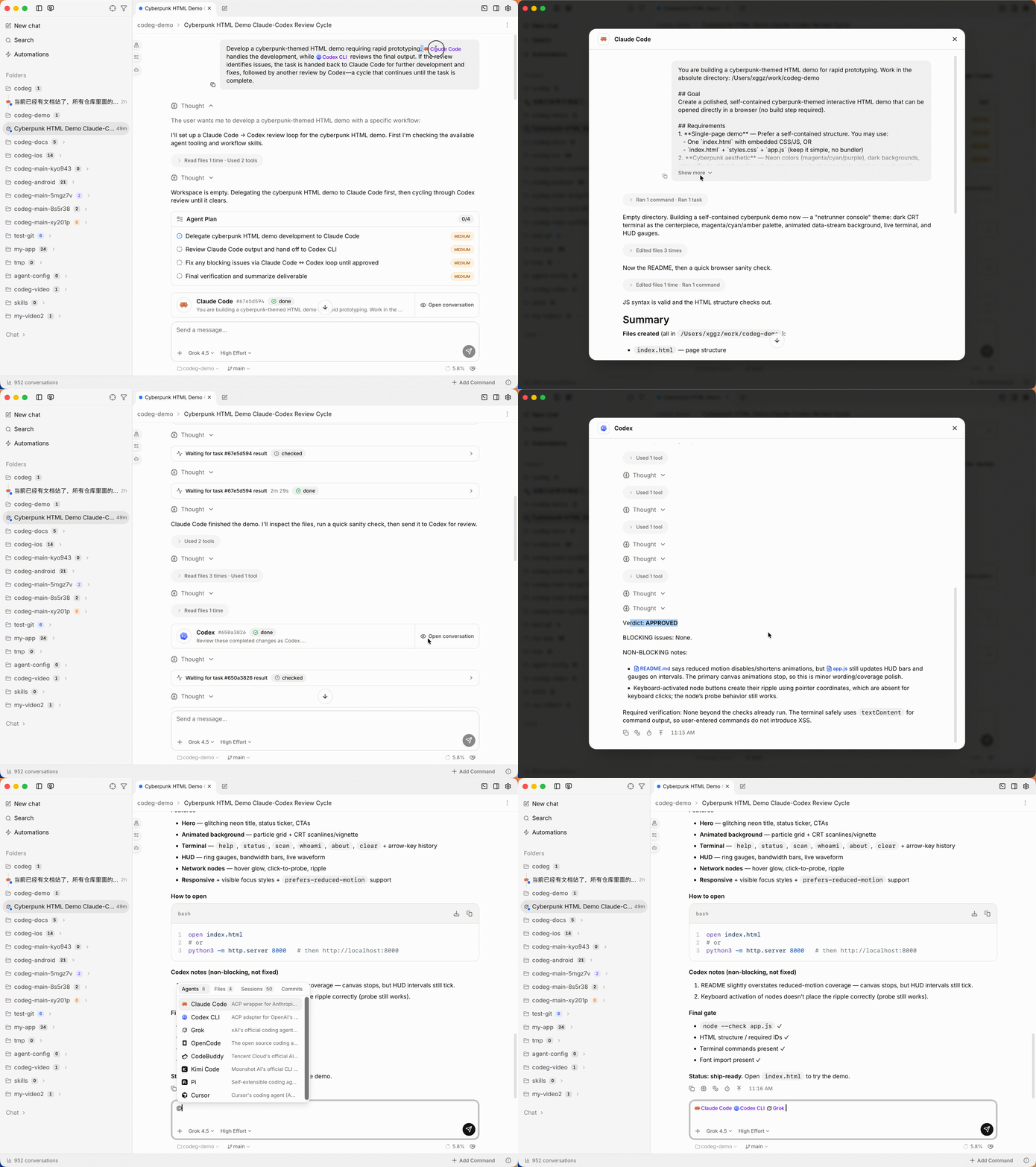
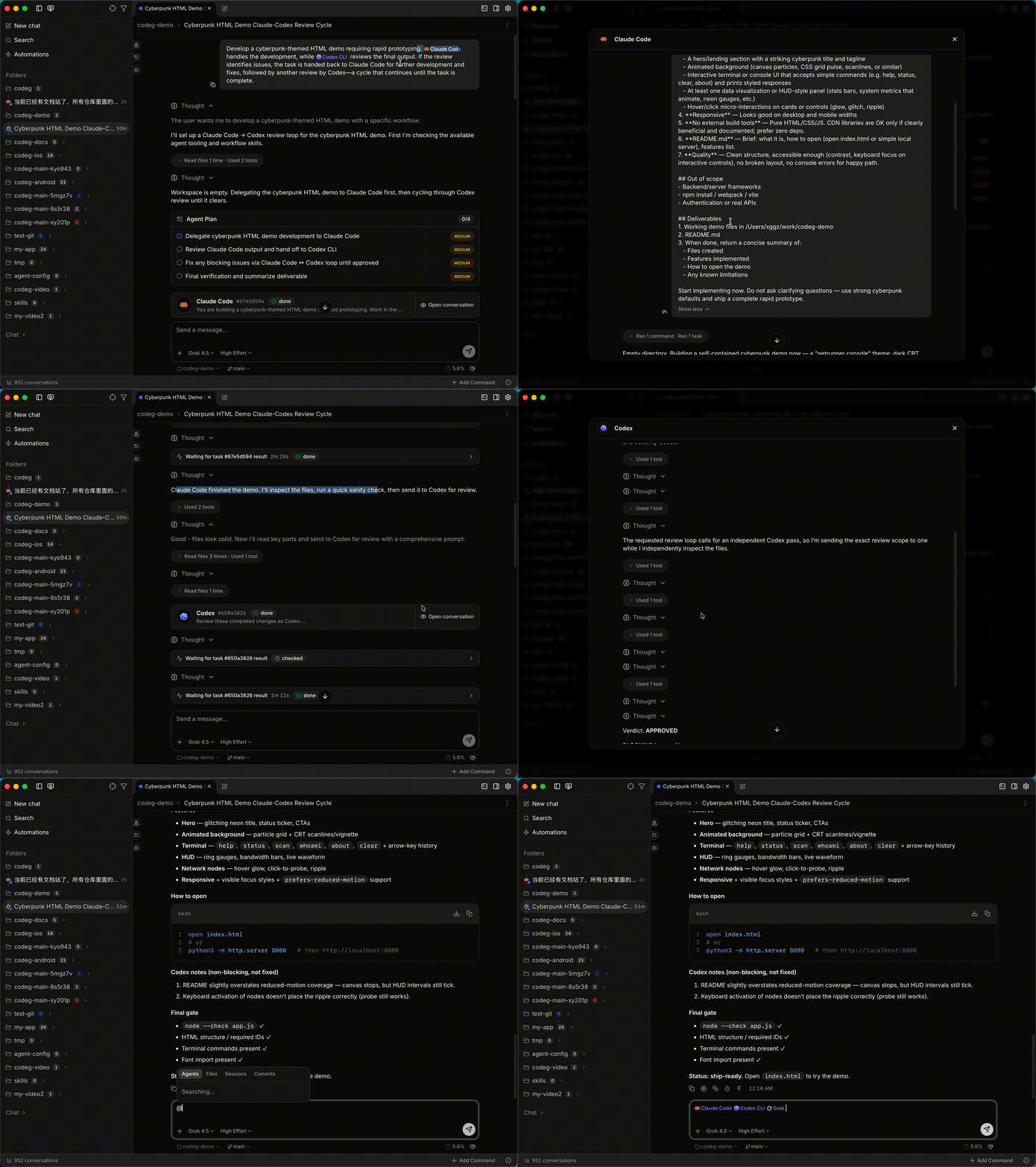
Multi-agent collaboration, reduced to a single keystroke: type @, pick an agent, hit send. Codeg handles the scheduling — it launches each mentioned agent as its own session, hands over the task, and streams the work back into the thread you're already in. Mention two and they run side by side: Claude Code drafting while Codex reviews. No context switching, no copy-pasting between terminals.
And when an agent spawns sub-agents of its own — Claude Code, Codex, Grok and OpenCode all do — each child gets a card that fills in while it works, instead of landing all at once when it finishes. Open one to read the child's own session.
✅ To-dos
Not every job needs you watching it. Write one down — a title, a description, the agent to run it with — and Codeg hands it its own copy of the code: a git worktree beside your project, on its own branch. Several run at once without touching each other, or the tree you're working in. Schedule one for tonight, or let a folder work through its queue on its own, up to a concurrency limit you set.
A finished task doesn't merge itself. It moves to a review column and waits: read the diff, send it back for another pass, or accept it — and the agent lands it, pulling your base branch into its worktree and resolving conflicts there first. Codeg then checks git rather than taking the agent's word for it; a merge it can't confirm goes back to review instead of reporting success.


🪟 Split View
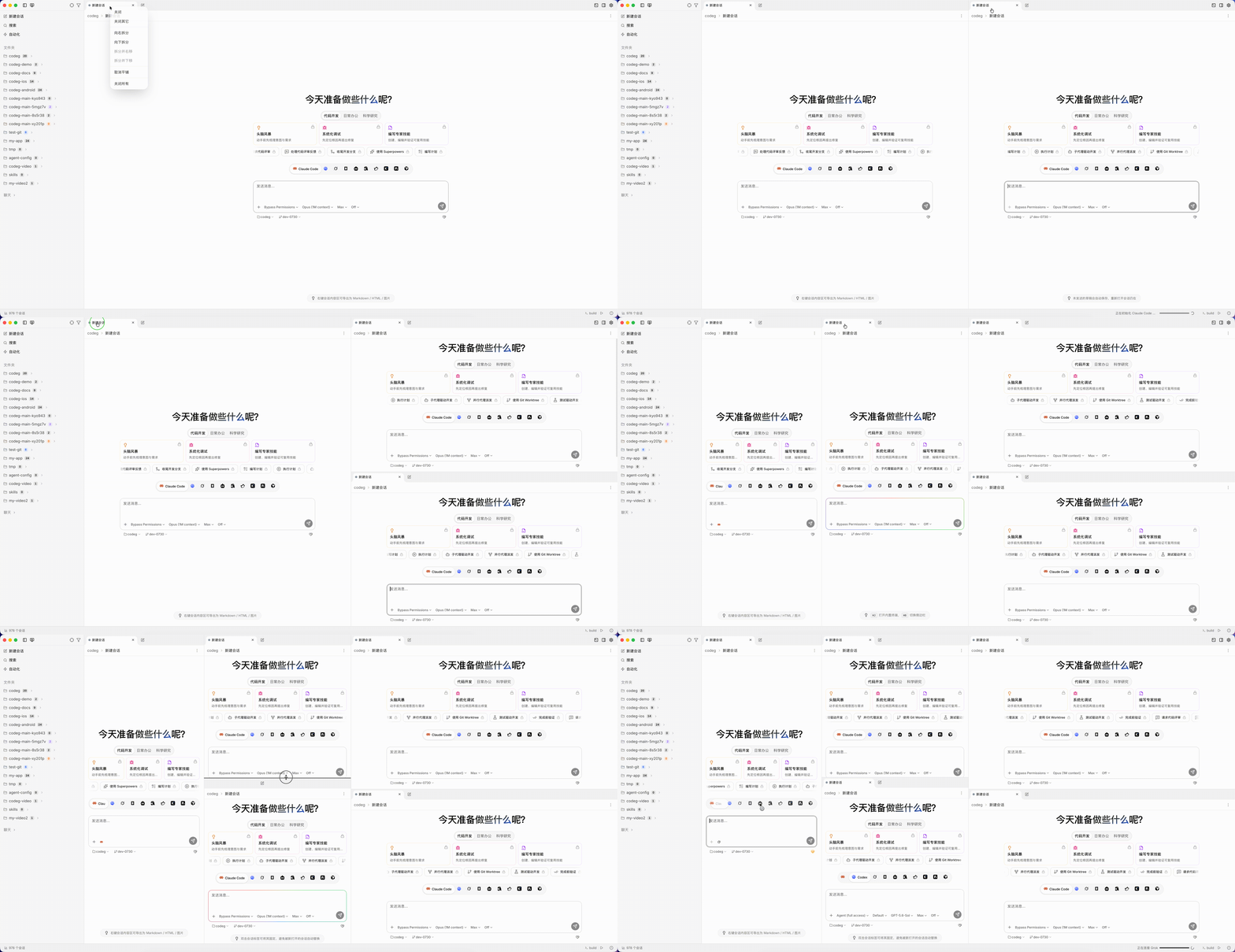
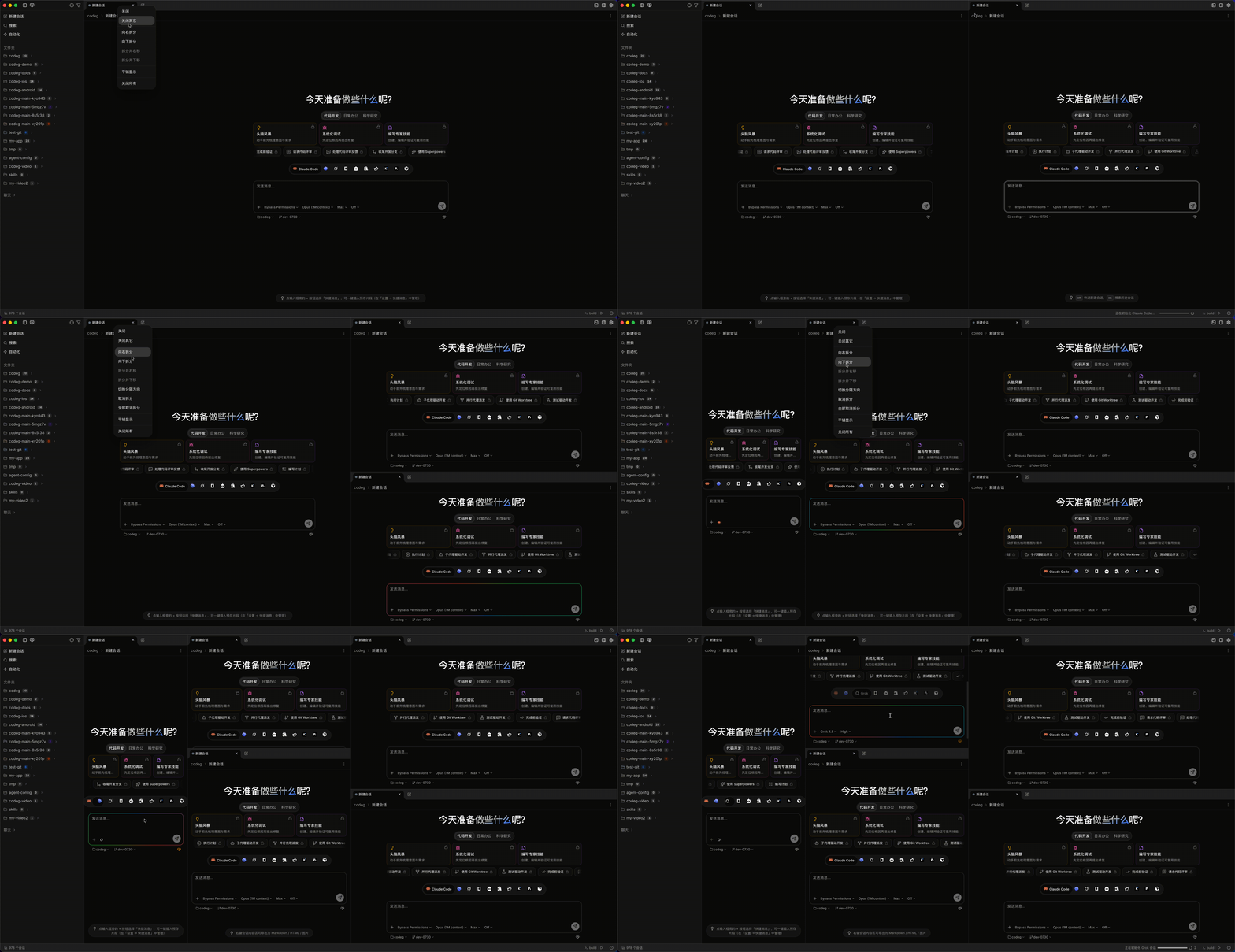
One tab strip isn't always enough. Right-click a conversation tab to split the view right or down, as many times as you like: two panes side by side, a stack of three, a grid. Each group is a workspace of its own — its own tabs, its own header, its own new-conversation button — so Claude Code can refactor in one pane while Codex reviews a diff in the next.
Drag a tab from one group into another and its session keeps streaming through the move; drag the divider between two groups to change how they share the space. Your layout is remembered per workspace, drafts included: reopen Codeg and the split comes back, with the text you never sent still in the box.
📄 Office Documents
File tree
Showing a partial view of a very large repo.
FAQ
codeg is a Claude Code plugin with 27 hand-picked skills for development work, indexed on Flowy. Install it with the command on its page. It includes brainstorming, dispatching-parallel-agents, executing-plans. Its skills do not fire on their own yet. Request auto-invocation to have Flowy route them as you prompt. Free and open source.
- What is codeg?
- English | 简体中文 | 繁體中文 | 日本語 | 한국어 | Español | Deutsch | Français | Português | العربية Codeg (Code Generation) is a multi-agent coding workspace: run every AI coding agent in one place — and let them work together.
- How do I install codeg?
- Run these in Claude Code: npx -y skills add xintaofei/codeg --agent claude-code. Then prompt normally.
- Does codeg auto-invoke its skills?
- Not yet. It is indexed on Flowy as a plain plugin. Request auto-invocation on its page and Flowy will route its skills for you as you prompt.
- Is codeg free?
- Yes. Flowy is free and open source, with nothing gated. You can read every skill in full before you install.
Is this plugin yours?
Claim it with GitHubSubmit a pluginPromote it