

claude-hud
A Claude Code plugin that shows what's happening: context usage, rate limits, active tools, running agents, and todo progress, always visible below your input.
2 commands29k
 @jarrodwatts
Gives you skills for pulling answers and prep from Circleback meeting notes, and for triaging failing GitHub Actions runs and GitHub issues. Use it to find what was decided, build meeting briefs, and sort CI failures and issues without digging through logs by hand.
Auto-invoked ships a router so the right skill fires automatically as you prompt. No remembering which skill to call.
Normal is the plain upstream plugin, installed as-is. You invoke its skills yourself.
Claude Code
The plugin> /plugin marketplace add paradevai/paradev> /plugin install superset@supersetAuto-invocation> /plugin marketplace add flowy-sh/flowy-core> /plugin install flowy-core> /plugin install flowy-superset
Codex
$ npx skills add paradevai/paradev -a codex
Cursor
$ npx skills add paradevai/paradev -a cursor
Gemini CLI
$ npx skills add paradevai/paradev -a gemini-cli
GitHub Copilot
$ copilot plugin marketplace add paradevai/paradev$ copilot plugin install superset@superset
OpenCode
$ npx skills add paradevai/paradev -a opencode
Windsurf
$ npx skills add paradevai/paradev -a windsurf
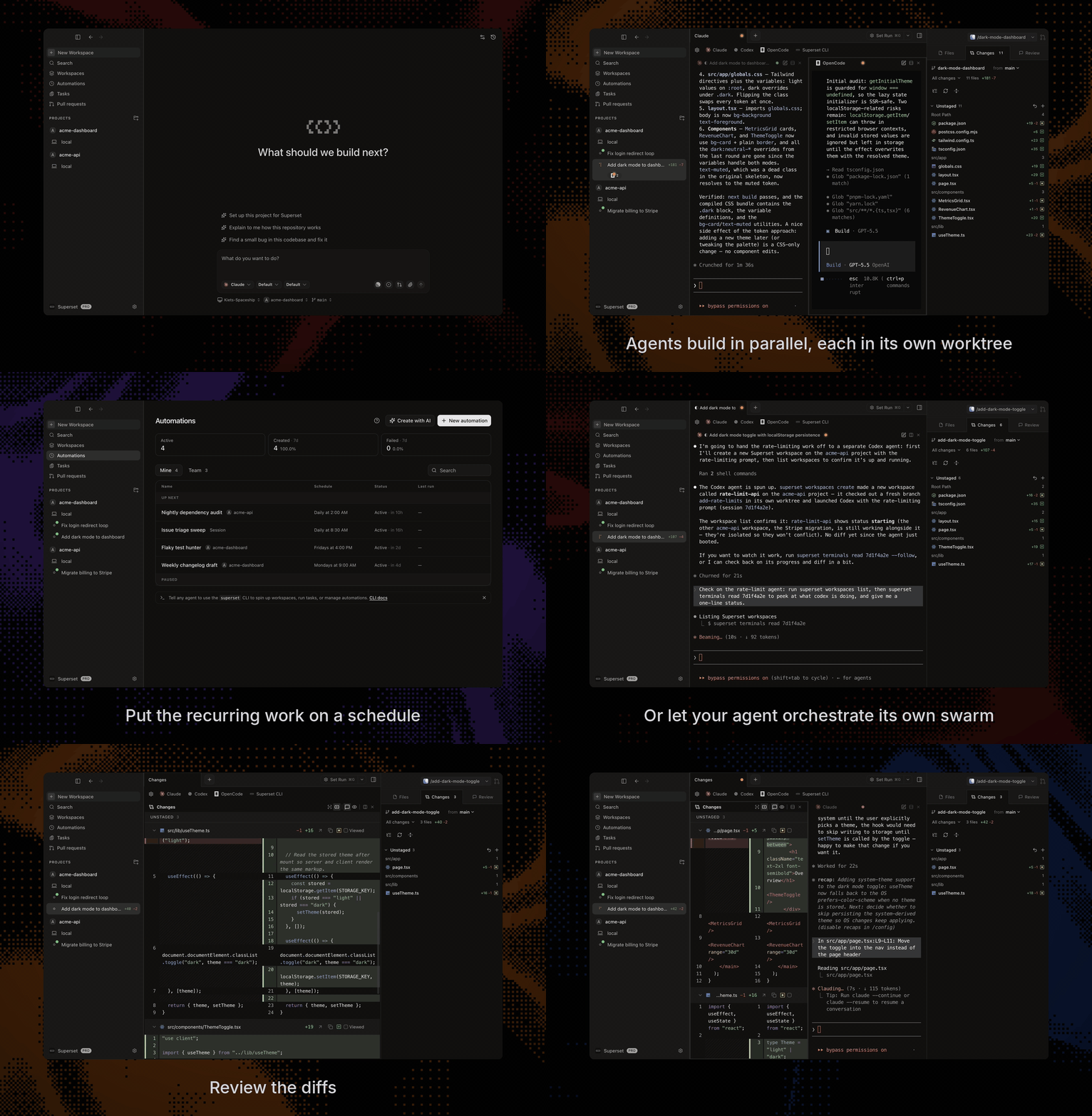
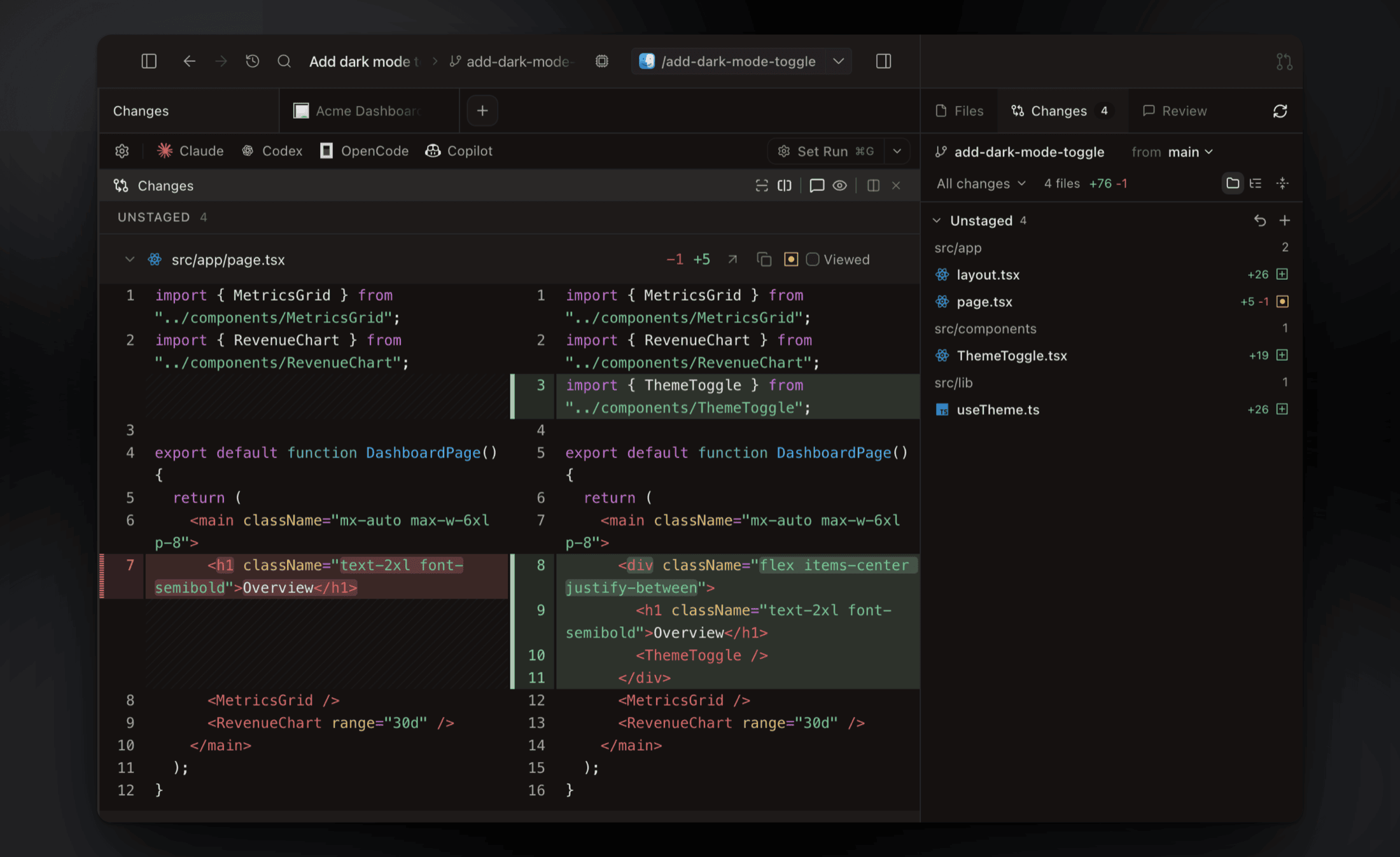
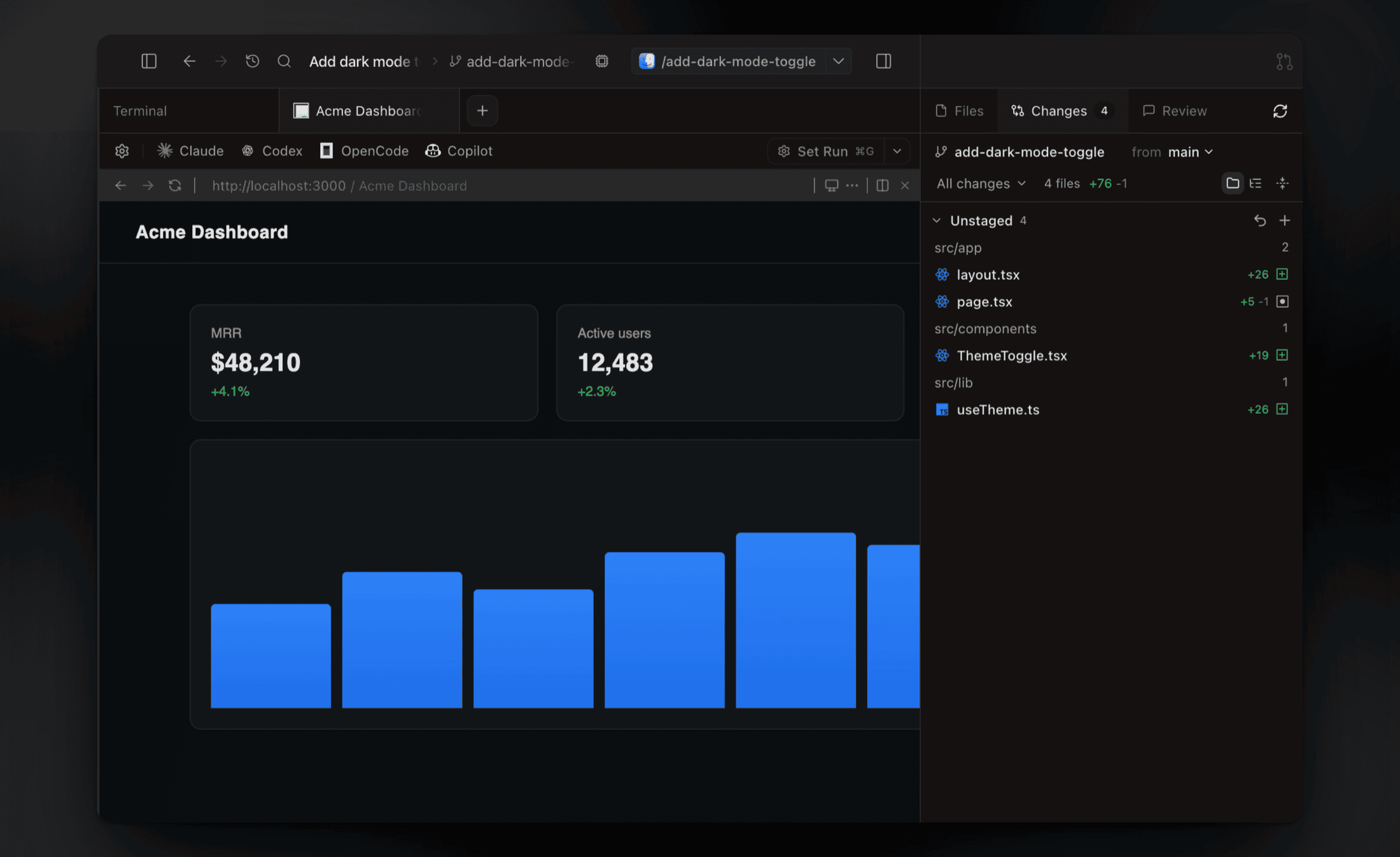

Run Claude Code, Codex, or another CLI agent with terminals, code review, and browser previews in one workspace.
Download for macOS • Documentation • Changelog • Discord
Paradev is a desktop app for running CLI coding agents in parallel. Each task gets its own Git worktree, branch, and terminals, so Claude Code, Codex, OpenCode, Gemini CLI, Cursor Agent, or any other CLI agent can work on several tasks in one repository at the same time.
Paradev is for developers who already use a coding agent in the terminal and want to run more than one task at once, without juggling terminal tabs and branches by hand.
A single agent CLI runs one session in one terminal, and an editor is built around one checkout. Paradev adds the workspace around the agents:
Paradev is not a coding agent itself. You bring your own agent subscriptions and API keys, and Paradev does not proxy model calls.
Platforms: macOS (Apple Silicon and Intel). Linux as an experimental x64 AppImage. Windows is not yet available.
Formerly Superset: Paradev was previously named Superset, and the CLI command is still superset. It is unrelated to Apache Superset, the business intelligence tool.
Paradev vs. alternatives: Cursor · Codex app · Conductor
The docs are available as a Markdown index linking to individual pages, or one full-text file.
Download the desktop app:
All you need installed is Git. gh is optional and enables the PR workflows; Paradev offers to install it for you.
For a walkthrough of workspace creation and review, see Your First Parallel Session.
See the diff viewer and browser previews
Inspect, comment on, and edit agent changes without leaving the app, then commit and push when it's ready.
Preview running dev servers in a browser pane. Ports are detected per workspace, so every worktree gets its own preview.
Give each task a Git worktree with its own branch and terminals. Worktrees separate working files; they do not sandbox processes or prevent merge conflicts.
Workspace docs · Terminal docs · Agent status
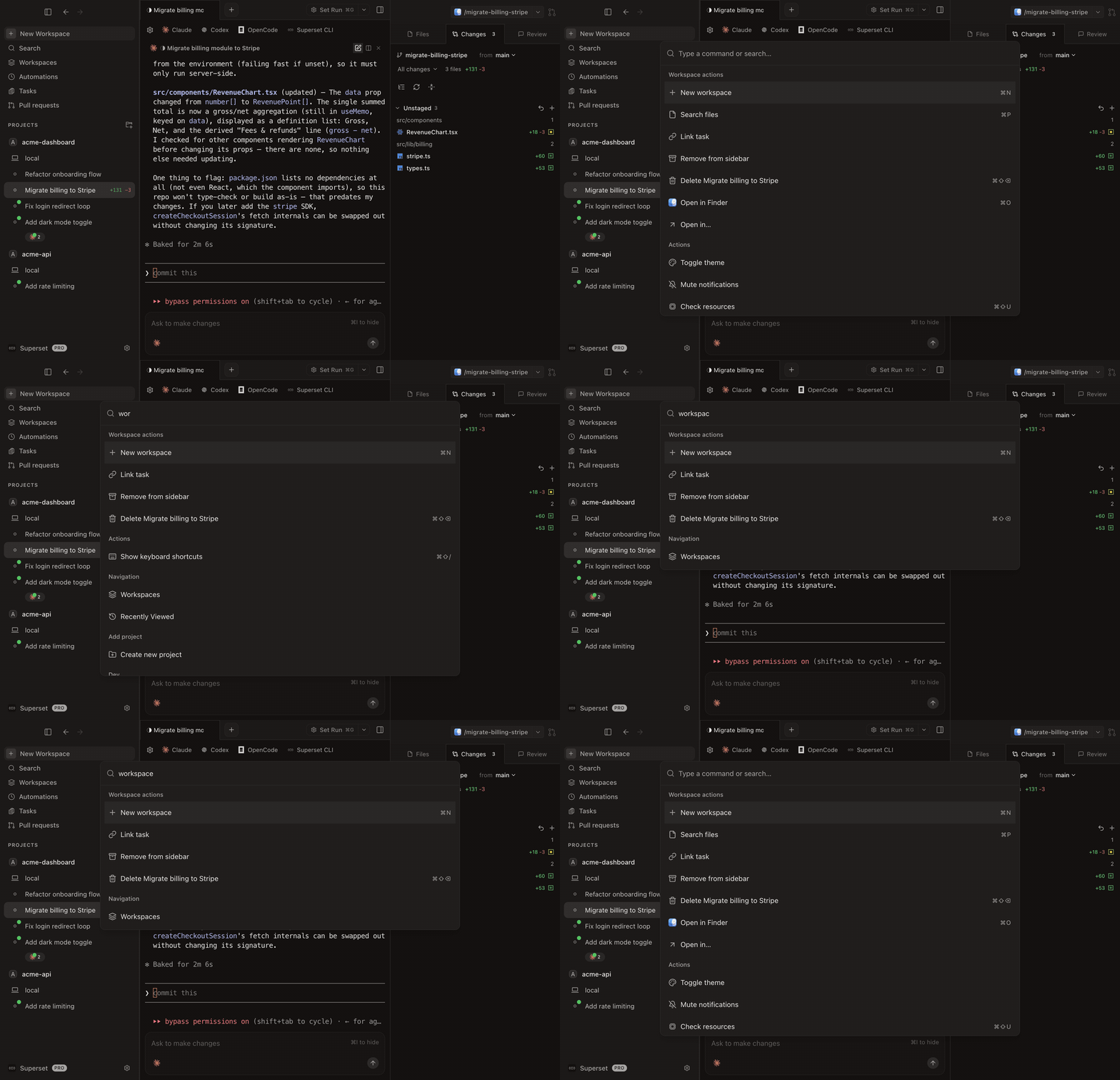
See workspaces, monitoring, terminals, and the command palette
Review each result before merging, or try two approaches to the same problem and keep the one you prefer.
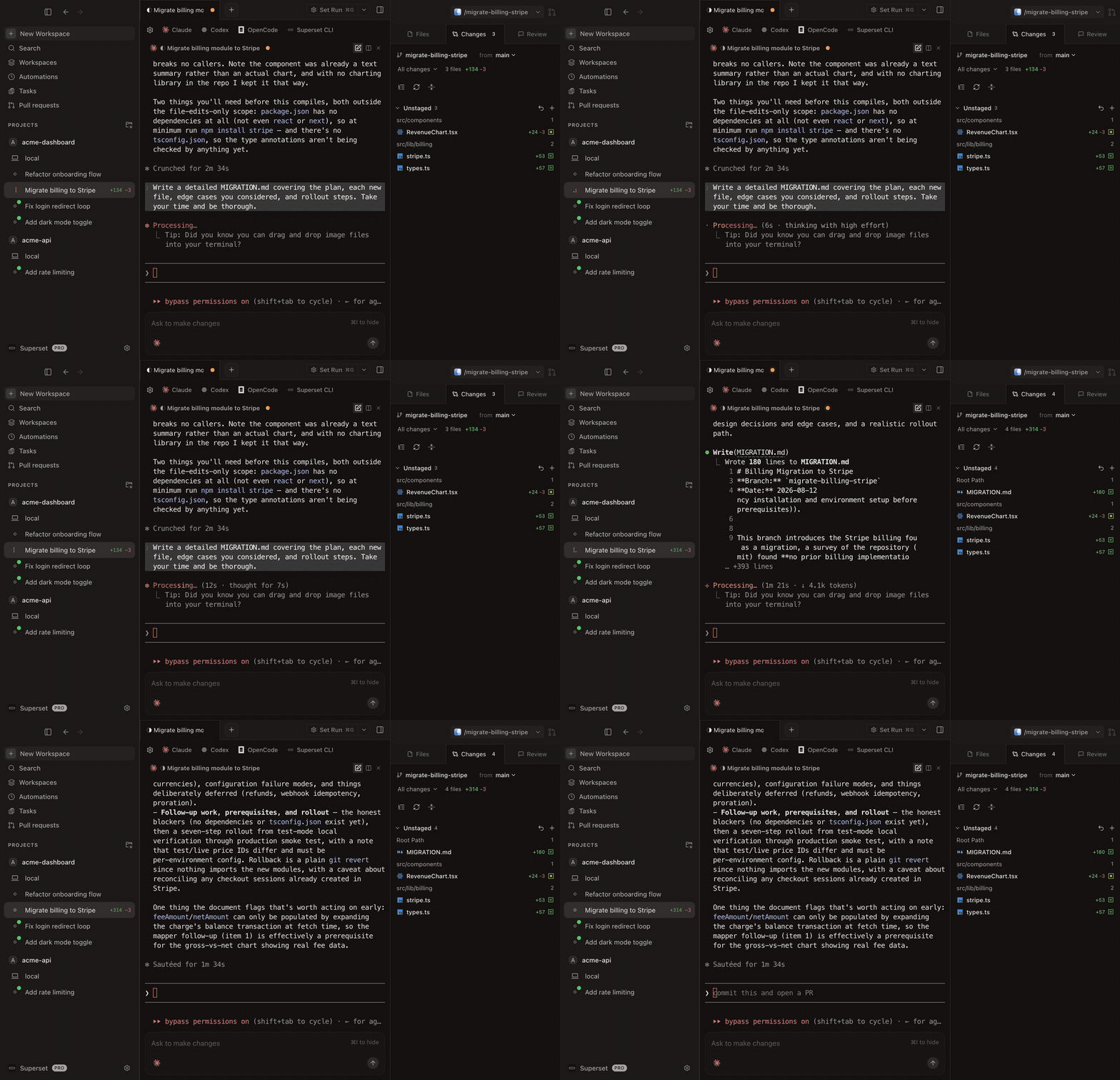
Track every agent from the sidebar, with working indicators, completion chimes, and dock badges when one needs your attention.
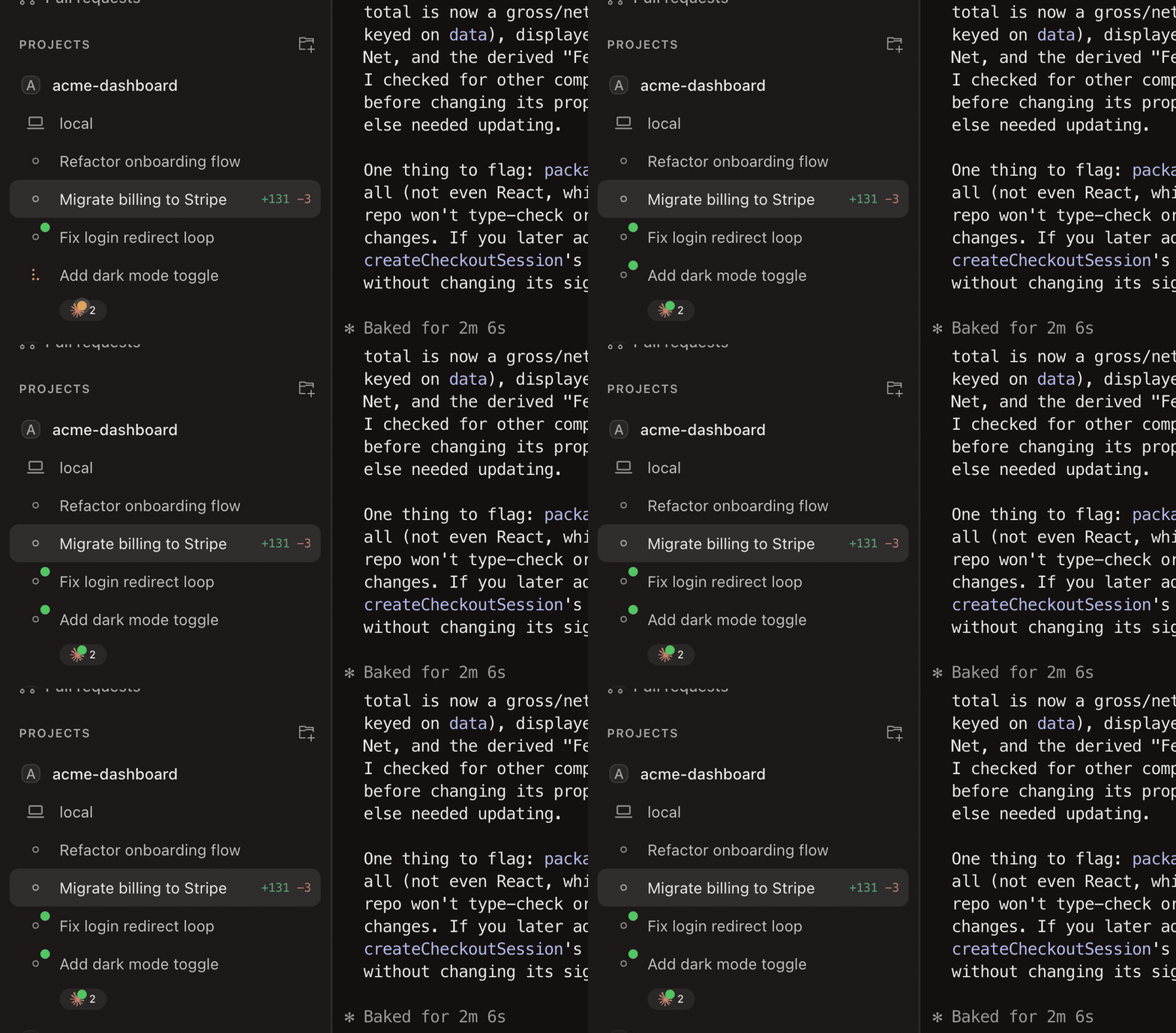
Tabs, infinite splits, presets, and persistent sessions that survive restarts. Press ⌘I for a rich prompt editor with multiline editing and @-file mentions.
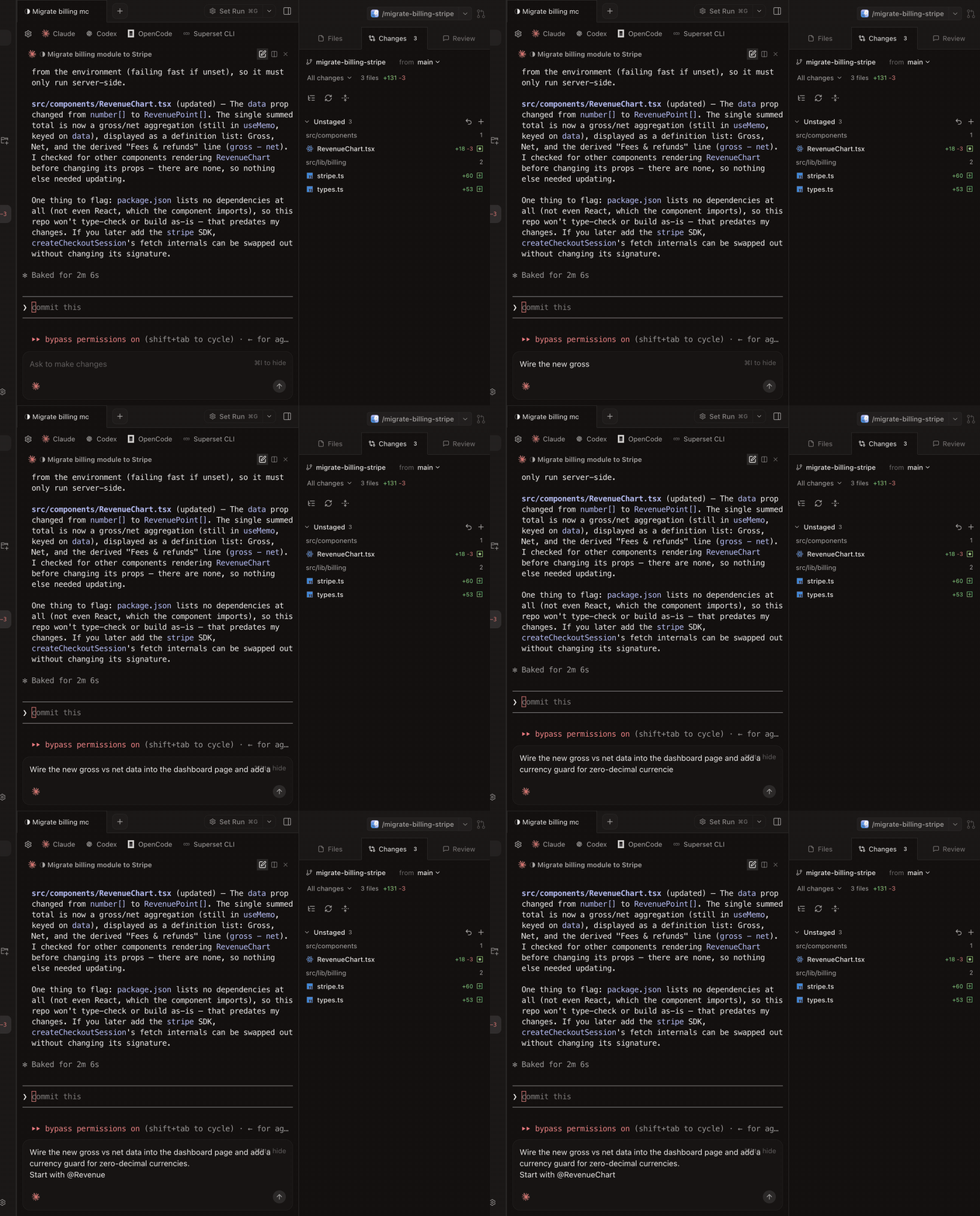
Jump to any workspace, action, or setting from one search box.
Connect another machine to reach its workspaces remotely, or schedule an agent to work on a recurring task. The CLI, SDK, and MCP server also let agents and scripts manage workspaces.
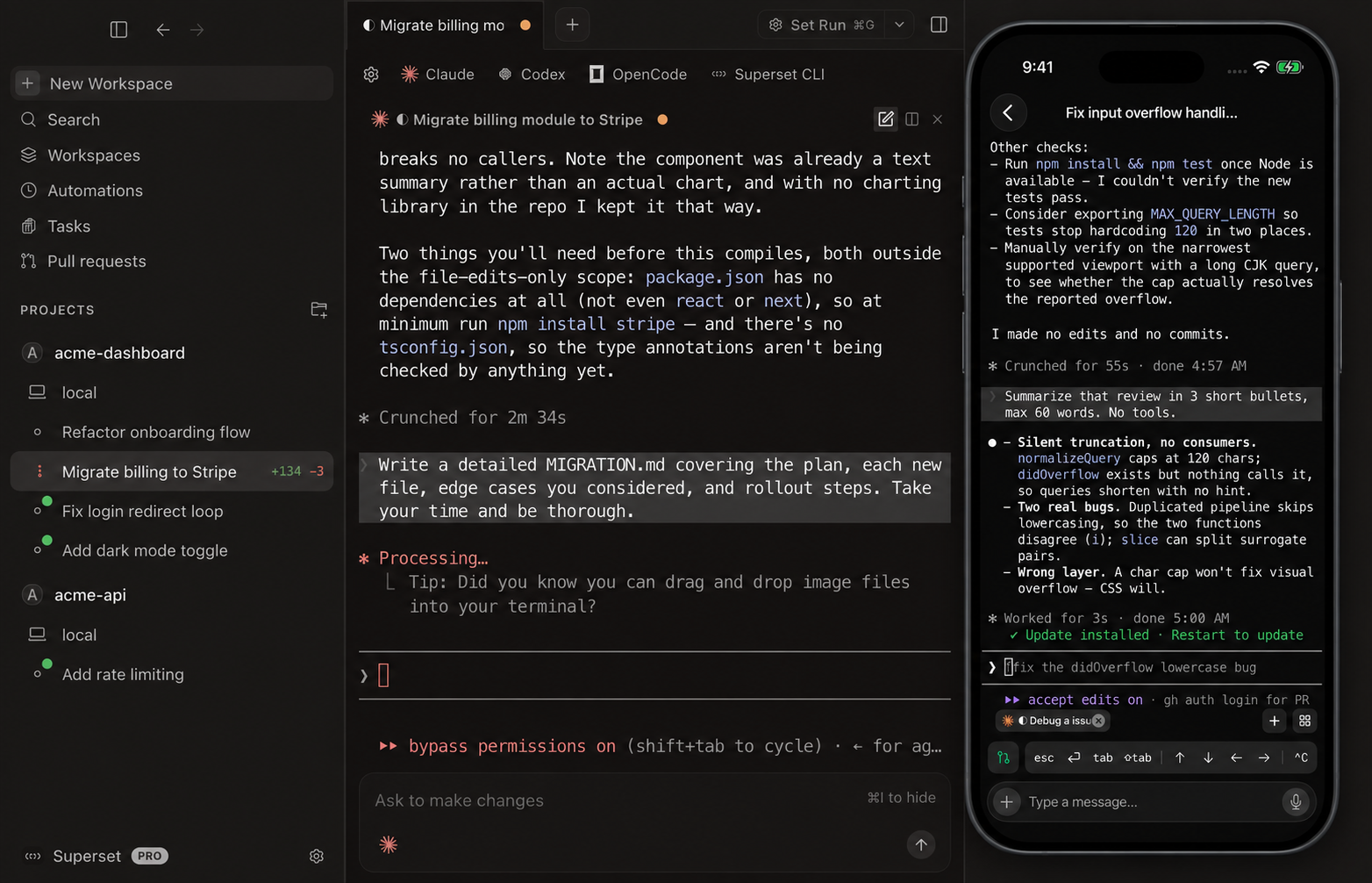
Mobile supports iPhone and iPad and requires Paradev Pro and iOS 26 or iPadOS 26 or later. Use cloud workspaces without keeping your own computer connected. To reach workspaces on your own computer, enable Remote Access and keep that host awake and online.
Remote access · Automations · iPhone and iPad · CLI
See mobile, automations, remote access, and the CLI
Control Claude Code, Codex, and other terminal agents in cloud workspaces or on your connected computer. Pick up the same workspaces and terminal sessions, send follow-up prompts, review diffs, and merge PRs from your iPhone or iPad.
Download on the App Store • Learn more →
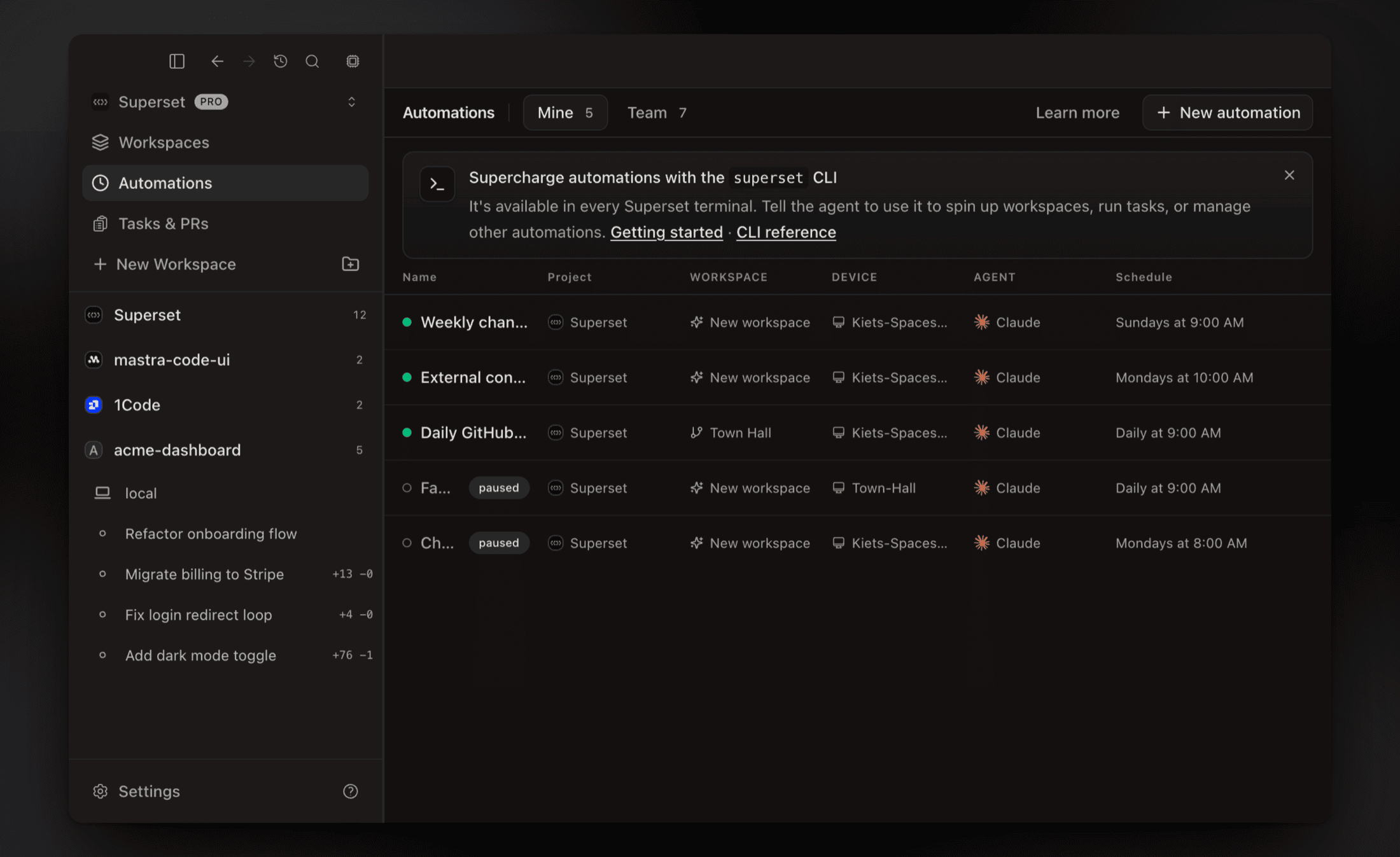
Run agent sessions on a schedule or when something happens: review a PR when you're asked, triage a new Sentry issue, pick up a bug report from Slack, draft the weekly changelog.
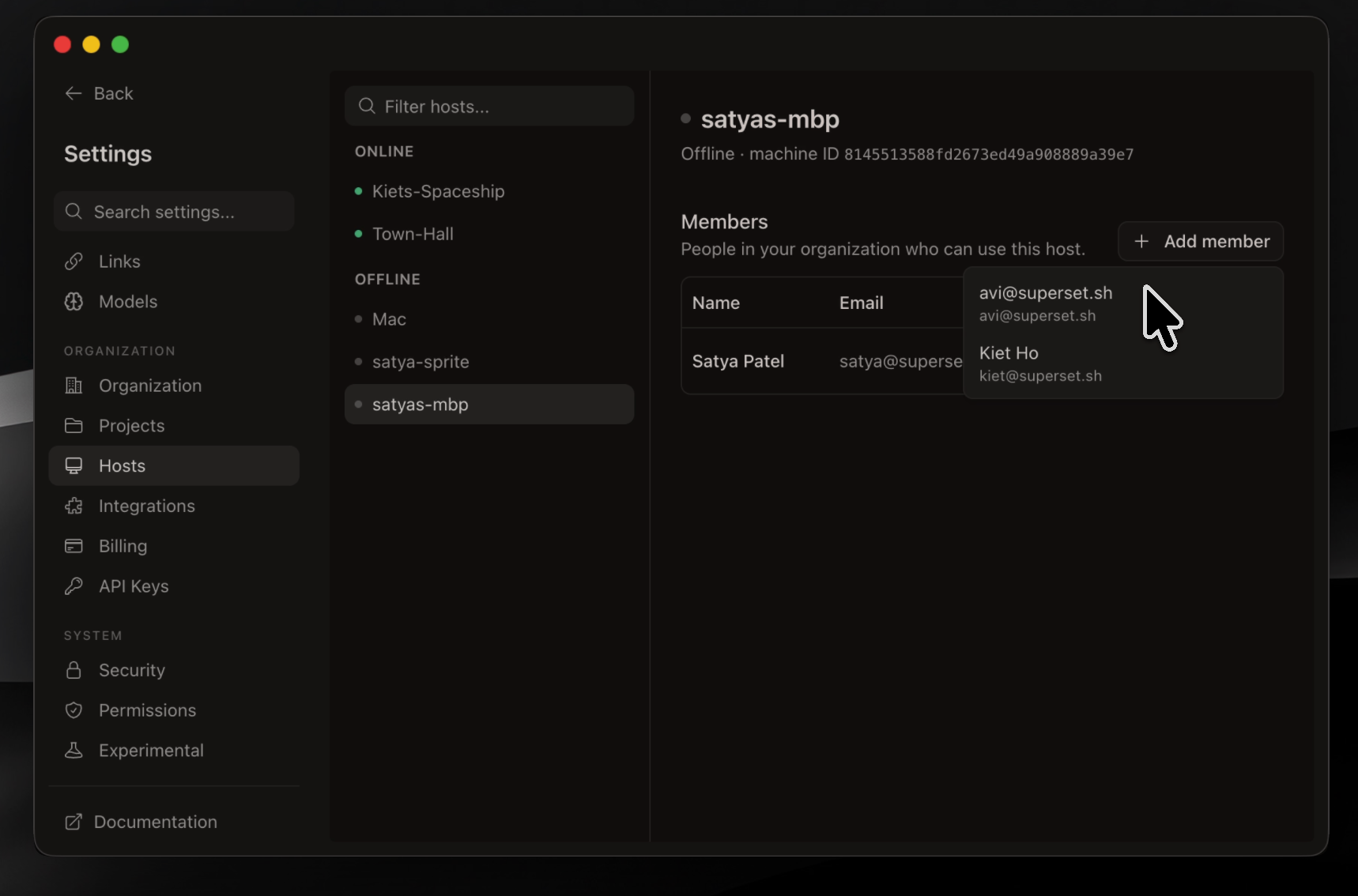
Connect another machine and reach its workspaces from anywhere: the desktop app, the CLI, or your phone. Wake offline hosts with a custom command.
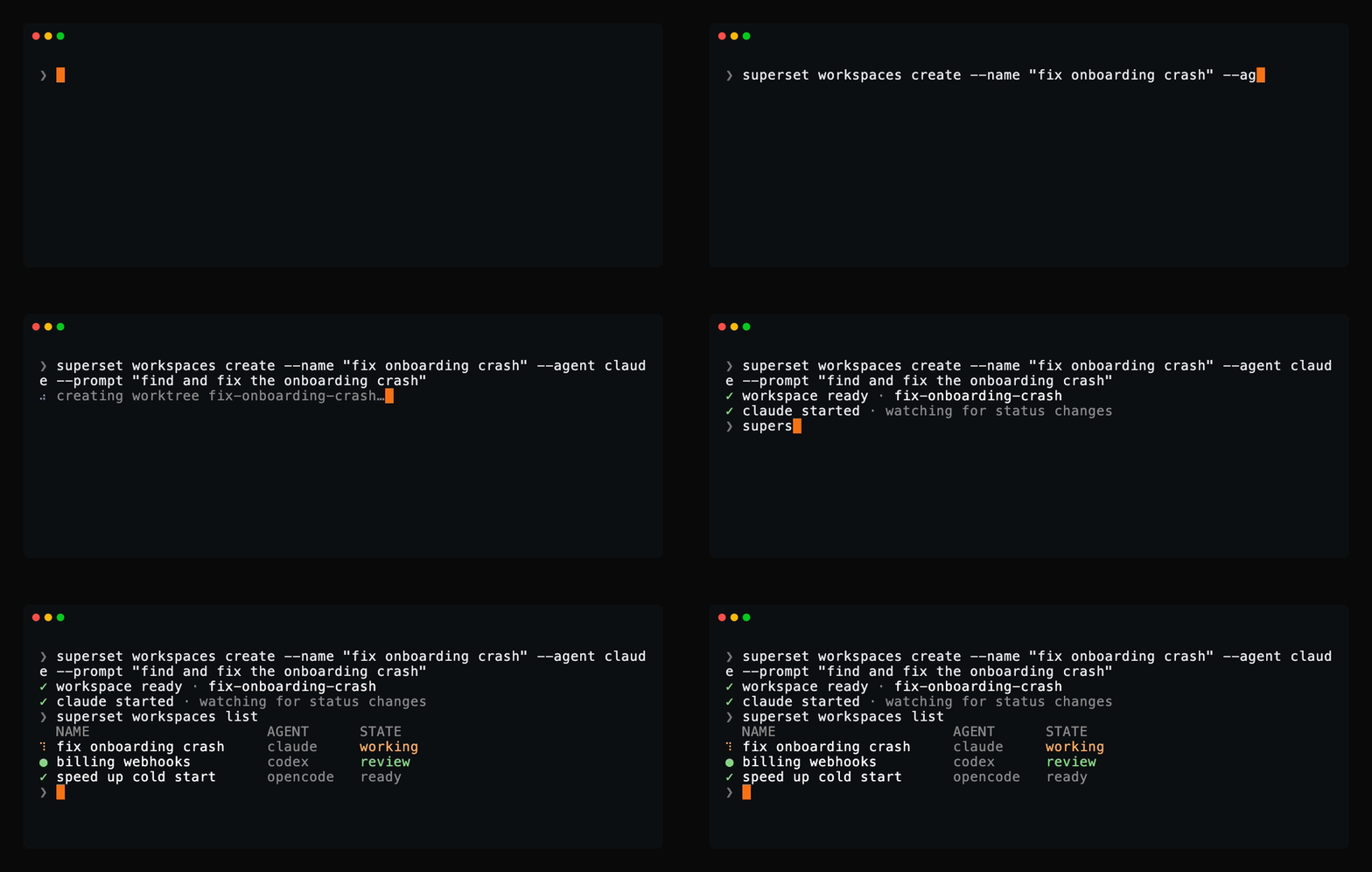
Script it from any shell: create workspaces, launch agents, read their terminals, and manage automations with a single binary. If an agent can run a command, it can drive Paradev.
superset:* skills (orchestrate parallel agents, schedule automations, file feedback, diagnose issues), provisioned automatically at launchKeep your existing agent subscriptions.
Use Claude Code, Codex, OpenCode, Cursor Agent, or another CLI coding agent.
Stars on GitHub
A Claude Code plugin that shows what's happening: context usage, rate limits, active tools, running agents, and todo progress, always visible below your input.
@jarrodwattsSkills for running several coding agents together: an advisor for a second opinion, a committee for root cause analysis and planning, handoffs with full context, help with the Paseo app, and building local plugins.
 @getpaseo
Runs and supervises teams of coding agents from planning through merge, handling CI feedback, review comments, and merge conflicts in isolated workspaces. Includes skills for launching the AO desktop app and triaging bug reports.
 @untrivial-ai
A Claude Code plugin that runs a multi-agent office of Claude Code and Codex style agents on your laptop or in sandboxes, using your existing subscriptions. It includes skills for Chinese article illustrations and rolling date-range queries.
 @chaitanyagiri
Install it once and the right skill fires as you prompt, with no slash command to remember. It is listed on Flowy in the Agent Workspaces category. It includes find-in-circleback, prep-with-circleback, work-circleback-action-items. Free and open source.
Is this plugin yours?
Claim it with GitHubSubmit a pluginPromote it