

crv
MCPShips with claude-real-video: ▶ 100-second demo: ChatGPT and Gemini can watch video, Claude can't. Here's what Claude answers…
 @huangchihhungleoInstall MCP
Ships with dramaclaw: A general-purpose AIGC video engine: script to finished film in one pipeline — dramas, ads, product videos, otome games, and more. | 通用 AIGC 视频引擎 —— 从剧本到成片一条流水线,漫剧、广告、电商、乙游皆可
Claude Code
$ claude mcp add dramaclaw -e DRAMACLAW_API_URL=YOUR_VALUE -e DRAMACLAW_CE_OWNER=YOUR_VALUE -- uv run python -m novelvideo.chat.dramaclaw_mcp
Codex
$ codex mcp add dramaclaw --env DRAMACLAW_API_URL=YOUR_VALUE --env DRAMACLAW_CE_OWNER=YOUR_VALUE -- uv run python -m novelvideo.chat.dramaclaw_mcp
Cursor
{
  "mcpServers": {
    "dramaclaw": {
      "command": "uv",
      "args": [
        "run",
        "python",
        "-m",
        "novelvideo.chat.dramaclaw_mcp"
      ],
      "env": {
        "DRAMACLAW_API_URL": "YOUR_VALUE",
        "DRAMACLAW_CE_OWNER": "YOUR_VALUE"
      }
    }
  }
}
Add it to mcp.json.
Gemini CLI
{
  "mcpServers": {
    "dramaclaw": {
      "command": "uv",
      "args": [
        "run",
        "python",
        "-m",
        "novelvideo.chat.dramaclaw_mcp"
      ],
      "env": {
        "DRAMACLAW_API_URL": "YOUR_VALUE",
        "DRAMACLAW_CE_OWNER": "YOUR_VALUE"
      }
    }
  }
}
Add it to settings.json.
GitHub Copilot
$ copilot mcp add dramaclaw --env DRAMACLAW_API_URL=YOUR_VALUE --env DRAMACLAW_CE_OWNER=YOUR_VALUE -- uv run python -m novelvideo.chat.dramaclaw_mcp
OpenCode
{
  "mcp": {
    "dramaclaw": {
      "type": "local",
      "command": [
        "uv",
        "run",
        "python",
        "-m",
        "novelvideo.chat.dramaclaw_mcp"
      ],
      "environment": {
        "DRAMACLAW_API_URL": "YOUR_VALUE",
        "DRAMACLAW_CE_OWNER": "YOUR_VALUE"
      }
    }
  }
}
Add it to opencode.json.
Windsurf
{
  "mcpServers": {
    "dramaclaw": {
      "command": "uv",
      "args": [
        "run",
        "python",
        "-m",
        "novelvideo.chat.dramaclaw_mcp"
      ],
      "env": {
        "DRAMACLAW_API_URL": "YOUR_VALUE",
        "DRAMACLAW_CE_OWNER": "YOUR_VALUE"
      }
    }
  }
}
Add it to mcp_config.json.
From the README
One canvas, every medium
image, video, audio, script, beat context, storyboard, style, skill, 360° panorama, 3D world, Previz, interactive story, web page and export nodes.
Image tools
generate, edit, redraw, outpaint, relight, upscale, multi-view, template edit, reverse-prompt, mark detection, and a style wall of 45 short-drama looks.
Video tools
text / image / keyframe to video, omni-reference generation with file, web-link and on-canvas references, video edit, erase, upscale, audio separation, camera templates and shot analysis; Seedance…
Audio and voice design
speech synthesis, voice library, reference audio and music.
Director World
turn an image into a 3D Gaussian Splat set or a scene-360 panorama, frame the shot in the viewer, and reuse the same location consistently across shots.
Built for big canvases
tabs, outline, minimap, viewport bookmarks, snap-align, level-of-detail rendering, group nodes, shortcuts, revision history with restore and per-canvas locking.
Commit to the series
preview the impact, then promote a node or a batch into the asset library or an episode; project the series back onto a canvas.
Structured ingest
episodes, characters and scenes straight from a manuscript or screenplay (Fountain supported); no knowledge graph or embeddings required.
Security report
Not enough data
Known flaws
Not published
Signed build
Not published
Maintained
Nov 11, 2026
Last push
Licence
Not published
Runs as
Local process
On your machine
Deprecated
Not published
Signals from public registries, not an audit. Checked Nov 15, 2026.
They say you're obsolete. Maybe it's the whole idea of "working for someone else" that's obsolete.
In the age of AI, the real question isn't whether machines replace people. The real question is: Who owns the machines? Who owns the pipeline? Who owns industrialized productivity?
If the answer is always Big Tech, then AI isn't empowerment. It's just a new wall.
I'm Eric.
This isn't a demo. Not a toy. Not a crippled edition.
This is the industrialized drama-production line our own team runs every day. From script to storyboard, from assets to finished film — the whole chain.
Because people aren't beasts of burden. Because creativity is humanity's last line of defense.
What DramaClaw sets out to do is simple:
Tear down the wall.
Put the industrialized drama-production power that only Big Tech had into the hands of ordinary creators.
The code is here. If this resonates, leave a ⭐. We'll keep tearing down walls.
And yes, you can make money with it. DramaClaw is Elastic License 2.0. Run it, modify it, sell what you build with it — the standalone version is free for commercial use, no permission needed. We ask for one thing: a small "Powered by DramaClaw" in the corner of your UI. The only door still closed is wrapping it up as a hosted SaaS for other people; that license isn't open yet. Why, and the FAQ: #475.


English | 简体中文 | Tiếng Việt | ไทย | Website | Docs | Quick Start

🎬 Trailer: Bilibili · YouTube
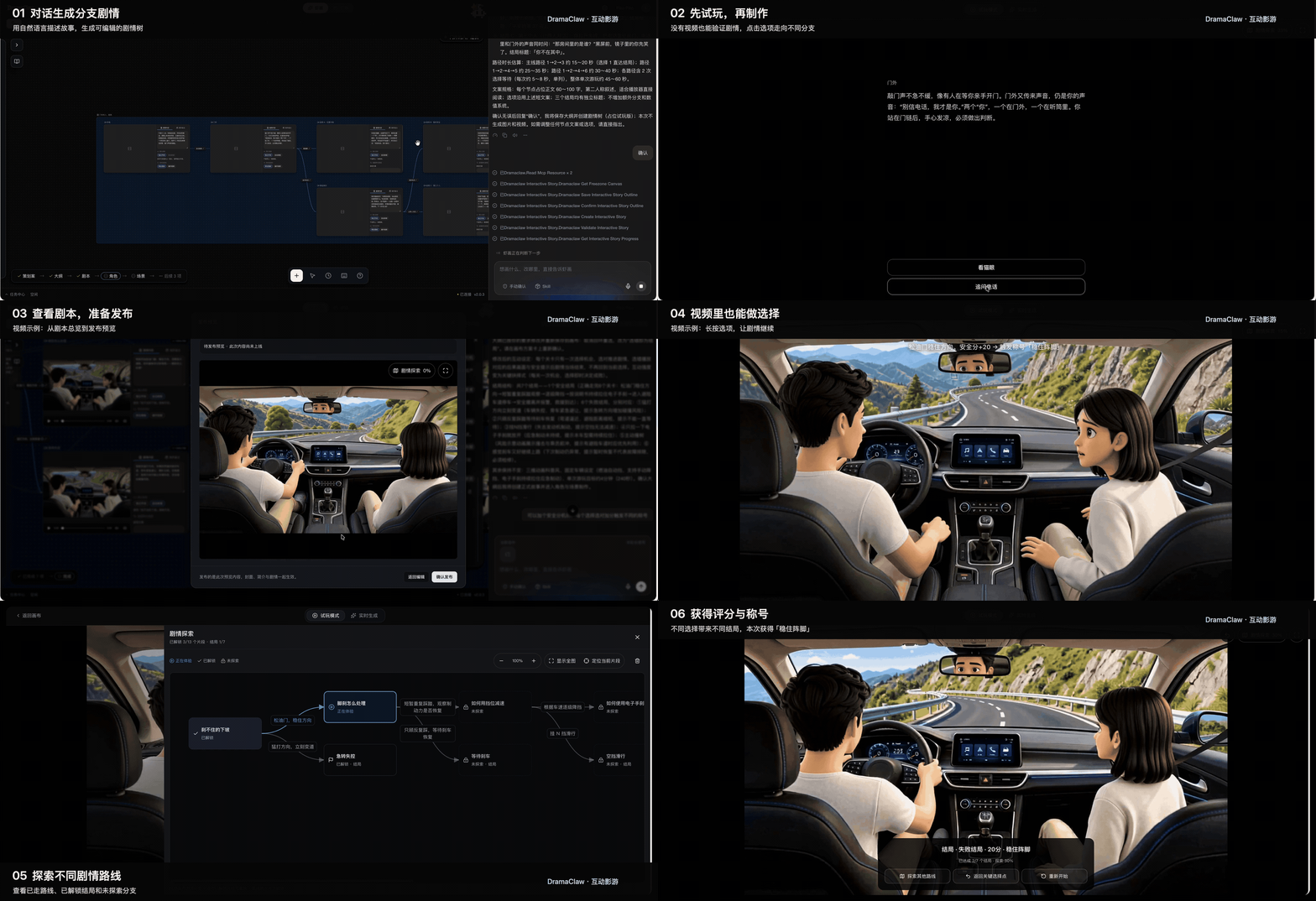
DramaClaw is a self-hostable production line for AI drama: from manuscript to finished episodes, and from a one-line brief to a short film. An agent and an infinite canvas share one asset library:
Bring any model through an OpenAI-compatible gateway, run it on your own machine, and keep your material.
🚀 Quick Start · 🆕 What's New · 🎬 Showcase · ✨ Features · 🔌 Models · 📖 Docs
Three things we have been building with our own production team, now in main.
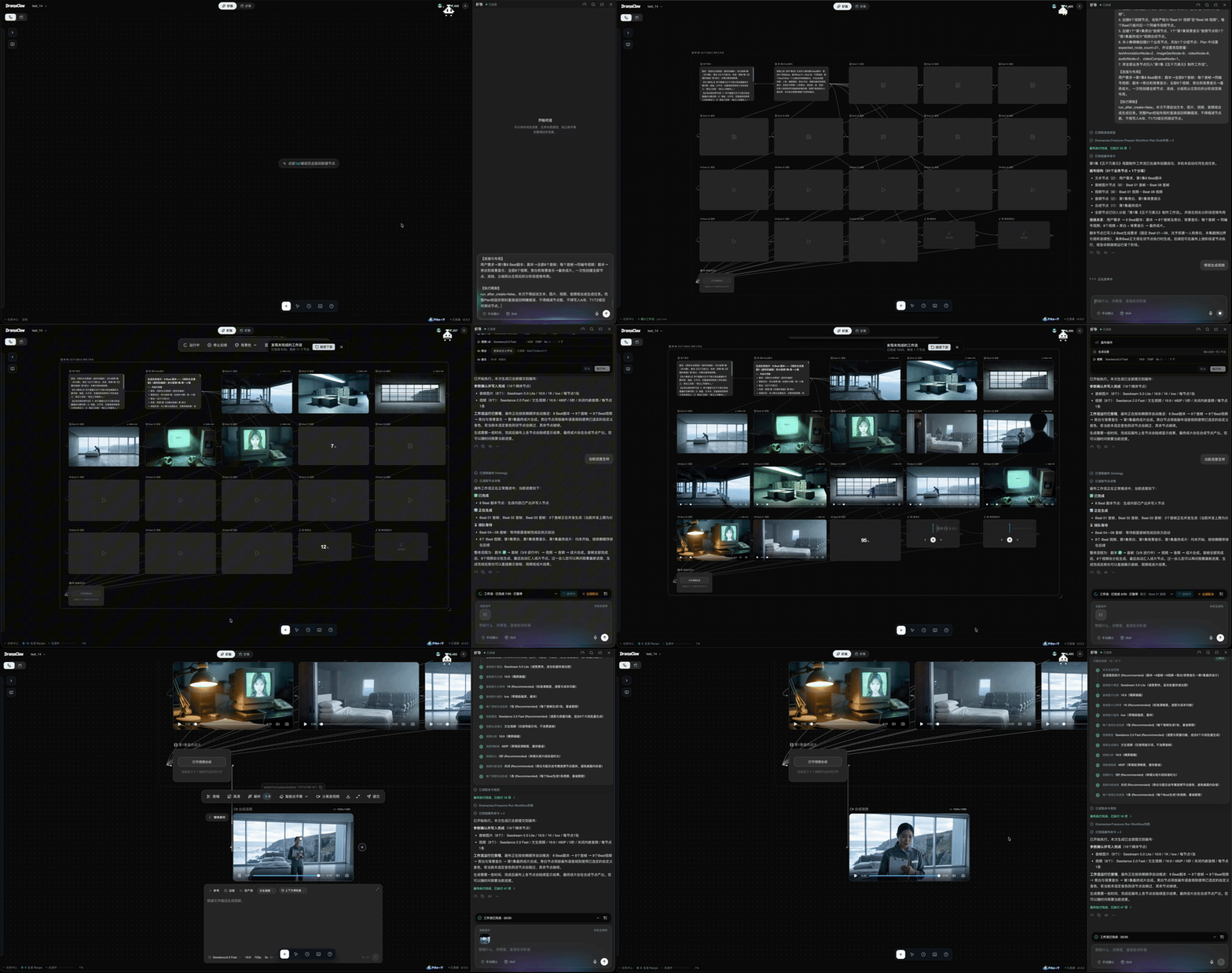
SKILL.md / ZIP and convert it into a native Skill.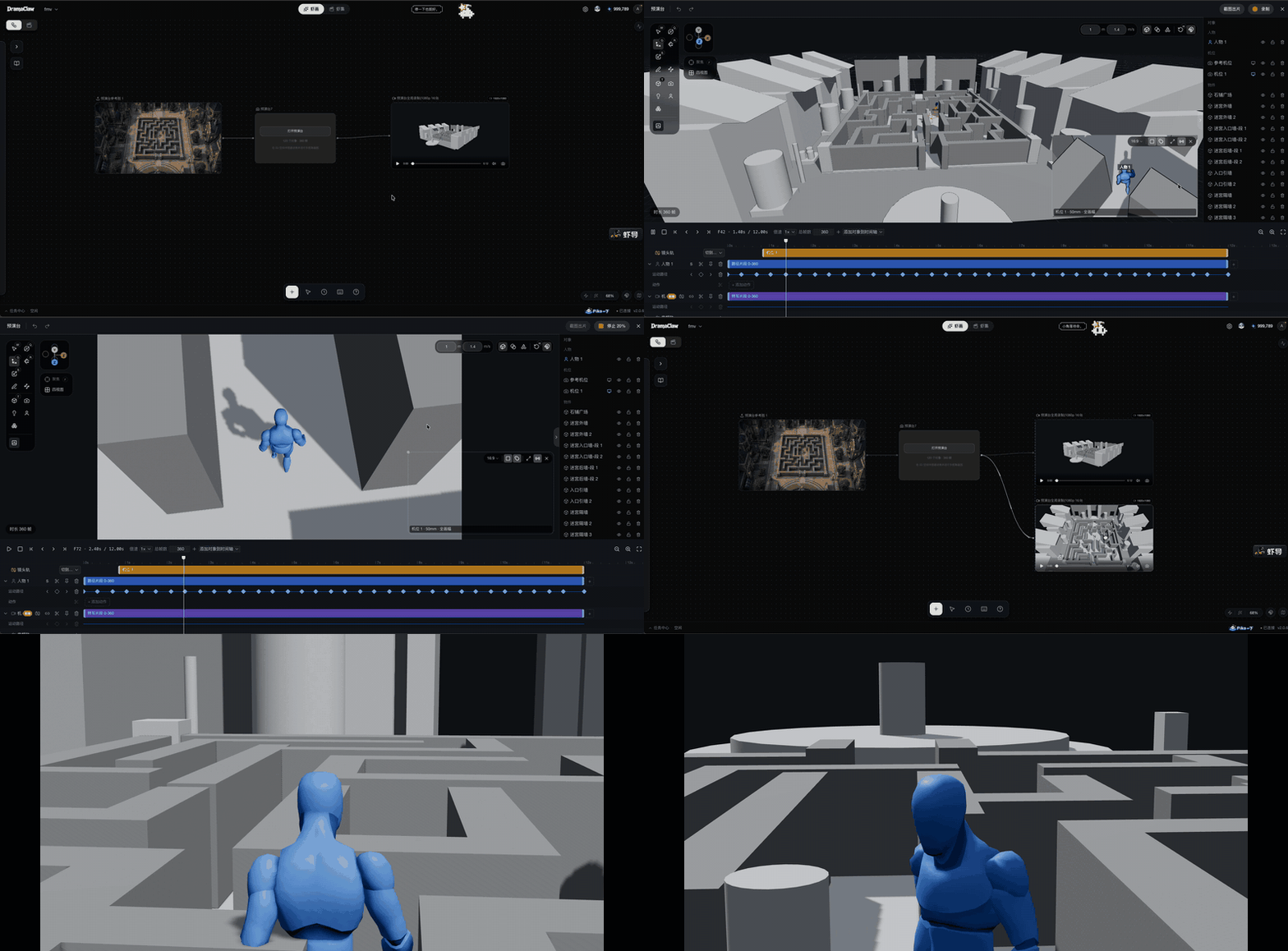
An in-browser previs stage that lives on the canvas as a node. Lock down space, blocking and framing first, then feed the result to image and video generation.
Real short dramas our team produced on this very pipeline — click a link to play.
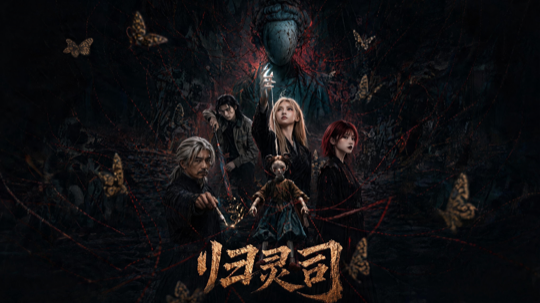
归灵司 ▶ 第 1 集

鲁班 ▶ 第 1 集

师兄你怎么不舔了 ▶ 第 1 集

天命不可欺 ▶ 第 02 集 · 第 58 集

乌龙仙途 ▶ 第 1 集

非遗㑇舞 ▶ 播放
More clips: 3D 动漫混剪 demo · 动态打斗
You need Docker with docker compose. No GPU, database or queue is required — models run behind the gateway, state lives on local disk.
git clone https://github.com/dramaclaw/dramaclaw.git
cd dramaclaw
cp .env.example .env          # set PROMPT_EXPORT_PASSWORD to a non-default value

docker compose -f docker-compose.release.yml pull
docker compose -f docker-compose.release.yml up -d
Open http://localhost:8080, go to Settings → Models & Channels, and paste your DC key (get one at https://relayclaw.cdnfg.com) — or switch to Custom to use your own providers. That's it.
The release Compose file runs the published v2.1.1 multi-arch images (DRAMACLAW_VERSION=2.1.1, DRAMACLAW_GATEWAY_VERSION=v1.0.0-rc.24-dramaclaw.3). Mainland China users can switch to the ACR mirror with DRAMACLAW_IMAGE_PREFIX.
Other ways to run it
| Method | When to use | Command | Guide |
|---|---|---|---|
| Published images | Try or self-host a release | docker compose -f docker-compose.release.yml up -d | Quick Start |

Stars on GitHub
Ships with claude-real-video: ▶ 100-second demo: ChatGPT and Gemini can watch video, Claude can't. Here's what Claude answers…
@huangchihhungleoInstall MCPFetches current, version specific documentation and code examples for a library, so the agent stops working from stale training…
 @aqm857886159Install MCP
Ships with watch-skill: Give AI agents eyes, ears, and verifiable results. Watch Skill turns video, audio and screen activity…
 @oxbshwInstall MCP
Ships with kinocut: Guardrailed video editing MCP server for AI agents. FFmpeg, Hyperframes, repurposing tools, Python client,…
 @kyanitelabsInstall MCP