Make Your Own DC.
They say you're obsolete.
Maybe it's the whole idea of "working for someone else" that's obsolete.
In the age of AI, the real question isn't whether machines replace people.
The real question is:
Who owns the machines?
Who owns the pipeline?
Who owns industrialized productivity?
If the answer is always Big Tech,
then AI isn't empowerment.
It's just a new wall.
I'm Eric.
This isn't a demo.
Not a toy.
Not a crippled edition.
This is the industrialized drama-production line our own team runs every day.
From script to storyboard, from assets to finished film — the whole chain.
Because people aren't beasts of burden.
Because creativity is humanity's last line of defense.
What DramaClaw sets out to do is simple:
Tear down the wall.
Put the industrialized drama-production power that only Big Tech had
into the hands of ordinary creators.
The code is here.
If this resonates, leave a ⭐.
We'll keep tearing down walls.
And yes, you can make money with it.
DramaClaw is Elastic License 2.0. Run it, modify it, sell what you build with it —
the standalone version is free for commercial use, no permission needed.
We ask for one thing: a small "Powered by DramaClaw" in the corner of your UI.
The only door still closed is wrapping it up as a hosted SaaS for other people; that license isn't open yet.
Why, and the FAQ: #475.



English | 简体中文 | Tiếng Việt | ไทย | Website | Docs | Quick Start
🎬 Trailer: Bilibili · YouTube
What is DramaClaw?
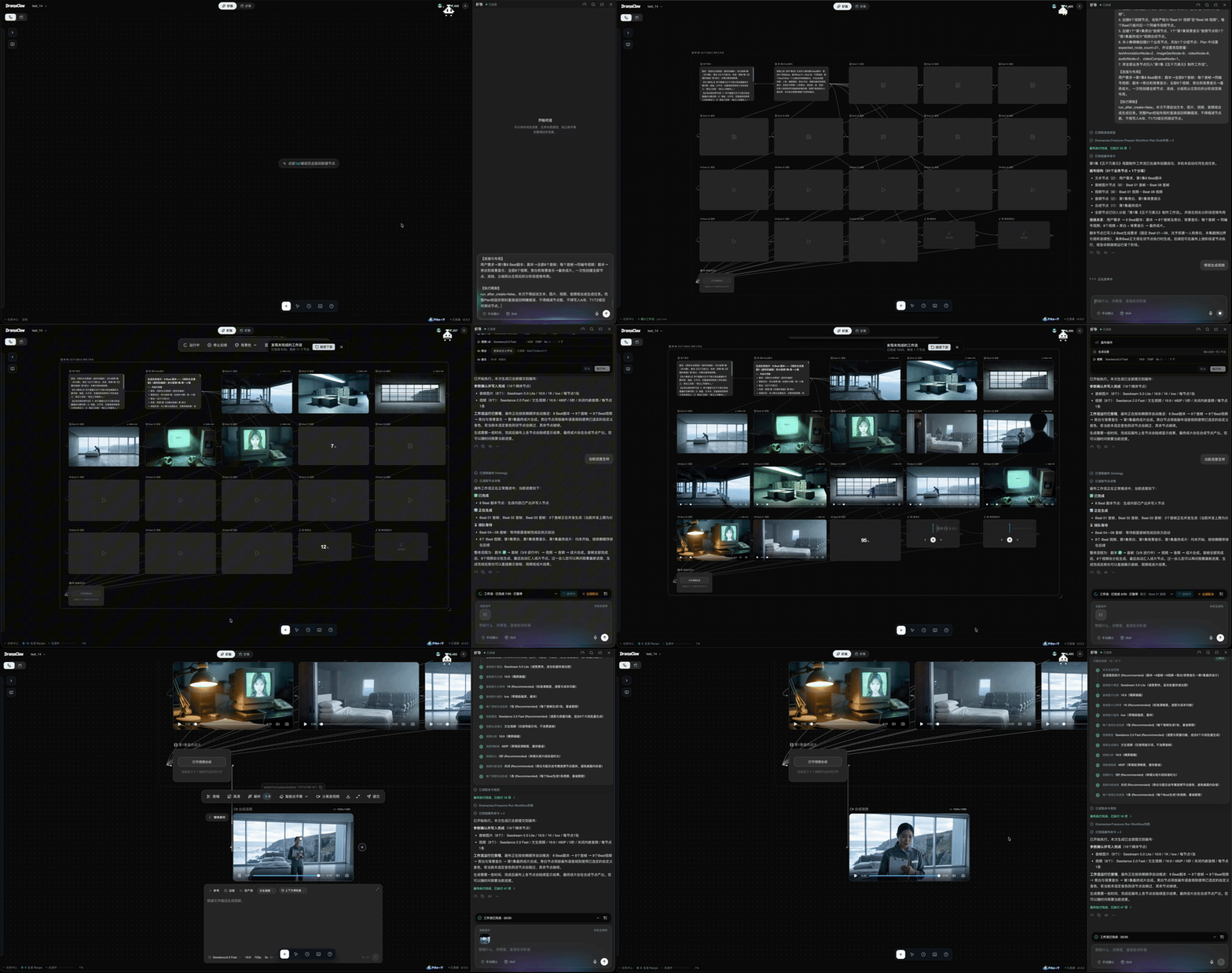
DramaClaw is a self-hostable production line for AI drama: from manuscript to finished episodes, and from a one-line brief to a short film. An agent and an infinite canvas share one asset library:
- Xia Director — the built-in agent. Describe what you want; it plans the workflow, lays out the nodes and runs them with your confirmation.
- XiaHua — the infinite canvas. Generate, edit and connect images, video, audio, 3D sets, interactive stories and scripts as nodes.
- Series (XiaJi) — the pipeline. Drop in a novel or screenplay; DramaClaw structures the story, writes scripts, draws storyboards, voices the lines and cuts the film.
Bring any model through an OpenAI-compatible gateway, run it on your own machine, and keep your material.
🚀 Quick Start ·
🆕 What's New ·
🎬 Showcase ·
✨ Features ·
🔌 Models ·
📖 Docs
🆕 What's New
Three things we have been building with our own production team, now in main.
🤖 Xia Director — from a brief to a running workflow
- Plans and runs canvas workflows — turns a creative brief into a node graph, lays it out, and executes it after you confirm, with progress tracking and failure recovery.
- Workflow catalog, Skills and Recipes — built-in workflows for short drama, e-commerce and IP character ads, social content, Japanese anime, LEGO-style animation and outdoor stage duels. Install, export and share Skill bundles, or import an external
SKILL.md / ZIP and convert it into a native Skill.
- Builds web pages too — ask for a landing page or story microsite; it becomes an editable HTML node with revision history and a self-contained ZIP export.
- Knows your project — checks progress, advances script and shot tasks, finds missing deliverables and suggests what to do next.
- Your choice of brain — ships with a bundled Codex runtime by default; point the Agent at any third-party model that supports the OpenAI Responses API and tool calls, independent of your media channels.
- Works from other agents — Agent Kit exposes the same workflows over MCP to Codex, Claude Code, OpenClaw, WorkBuddy and any stdio MCP client.
🎥 3D Previz Stage — block the scene before you generate it
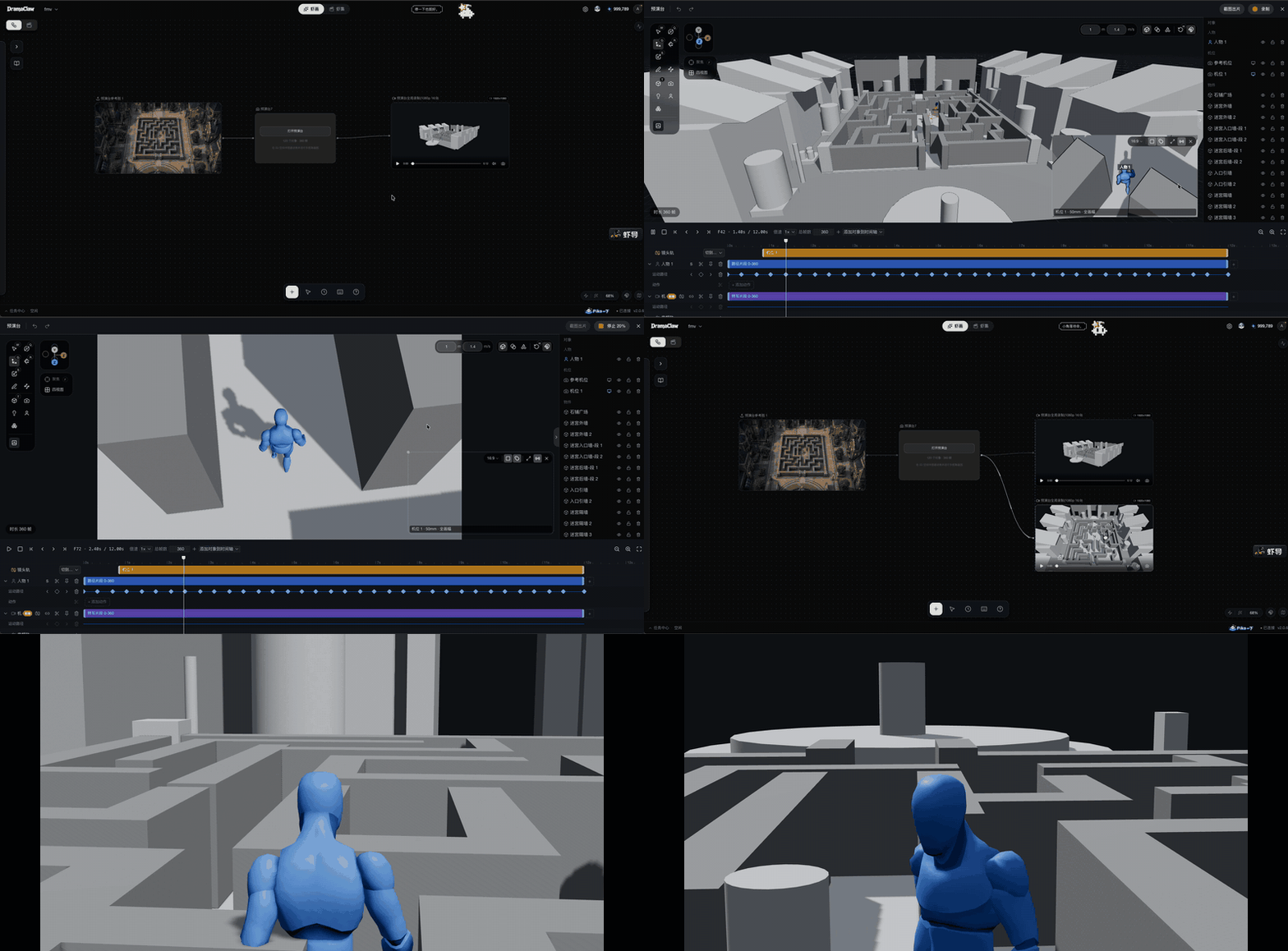
An in-browser previs stage that lives on the canvas as a node. Lock down space, blocking and framing first, then feed the result to image and video generation.
- Scene blockout — generate a 3D scene from a reference image; drop props and they land on whatever surface is underneath.
- Characters and motion — mannequins in five builds, placed from a top-down map; walk cycles that follow movement paths on a multi-track timeline.
- Cameras and cutting — focal length, sensor size and placement per camera; a program track to cut between cameras (digit keys cut live) with the monitor following the edit.
- Audio track — import audio from a local file or an upstream node, see waveforms, and mix it into recordings.
- Back to the canvas — capture frames or record the program cut into connected nodes as references for the next generation.
🔀 Interactive Stories — audience choices shape the story
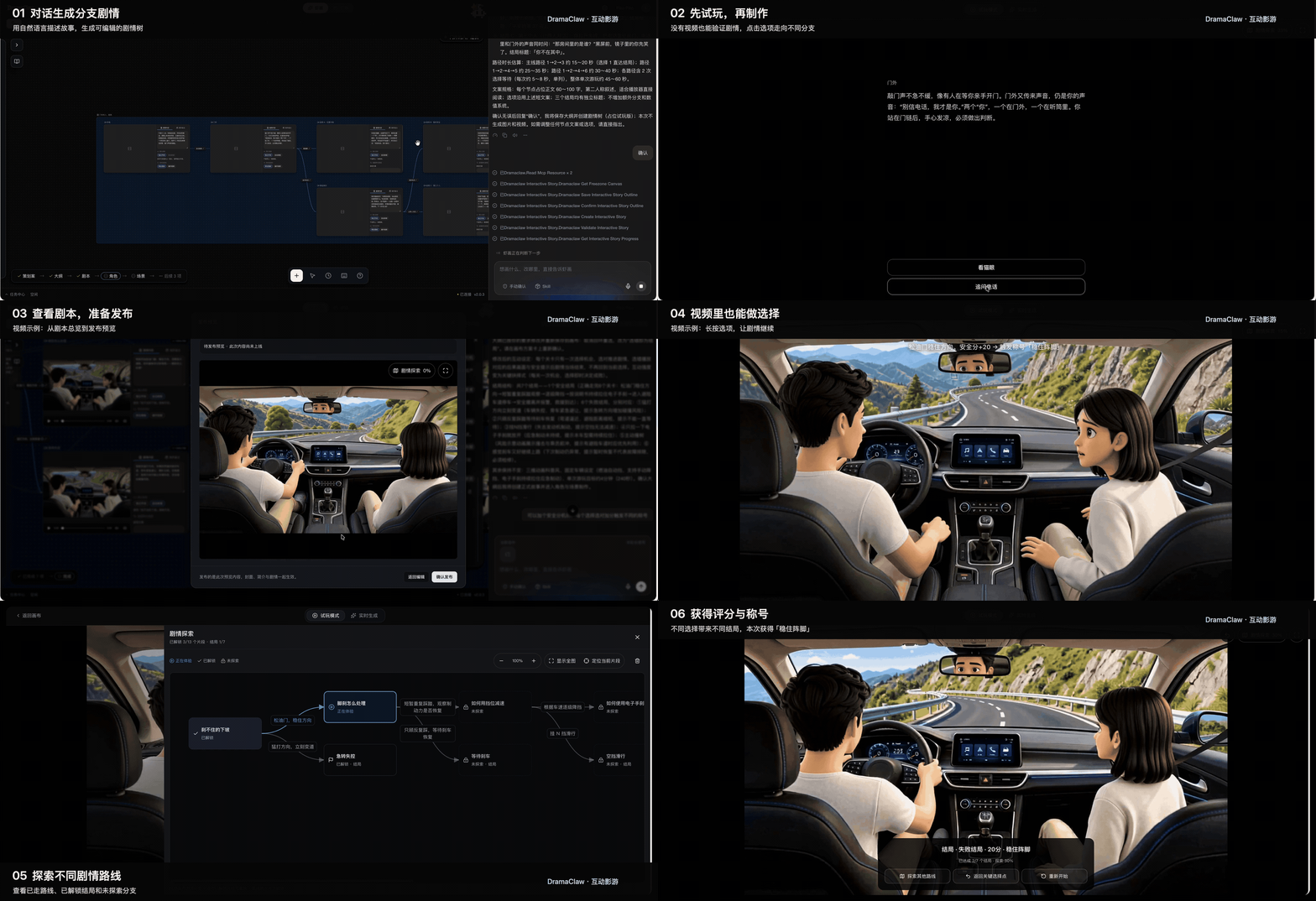
- AI story planning — a brief becomes an outline and an editable branching narrative with choice points, endings and estimated runtime per route.
- Visual branching on the canvas — arrange segments, videos and choices; edit dialogue, choice order and branch connections.
- Variables and conditions — affinity, scores and other variables gate choices and decide endings; timed choices and default routes included.
- Produce media in place — character, scene and storyboard references and per-segment videos, reusing every canvas asset.
- Playtest before rendering — run the story with placeholder media, validate branch connectivity and conditional paths, inspect ending reach rates and path coverage.
- Ship a player — export a standalone HTML player or an offline package with video, branching playback, progress and replay.
🎬 Made with DramaClaw
Real short dramas our team produced on this very pipeline — click a link to play.

归灵司
▶ 第 1 集

鲁班
▶ 第 1 集

师兄你怎么不舔了
▶ 第 1 集

天命不可欺
▶ 第 02 集 · 第 58 集

乌龙仙途
▶ 第 1 集

非遗㑇舞
▶ 播放
More clips:
3D 动漫混剪 demo ·
动态打斗
🚀 Quick Start
You need Docker with docker compose. No GPU, database or queue is required — models run behind the gateway, state lives on local disk.
git clone https://github.com/dramaclaw/dramaclaw.git
cd dramaclaw
cp .env.example .env          # set PROMPT_EXPORT_PASSWORD to a non-default value

docker compose -f docker-compose.release.yml pull
docker compose -f docker-compose.release.yml up -d
Open http://localhost:8080, go to Settings → Models & Channels, and paste your DC key (get one at https://relayclaw.cdnfg.com) — or switch to Custom to use your own providers. That's it.
The release Compose file runs the published v2.1.1 multi-arch images (DRAMACLAW_VERSION=2.1.1, DRAMACLAW_GATEWAY_VERSION=v1.0.0-rc.24-dramaclaw.3). Mainland China users can switch to the ACR mirror with DRAMACLAW_IMAGE_PREFIX.
Other ways to run it
| Method | When to use | Command | Guide |
|---|
| Published images | Try or self-host a release | docker compose -f docker-compose.release.yml up -d | Quick Start |



 @heygen-com


