
Video & Audio
Plugin
claude-real-video
▶ 100-second demo: ChatGPT and Gemini can watch video, Claude can't. Here's what Claude answers once crv turns the video into frames plus a timestamped transcript.

Plugin Signal73/100Solid
maintained96
capable29
documented100
adopted71
Install on Claude Code
> /plugin marketplace add HUANGCHIHHUNGLeo/claude-real-video> /plugin install claude-real-video@claude-real-video
In this plugin
See everything inside What's inside
Skill(2 skills)
/claude-real-videoWatch a video for the user. Use when the user shares a video URL (YouTube etc.) or local video file and wants it summarized, analyzed, or discussed — Claude can't ingest video directly, so this skill extracts scene-aware keyframes + transcript first, then reads those./claude-real-video-for-agentsInstall and use crv (claude-real-video) — a tool that lets any AI agent watch videos by extracting scene-aware keyframes, deduplicating them, and transcribing audio. Use when the user shares a video URL or file and wants it analyzed, summarized, or discussed.
MCP(1 mcp)
Badges



README
claude-real-video
▶ 100-second demo: ChatGPT and Gemini can watch video, Claude can't. Here's what Claude answers once crv turns the video into frames plus a timestamped transcript.

▶ The 60-second pixel film — sound on (mp4 on GitHub) · an AI agent searches "how can an LLM truly understand video?", finds a key, and unlocks vision.
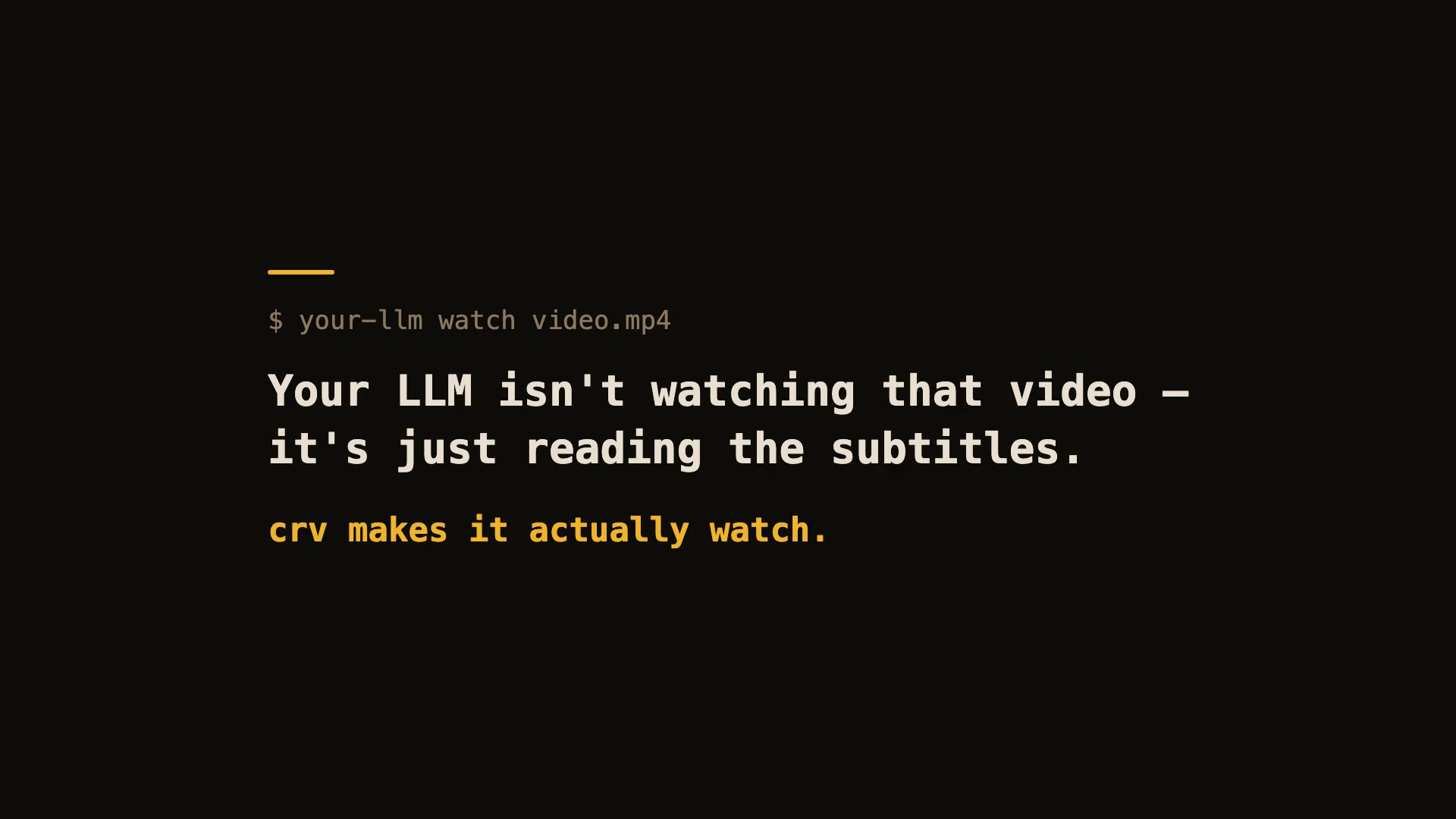
60-second real demo — real install, real run, real viewer.
Let Claude — or any LLM — actually watch a video.
pip install "claude-real-video[whisper]"
npx skills add HUANGCHIHHUNGLeo/claude-real-video   # one command, installs the skill into Claude Code, Cursor, Codex, Copilot, Gemini CLI & 50+ agent hosts
Claude Code plugin marketplace (enable auto-update in /plugin → Marketplaces if you want it):
/plugin marketplace add HUANGCHIHHUNGLeo/claude-real-video
/plugin install claude-real-video@claude-real-video
Then paste a video link into your agent and ask about it. (CLI-only use? crv "<url>" works with just the pip install.)
Naming: crv is the short name for claude-real-video (the PyPI package). The paid add-on, crv Pro, is sold on Capafy under the listing name "llm-real-video Pro".
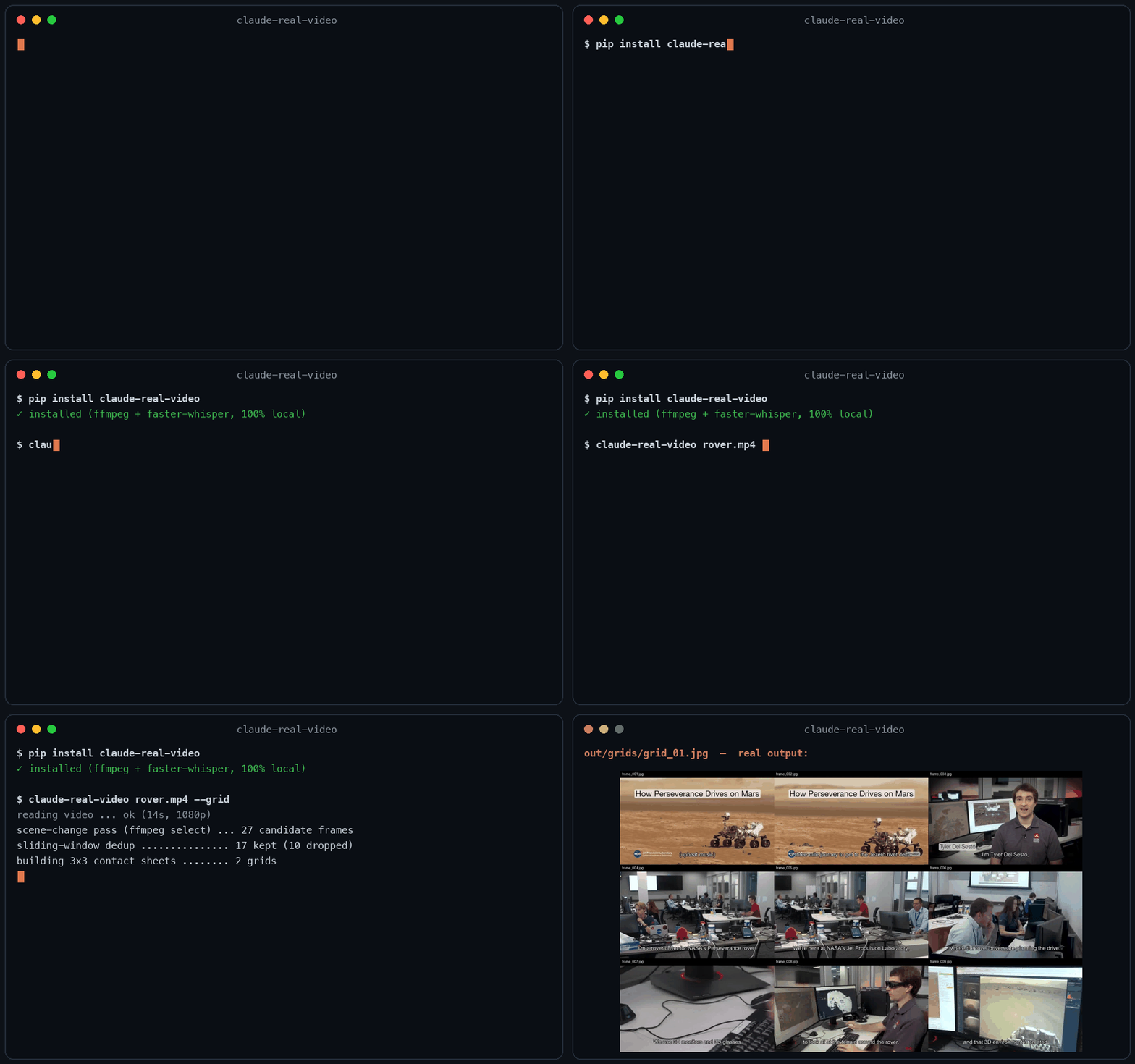
▶ New: the 40-second film — my AI agent learned to watch videos (and stopped working)
Same 58-second clip: fixed 1 fps sampling = 58 frames. crv keeps the 26 that actually differ — and
--gridpacks them into 3 contact sheets. Fewer tokens, nothing missed.
This free version lets your AI see the video. crv Pro lets it understand it — how it was shot (cut rhythm, camera moves) plus a timestamped timeline of what frames can't show: gestures, expressions, voice pitch shifts, emotion, sound events. One-time price $29 — get it on Capafy or buy with card via Lemon Squeezy.
On Codex CLI? ▶ 36-second demo · Real Video for Codex is a self-contained build for it. You ask Codex about a video, it runs one command, then reads a
SUMMARY.mdwith chapters, a timecoded transcript and the text that was on screen, which this free edition leaves out. So it can quote the config block on the slide at 12:40, not only what the speaker said about it, and it answers you inhh:mm:ss. Download, frames, transcription and text recognition all run on your machine, and the tool itself needs no API key and no account. Ships with the Codex skill and acrv-easy doctorself-check. Python 3.10 to 3.14, macOS or Windows 11 native. One-time $9.90: get it on Capafy or buy with card via Lemon Squeezy.
Most AI tools don't really see a video. Paste a YouTube link into ChatGPT and it reads the transcript, not the picture. Claude won't take a video file at all. Even Gemini, which can read video natively, has to send it up to Google and samples frames at a fixed interval (1 fps by default), so fast cuts slip past.
claude-real-video does it differently, and the processing runs locally: point it at a URL or a
file, and it pulls the frames that actually matter (every scene change, not a
fixed quota), throws away the near-duplicates, transcribes the audio, and hands
you a clean folder any LLM can read. All the processing happens on your own machine — what gets sent anywhere is only the frames/text you choose to paste into an LLM afterwards.
crv "https://www.youtube.com/watch?v=..."
# → crv-out/frames/*.jpg  +  frames.json (per-frame timestamps)  +  transcript.txt/.json  +  MANIFEST.txt
Then drop the frames + MANIFEST.txt into Claude / ChatGPT / Gemini and ask away.
No terminal needed — run crv-web and a local page opens (Traditional Chinese / Simplified Chinese / English): paste a YouTube or Reels link or a file path, click Analyze, open the result viewer. Video analysis and output generation run on your machine — the source video never gets uploaded. (If you then paste the extracted frames or transcript into a cloud LLM, that data goes to that provider.)
Want to eyeball what the model will see first? Add --viewer — it writes a local viewer.html (video + keyframe grid + transcript) you can double-click open. No network, no extra installs.
Only part of a video matters (a 10-minute screen share inside a 90-minute call): --from 28:00 --to 43:00. ffmpeg seeks instead of decoding the whole file, Whisper only hears the window, and the frame budget is spent inside it — but every timestamp crv reports is still a source timecode you can quote to a colleague.
The meaning is small text (a terminal, a spreadsheet, an IDE): --frame-width 1600. Frame selection is the hard part and crv already does it; at 640px on a 1920-wide screen recording the right moment gets found and then the detail that made it worth finding is thrown away.
Slow-changing content (animation tutorials, gradual morphs, slow pans): add --adaptive — frames are picked against their rolling neighbourhood instead of a fixed threshold, so a 2-3s squash-and-stretch that never spikes any single frame still gets captured.
Text-heavy content (lecture slides, screen recordings, talking-head explainers): add --text-anchors — extra frames are forced at subtitle-cue timestamps, so each spoken segment gets a matching visual even when the scene barely changes. Needs a sidecar .srt/.vtt or an embedded subtitle track — captions burned into the pixels can't be detected. At most one forced frame per second; scene detection is untouched.
Multi-speaker content (interviews, podcasts, meetings): add --speakers — every transcript line gets a speaker label ([SPEAKER_00], [SPEAKER_01], …) so the model can follow who said what. Runs a local diarization model (45 MB, downloads once, no account or token needed). Install with pip install "claude-real-video[speakers]".
Not doing LLM work? It also works as a general-purpose video keyframe extractor — scene-change detection + dedup, no ML models to download.
Using Claude Code — or any coding agent? One command installs the skill (works with Claude Code, Cursor, Codex, Copilot, Gemini CLI and other agentskills.io-compatible hosts):
pip install "claude-real-video[whisper]"
npx skills add HUANGCHIHHUNGLeo/claude-real-video
Then just paste a video link into your agent and ask about it.
git clone https://github.com/HUANGCHIHHUNGLeo/claude-real-video.git
mkdir -p ~/.claude/skills && cp -r claude-real-video/skills/claude-real-video ~/.claude/skills/
Tell it why you're watching, and keep what it finds:
crv "https://youtu.be/..." --why "find the pricing strategy" --kb ~/notes
--why makes the analysis focus on what you care about instead of a generic summary;
--kb saves the result as a dated note in your own notes folder, so it doesn't die in crv-out.
New in 0.10.x — analyse only the part that matters:
crv long-meeting.mp4 --from 28:00 --to 43:00
--from / --to cut a window out of a long video: ffmpeg seeks instead of decoding
the whole file, the transcript and frame budget follow the window, and every reported
timestamp is still a source timecode you can quote back to the original.
Measured numbers
Real run on a 3-minute 640x360 video (benchmark/jfk-rice.mp4), Mac mini M4, local CPU, frames + dedup only (--no-transcribe). Image tokens estimated with Anthropic's (width x height) / 750 — 307 tokens/frame at 640x360.
| Mode | Frames kept | Wall time | Est. image tokens |
|---|---|---|---|
| default (scene-change + 1s floor) | 170 (from 180 extracted) | 23.5 s | ~52k |
--max-frames 80 | 80 | 23.4 s | ~25k |
--adaptive (catches slow morphs) | 270 | 36.8 s | ~83k |
Dedup v0.7.16 — small-subject fast action no longer disappears. A percentage comparator is structurally blind to a subject that covers <1% of the frame (it can never change 8% of the pixels). Found in a user's 2,181-video batch run; fixed with a third "action channel". Synthetic repro — static 1280x720 shot, a 40x90 px subject (0.4% of frame) moves fast only in the last 10 of 65 frames:
| Frames kept | Action frames survived | |
|---|---|---|
| v0.7.15 | 2 | 1 / 10 |
| v0.7.16 | 11 | 10 / 10 — full trajectory |
Why not just sample frames?
Most "let an LLM watch a video" scripts (and Gemini's own pipeline) grab frames
at a fixed interval — e.g. one per second. That over-samples a static
screencast and under-samples a fast-cut reel. claude-real-video is smarter:
| fixed-interval sampling | claude-real-video | |
|---|---|---|
| Frame selection | every N seconds | scene-change detection + density floor |
| Repeated shots (A-B-A cuts) | sent again every time | sliding-window dedup sends each shot once |
| Static slide (10 min) | ~600 near-identical frames | collapses to 1 (dedup) |
| Fast-cut reel | misses frames between samples | catches each visual change |
| Audio | often ignored | Whisper transcript w/ language detect |
| Where the processing happens | often in someone's cloud | on your machine (you choose what to share with an LLM afterwards) |
| Input | usually local file only | URL (yt-dlp) or local file |
You feed the model fewer, more meaningful frames — cheaper context, better understanding.
Install
pip install "claude-real-video[whisper]"   # recommended: frames + dedup + audio transcription
pip install claude-real-video              # core only (frames + dedup)
pip extras never install themselves — without [whisper] there is no speech-to-text
(videos that ship their own subtitles still get a transcript).
System requirement: ffmpeg
ffmpeg / ffprobe are used for frame extraction and audio, and aren't
pip-installable. Install them once:
| OS | command |
|---|---|
| macOS | brew install ffmpeg |
| Linux | sudo apt install ffmpeg (or your distro's package manager) |
| Windows | winget install Gyan.FFmpeg — or choco install ffmpeg — or download a build and add its bin\ folder to your PATH |
Verify it's on your PATH:
ffmpeg -version
File tree
FAQ
claude-real-video is a Claude Code plugin with 2 hand-picked skills for video & audio work, indexed on Flowy. Install it with the command on its page. It includes claude-real-video, claude-real-video-for-agents. Its skills do not fire on their own yet. Request auto-invocation to have Flowy route them as you prompt. Free and open source.
- What is claude-real-video?
- ▶ 100-second demo: ChatGPT and Gemini can watch video, Claude can't. Here's what Claude answers once crv turns the video into frames plus a timestamped transcript.
- How do I install claude-real-video?
- Run these in Claude Code: /plugin marketplace add HUANGCHIHHUNGLeo/claude-real-video then /plugin install claude-real-video@claude-real-video. Then prompt normally.
- Does claude-real-video auto-invoke its skills?
- Not yet. It is indexed on Flowy as a plain plugin. Request auto-invocation on its page and Flowy will route its skills for you as you prompt.
- Is claude-real-video free?
- Yes. Flowy is free and open source, with nothing gated. You can read every skill in full before you install.
Is this plugin yours?
Claim it with GitHubSubmit a pluginPromote it