CC-Best
Role-Driven Development Workflow for Claude Code



English | 中文 | 🌐 Homepage
Transform Claude into a complete development team.
From product requirements to code review — one plugin, full workflow.
44 commands · 19 skills · 8 agents · 43 rules · 30 hooks
Quick Start •
Features •
Workflow •
Commands •
FAQ
Why CC-Best?
🎯 The Problem: Claude Code is powerful, but configuring workflows, coding standards, and safety rules from scratch takes hours.
✨ The Solution: Pre-configured roles (PM → Lead → Designer → Dev → QA) that mirror real team collaboration, with safety guardrails built-in.
⚡ Quick Start
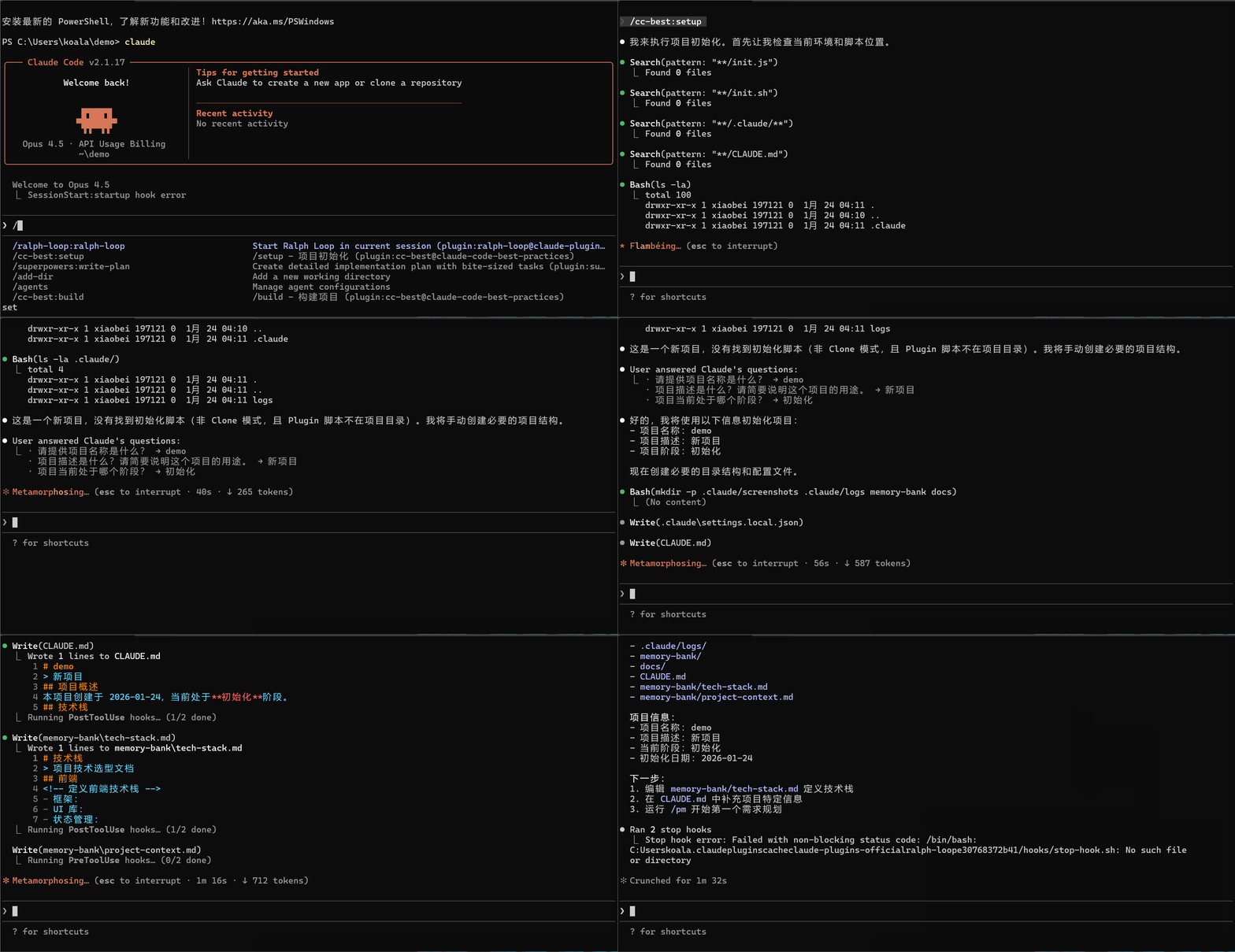
# Add marketplace and install
/plugin marketplace add xiaobei930/cc-best
/plugin install cc-best@xiaobei930

# Verify installation (30 seconds)
/cc-best:status

# Start using
/cc-best:iterate "implement user authentication"
💡 Enable Hooks: After installation, run /cc-best:setup --hooks to activate safety guards and automation hooks.
See Hooks Configuration for details.
Plugin vs Clone: Command Format
| Installation | Command format | Example |
|---|
| Plugin ⭐ | /cc-best:command | /cc-best:iterate "add feature" |
| Clone | /command | /iterate "add feature" |
💡 Recommended: Install via plugin for automatic updates and easier management.
All documentation uses plugin format (/cc-best:xxx). Clone users: run convert-to-local.js.
📦 Alternative: Clone for full customization
git clone https://github.com/xiaobei930/cc-best.git .claude
cd .claude && bash scripts/shell/init.sh

# Convert command format from /cc-best:xxx to /xxx
node scripts/node/convert-to-local.js
Use clone when you need to customize all files in your repo.
⚠️ Important: All documentation uses plugin format (/cc-best:xxx).
Run the conversion script to update to local format (/xxx).
🗑️ Uninstall
# Remove the plugin
/plugin uninstall cc-best@xiaobei930

# Remove marketplace (optional)
/plugin marketplace remove xiaobei930/cc-best
No files are left behind.
What Happens Next?
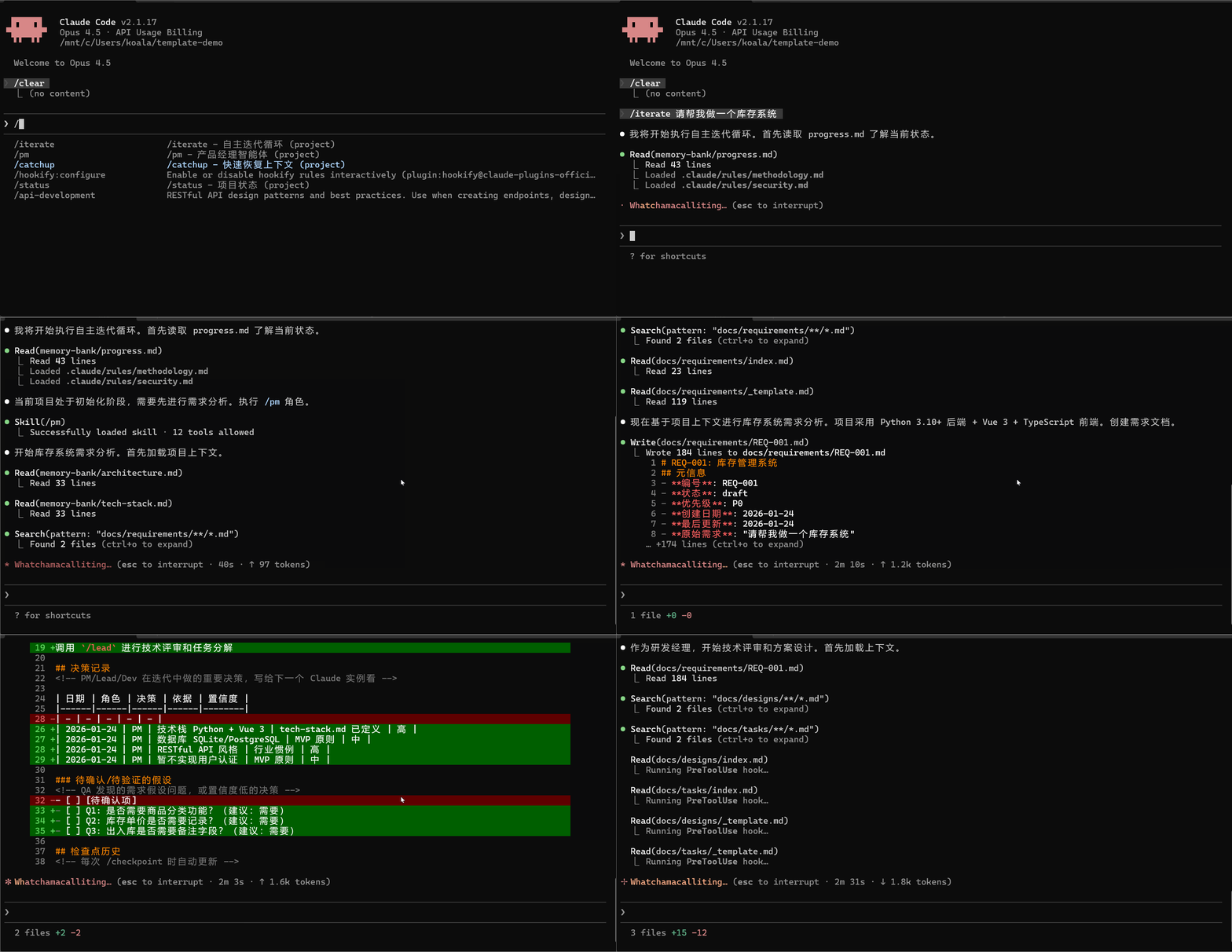
After running /cc-best:iterate "implement user authentication", Claude will:
1. 📋 /cc-best:pm     → Analyze requirements, create task breakdown
2. 🏗️ /cc-best:lead   → Design technical solution
3. 💻 /cc-best:dev    → Write code, create tests
4. 🧪 /cc-best:qa     → Run tests, verify quality
5. ✅ /cc-best:commit → Commit changes with proper message
You just watch. Intervene only when needed.
Common Workflows
| I want to... | Command | What Claude does |
|---|
| Build a feature | /cc-best:iterate "add dark mode toggle" | Full cycle: plan → code → test → commit |
| Fix a bug | /cc-best:iterate "fix login timeout issue" | Investigate → fix → verify → commit |
| Review code | /cc-best:pm "review recent changes" | Analyze code, suggest improvements |
| Learn the codebase | /cc-best:pair | Step-by-step exploration with explanations |
Who Is This For?
| You are... | Recommended mode | Why |
|---|
| Team with multiple roles | Full workflow | PM → Lead → Dev → QA mirrors your process |
| Solo developer | /cc-best:iterate | Let Claude handle the boring parts |
| Learning Claude Code | /cc-best:pair | Understand each step before proceeding |
| Need quick fixes | Direct commands | /cc-best:dev "fix the typo" for simple tasks |
✨ Core Features
| Feature | What it does |
|---|
| 🎭 Role-Based Workflow | PM → Lead → Designer → Dev → QA — complete development cycle |
| 🔄 Autonomous Mode | /cc-best:iterate runs tasks without intervention until completion |
| 🛡️ Safety Hooks | Blocks rm -rf /, git push --force, and other risky commands |
| 📐 Multi-Language Standards | 8-dir layered structure: common + Python/frontend/Java/C#/C++/embedded/UI rules |
| 🧠 Memory Bank | Persists progress and decisions across sessions |
| 👥 Pair Programming | /cc-best:pair — step-by-step collaboration with 5 confirmation checkpoints |
| 🔗 Knowledge Pipeline | observe → analyze → learn → evolve — self-improving knowledge loop |
| 🌐 Cross-Platform | Windows, macOS, Linux — auto-detects package manager |
While CC-Best is built for Claude Code, the methodology (Dao-Fa-Shu-Qi) and role-driven patterns are framework-agnostic and can be adapted for other AI coding assistants.
What Makes CC-Best Different
🎭 Role-Driven Development Pipeline
Not just a prompt template collection — CC-Best simulates real team collaboration:
- 7 roles with clear boundaries: PM → Lead → Designer → Dev → QA → Verify → Commit
- Each role has explicit MUST/SHOULD/NEVER rules, output templates, and handoff protocols
- Automatic flow: PM creates REQ → Lead reviews & creates DES/TSK → Dev implements → QA validates
- Downstream correction (A3): Lead can adjust PM decisions; QA distinguishes implementation bugs from requirement assumption errors
- Document traceability: REQ-XXX → DES-XXX → TSK-XXX numbered chain
🔄 Autonomous Iteration Engine
/cc-best:iterate enables fully autonomous development:
Read progress.md → Select role → Execute → Verify → Commit → Next task (no waiting)
- Smart role selection: 8 state conditions determine which role activates
- A1-A5 decision principles: Context inference (A1), decision recording (A2), downstream correction (A3), MVP fallback (A4), issue classification (A5)
- 4 strict stop conditions: All tasks done, user interrupt, fatal error, external dependency
- Cross-session continuity: memory-bank + progress.md rolling window
🔗 Self-Evolving Knowledge Pipeline
CC-Best learns from your development patterns:
observe → analyze → learn → evolve
- observe:
observe-patterns.js hook automatically tracks tool usage patterns
- analyze:
/cc-best:analyze mines git history and usage data
- learn:
/cc-best:learn extracts reusable knowledge
- evolve:
/cc-best:evolve generates new commands, skills, or agents from learned patterns
📁 Directory Structure
your-project/
├── CLAUDE.md          # Project constitution
├── commands/          # 44 slash commands
├── skills/            # 19 development skills
├── agents/            # 8 specialized agents
├── rules/             # 43 coding standards (10 dirs)
├── hooks/             # Safety hooks
├── scripts/           # Automation (node/python/shell)
├── memory-bank/       # Progress & architecture docs
└── .claude/           # Claude Code config
📂 Detailed structure
| Directory | Contents |
|---|
commands/ | Role commands (pm, lead, dev, qa), Mode commands (iterate, pair), Tool commands (build, test, commit) |
skills/ | Backend, Frontend, Testing, Security, DevOps, Architecture, Git |
agents/ | architect, build-error-resolver, code-reviewer, code-simplifier, planner, requirement-validator, security-reviewer, tdd-guide |
rules/ | 43 rules in 10 dirs: common/ + python/, frontend/, java/, csharp/, cpp/, embedded/, ui/, rust/, go/ |
scripts/ | Cross-platform hooks in Node.js (default), with Python/Bash alternatives |
memory-bank/ | progress.md (rolling window), architecture.md, tech-stack.md |
🔄 Workflow
Standard Development Cycle
flowchart LR
    PM["/pm<br/>Requirements"] --> Clarify["/clarify<br/>Clarify"]
    Clarify --> Lead["/lead<br/>Design"]
    Lead --> Designer["/designer<br/>UI Design"]
    Designer --> Dev["/dev<br/>Implement"]
    Dev --> QA["/qa<br/>Test"]
    QA --> Verify["/verify<br/>Verify"]
    Verify --> Commit["/commit<br/>Commit"]
    Commit --> Clear["/clear<br/>Clear Context"]
    Clear -.->|Loop| PM
Three Development Modes
| Mode | Command | Use Case | Characteristics |
|---|
| Autonomous Iteration | /cc-best:iterate | Clear task list | Fully autonomous, no intervention needed |


 @obra


