
Automation
MCP
svelte
Compiles component based UI code into small, fast vanilla JavaScript for web interfaces.
Claude Code
$ claude mcp add --transport http svelte https://mcp.svelte.dev/mcp
Codex
$ codex mcp add svelte --url https://mcp.svelte.dev/mcp
Cursor
{
  "mcpServers": {
    "svelte": {
      "url": "https://mcp.svelte.dev/mcp"
    }
  }
}
Add it to mcp.json.
Gemini CLI
$ gemini mcp add --transport http svelte https://mcp.svelte.dev/mcp
GitHub Copilot
$ copilot mcp add --transport http svelte https://mcp.svelte.dev/mcp
OpenCode
{
  "mcp": {
    "svelte": {
      "type": "remote",
      "url": "https://mcp.svelte.dev/mcp"
    }
  }
}
Add it to opencode.json.
Windsurf
{
  "mcpServers": {
    "svelte": {
      "serverUrl": "https://mcp.svelte.dev/mcp"
    }
  }
}
Add it to mcp_config.json.
Security report
Info
Not enough data
Known flaws
Not published
Signed build
Not published
Maintained
Oct 30, 2026
Last push
Licence
Not published
Runs as
Remote
mcp.svelte.dev
Deprecated
Not published
Signals from public registries, not an audit. Checked Nov 11, 2026.
windmill README

Open-source, self-hostable code-first platform for workflows, apps and AI agents, running on the fastest self-hostable orchestrator. Engineers write code in 20+ languages and sync it with Git. Business teams build on the same platform with AI, while review, promotion between environments and isolated workers keep engineers in control of what ships. Self-hostable alternative to Lovable, Retool, n8n and a simplified Temporal.
Scripts are turned into sharable UIs, APIs and cron jobs automatically, and can be composed together into flows, data pipelines, AI agents or full-code React and Svelte apps. Supported languages: Python, TypeScript, Go, Bash, SQL, GraphQL, PowerShell, Rust, and more.





Try it - Website - Docs - Discord - Hub - Contributing
Windmill - Code-first platform for workflows, apps and AI agents
Windmill is fully open-sourced (AGPLv3) and Windmill Labs offers dedicated instances and commercial support and licenses.

https://github.com/user-attachments/assets/d80de1d9-64de-4d89-aacd-6df23fa81fc4
- Windmill - Code-first platform for workflows, apps and AI agents
- Build with AI, ship with review
- Main Concepts
- What the code looks like
- Data: data tables, DuckDB and DuckLake
- Develop locally or in the browser
- Stack
- Fastest Self-Hostable Workflow Engine
- Security
- Performance
- Architecture
- How to self-host
- Docker compose
- Kubernetes (Helm charts)
- Cloud providers
- OAuth, SSO & SMTP
- License
- Integrations
- Environment Variables
- Contributing
- Copyright
Build with AI, ship with review
Business teams and engineers build on the same Windmill instance. What the AI builds is an ordinary script, flow or app, and goes through the same review as code written by engineers:
- AI sessions build scripts, flows and apps with AI in a workspace fork, with a live preview and a diff to review before deploying.
- Workspace roles decide what each team can author, and folders scope the resources, skills and MCP servers its AI can reach.
- Protection rulesets block direct deployment, so changes reach production only after an engineer reviews and deploys them.
- Dev workspaces keep their own credentials, and promote to prod through Compare & Deploy or a Git pull request.
- Worker groups run AI-built code on its own workers, or on a separate instance.
See let business teams build with AI safely for the full setup. Engineers keep writing code locally with the CLI, the VS Code extension and their coding agent, synced with Git.
Main Concepts
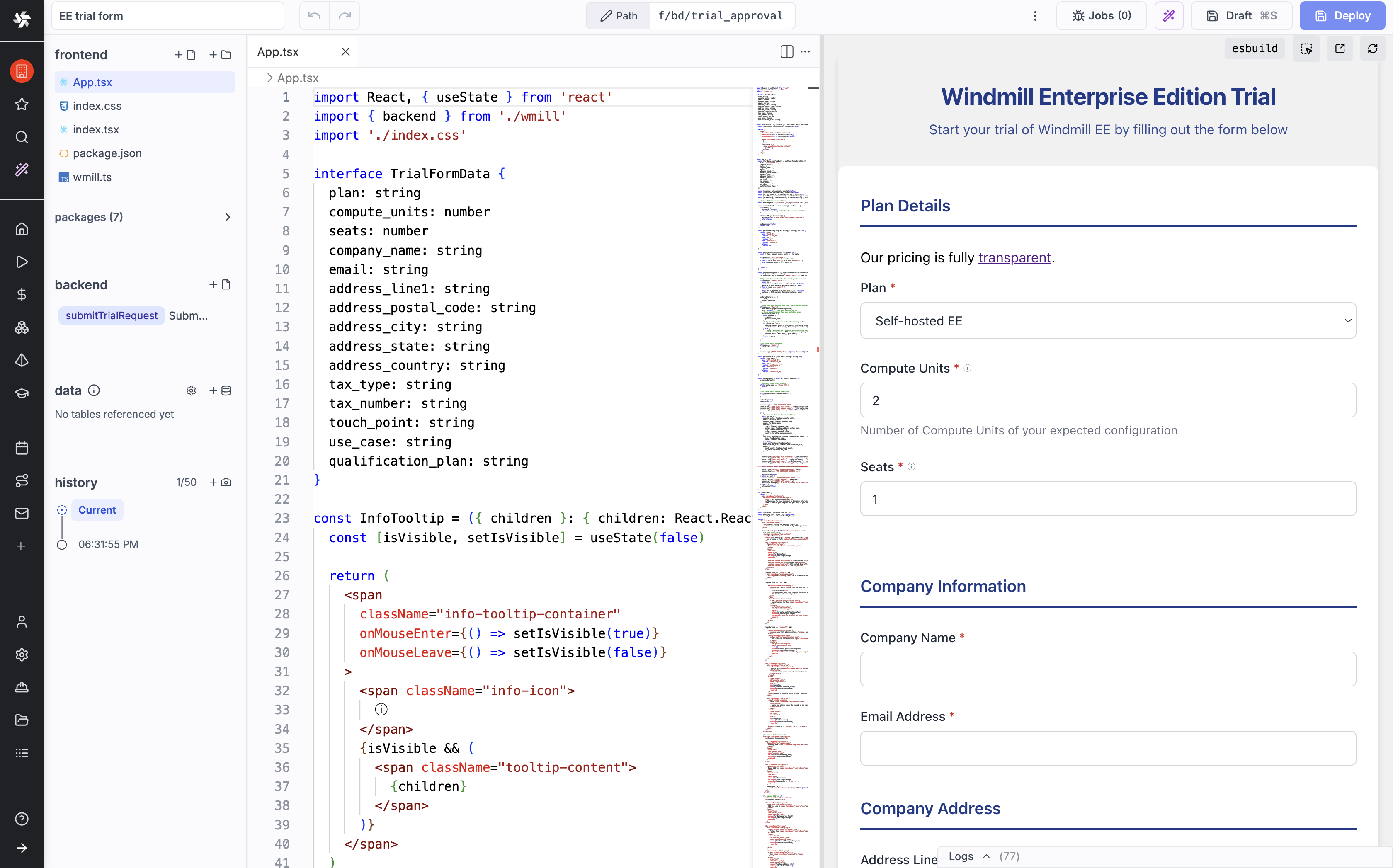
- Define a minimal and generic script in Python, TypeScript, Go or Bash that solves a specific task. The code can be defined in the provided Web IDE or synchronized with your own GitHub repo (e.g. through VS Code extension): provided Web IDE or synchronized with your own GitHub repo (e.g. through VS Code extension):

- Your scripts parameters are automatically parsed and generate a frontend.


- Make it flow! You can chain your scripts or scripts made by the community shared on WindmillHub.

- Build complex UIs on top of your scripts and flows.
Scripts and flows can be triggered by schedules, webhooks, HTTP routes, Kafka, WebSockets, emails, and more.
Build your entire infra on top of Windmill!
What the code looks like
A script is a plain function. Its typed arguments become a generated form, an HTTP endpoint and a CLI command:
import * as wmill from "windmill-client";
import dayjs from "dayjs"; // any npm package, resolved and pinned automatically

export async function main(
  customerId: string,
  plan: "starter" | "pro", // a union of strings becomes a dropdown
  trialDays = 14 // defaults infer the type
) {
  const trialEnd = dayjs().add(trialDays, "day").toISOString();

  // a data table: the workspace's Postgres, queried without a connection string
  const sql = wmill.datatable();
  await sql`INSERT INTO trials (customer_id, plan, trial_end) VALUES (${customerId}, ${plan}, ${trialEnd})`.fetch();

  // secrets are permissioned by path
  const slackToken = await wmill.getVariable("f/sales/slack_token");
  await fetch("https://slack.com/api/chat.postMessage", {
    method: "POST",
    headers: { Authorization: `Bearer ${slackToken}`, "Content-Type": "application/json" },
    body: JSON.stringify({ channel: "#sales", text: `New ${plan} trial: ${customerId}` }),
  });

  console.log(`Trial started for ${customerId}`); // logs stream live in the UI
  return { customerId, plan, trialEnd }; // returned as JSON
}
Workflows are code too. Each task runs as its own job with its own logs, and waiting for an approval releases the worker:
import { task, waitForApproval, workflow } from "windmill-client";

async function plan(env: string) {
  return { env, changes: 3 };
}

async function apply(plan: { env: string; changes: number }) {
  return `applied ${plan.changes} changes to ${plan.env}`;
}

export const main = workflow(async (env: string) => {
  const changes = await task(plan)(env);
  const approval = await waitForApproval({ timeout: 3600 });
  if (!approval.approved) {
    return `rejected by ${approval.approver}`;
  }
  return await task(apply)(changes);
});
Flows can also be built in the visual flow editor or as YAML, with scripts like the first one as steps. See workflows as code.
Data: data tables, DuckDB and DuckLake
- Data tables give each workspace managed Postgres tables, queried with type-checked SQL from TypeScript, Python and DuckDB scripts without exposing a connection string.
- DuckDB scripts query S3 and Azure Blob files (CSV, Parquet, JSON), data tables, Postgres, MySQL and BigQuery in SQL, on your workers.
- DuckLake stores large datasets as lakehouse tables in your workspace object storage, queried in plain SQL.
- Pipelines (alpha) wire scripts by the data they read and write instead of a hand-drawn DAG. This script runs whenever
eventsis materialized, and materializes its own table:
-- pipeline
-- on ducklake://main/events
-- materialize ducklake://main/events_by_kind
ATTACH 'ducklake://main' AS dl;
SELECT kind, count(*) AS n
FROM dl.events
GROUP BY kind;
Existing dbt projects run unmodified as scripts. See the pipelines quickstart.
Develop locally or in the browser
Engineers work from their editor and coding agent, business teams build with AI in the browser, and both land in the same workspace:
| Tool | Description |
|---|---|
| CLI | Sync a workspace with local files and Git, run scripts and flows from the command line. wmill init generates AGENTS.md and skill files for Claude Code, Cursor and other AI tools |
| VS Code extension | Edit and test scripts and flows from VS Code or Cursor with full IDE support |
| Git sync | Two-way sync between a workspace and your Git repository |
| MCP server | Let coding agents and AI clients run scripts, manage resources and monitor jobs in a workspace |
| AI sessions | The same agent loop in the browser, with nothing to install: plan mode, skills and MCP servers, a live preview, and a diff to review before deploying, in a fork of the workspace |
https://github.com/user-attachments/assets/c541c326-e9ae-4602-a09a-1989aaded1e9
You can run scripts locally by passing the right environment variables for the wmill client library to fetch resources and variables from your instance. See local development docs.
Stack
Stats
18,515
Stars
1,148
Forks
Active
Maintenance
Rust
Language
Last commit
Created

Ships withwindmill
Windmill is fully open-sourced (AGPLv3) and Windmill Labs offers dedicated instances and commercial support and licenses.
18k49 skills2 agents3 MCP
Stars on GitHub
Momentum
- stars in total
- 18.3k
More MCP servers from other plugins.

open-computer-use
MCPShips with open-computer-use: open-computer-use is an open-source Computer Use service wrapped as MCP. Any AI agent or MCP client…
 @ifurystInstall MCP
atlas
MCPShips with babysitter: Enforce obedience on agentic workforces. Manage extremely complex workflows through deterministic,…
 @a5c-aiInstall MCP
opengui-local-android
MCPShips with opengui: OpenGUI is an Android GUI agent framework for phone-use AI that can see, plan, and operate real mobile apps…
 @core-mateInstall MCP
Questions about svelte.
- Which coding agents can use svelte?
- svelte works in any agent that reads an MCP config file: Claude Code, Codex, Cursor, Gemini CLI, GitHub Copilot, OpenCode and Windsurf. Each agent reads it from its own file; this page names the file for each one.
- How do I add svelte to Claude Code?
- Run this in your terminal: claude mcp add --transport http svelte https://mcp.svelte.dev/mcp