





claude-hud
A Claude Code plugin that shows what's happening: context usage, rate limits, active tools, running agents, and todo progress, always visible below your input.
1 skill29k
 @jarrodwatts
Agentic IDE for Claude Code, Codex CLI, Antigravity CLI, and Pi.dev.
Claude Code
$ npx -y skills add subgentic/coral --agent claude-code
Codex
$ npx skills add subgentic/coral -a codex
Cursor
$ npx skills add subgentic/coral -a cursor
Gemini CLI
$ npx skills add subgentic/coral -a gemini-cli
GitHub Copilot
$ npx skills add subgentic/coral -a github-copilot
OpenCode
$ npx skills add subgentic/coral -a opencode
Windsurf
$ npx skills add subgentic/coral -a windsurf
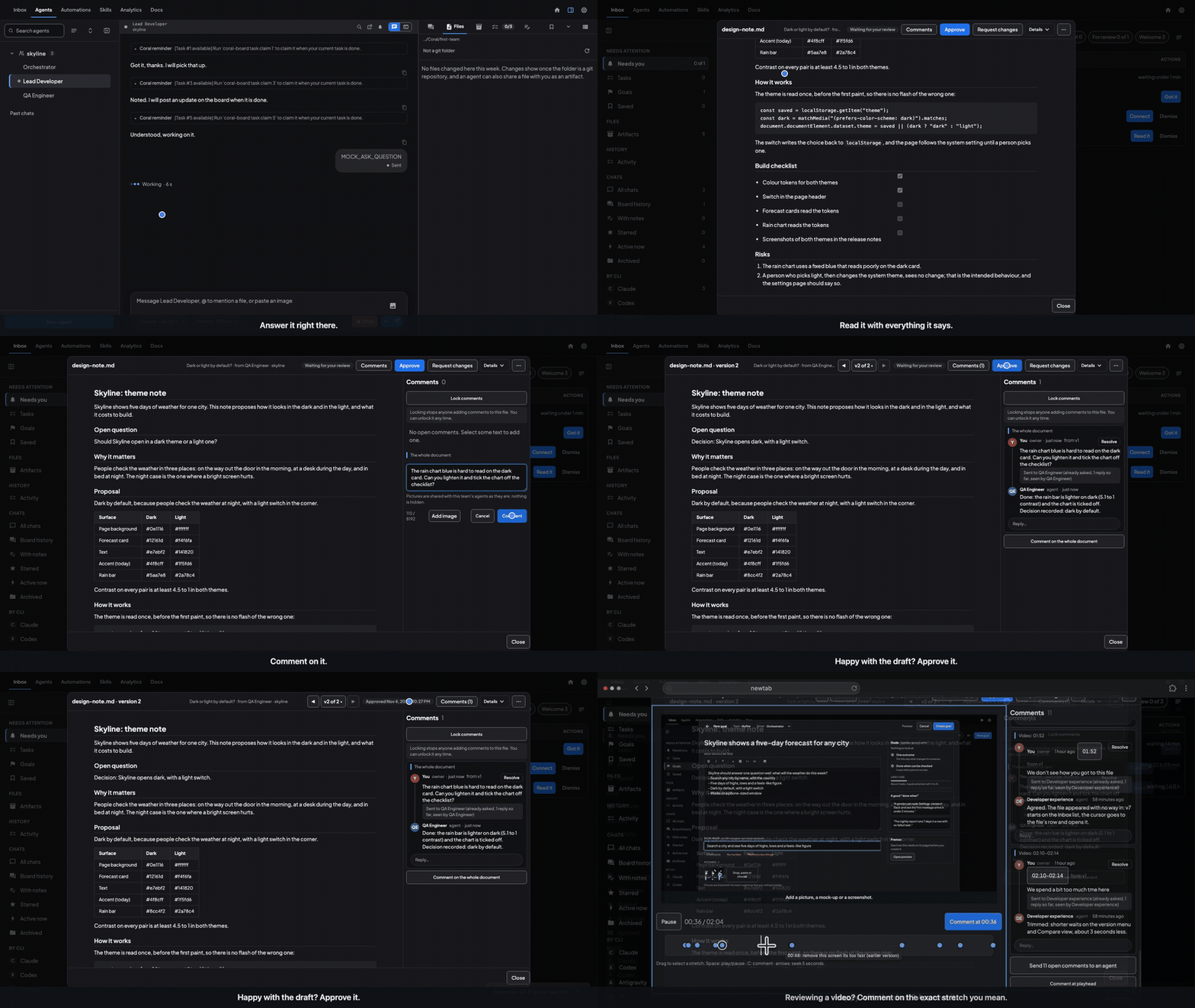
Coral: the Inbox for your agents.
Your coding agents do the work. Anything that needs you — a question, a permission, a file to review — lands in one Inbox, on your laptop or your phone, and the agent carries on the moment you answer.
macOS (.dmg) • Windows (.msi) • Windows portable (.zip) • Linux x86-64 • Linux ARM64 · all releases Apache-2.0 · no account, nothing to sign up for · you keep your own keys and subscriptions · works with Claude Code, Codex, Antigravity, Pi, OpenCode and Hermes (experimental)
The Inbox • Chief • Teams • Quick Start • Documentation • Discord
A document lands in the Inbox, you comment, the agent answers and updates it. (Sample data; staged with scripted agents.)
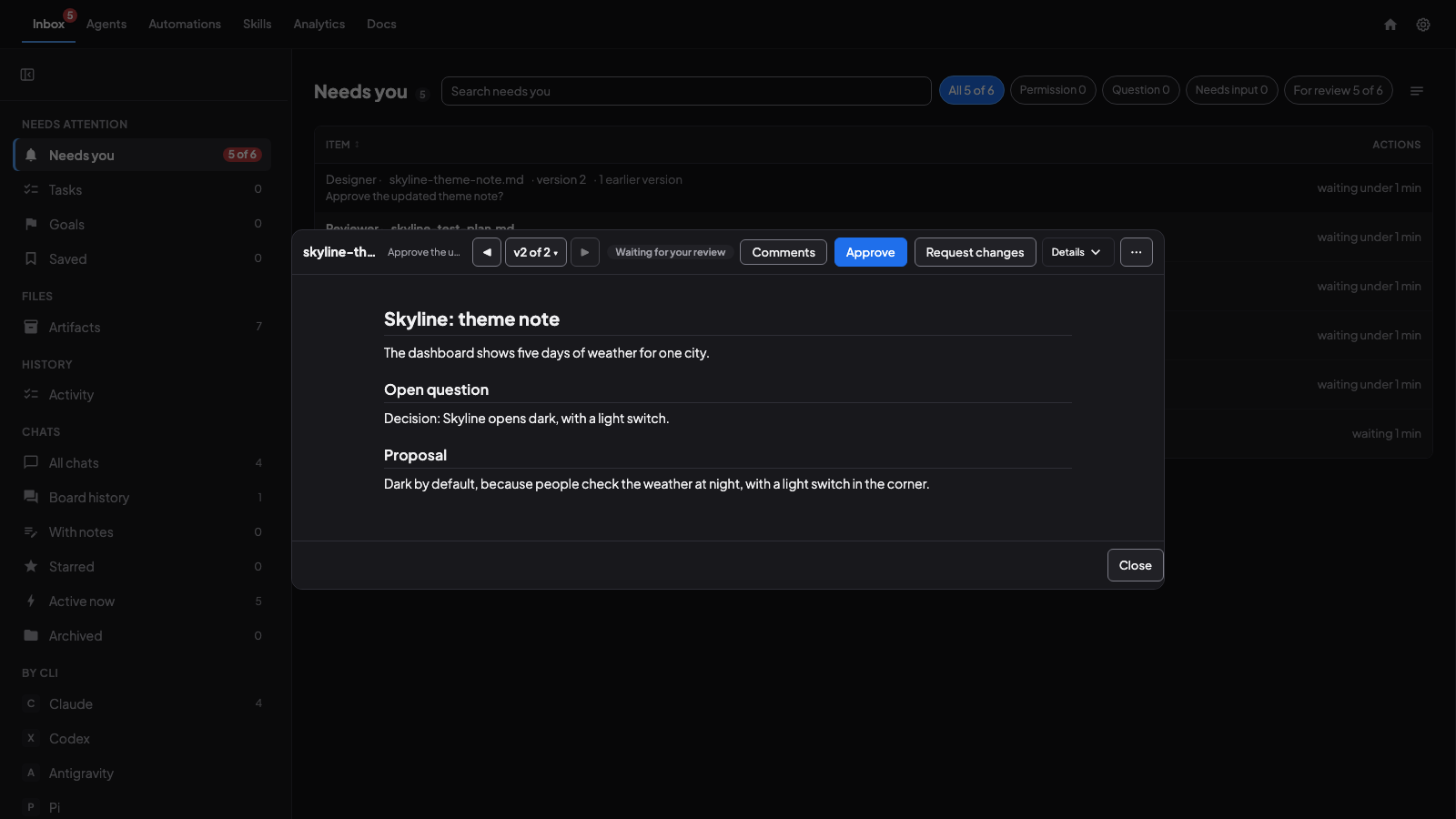
A file an agent made, waiting for your review: read it, Approve or Request changes. (Sample data.)
A file an agent made, waiting for your review: read it, Approve or Request changes.
Install on macOS or Linux with one command:
curl -fsSL \
  https://github.com/subgentic/coral/releases/latest/download/install.sh \
  | bash
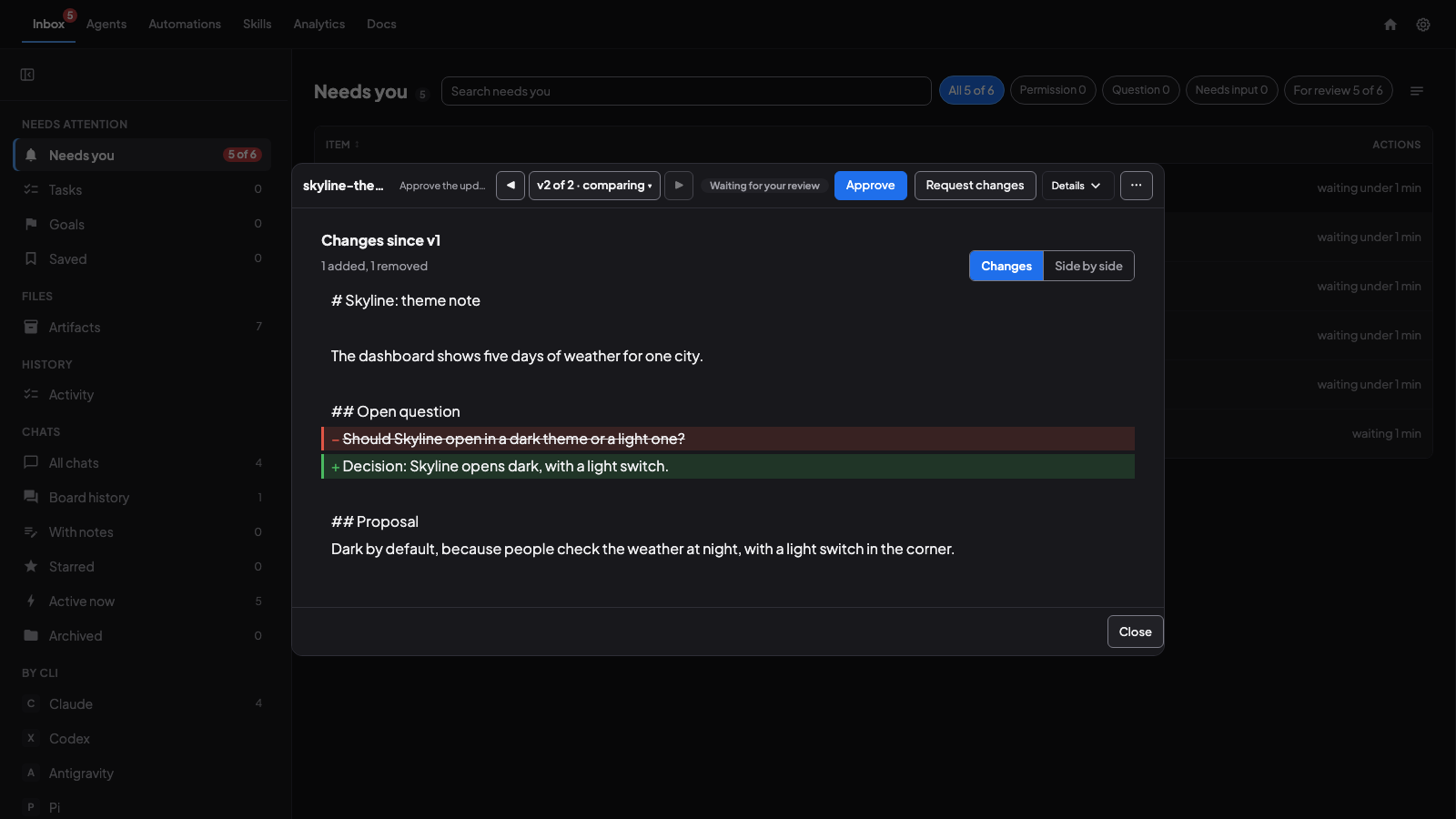
Compare with the earlier version: what changed, marked. (Sample data.)
Coral wraps the agent CLIs you already use (Claude Code, Codex, Antigravity, Pi and OpenCode, and Hermes, which is experimental). It calls no AI API itself: your keys, your subscriptions, your tools. It runs as one Go binary on your laptop or a remote box.
Running agents is easy. Knowing when one of them needs you is the part that goes wrong: a permission prompt sits for an hour in a terminal you closed, a question waits behind a tab you forgot, a finished file never gets looked at. Coral puts all of that in one place.
A question to you is an item like a review. It says who asked and about which goal and task, shows its words rendered, and takes your reply with pictures if you want them; a question whose wait ran out while you were away is kept, not lost.
Comments come back to you. When an agent answers a comment on a file or a goal, the file is back in Needs you, and the goal page has its own Comments tab.
Review that keeps its history. Open a file the agent made, read it, Approve or Request changes. A new version of the same file arrives as the next version with Compare, so you see what changed. Comment on the whole document or a passage, and add a picture you have marked up (pen, arrow, box); the agent is told, and the original is kept. A file that is almost right can be approved with a note, and a row you do not want to act on can be dismissed (with Undo).
Every chat and every board, searchable. The Inbox also holds the history of every agent CLI's conversations and each team's message board.
Detailed Analytics Analytics from token spend, cache read/writes broken down by provider, model thinking level, tasks, commits. etc. Coral is able to provide incredibly detailed data across your workloads to help you monitor for drift in your agentic system. Use it to figure out where the bottlenecks are in your agents.
The same dashboard on a : the agent list, and one agent's chat. (Sample data.)
Behind the Inbox is the part that does the work: a team of agents on one board. An Orchestrator plans and delegates; a Lead Developer writes the code; a QA Engineer checks it. They can be different vendors on the same team (a Claude orchestrator, Codex workers, an Antigravity reviewer), each in its own terminal session and, if you ask, its own git worktree. The team's board holds the messages and a task queue whose dependencies are conditioned on outcomes and artifacts, not just "done".
The team's board beside one agent's chat: the Orchestrator and its workers at work. (Sample data.)
Idle agents sleep by themselves. An agent that has been idle for a while is put to sleep to free memory and wakes when something is sent to it; an agent mid-work stays awake. On by default, with a switch in Settings.
A Skills Store (experimental). Import a skill, review it, approve it; approved skills appear in New agent and New team, and agents can publish and search skills themselves.
Teams that survive closing the lid. Sleep a whole team and wake it tomorrow, or after upgrading Coral: every agent resumes its own session.
Run it anywhere. Put Coral on a build server or a spare Mac; open it from any browser, or scan a QR code for a phone client.
Everything else is in the feature list.
Download the latest release from GitHub Releases. These links always point to the newest version:
Coral.dmg (universal binary)coral-linux-amd64.tar.gz (x86-64) or coral-linux-arm64.tar.gz (ARM64, e.g. Graviton or Docker on Apple silicon)Coral-x64.msi (installer) or Coral-x64-portable.zip. These are currently not code-signed, so Windows SmartScreen warns that the publisher is unknown. Verify the file with the attestation check below before you run it.First install and sign in to at least one agent CLI: Claude Code, Codex, Antigravity (agy), Pi, OpenCode, or Hermes (experimental). Coral runs these tools; it does not install or authenticate them.
macOS: Open the DMG, drag Coral.app to Applications, then open Coral. The app includes tmux. For terminal commands, run /Applications/Coral.app/Contents/MacOS/install-cli.sh and add ~/.local/bin to your PATH.
Windows: Run the MSI, then open Coral from the Start menu. For the portable ZIP, extract it, open PowerShell in that folder, and run .\coral.exe --no-browser.
Linux: Download the archive for your architecture, then extract and start it (ARM64: replace amd64 with arm64):
mkdir -p "$HOME/.local/share/coral"
tar -xzf coral-linux-amd64.tar.gz -C "$HOME/.local/share/coral"
export PATH="$HOME/.local/share/coral:$PATH"
coral --no-browser
Stars on GitHub
A Claude Code plugin that shows what's happening: context usage, rate limits, active tools, running agents, and todo progress, always visible below your input.
@jarrodwattsSkills for running several coding agents together: an advisor for a second opinion, a committee for root cause analysis and planning, handoffs with full context, help with the Paseo app, and building local plugins.
 @getpaseo
Gives you skills for pulling answers and prep from Circleback meeting notes, and for triaging failing GitHub Actions runs and GitHub issues. Use it to find what was decided, build meeting briefs, and sort CI failures and issues without digging through logs by hand.
 @superset-sh
Runs and supervises teams of coding agents from planning through merge, handling CI feedback, review comments, and merge conflicts in isolated workspaces. Includes skills for launching the AO desktop app and triaging bug reports.
 @untrivial-ai
Agentic IDE for Claude Code, Codex CLI, Antigravity CLI, and Pi.dev. Install it with the command on its page. It includes creating-a-coral-automation, creating-coral-skills, orchestrator-team-builder. Its skills do not fire on their own yet. Free and open source.
Is this plugin yours?
Claim it with GitHubSubmit a pluginPromote it