
Development
Plugin
jig
A Claude Code and Codex plugin that scaffolds AI-native development practices into new projects. jig adds a repeatable spec, implementation, review, and memory workflow to AI-assisted software projects.

Plugin Signal74/100Solid
maintained100
capable70
documented75
adopted19
Install on Claude Code
> /plugin marketplace add ramboz/jig> /plugin install jig@jig
What's inside
Skill(20 skills)
/adr-workflowScaffold, accept, index, and link Architectural Decision Records (ADRs). Use when the user says "write an ADR", "record this decision", "resolve [deferred item] with an ADR", "supersede ADR-NNNN", or otherwise wants to capture a hard-to-reverse decision in `docs/decisions/`./analyzeCross-artifact consistency report for jig specs — a non-destructive six-category audit at CRITICAL/HIGH/MEDIUM/LOW severity, covering duplication, ambiguity, underspecification, principle violations, coverage gaps, and terminology drift. Auto-triggers when you say analyze this/arch-reviewTeam baseline for architecture, design-doc, and RFC review — produces summary, strengths, concerns, and open questions. Auto-triggers when you say review this design, review this architecture, review this proposal, review my RFC, poke holes in this proposal, is this design
Hook(5 hooks)
Agent(3 agents)
architectEvaluates architectural decisions and produces ADR-style proposals with explicit alternatives. Invoked rarely — only for decisions that warrant a formal ADR.implementerImplements a spec slice with TDD discipline. Writes tests first, then implementation, then updates spec status.reviewerPerforms independent review of implemented work against its spec and acceptance criteria. Read-only access only.
README
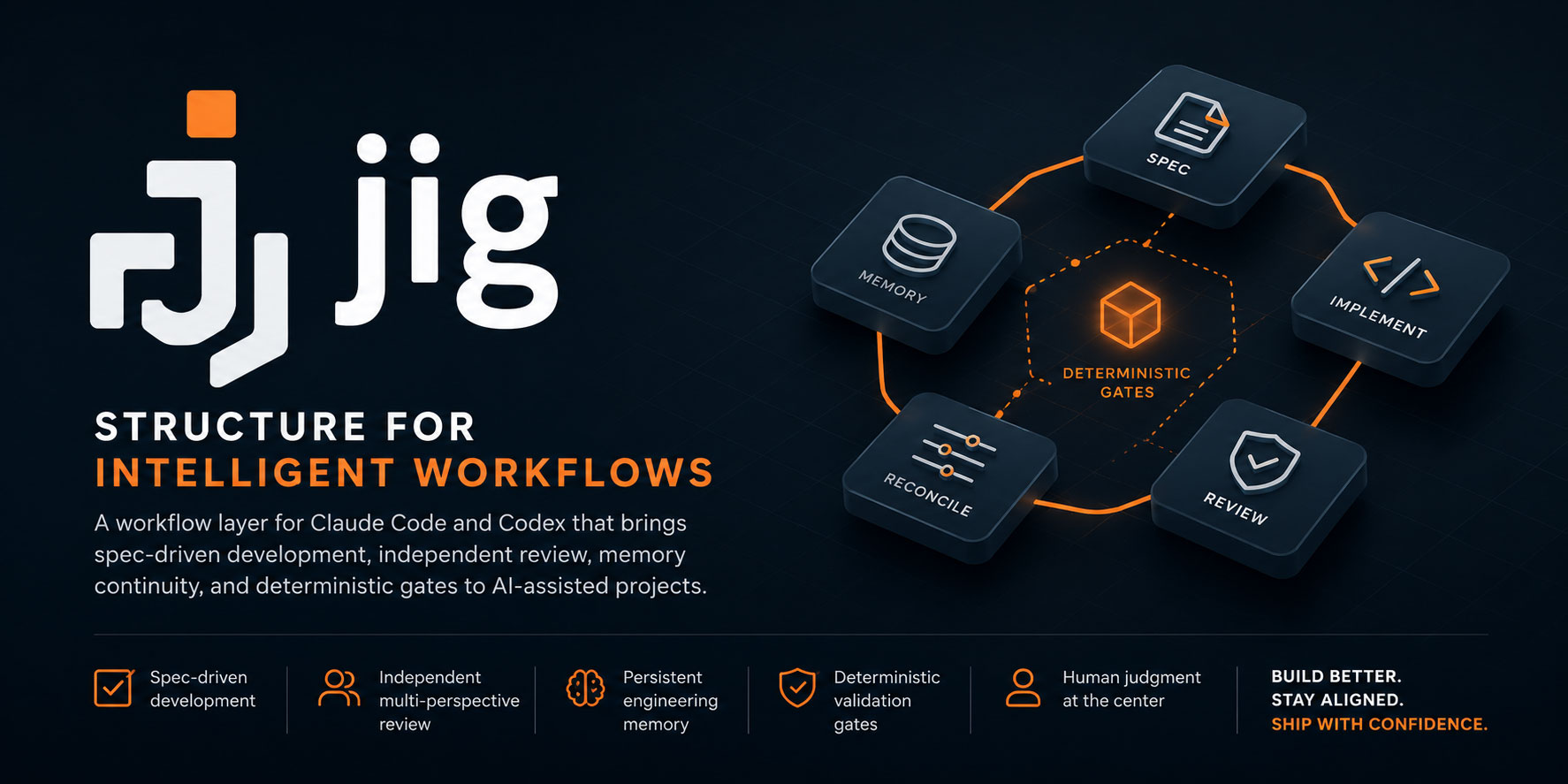
A Claude Code and Codex workflow layer that scaffolds AI-native development practices into new projects.
jig (noun): a tool that guides other tools to work accurately and consistently.
Why jig
Two years of AI-assisted coding leave the same scars on every non-trivial project: LLMs refactor whole layers before anything works end-to-end, "done" drifts because no acceptance criteria are written down, implementers grade their own homework, and mega-packs burn the context budget before your work loads. jig encodes the workflow that prevents each one — so you don't rediscover it session by session.
→ The jig philosophy — the full why: the named scars, how jig thinks, and the honest objections.
What it does
Idea → Spec → Vertical slice → Implementation → Independent review → Reconciliation → Done
jig installs a focused, opinionated workflow layer into your project:
- Spec-driven development — SPIDR-split vertical slices, each with its own Definition of Done.
- Multi-perspective review — a fresh, read-only reviewer checks every slice against its spec (compliance), plus a craft pass and an on-demand architecture pass.
- Memory layer — cross-session continuity via hot cache + deep storage + inbox.
- Deterministic gates — hooks enforce what must happen; skills carry judgment.
A fixed, opinionated set — 7 Tier 0 skills at the floor and 13 more on by default (Tier 1) — not a hundred-skill marketplace. For the full picture, see product-vision.md (vision, target users, principles) and architecture.md (mechanics).
Principles jig encodes
The convictions behind the mechanisms — each one wired into something concrete, not left as advice:
- The harness matters more than the model. jig is a harness: the instructions an agent reads, the tools it can run, the feedback loops that correct it, the isolation boundaries that contain it. Swapping models won't close a workflow gap — the scaffold does.
- Guardrails, not guidelines. What must happen is enforced mechanically by deterministic gates: hooks for immediate local checks (secret scanning, spec-file gates) and workflow transitions for lifecycle evidence (review-evidence gates, reconciliation artifacts). What takes judgment lives in skills. The line between a deterministic gate and an advisory nudge is drawn on purpose.
- The context window is working memory, not a storage buffer. Irrelevant context degrades reasoning, so jig keeps a lean hot cache, loads deeper docs on demand, and delegates file-heavy reading to subagents that return only a summary.
- Designed to reduce token cost. Beyond keeping context lean for quality, jig is built to keep token usage — and the bill — down: lean context, file-heavy reading delegated to subagents, tight output. It also measures its own spend rather than guessing at it.
- Review is the bottleneck. Agents produce faster than review capacity grows, so jig won't let implementers grade their own homework: a fresh, read-only reviewer checks every slice against its spec, and the verdicts are durable artifacts that gate the next state.
- Specs and docs are code, and they ship in slices. Specs, ADRs, and the memory layer are version-controlled and reconciled before a slice lands — so "done" never drifts, and work arrives as vertical slices instead of one big-bang mega-commit.
These are the outward-facing worldview; several are also load-bearing build rules jig holds itself to, spec by spec — see product-vision § Design principles for the operational detail.
jig now ships one development experience across Claude Code, Codex, and GitHub Copilot CLI: the same workflow model, rendered into host-native files by the host-adapter layer (spec 033). The next big horizon is coordination across a multi-repo workspace (a federation tier — spec 034).
Start here
New to jig? Read the adoption & readiness guide first — who jig is for, what your repo needs, and your first 30 minutes.
Install
There are two ways to add jig, and installing it as a plugin is the recommended default. As a plugin, jig's machinery stays in the plugin and out of your repo, so your project stays lean and every project you install it into tracks the same jig version automatically.
Reach for the scaffold instead when you want jig to live inside your project — copied in as editable files you own and can customize, with no plugin dependency. It's the self-contained option for teams that want to pin, fork, or tailor jig's machinery to their repo.
Use the recipe for your host below — Claude Code, Codex, or GitHub Copilot CLI. For each host the plugin recipe is the recommended default and the scaffold recipe is the copy-it-in alternative (Copilot ships plugin-only — see below). See ADR-0041 for the full rationale.
Claude plugin
Recommended — installs jig as a plugin; nothing is copied into your repo.
/plugin marketplace add ramboz/jig
/plugin install jig@jig
Claude scaffold
Alternative — copies jig into your project as editable, self-contained files.
git clone https://github.com/ramboz/jig.git
python3 jig/hosts/claude/skills/scaffold-init/scaffold.py --in-repo <your-project>
Codex plugin
Recommended — installs jig as a plugin; nothing is copied into your repo.
codex plugin marketplace add ramboz/jig
codex plugin add jig@jig
Codex scaffold
Alternative — copies jig into your project as editable, self-contained files.
git clone https://github.com/ramboz/jig.git
python3 jig/hosts/codex/plugins/jig/skills/scaffold-init/scaffold.py --host codex --in-repo <your-project>
Copilot plugin
Recommended — registers this repository's Copilot marketplace and installs jig from its committed Copilot package; nothing is copied into your repo.
copilot plugin marketplace add ramboz/jig
copilot plugin install jig@jig
Project setup
Once installed, open a new project directory in your host and say:
"Set up this project for AI-native development"
The scaffold-init skill will run and produce the docs/ scaffolding.
Copy-paste prompts live in the prompt cookbook, in the order you run them: scaffold the repo once, then repeat the idea-to-landed loop for every feature.
Extension points
Bring your own depth; jig provides the floor.
A few jig skills — pr-review, arch-review, contracts, security-review,
code-health, explain, vision-elicitation — ship as lightweight baselines
that defer to a richer user-installed skill in the
same category when one is present. The deferral is category-based, not
name-specific, so your own reviewer skill wins automatically, with no
configuration. jig stays opinionated about workflow and out of the way of
the judgment skills you've already invested in. Detail:
product-vision § Design principles.
Verifying a host install
Each host is verified in its own environment — one host's check does not prove the other installs and runs:
- Claude:
python3 scripts/verify_install.pyconfirms the install footprint, andpython3 scripts/build_release_zip.py --host claude --smoke-test <zip>exercises the committedhosts/claudepackage. Spec 061-06 owns the full Claude install-verification slice. - Codex:
python3 scripts/codex_install_smoke.pyvalidates the committedhosts/codexpackage and probes a live Codex CLI when present. Spec 061-07 owns the full Codex install-verification slice. - Copilot:
install_contract.validate_copilot_package— wired intopython3 scripts/build_release_zip.py --host copilot --smoke-test <zip>— validates the committedhosts/copilotpackage's manifest-declared legacy component paths (skills,agents,hooks) and the skills, agents, hook config, scripts, and templates those paths resolve to. For a live discovery check, install into an isolatedCOPILOT_HOME, runcopilot -C <empty-dir> skill list, and confirmspec-workflowappears; then run a deliberately missing agent and confirm the "available agents" list includesjig:reviewer. A headlesscopilot -psession does not reliably prove hook firing (folder-trust/mode limits), so hook verification is the declared-path validator plus release-zip smoke rather thancopilot plugin list.
From source (contributors)
See CONTRIBUTING.md for the local-marketplace workflow used during development.
Repository structure (for contributors)
Four peers: the canonical source root, and the committed hosts/claude,
hosts/codex, and hosts/copilot packages. The three host packages
are committed, source-derived build outputs — kept fresh by the drift
guard (python3 scripts/build_host_packages.py [--check]) and NOT
hand-edited. The host packages have different internal shapes: Claude
and Copilot are both flat plugins (.claude-plugin/plugin.json /
.plugin/plugin.json at the package root — Copilot's runtime tree nests under
.github/ instead of the package root) while Codex is marketplace-wrapped
(hosts/codex/.agents/plugins/marketplace.json + hosts/codex/plugins/jig/...).
# Canonical source root (dev tooling + the tree the host packages build from):
.claude-plugin/plugin.json       # Claude plugin source manifest
.claude-plugin/marketplace.json  # remote-install pointer → ./hosts/claude
.agents/plugins/marketplace.json # Codex remote-install pointer → ./hosts/codex/plugins/jig
.github/plugin/marketplace.json  # Copilot remote-install pointer → ./hosts/copilot
.codex-plugin/plugin.json        # Codex plugin source manifest
skills/                          # Skill definitions (SKILL.md per skill)
agents/                          # Subagent definitions
hooks/                           # Hook configuration + Python scripts
scripts/                         # Top-level dev scripts (verify-install, …)
templates/                       # Source templates scaffold-init generates from
docs/                            # Dev docs for jig itself (dogfooded workflow)
  specs/                         # Specs for jig's own features
  memory/                        # jig's own memory layer
  decisions/                     # Architectural decisions (ADRs)

# Committed, drift-guarded host packages (built from source; NOT hand-edited):
hosts/
  claude/                        # COMMITTED flat Claude plugin package
  codex/                         # COMMITTED marketplace-wrapped Codex package
    .agents/plugins/marketplace.json
    plugins/jig/                 # the Codex plugin tree
  copilot/                       # COMMITTED flat Copilot plugin package
    .plugin/plugin.json
    .github/{skills,agents,hooks,scripts,templates}/
dist/                            # gitignored — host-explicit release ZIPS ONLY
Contributing
Read CONTRIBUTING.md for the local install + verify flow,
then docs/workflow.md for the spec lifecycle. Every
change to jig starts with a spec. PRs squash-merge with conventional-commit
titles (feat(scope): … / fix(scope): …); the pr-title.yml workflow
enforces the shape, and CONTRIBUTING § Releasing has the version-bump effect of
each prefix.
How jig compares against other AI-native playbooks — and where each known gap is owned — lives in CONTRIBUTING § Comparison and gap response.
Status
File tree
Showing a partial view of a very large repo.
FAQ
jig is a Claude Code plugin with 20 hand-picked skills for development work, indexed on Flowy. Install it with the command on its page. It includes adr-workflow, analyze, arch-review. Its skills do not fire on their own yet. Request auto-invocation to have Flowy route them as you prompt. Free and open source.
- What is jig?
- A Claude Code and Codex plugin that scaffolds AI-native development practices into new projects. jig adds a repeatable spec, implementation, review, and memory workflow to AI-assisted software projects.
- How do I install jig?
- Run these in Claude Code: /plugin marketplace add ramboz/jig then /plugin install jig@jig. Then prompt normally.
- Does jig auto-invoke its skills?
- Not yet. It is indexed on Flowy as a plain plugin. Request auto-invocation on its page and Flowy will route its skills for you as you prompt.
- Is jig free?
- Yes. Flowy is free and open source, with nothing gated. You can read every skill in full before you install.
Is this plugin yours?
Claim it with GitHubSubmit a pluginPromote it