

VerifiedPlugin
claude-to-im-skill
Bridge Claude Code / Codex to IM platforms — chat with AI coding agents from Telegram, Discord, Feishu/Lark, QQ, or WeChat. Want a desktop GUI instead?
1 skill2.9k
 @op7418
A multi-model AI agent desktop client — connect any AI provider, extend with MCP & skills, control from your phone. Built with Electron + Next.js.
$ npx -y skills add op7418/CodePilot --agent claude-code
Repo: op7418/CodePilot
What's inside
A multi-model AI agent desktop client -- connect any AI provider, extend with MCP & skills, control from your phone, and let your assistant learn your workflow.




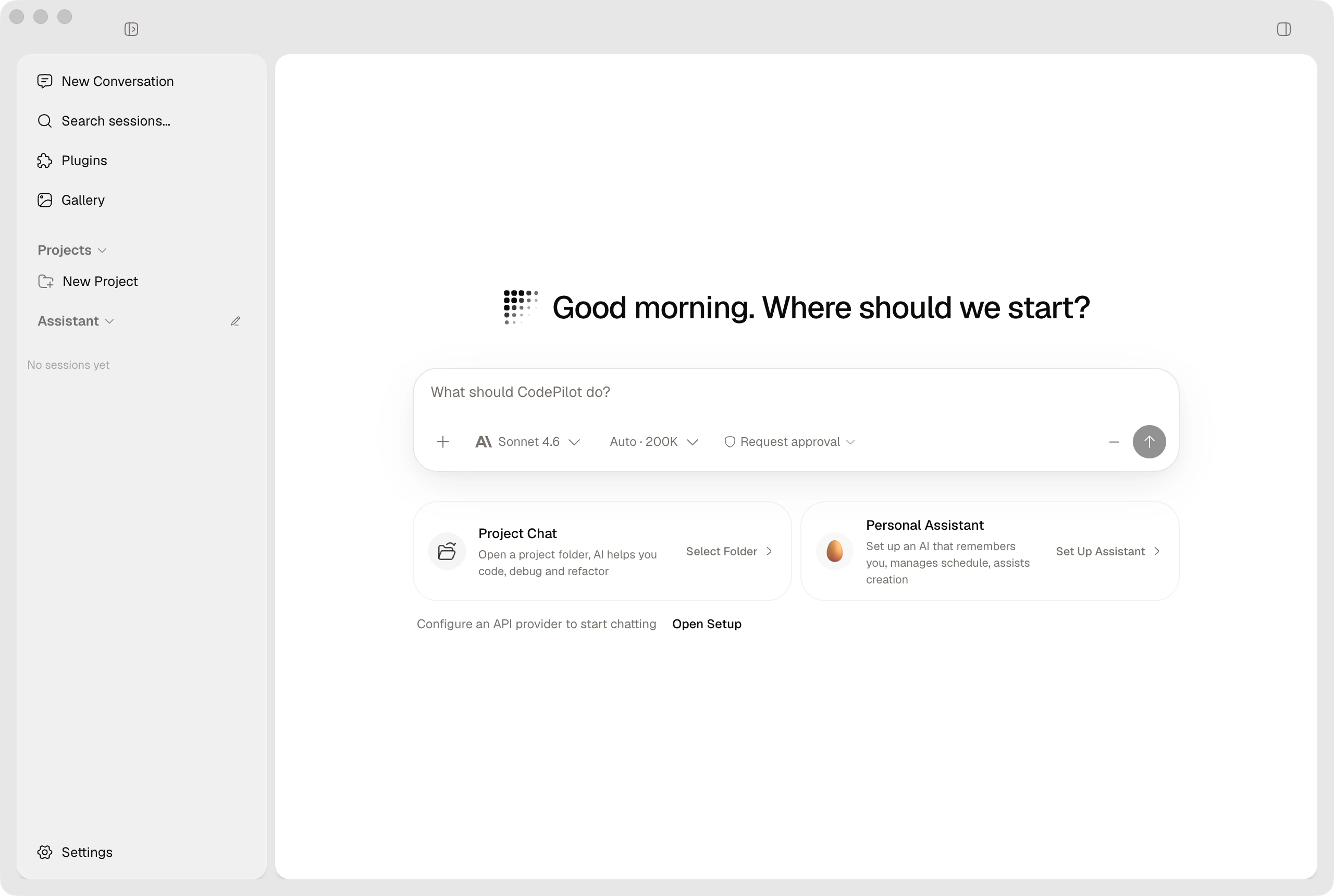
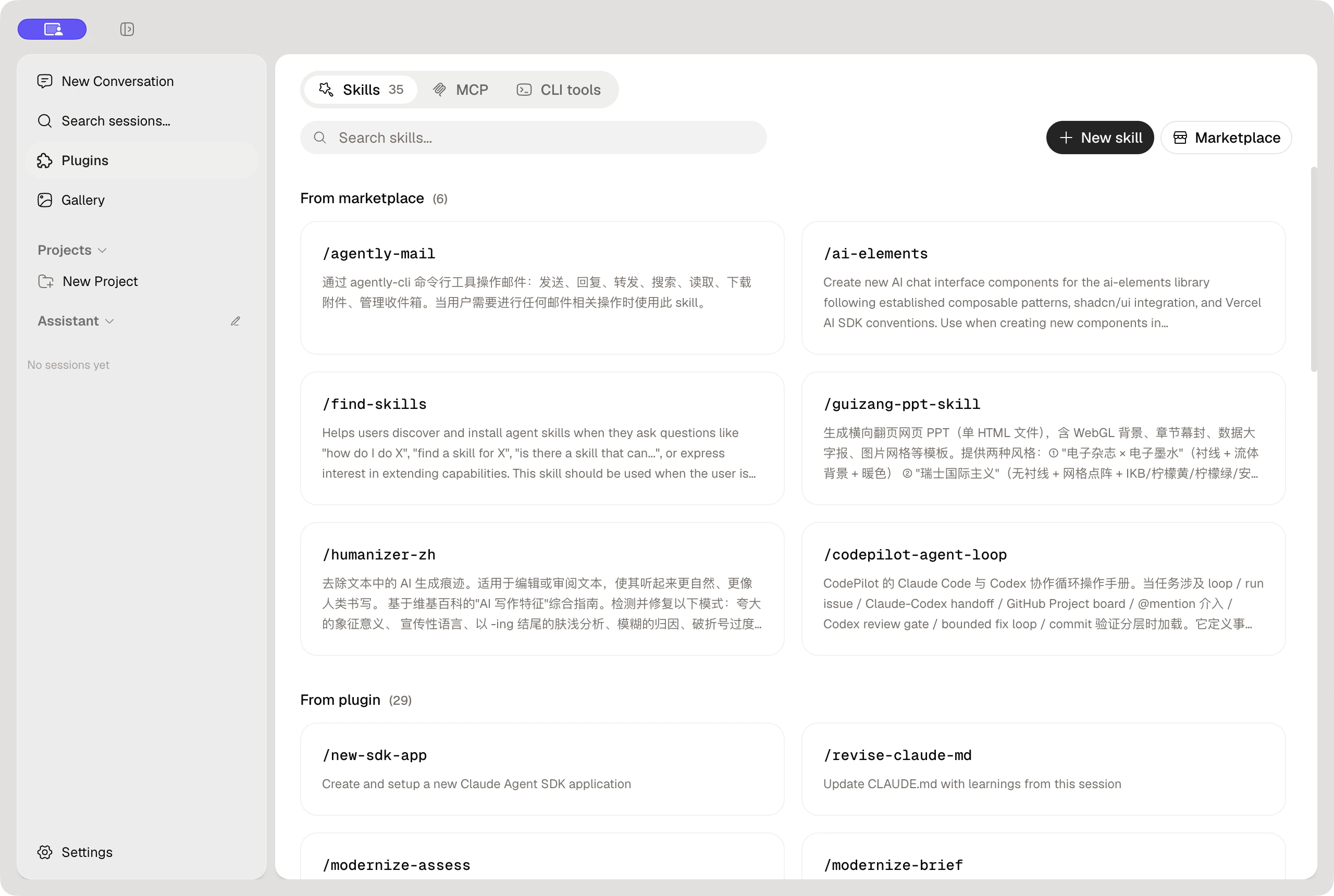
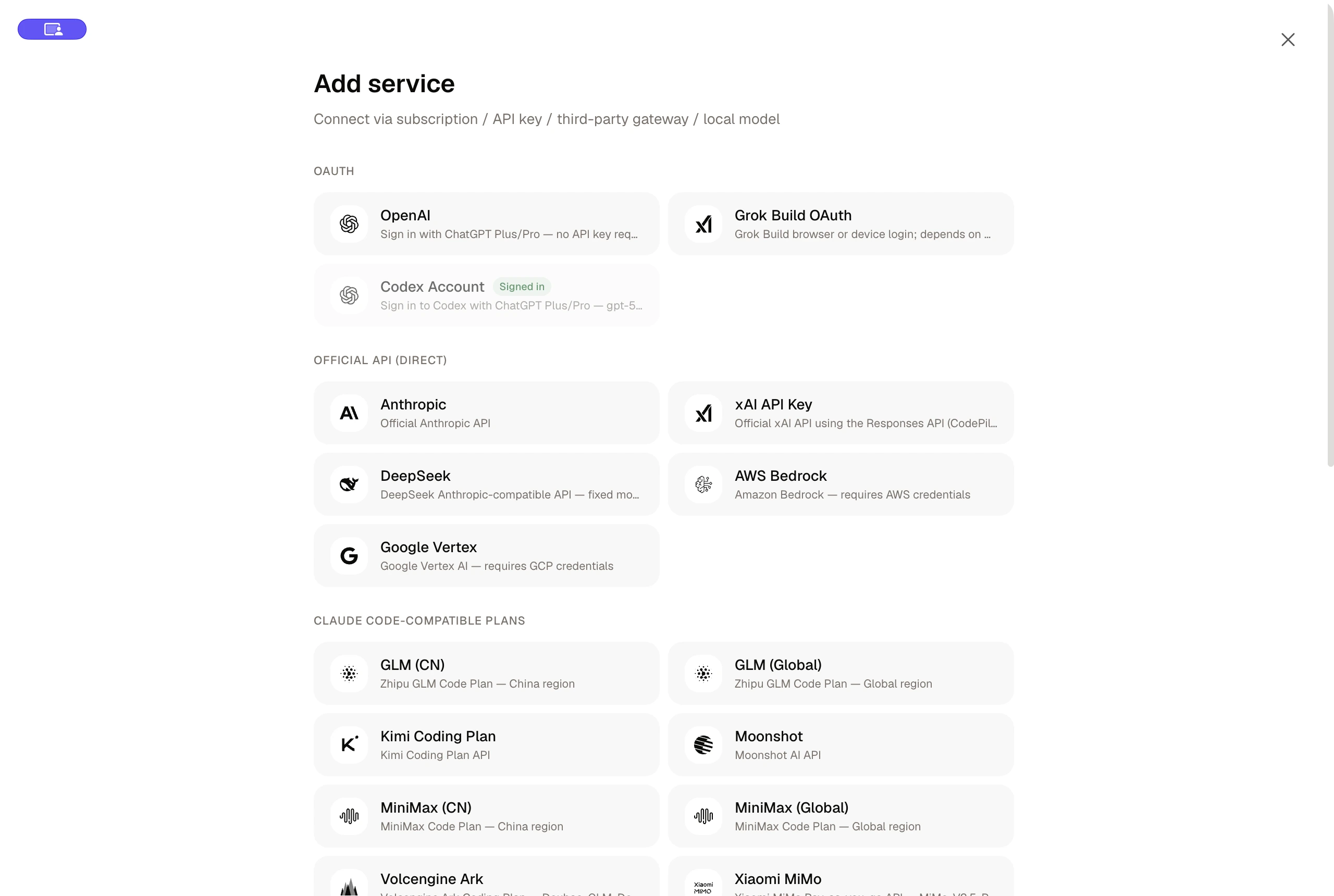
| Skills and extensions | Connect AI services |
|---|---|
 |  |
Download | Quick Start | Documentation | Contributing | Community
| Platform | Download | Architecture |
|---|---|---|
| macOS | Apple Silicon (.dmg) · Intel (.dmg) | arm64 / x64 |
| Windows | Installer (.exe) | x64 |
| Linux | AppImage / deb / rpm | x64 / arm64 |
Official macOS stable builds can check, download, and install signed updates in the app. After manually installing the first supported Windows version, later Windows releases can update in the app using unsigned packages from the official GitHub Release; Linux releases remain manual downloads.
Or visit the Releases page for all versions.
Connect to 17+ AI providers out of the box. Switch providers and models mid-conversation without losing context.
| Category | Providers |
|---|---|
| Direct API | Anthropic, OpenRouter |
| Cloud platforms | AWS Bedrock, Google Vertex AI |
| Chinese AI providers | Zhipu GLM (CN/Global), Kimi, Moonshot, MiniMax (CN/Global), Volcengine Ark (Doubao), Xiaomi MiMo, Aliyun Bailian (Qwen) |
| Local & self-hosted | Ollama, LiteLLM |
| Custom | Any Anthropic-compatible or OpenAI-compatible endpoint |
| Media | Google Gemini (image generation) |
CodePilot started as a coding tool but has grown into a general-purpose AI agent desktop:
Note: Installing the Claude Code CLI (
npm install -g @anthropic-ai/claude-code) unlocks additional capabilities like direct file editing, terminal commands, and git operations. It is recommended but not required for basic chat.
| Prerequisite | Minimum version |
|---|---|
| Node.js | 18+ |
| npm | 9+ (ships with Node 18) |
git clone https://github.com/op7418/CodePilot.git
cd CodePilot
npm install
npm run dev              # browser mode at http://localhost:3000
# -- or --
npm run electron:dev     # full desktop app
| Capability | Details |
|---|---|
| Interaction modes | Code / Plan / Ask |
| Reasoning effort | Low / Medium / High / Max + Thinking mode |
| Permission control | Default / Full Access, per-action approval |
| Session control | Pause, resume, rewind to checkpoint, archive |
| Model switching | Change model mid-conversation |
| Split screen | Side-by-side dual sessions |
| Attachments | Files and images with multimodal vision support |
| Slash commands | /help /clear /cost /compact /doctor /review and more |
| Capability | Details |
|---|---|
| Providers | 17+ providers: Anthropic, OpenRouter, Bedrock, Vertex, Zhipu GLM, Kimi, Moonshot, MiniMax, Volcengine, MiMo, Bailian, Ollama, LiteLLM, custom endpoints |
| MCP servers | stdio / sse / http, runtime status monitoring |
| Skills | Custom / project / global skills, skills.sh marketplace |
| Bridge | Telegram / Feishu / Discord / QQ / WeChat remote control |
| CLI import | Import Claude Code CLI .jsonl session history |
| Image generation | Gemini image gen, batch tasks, gallery |
| Capability | Details |
|---|---|
| Assistant Workspace | Persona files (soul.md, user.md, claude.md, memory.md), onboarding, daily check-ins, persistent memory |
| Generative UI | AI-created interactive dashboards and visual widgets |
| File browser | Project file tree with syntax-highlighted preview |
| Git panel | Status, branches, commits, worktree management |
| Usage analytics | Token counts, cost estimates, daily usage charts |
| Task scheduler | Cron-based and interval scheduling with persistence |
| Local storage | SQLite (WAL mode), all data stays on your machine |
| i18n | English + Chinese |
| Themes | Dark / Light, one-click toggle |
soul.md, user.md, claude.md, and memory.md at the workspace root.npm install -g @anthropic-ai/claude-codemacOS stable builds are signed with Developer ID, notarized, stapled, and verified by Gatekeeper. If macOS reports that the developer cannot be verified or the file is damaged, stop and report it instead of bypassing the warning. Windows builds are unsigned and may show SmartScreen. After manually installing the first Windows updater-capable release, later stable versions can update in-app from the official op7418/CodePilot GitHub Release; the app verifies the metadata SHA-512 but does not claim independent Authenticode publisher verification. Linux updates remain manual.
SHA256SUMS.txt from the same Release.Verify the installer against SHA256SUMS.txt from the same official Release first. If the checksum matches and the source is op7418/CodePilot, click "More info", then "Run anyway". If organization policy removes that option, contact the device administrator instead of weakening system-wide protection.
📖 Full documentation: English | 中文
Getting started:
User guides:
Developer docs:
No. You can use CodePilot with any supported provider (OpenRouter, Zhipu GLM, Volcengine, Ollama, etc.) without the Claude Code CLI. The CLI is only needed if you want Claude to directly edit files, run terminal commands, or use git operations on your machine. For chat and assistant features, just configure a provider and start a conversation.
Verify the API key is valid and the endpoint is reachable. Some providers (Bedrock, Vertex) require additional environment variables or IAM configuration beyond the API key. Use the built-in diagnostics (Settings > Providers > Run Diagnostics) to check connectivity.
npm run dev starts only the Next.js dev server -- you use CodePilot in your browser at http://localhost:3000. npm run electron:dev starts both Next.js and the Electron shell, giving you the full desktop app experience with native window controls.
Showing a partial view of a very large repo.
View @op7418’s profileBridge Claude Code / Codex to IM platforms — chat with AI coding agents from Telegram, Discord, Feishu/Lark, QQ, or WeChat. Want a desktop GUI instead?
@op7418🌏 English version: README.en.md 一个适配 Claude Code / Codex 等 Agent 环境的网页 PPT 技能,用于生成单文件 HTML 横向翻页 PPT、PPT 配图和多平台封面,并内置完整的排练与演讲者模式。 内置两套视觉系统: Style A: 电子杂志 × 电子墨水。像 Monocle 贴上了代码,适合叙事、观点、分享、个人风格表达。 Style B: 瑞士国际主义。网格至上、单一高饱和锚点色、直角、发丝线、极致字号对比,适合事实、产品、分析、方法论表达。 由
@op7418一个适配 Claude Code / Codex 等 Agent 环境的图文卡片技能,用于从文章、文案、截图、产品笔记、字幕、照片或用户视频生成小红书 / Rednote 图文组图、Live Photo 动态卡与公众号 21:9 + 1:1 封面对。 内置两套视觉系统,共用一份图文工作流: 电子杂志风(Editorial)。像 Monocle / Kinfolk / Cereal 那样克制的版面,适合叙事、生活方式、旅行、阅读、影视、个人观察。
@op7418FAQ
codepilot is a Claude Code plugin with 9 hand-picked skills for productivity work, indexed on Flowy. Install it with the command on its page. It includes feishu-bitable, feishu-calendar, feishu-channel-rules. Its skills do not fire on their own yet. Request auto-invocation to have Flowy route them as you prompt. Free and open source.
Is this plugin yours?
Claim it with GitHubSubmit a pluginPromote it