chrome-devtools
MCPConnects to Chrome over the DevTools Protocol to inspect the DOM, network requests and console output.
 @nextlevelbuilderInstall MCP
Ships with open-design: The 1st Collaborative AI Design Agent Workspace. Local-first and open source. Create motion, prototypes, websites, apps, dashboards, presentations, images, and videos with your…
Claude Code
> /plugin marketplace add nexu-io/open-design> /plugin install open-design@open-design
Codex
Cursor
Gemini CLI
$ git clone https://github.com/nexu-io/open-design
Clone the repository
GitHub Copilot
$ git clone https://github.com/nexu-io/open-design
Clone the repository
OpenCode
Windsurf
Security report
Not enough data
Known flaws
Not published
Signed build
Not published
Maintained
Nov 10, 2026
Last push
Licence
Apache-2.0
Runs as
Local process
On your machine
Deprecated
Not published
Signals from public registries, not an audit. Checked Nov 11, 2026.
✨ Celebrating 100K GitHub stars with OpenDesign Go — Go credits are doubled: $8 for your first month, with up to $120 in monthly credits for eligible Design Plan models. Use them across 10+ models, including GPT-6 Luna, DeepSeek V4.1 Flash, GLM-5.3 Flash-X, and MiMo V2.6 Flash. All personal plans include API access for Codex, Claude Code, DSH, OpenCode, and more.
Website · Download · OpenDesign Cloud · Discord · Follow @OpenDesignHQ

OpenDesign is the 1st collaborative AI design agent workspace. Start with a brief, then use your coding agent or OpenDesign Cloud to create a prototype that follows your design system. Share it with your team for feedback, and let your agent refine it in the same project.
That workflow is open and extensible. OpenDesign is licensed under Apache 2.0 and gives teams skills, design templates, design systems, and plugins they can inspect and adapt to their own process.

Home — start with a brief or an example.

All projects — revisit design systems, media, and prototypes.

Design Systems — inspect brand assets and refine them with an agent.

Plugins — find skills and launch them with Try it.
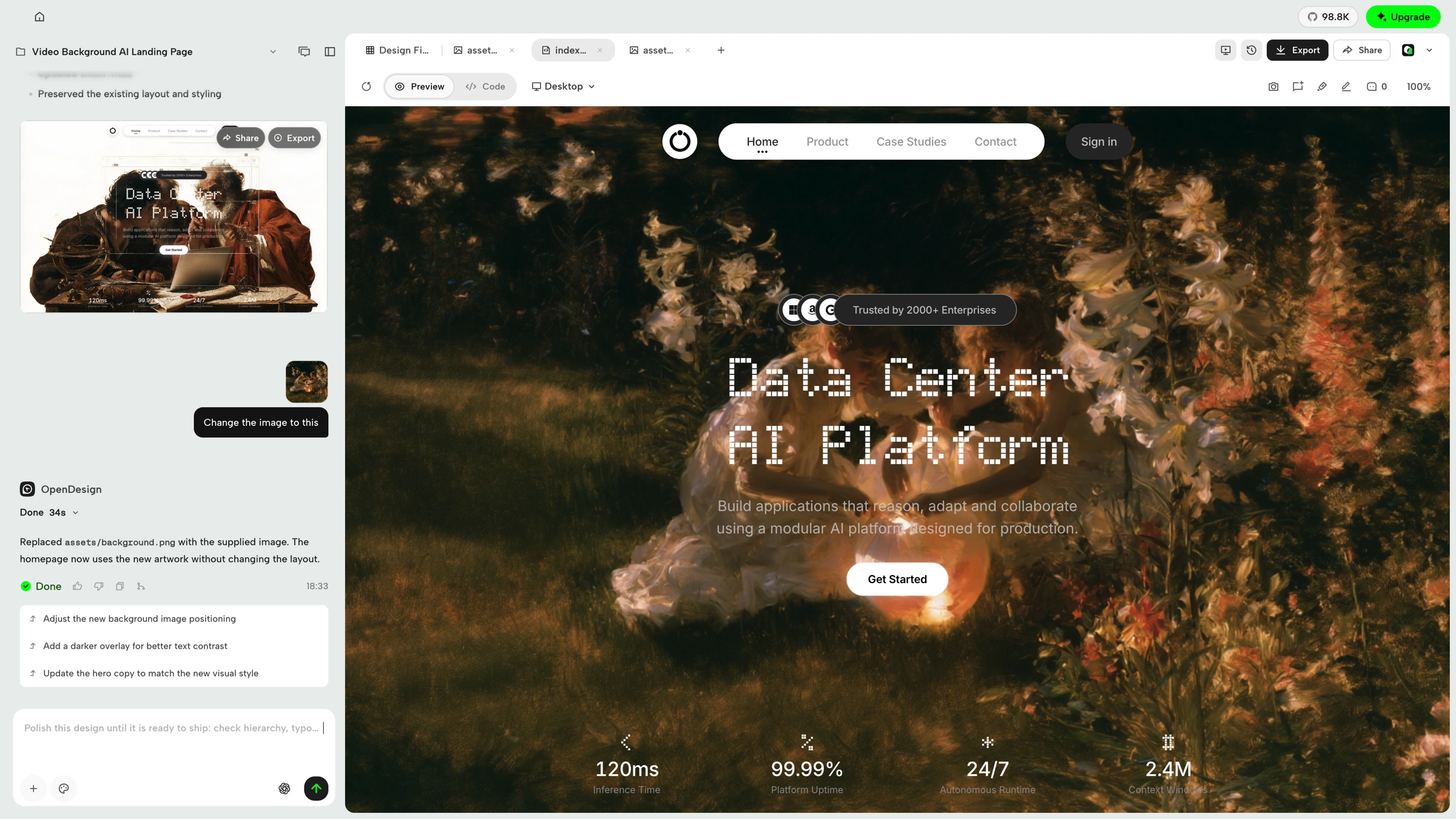
Prototype — build and refine interactive web experiences with your agent and live preview.
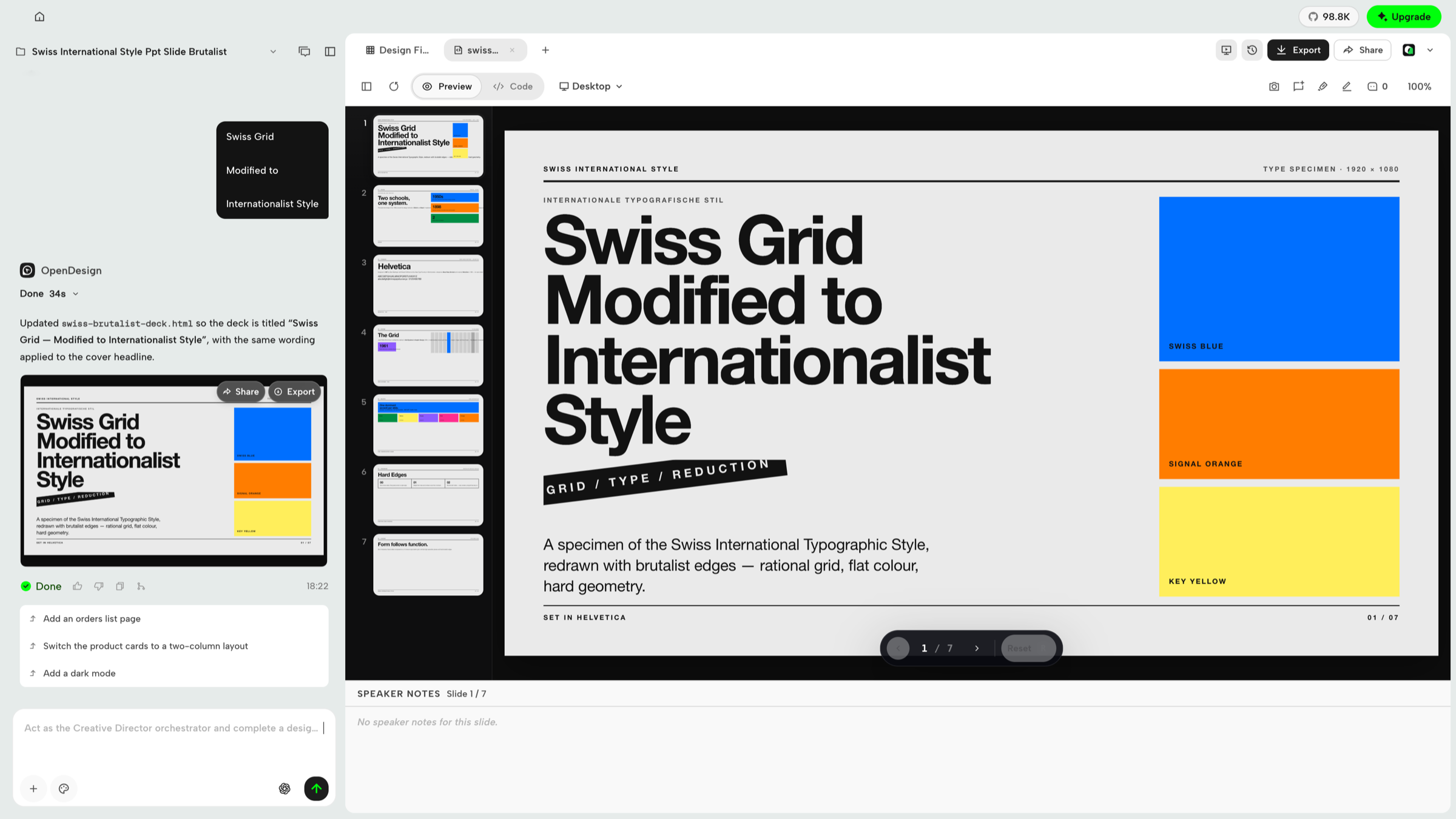
Slides — create decks, review slides and speaker notes, and export when ready.
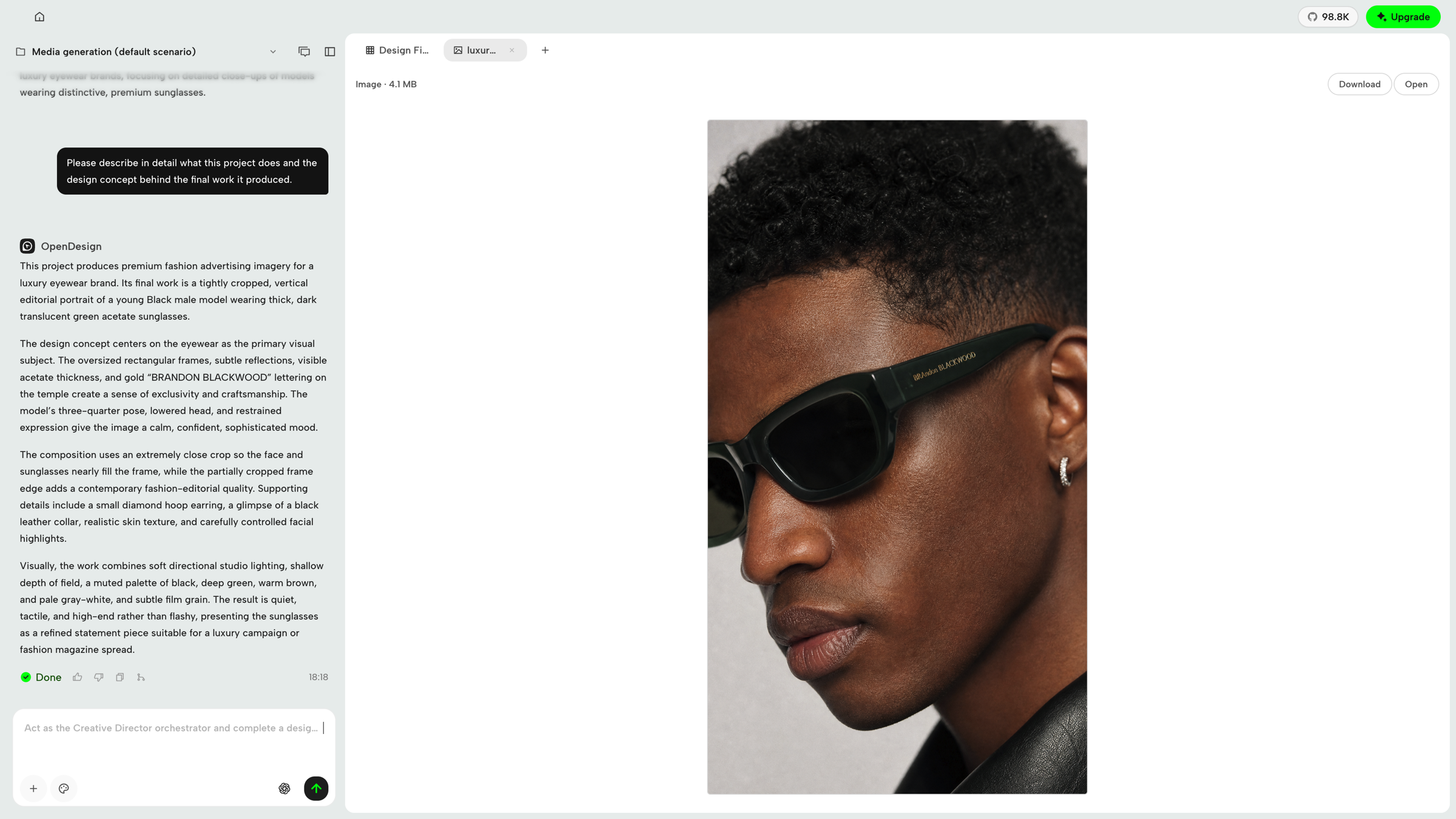
Image — generate visual assets from the conversation, inspect the result, then download or open it.
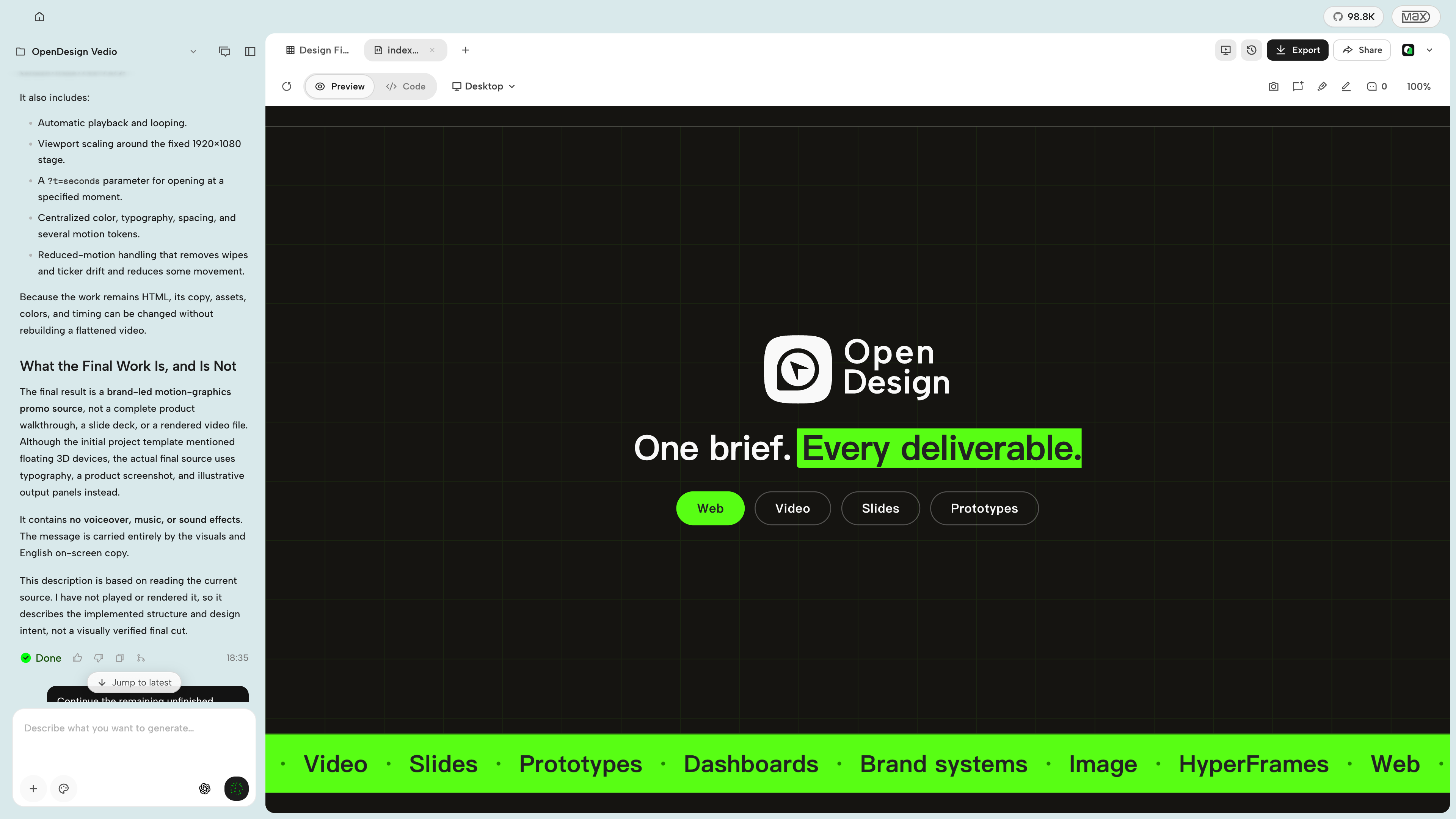
HyperFrames — create motion graphics with your agent and export to MP4. Watch the video.
OpenDesign connects to mainstream coding agents in two ways: skills, CLI, and MCP for agents that consume OD, plus native runtime adapters for agents that OD launches directly. DeepSeek Harness is a first-class native runtime through the official
dshCLI, with structured streaming, model discovery, cancellation, and session resume.
| Coding agent / platform | Status | Quick setup |
|---|---|---|
| Claude Code | ✅ Supported | od mcp install claude |
| Claude Desktop | ✅ Supported¹ | od mcp install claude-desktop |
| Codex CLI | ✅ Supported | od mcp install codex |
| DeepSeek Reasonix | ✅ Supported | od mcp install reasonix |
| DeepSeek Harness | ✅ Native runtime | od agent setup deepseek-harness |
| Raven | ✅ Supported | od mcp install raven |
| Cursor | ✅ Supported | od mcp install cursor |
| VS Code + GitHub Copilot | ✅ Supported | od mcp install copilot |
| GitHub Copilot CLI | ✅ Supported | od mcp install copilot |
| OpenCode | ✅ Supported | od mcp install opencode |
| OpenClaw | ✅ Supported | od mcp install openclaw |
| Antigravity | ✅ Supported | od mcp install antigravity |
| Cline | ✅ Supported | od mcp install cline |
| Trae | ✅ Supported | od mcp install trae |
| Kimi CLI | ✅ Supported | od mcp install kimi |
| Kiro | ✅ Supported | od mcp install kiro |
| Pi Agent | ✅ Supported | od mcp install pi |
| Mistral Vibe CLI | ✅ Supported | od mcp install vibe |
| Hermes Agent | ✅ Supported | od mcp install hermes |
For DeepSeek Harness, install the official dsh CLI first, then select it in OpenDesign or run od agent setup deepseek-harness to install/repair OD's connection component. For MCP integrations: od mcp install <agent> --print for a dry-run preview · --uninstall to remove · full list with od mcp install --help.
¹ Automatic MCP configuration for Claude Desktop is currently supported on macOS and Windows only.
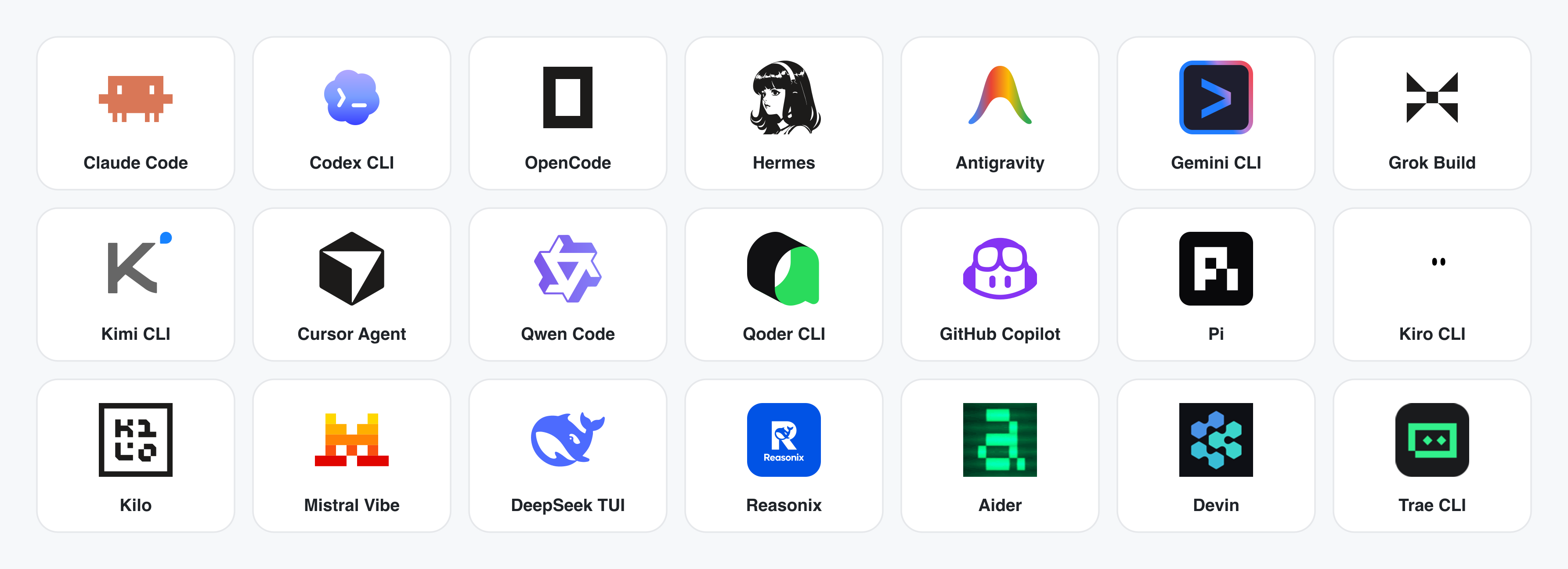
No CLI installed? The BYOK proxy at POST /api/proxy/{anthropic,openai,azure,google,ollama,senseaudio}/stream gives you the same loop (no process spawn) — paste baseUrl + apiKey + model, with presets for OpenAI, Atlas Cloud, Anthropic, Azure OpenAI, Google Gemini, Ollama, LM Studio, vLLM, or any OpenAI-compatible endpoint. Atlas Cloud uses https://api.atlascloud.ai/v1 with your own key and OpenAI-compatible model ids such as qwen/qwen3.5-flash. Per-target SSRF protection blocks internal IPs / link-local / CGNAT at the daemon edge.
Runtime definitions live in apps/daemon/src/runtimes/defs/, with registration and shared stream handling under apps/daemon/src/runtimes/. See docs/agent-adapters.md for the adapter contract.
Four core product categories, all rendered by a coding agent running on your laptop. Click a thumbnail to see the real example.
The default output surface. Single-page HTML artifacts that read your DESIGN.md and render in a sandboxed iframe.
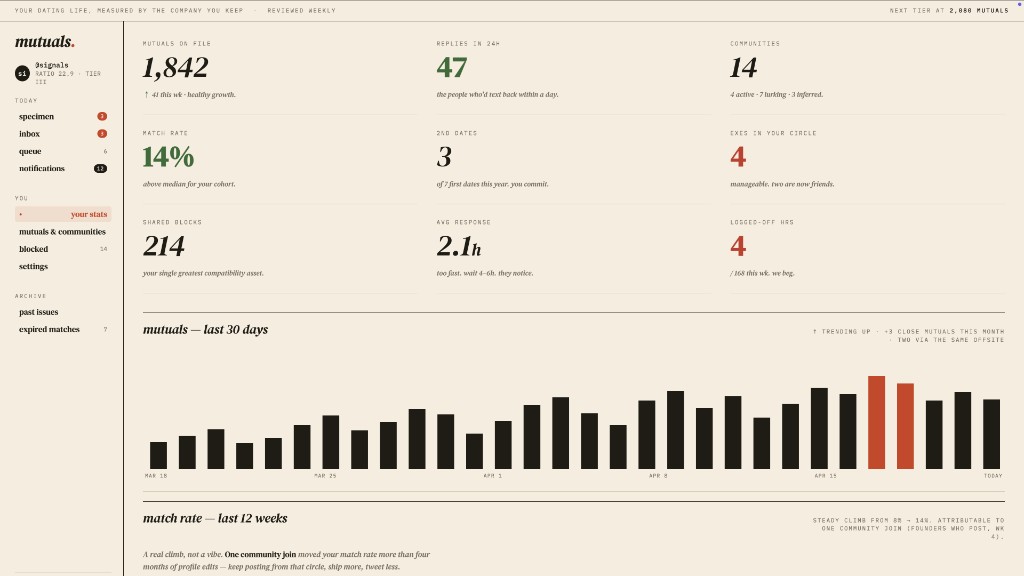
Web prototype — an editorial dashboard with scrollbars, KPIs, and charts. Rendered straight from design-templates/dating-web/.
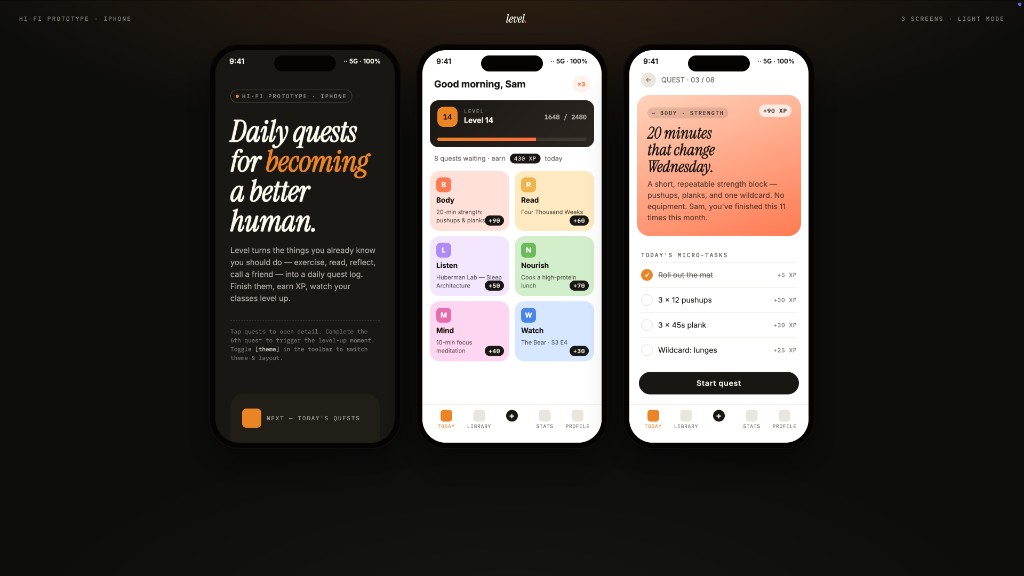
Mobile app prototype — a three-screen gamified flow with XP ribbons and quest detail. Hand off straight to Cursor / Codex / Claude Code to turn into React/Next/Vue.
Live dashboards, decision rooms, KPI walls — single-page artifacts that pull data through a tweaks panel and stay editable in place.
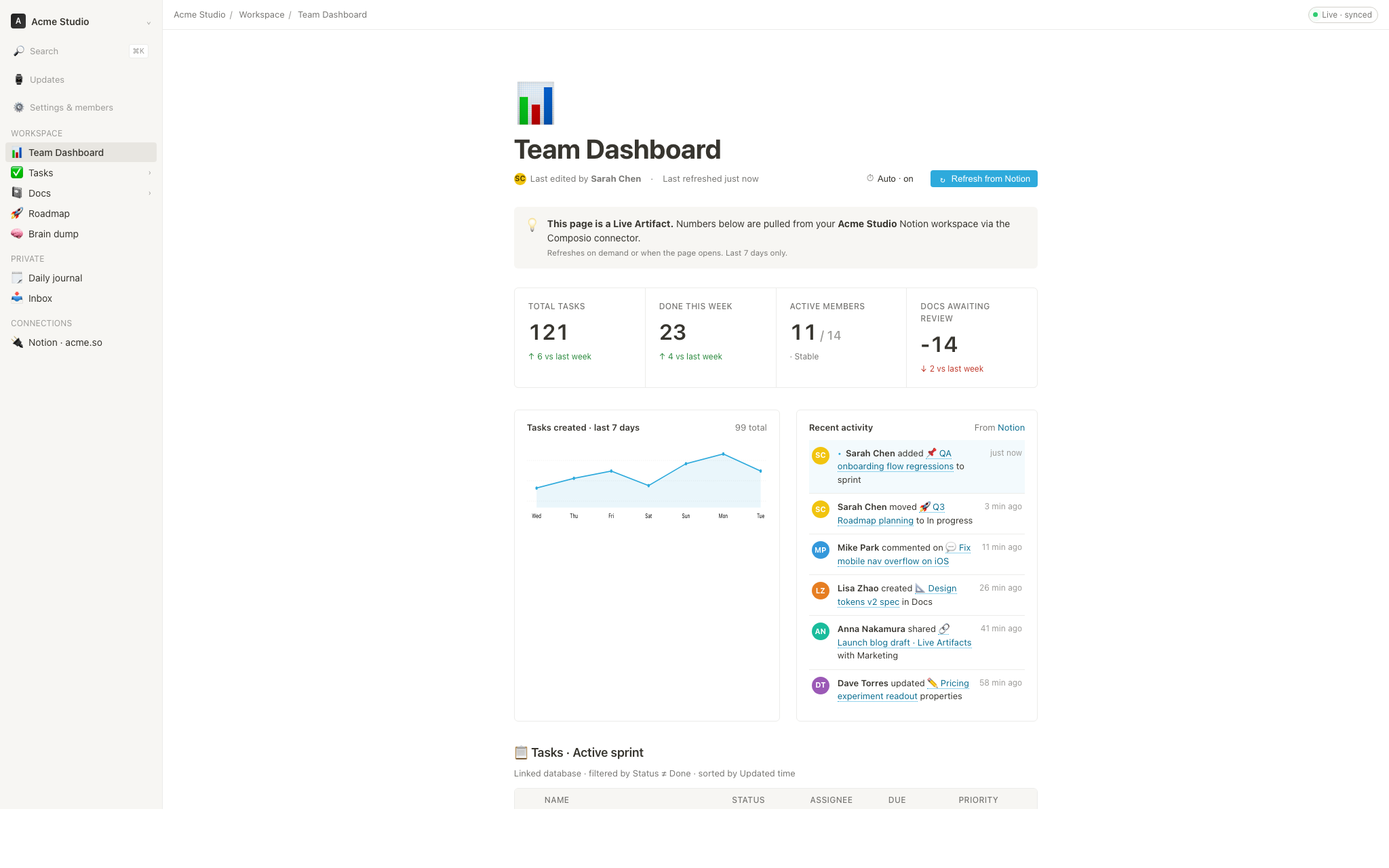
Live dashboard — an editable KPI wall whose tweaks panel surfaces the parameters worth nudging. The agent emits a manifest, and the iframe re-renders without a reload.
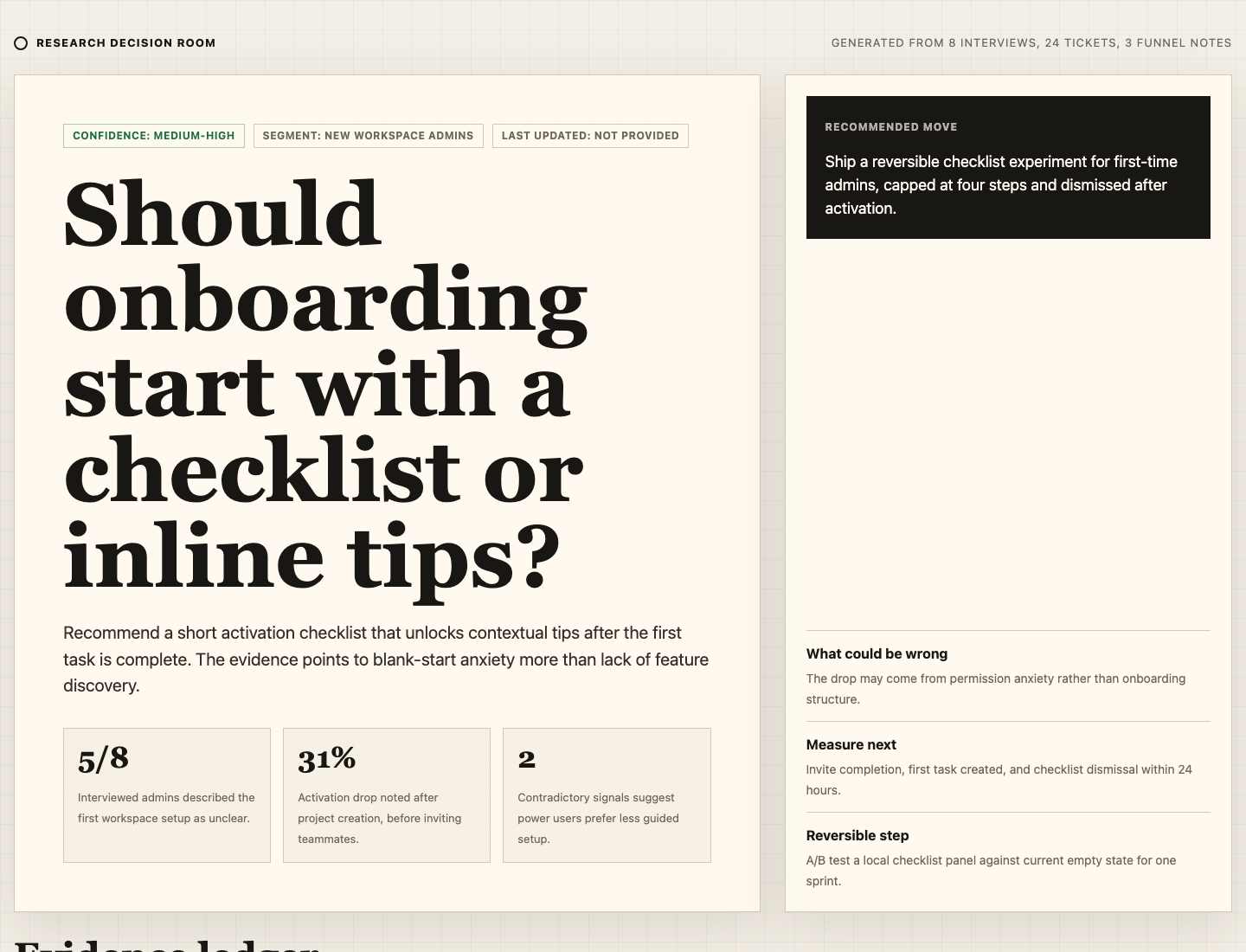
Decision room — a multi-source briefing artifact for product / research / ops meetings.
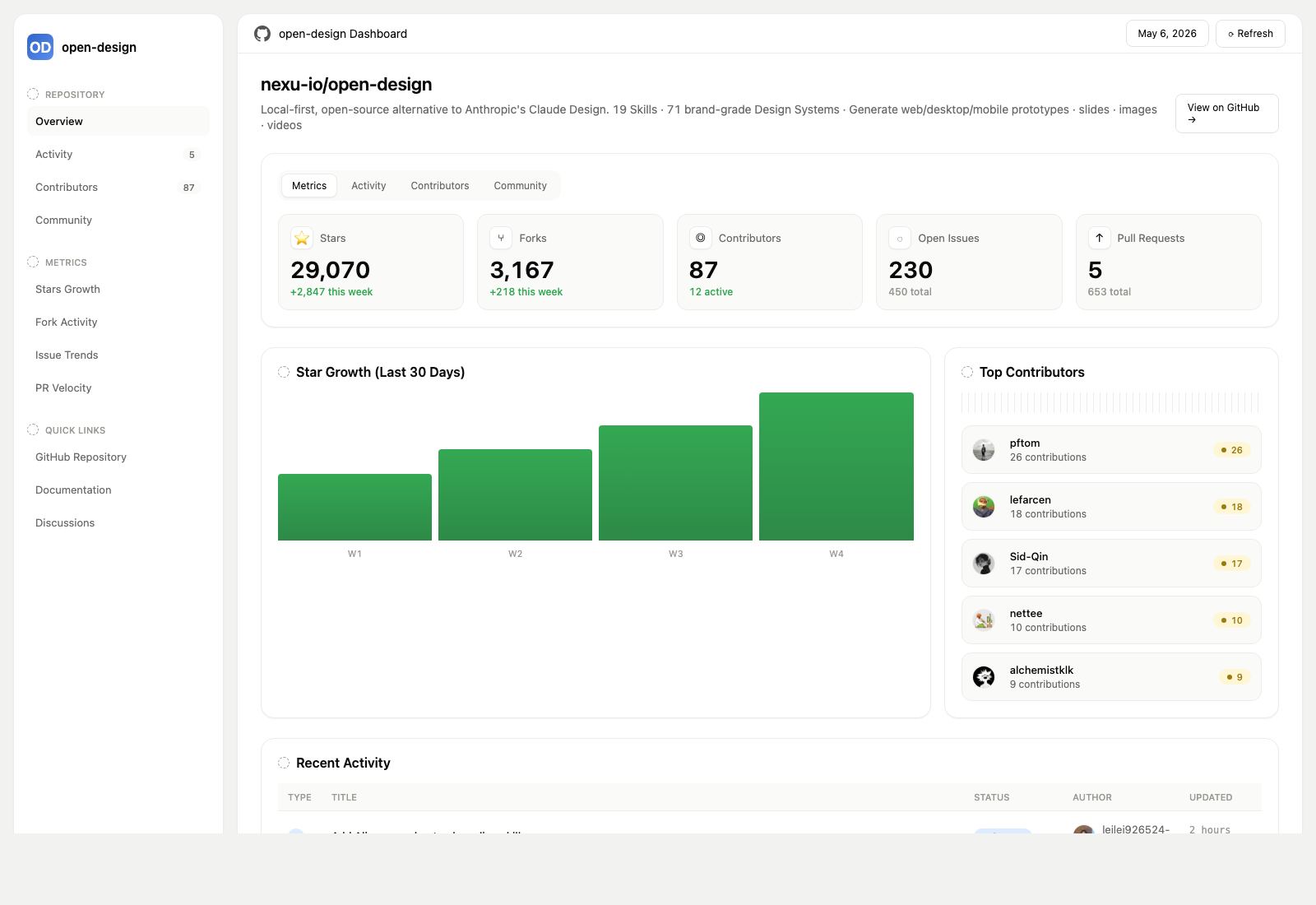

Stars on GitHub
Connects to Chrome over the DevTools Protocol to inspect the DOM, network requests and console output.
@nextlevelbuilderInstall MCPShips with next-ai-draw-io: Draw and edit draw.io diagrams by chatting with an AI. Describe a diagram in a sentence and the AI…
 @dayuanjiangInstall MCP
Ships with editor: An open-source, local-first 3D building editor built with React Three Fiber and WebGPU. Run it in the browser…
 @pascalorgInstall MCP