
NotFair
MCPShips with notfair: Open-source SEO, GEO, and marketing skills for AI agents. The NotFair Plugin gives Claude Code, Codex,…
 @nowork-studioInstall MCP
Searches the web through the Exa API and returns full page content, not just links.
Claude Code
$ claude mcp add --transport http exa https://mcp.exa.ai/mcp --header "Authorization: Bearer YOUR_TOKEN"
Codex
$ git clone https://github.com/matteotitta/repo-structure-in-house
Clone the repository
Cursor
{
  "mcpServers": {
    "exa": {
      "url": "https://mcp.exa.ai/mcp",
      "headers": {
        "Authorization": "Bearer YOUR_TOKEN"
      }
    }
  }
}
Add it to mcp.json.
Gemini CLI
{
  "mcpServers": {
    "exa": {
      "httpUrl": "https://mcp.exa.ai/mcp",
      "headers": {
        "Authorization": "Bearer YOUR_TOKEN"
      }
    }
  }
}
Add it to settings.json.
GitHub Copilot
$ copilot mcp add --transport http exa https://mcp.exa.ai/mcp --header "Authorization: Bearer YOUR_TOKEN"
OpenCode
{
  "mcp": {
    "exa": {
      "type": "remote",
      "url": "https://mcp.exa.ai/mcp",
      "headers": {
        "Authorization": "Bearer YOUR_TOKEN"
      }
    }
  }
}
Add it to opencode.json.
Windsurf
{
  "mcpServers": {
    "exa": {
      "serverUrl": "https://mcp.exa.ai/mcp",
      "headers": {
        "Authorization": "Bearer YOUR_TOKEN"
      }
    }
  }
}
Add it to mcp_config.json.
Security report
Low risk
Known flaws
Not published
Signed build
Not published
Maintained
Oct 21, 2026
Last push
Licence
MIT
Runs as
Remote
mcp.exa.ai
Deprecated
Not published
Signals from public registries, not an audit. Checked Nov 11, 2026.
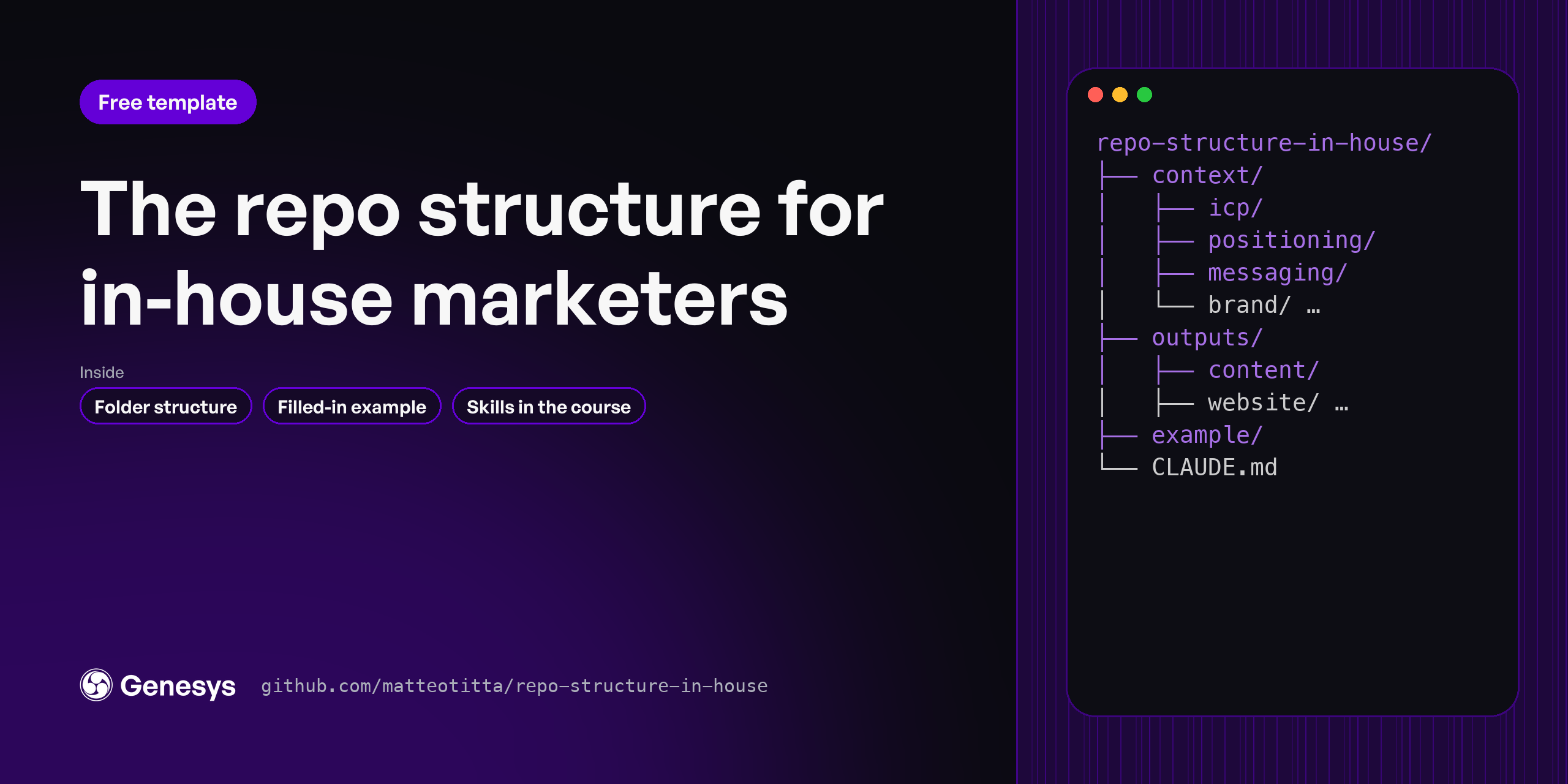
The folder layout that gives Claude Code your company's context before it writes anything. Fork it, fill context/ with the five foundational skills inside, and every draft after that starts from your ICP, your positioning and your voice. You stop re-explaining your product every session.
Agency or consultant with several clients? Use repo-structure-agency instead.
gh repo create my-marketing --template matteotitta/repo-structure-in-house --private --clone
example/pulse-analytics/ is a made-up B2B SaaS company with every context file filled in./icp-research → /competitor-research → /tov-guidelines → /positioning → /messaging
Web research works best with an Exa key in .env (copy env to .env). Without one, the skills fall back to plain web search.
repo-structure-in-house/
├── context/          what Claude reads first: icp, competitors, positioning,
│                     messaging, brand (your voice), docs
├── outputs/          what you ship, one folder per lane: content, website, seo-aeo,
│                     social, product-marketing, sales, paid, lifecycle, outbound
├── example/          PulseAnalytics, filled in. Read it, then delete it
└── .claude/
    ├── skills/       the five foundational context skills, plus /level
    └── rules/        one house rule: quote the source, or lower the confidence
Every folder has a one-page CLAUDE.md that says what goes there and which skill fills it.
The idea: context/ is written once and kept current. outputs/ is where work happens. Because every skill reads context/ before it writes, a landing page, a launch plan and a LinkedIn post all come out sounding like the same company.
The five skills here build your context. When you're ready to ship work, add the plugin for that lane. Each one reads the same context/ folder:
| Lane | Plugin | Price |
|---|---|---|
| Product launches, stories, case studies | claude-marketing-launch | Free |
| Website score, sitemap, wireframes, copy | claude-marketing-website | $29.99 on Maven |
| AI-answer and search visibility | claude-marketing-aeo | $19.99 on Maven |
| LinkedIn profile, posts, carousels | claude-marketing-linkedin | $19.99 on Maven |
| Content strategy, long-form, newsletter | claude-marketing-content | $19.99 on Maven |
Want to build your own skills? Start from gtm-skill-template.
This is the free starting point: the context layer, which is layer 1 of 4. Students in Marketing Engineering University build all four on their own company:
| Free (this repo) | Course | |
|---|---|---|
| Context folders and the five foundational skills | ✓ | ✓ |
| Worked example company | ✓ | ✓ |
| The other six context skills (win-loss, founder POV, brand kit, funnel, goals, company context) | Context plugin, $19.99 | ✓ |
| Skills for every lane, with the reference material and templates | Lane plugins: launch free, the rest $19.99 to $29.99 | The full library |
| Lanes split into research, strategy and execution | ✓ | |
| Agents, commands and hooks that chain skills and check their own work | ✓ | |
| Session memory, so each session picks up where the last one stopped | ✓ | |
| Connectors set up for your stack (Slack, Notion, CRM, analytics) | Exa only | ✓ |
| House rules for transcripts, privacy and upkeep | One | Full set |
| Live sessions and feedback on your own company | ✓ |
The free version is enough to get your context right. That's the step most teams skip.
context/ has one owner.Built by Matteo Tittarelli at Genesys Growth. MIT licensed: fork it, change it, use it with clients.

The folder layout that gives Claude Code your company's context before it writes anything. Fork it, fill context/ with the five foundational skills inside, and every draft after that starts from your ICP, your positioning and your voice.
Stars on GitHub
Ships with notfair: Open-source SEO, GEO, and marketing skills for AI agents. The NotFair Plugin gives Claude Code, Codex,…
@nowork-studioInstall MCPShips with notfair: Open-source SEO, GEO, and marketing skills for AI agents. The NotFair Plugin gives Claude Code, Codex,…
@nowork-studioInstall MCPRetrieves keyword rankings, click and impression data, and indexing status from Google Search Console.
 @aminforouInstall MCP
