
Development
Plugin
dembrandt-skills
UX and design-system skills for AI agents. Install once, and your agent knows how to design. --all installs every skill at once. They load only when a prompt needs them, so there is no runtime cost to having them all. Want to pick by hand?

Plugin Signal80/100Strong
maintained100
capable80
documented75
adopted37
Install
$ npx -y skills add dembrandt/dembrandt-skills --agent claude-code
Stats
56
Stars
10
Forks
Active
Maintenance
JavaScript
Language
MIT
License
28m ago
Last commit
5mo ago
Created
Repo: dembrandt/dembrandt-skills
In this plugin
- skills
- algorithmic-color-palette
- app-shell
- authentic-product-representation
- brand-visual-language
- button-states
- clone-website
- color-mode-and-theme
- component-family-consistency
- coordinated-data-views
- data-display-and-selection
- dembrandt
- domain-expert-configuration
- elevation-and-depth
- extract-design
- form-design
- generate-ui-from-brand
- gestalt-ui-organisation
- global-toolbar-controls
- information-architecture
- layout-paradigms-and-consistency
- loading-states-and-perceived-performance
- marketing-vs-product-system
- micro-interactions
- modal-and-overlay-patterns
- modular-scale-typography
- motion-and-storytelling
- nielsen-usability-heuristics
- notifications-and-recovery
- operational-expert-tool-ui
- performance-and-web-vitals
- real-world-metaphors
- repeated-component-alignment
- responsive-paradigms
- scroll-areas
- semantic-html-and-seo
- sizing-units
- status-colors-and-errors
- sticky-and-fixed-elements
- surface-separation
- tab-navigation
- ui-context-and-scope
- ui-density
- user-flows-and-guided-paths
- visual-emphasis-and-hierarchy
- wcag-accessibility
- MCP
What's inside
Skill(45 skills)
/algorithmic-color-paletteDerive a full UI colour palette algorithmically from one or two brand colours. Darker and lighter variants for interactive states, desaturated greys from the brand hue for borders and backgrounds, and semantic colours that feel coherent with the brand rather than generic. Use/app-shellThe persistent shell around an application — the top bar, the app launcher, the tenant and environment cue, and in heavy tools a status bar. In an estate of several applications the shell belongs to the estate rather than to any one app, and it is what carries a user between/authentic-product-representationProduct visuals — hero shots, demos, screenshots, landing-page panels — must reproduce the real product, not a stylised poster of it. Design with real content and real data, mirror the actual output the product generates, keep every label and number truthful, and refuse
- /brand-visual-language
- /button-states
- /clone-website
- /color-mode-and-theme
- /component-family-consistency
- /coordinated-data-views
- /data-display-and-selection
- /dembrandt
- /domain-expert-configuration
- /elevation-and-depth
- /extract-design
- /form-design
- /generate-ui-from-brand
- /gestalt-ui-organisation
- /global-toolbar-controls
- /information-architecture
- /layout-paradigms-and-consistency
- /loading-states-and-perceived-performance
- /marketing-vs-product-system
- /micro-interactions
- /modal-and-overlay-patterns
- /modular-scale-typography
- /motion-and-storytelling
- /nielsen-usability-heuristics
- /notifications-and-recovery
- /operational-expert-tool-ui
- /performance-and-web-vitals
- /real-world-metaphors
- /repeated-component-alignment
- /responsive-paradigms
- /scroll-areas
- /semantic-html-and-seo
- /sizing-units
- /status-colors-and-errors
- /sticky-and-fixed-elements
- /surface-separation
- /tab-navigation
- /ui-context-and-scope
- /ui-density
- /user-flows-and-guided-paths
- /visual-emphasis-and-hierarchy
- /wcag-accessibility
MCP(1 mcp)
Badges
README
dembrandt-skills
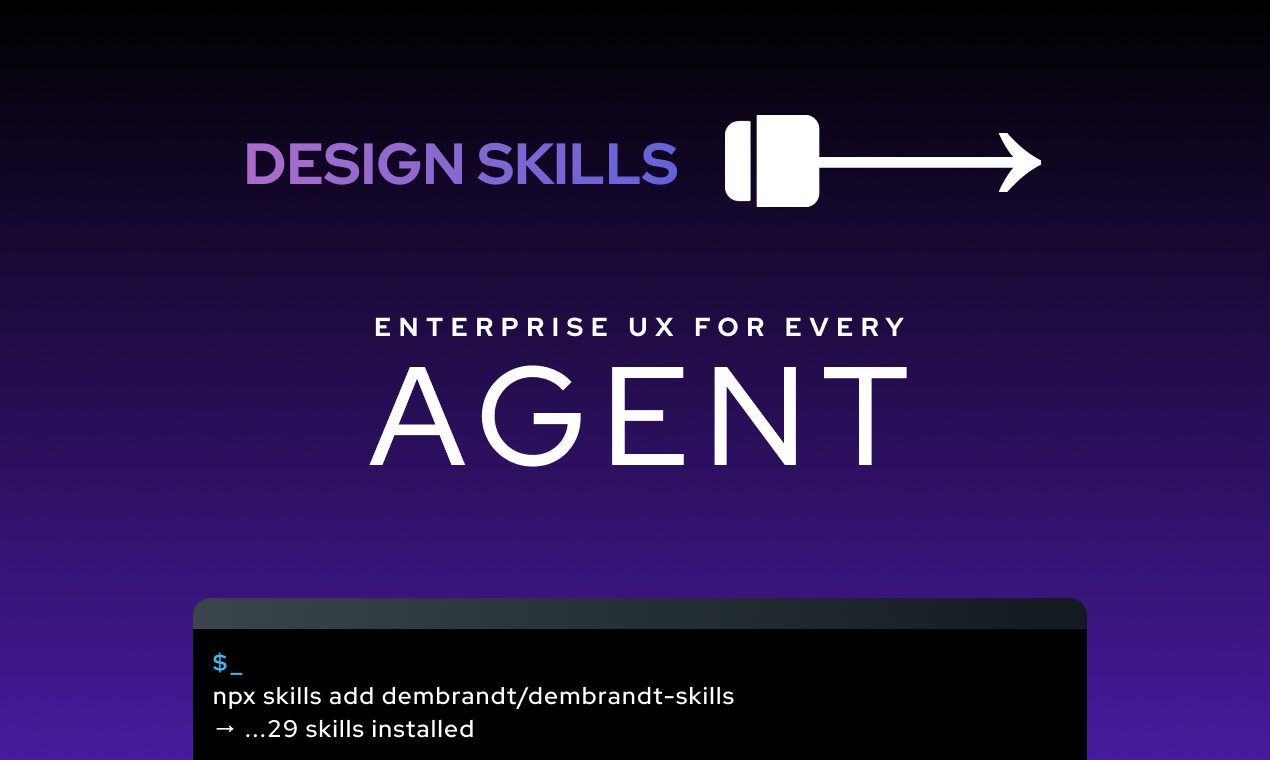
UX and design-system skills for AI agents. Install once, and your agent knows how to design.
npx skills add dembrandt/dembrandt-skills --all
--all installs every skill at once. They load only when a prompt needs them, so there is no runtime cost to having them all. Want to pick by hand? Drop --all for an interactive picker. Add --global to install across all your projects.
How to use
A skill is just instructions your agent reads. You don't run it. The agent reads each skill's description and loads the matching one when your request fits.
- Install with the command above, then start a new session. Skills load at session start.
- Ask in plain words. "What layout fits a list of orders?" or "Does this pass WCAG AA?" loads the right skill on its own.
- For a full pass, ask broadly ("review this screen", "build a UI from this brand") and the
dembrandtskill runs the whole pipeline.
No special syntax. You can name a skill to force it ("use the layout skill"), but you rarely need to. Run npx skills list to see what's installed.
Connect the engine (optional)
Most skills are pure knowledge and work on their own. Two of them, extract-design and generate-ui-from-brand, read real design tokens off a live website. That needs the dembrandt engine. Connect it as an MCP server. There is nothing to install first, npx fetches it on first run:
{
  "mcpServers": {
    "dembrandt": {
      "command": "npx",
      "args": ["-y", "--package", "dembrandt", "dembrandt-mcp"]
    }
  }
}
Add this to your agent's MCP config. In Claude Code, this repo already ships a .mcp.json, so it connects automatically when you work in the project. Prefer the CLI? npx -y dembrandt https://stripe.com works without any config.
What this is
Opinionated, practical skills covering the fundamentals of good UI: hierarchy, typography, accessibility, interaction patterns. Distilled from working across hundreds of products and domains: enterprise tools, SaaS, financial platforms, e-commerce, consumer apps, and more. The kind of UX knowledge that usually lives with a senior designer or consultant.
Works with Claude Code and any agent harness that supports the Open Agent Skills format.
Try it
"I have one brand colour: #133174. Build me a full UI palette."
"My font sizes feel random. Set up a proper type scale."
"Review this interface for usability issues."
"We have buttons, inputs, and badges that look like they're from three different products."
"Design a multi-step onboarding flow for a B2B SaaS tool."
"Does this pass WCAG 2.2 AA?"
"Extract the design system from stripe.com." (needs the engine, see Connect the engine)
Skills
Brand & Visual Identity
| Skill | What it covers |
|---|---|
brand-visual-language | Shape language, icon style, typography tone |
color-mode-and-theme | Light vs dark vs combined, when to offer a theme selector |
marketing-vs-product-system | What a marketing site and the product may differ on, and what is drift |
algorithmic-color-palette | Derive states and brand-tinted greys from brand colours |
Design Tokens & Scales
| Skill | What it covers |
|---|---|
modular-scale-typography | Ratio-based type scales, minimum sizes, context-aware usage |
elevation-and-depth | Shadow scale, border-radius, card and modal patterns |
surface-separation | One separation strategy per surface; opacity as state, not tint |
button-states | Six states: rest, hover, active, focus, disabled, loading |
component-family-consistency | Buttons, inputs, pills: shared radius, colour, height |
sizing-units | px vs rem vs relative: which values move when the user enlarges text |
Layout & Structure
| Skill | What it covers |
|---|---|
layout-paradigms-and-consistency | Choose the layout paradigm that fits the content; reuse the page skeleton across screens |
gestalt-ui-organisation | Group related controls: proximity, similarity, common region |
visual-emphasis-and-hierarchy | One CTA per view, colour and size as emphasis |
information-architecture | Naming, mental models, data UI, confirm dialogs |
ui-context-and-scope | Hierarchy, breadcrumbs, colour regions, scope communication |
responsive-paradigms | Mobile/tablet/desktop: nav, sections, sticky behaviour |
ui-density | Match density to platform and user type |
sticky-and-fixed-elements | Headers, bottom toolbars, z-index tokens |
scroll-areas | Avoid inner scroll, one axis only, user-controlled |
Components & Interaction
| Skill | What it covers |
|---|---|
real-world-metaphors | Cards, carousels, drawers: when to use and how |
form-design | Helper text, placeholder, validation, submit state |
tab-navigation | Tab types, overflow handling, roving tabindex, ARIA tablist, URL state |
modal-and-overlay-patterns | Overlay hierarchy, focus trap, dismiss rules, destructive confirms |
data-display-and-selection | Grid/list/table, large hit areas, mass actions |
repeated-component-alignment | Repeated components as slot models: equal size, pinned anchors, clamp + recover text |
operational-expert-tool-ui | Dense, workflow-driven UIs for trained daily B2B users |
coordinated-data-views | Keep a table and a visual view (map, diagram, chart) in sync |
domain-expert-configuration | Expose solver/algorithm settings in domain language |
app-shell | Top bar, app launcher, tenant and environment cue, status bar: one shell across an estate |
global-toolbar-controls | Currency, language, region and unit selectors: frequent but not primary |
notifications-and-recovery | Toasts, banners, retry, undo: always a path forward |
status-colors-and-errors | Minimal semantic colours, error recovery, prevention |
UX Principles
| Skill | What it covers |
|---|---|
nielsen-usability-heuristics | 10 usability principles with review checklists |
wcag-accessibility | WCAG 2.2 AA / EN 301 549: contrast, keyboard, ARIA |
user-flows-and-guided-paths | Wizards, purchase flows, onboarding sequences |
authentic-product-representation | Real content and real output over staged mockups and marketing chrome |
micro-interactions | Animated icons, toggles, reveals, celebrations |
loading-states-and-perceived-performance | Spinners, skeleton screens, and staggered entry animations |
motion-and-storytelling | Disney principles and cinematic language in UI |
Technical Foundation
| Skill | What it covers |
|---|---|
semantic-html-and-seo | HTML5, alt texts, Open Graph, progressive enhancement |
performance-and-web-vitals | Lighthouse audit, LCP, CLS, INP, images, fonts, JS loading |
Pipeline & Orchestration
| Skill | What it covers |
|---|---|
extract-design | Extract real design tokens from any live website via Dembrandt CLI or MCP (requires dembrandt ≥ 0.23.1) |
clone-website | Rebuild a live page 1:1 from capture and computed styles, into Figma, Penpot or code |
generate-ui-from-brand | URL or DESIGN.md to tokens to decisions to UI spec (requires dembrandt ≥ 0.23.1) |
dembrandt | Full 6-stage UX orchestrator: brand, tokens, layout, components, polish, a11y gate |
Ecosystem
Part of dembrandt: the engine extracts a brand's real design tokens from any URL, these skills give your agent the UX knowledge to use them well.
License
MIT
File tree
FAQ
dembrandt-skills is a Claude Code plugin with 45 hand-picked skills for development work, indexed on Flowy. Install it with the command on its page. It includes algorithmic-color-palette, app-shell, authentic-product-representation. Its skills do not fire on their own yet. Request auto-invocation to have Flowy route them as you prompt. Free and open source.
- What is dembrandt-skills?
- UX and design-system skills for AI agents. Install once, and your agent knows how to design. --all installs every skill at once. They load only when a prompt needs them, so there is no runtime cost to having them all. Want to pick by hand?
- How do I install dembrandt-skills?
- Run these in Claude Code: npx -y skills add dembrandt/dembrandt-skills --agent claude-code. Then prompt normally.
- Does dembrandt-skills auto-invoke its skills?
- Not yet. It is indexed on Flowy as a plain plugin. Request auto-invocation on its page and Flowy will route its skills for you as you prompt.
- Is dembrandt-skills free?
- Yes. Flowy is free and open source, with nothing gated. You can read every skill in full before you install.
Is this plugin yours?
Claim it with GitHubSubmit a pluginPromote it