
prompts.chat
MCPShips with promptschat: f.k.a. Awesome ChatGPT Prompts. Share, discover, and collect prompts from the community. Free and open…
 @gh-fInstall MCP
Controls a 3D modeling and animation application, creating and editing meshes, materials, scenes and renders via script commands.
Claude Code
> /plugin marketplace add arjun988/blender-skills> /plugin install blender-skills@blender-skills
Codex
$ git clone https://github.com/arjun988/blender-skills
Clone the repository
Cursor
$ git clone https://github.com/arjun988/blender-skills
Clone the repository
Gemini CLI
$ git clone https://github.com/arjun988/blender-skills
Clone the repository
GitHub Copilot
$ git clone https://github.com/arjun988/blender-skills
Clone the repository
OpenCode
$ git clone https://github.com/arjun988/blender-skills
Clone the repository
Windsurf
$ git clone https://github.com/arjun988/blender-skills
Clone the repository
Security report
Not enough data
Known flaws
Not published
Signed build
Not published
Maintained
Jul 10, 2026
Last push
Licence
MIT
Runs as
Local process
On your machine
Deprecated
Not published
Signals from public registries, not an audit. Checked Nov 11, 2026.
94 Specialized Skills for Blender Artists. Transform Cursor, Claude Code, Kiro, and Codex into your Senior Technical Art team — not a tutorial bot.


Marketplace listing is currently under review by Anthropic. Install directly from GitHub in the meantime.
Works with Cursor, Claude Code, Kiro, and Codex — same skill pack, Blender MCP execution.
Claude Code
git clone https://github.com/arjun988/blender-skills.git
cp -r blender-skills/.claude/skills /path/to/your/project/.claude/skills/
Cursor (Windows)
git clone https://github.com/arjun988/blender-skills.git
Copy-Item -Recurse -Force "blender-skills\.claude\skills\*" ".cursor\skills\"
Kiro
# Copy skill folders into your Kiro skills directory, then restart Kiro
cp -r blender-skills/.claude/skills/* /path/to/kiro/skills/
Codex
# Mount or copy skills into your Codex skills path
cp -r blender-skills/.claude/skills/* /path/to/codex/skills/
# or: ln -s /path/to/blender-skills/.claude/skills /path/to/codex/skills/blender-skills
For all installation methods and first steps, see the Quick Start Guide.
Full documentation: blender-skills.vercel.app
94 specialized skills across modeling, production, technical, pipeline, art styles, horror packs, worlds, moods, and gameplay genre direction.
See Skills Guide for the full list, subtype coverage map, decision trees, and workflow combinations.
The blender-director skill analyzes your request and routes automatically:
# Hard Surface Asset
"Build a game-ready sci-fi rifle for Unreal Engine, 3k tris, realistic PBR"
→ blender-director → hard-surface → uv-workflow → materials → asset-optimization → export-pipeline

# Environment
"Create a modular horror corridor kit — narrow, flickering fluorescent, Silent Hill feel"
→ blender-director → horror-style → environment-artist → lighting → export-pipeline

# Character
"Retopologize this creature sculpt for game animation, 15k triangle budget"
→ blender-director → retopology → uv-workflow → texture-workflow → rigging
Attach a photo or concept art and the agent matches it:
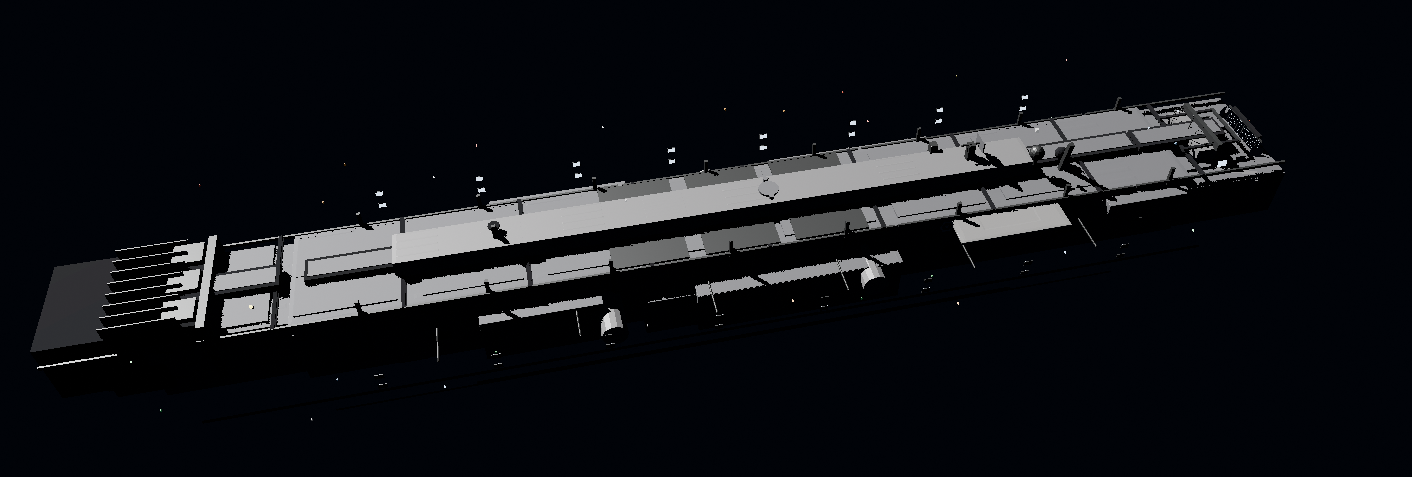
"Match this reference — industrial spaceship, analyze first then build in Blender"
→ blender-director → reference-image-match
  → Camera match → Geometry tiers → Materials → Lighting → Screenshot comparison loop
| Category | Skills |
|---|---|
| Orchestration | blender-director |
| Modeling | blender-modeler, hard-surface, prop-artist, vehicle-artist, environment-artist, vegetation-artist, character-artist, creature-artist, character-archetypes |
| Production | sculpting, retopology, uv-workflow, materials, texture-workflow, hair-groom, cloth-sim, lookdev |
| Technical | geometry-nodes, lighting, camera-cinematography, rendering, compositing, animation, rigging, vfx-fx, physics-sim |
| Pipeline | procedural-modeling, scene-assembly, set-dressing, asset-optimization, lod-pipeline, collision-proxy, export-pipeline, unity-export, unreal-export, godot-export, qa-review, archviz |
| Core styles | horror-style, psx-horror-style, lowpoly-style, anime-style, voxel-style, isometric-style, stylized-style, realistic-style |
| Extended styles | cartoon, comic-book, manga, pixel-art, hand-painted, painterly, stop-motion-craft, chibi, noir, minimalist, vector, retro-8bit, retro-16bit, hd-2d, frutiger-aero |
| Horror packs | cosmic-eldritch, body-horror, analog-found-footage, liminal-space, folk-horror, mascot-puppet, dream-weirdcore, indie-horror-aesthetics |
| Worlds / moods | fantasy-worlds, sci-fi-punk-worlds, historical-worlds, apocalypse-worlds, biome-worlds, cozy-wholesome, dark-gritty, dream-surreal, neon-retrofuturism, brutalist |
| Genre direction | action-combat, shooter, rpg, survival, stealth, puzzle-platformer, metroidvania-roguelike, soulslike, strategy-sim, racing-sports, narrative-vn, card-party-idle, open-world-sandbox |
| Eras | visual-console-eras |
Full paths and workflows: SKILLS_GUIDE.md.
Every skill executes directly in Blender via MCP — no UI walkthroughs, no manual steps.
Blender (running) ← BlenderMCP addon ← Cursor / Claude Code / Kiro / Codex
Setup in 4 steps:
N → BlenderMCP → Connect to Claude.cursor/mcp.json; Claude Code uses .mcp.jsonFull guide: docs/BLENDER_MCP_SETUP.md
| Config / Path | Client |
|---|---|
.cursor/mcp.json + .cursor/skills/ | Cursor |
.mcp.json + .claude/skills/ | Claude Code |
| Kiro skills dir + Blender MCP | Kiro |
| Codex skills path + Blender MCP | Codex |
blender-director → hard-surface → uv-workflow → materials → asset-optimization → export-pipeline
blender-director → character-artist → sculpting → retopology
→ uv-workflow → texture-workflow → rigging → animation → export-pipeline
blender-director → horror-style → environment-artist → lighting
→ lowpoly-style → asset-optimization → export-pipeline
blender-director → environment-artist → geometry-nodes
→ uv-workflow → texture-workflow → asset-optimization → export-pipeline
blender-director → reference-image-match.md
  → Reference Analysis → Camera match → Geometry tiers
  → Materials → Lighting → Screenshot compare loop
  → visual-match-checklist → validation-checklist
Every skill in this pack:
.claude-plugin/           # Claude Code plugin manifest
.claude/skills/           # 94 skills + 175+ reference files
  ├── blender-director/
  ├── hard-surface/
  ├── prop-artist/
  ├── genre-shooter/
  ├── sci-fi-punk-worlds/
  ├── ... (89 more skills)
  └── references/         # Asset pipeline, naming, MCP tools, checklists
.cursor/skills/           # Synced mirror for Cursor
.cursor/mcp.json          # Blender MCP config (Cursor)
.mcp.json                 # Blender MCP config (Claude Code)
site/                     # Website (blender-skills.vercel.app)
docs/
  └── BLENDER_MCP_SETUP.md
| Doc | Purpose |
|---|---|
| QUICKSTART.md | Installation and first steps |
| SKILLS_GUIDE.md | Skill index, decision trees, workflows |
| docs/BLENDER_MCP_SETUP.md | Blender MCP connection guide |
| CONTRIBUTING.md | How to add skills and contribute |
| CHANGELOG.md | Version history |
| .claude/skills/references/ | Shared pipeline standards |
See CONTRIBUTING.md for guidelines on adding skills, writing references, and submitting pull requests.
See CHANGELOG.md for full version history and release notes.
MIT License — See LICENSE for details.
Built for Cursor, Claude Code, Kiro & Codex | Blender MCP | 94 Skills | 175+ Reference Files
Inspired by jeffallan/claude-skills

94 Specialized Skills for Blender Artists. Transform Cursor, Claude Code, Kiro, and Codex into your Senior Technical Art team — not a tutorial bot.
Stars on GitHub
Ships with promptschat: f.k.a. Awesome ChatGPT Prompts. Share, discover, and collect prompts from the community. Free and open…
@gh-fInstall MCPShips with emdash: A full-stack TypeScript CMS built on Astro. EmDash takes the ideas that made WordPress dominant --…
 @emdash-cmsInstall MCP

