
Development
Plugin
skill-flow
Turn scattered AI agent skills into organized workflows. Install, manage, and share skills across every major coding agent — Claude Code, Cursor, Grok Build, Copilot, Kimi Code, WorkBuddy, CodeBuddy, ZCode, and more.

Plugin Signal67/100Solid
maintained100
capable14
documented100
adopted51
Install
$ npx -y skills add VintLin/skill-flow --agent claude-code
Stats
261
Stars
16
Forks
Active
Maintenance
TypeScript
Language
Apache-2.0
License
2d ago
Last commit
6mo ago
Created
Repo: VintLin/skill-flow
What's inside
README
Skill Flow
Turn scattered AI agent skills into organized workflows.



Install, manage, and share skills across every major coding agent — Claude Code, Cursor, Grok Build, Copilot, Kimi Code, WorkBuddy, CodeBuddy, ZCode, and more.
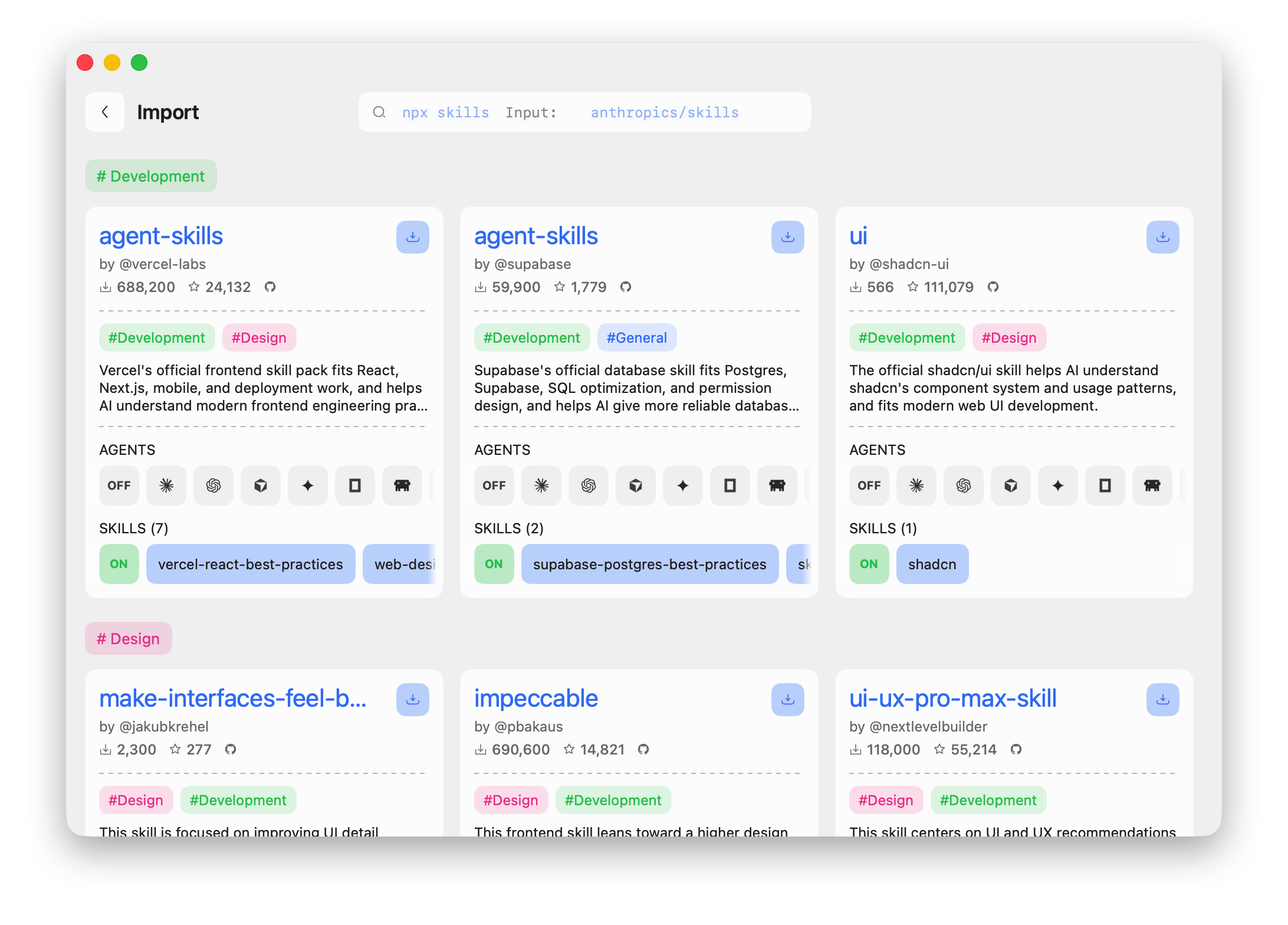
Search and import skills from skills.sh, GitHub, or local sources. Deploy to multiple agents at once. Keep everything organized and up to date.
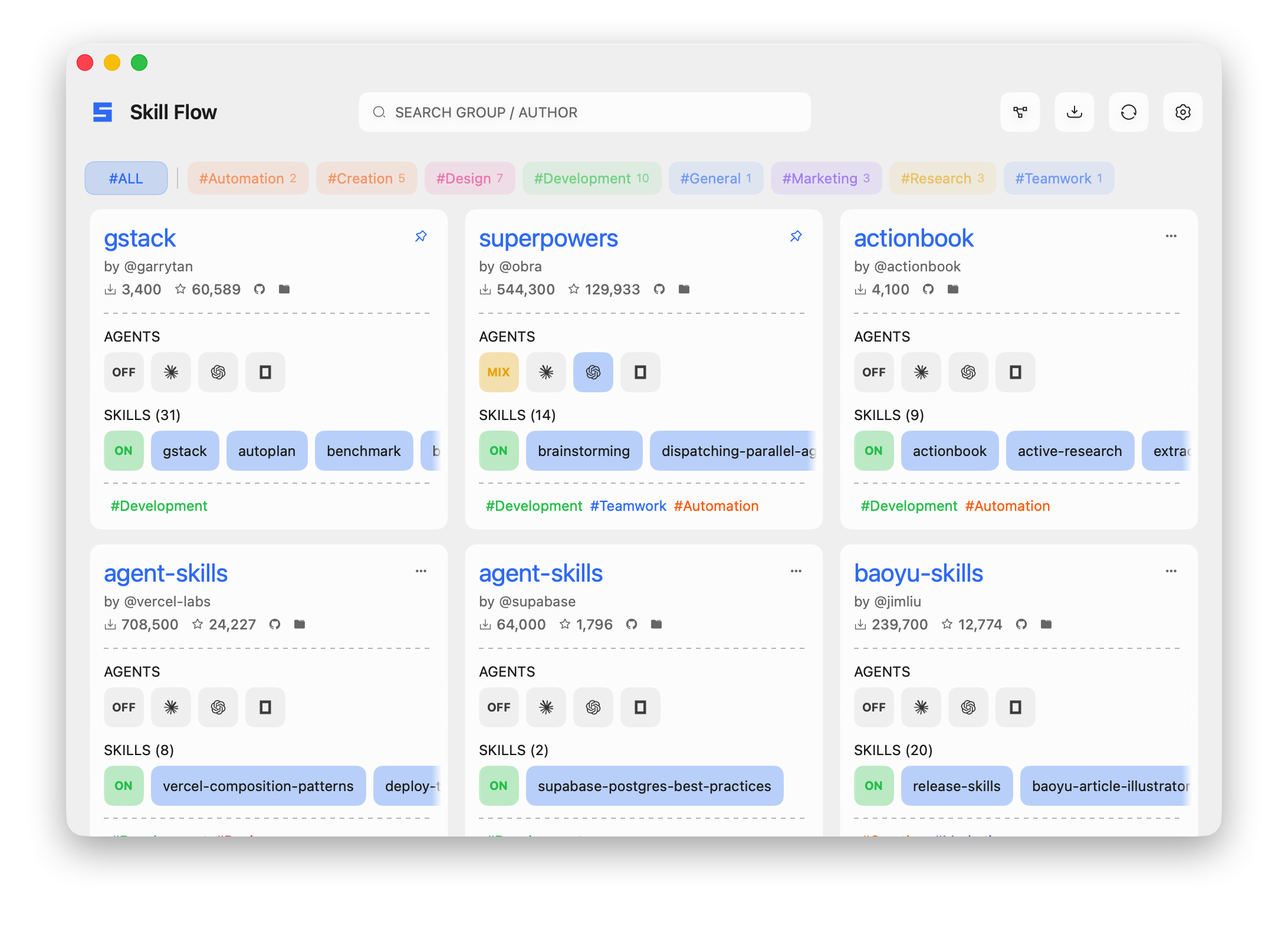
Why This Exists
Installing skills one by one breaks down at scale:
- Repos contain multiple related skills, but you install them separately
- Different agents expect different locations
- Updates drift silently
- Unmanaged folders accumulate
- Nobody tracks what's actually deployed
skill-flow preserves the workflow group. One source remains one cohesive unit—inspect it, select skills, deploy to multiple targets, update cleanly, and always know your state.
What You Get
- Grouped source management: local, Git, and skills.sh sources all flow through the same import model.
- Multi-agent deployment: deploy one selected skill set to Claude Code, Codex, Cursor, Grok Build, Gemini CLI, OpenCode, OpenClaw, Hermes Agent, MiniMax Code, Kimi Code, WorkBuddy, CodeBuddy, Trae, Trae CN, Windsurf, ZCode, and more.
- Interactive config flow: Ink-based TUI for add/config flows, selection state, review, and repair.
- Desktop app on macOS 15+: SwiftUI main window, import view, detail panel, settings, and menu bar quick config.
- Safe desktop quit: Command-Q cancels a running managed update/import, restores the incomplete group, and recovers interrupted work before the next launch continues.
- Explicit state:
manifest.jsonstores intent,lock.jsonstores resolved inventory and deployments. - Bridge protocol: machine-readable desktop/helper entrypoint via
skill-flow bridge --json. - Repair and diagnosis:
doctor,repair-source,repair-state, andrepair-targetscover the parts that usually rot first.
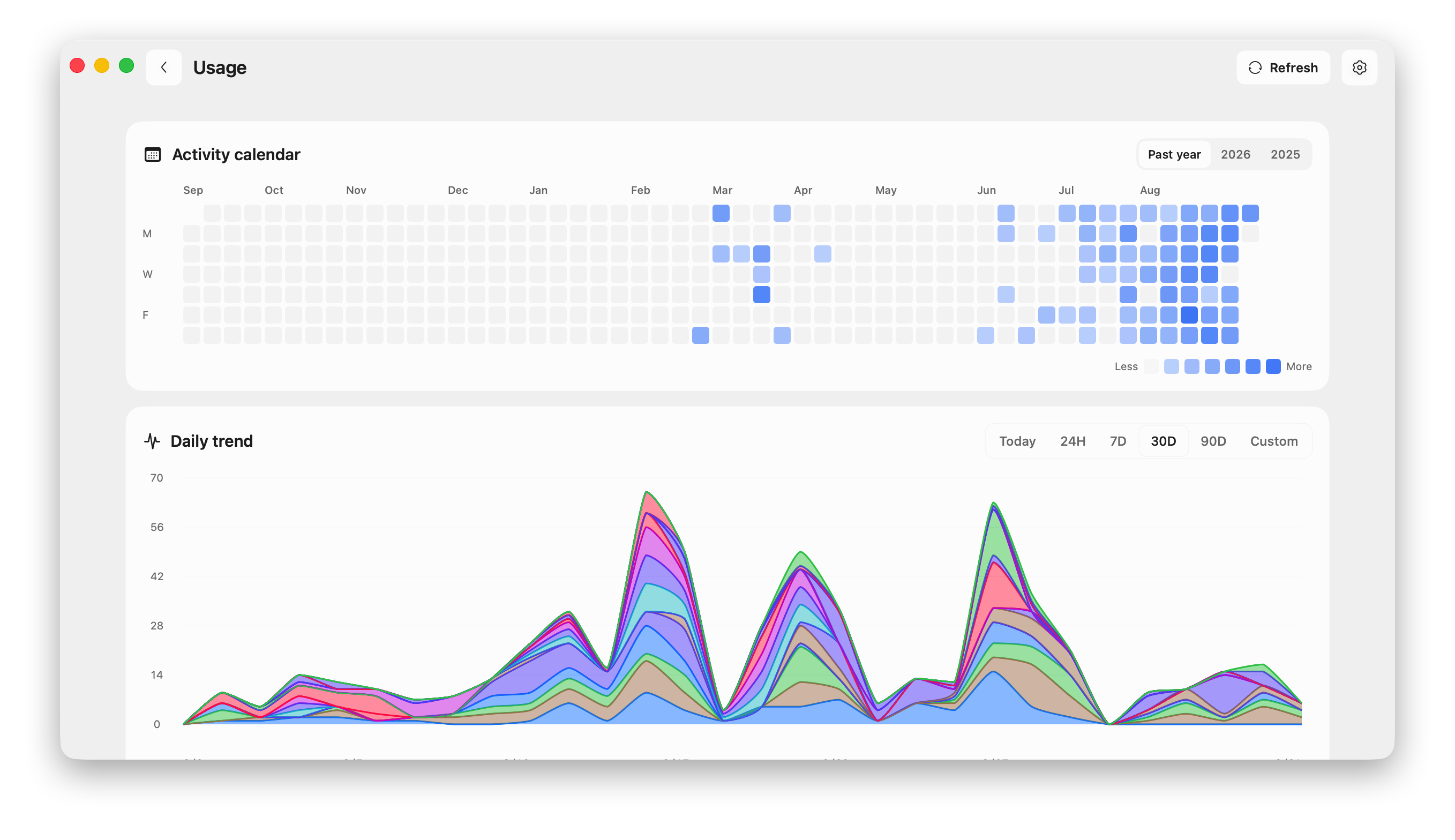
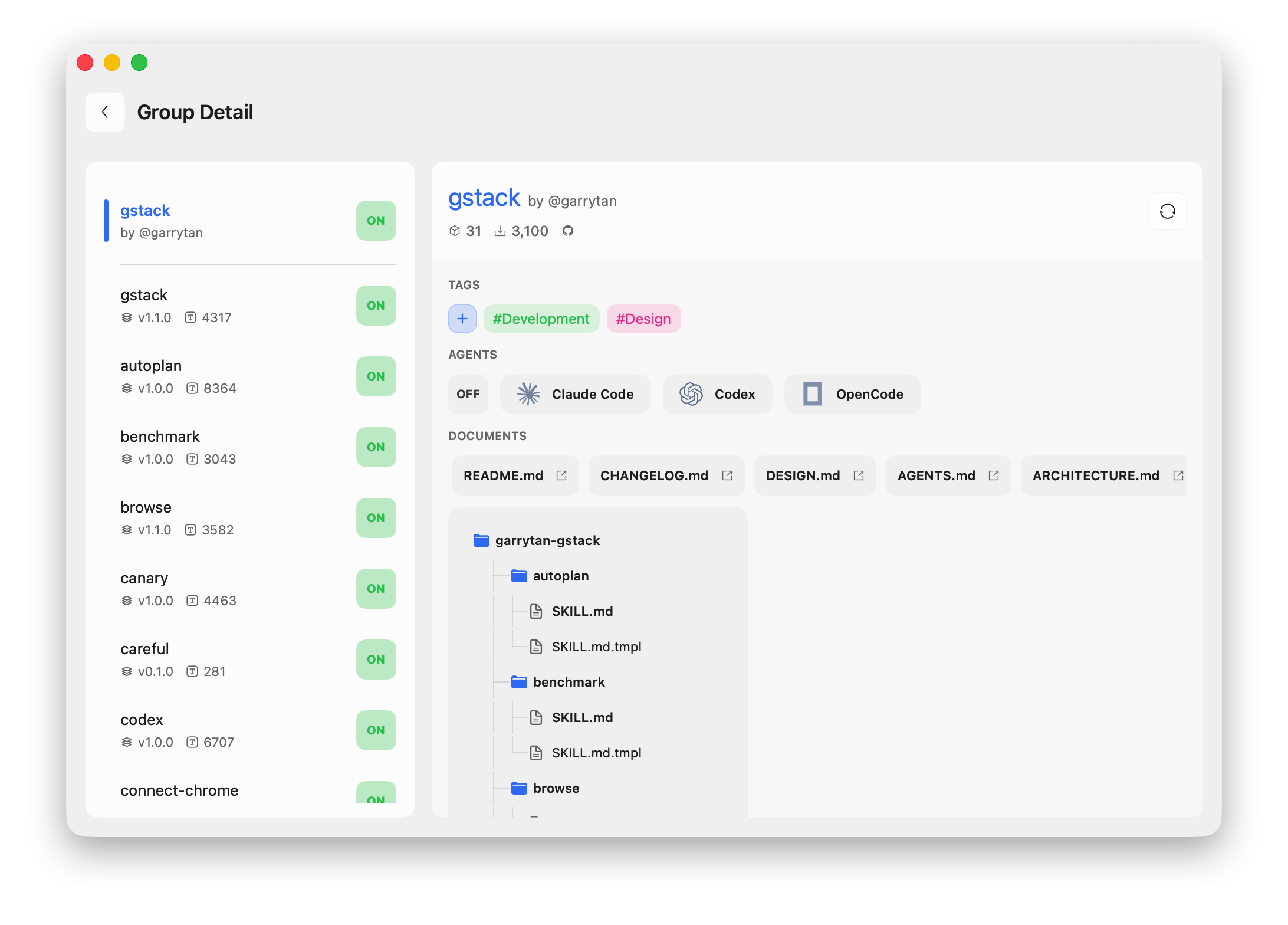
Interface Preview
| Usage View | Import |
|---|---|
 |  |
| Detail | Settings |
|---|---|
 | 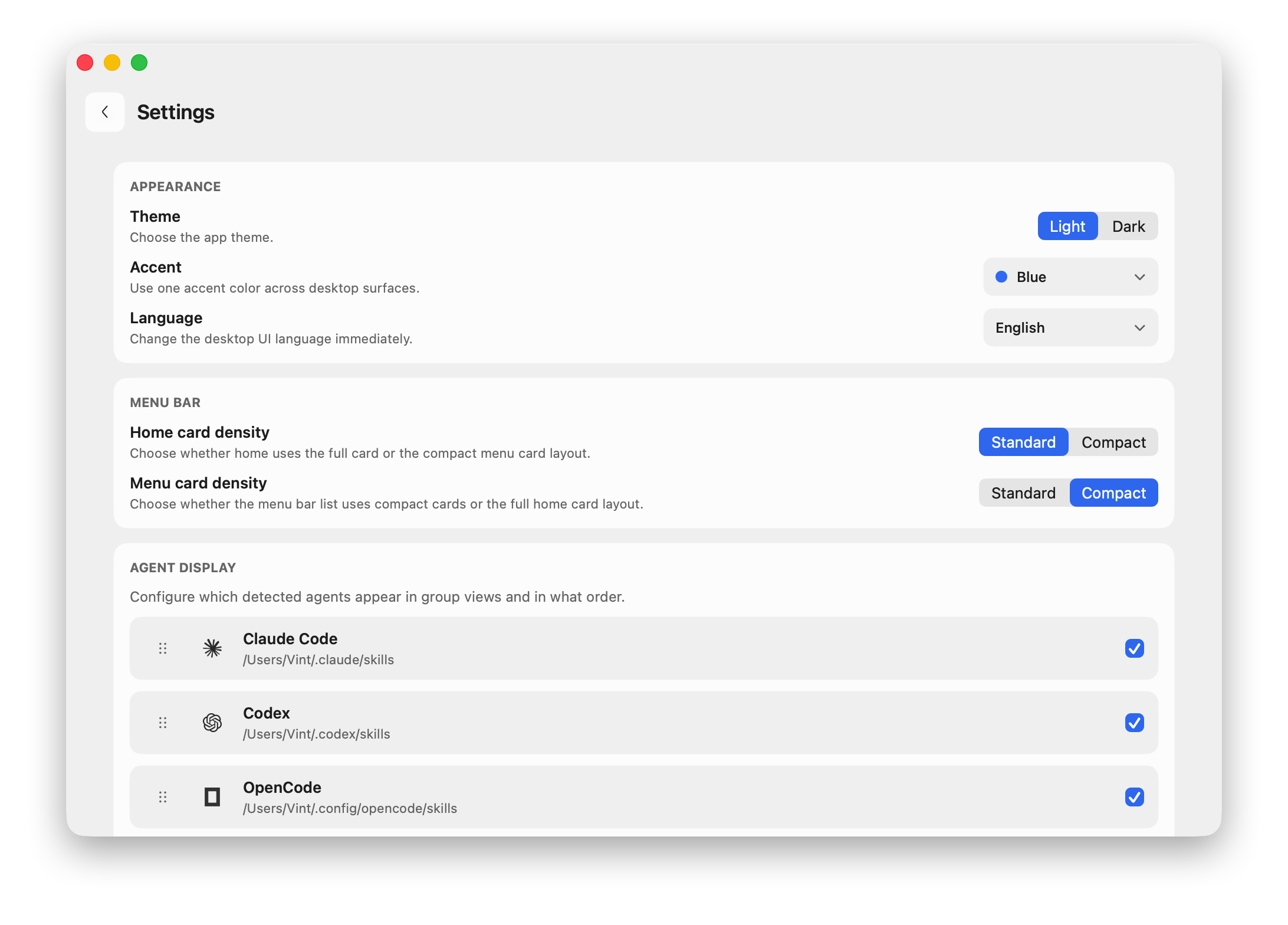 |
| Menu Bar |
|---|
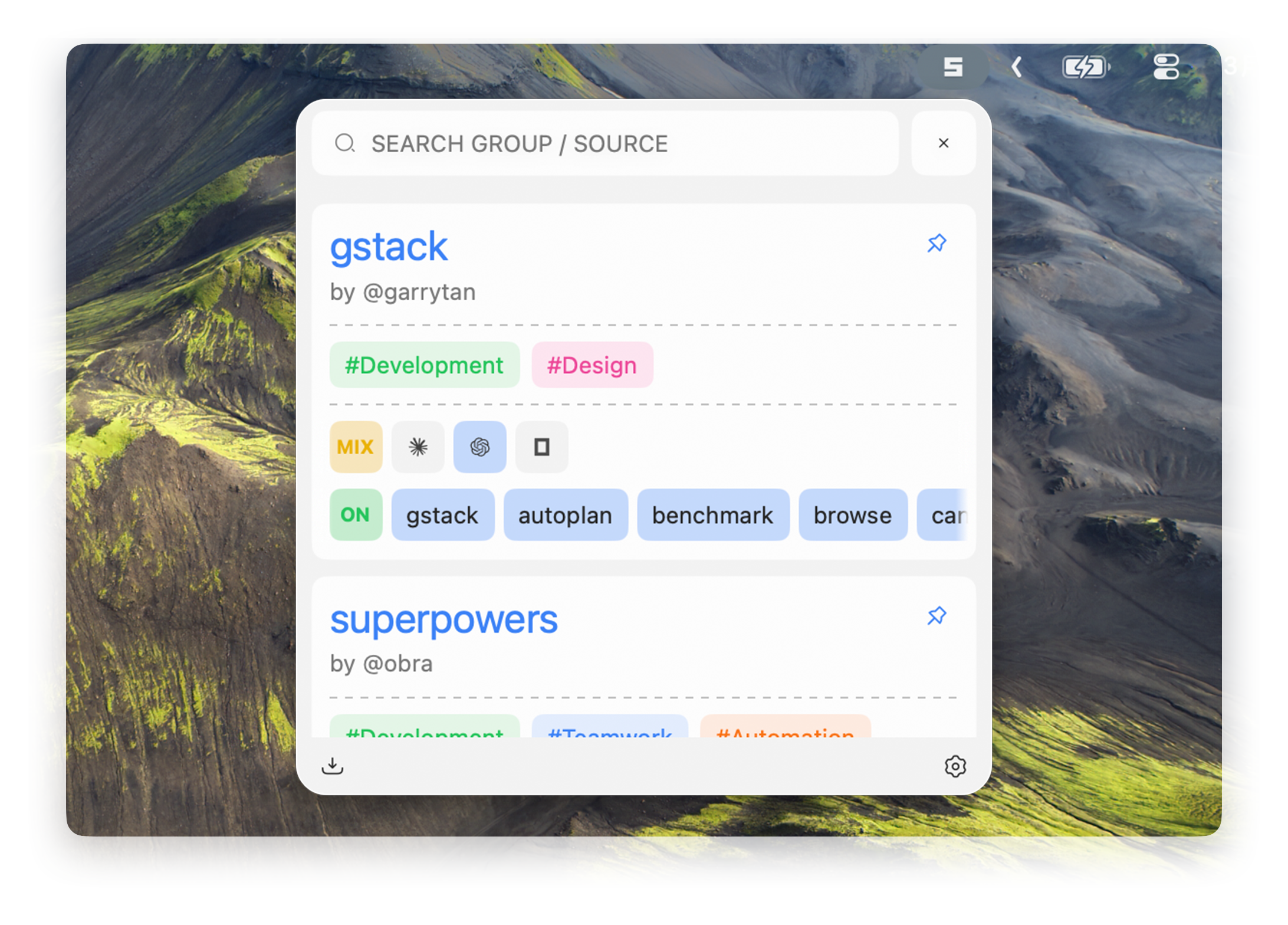 |
Quick Start
Install
npm install -g skill-flow
skill-flow --help
Or run without a global install:
npx skill-flow --help
Desktop prerequisites
Skill Flow Desktop release builds include a bundled native Node.js/npm/npx toolchain for the desktop helper and skills.sh imports, so double-click launch does not depend on shell-managed Node paths from tools like asdf or nvm.
gitis required for non-GitHub Git sources
Development builds and damaged release bundles can still fall back to system Node.js 20 or newer with npm/npx. If the desktop app detects a missing dependency, it will surface an actionable error and point back to this section.
Typical flow
# Add a source
skill-flow add garrytan/gstack

# Review installed workflow groups and their IDs
skill-flow list
skill-flow list --ids

# Migrate or mirror a known source set
skill-flow import-manifest skill-group-install-manifest.json --dry-run
skill-flow import-manifest skill-group-install-manifest.json --apply --skip-existing
skill-flow only garrytan-gstack --targets codex,cline --all-skills
skill-flow list --ids --warnings

# Open the interactive config UI
skill-flow config

# Search installed skills, built-in catalogs, and skills.sh
skill-flow find browser

# Update one source or all sources
skill-flow update garrytan-gstack
skill-flow update --all

# Diagnose drift or broken projections
skill-flow doctor
First-use model
The commands have separate jobs:
addinstalls or registers a new source and lets you choose its skills and targets.listshows registered workflow groups and the stable IDs used by management commands.configconfigures an existing group; it is not the installation command.findhelps locate installable skills and sources.
If skill-flow config opens with no groups, run skill-flow add <source> first.
The terminology is intentionally layered:
- A source locator is the address you provide, such as
mattpocock/skills. - A source ID is the stable identifier used in commands after registration.
- A display name is the human-readable label shown in lists and configuration.
- A skill group is the selectable and deployable set of skills presented as one unit.
When a command asks for a sourceId, use the ID shown by skill-flow list --ids.
Machine bridge
The desktop app and helper tooling talk to the CLI through a versioned JSON protocol:
printf '%s' '{"protocolVersion":"1.0","command":"list"}' | skill-flow bridge --json
Supported Sources
skill-flow add <source> supports:
- local folders
owner/repoGitHub shorthand- full HTTPS Git URLs
- SSH Git URLs
- GitHub tree URLs
clawhub:<slug>[@version]
Examples:
skill-flow add ~/code/my-skills
skill-flow add garrytan/gstack
skill-flow add https://github.com/garrytan/gstack.git
skill-flow add git@github.com:garrytan/gstack.git
skill-flow add https://github.com/garrytan/gstack/tree/main/skills
skill-flow add clawhub:example/skill-pack
skill-flow add clawhub:example/skill-pack@1.2.3
Use --path <repoSubpath> when the repo is large but your default selection should start from one subtree.
Supported Targets
Current built-in targets (32):
- Claude Code
- Codex
- Cursor
- Grok Build
- GitHub Copilot
- Gemini CLI
- OpenCode
- OpenClaw
- Hermes Agent
- MiniMax Code
- Kimi Code
- WorkBuddy
- CodeBuddy
- Pi
- Trae
- Trae CN
- Windsurf
- Roo Code
- Cline
- Amp
- Kiro
- ZCode
- DeepSeek Harness
- Antigravity
- Junie
- Mistral Vibe
- OpenHands
- Qoder
- Qwen Code
- Zencoder
- Kilo Code
- Goose
Target paths can be overridden with SKILL_FLOW_TARGET_* environment variables.
Command Map
| Command | What it does |
|---|---|
add <source> | Import a source and choose skills/targets |
list | Show workflow groups and current health |
list --ids --warnings | Show source IDs and warning details for migration/debugging |
enable <sourceIds...> --targets <ids> --all-skills | Enable registered groups for targets; --all-skills fills empty selections first |
disable <sourceIds...> | Turn registered groups OFF without uninstalling |
only <sourceIds...> --targets <ids> --all-skills | Keep only selected groups ON; --all-skills fills empty selections first |
import-manifest <file> | Batch import source manifests; JSON entries with targets require skills: "all" |
find <query> / search <query> | Search installed skills, built-in Git catalogs, and skills.sh |
config | Configure skills and targets for registered groups; it does not install a new source |
update [sourceId] --all | Refresh one source or all registered sources |
adopt <paths...> --name <name> | Catalogue existing skills owned by another installer without copying or deploying them |
external status [sourceId] | Refresh an external source and compare configured versions |
external update <sourceId> --confirm-external-update | Run the explicitly configured external updater |
remove <sourceIds...> | Unregister groups; external files are left untouched |
doctor | Diagnose drift, missing paths, and projection problems |
migrate-state --to v2 [--dry-run] | Inspect or migrate the local state root to schema v2 |
repair-source [sourceId] --all | Rebuild source checkout metadata |
repair-state [sourceId] --all | Rebuild source-side state |
repair-targets [sourceId] --all | Repair projected target contents |
uninstall <sourceIds...> | Remove groups and their deployments |
bridge --json | Execute machine protocol requests |
Externally managed groups are observation-only. They cannot be enabled for
targets, repaired, or updated by the regular update command.
How State Works
skill-flow keeps one state root, defaulting to ~/.skillflow/.
manifest.json: what you wantlock.json: what is actually installedsource/local/*: imported local or adopted unmanaged sourcessource/git/*: Git source cachesource/clawhub/*: skills.sh source cachecatalog/git/*: built-in Git catalog cache
Target directories are deployment outputs, not the source of truth.
State schema migration
Use a dry run before applying a schema migration:
skill-flow migrate-state --to v2 --dry-run
skill-flow migrate-state --to v2
SKILL_FLOW_STATE_ROOT=/custom/path skill-flow migrate-state --to v2
The default state root is ~/.skillflow/. A normal migration creates a backup named <stateRoot>.backup-YYYYMMDD-HHMMSS, rewrites the authority files, and prunes rebuildable cache under catalog/; cache is rebuilt by later CLI or desktop reads. Target directories are not authoritative and should not be used to reconstruct state. If target folders look stale after migration, run skill-flow repair-targets --all.
To roll back, stop Skill Flow, move the backup state root back into place, then run skill-flow migrate-state --to v2 --dry-run or use the desktop migration status check before applying migration again.
FAQ
Where does skill-flow store data?
By default, state lives under ~/.skillflow/. manifest.json records the workflow you want, lock.json records the resolved inventory and deployments, and the source/* directories cache imported sources.
Does deployment overwrite files in target agent folders?
skill-flow treats target directories as deployment outputs. The selected skills for a workflow group are projected there from state, so you should treat those files as generated results rather than edit them as the source of truth.
When should I use doctor vs repair-*?
Start with skill-flow doctor when something looks wrong and you want a diagnosis first. Use repair-source when source checkout metadata is broken, repair-state when source-side state needs rebuilding, and repair-targets when deployed target contents have drifted from the current state.
Monorepo Layout
.
├── apps
│   ├── cli/                    # published npm package and CLI entrypoint
│   └── desktop-mac/            # SwiftUI desktop app for macOS 15+
├── packages
│   ├── core-engine/            # inventory, deployment, doctor, bootstrap services
│   ├── domain/                 # domain models and core types
│   ├── integration/            # Git, GitHub, skills.sh, path, naming integrations
│   ├── query/                  # shared runtime and bridge-facing orchestration
│   ├── shared-types/           # bridge protocol types
│   ├── storage/                # manifest, lock, preferences, cache persistence
│   └── tui/                    # Ink add/find/config UI
├── docs/                       # architecture, contributor docs, references, plans
└── releases/                   # release notes
Development
npm install
npm run build
npm test
CLI dev loop:
npm run -w skill-flow dev -- --help
Desktop dev loop:
npm run build
cd apps/desktop-mac
swift build
swift test
Debugging the desktop shell against a local CLI build:
export SKILL_FLOW_DESKTOP_HELPER_OVERRIDE=/absolute/path/to/apps/cli/dist/cli.js
Ad-hoc-signed desktop packaging:
File tree
FAQ
skill-flow is a Claude Code plugin with 1 hand-picked skill for development work, indexed on Flowy. Install it with the command on its page. It includes skill-flow. Its skills do not fire on their own yet. Request auto-invocation to have Flowy route them as you prompt. Free and open source.
- What is skill-flow?
- Turn scattered AI agent skills into organized workflows. Install, manage, and share skills across every major coding agent — Claude Code, Cursor, Grok Build, Copilot, Kimi Code, WorkBuddy, CodeBuddy, ZCode, and more.
- How do I install skill-flow?
- Run these in Claude Code: npx -y skills add VintLin/skill-flow --agent claude-code. Then prompt normally.
- Does skill-flow auto-invoke its skills?
- Not yet. It is indexed on Flowy as a plain plugin. Request auto-invocation on its page and Flowy will route its skills for you as you prompt.
- Is skill-flow free?
- Yes. Flowy is free and open source, with nothing gated. You can read every skill in full before you install.
Is this plugin yours?
Claim it with GitHubSubmit a pluginPromote it