
Development
Plugin
tingly-box
Your Intelligence, Orchestrated. Every builder. Every team. Every agent. For Everyone.

Plugin Signal72/100Solid
maintained100
capable29
documented100
adopted54
Install
$ npx -y skills add tingly-dev/tingly-box --agent claude-code
Stats
347
Stars
42
Forks
Active
Maintenance
Go
Language
MPL-2.0
License
6h ago
Last commit
10mo ago
Created
Repo: tingly-dev/tingly-box
What's inside
Skill(3 skills)
/test-skillA simple test skill used by internal/afk/skill unit tests/ui-previewCapture headless-Chrome screenshots of the tingly-box frontend (running locally in mock mode) so frontend changes can be visually verified in environments without a real browser. Use when the user asks to "preview", "screenshot", "see the page", "show me the UI", "verify/update-libsUpdate the libs/ SDK submodules (openai-go, anthropic-sdk-go, go-genai) to new upstream/fork versions, adapt tingly-box to API changes, and verify with build + vet + tests. Use when asked to bump/update SDK submodules, sync libs to new tingly-dev/upstream tags, or fix breakage
README
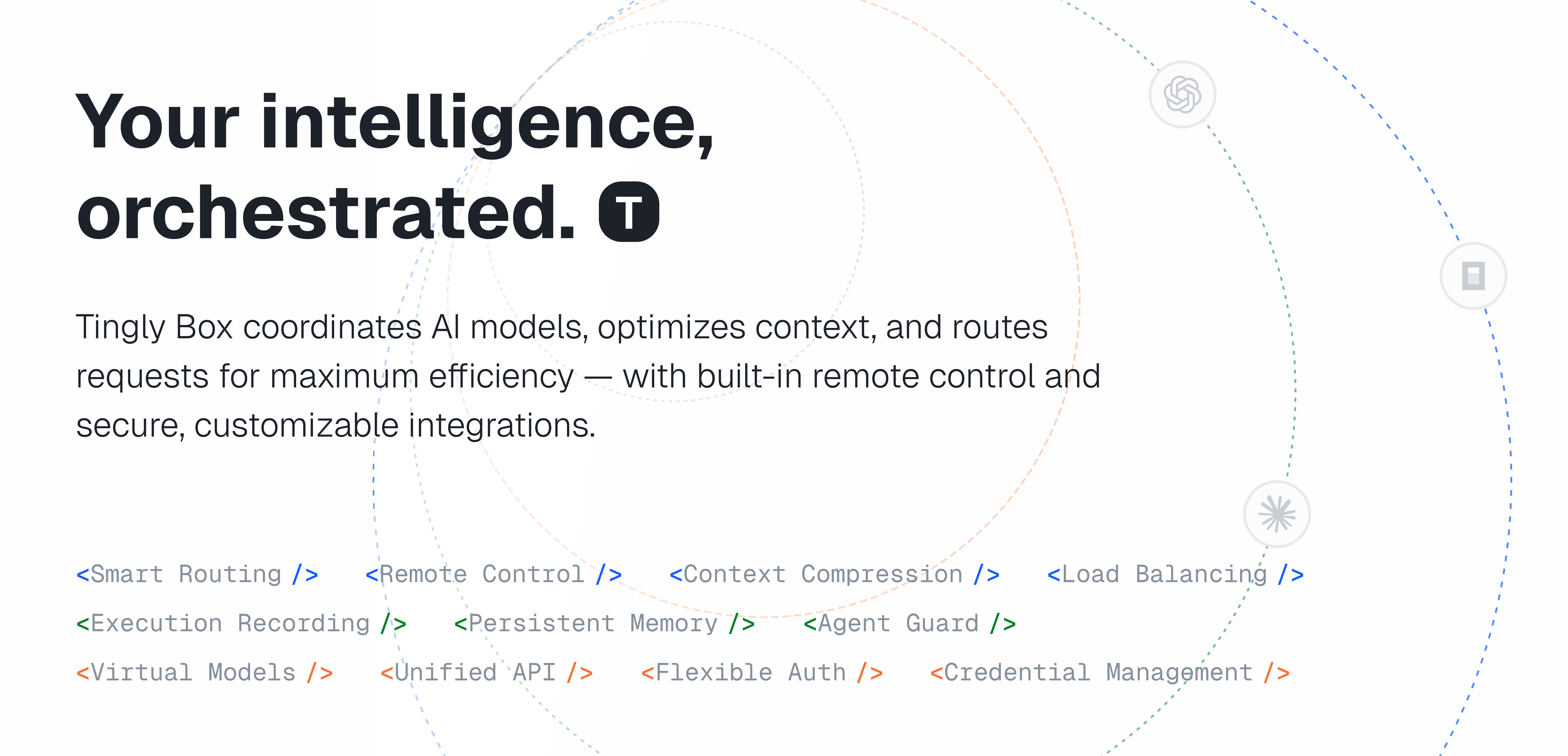
Tingly Box serves agents, coordinates AI models, optimizes context, and routes requests for maximum efficiency — with built-in remote control and secure, customizable integrations.
Key Features
- Agent-First Model Gateway
- Unified endpoint for AI — seamlessly bridge any providers
- One-click config for Agents - Claude Code, OpenCode, Codex, Xcode, and more
- Profiles for Claude Code — switch between profiles with different models under different scenarios
- Both API keys and OAuth - use your existing quotas anywhere
- Harness-Driven Infra
- VModel (Virtual Model) - for testing, validation, benchmarking, and harness-driven evaluation
- Harness-driven - for robustness across protocols, routing, load balancing, clients, and more
- UX-First
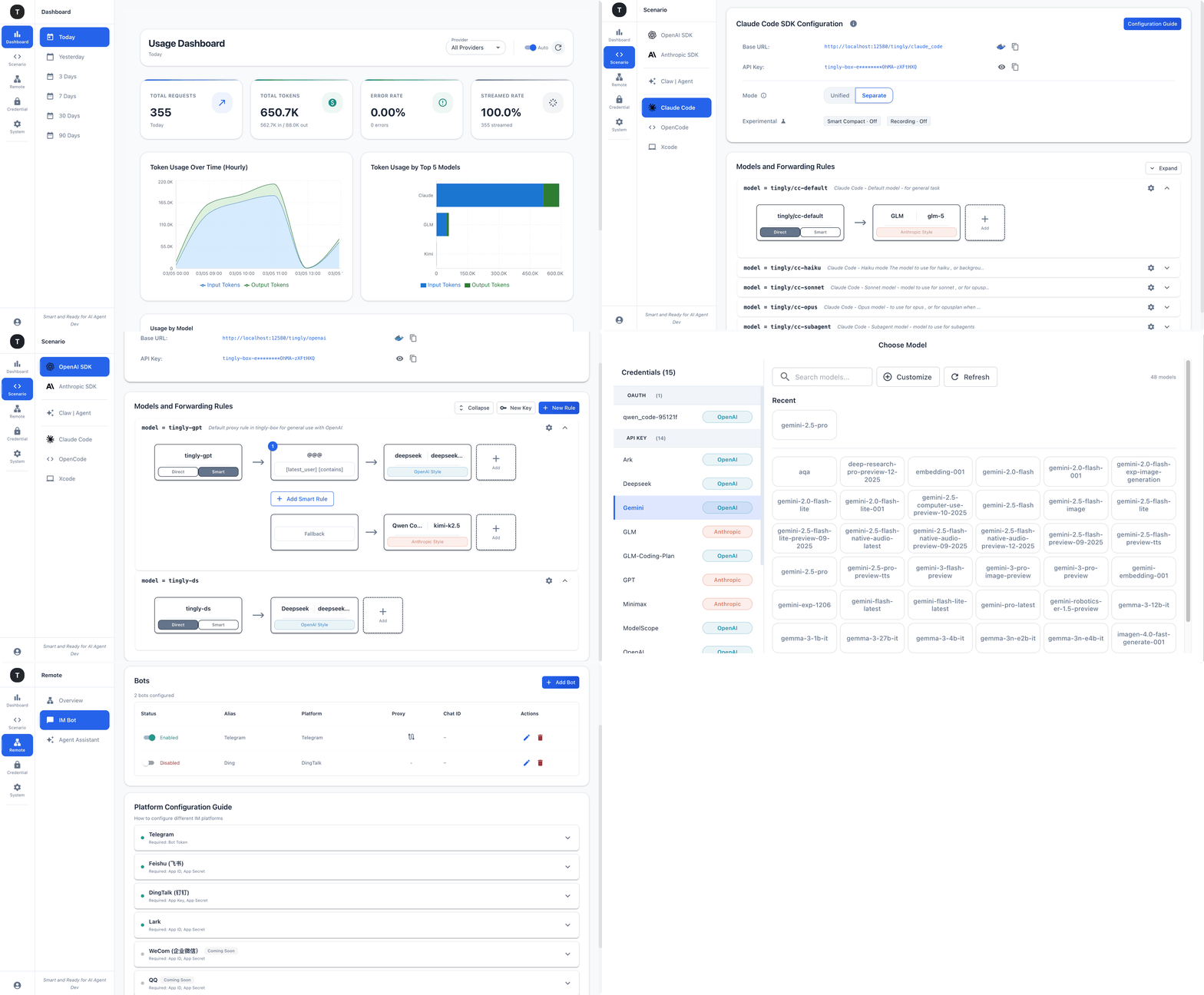
- Visual management of providers, routes, aliases, models, and remote bots
- Intuitive workflows that make complex operations easy to understand and control
- Production-Ready
- Smart Routing — Intelligently route requests across models and tokens based on cost, speed, or custom policies
- Remote Control — Control AI agents remotely through Telegram, DingTalk, Feishu, Lark, Weixin, WeCom, Slack, and Discord
- Team Management — Isolate data per user with dedicated API tokens, usage tracking, provider access, and configuration
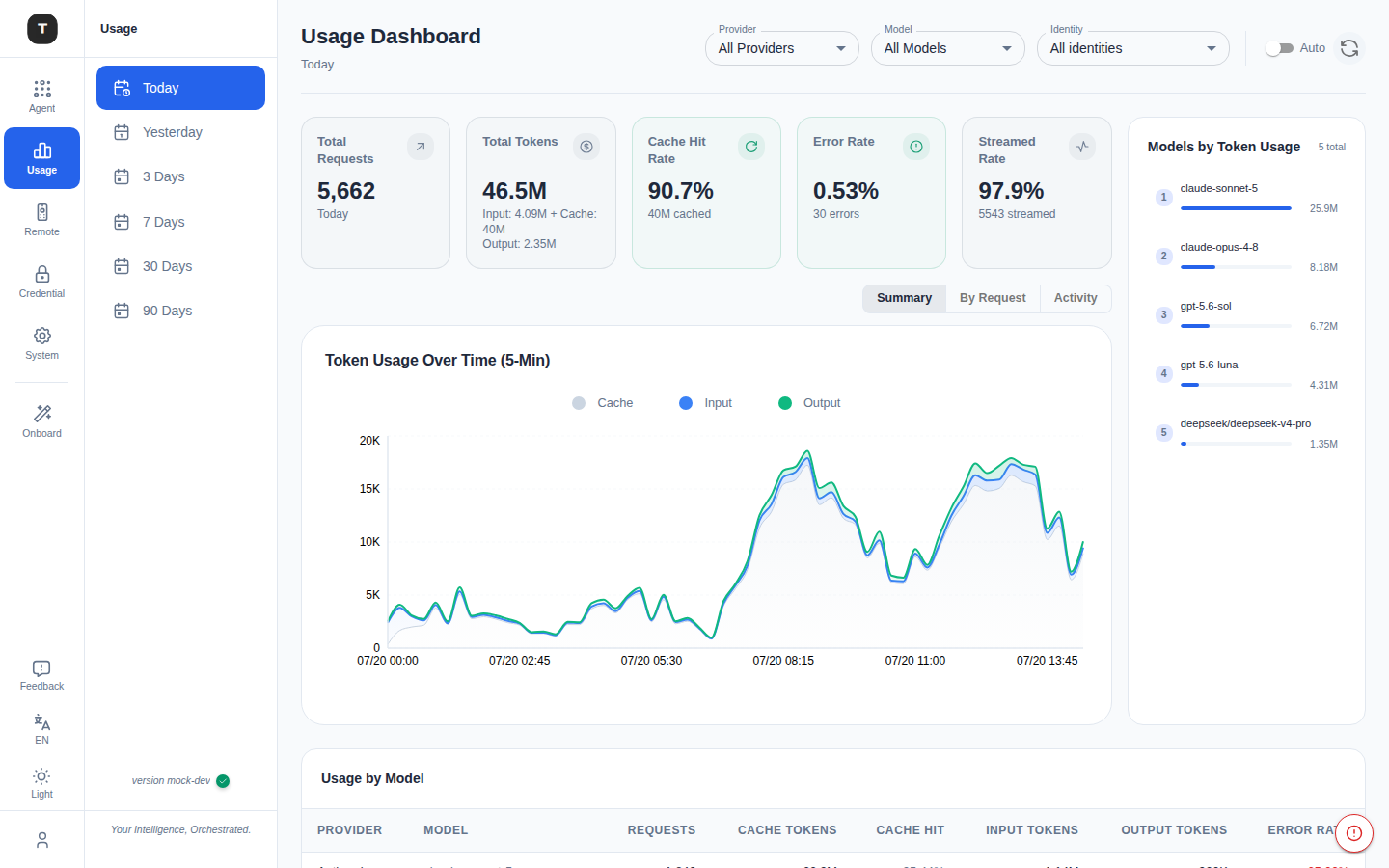
- Usage Analytics — Track token consumption, latency, cost estimates, and model selection per request
- Blazing Fast Performance — Typically adds < 1ms of overhead
Preview
Quick Start
English | 中文 | Fault Record
Install
Run with npx (quickest)
# One command: fetch, restart the server in the background, migrate and open the web UI
# (a golang binary release; npx wraps the cli for convenience)
npx tingly-box@latest

# or -y for convenience
npx -y tingly-box@latest

# the binary for your platform comes from npm too (no GitHub download),
# so an npm mirror is all you need for CN (one of below)
npx --registry=https://registry.npmmirror.com -y tingly-box@latest
npx --registry=https://mirrors.huaweicloud.com/repository/npm/ -y tingly-box@latest
npx --registry=http://mirrors.tencent.com/npm/ -y tingly-box@latest
Install globally with npm
npm install -g tingly-box@latest   # --registry=<mirror> works here too

tb start   # tb = tingly-box; runs in the background (--no-daemon for foreground)
tb open    # open the web UI

# update: reinstall, then restart to apply
npm install -g tingly-box@latest
tb restart
if any trouble, please check tingly-box output, or call for an issue to help.
Install Node & NPX
# MacOS & Linux
## Install Node.js LTS via nvm
curl -o- https://raw.githubusercontent.com/nvm-sh/nvm/master/install.sh | bash

## Restart terminal or load nvm
source ~/.nvm/nvm.sh

## Install Node.js LTS
nvm install --lts

## Verify installation
node -v
npx -v
# Windows
## Powershell with Winget
winget install OpenJS.NodeJS.LTS

## Restart terminal, then verify installation
node -v
npx -v

## Or download and install Node.js LTS manually:
https://nodejs.org/en/download
From Docker (GitHub Host)
mkdir tingly-data
docker run -d \
  --name tingly-box \
  -p 12580:12580 \
  -v `pwd`/tingly-data:/home/tingly/.tingly-box \
  ghcr.io/tingly-dev/tingly-box
From Docker Compose (recommended for isolated env), building your own image, or troubleshooting — see the Docker Guide.
Integration Guide
- Claude Code (support 1-click config)
- OpenCode (support 1-click config)
- Xcode (require manual config)
- ……
Any application is ready to use.
We've provided detailed config guide in application
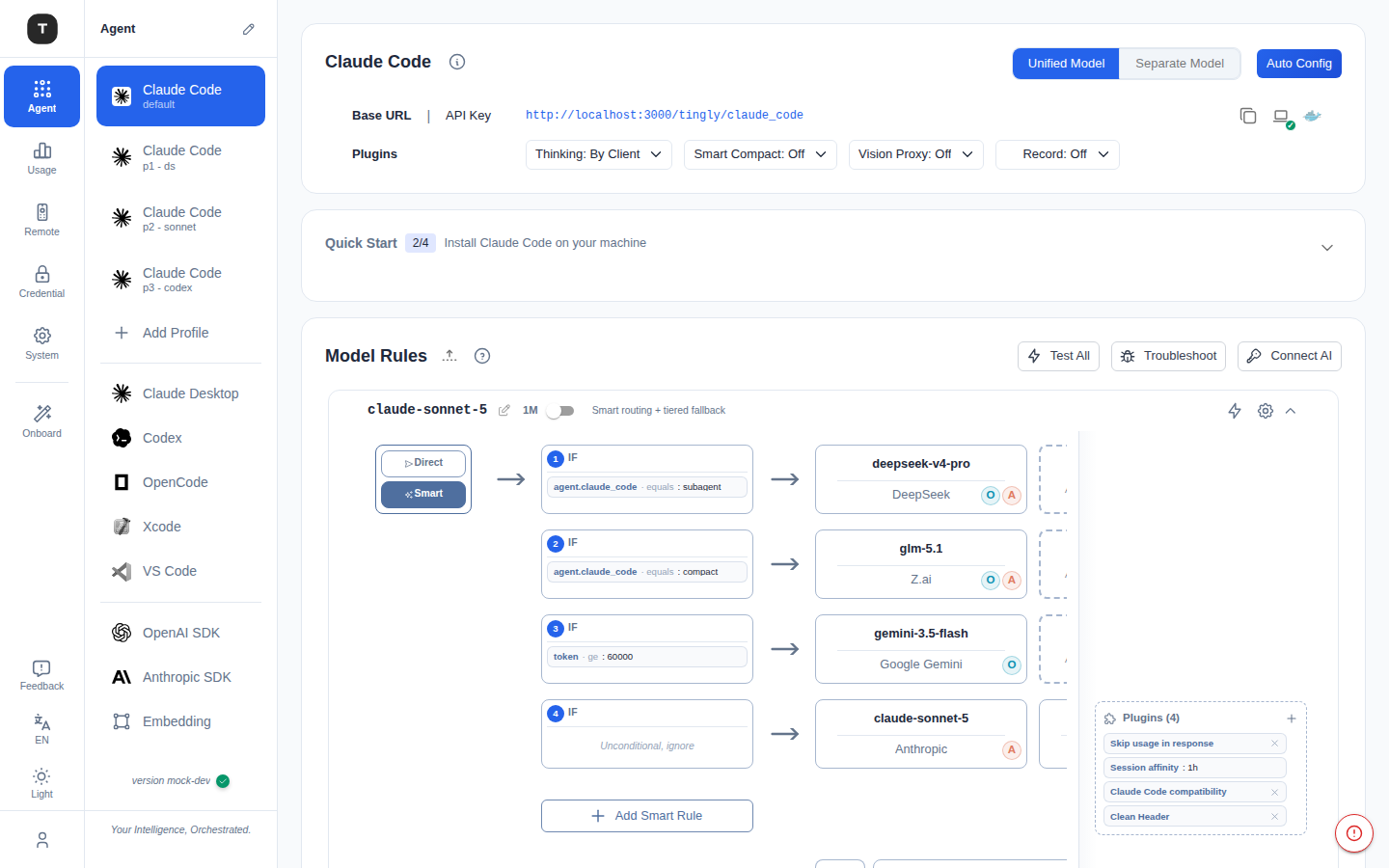
DeepSeek is optimized for mainstream agent workflows, offering broad compatibility across protocol adapters, agent clients, extended context, vision, web search, and cache optimization.
| Module | Status | What It Solves |
|---|---|---|
| Model List | ✅ Supported | Keeps the official model list up to date in real time |
| Protocol Adaptation | ✅ Supported | Supports official Anthropic/OpenAI APIs with bidirectional conversion |
| Reasoning Capability | ✅ Supported | Provides compatibility with Thinking workflows |
| Cache Hit Optimization | ✅ Supported | Improves cache hit rates for DeepSeek requests |
| Vision Proxy | ✅ Supported | Enables DeepSeek to understand and process images |
| Web Search | ✅ Supported | Calls official Web tools through the Anthropic endpoint |
| 1M Context Window | ✅ Supported | Enables one-click setup for 1M context |
| Codex Adaptation | ✅ Supported | Ensures compatibility with mainstream agent workflows |
| Claude Code / Desktop Adaptation | ✅ Supported | Ensures compatibility with mainstream agent workflows |
Supports one-click configuration where available. For applications that require manual setup, detailed in-app configuration guides are provided.
Any compatible application is ready to use.
Detailed configuration guides are available inside each application.
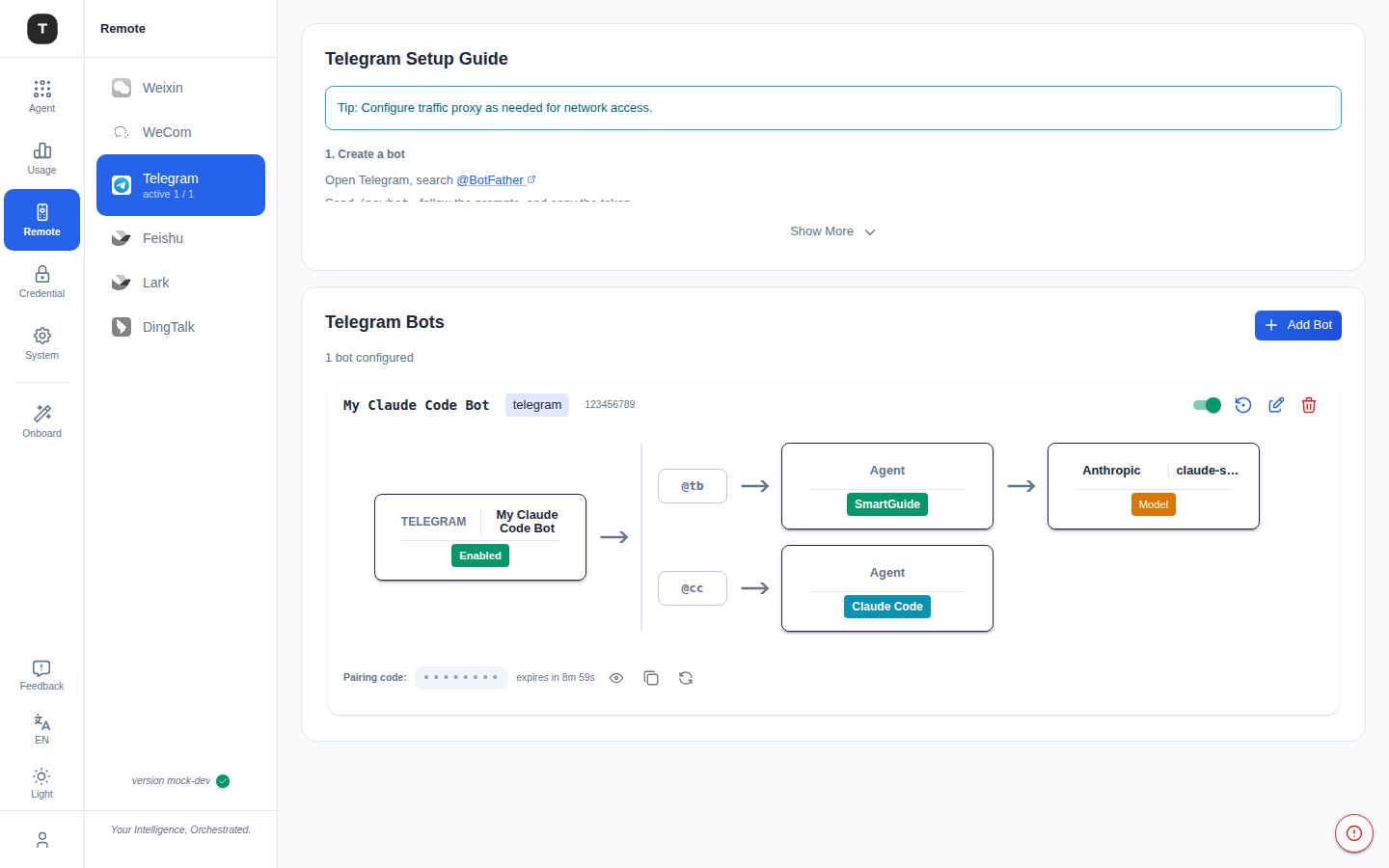
Tingly Box now supports remote control through popular IM platforms. Interact with your AI agents remotely without direct server access.
Supported Platforms
- ✅ Telegram
- ✅ DingTalk
- ✅ Feishu
- ✅ Lark
- ✅ Weixin
- ✅ WeCom
Quick Setup
- Open Web UI like
http://localhost:12580 - Navigate to Remote section
- Configure your preferred IM platform bot
- Start interacting with your agents remotely
Use Cases
- Execute tasks and queries from your phone or any device
- Team collaboration with shared agent access
- Monitor and control agents while away from your workstation
from openai import OpenAI

client = OpenAI(
    api_key="your-tingly-model-token",
    base_url="http://localhost:12580/tingly/openai/v1"
)

response = client.chat.completions.create(
    model="tingly-gpt",
    messages=[{"role": "user", "content": "Hello!"}]
)
print(response)
from anthropic import Anthropic

client = Anthropic(
    api_key="your-tingly-model-token",
    base_url="http://localhost:12580/tingly/anthropic"
)

response = client.messages.create(
    model="tingly",
    max_tokens=1024,
    messages=[
        {"role": "user", "content": "Hello!"}
    ]
)
print(response)
Tingly Box proxies requests transparently for SDKs and CLI tools.
You can also add OAuth providers (like Claude Code) and use your existing quota in any OpenAI-compatible tool:
# 1. Add Claude Code via OAuth in Web UI (http://localhost:12580)
# 2. Configure your tool with Tingly Box endpoint
Requests route through your OAuth-authorized provider, using your existing Claude Code quota instead of requiring a separate API key.
This works with any tool that supports OpenAI-compatible endpoints: Cherry Studio, VS Code extensions, or custom AI agents.
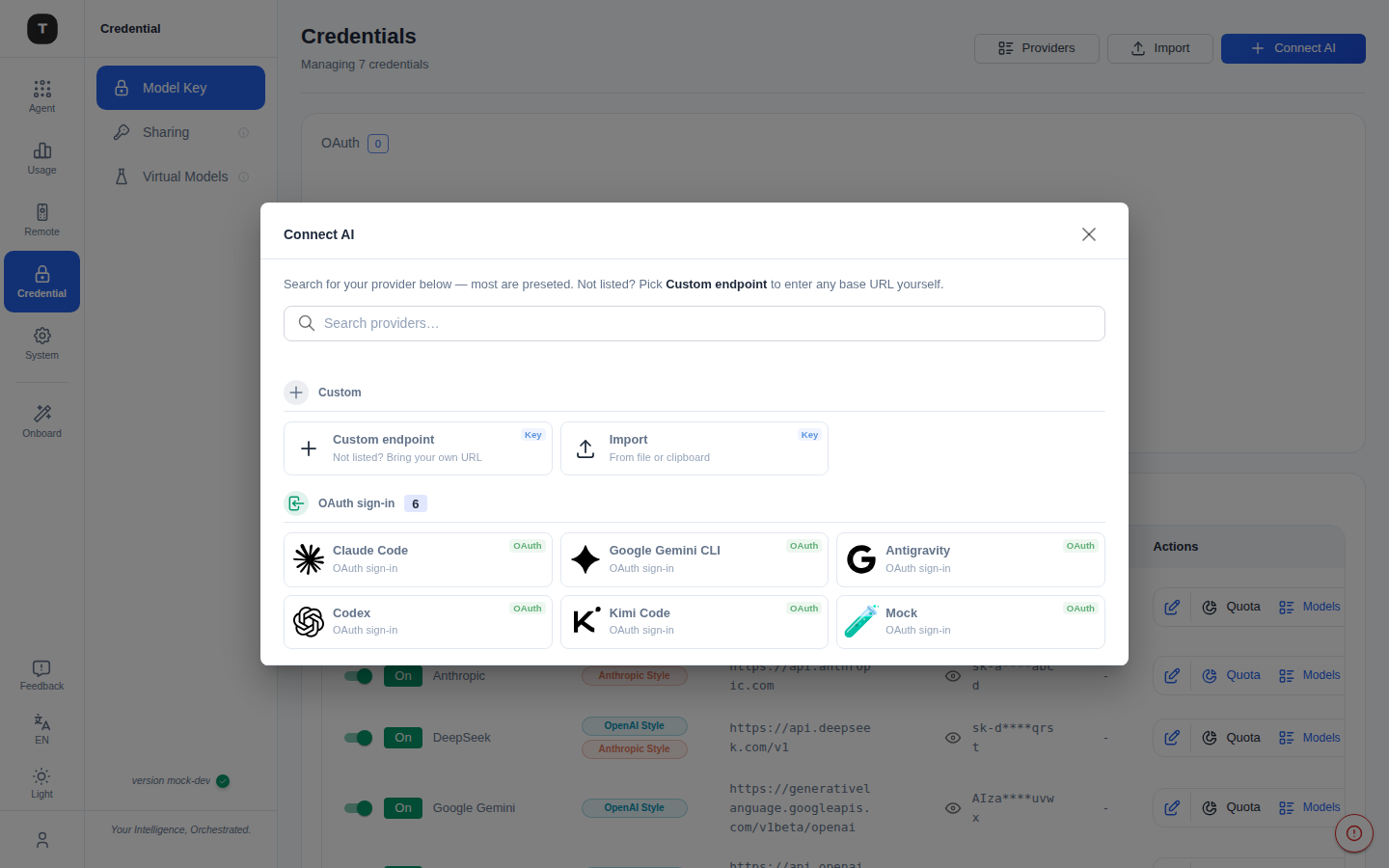
Already running your own inference server? Tingly Box connects to it like any other provider and exposes it through the same unified gateway.
Supported out of the box
- vLLM
- SGLang
- Ollama
- LM Studio
- LocalAI
- Jan
Anything else that speaks an OpenAI/Anthropic-compatible API still works via Custom endpoint.
Quick Setup
- Open Web UI like
http://localhost:12580 - Click Connect AI → pick your engine from the Self-hosted section (default URL and key are pre-filled)
- Test Connection, then save — it's now usable like any other provider
Launch the web management interface:
npx tingly-box@latest
Then open http://localhost:12580 in your browser.
Documentation
User Manual – Installation, configuration, and operational guide
Docker Guide – Building, running, and troubleshooting the Docker images
Guardrails – Policy-based safety checks, built-in protections, and protected credential masking
MCP Web Tools – Local stdio MCP server for web_search / web_fetch
Contributing
By contributing to this repository, you agree that your contributions may be included in this project under the MPL-2.0 and may also be used by Tingly Inc. under separate commercial licensing terms.
See CONTRIBUTING.md and NOTICE for details.
We welcome contributions! Check the steps below to build from source code.
Prerequisites
| Tool | Version | Install |
|---|---|---|
| Go | 1.26+ | https://go.dev/doc/install |
| Node.js | 20+ | https://nodejs.org/ |
| pnpm | latest | npm install -g pnpm |
| task | latest | go install github.com/go-task/task/v3/cmd/task@latest or https://taskfile.dev/installation/ |
Tip: you can also copy individual shell commands out of
Taskfile.ymland run them directly if you prefer not to installtask.
1. Clone and init submodules
git clone https://github.com/tingly-dev/tingly-box.git
cd tingly-box
git submodule update --init --recursive
2. Frontend development
The frontend is a React + Vite app located in frontend/. You can work on it independently of the Go backend.
File tree
Showing a partial view of a very large repo.
FAQ
tingly-box is a Claude Code plugin with 3 hand-picked skills for development work, indexed on Flowy. Install it with the command on its page. It includes test-skill, ui-preview, update-libs. Its skills do not fire on their own yet. Request auto-invocation to have Flowy route them as you prompt. Free and open source.
- What is tingly-box?
- Your Intelligence, Orchestrated. Every builder. Every team. Every agent. For Everyone.
- How do I install tingly-box?
- Run these in Claude Code: npx -y skills add tingly-dev/tingly-box --agent claude-code. Then prompt normally.
- Does tingly-box auto-invoke its skills?
- Not yet. It is indexed on Flowy as a plain plugin. Request auto-invocation on its page and Flowy will route its skills for you as you prompt.
- Is tingly-box free?
- Yes. Flowy is free and open source, with nothing gated. You can read every skill in full before you install.
Is this plugin yours?
Claim it with GitHubSubmit a pluginPromote it