
Development
Plugin
wisp
Visual team-builder, plan-as-artifact, and live execution graph for autonomous Claude Code agent crews. Spawn a 3-role team, generate a DAG plan, run for hours, watch it ship in your browser.

Plugin Signal70/100Solid
maintained98
capable62
documented75
adopted15
Install on Claude Code
> /plugin marketplace add Samuel0101010/wisp-orchestrator> /plugin install wisp@wisp-local
Stats
4
Stars
0
Forks
Active
Maintenance
TypeScript
Language
Apache-2.0
License
17d ago
Last commit
4mo ago
Created
Repo: Samuel0101010/wisp-orchestrator
What's inside
Skill(12 skills)
/audit-orphan-runsIdentifies abandoned worktrees and stale runs (no events for >2h, status=running) to flag for cleanup./auto-docDrafts a docs/solutions/YYYY-MM-DD-<slug>.md entry for a recently completed run, capturing problem/solution/lessons./builder-disciplineWorking discipline for code-writing agents — read before edit, smallest correct change, run the gates before claiming done. Injected into builder roles' system prompts.
Agent(4 agents)
architectInvoke at the start of any new feature, refactor, or system-design task to produce architecture.md and a tasks.md task list before any code is written.developerInvoke to implement exactly one task from tasks.md. Reads architecture.md as a binding constraint, writes code, and stops after one logical commit.plannerInvoke to convert a Goal plus a Team specification into a valid Plan DAG written to plan.json. Used once per harness run before agents are dispatched.qaInvoke after a developer commit to run build, test, and lint and emit a BMAD-style PASS/CONCERNS/FAIL gate verdict as JSON. Read-only; never modifies code.
Command(1 command)
README
Why?
Most agent UIs run a single agent in a chat box. Orchestrators hide the plan behind opaque internal state, and they stop existing the moment something fails. WISP is built for the case nobody else covers — drive a team of Claude agents for hours, watch the plan as a DAG you can edit before it runs, see the live preview of the app they're building, and write change-requests against the running result.
- No babysitting. Runs survive rate-limit windows, server restarts, and Claude 5xx with transient retries + inactivity watchdog + auto-resume.
- No black box. Every plan is a DAG you can inspect, edit, and replan. Every task runs in its own git worktree. The walker streams every event into SQLite.
- No cloud dependency. Everything runs locally on your machine. Subscription auth via your
claudeCLI; flip toWISP_AUTH_MODE=apifor headless commercial use.
Quickstart (60 seconds)
Prerequisites:
git, Node 22/24 LTS, and theclaudeCLI onPATH. No GitHub account or SSH key needed — everything clones over plain HTTPS.
claude plugin marketplace add https://github.com/Samuel0101010/wisp-orchestrator.git
claude plugin install wisp@wisp-local
claude /wisp-dashboard          # opens http://127.0.0.1:4400 in your browser
Then click New project, type a goal ("Build a Kanban board in React + Vite + Tailwind"), point it at an empty git repo, and hit Run. The dashboard streams the agent team building the app, the Preview tab shows it running live, and the iteration loop is one click away.
Dashboard tour
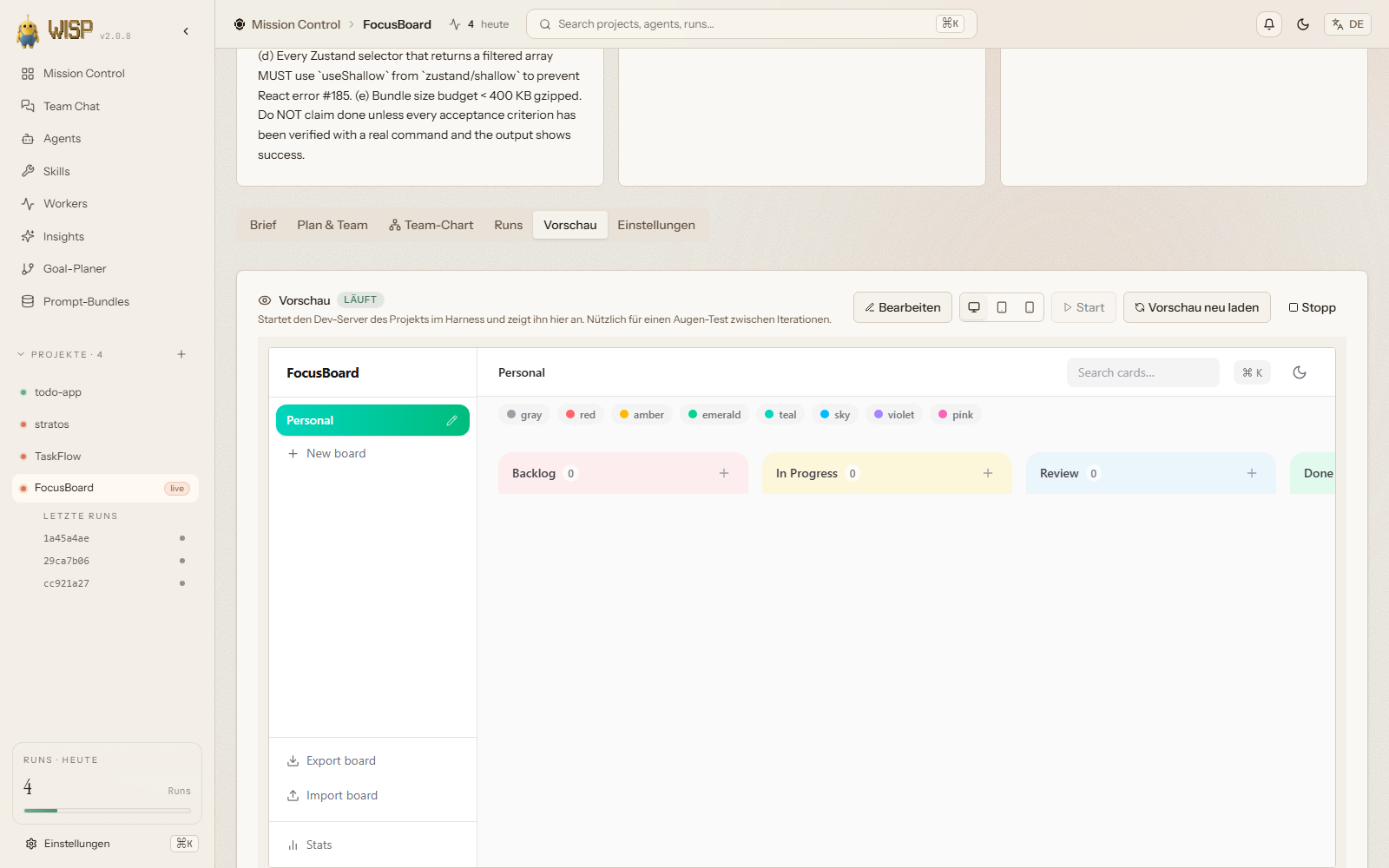 | 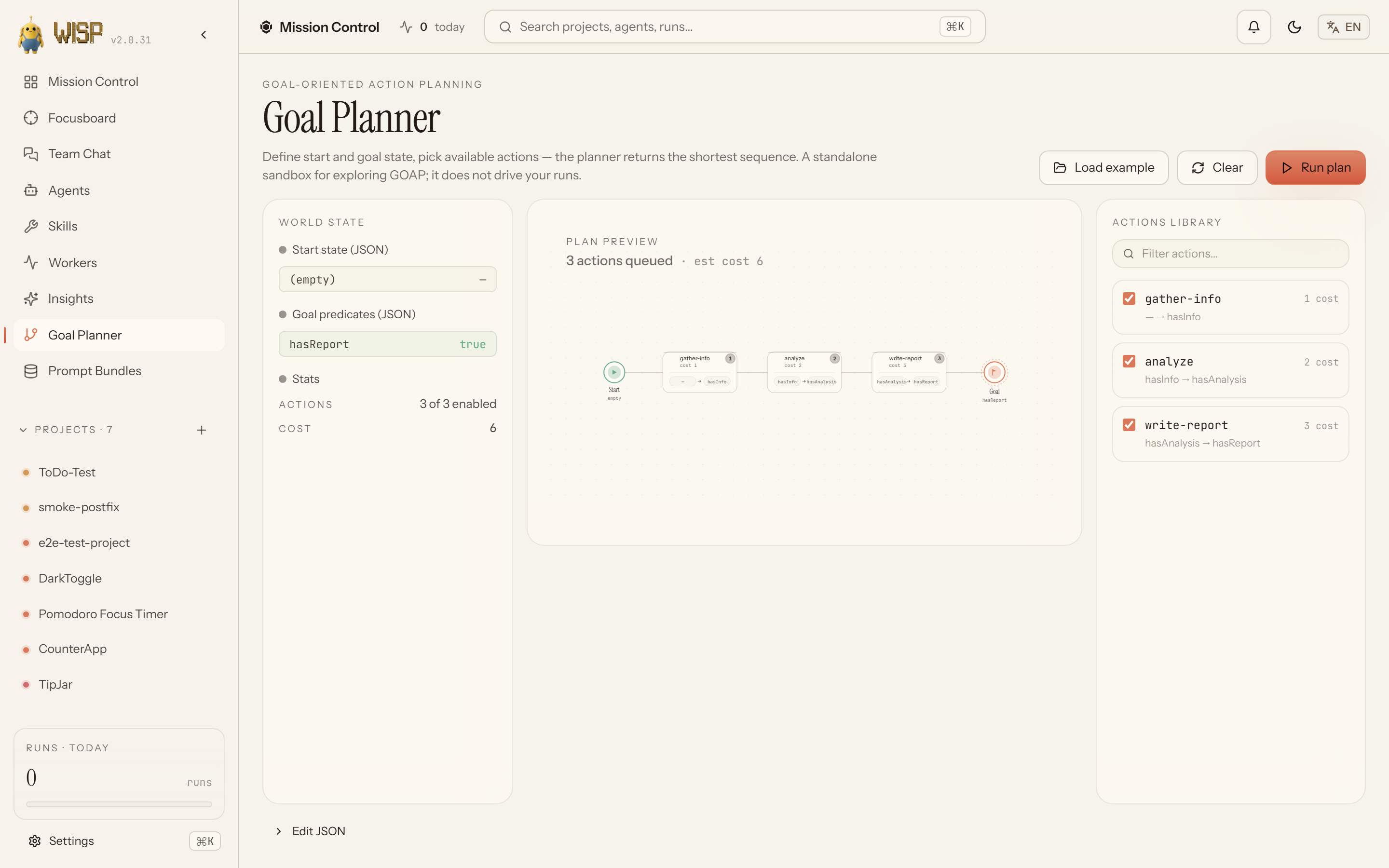 |
|---|---|
| Preview — proxied iframe of the running app, with click-to-pick visual edits. | Goal Planner — a standalone Goal-Oriented Action Planning sandbox (least-cost search). |
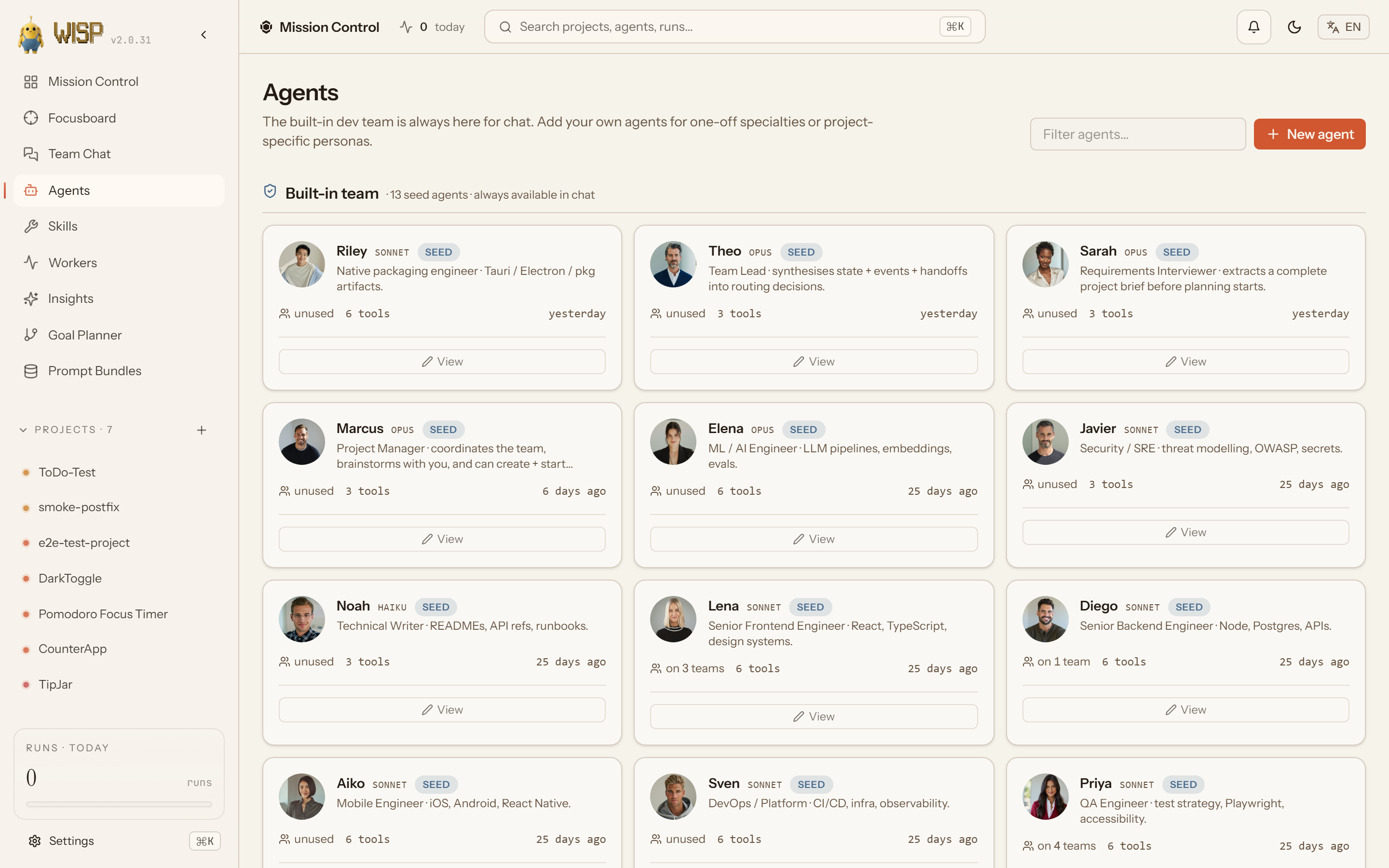 | 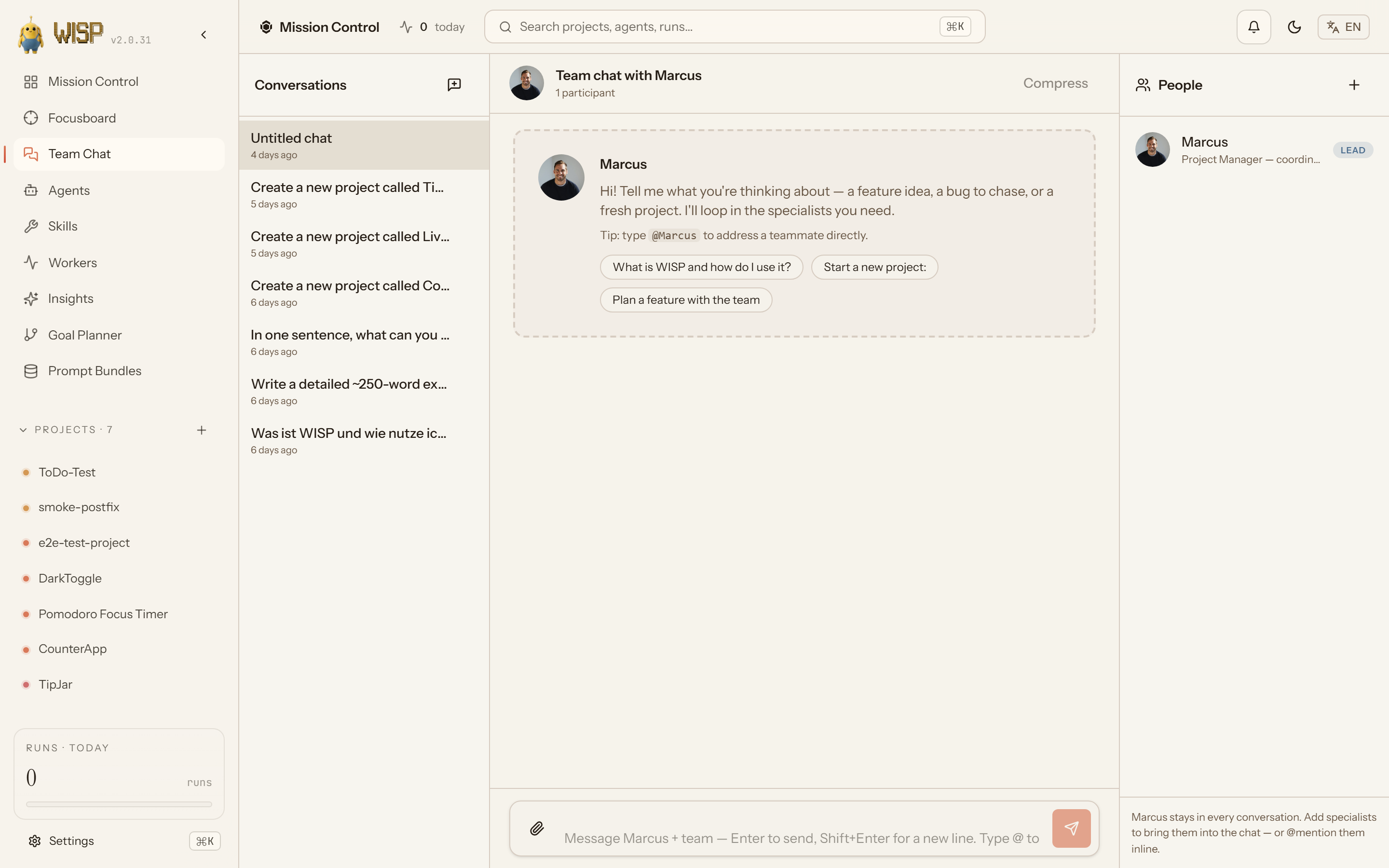 |
| Agents — registry of roles available to teams. | Chat — team conversation surface. |
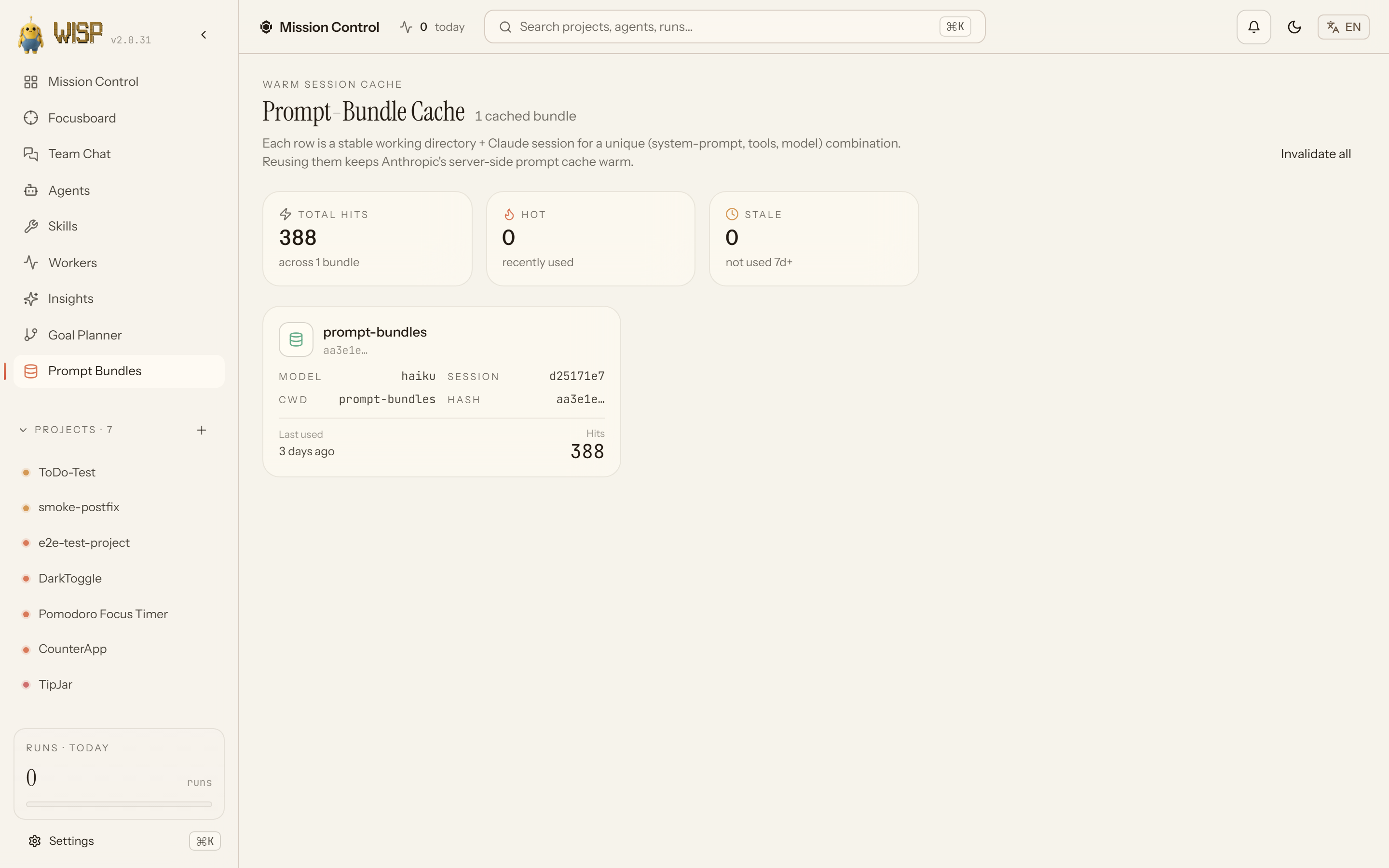 | 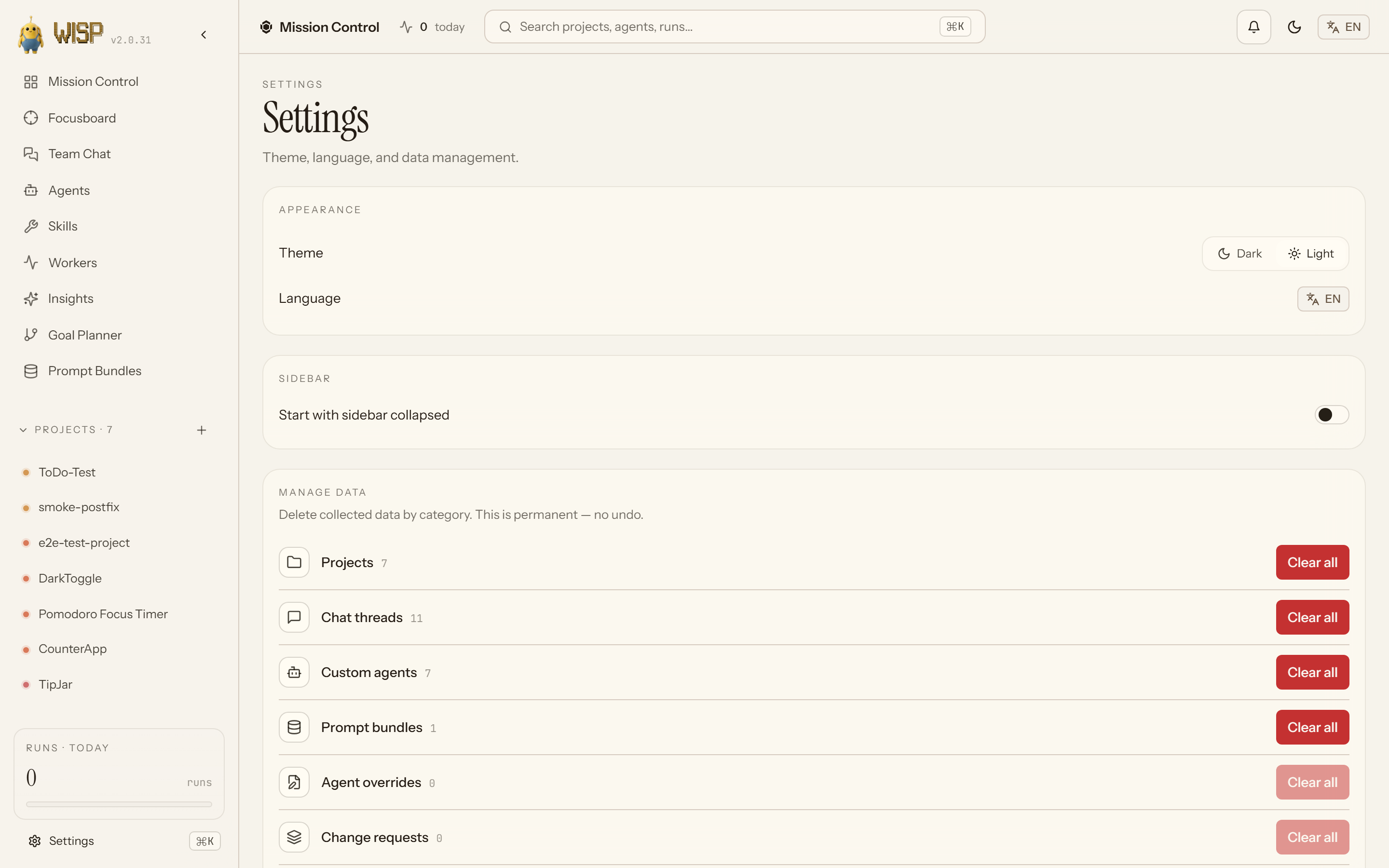 |
| Prompt Bundles — cached bundles for re-use. | Settings — theme, language, selective data clearing. |
Status
v2.0 — production-ready. The orchestrator drives full architect → dev → QA → review cycles against real Claude Max with variable team sizes, shared-memory MCP, built-in + user templates, automatic QA-replan, and a live dashboard with iteration loops, visual edit-mode, and proxied previews. See CHANGELOG.md for the full release history.
Highlights in v2.0
- Iteration loop. Once an initial run completes, the user can request changes against the previewed app (click-to-pick element + change-request, or freeform prompt). The orchestrator generates an iteration plan that builds on prior runs and reuses the existing worktree, surfacing the diff back into the live preview without a manual rebuild step.
- Reverse-proxy preview. Vite/SvelteKit dev servers spawn under
/preview/<projectId>/so the iframe sees the running app via the same origin as the dashboard. Auto-reload when an iteration run completes; manual refresh button in the preview header. - Goal Planner. A standalone Goal-Oriented Action Planning sandbox: interactive plan visualization, JSON editor, filterable action library, and a least-cost search returning the cheapest action sequence to your goal predicates. A self-contained tool for exploring how a goal decomposes into steps — it does not create teams, edit plans, or drive runs (the LLM planner agent and Plan Editor do that).
- Auto-resolver agent. When a dependency-merge run hits conflicts in
pnpm-lock.yamlorpackage.json, the orchestrator spawns a dedicated resolver agent to land a clean merge before continuing the parent run. - Hardened subprocess control. Transient retries on Anthropic 5xx + Overloaded, worktree-race retries, inactivity watchdog that cancels stuck tasks with a structured event so the planner can re-route.
- Notifications popover. Top-bar bell lists the last 8 global runs across projects with status pills, relative-time labels anchored on
endedAt ?? startedAt, and links into each run. - Plugin Skills. Four
/wisp-*slash commands so the dashboard is optional:/wisp-new-run(goal → running execution),/wisp-resume(paused runs),/wisp-inspect(result branch + git log),/wisp-diagnose(event timeline).
Requirements
- Node.js >= 20.10 (Node 22 LTS or 24 LTS recommended — they ship a prebuilt
better-sqlite3, so the first-launch build needs no C++ toolchain) - pnpm >= 9 (bootstrapped for you on first launch via corepack/npm — no manual install needed)
- Claude Code CLI (the
claudebinary) onPATH - Claude Max subscription (the orchestrator inherits
~/.claude/credentials and unsetsANTHROPIC_API_KEYso subprocesses never silently fall back to API billing) - Windows, macOS, or Linux
Anthropic Terms of Service
WISP invokes only the official claude binary as a subprocess. It
never reads ~/.claude/credentials, never extracts subscription OAuth tokens,
never calls api.anthropic.com endpoints directly, and actively unsets
ANTHROPIC_API_KEY before each spawn so subscription auth is the only path.
Subscriptions (Claude Pro / Max) are designed for personal use of the official
Claude products including Claude Code and its plugin/subagent system. Using
this plugin to run intensive headless workflows on a subscription account is
your responsibility under Anthropic's ToS. Balanced defaults
(maxParallel=2, budgetMinutes=120, interTaskPacingMs=5000,
autoResumeRateLimit=false) keep the traffic profile in line with intensive
human use rather than automated bulk usage. For commercial automation, set
WISP_AUTH_MODE=api and provide your own ANTHROPIC_API_KEY (paid per
token).
Two compliance test files (tests/compliance/) statically verify these
architectural commitments on every CI run. See
docs/anthropic-compliance.md for the full
architectural rationale.
Install
There are two supported paths.
As a Claude Code plugin (preferred)
Prerequisites on a fresh machine: git, Node 22 LTS or 24 LTS (>= 20.10 works, but an LTS ships a prebuilt better-sqlite3 so the first build needs no compiler), and the standalone claude CLI on PATH. pnpm is bootstrapped for you on first launch.
claude plugin marketplace add https://github.com/Samuel0101010/wisp-orchestrator.git
claude plugin install wisp@wisp-local
claude /wisp-dashboard
Both the marketplace and the plugin source are fetched over plain HTTPS — no GitHub account, SSH key, or known_hosts entry required.
If you added the marketplace with the owner/repo shorthand on an older Claude Code version, or your git config rewrites GitHub URLs to SSH, the clone can go over SSH and fail without an SSH key or known_hosts entry. Fix: refresh the marketplace (claude plugin marketplace remove wisp-local, then re-add with the HTTPS URL above), or tell git to use HTTPS for GitHub once:
git config --global "url.https://github.com/.insteadOf" "git@github.com:"
(In PowerShell keep the space between the two quoted arguments.)
(For local development, replace the first line with claude plugin marketplace add /absolute/path/to/agent-harness.)
The /wisp-dashboard command runs the launcher script for your platform (scripts/launch-dashboard.ps1 on Windows, scripts/launch-dashboard.sh on POSIX). On the first invocation after a fresh install, the launcher auto-runs pnpm install && pnpm build (~1-2 minutes; pnpm is bootstrapped via corepack/npm if absent). On subsequent invocations it boots straight to the server. Either way it picks a free port in 4400-4500, writes connection state to ${CLAUDE_PLUGIN_DATA}/state.json, and opens the dashboard in your default browser.
After the dashboard opens: spawning agent runs needs the claude CLI authenticated (subscription, or WISP_AUTH_MODE=api with an ANTHROPIC_API_KEY). The dashboard boots and is browsable either way — but if auth is missing it shows a banner and /api/health carries the hint. Run claude login and restart /wisp-dashboard if you see it.
From source (developer mode)
pnpm install
pnpm build
WISP_SERVE_WEB=1 node apps/dashboard-server/dist/server.js
# then open http://127.0.0.1:4400
With WISP_SERVE_WEB=1 the dashboard server static-serves the built apps/dashboard-web/dist/ from /, so a single port hosts UI + API + WS. To develop against a hot-reloading frontend instead, leave WISP_SERVE_WEB unset and run the Vite dev server in a second terminal:
pnpm --filter @wisp/dashboard-web dev
The Vite dev server runs at http://localhost:5173 and proxies API/WS calls to the backend on 127.0.0.1:4400.
First run walkthrough
- Create a project. Open the dashboard, click "New project" in the sidebar, and fill in name, goal, and
repoPath. The repo path must point at an existing git-initialized directory; the orchestrator creates per-task worktrees inside it. - Configure the team. The TeamBuilder shows role cards (architect, developer, QA, …). Defaults are sensible: opus for architect + planner, sonnet for developer + QA. Edit
model,allowedTools, orsystemPromptper role.
File tree
FAQ
wisp is a Claude Code plugin with 12 hand-picked skills for development work, indexed on Flowy. Install it with the command on its page. It includes audit-orphan-runs, auto-doc, builder-discipline. Its skills do not fire on their own yet. Request auto-invocation to have Flowy route them as you prompt. Free and open source.
- What is wisp?
- Visual team-builder, plan-as-artifact, and live execution graph for autonomous Claude Code agent crews. Spawn a 3-role team, generate a DAG plan, run for hours, watch it ship in your browser.
- How do I install wisp?
- Run these in Claude Code: /plugin marketplace add Samuel0101010/wisp-orchestrator then /plugin install wisp@wisp-local. Then prompt normally.
- Does wisp auto-invoke its skills?
- Not yet. It is indexed on Flowy as a plain plugin. Request auto-invocation on its page and Flowy will route its skills for you as you prompt.
- Is wisp free?
- Yes. Flowy is free and open source, with nothing gated. You can read every skill in full before you install.
Is this plugin yours?
Claim it with GitHubSubmit a pluginPromote it