
VerifiedPlugin
memesh
local collaboration layer for AI coding agents
2 skills1 agent7 hooks+2+2+116
 @pcircle-ai
Context compression plugin for Claude Code. Automatically trims large tool output—JSON, YAML, stack traces, and logs—before it enters the context window. Works as a Claude Code plugin (automatic, zero-config) or as an MCP server (on-demand).
> /plugin marketplace add PCIRCLE-AI/toonify-mcp> /plugin install toonify-mcp@pcircle-ai
Repo: PCIRCLE-AI/toonify-mcp
What's inside
English | 繁體中文 | 日本語 | Español | Français | Deutsch | 한국어 | Русский | Português | Tiếng Việt | Bahasa Indonesia
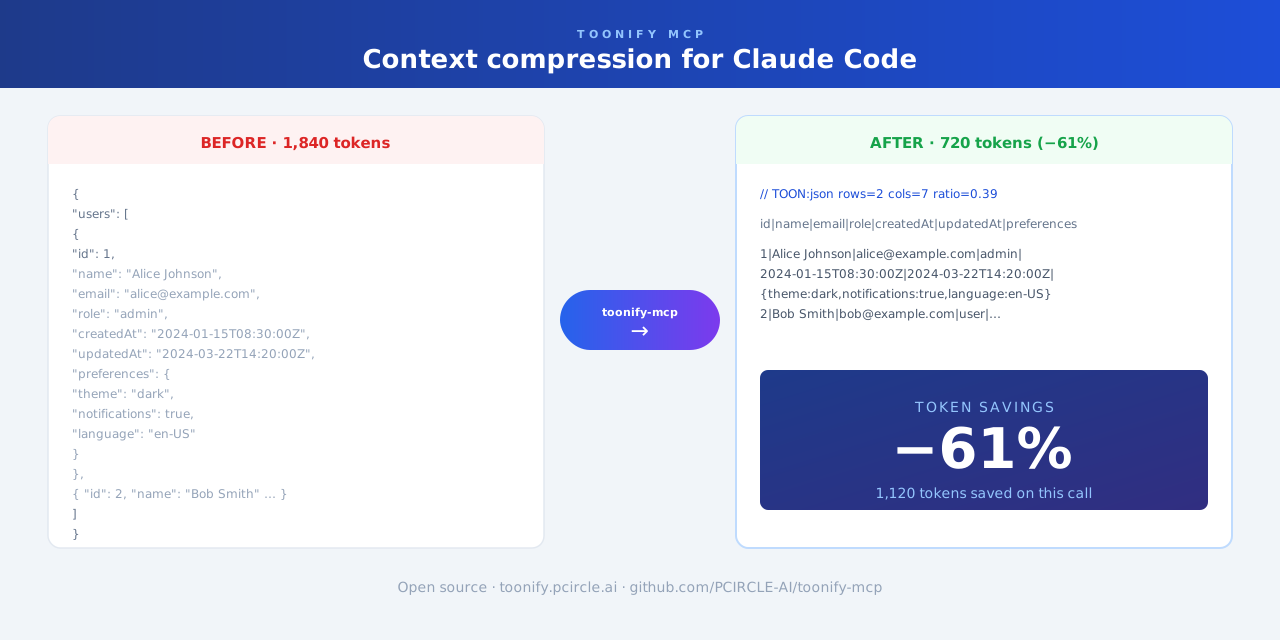
Context compression plugin for Claude Code. Automatically trims large tool output—JSON, YAML, stack traces, and logs—before it enters the context window.
Works as a Claude Code plugin (automatic, zero-config) or as an MCP server (on-demand).
Skipped for short text, very small files, and content where exact original formatting must be preserved.
git clone https://github.com/PCIRCLE-AI/toonify-mcp.git
cd toonify-mcp
npm install
npm run build
npm install -g .
toonify-mcp setup
toonify-mcp doctor
toonify-mcp setup adds the local marketplace and installs, updates, or re-enables the plugin automatically.
toonify-mcp status
toonify-mcp setup mcp
claude mcp list
claude mcp list should show toonify: toonify-mcp - ✓ Connected.
toonify-mcp compress reads stdin, compresses what's safe to compress (JSON/YAML → TOON, repetitive logs collapsed; source code, prose, and precision-sensitive numbers pass through untouched), and writes to stdout. It never breaks a pipe — when compression doesn't apply, the input comes out byte-for-byte.
curl -s https://api.example.com/users | toonify-mcp compress
This works with any agent CLI, because output is compressed before it enters the model's context. To have an agent adopt it, add a rule to your project's agent instructions (e.g. AGENTS.md):
When a command is likely to print large JSON/YAML or long logs,
pipe it through `toonify-mcp compress` (e.g. `curl ... | toonify-mcp compress`).
It only rewrites output it can compress losslessly; everything else passes through.
toonify-mcp setup codex
Registers toonify as an MCP server in ~/.codex/config.toml (a timestamped backup of the file is made first). Codex can then call the optimize_content tool on demand.
Note: on Codex this is on-demand, not automatic — Codex's hooks cannot yet replace tool output the way Claude Code's updatedToolOutput does, and appending a compressed copy would grow context instead of shrinking it. For automatic compression on Codex, use the pipe filter above.
View @pcircle-ai’s profilelocal collaboration layer for AI coding agents
@pcircle-aiFAQ
toonify-mcp is a Claude Code plugin with hand-picked skills for development work, indexed on Flowy. Install it with the command on its page. Its skills do not fire on their own yet. Request auto-invocation to have Flowy route them as you prompt. Free and open source.
Is this plugin yours?
Claim it with GitHubSubmit a pluginPromote it