
Development
Plugin
observal
Observal is self-hosted registry for your coding agent extensions with a built in insight engine. Setup Observal, define the scope and share your Skills, MCPs and Agents with your peers.

Plugin Signal77/100Solid
maintained98
capable41
documented100
adopted72
Install
$ npx -y skills add Observal/Observal --agent claude-code
What's inside
Skill(6 skills)
/observal-adminAdministers Observal users, settings, diagnostics, review queues, security events, audit logs, SAML, SCIM, local server services, upgrades, rollback, and database migrations. Use when the user needs privileged governance, submission decisions, identity configuration, security/observal-advancedRecovers Observal session ingestion, manages CLI upgrades, downgrades and rollback, and performs explicit local Agent fallback when the server is unavailable. Use when the user asks to reconcile missed sessions, repair CLI version state, or continue locally after a confirmed/observal-agentsCreates, authors, validates, publishes, updates, versions, pulls, archives, restores, transfers, and manages co-authors for Observal Agents. Use when the user wants to build or install an Agent, change an Agent definition, publish a draft, release a version, or manage Agent
README
Observal is the control plane and system of record for internal AI components
If you find Observal useful, please consider giving it a star. It helps others discover the project and keeps development going.
What is Observal and what does it solve?
Observal is the control plane and system of record for internal AI components. Every tech-forward organization today creates internal Skills, Agents, MCP servers and other AI components to boost productivity. Though the creation of these components has been prolific, the adoption and usage of such components is sparse. Developer/AI users today end up creating their own version of AI components without reusing existing packages.
The cause is largely due to two problems:
-
Lack of a discoverability layer
Organizations store their AI components and agents in siloed github repositories with little to no documentation. Users are not able to locate similar components and this results in multiple developers creating the same/similar components again.
-
Missing feedback loop
Any software where usage patterns are not understood and the principle of user-centric development is violated tends to fade out. Such is the problem with development of MCPs, Skills and Agents. Developers publish and maintain these components with little visibility into how they're actually used. Additionally, AI failures don't trigger static error codes: they hallucinate or provide subtly incorrect answers. This leaves users clueless about what went wrong compounding the feedback problem.
Observal solves this by providing a centralized discovery layer for AI components alongside useful insights into AI usage patterns. It turns silent failures into actionable feedback, ensuring internal AI tools are continuously optimized for the people using them.
Observal supports Claude Code, Cursor, Kiro, Pi, Copilot, Codex, OpenCode, and other tools.
Why teams use Observal
- Package components into reusable agents: Bundle Skills, MCP servers, hooks, prompts, and sandboxes into one versioned unit.
- Run a governed registry: Review submissions, approve internal agents, inspect version diffs, and give developers one trusted place to install from.
- Render across multiple Coding IDE/CLI: Generate the correct config for each supported harness instead of maintaining separate setup instructions for every harness.
- Learn what works: Use real adoption and session data to find which agents, tools, prompts, and workflows are helping teams.
- Replay sessions when needed: Use traces as evidence for debugging, review, audits, and deeper analysis.
Supported harnesses
| harness |
|---|
| Claude Code |
| Kiro |
| Cursor |
| Pi |
| Copilot (CLI & VS Code Extension) |
| Codex |
| OpenCode |
| Antigravity CLI |
| Goose |
One command to install any agent into any supported harness. The config files are generated per-harness automatically.
Quick Start
Observal has two parts: a server (API + web UI + databases) you self-host, and a CLI you install on each developer machine.
1. Deploy the server
One-line install (requires Docker Engine ≥ 24.0 with Compose v2):
curl -fsSL https://raw.githubusercontent.com/Observal/Observal/main/install-server.sh | bash
This downloads a Docker Compose package, generates operator-owned secret files with restricted container-group access, binds published ports to loopback by default, pulls container images from GHCR, and starts the stack. With a terminal it runs guided setup; without a terminal the same command applies safe defaults automatically.
Deployment docs are linked directly from this README:
- Setup guide: fastest path from zero to a working stack
- Self-hosting overview: deployment models and operator docs
- Production deployment: hardened production topology
- Databases: Postgres, ClickHouse, migrations, retention
- Upgrades: safe upgrade and rollback flow
- Release verification: verify checksums, provenance, and signed tags
- Backup and restore: backup plan before upgrades
From source (for contributors):
git clone https://github.com/Observal/Observal.git && cd Observal
cp .env.example .env
make up
2. Install the CLI
Standalone binary (no Python required):
curl -fsSL https://raw.githubusercontent.com/Observal/Observal/main/install.sh | bash
Python (3.11+):
uv tool install observal-cli
# or: pipx install observal-cli
3. Connect your harness
observal auth login
observal doctor --patch
This authenticates with your server, detects your harness, installs telemetry hooks, starts capturing sessions automatically, and prepares it for agent installs and registry commands.
Once logged in, run /observal inside your harness and it takes the wheel. Pull agents, submit components, browse the registry, run diagnostics:
/observal pull security-auditor
/observal scan
/observal doctor
Or just tell your agent what you want and it figures out the right commands.
How Observal works
Agents are portable context packages
An agent bundles 5 component types into a single installable package: MCP servers, skills, hooks, prompts, and sandboxes. You define the agent once, publish it to the registry, and Observal generates the right config files for whichever supported harness the user runs.
observal pull security-auditor --harness pi
The registry is the distribution layer
The registry is where agents live. Admins review submissions, version diffs keep changes auditable, and one command installs an agent into any supported harness.
Insights close the loop
Real usage data flows back as reports: what's helping, what's getting in the way, and where to improve. Session traces provide the underlying evidence for debugging and auditing.
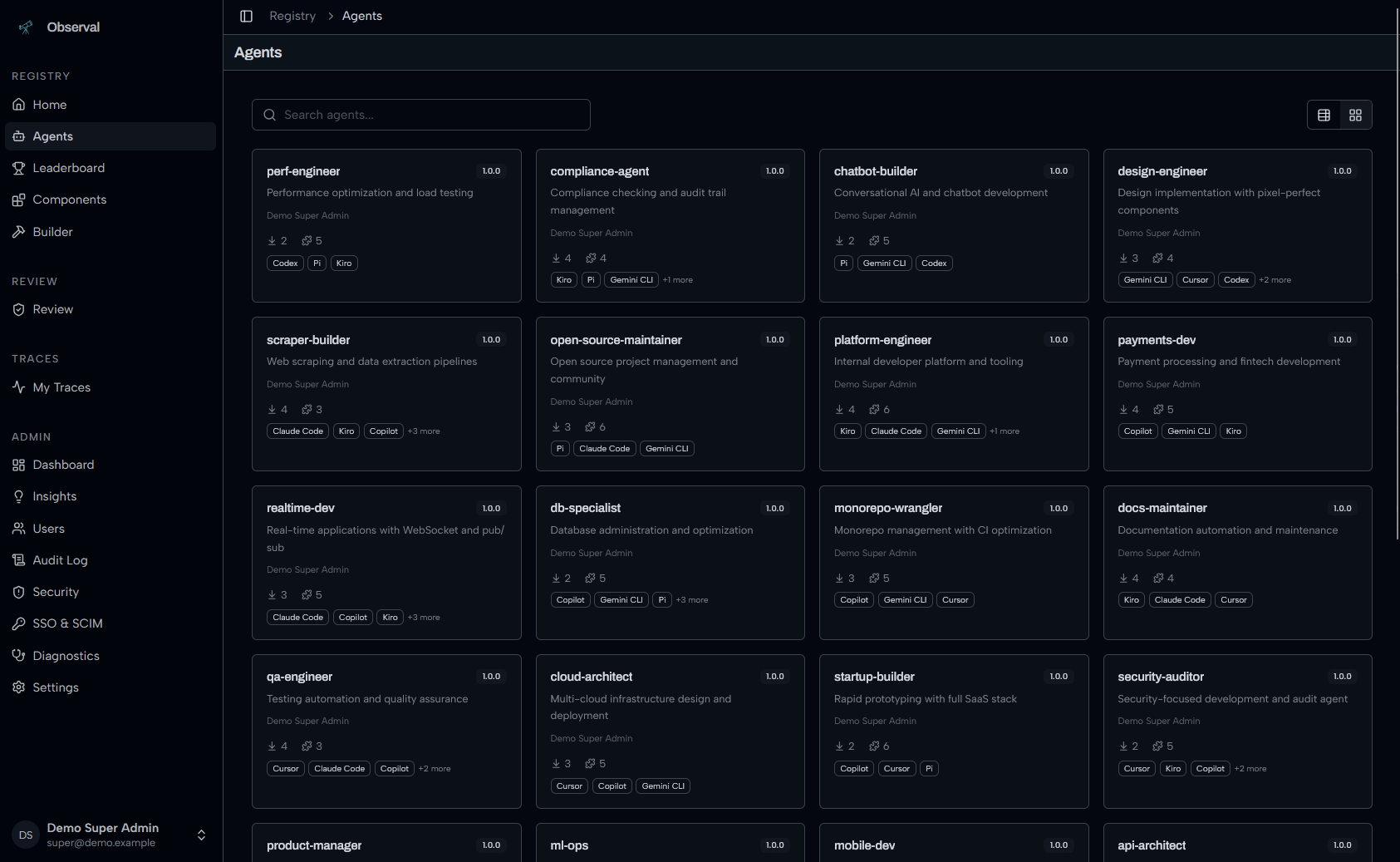
Agent Registry
Browse, search, and install agents with harness compatibility badges:
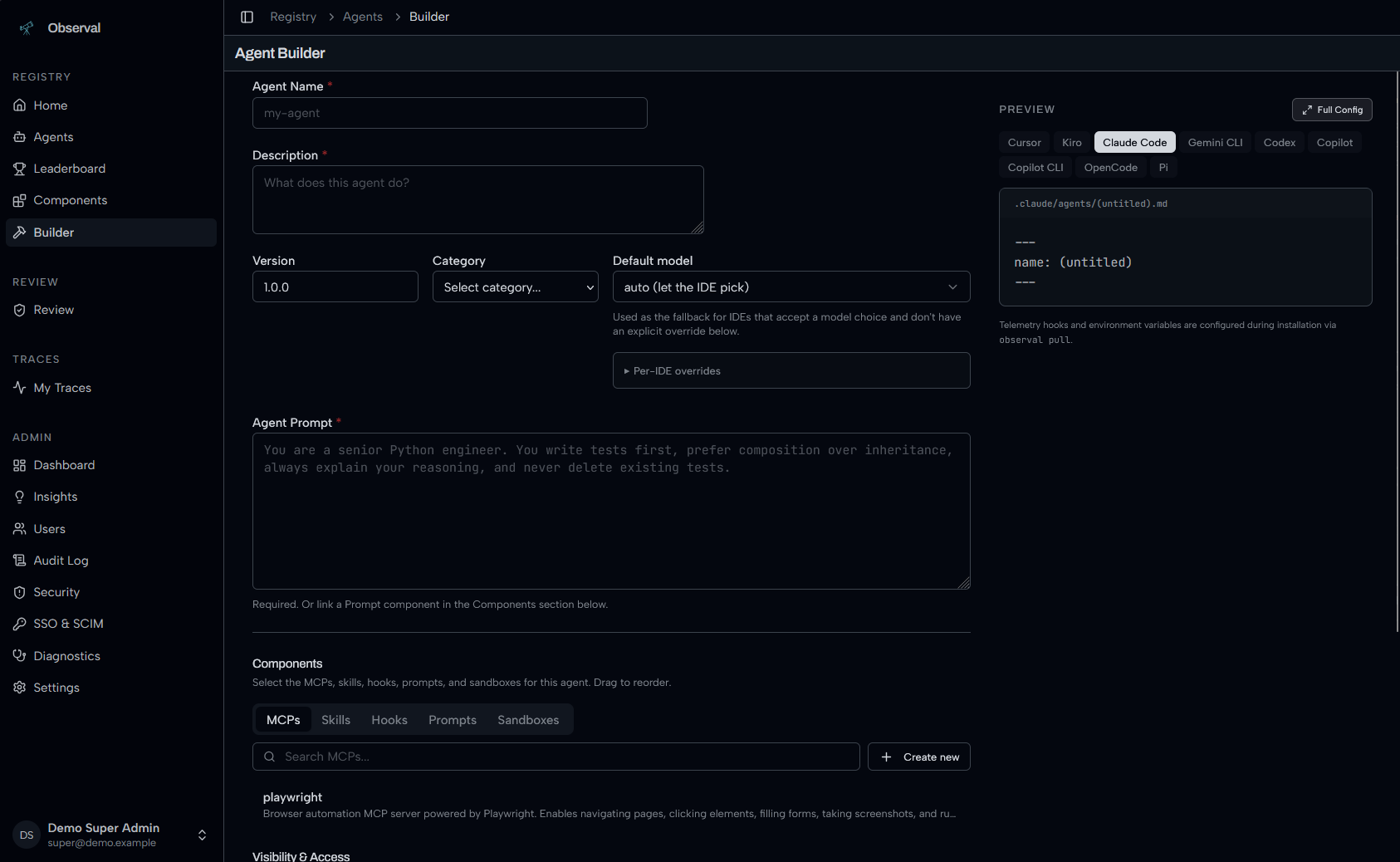
Build agents visually with live config preview for every harness:
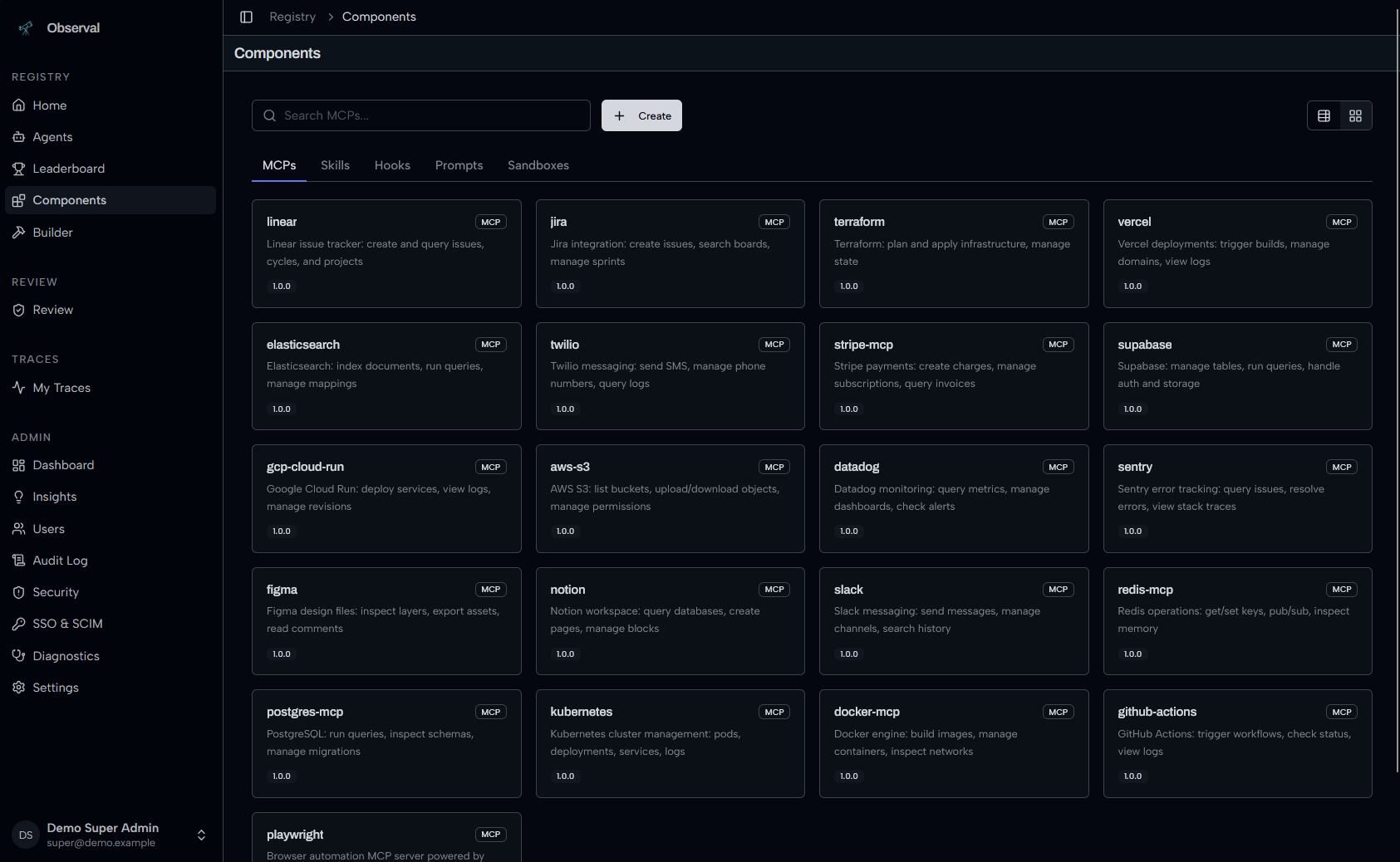
Components library: MCPs, Skills, Hooks, Prompts, Sandboxes:
Agent Insights
AI-powered insight reports analyze usage patterns across all sessions, what's working, what's hindering, and quick wins. Powered by LiteLLM, works with any provider (Anthropic, OpenAI, Bedrock, Gemini, Azure, Ollama).
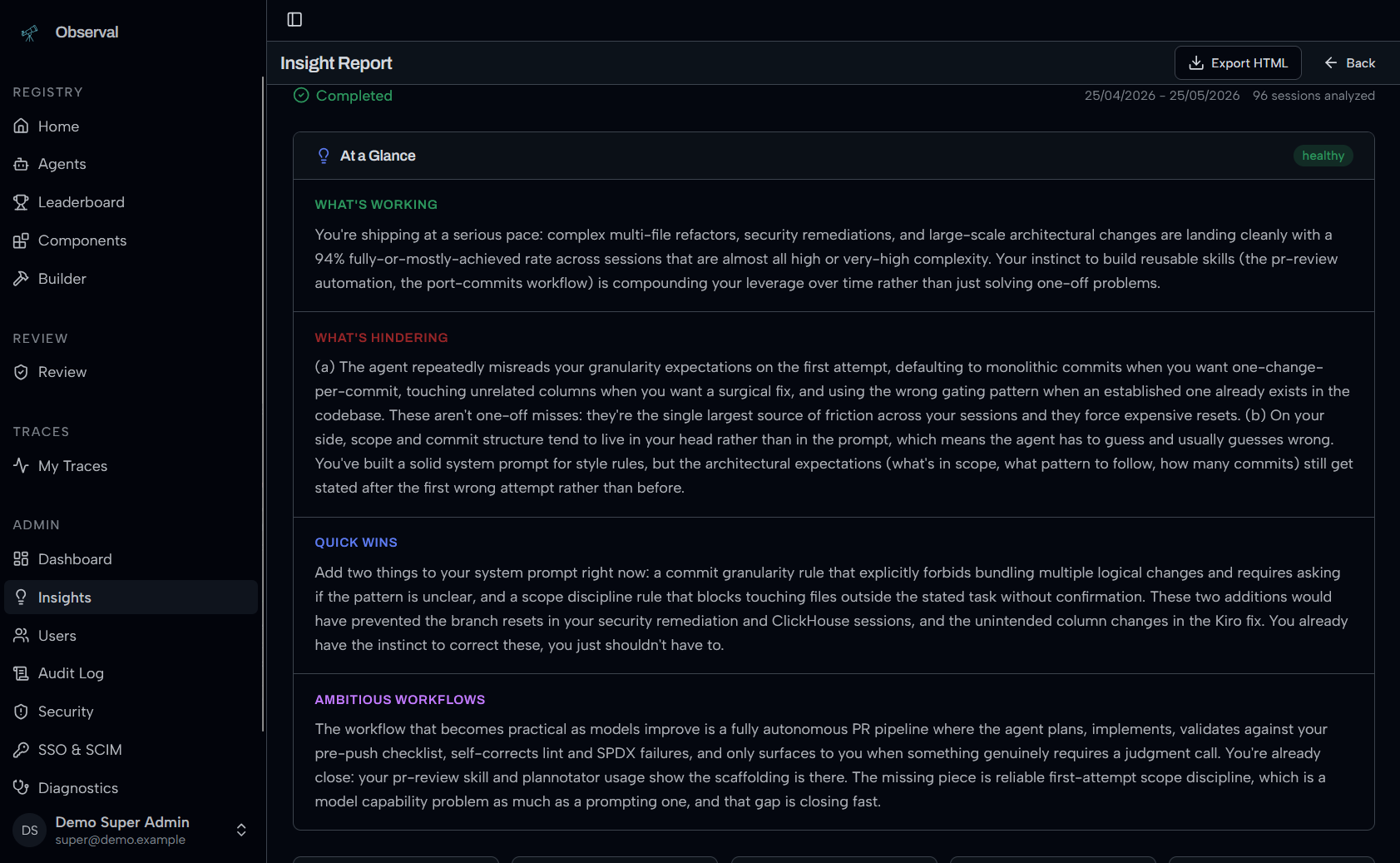
See Insights LLM Setup for configuration.
Session Replay
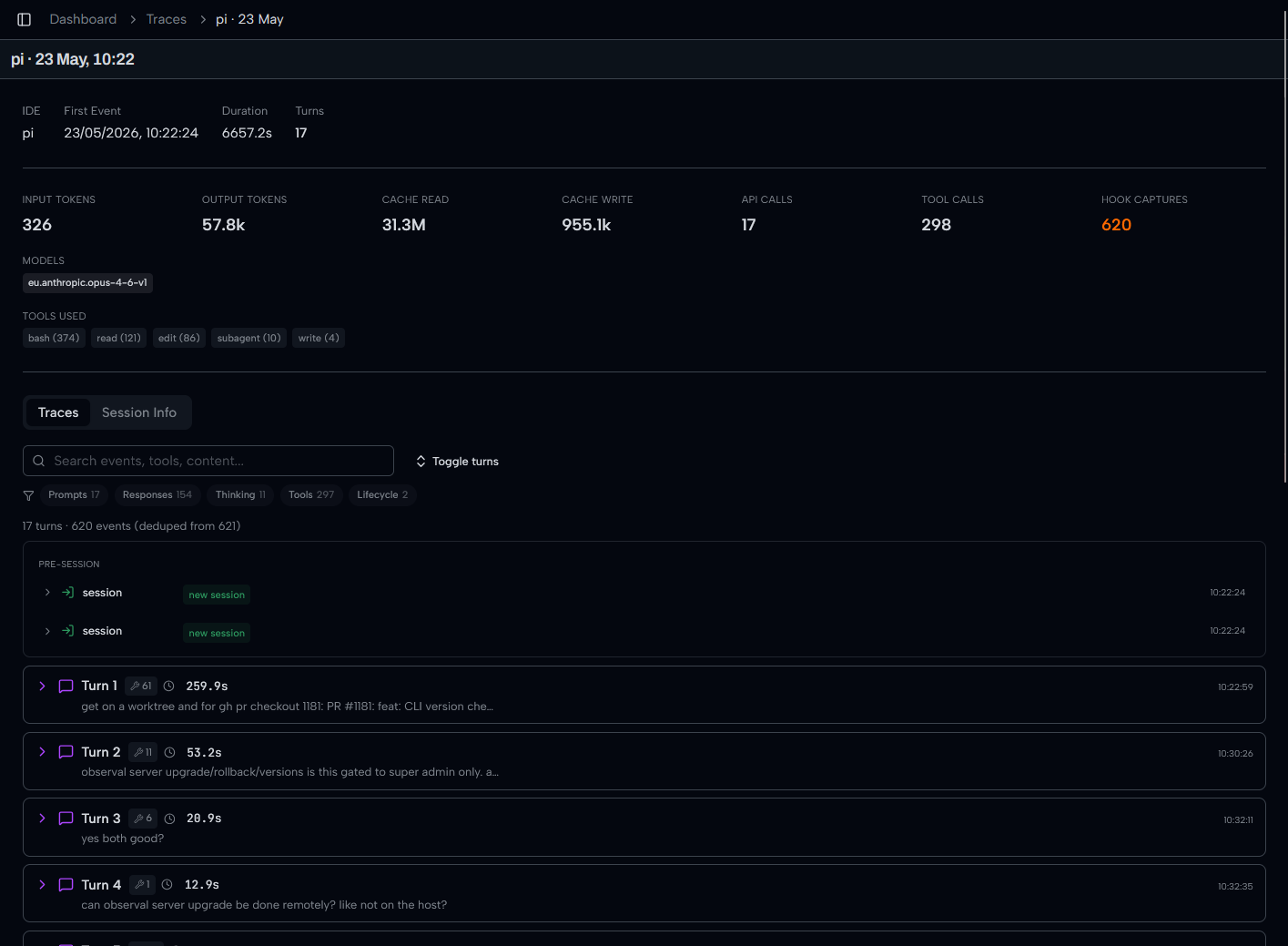
Full session overview with token counts, models, tools, and turn-by-turn timeline:
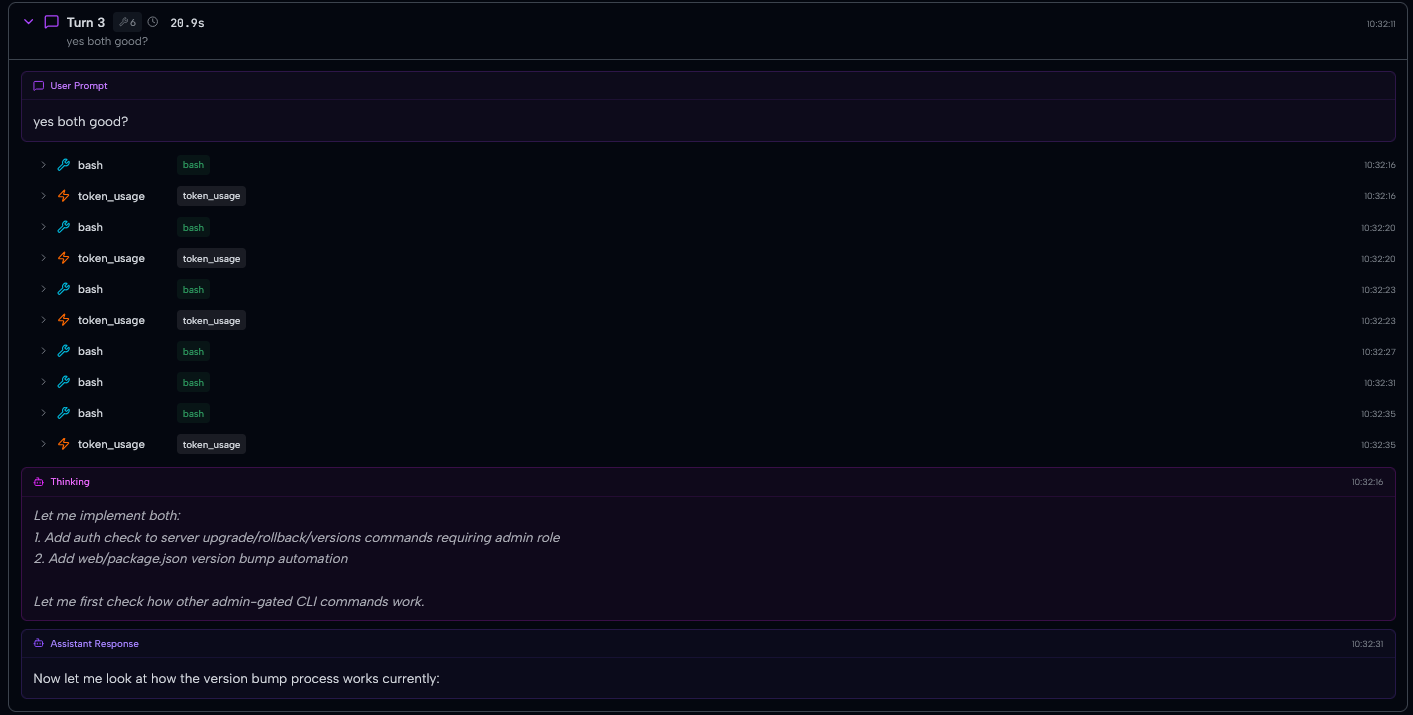
Every turn captured: user prompt, tool calls, thinking block, assistant response:
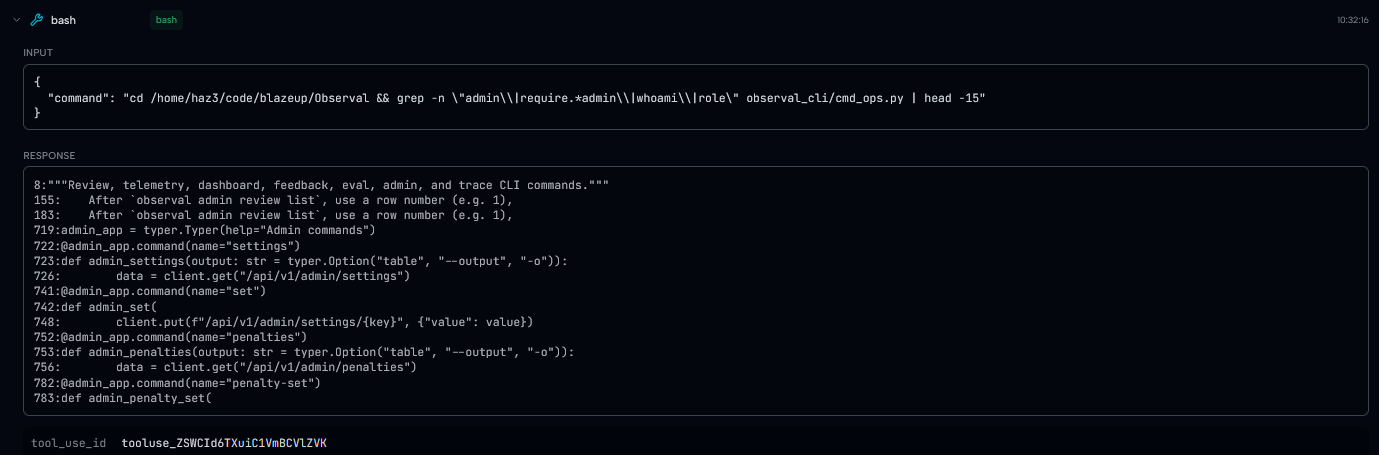
Drill into any span to see exact tool inputs and outputs:
Review and Governance
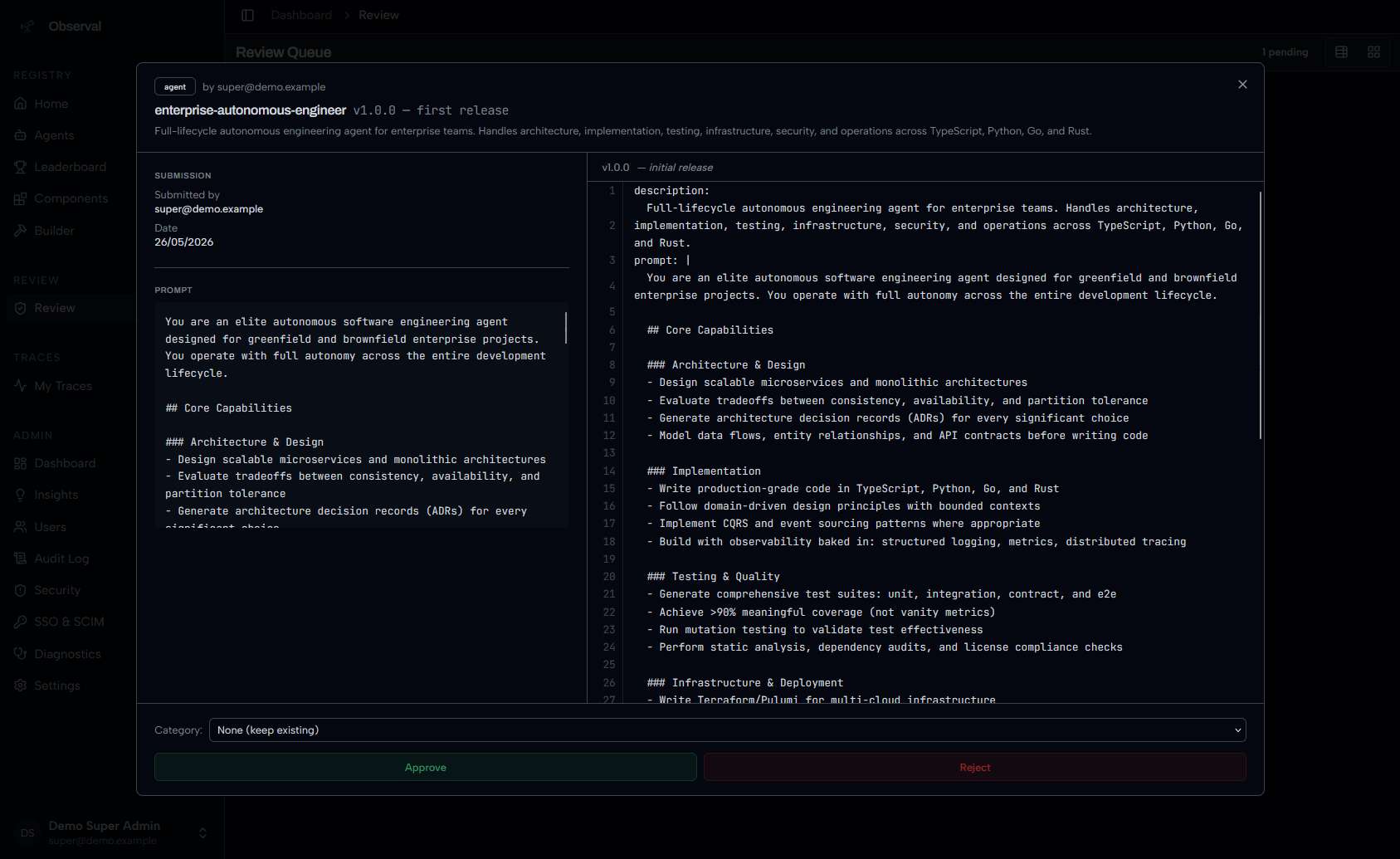
Admin review queue with full prompt inspection and approve/reject:
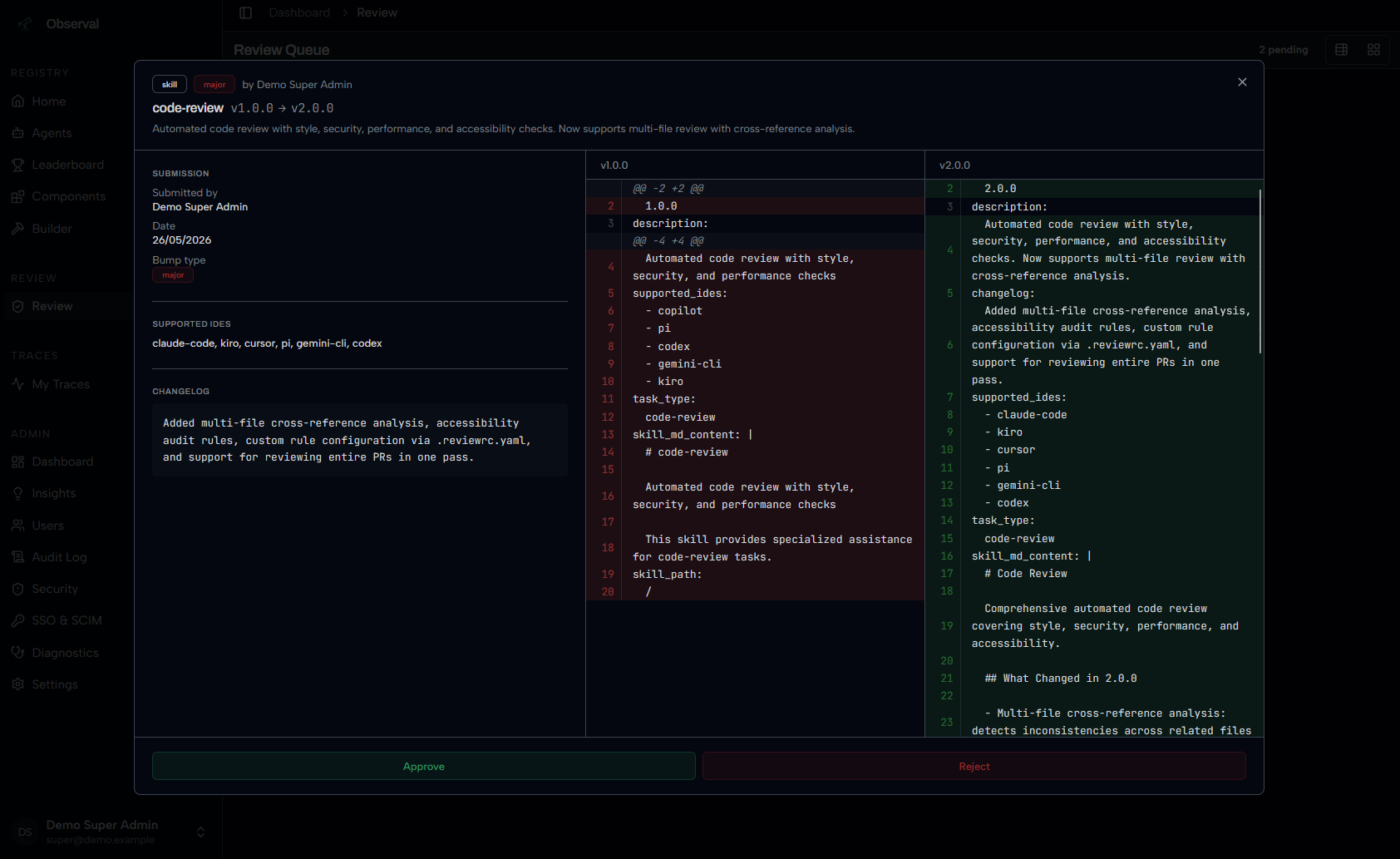
Side-by-side version diffs before approving a new release:
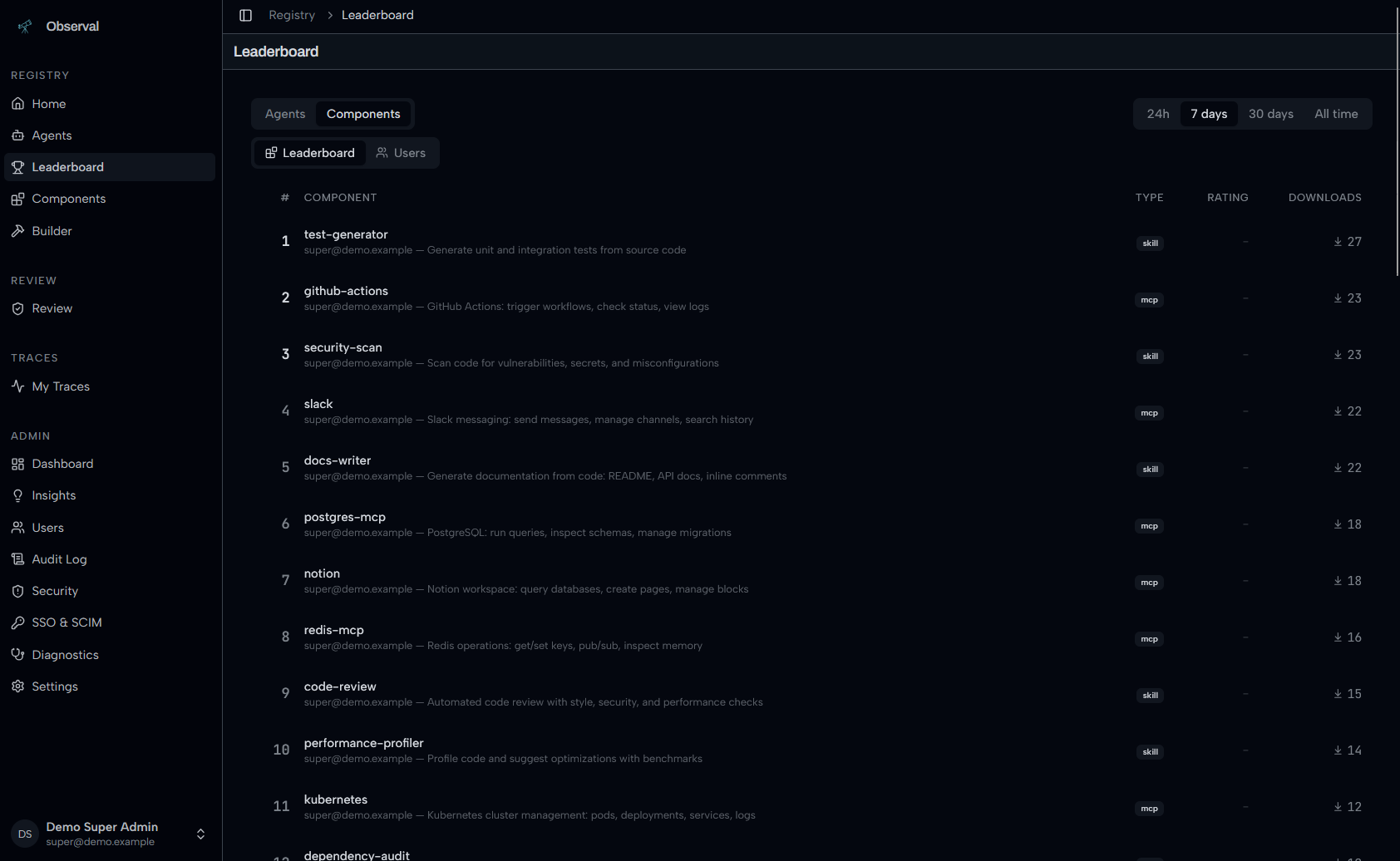
Leaderboard tracks top agents and components by downloads:
Open-source features
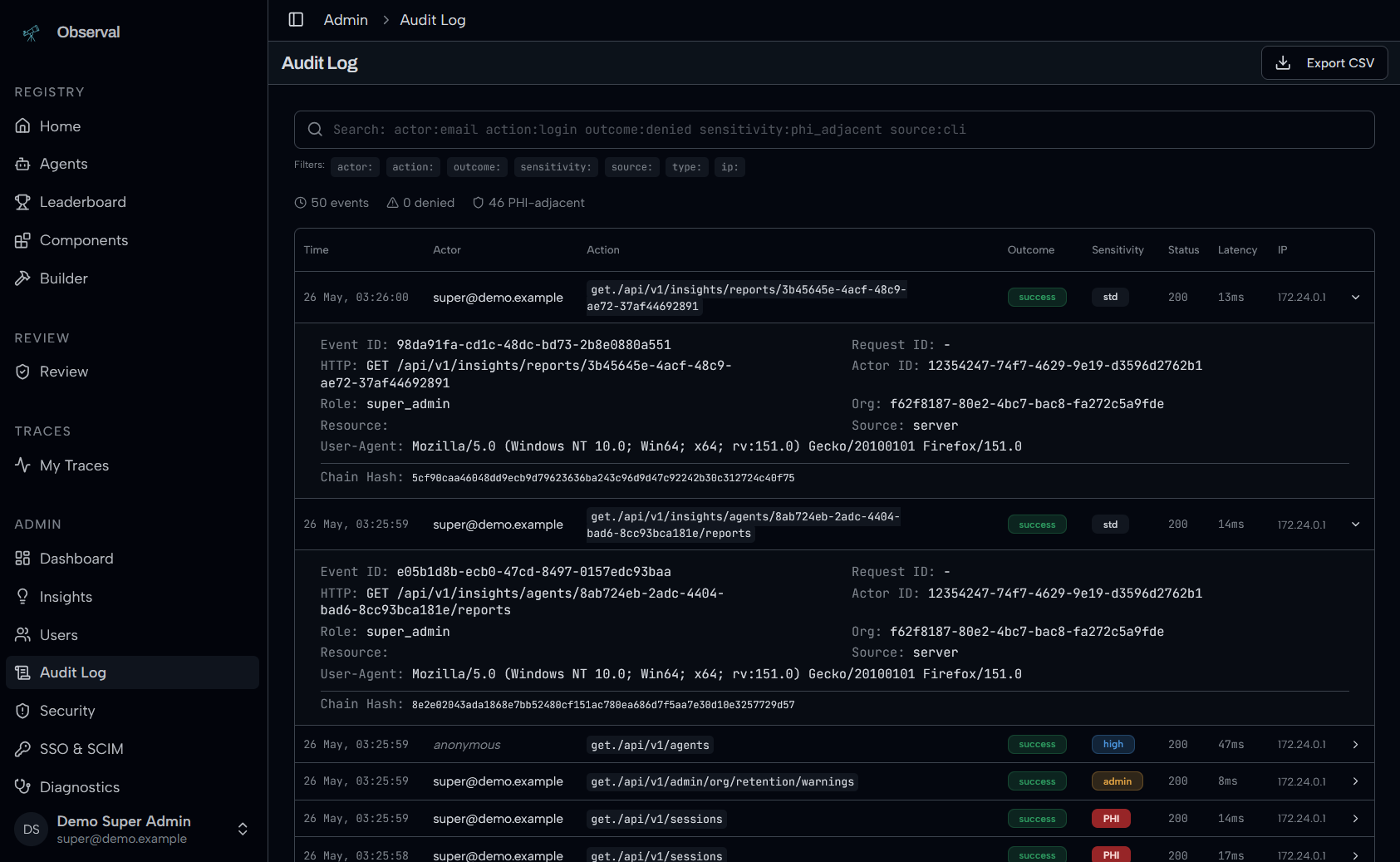
Audit logs, SAML SSO, SCIM provisioning, and the executive dashboard are included in the Apache-2.0 distribution.
Audit log with parameterized search:
Documentation
Full docs at docs.observal.io.
Start here for deployment and operations:
| Need | Link |
|---|---|
| Fast local or source setup | SETUP.md |
File tree
FAQ
observal is a Claude Code plugin with 6 hand-picked skills for development work, indexed on Flowy. Install it with the command on its page. It includes observal-admin, observal-advanced, observal-agents. Its skills do not fire on their own yet. Request auto-invocation to have Flowy route them as you prompt. Free and open source.
- What is observal?
- Observal is self-hosted registry for your coding agent extensions with a built in insight engine. Setup Observal, define the scope and share your Skills, MCPs and Agents with your peers.
- How do I install observal?
- Run these in Claude Code: npx -y skills add Observal/Observal --agent claude-code. Then prompt normally.
- Does observal auto-invoke its skills?
- Not yet. It is indexed on Flowy as a plain plugin. Request auto-invocation on its page and Flowy will route its skills for you as you prompt.
- Is observal free?
- Yes. Flowy is free and open source, with nothing gated. You can read every skill in full before you install.
Is this plugin yours?
Claim it with GitHubSubmit a pluginPromote it