
prompts.chat
MCPShips with promptschat: f.k.a. Awesome ChatGPT Prompts. Share, discover, and collect prompts from the community. Free and open…
 @gh-fInstall MCP
Run a Browser-first guided deck workflow with durable projects, checkpoints, Design Files, brand systems, editing, presenting, and export from Codex.
Claude Code
$ claude mcp add codex_slides -- node ./scripts/start-mcp.mjs
Codex
$ codex mcp add codex_slides -- node ./scripts/start-mcp.mjs
Cursor
{
  "mcpServers": {
    "codex_slides": {
      "command": "node",
      "args": [
        "./scripts/start-mcp.mjs"
      ]
    }
  }
}
Add it to mcp.json.
Gemini CLI
$ gemini mcp add codex_slides node ./scripts/start-mcp.mjs
GitHub Copilot
$ copilot mcp add codex_slides -- node ./scripts/start-mcp.mjs
OpenCode
{
  "mcp": {
    "codex_slides": {
      "type": "local",
      "command": [
        "node",
        "./scripts/start-mcp.mjs"
      ]
    }
  }
}
Add it to opencode.json.
Windsurf
{
  "mcpServers": {
    "codex_slides": {
      "command": "node",
      "args": [
        "./scripts/start-mcp.mjs"
      ]
    }
  }
}
Add it to mcp_config.json.
From the README
Browser-first Codex workflow
open, operate, and verify the live product instead of
Durable projects
every deck, checkpoint, conversation, queue, material, outline, and
Cross-surface synchronization
a project opened in another Browser tab follows
Gen-UI clarification
tailored questions for audience, purpose, length, language,
Deep research
source-backed, editable Markdown briefs used as outline evidence.
24 workflow scenarios in six groups
creation, transformation, data, research,
45 curated deck templates plus 73 community visual directions across business reports,
Reusable project templates
save any project as a visual-system snapshot, then reuse
Security report
Not enough data
Known flaws
Not published
Signed build
Not published
Maintained
Jul 21, 2026
Last push
Licence
MIT
Runs as
Local process
On your machine
Deprecated
Not published
Signals from public registries, not an audit. Checked Nov 11, 2026.
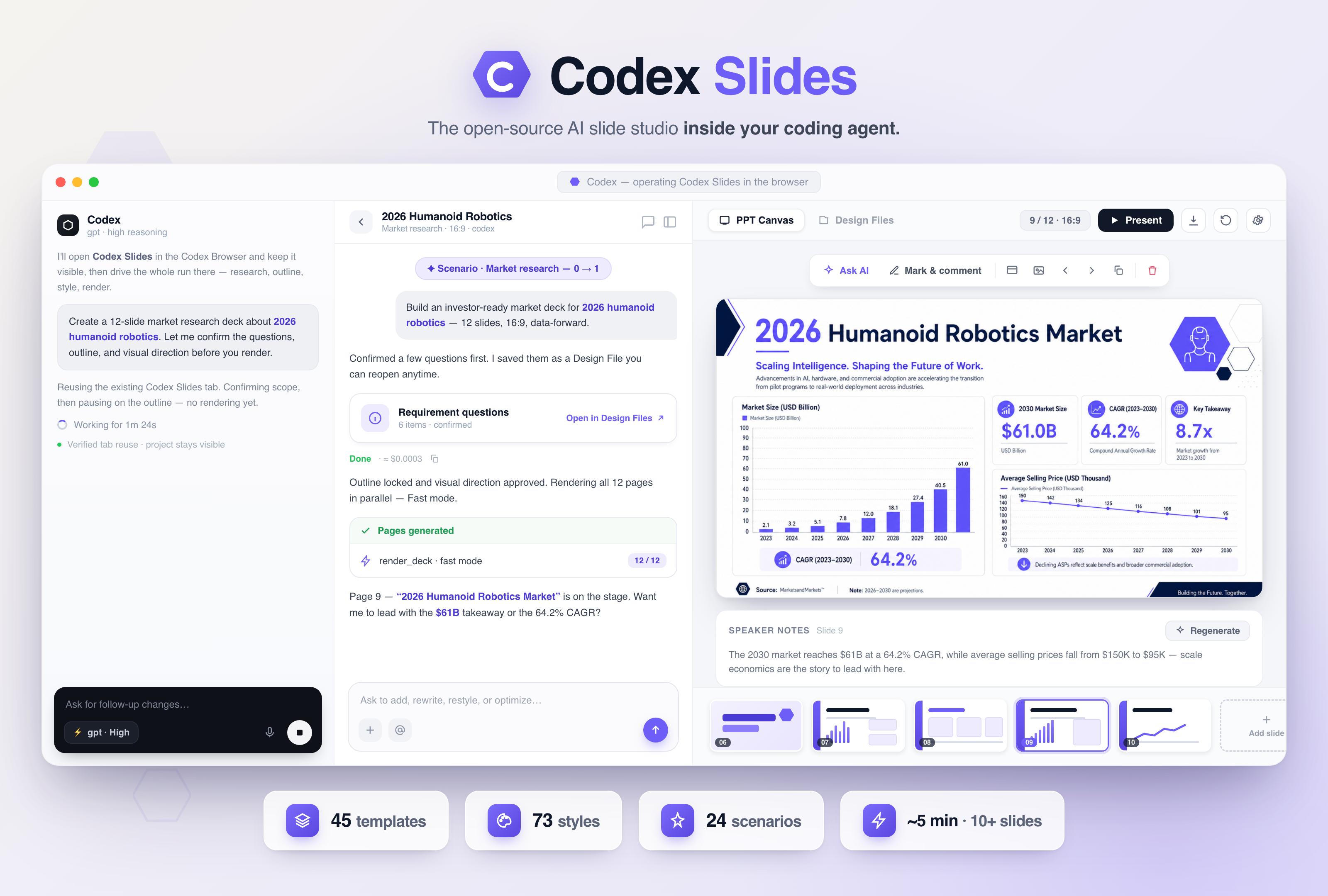
The open-source AI slide studio that lives inside Codex. Turn a prompt, a repo, or a pile of files into a beautiful, presentation-ready deck — without leaving your coding agent.
⚡ 10+ high-quality slides in ~4–5 minutes — Fast mode renders every page in parallel, not one by one 45 deck templates · 73 community styles · 24 guided scenarios → production-ready PPTX / PDF · Browser-first · zero separate API keys · web & desktop


Codex Slides is an open-source slide studio built for coding agents. Describe a deck, point it at a repo or a folder of files, and watch your local Codex research, outline, style, render, and export a presentation — every slide a full visual canvas, all of it visible and steerable, none of it a hidden background task.
Think of it as the open-source, agent-native alternative to Gamma and Tome — except it
lives inside the coding agent you already use, runs on your existing codex login with zero
extra API keys, and keeps every project on your own disk.
What you get, out of the box:
codex login; every project stays on your disk.Open Codex Slides in the Codex Browser and keep it visible.
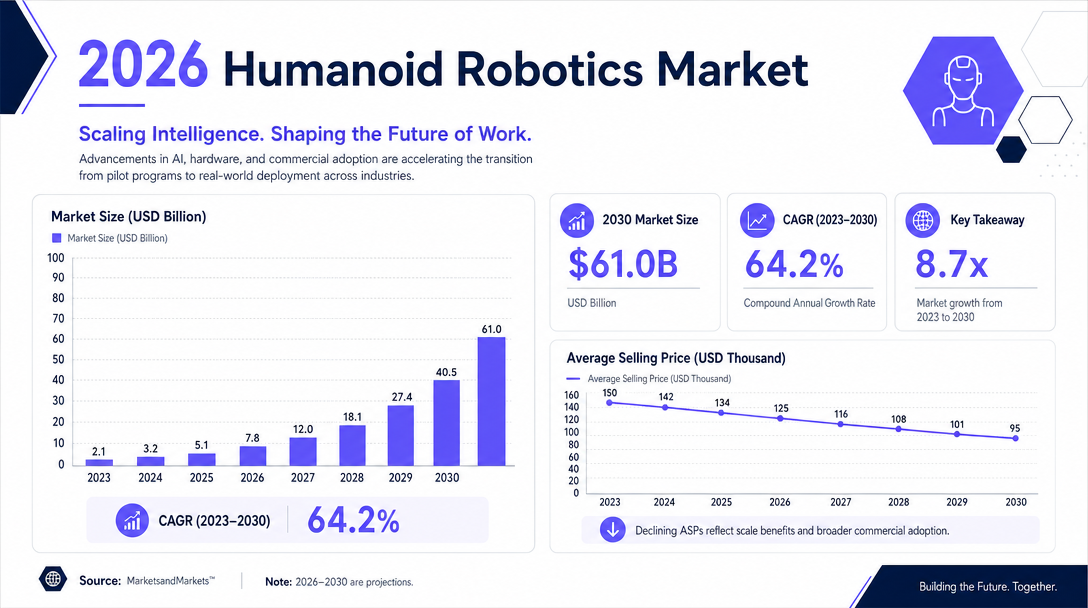
Create a 12-slide market deck about 2026 humanoid robotics.
Let me confirm the questions, outline, and visual direction before rendering.
codex plugin marketplace add nexu-io/codex-slides
codex plugin add codex-slides@codex-slides
Then start a new Codex task: “Open Codex Slides and build me a 6-slide deck about …” — and watch it happen live.
Like what you see? Give it a ⭐ — one click is the fastest way to help the next developer find Codex Slides.
Writing about Codex Slides? Everything a creator or reporter needs — boilerplate, stats, comparisons, an FAQ, ready-to-post copy in English / 中文 / 日本語, a video script, and an asset manifest — is in the Media & creator kit. Paste it into your agent and it can write the video or article for you.
Most AI slide generators hide the process behind one request and return a file. Codex Slides treats the presentation as a persistent, inspectable project you own end to end.
| Typical one-shot generator | Codex Slides in Codex |
|---|---|
| Wait for a hidden end-to-end task | Open the live product before work begins |
| Discover problems after export | Confirm requirements, outline, and style first |
| Restart when the result is wrong | Continue editing the same saved project |
| Re-upload context every time | Keep Design Files and brand rules with the project |
| Rebuild a successful visual direction | Save a project as a reusable visual-system template |
| Describe visual bugs in prose | Mark directly on the slide |
| Separate app and agent histories | Codex and the Browser operate one shared project |
| Bring your own API keys and billing | Runs on your existing codex login, zero extra keys |
Codex Slides is image-native: each slide is composed as a full visual canvas. That makes it strong for visual fidelity and rapid iteration. Exported PPTX files contain full-slide images rather than individually editable PowerPoint shapes.
Codex Slides keeps the entire chain live and steerable — from a rough idea to a finished, exportable deck.
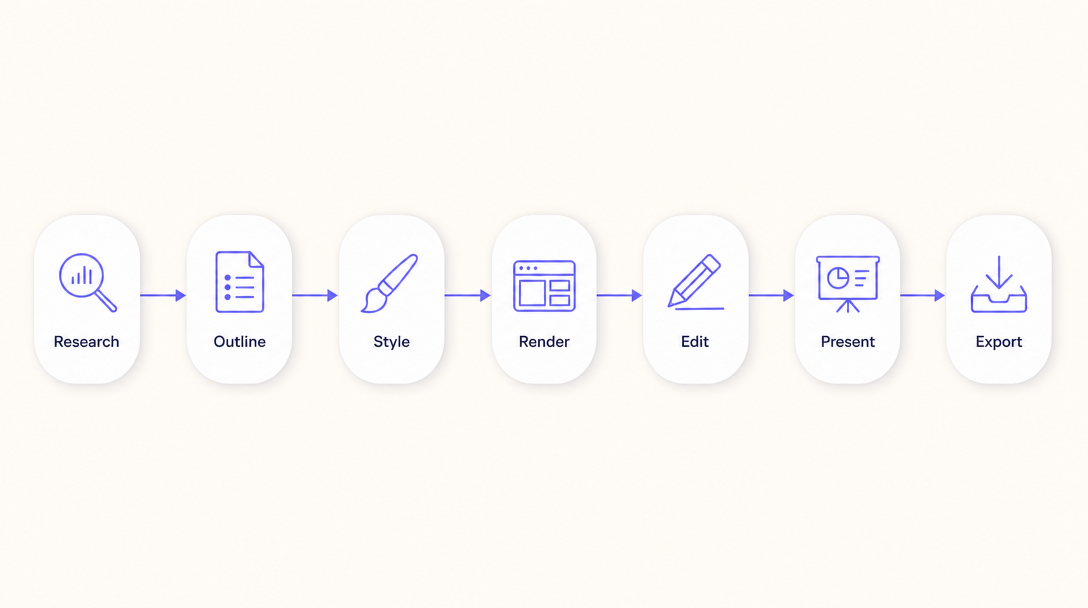
Codex conversation
      │
      ▼
Open the Codex Slides home in the Codex Browser
      │
      ▼
Create a durable project
      │
      ├── Clarify the brief
      ├── Optional source-backed research
      ├── Review and revise the outline
      ├── Choose a visual direction
      ├── Watch slides render progressively
      └── Review the finished canvas
              │
              ├── Chat edits and queued follow-ups
              ├── Add / duplicate / move / delete / transition
              ├── Mark-based slide edits
              ├── Design Files and @ references
              ├── Save as a reusable project template
              ├── Brand & Design System
              ├── Play mode
              └── PDF / PPTX export
Projects are written to disk throughout the workflow. Opening the same project from Codex and another browser stays synchronized; rendering pages refresh from the canonical project state, and interrupted generation can resume safely.
Everything happens in a live, Browser-first workspace — not a black box. Start from a prompt, a proven visual direction, or a purpose-built workflow, then stay in the same durable project through questions, research, outline, generation, editing, presenting, and export.
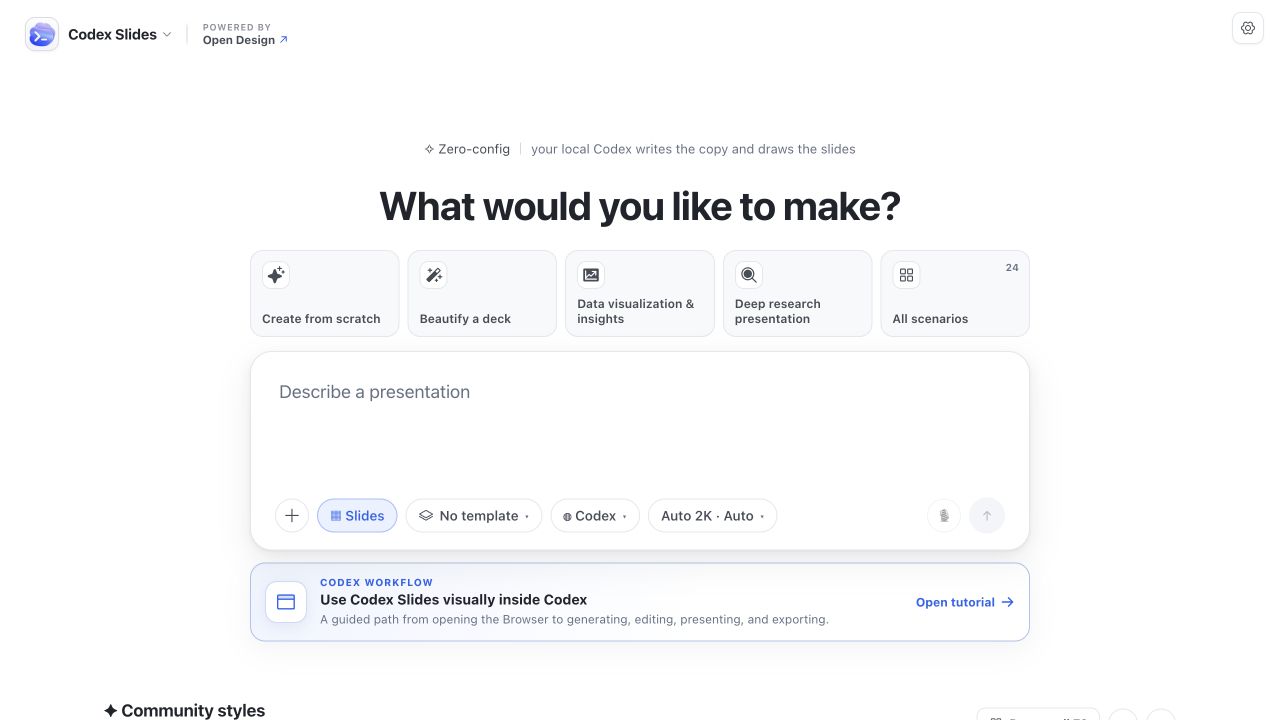
Every card below is a real visual system that ships with Codex Slides, paired with the exact prompt that turns it into a finished deck. Each prompt opens a durable project, stops for outline and visual-direction approval, then renders in the Browser where you watch it happen — swap in your own topic, audience, or files and go.

🎨 Open-source AI slide studio inside Codex: image-native decks, every slide a full visual canvas. ⚡ 10+ high-quality slides in ~4–5 minutes — Fast mode renders every page in parallel. 🔍 Watch the whole chain live: research → outline → style → render → edit → present → export PDF/PPTX. 🖥️ Browser-first · zero API keys · durable projects.
Stars on GitHub
Ships with promptschat: f.k.a. Awesome ChatGPT Prompts. Share, discover, and collect prompts from the community. Free and open…
@gh-fInstall MCPShips with emdash: A full-stack TypeScript CMS built on Astro. EmDash takes the ideas that made WordPress dominant --…
 @emdash-cmsInstall MCP

