
Development
Plugin
ext-apps
Official repo for spec & SDK of MCP Apps protocol - standard for UIs embedded AI chatbots, served by MCP servers

Plugin Signal76/100Solid
maintained98
capable34
documented100
adopted74
Install on Claude Code
> /plugin marketplace add modelcontextprotocol/ext-apps> /plugin install mcp-apps@mcp-apps
Stats
2,861
Stars
387
Forks
Active
Maintenance
TypeScript
Language
4d ago
Last commit
10mo ago
Created
Repo: modelcontextprotocol/ext-apps
What's inside
Skill(4 skills)
/add-app-to-serverThis skill should be used when the user asks to "add an app to my MCP server", "add UI to my MCP server", "add a view to my MCP tool", "enrich MCP tools with UI", "add interactive UI to existing server", "add MCP Apps to my server", or needs to add interactive UI capabilities to/convert-web-appThis skill should be used when the user asks to "add MCP App support to my web app", "turn my web app into a hybrid MCP App", "make my web page work as an MCP App too", "wrap my existing UI as an MCP App", "convert iframe embed to MCP App", "turn my SPA into an MCP App", or/create-mcp-appThis skill should be used when the user asks to "create an MCP App", "add a UI to an MCP tool", "build an interactive MCP View", "scaffold an MCP App", or needs guidance on MCP Apps SDK patterns, UI-resource registration, MCP App lifecycle, or host integration. Provides/migrate-oai-appThis skill should be used when the user asks to "migrate from OpenAI Apps SDK", "convert OpenAI App to MCP", "port from window.openai", "migrate from skybridge", "convert openai/outputTemplate", or needs guidance on converting OpenAI Apps SDK applications to MCP Apps SDK.
README
Table of Contents
- Build with Agent Skills
- Supported Clients
- Why MCP Apps?
- How It Works
- Getting Started
- Using the SDK
- Examples
- Specification
- Resources
- Contributing
Build with Agent Skills
The fastest way to build an MCP App is to let your AI coding agent do it. This repo ships four Agent Skills — install them once, then just ask:
| Skill | What it does | Try it |
|---|---|---|
create-mcp-app | Scaffolds a new MCP App with an interactive UI from scratch | "Create an MCP App" |
migrate-oai-app | Converts an existing OpenAI App to use MCP Apps | "Migrate from OpenAI Apps SDK" |
add-app-to-server | Adds interactive UI to an existing MCP server's tools | "Add UI to my MCP server" |
convert-web-app | Turns an existing web app into a hybrid web + MCP App | "Add MCP App support to my web app" |
Install the Skills
Claude Code — install via the plugin marketplace:
/plugin marketplace add modelcontextprotocol/ext-apps
/plugin install mcp-apps@modelcontextprotocol-ext-apps
Other agents — any AI coding agent that supports Agent Skills can use these skills. See the agent skills guide for manual installation instructions.
Once installed, verify by asking your agent "What skills do you have?" — you
should see create-mcp-app, migrate-oai-app, add-app-to-server, and
convert-web-app in the list. Then just ask it to create or migrate an app and
it will guide you through the rest.
Supported Clients
[!NOTE] MCP Apps is an extension to the core MCP specification. Host support varies — see the clients page for the full list.
Why MCP Apps?
MCP tools return text and structured data. That works for many cases, but not when you need an interactive UI, like a chart, form, design canvas or video player.
MCP Apps provide a standardized way to deliver interactive UIs from MCP servers. Your UI renders inline in the conversation, in context, in any compliant host.
How It Works
MCP Apps extend the Model Context Protocol by letting tools declare UI resources:
- Tool definition — Your tool declares a
ui://resource containing its HTML interface - Tool call — The LLM calls the tool on your server
- Host renders — The host fetches the resource and displays it in a sandboxed iframe
- Bidirectional communication — The host passes tool data to the UI via notifications, and the UI can call other tools through the host
Getting Started
Requires Node.js 20+. The base MCP SDK packages are ^2.0.0 peers of
ext-apps (@modelcontextprotocol/core is a required peer that client already depends on, so npm installs it for you).
For a View or host:
npm install -S @modelcontextprotocol/ext-apps \
  @modelcontextprotocol/client@^2.0.0 \
  zod@^4.2.0
For an MCP server, add the server package (and, for HTTP transports, the Node and Express adapters):
npm install -S @modelcontextprotocol/ext-apps \
  @modelcontextprotocol/client@^2.0.0 \
  @modelcontextprotocol/server@^2.0.0 \
  @modelcontextprotocol/node@^2.0.0 \
  @modelcontextprotocol/express@^2.0.0 \
  zod@^4.2.0
The wire protocol is unchanged between ext-apps 1.x and 2.x: a 2.x View works
in a 1.x host and a 2.x host renders 1.x Views. See the
migration guide
when upgrading from 1.x.
New here? Start with the Quickstart Guide to build your first MCP App.
Using the SDK
The SDK serves three roles: app developers building interactive Views, host developers embedding those Views, and MCP server authors registering tools with UI metadata.
| Package | Purpose | Docs |
|---|---|---|
@modelcontextprotocol/ext-apps | Build interactive Views (App class, PostMessageTransport) | API Docs → |
@modelcontextprotocol/ext-apps/react | React hooks for Views (useApp, useHostStyles, etc.) | API Docs → |
@modelcontextprotocol/ext-apps/app-bridge | Embed and communicate with Views in your chat client | API Docs → |
@modelcontextprotocol/ext-apps/server | Register tools and resources on your MCP server | API Docs → |
There's no supported host implementation in this repo (beyond the examples/basic-host example).
The MCP-UI client SDK offers a fully-featured MCP Apps framework used by a few hosts. Clients may choose to use it or roll their own implementation.
Examples
The
examples/
directory contains demo apps showcasing real-world use cases.
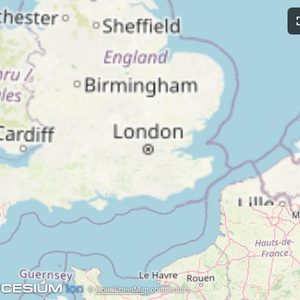 |  |  |
| Map | Three.js | ShaderToy |
File tree
FAQ
ext-apps is a Claude Code plugin with 4 hand-picked skills for development work, indexed on Flowy. Install it with the command on its page. It includes add-app-to-server, convert-web-app, create-mcp-app. Its skills do not fire on their own yet. Request auto-invocation to have Flowy route them as you prompt. Free and open source.
- What is ext-apps?
- Official repo for spec & SDK of MCP Apps protocol - standard for UIs embedded AI chatbots, served by MCP servers
- How do I install ext-apps?
- Run these in Claude Code: /plugin marketplace add modelcontextprotocol/ext-apps then /plugin install mcp-apps@mcp-apps. Then prompt normally.
- Does ext-apps auto-invoke its skills?
- Not yet. It is indexed on Flowy as a plain plugin. Request auto-invocation on its page and Flowy will route its skills for you as you prompt.
- Is ext-apps free?
- Yes. Flowy is free and open source, with nothing gated. You can read every skill in full before you install.
Is this plugin yours?
Claim it with GitHubSubmit a pluginPromote it