




Taste Skill is an Agent Skill that makes coding agents design websites and app screens instead of assembling the average landing page. It gives the agent an art direction, real pictures and a way to check its own work in a real browser.
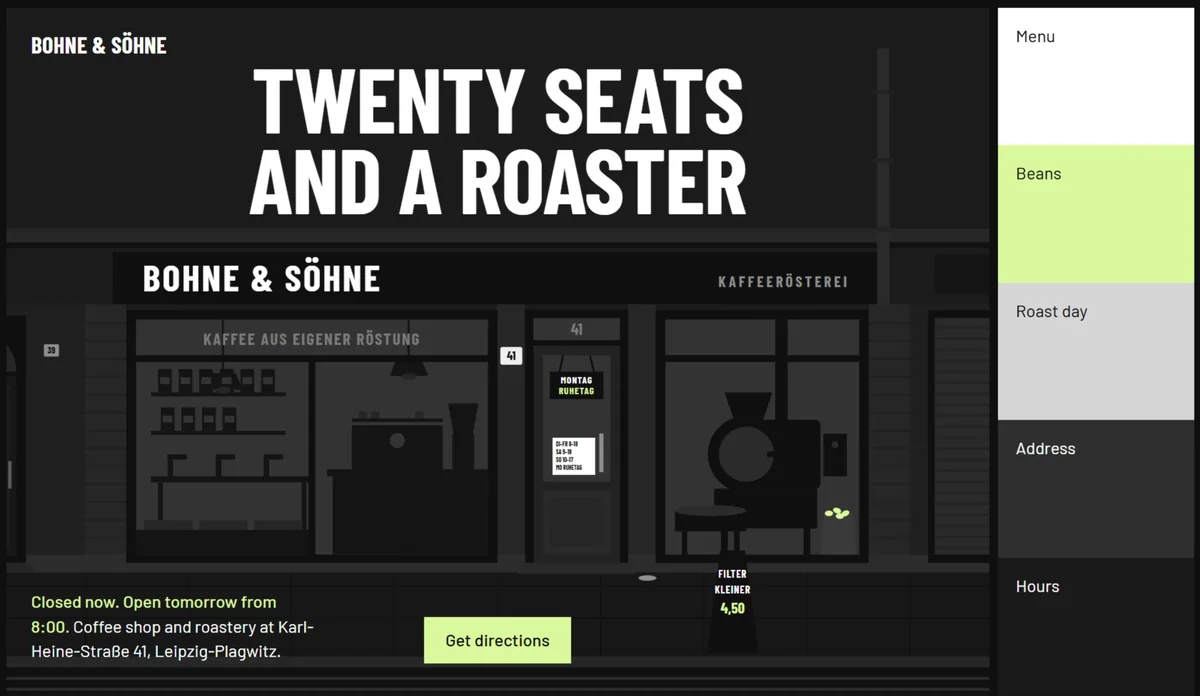
Pages it has built, each from one brief:
The photographs are real, found in open archives and credited by the skill (credits). Watch the launch film.
Install
npx skills add https://github.com/Leonxlnx/taste-skill --skill "design-taste-frontend"
That installs the skill with the npx skills CLI.
The skill runs its scripts with Node 22+ and an installed Chrome, Edge or Chromium. It installs nothing and needs no API keys. Finding pictures needs network access.
Claude Code plugin
Run these inside Claude Code. The skill is namespaced under taste-skill:, so it does not collide with your other skills.
/plugin marketplace add Leonxlnx/taste-skill
/plugin install taste-skill@taste-skill
/plugin update upgrades it later.
Codex plugin
codex plugin marketplace add Leonxlnx/taste-skill
codex plugin add taste-skill@taste-skill
Start a new Codex session afterwards so the skill is loaded.
From a clone, linked instead of copied
./install.sh symlinks the skill into Claude Code (--codex for Codex, --all-agents for both), so a git pull updates it in place.
Already have the skill? Run the install command again; the install name did not change. Looking for one of the older skills? See Moved skills.
How v2 works
The skill is built from a study of 247 curated sites. A build runs in six steps:
- Reads the brief and lists what only this client has.
- A script deals three of 20 researched directions and the agent picks one.
- Finds the idea: one sentence tying the client's own material to that direction.
- Builds with real pictures and footage from open collections, credited.
- Checks the page in a real browser at three widths and fails it on slop.
- Looks at its own screenshots and fixes the top three problems, up to three rounds.
A build takes roughly 30 to 45 minutes and a few hundred thousand tokens. Details are in the changelog and the study.
Dashboards and app screens (v2.1) take their own route: the skill deals one of the app styles distilled from real product screens, builds the shell, the data, the charts and the tables to those numbers, and checks the result with app rules: quiet panels, aligned figures, colour spent on data, a phone layout where the navigation folds away. A product's landing page builds the app it shows the same way, so its screenshots look like a working product.
v2.1 also checks the frame of every page (a clear title on the first screen, equal margins, no section shoved to one side, no random blank stretches) and moves the way strong award sites do, measured on the latest 100 Awwwards Sites of the Day.
Moved skills
This repo holds one skill, design-taste-frontend. The others moved to repos of their own and kept their install names:
| Install name | Where it lives now |
|---|
high-end-visual-design, minimalist-ui, industrial-brutalist-ui, gpt-taste, stitch-design-taste, design-taste-frontend-v1, design-taste-frontend-v2-experimental | Leonxlnx/taste-skill-classics |
imagegen-frontend-web, imagegen-frontend-mobile, brandkit, image-to-code | Leonxlnx/imagegen-skills |
redesign-existing-projects | Part of design-taste-frontend, which audits an existing page in a real browser before changing anything |
full-output-enforcement | Removed. For the same problem, see Leonxlnx/unlazy |
Install a moved skill from its new repo under the same name:
npx skills add https://github.com/Leonxlnx/taste-skill-classics --skill "high-end-visual-design"
Common Questions
What does the skill need?
Node 22 or newer and Chrome, Edge or Chromium. It installs nothing and uses no API keys. It needs the internet only to find pictures.
Where do the pictures come from, and can I use them?
From open collections such as Wikimedia Commons, Openverse and the Met. Only public domain, CC0, CC BY and CC BY-SA files are offered, and the skill puts the credits on the page. Replace them with your own when you have them.
Does it work with React, Vue, Svelte, plain HTML?
Yes. The rules are about design, not a framework.
Is it for dashboards and app screens?
Yes, since v2.1. The skill tells a page from an app screen and builds a dashboard, an admin view or a settings screen with its own run: a style dealt from a study of real product screens, quiet panels, honest data and charts, and its own checks (inspect.mjs --app).
Support the project
If Taste Skill helps you, consider sponsoring:
Sponsor on GitHub
Open Source Supporters
Community Sponsors











 @leonxlnx