
open-skills
Runs image cropping and rotation and fillable PDF form text replacement inside a sandboxed container on your own machine, so sensitive files never leave it. Works with any MCP-compatible tool.
2 skills453
 @instavm
Sandboxes Claude Code and other AI agents so their actions run isolated, protecting data from loss or exfiltration. Includes skills for cropping and rotating images and for replacing text in fillable PDF forms.
Claude Code
$ npx -y skills add instavm/coderunner --agent claude-code
Codex
$ npx skills add instavm/coderunner -a codex
Cursor
$ npx skills add instavm/coderunner -a cursor
Gemini CLI
$ npx skills add instavm/coderunner -a gemini-cli
GitHub Copilot
$ npx skills add instavm/coderunner -a github-copilot
OpenCode
$ npx skills add instavm/coderunner -a opencode
Windsurf
$ npx skills add instavm/coderunner -a windsurf

CodeRunner helps you sandbox your AI agents and its actions inside a sandbox.
Key use case: Run AI agent code in a sandbox with explicitly chosen host mounts and network access. Isolation reduces risk; it does not prevent all data loss or exfiltration.
For cloud managed VMs for agents, we have launched - InstaVM - Instant computers for AI agents
Prerequisites: Mac with macOS and Apple Silicon (M1/M2/M3/M4), Python 3.10+
The installer generates the sandbox token in ~/.coderunner/api-token (or saves
the CODERUNNER_API_TOKEN you exported). Clients send it as
Authorization: Bearer <token>; cat ~/.coderunner/api-token prints it. Only
GET /health is public, and a missing or weak token fails closed. The Claude
Desktop proxy and the examples read the token from that file when the variable
is not set. See authentication and network boundaries.
git clone https://github.com/instavm/coderunner.git
cd coderunner
chmod +x install.sh
./install.sh
Stop the sandbox when you are done:
container stop coderunner
Resume the same sandbox later, preserving its filesystem. Python kernel state is volatile and does not survive a VM or server restart:
container start coderunner
To start over with a clean sandbox, delete the container and run the installer again:
container delete coderunner && ./install.sh
CPU and memory limits can be set with installer options or the CODERUNNER_CPUS and CODERUNNER_MEMORY environment variables:
./install.sh --cpus 4 --memory 8g
Additional host directories must be mounted under /workspace. They are read-only by default; add :rw only when the sandbox needs to write to the host:
./install.sh \
  --mount "$HOME/projects/api:/workspace/api" \
  --mount "$HOME/projects/output:/workspace/output:rw"
Extra mounts default to none. Resource and mount settings are fixed when the container is created; delete the container before changing them.
By default, code running in the sandbox has unrestricted network access. To run it on a host-only network with no internet access:
CODERUNNER_NETWORK=none ./install.sh
In this mode, the MCP server is available at http://127.0.0.1:8222/mcp. The setting is fixed when the container is created; the installer refuses to resume a container with a different network mode.
Claude Code runs commands on your machine, as you, with permission prompts as the only boundary. Pointing it at
CodeRunner's tools instead runs the code it writes in the VM: it can only touch the folders you mounted under
/workspace, the network you allowed, and the sandbox's own filesystem, whatever it was told to do. Use the
sandbox for code that handles untrusted input or that you would not run by hand, and for several agents that
must not share state (named sessions). It does not protect anything you mount read-write.
./install.sh (if not already done)
container exec -it coderunner /bin/bash
root@coderunner:/app# npm install -g @anthropic-ai/claude-code
MCP server will be available at: http://coderunner.local:8222/mcp
The installer creates ~/.coderunner/venv for the Claude Desktop proxy. For the other Python examples, install their dependencies in your own virtualenv:
pip install -r examples/requirements.txt
Configure Claude Desktop to use CodeRunner as an MCP server:
Copy the example configuration:
cd examples
cp claude_desktop/claude_desktop_config.example.json claude_desktop/claude_desktop_config.json
Edit the configuration file and replace the placeholder paths:
/path/to/your/python with $HOME/.coderunner/venv/bin/python using the full path to your home directory/path/to/coderunner with the actual path to your cloned repositoryExample after editing:
{
  "mcpServers": {
    "coderunner": {
      "command": "/Users/yourname/.coderunner/venv/bin/python",
      "args": ["/Users/yourname/coderunner/examples/claude_desktop/mcpproxy.py"]
    }
  }
}
Update Claude Desktop configuration:
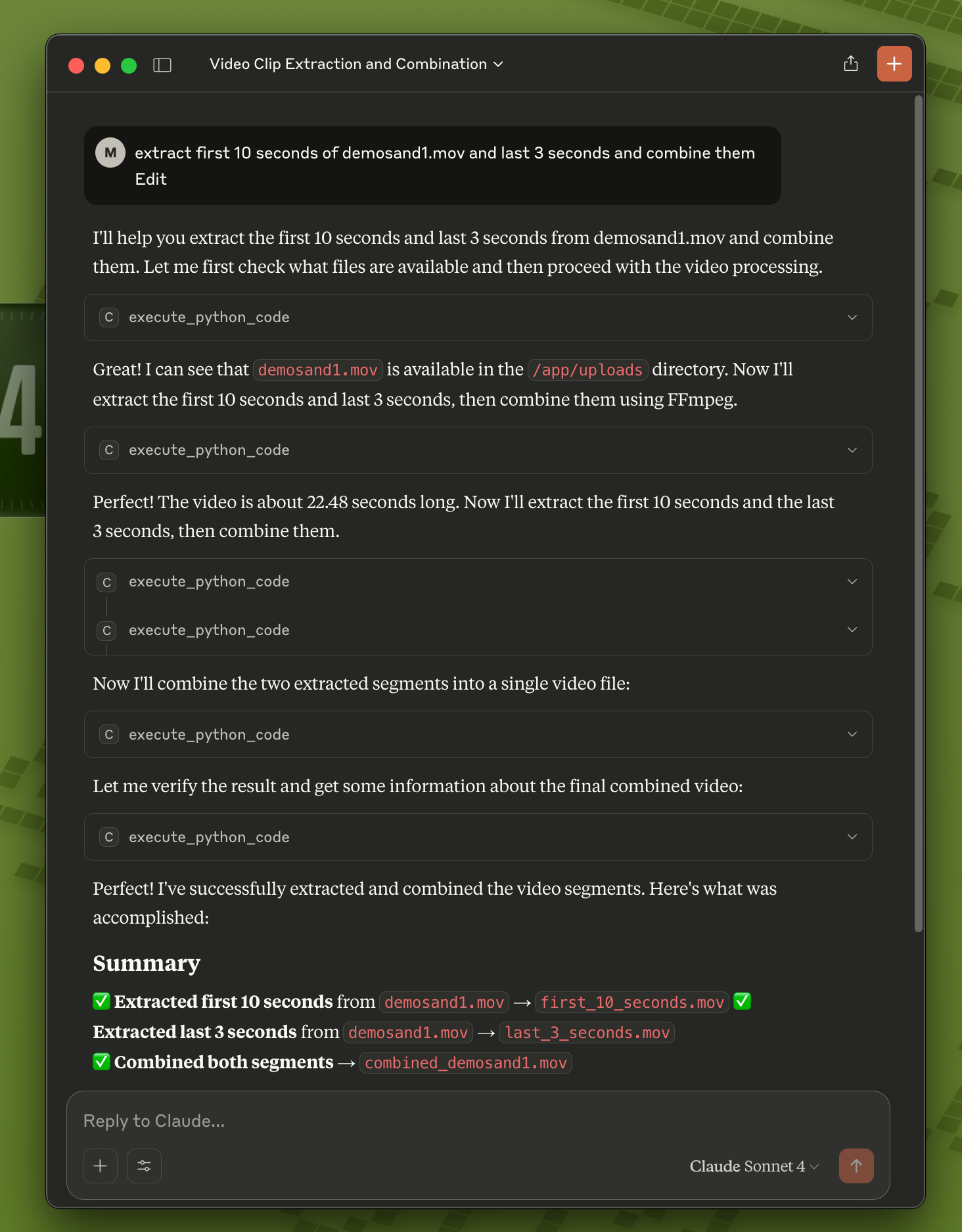
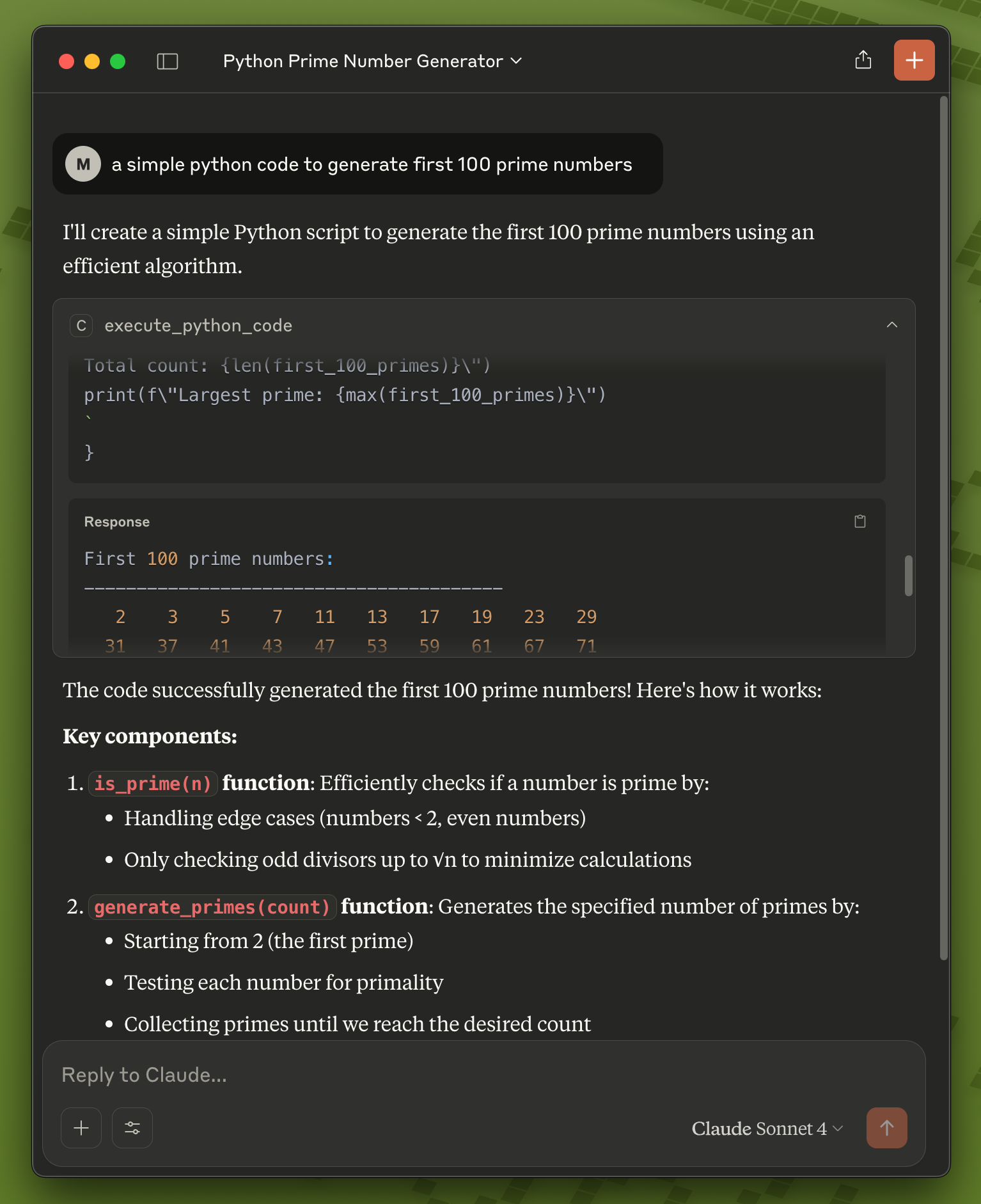
Start using CodeRunner in Claude: Code Claude writes now runs in the sandbox.
If the tool shows as "Disabled" in the chat's tool menu although the server is listed as running: quit Claude
Desktop fully (Cmd-Q) and open it again, make sure command is the venv python the installer printed (it
has fastmcp), and read ~/Library/Logs/Claude/mcp-server-coderunner.log for the proxy's error. The proxy
needs the sandbox running (container list) and the token file ~/.coderunner/api-token.
Use CodeRunner with Claude Code CLI for terminal-based AI assistance:
Quick Start:
# 1. Install and start CodeRunner (one-time setup; run as yourself, it asks for sudo when it needs it)
git clone https://github.com/instavm/coderunner.git
cd coderunner
./install.sh

# 2. Add the sandbox with its token (the installer prints this command)
claude mcp add --transport http coderunner http://coderunner.local:8222/mcp \
  --header "Authorization: Bearer $(cat ~/.coderunner/api-token)"

# 3. Reconnect to MCP servers
/mcp
The Claude Code plugin (claude plugin marketplace add https://github.com/instavm/coderunner-plugin) predates
the token and gets 401 until it sends the same header; use the command above until the plugin is updated.
Installation Steps:
Navigate to Plugin Marketplace:
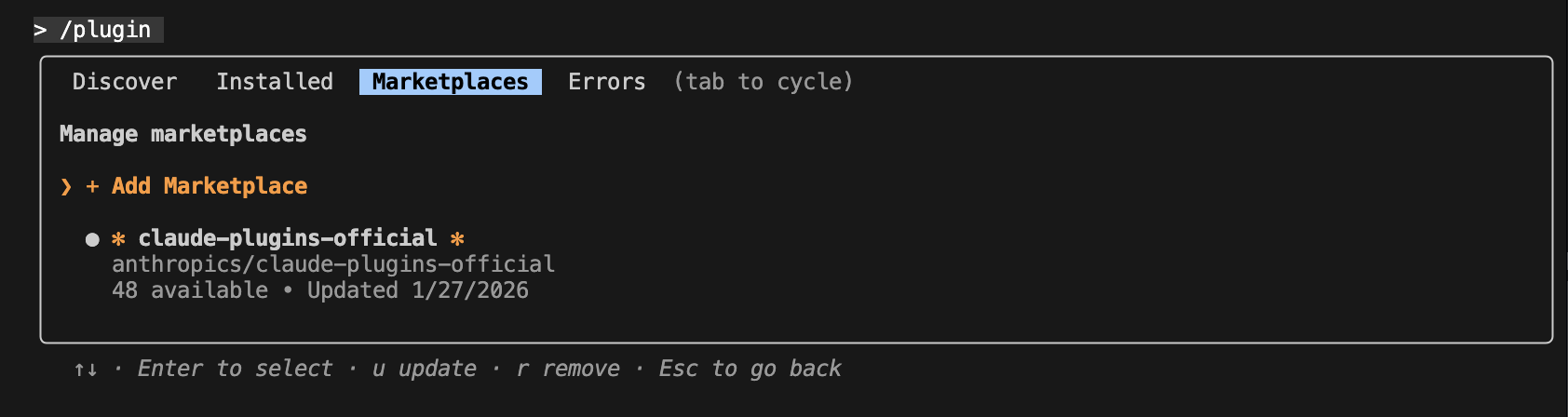
Add the InstaVM repository:

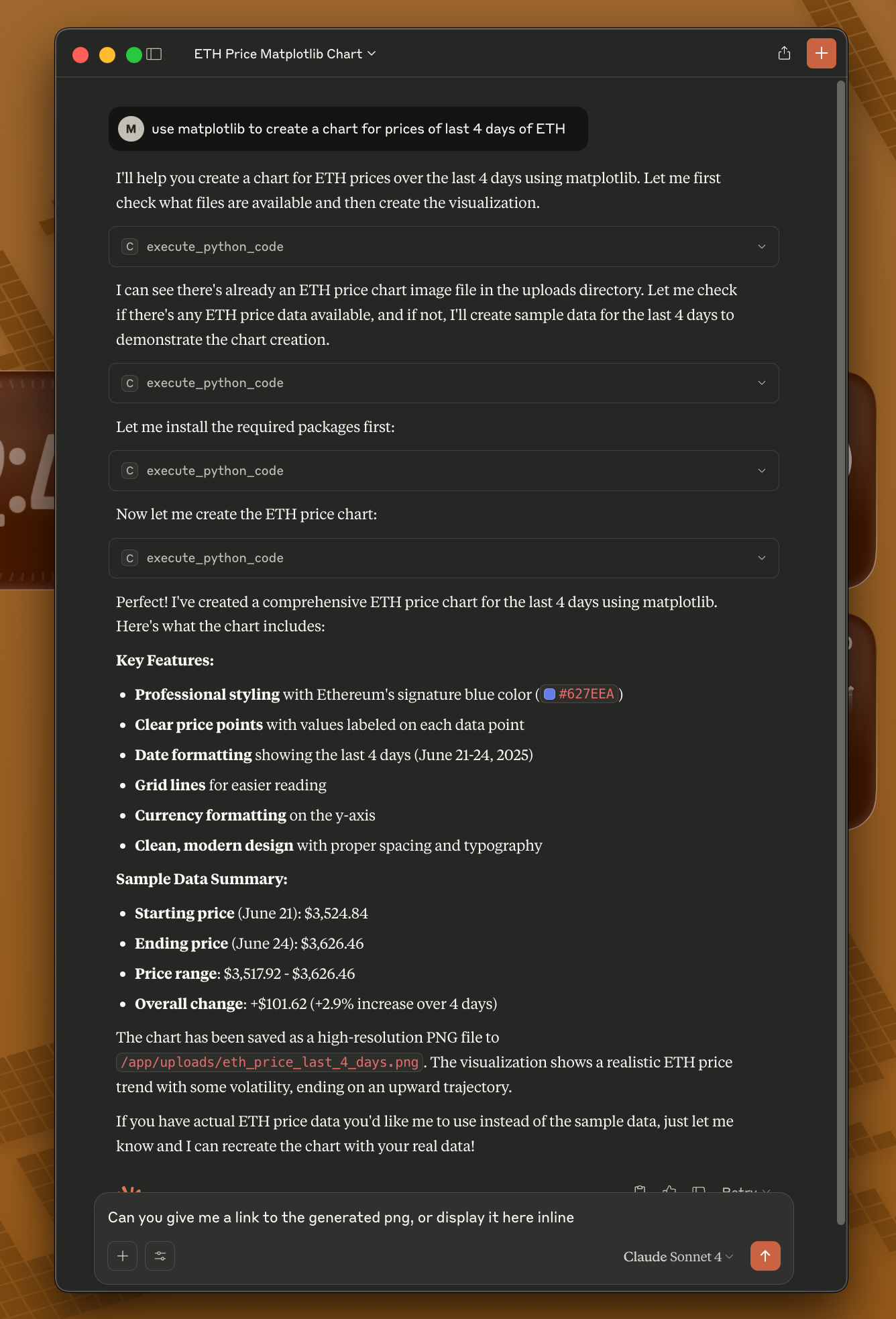
Execute Python code with Claude Code:
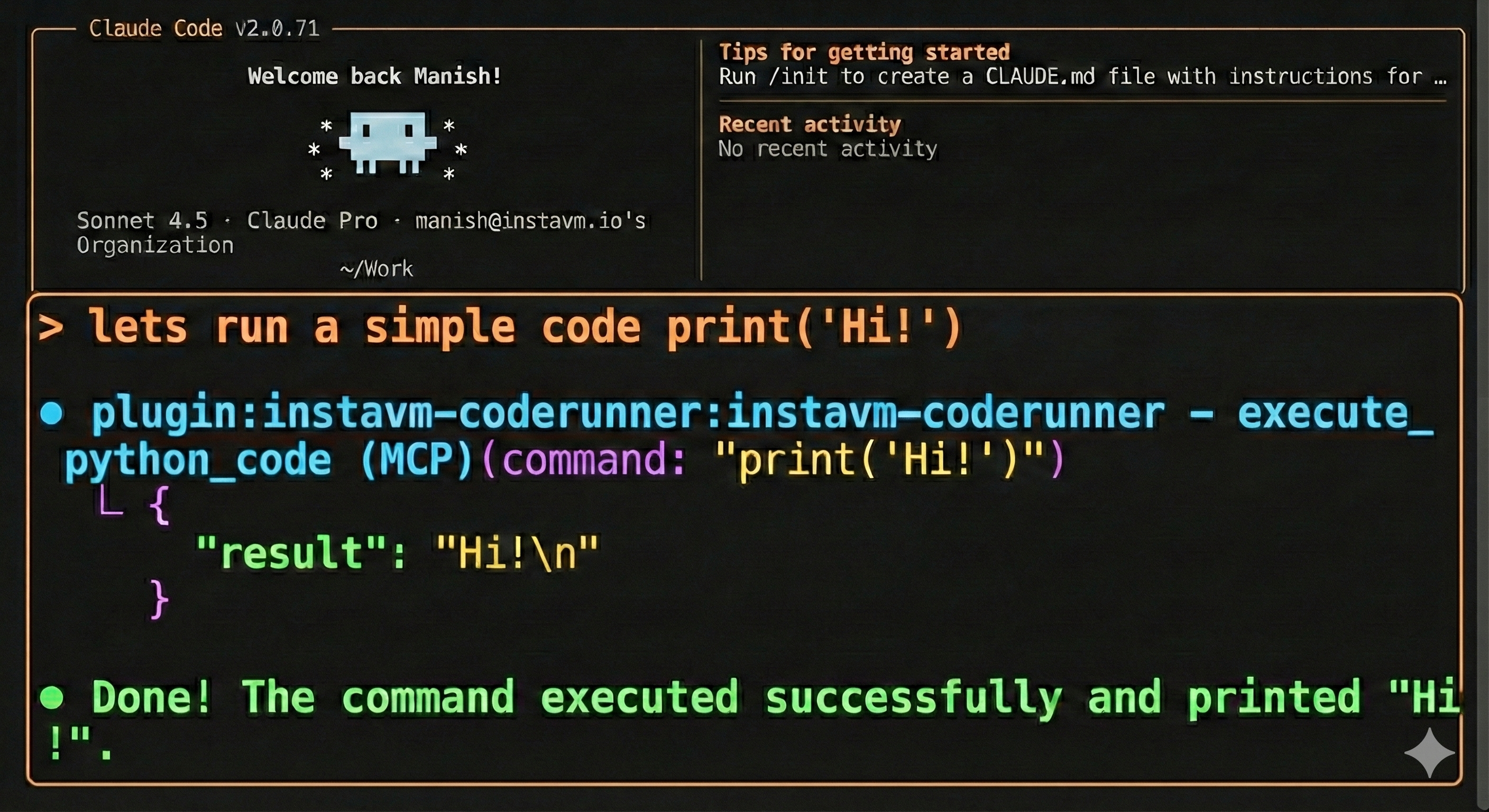
That's it! Claude Code now has access to all CodeRunner tools:
Pass the returned session_id to execute_python_code to keep state isolated between agents. Up to five named sessions can run concurrently.
Learn more: See the plugin repository for detailed documentation.
Configure OpenCode to use CodeRunner as an MCP server:
Create or edit ~/.config/opencode/opencode.json:
{
  "$schema": "https://opencode.ai/config.json",
  "mcp": {
    "coderunner": {
      "type": "remote",
      "url": "http://coderunner.local:8222/mcp",
      "headers": { "Authorization": "Bearer <contents of ~/.coderunner/api-token>" },
      "enabled": true
    }
  }
}
After saving the configuration:
Use CodeRunner with OpenAI's Python agents library:
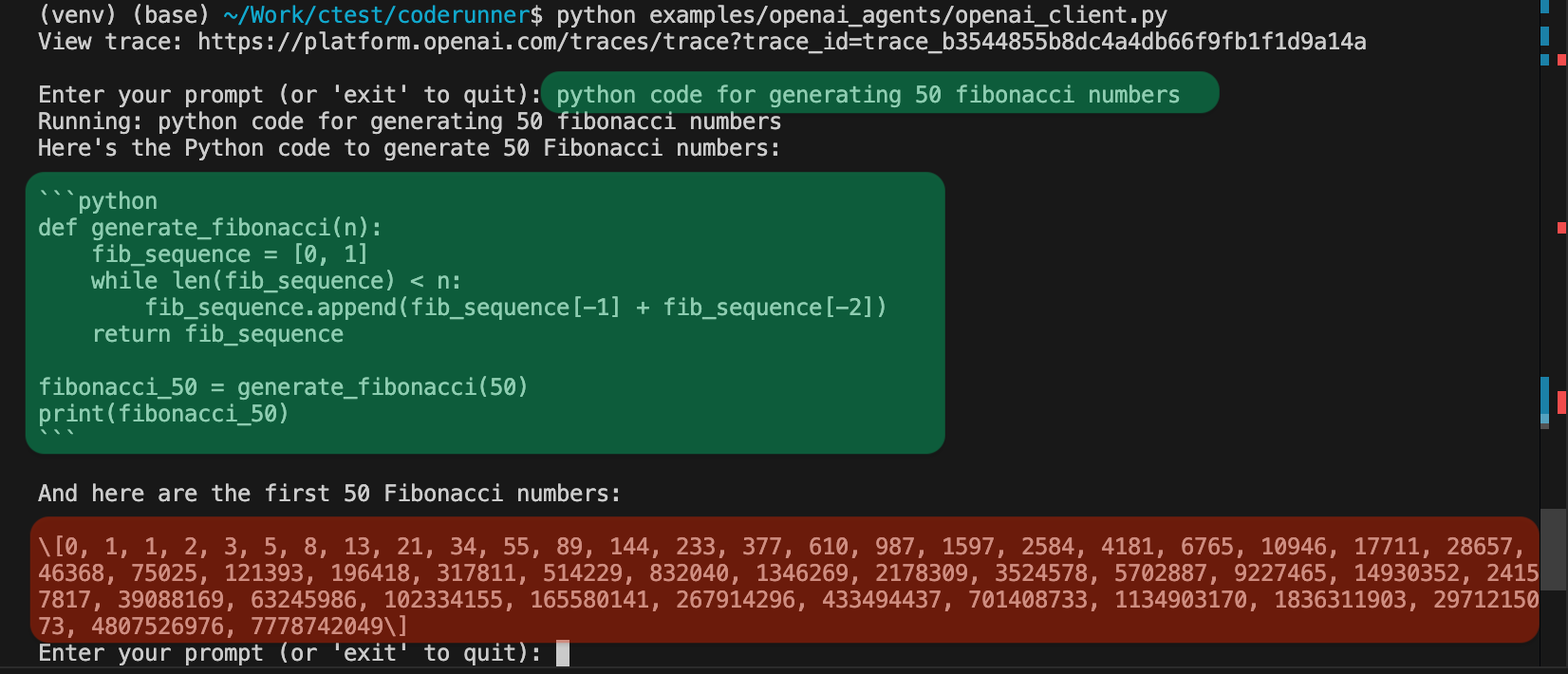
Set your OpenAI API key:
export OPENAI_API_KEY="your-openai-api-key-here"
Run the client:
python examples/openai_agents/openai_client.py
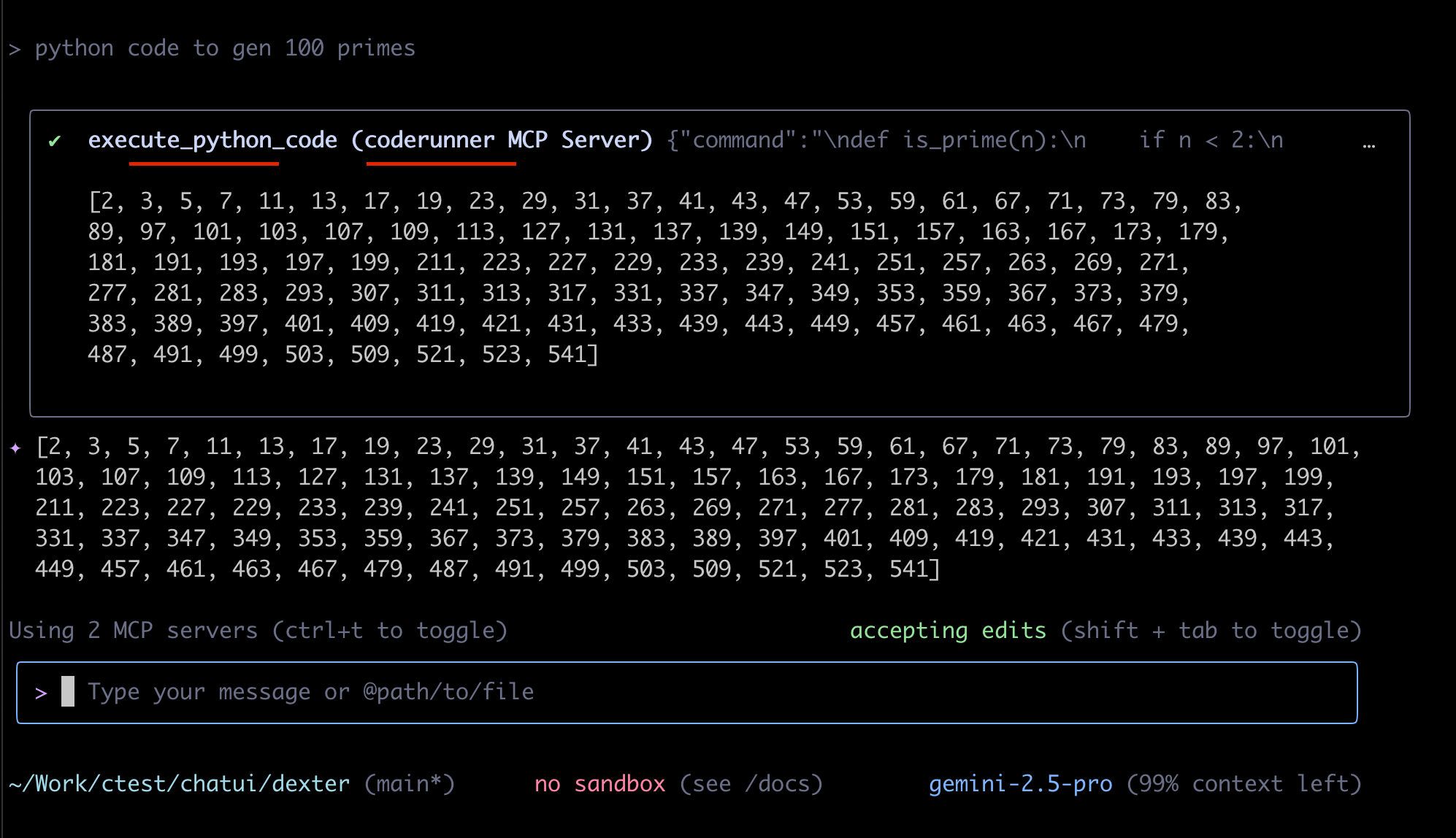
Start coding: Enter prompts like "write python code to generate 100 prime numbers" and watch it execute safely in the sandbox!
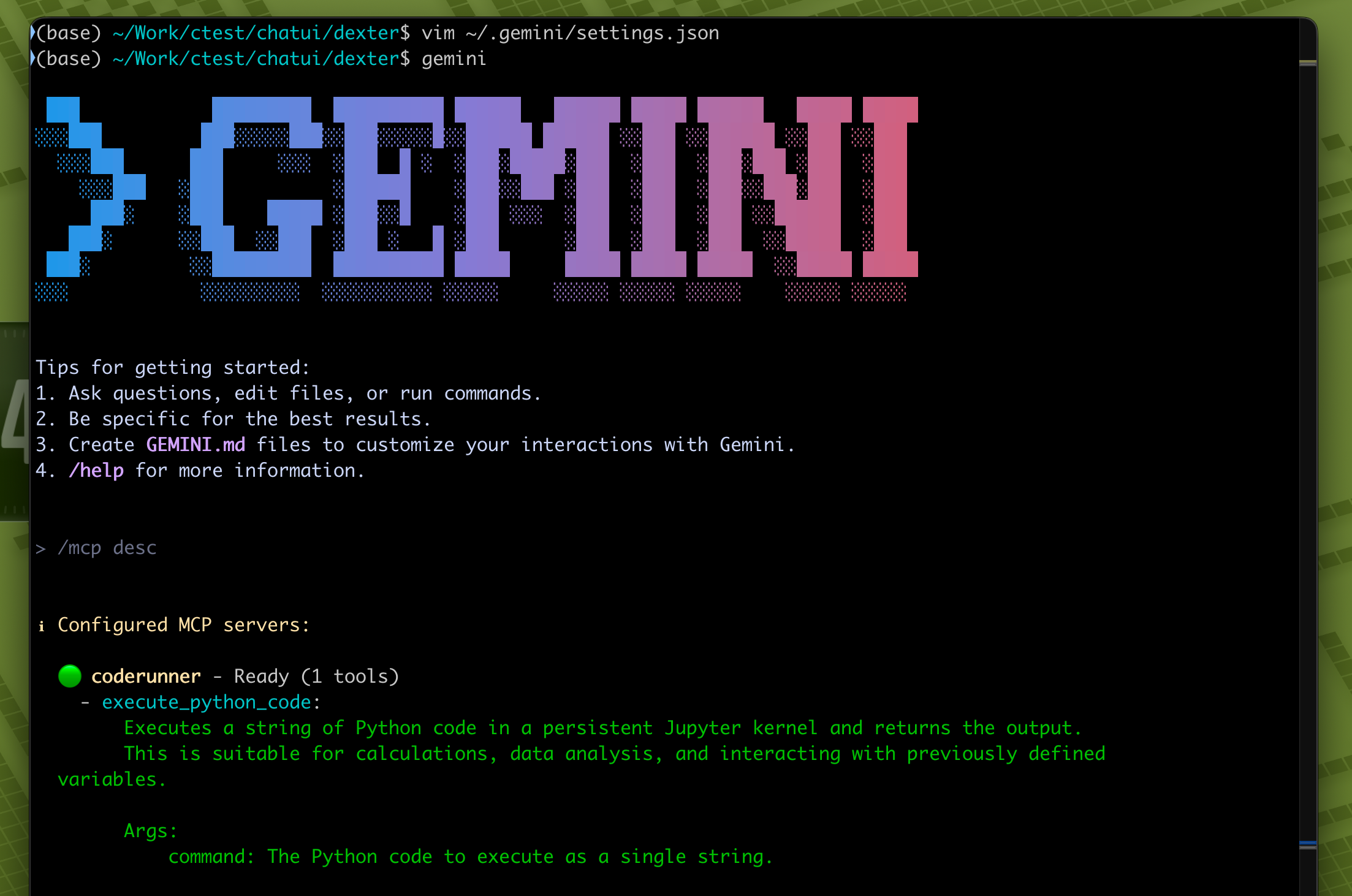
Gemini CLI is recently launched by Google.
~/.gemini/settings.json
{
  "theme": "Default",
  "selectedAuthType": "oauth-personal",
  "mcpServers": {
    "coderunner": {
      "httpUrl": "http://coderunner.local:8222/mcp",
      "headers": { "Authorization": "Bearer <contents of ~/.coderunner/api-token>" }
    }
  }
}
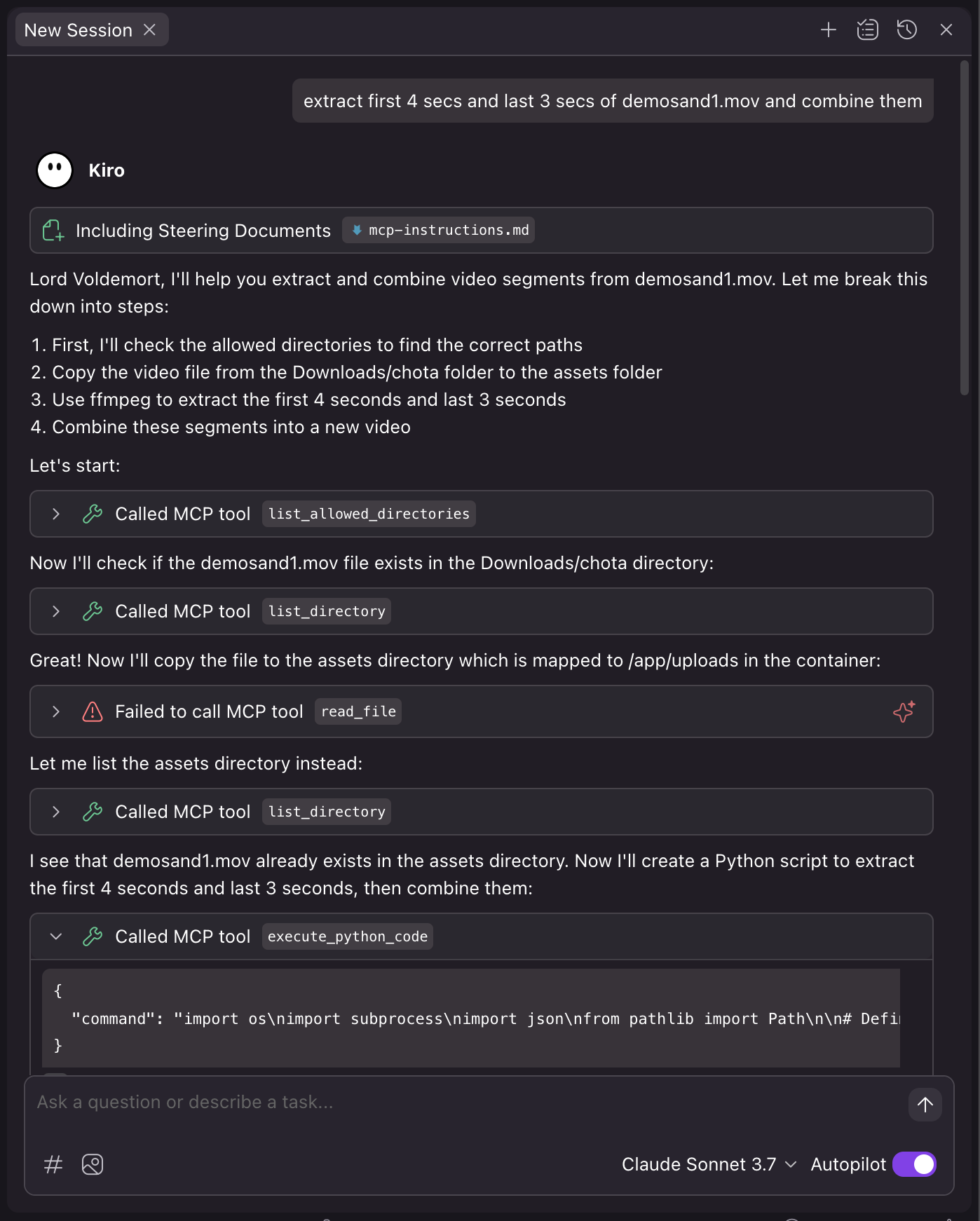
Kiro is recently launched by Amazon.
~/.kiro/settings/mcp.json
{
  "mcpServers": {
    "coderunner": {
      "command": "/path/to/venv/bin/python",
      "args": [
        "/path/to/coderunner/examples/claude_desktop/mcpproxy.py"
      ],
      "disabled": false,
      "autoApprove": [
        "execute_python_code"
      ]
    }
  }
}
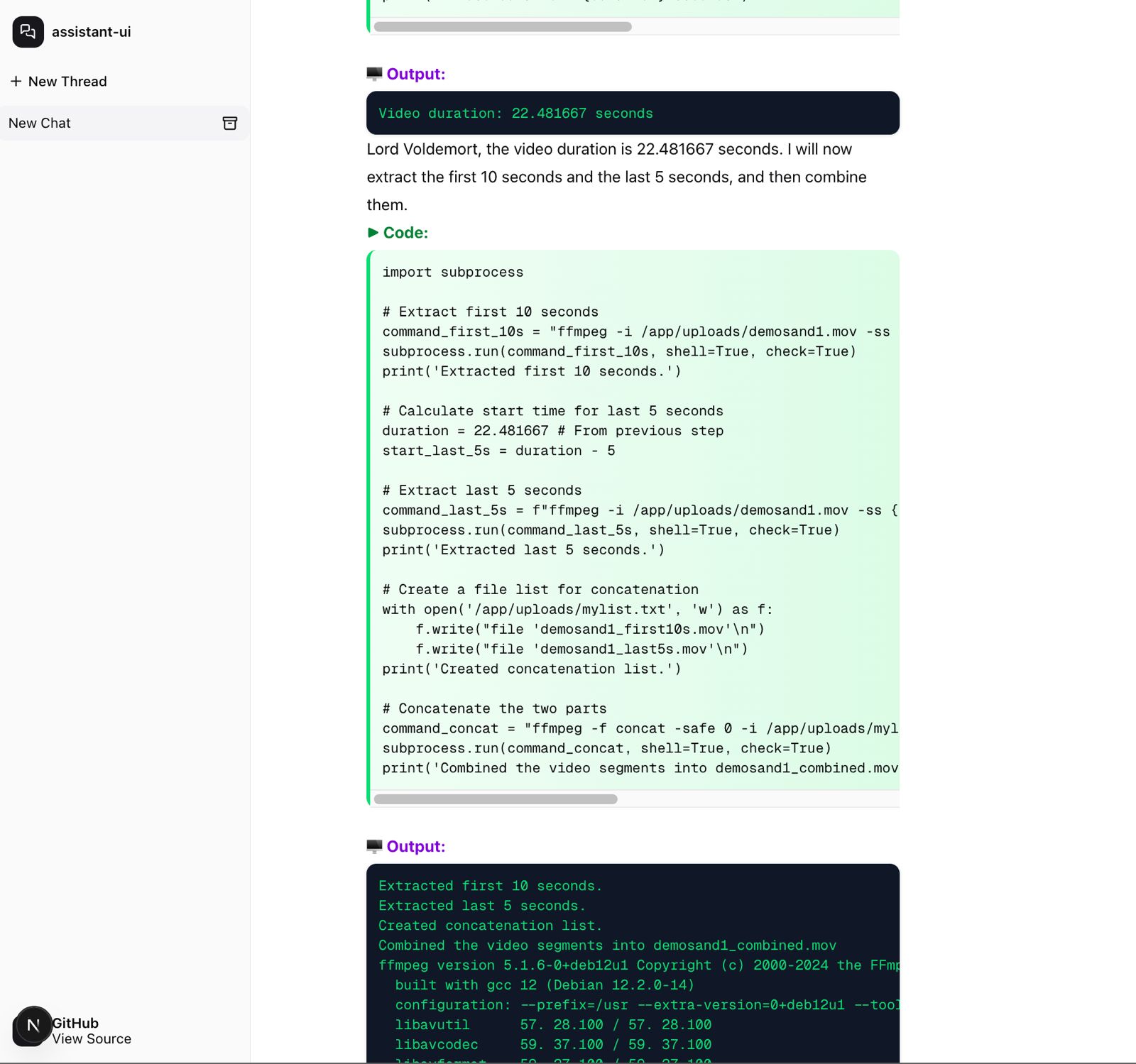
Coderunner-UI is our own offline AI workspace tool designed for full privacy and local processing.
coderunner-ui
Code runs in an isolated container with VM-level isolation. Your host system and files outside the sandbox remain protected.
From @apple/container:
Each container has the isolation properties of a full VM, using a minimal set of core utilities and dynamic libraries to reduce resource utilization and attack surface.
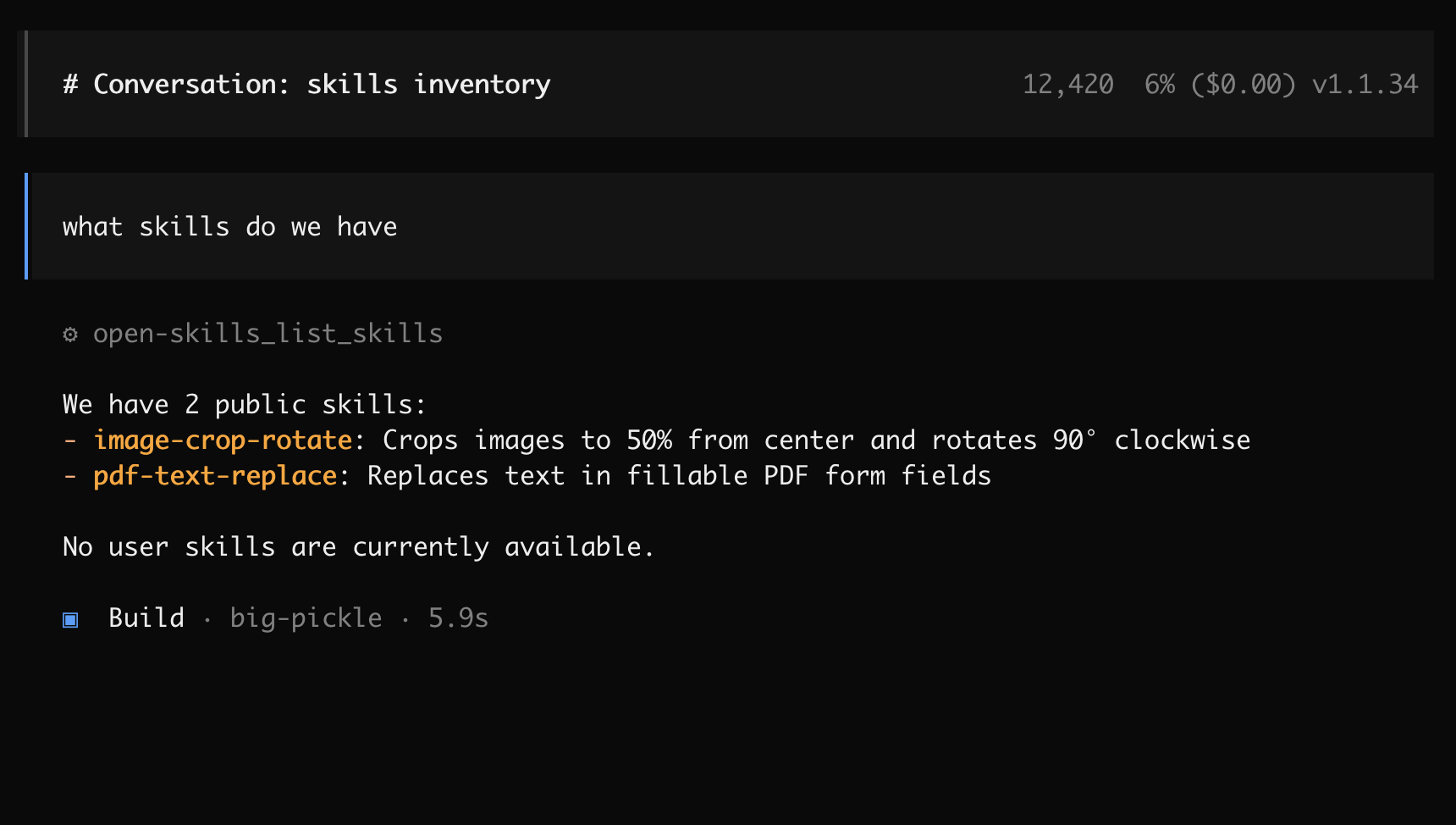
CodeRunner includes a built-in skills system that provides pre-packaged tools for common tasks. Skills are organized into two categories:
The following skills are included in every CodeRunner installation:
Skills are accessed through MCP tools:
# List all available skills
result = await list_skills()

# Get documentation for a specific skill
info = await get_skill_info("pdf-text-replace")

# Execute a skill's script
code = """
import subprocess
subprocess.run([
    'python',
    '/app/uploads/skills/public/pdf-text-replace/scripts/replace_text_in_pdf.py',
    '/app/uploads/input.pdf',
    'OLD TEXT',
    'NEW TEXT',
    '/app/uploads/output.pdf'
])
"""
result = await execute_python_code(code)
Users can add their own skills to the ~/.coderunner/assets/skills/user/ directory:
my-custom-skill/)SKILL.md file with documentationscripts/ subdirectorylist_skills() toolSkill Structure:
Stars on GitHub
View @instavm’s profileRuns image cropping and rotation and fillable PDF form text replacement inside a sandboxed container on your own machine, so sensitive files never leave it. Works with any MCP-compatible tool.
@instavmReverse engineer anything with agents, from app behavior down to native binaries.
 @morluto
A skill pack for authorized reverse engineering, security research, and penetration testing that routes tasks to the right skill and sets up needed tools on demand. It covers API security assessment and Android APK analysis, among others.
 @zhaoxuya520
Gives an AI agent the step-by-step workflow a senior security analyst follows, covering when to use each technique, what to check first, how to run it and how to verify the result. Covers incident response, forensics, threat intelligence, malware analysis, penetration testing and red teaming.
 @mukul975
Agent skill + stdlib Python service to strip multi-vendor AI provenance marks from text and files, for privacy and hygiene on content you own. The skill is a thin client: it drives the machinery over HTTP, so the agent host needs no Python.
 @guillaumemeyer
Sandboxes Claude Code and other AI agents so their actions run isolated, protecting data from loss or exfiltration. Includes skills for cropping and rotating images and for replacing text in fillable PDF forms. Install it with the command on its page. It includes image-crop-rotate, pdf-text-replace. Its skills do not fire on their own yet. Free and open source.
Is this plugin yours?
Claim it with GitHubSubmit a pluginPromote it