
Development
Plugin
forgecad-public-kit
Public examples, agent skills, docs links, and issue tracking for ForgeCAD. ForgeCAD is code-first parametric CAD for JavaScript/TypeScript: a normal .forge.js file becomes a live model with parameters, assemblies, validation, renders, inspections, and

Plugin Signal59/100Fair
maintained55
capable50
documented75
adopted63
Install
$ npx -y skills add ForgeCAD/forgecad-public-kit --agent claude-code
Stats
936
Stars
105
Forks
Maintained
Maintenance
Python
Language
MIT
License
3mo ago
Last commit
7mo ago
Created
Repo: ForgeCAD/forgecad-public-kit
What's inside
Skill(10 skills)
/forgecad-build-modelBuild or edit a manufacture-realistic `.forge.js` model in a project, then validate it with run, render, inspect, and export evidence./forgecad-design-specCreate a ForgeCAD design brief, HLD, or LLD before coding by walking through use, assembly, interfaces, decisions, and verification./forgecad-grade-modelGrade a ForgeCAD or CAD-as-code model against a requirement, brief, prompt, reference, or acceptance criteria with evidence and a 0-10 score.
README
ForgeCAD Public Kit
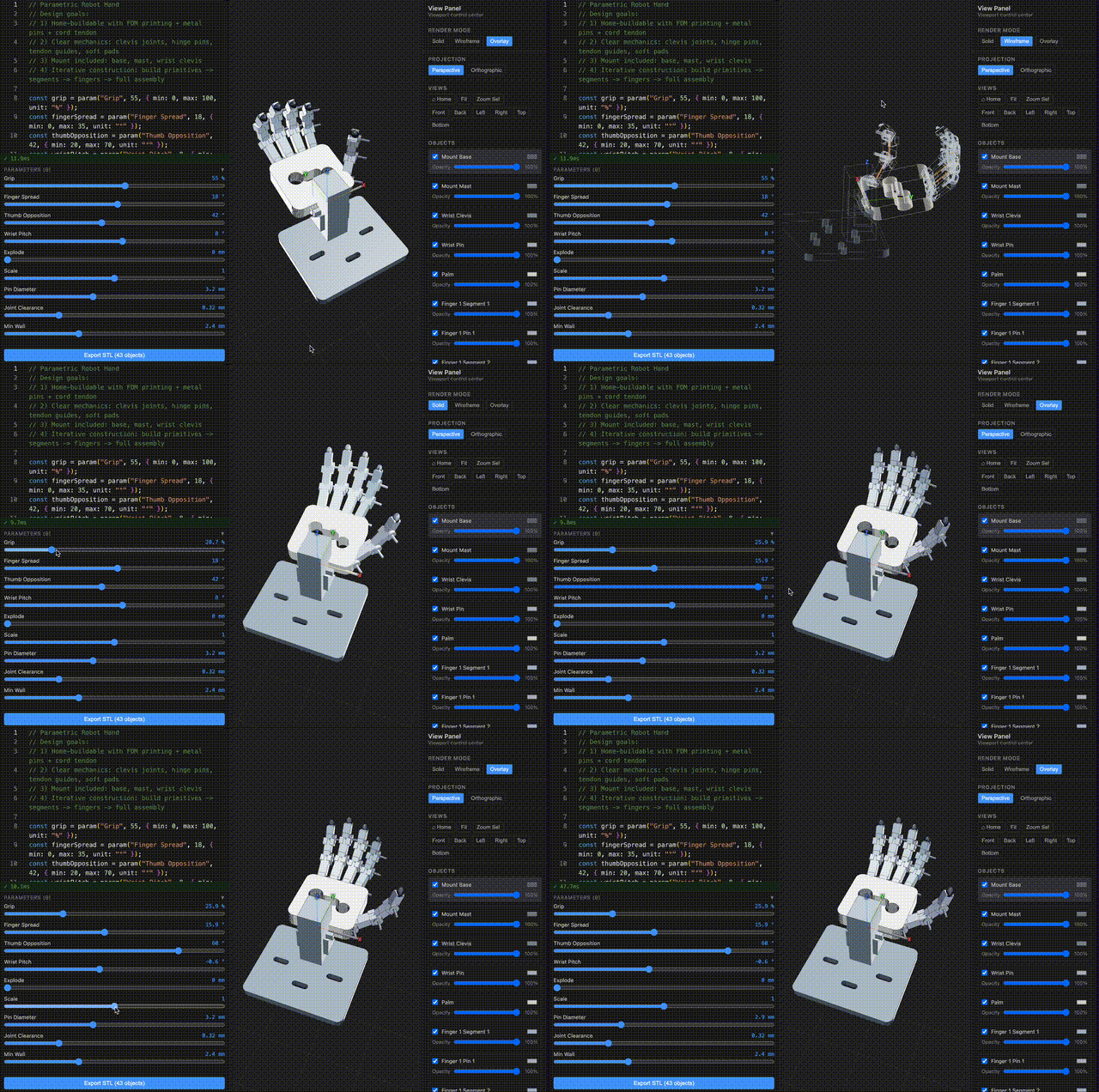
Public examples, agent skills, docs links, and issue tracking for ForgeCAD.
ForgeCAD is code-first parametric CAD for JavaScript/TypeScript: a normal .forge.js file becomes a live model with parameters, assemblies, validation, renders, inspections, and exports.
This repository is the public companion kit. It is intentionally focused on assets people can use directly: example models, installable agent skills, public issues, docs links, and historical benchmark artifacts.
TypeScript is the file format. The browser is the CAD system.
Try ForgeCAD • Docs • Examples • Agent skills • Open an issue
Start Here
| If you want to... | Go here |
|---|---|
| Use the CAD app | forgecad.io |
| Learn the API | Docs |
| Run example models | examples/ |
| Install agent workflows | skills/ |
| Report a bug or request an API | Issues |
| Check commercial terms | Pricing |
Repository Scope
| This public kit contains | The hosted product contains |
|---|---|
Ready-to-run .forge.js examples | Browser workbench and project storage |
| Agent skills and workflow prompts | Core app source and infrastructure |
| Public bug reports and feature requests | Account, billing, and usage systems |
| Historical benchmark artifacts | Product roadmap execution and customer projects |
The npm package, CLI, hosted app, and backend/application usage are governed by ForgeCAD's product terms. This public kit itself is MIT licensed.
Get Started
Install the CLI:
npm install -g forgecad
Start from the hosted starter project:
forgecad login
forgecad project clone start-here
cd start-here
forgecad studio .
forgecad login guides you through email/password or API-token sign-in. Choose API token for GitHub/Google accounts.
A ForgeCAD project is a dedicated local folder linked to the hosted app by forgecad.json. Use forgecad project clone <slug> to download an existing project, or run forgecad project init inside a folder you want to make into a new ForgeCAD project.
Create a new project locally:
mkdir spool-adapter
cd spool-adapter
forgecad project init "Spool Adapter" --visibility private
forgecad new adapter --template part
forgecad studio .
Do not point forgecad studio at your home directory, downloads folder, desktop, or a huge source tree. It requires an explicit project path; use . for the current project folder.
Explore the public examples locally:
git clone https://github.com/KoStard/forgecad-public-kit.git
cd forgecad-public-kit
forgecad studio examples
forgecad run examples/products/cup.forge.js
forgecad render 3d examples/products/cup.forge.js
Open more than one local project at once:
forgecad studio examples path/to/another-project
Keep one long-running forgecad studio <project-path> [project-path ...] process open with every active project folder listed in its arguments; the user opens the single printed localhost port once, and AI agents should only create or edit files under those folders so the browser updates live without starting more servers.
First Script
Inside a cloned or initialized ForgeCAD project, drop this into starter.forge.js:
const width = Param.number("Width", 90, { min: 50, max: 160, unit: "mm" });
const depth = Param.number("Depth", 56, { min: 32, max: 100, unit: "mm" });
const height = Param.number("Height", 12, { min: 6, max: 32, unit: "mm" });
const holeRadius = Param.number("Hole Radius", 5, { min: 2, max: 10, unit: "mm" });

const base = box(width, depth, height).color("#5f87c6");
const hole = cylinder(height * 3, holeRadius).translate(0, 0, -height);

return {
  "starter plate": base.subtract(hole),
};
Then run:
forgecad run starter.forge.js
forgecad studio .
Repository Contents
This repository is ForgeCAD's public companion kit for:
- Issues and discussion — bugs, feature requests, questions, and public roadmap input.
- Examples — ready-to-run
.forge.jsscripts underexamples/. - Agent skills — the generated ForgeCAD modeling skill plus companion workflows under
skills/. - Benchmarks — examples of how current language models handle code-first CAD prompts.
- Docs links — full user documentation lives at forgecad.io/docs.
If there is a component you want opened up sooner, file an issue.
Examples To Try
CLI Workflows
| Task | Command |
|---|---|
| Clone a hosted project | forgecad project clone <slug> |
| Create a new hosted project from the current folder | forgecad project init "Project Name" |
| Open one or more local projects | forgecad studio <project-path> [project-path ...] |
| Validate a script | forgecad run file.forge.js |
| Render a PNG | forgecad render 3d file.forge.js |
| Inspect a model | forgecad inspect collisions file.forge.js |
| Render a section | forgecad render section file.forge.js --plane XZ |
| Export STL | forgecad export stl file.forge.js |
| Export STEP | forgecad export step file.forge.js |
| Sweep parameters | forgecad check params file.forge.js --samples 10 |
forgecad project init creates the remote project, writes forgecad.json, and uploads local source files. forgecad project push syncs an already initialized project; it does not create a remote project from a random folder.
Run forgecad doctor if render or exact export dependencies need checking.
AI And Agent Workflows
ForgeCAD is built to work well with coding agents because CAD models are just code. The strongest loop is:
agent edits .forge.js -> forgecad run -> forgecad inspect <evidence> -> iterate
The full setup, approved model list, installed skills, flattened skill files, and completion criteria are in the AI Usage guide.
Install the ForgeCAD public skill library:
forgecad skill install
That installs the core forgecad skill plus public workflow skills such as forgecad-build-model, forgecad-design-spec, and forgecad-inspect-model into ~/.agents/skills. Use --target when you want to update a different agent location:
forgecad skill install --target claude    # ~/.claude/skills
forgecad skill install --target codex     # ~/.codex/skills
forgecad skill install --target opencode  # ~/.config/opencode/skills
The library includes public prompts for:
- design briefs, HLDs, and LLDs with
forgecad-design-spec - model authoring and assembly discipline with
forgecad-build-model - reconstruction from CAD or mesh files with
forgecad-reconstruct-cad-file - reconstruction from images with
forgecad-reconstruct-from-images - inspection-bundle verification with
forgecad-inspect-model - model grading with
forgecad-grade-model - MuJoCo simulation verification with
forgecad-verify-mujoco - hosted project sync with
forgecad-project-sync - AI image prompt generation with
forgecad-image-prompt
The generated core modeling skill is checked in at skills/forgecad/SKILL.md. The full public skill index is skills/README.md.
Start the agent inside the initialized project folder and require command evidence:
Use the ForgeCAD skills. Work in this project folder. Build real ForgeCAD
geometry, validate with forgecad run, render or inspect the result, run
parameter checks when relevant, and push with forgecad project push when done.
For chat tools without local shell access, generate a single context file:
forgecad skill one-file ~/Desktop/forgecad-context.md
LLM Benchmarks
Historical benchmark archive only. These rows are not recommendations and are not the approved model list. For current supported AI workflows, use the approved models in the AI Usage guide.
Latest benchmark iterations from ForgeCADBenchmark/results/* (version_{n}.forge.js with highest n per run folder).
| model name | prompt | GIF |
|---|---|---|
3dprinter-gpt52codex2026-02-13 14-36-06 • v2 | Make a detailed home 3D printer, showing the internal details of how it should work. Add some params for controlling positions, etc. | 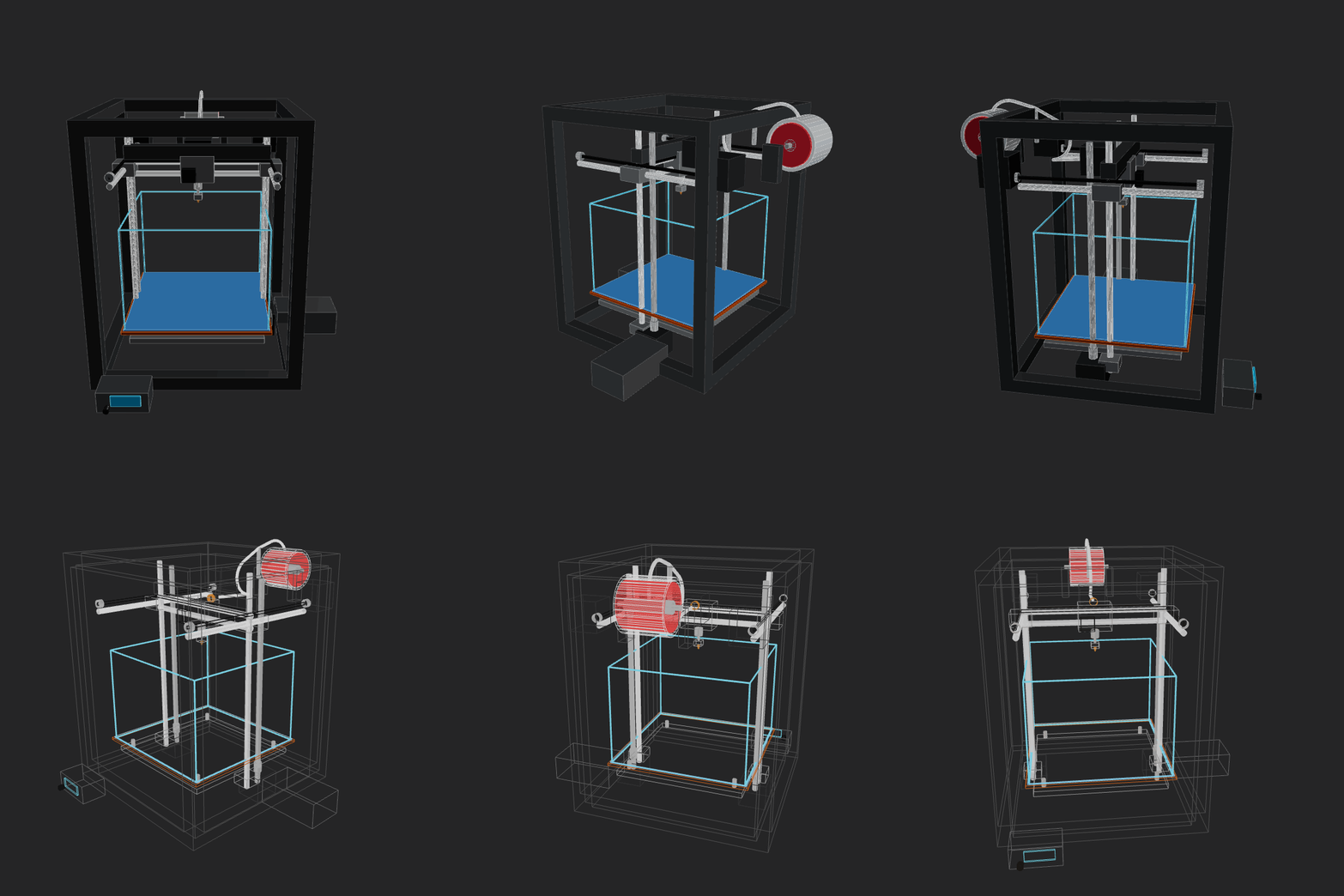 |
amazon-nova-2-lite-v12026-02-13 00-15-44 • v1 | Make a home AC unit, showing both pieces on different sides of the wall (inside and outside). The external piece should have a fan positioned on its external face vertically. Implement whatever features/methods you are missing in the script itself for your convenience. Use the simpler primitives when unsure. | 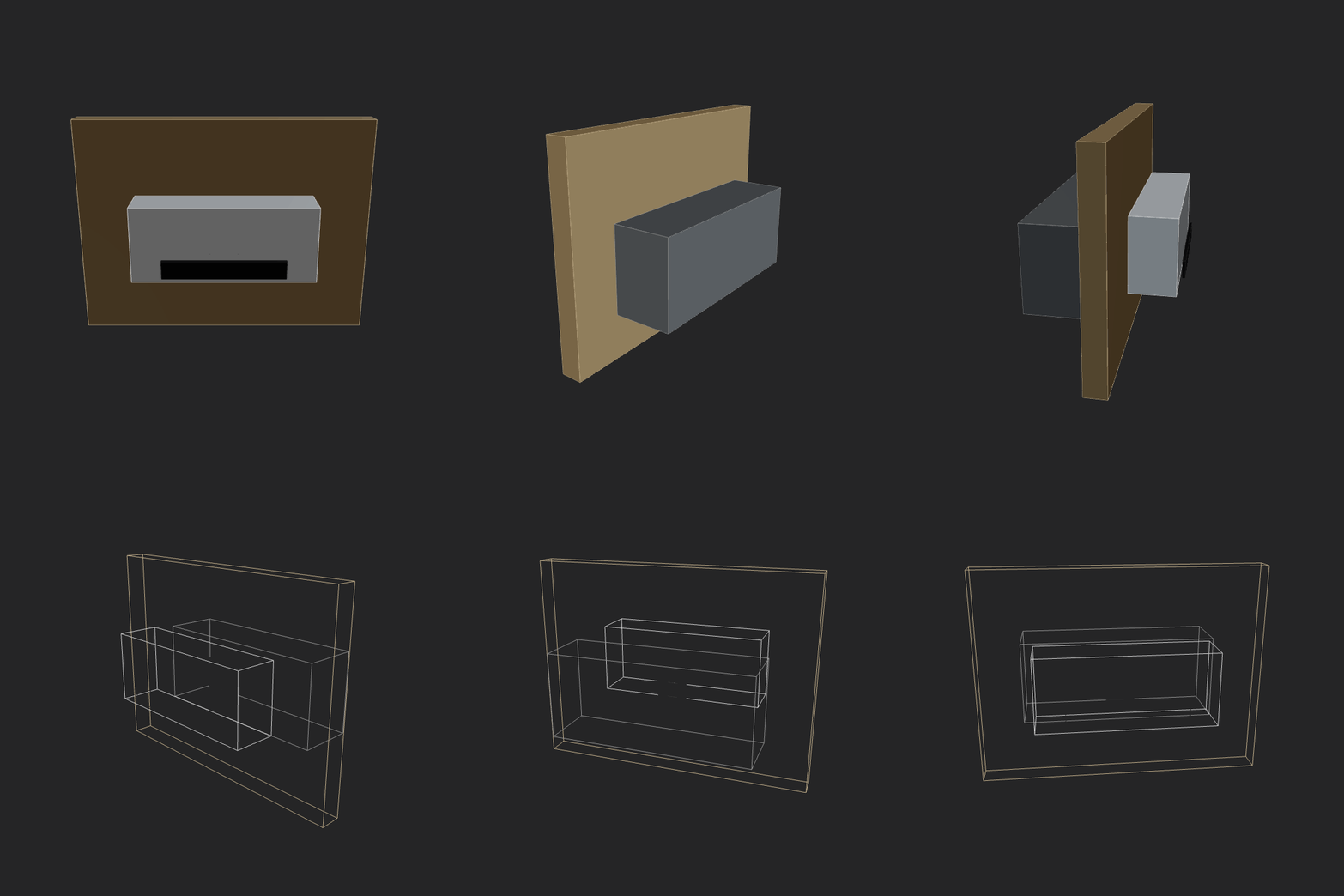 |
amazon-nova-premier-v12026-02-13 00-36-50 • v1 | Make a home AC unit, showing both pieces on different sides of the wall (inside and outside). The external piece should have a fan positioned on its external face vertically. Implement whatever features/methods you are missing in the script itself for your convenience. Use the simpler primitives when unsure. | GIF generation failed (script runtime error). |
aurora_alpha2026-02-12 15-19-30 • v2 | Make a home AC unit, showing both pieces on different sides of the wall (inside and outside). Implement whatever features/methods you are missing in the script itself for your convenience. Use the simpler primitives when unsure. | GIF generation failed (script runtime error). |
File tree
FAQ
forgecad-public-kit is a Claude Code plugin with 10 hand-picked skills for development work, indexed on Flowy. Install it with the command on its page. It includes forgecad-build-model, forgecad-design-spec, forgecad-grade-model. Its skills do not fire on their own yet. Request auto-invocation to have Flowy route them as you prompt. Free and open source.
- What is forgecad-public-kit?
- Public examples, agent skills, docs links, and issue tracking for ForgeCAD. ForgeCAD is code-first parametric CAD for JavaScript/TypeScript: a normal .forge.js file becomes a live model with parameters, assemblies, validation, renders, inspections, and
- How do I install forgecad-public-kit?
- Run these in Claude Code: npx -y skills add ForgeCAD/forgecad-public-kit --agent claude-code. Then prompt normally.
- Does forgecad-public-kit auto-invoke its skills?
- Not yet. It is indexed on Flowy as a plain plugin. Request auto-invocation on its page and Flowy will route its skills for you as you prompt.
- Is forgecad-public-kit free?
- Yes. Flowy is free and open source, with nothing gated. You can read every skill in full before you install.
Is this plugin yours?
Claim it with GitHubSubmit a pluginPromote it