
Development
Plugin
claudestat
Real-time observability for AI coding agents — Claude Code & OpenCode Monitor tokens, costs, tool calls, agents, MCP, sessions, quotas and multi-agent orchestration locally. Most tools read your logs after a session ends.

Plugin Signal63/100Solid
maintained97
capable14
documented100
adopted33
From the author’s README · Quick Start · not verified by Flowy
Install
$ npm install -g @statforge/claudestat && claudestat setup$ open http://localhost:7337
Stats
34
Stars
5
Forks
Active
Maintenance
TypeScript
Language
MIT
License
21d ago
Last commit
4mo ago
Created
Repo: DeibyGS/claudestat
What's inside
Hook(1 hook)
README
claudestat
Real-time observability for AI coding agents — Claude Code & OpenCode
Monitor tokens, costs, tool calls, agents, MCP, sessions, quotas and multi-agent orchestration locally. Most tools read your logs after a session ends. claudestat hooks into every event as it fires. See what your AI is spending right now, get alerted before you hit your quota, and ask Claude about its own usage — from inside the terminal.
Works with Claude Code and OpenCode. Zero cloud dependencies. Pure Node.js. Runs on macOS, Linux, and Windows.










Installation • Quick Start • Commands • Dashboard • Library API • FAQ • Discussions • Contributing
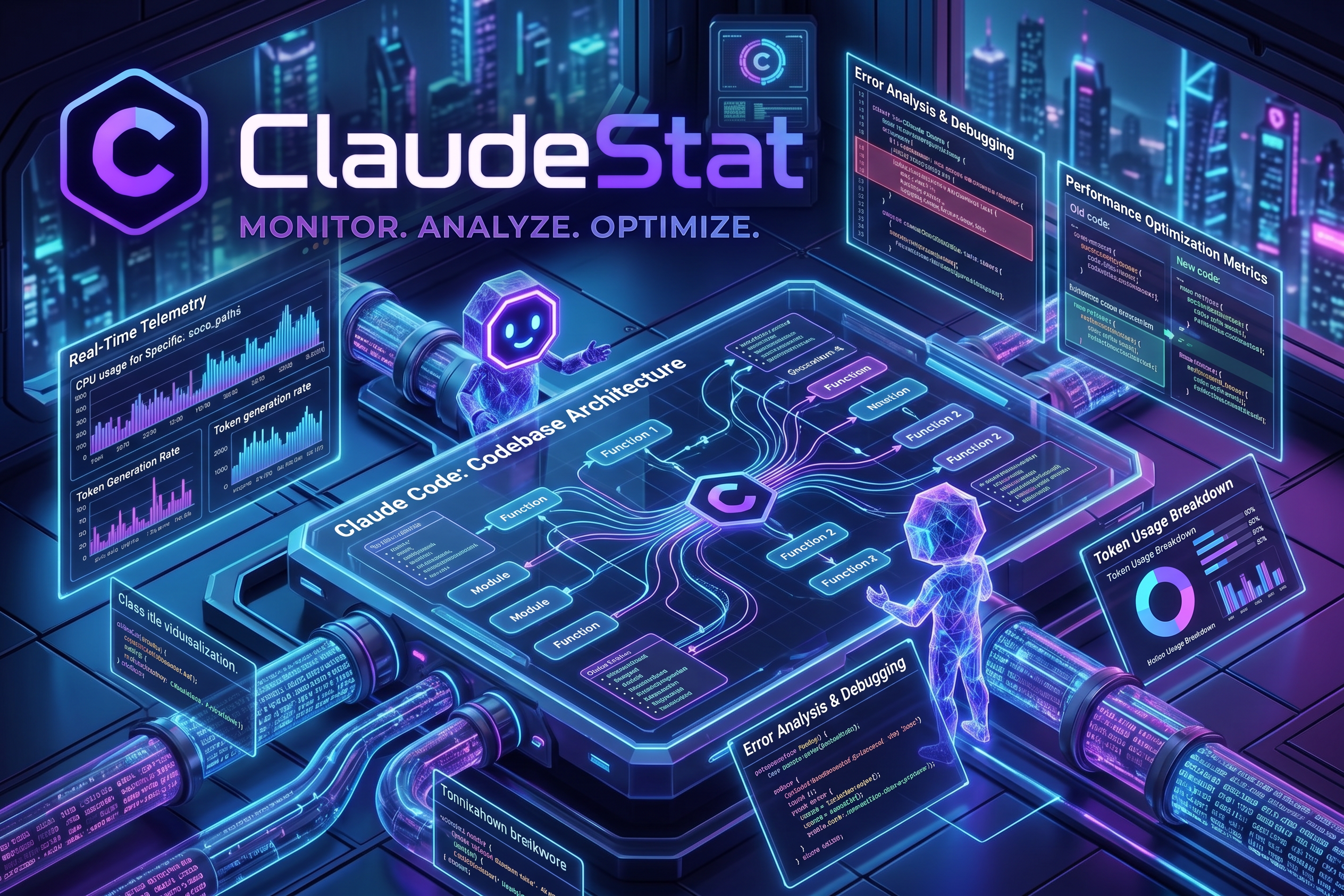
See it in action
Live dashboard · terminal trace · quota guard — all running in real time
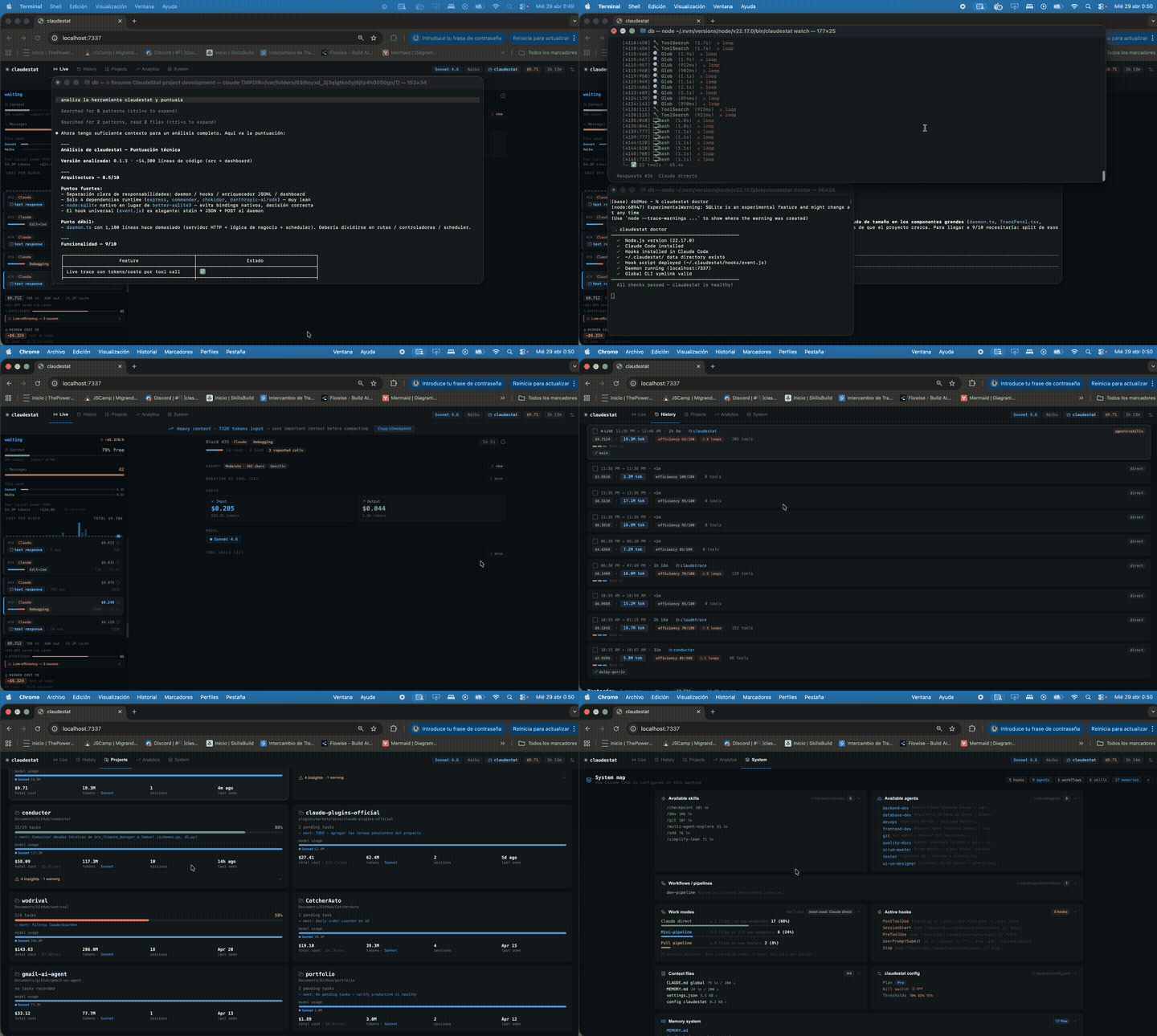
Table of Contents
- Why claudestat?
- Who is ClaudeStat for?
- Use ClaudeStat if...
- Ask Claude about itself
- Features
- Quick Start
- Requirements
- Installation
- Commands
- Dashboard
- Library API
- OpenCode Support
- MCP Server
- MCP Bundle (standalone)
- Configuration
- Troubleshooting
- FAQ
- Uninstall
- Contributing
- License
Why claudestat?
Two different jobs exist in the coding-agent space:
- What happened — costs, token totals, daily/weekly/monthly reports. ccusage is the historical-analysis reference.
- What is running right now — the live session, the live budget, before the quota runs out. claudestat and OpenUsage live here.
claudestat hooks Claude Code's events the moment they fire, keeps everything local in SQLite, and surfaces a live web dashboard, quota alerts, and an MCP server.
| claudestat | ccusage | OpenUsage | Langfuse | Agent Trail | |
|---|---|---|---|---|---|
| Real-time event stream | ✅ | partial | ✅ | ✅ | ✅ |
Live terminal trace (watch) | ✅ | — | — | — | — |
| Web dashboard | ✅ | — | TUI | ✅ | ✅ |
| Quota alerts + kill switch | ✅ | — | quota only | — | — |
| Loop / thrash detector | ✅ | — | — | — | — |
| MCP server (ask Claude about itself) | ✅ | — | — | — | — |
| Claude Code support | ✅ | ✅ | ✅ | ✅ | ✅ |
| OpenCode support | ✅ | ✅ | ✅ | — | — |
| Tool tracing | ✅ | limited | — | ✅ | ✅ |
| Agents / subagents | ✅ | — | — | ✅ | ✅ |
| Orchestration view | ✅ | — | — | ✅ | ✅ |
| Historical reports | ✅ | ✅ | partial | ✅ | ✅ |
| Local-first / SQLite (no cloud) | ✅ | ✅ | ✅ | configurable | ✅ |
The main difference is the moment: ccusage answers what did I spend yesterday; claudestat shows what's happening while you code. Langfuse and Agent Trail offer observability but are cloud-first or require infrastructure setup.
If claudestat is useful, give it a ⭐ — it helps other developers find it.
Who is ClaudeStat for?
ClaudeStat is for developers who use AI coding agents and want to understand what those agents are doing, how much they cost, and when they become inefficient.
Especially useful if you:
- use Claude Code
- use OpenCode
- run multiple coding agents simultaneously
- use subagents and orchestration
- use MCP servers
- care about token and API costs
- work with long-running agent sessions
- want local/private telemetry (no cloud)
- need real-time visibility, not post-session reports
Use ClaudeStat if...
Use ClaudeStat when you want to:
- monitor Claude Code in real time
- monitor OpenCode in real time
- track token usage and AI coding costs
- see which tools consume the most budget
- monitor agents and subagents
- inspect MCP activity
- detect context thrashing and loops
- protect your quota with alerts and kill switch
- understand multi-agent orchestration
- keep telemetry completely local
Ask Claude about itself
claudestat ships an MCP server. Once registered, you can ask Claude Code questions about its own usage — without leaving the terminal.
claude mcp add claudestat -s user -- claudestat-mcp
Then just ask:
> How much did I spend this week?
> What are my top 5 tools by cost?
> Break down my usage by model
> What's my cost projection for next month?
Features
- Live tool trace — every call with duration and token cost as it runs
- OpenCode support — same live dashboard for OpenCode sessions (tool calls, prompts, model, intent)
- Quota guard — alerts at 70%, 85%, 95%; optional kill switch blocks new sessions at X%
- Loop detector — flags context thrashing with estimated waste cost
- Top tools — know which tools eat most of your budget; expandable "Other" row reveals tools beyond top 10
- Cost projection — linear regression with trend, confidence intervals, R²
- Billing blocks — track 5-hour billing windows and cumulative spend per block (
claudestat blocks) - Session sharing — export any session summary as formatted ASCII or JSON (
claudestat share) - 52-week activity heatmap — visualize your coding activity across the full year in Analytics
- Period-over-period deltas — Analytics KPIs show ↑↓% trend vs. the previous period
- Projects search & filter — find projects instantly; filter by activity, cost, or efficiency threshold
- Orchestration Command Center — live swim-lane view of CC+OC multi-agent runs: per-cycle cost, tokens (with cache), files changed, git commits, and model breakdown; cycle traces survive log rotation
- Web dashboard — 7 tabs: Live, History, Projects, Analytics, Top, System, Orchestrate
- MCP server — 9 tools so Claude can answer questions about its own usage; standalone bundle available as
@statforge/claudestat-mcp-bundle - Weekly insights — pattern analysis with actionable tips
- Multi-source — switch between Claude Code and OpenCode sessions in one click
- Source filter — filter KPIs, charts, and tool rankings by Claude Code / OpenCode across all tabs
- Multi-tool coordination — live intent panel with real collision detection (same file edited by CC and OC)
- Programmatic Library API — import
dbOps, pricing, and intelligence functions directly from your own tools (v1.13.0+,@experimental) - KPI mini-charts — interactive bar charts for cost/block evolution and area charts for context progression in KPI cards
- Enhanced header layout — compact navbar with model name, project, and uniform badge heights
Quick Start
npm install -g @statforge/claudestat && claudestat setup
open http://localhost:7337
Start a Claude Code session and watch the events flow in. That's it.
Requirements
- Node.js >= 22 (required for
node:sqlite) - Claude Code installed (
npm install -g @anthropic-ai/claude-code)
Installation
npm install -g @statforge/claudestat && claudestat setup
claudestat setup installs the Claude Code hooks and registers the daemon as a system service — no sudo required. The daemon starts automatically whenever you log in (launchd on macOS, systemd on Linux, Scheduled Task on Windows).
Using NVM? Make sure you're on your default Node version:
nvm use default && npm install -g @statforge/claudestat && claudestat setupRestart Claude Code after setup so the hooks take effect.
Manual setup
npm install -g @statforge/claudestat
claudestat install   # installs hooks into Claude Code
claudestat start     # start the daemon manually
Commands
| Command | Description |
|---|---|
claudestat setup | One-command setup: install hooks + register daemon as system service |
claudestat setup --uninstall | Remove hooks and system service |
claudestat start / stop / restart | Manage the background daemon |
claudestat install / uninstall | Install or remove Claude Code hooks |
claudestat watch | Live terminal trace view |
claudestat status | Show quota, cost, and burn rate |
claudestat top | Rank tools by cost, call count, or duration |
claudestat weekly | Weekly usage summary |
claudestat insights | Deep usage insights: cost, cache, efficiency, models |
claudestat project | Cost projection with linear regression |
claudestat config | View or edit configuration |
claudestat doctor | Check installation health and diagnose issues |
claudestat blocks | Show 5-hour billing block history |
claudestat share [session-id] | Export session summary as ASCII or JSON (use --copy to copy to clipboard) |
claudestat export [format] | Export session data to JSON or CSV |
claudestat roast | Sarcastic usage analysis |
claudestat resume | Resume a paused session |
claudestat loops | List sessions with detected loops (context thrashing) |
claudestat logs | Show daemon logs (use -n, --follow, --level) |
claudestat update | Check for updates and install the latest version from npm |
claudestat version | Show version and check for updates |
Full command reference with output examples →
Dashboard
The dashboard lives at http://localhost:7337 and has seven tabs: Live, History, Projects, Analytics, Top, System, and Orchestrate.
AI Development Benchmark
claudestat was engineered by a human developer working with AI as a pair programming partner. The AI accelerated implementation — architecture, design, and engineering decisions stayed human. Fittingly, claudestat measures itself: every metric below comes from its own event database.
How we worked together
| Human-owned | AI implemented, always human-reviewed |
|---|---|
| Product vision & feature design | TypeScript service generation |
| MCP server protocol & design | Tool scaffolding, dashboard components |
| Data model (SQLite schema) | Refactoring, test scaffolding |
| Architecture decisions | Config parsing, CLI commands |
| Code review & final acceptance | Documentation, auxiliary scripts |
Workflow: Idea → Spec → AI implementation → Human review → Test → Refine → Merge
File tree
FAQ
claudestat is a Claude Code plugin with hand-picked skills for development work, indexed on Flowy. Install it with the command on its page. Its skills do not fire on their own yet. Request auto-invocation to have Flowy route them as you prompt. Free and open source.
- What is claudestat?
- Real-time observability for AI coding agents — Claude Code & OpenCode Monitor tokens, costs, tool calls, agents, MCP, sessions, quotas and multi-agent orchestration locally. Most tools read your logs after a session ends.
- How do I install claudestat?
- Run these in Claude Code: . Then prompt normally.
- Does claudestat auto-invoke its skills?
- Not yet. It is indexed on Flowy as a plain plugin. Request auto-invocation on its page and Flowy will route its skills for you as you prompt.
- Is claudestat free?
- Yes. Flowy is free and open source, with nothing gated. You can read every skill in full before you install.
Is this plugin yours?
Claim it with GitHubSubmit a pluginPromote it