
Development
Plugin
skillcaddy
Local AI skills central library + scoped symlink enablement. One AISkills directory holds every skill source; symlink what you need into a project, the shared user-level Agents directory, or Hermes on demand.

Plugin Signal59/100Fair
maintained100
capable14
documented75
adopted30
Install
$ npx -y skills add chenweil/skillcaddy --agent claude-code
Stats
26
Stars
5
Forks
Active
Maintenance
JavaScript
Language
MIT
License
1d ago
Last commit
2mo ago
Created
Repo: chenweil/skillcaddy
What's inside
README
Skillcaddy
Local AI skills central library + scoped symlink enablement. One AISkills directory holds every skill source; symlink what you need into a project, the shared user-level Agents directory, or Hermes on demand.
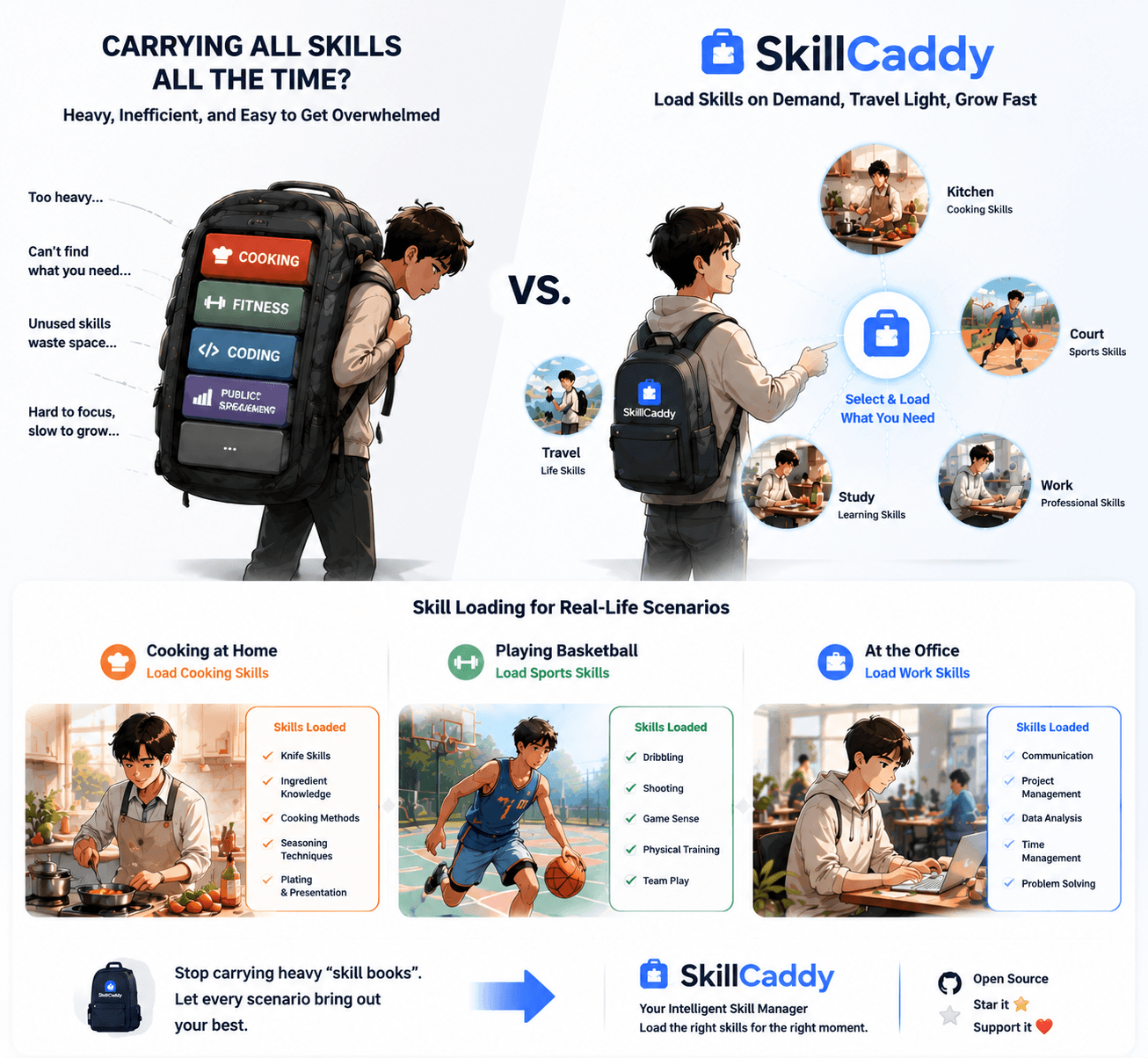
Why Skillcaddy?
If you use Claude Code, Codex, OpenCode, or Pi across multiple projects, you eventually hit one of these:
- The same skill lives in three repos, slightly drifted each time
- A new project means copying skills over and wondering which version is current
- An upstream skill gets updated but your local copy is weeks behind
- A Claude-Code-only entry needs to coexist with the agents-side list
- An archived skill slips back in because no one gated it
Skillcaddy fixes this with one AISkills directory as the source of truth and explicit project/global/Hermes symlink scopes as the delivery mechanism.
- One source of truth —
~/AISkills/aggregatesofficial / github / personal / archived / skills - Zero project pollution — enable by symlink into
.agents/skills/; never copy - Project or global scope — project links stay local; global links go only to
~/.agents/skills/ - Independent Hermes scope —
official/github/personalskills explicitly link to~/.hermes/skills/; it ignoresHERMES_HOMEand never changes project/global scopes - Multi-Agent by default — one symlink reaches Claude Code, Codex, OpenCode, Pi via their standard paths
- Independent enable / disable — agents-side and Claude-Code-side are tracked separately
- Safe by default — disable only removes the symlink;
archived/requires explicit naming - Contribute-friendly — new skills land under
skills/<name>/withSKILL.md+agents/openai.yamland ship with the repo
Whether you're a solo dev with half a dozen repos, a small team standardizing on shared skills, or an author publishing reusable ones — the contract is the same: skills belong to your library, not to any one project.
Installation
git clone https://github.com/chenweil/skillcaddy.git
cd skillcaddy
npm install
npm start
Requires Node.js >= 20. The web manager uses the fixed default URL http://127.0.0.1:4173. Fill in the target project path on the page, and enable/disable skills. If that port is temporarily occupied, start with PORT=<other-port> npm start.
The Web library keeps project, global, and Hermes enablement independent. Enabling a skill globally does not disable its project action: you can still add the same skill to the current project when that project needs its own setup, Claude Code synchronization, or explicit project-level precedence. Collection actions show separate project/global/Hermes progress; text search expands matching collections, while source and tag filters keep collections collapsed for compact browsing. The enabled panel presents project Agents and Claude Code as side-by-side channel slots, with full-width global and Hermes slots below; a shared enabled-skill search finds a name or source without scrolling long lists.
Global CLI / TUI command
Install the clone-backed command globally from this repository (uses local npm link; it does not download an npm package):
npm run install:cli
npm run check:cli
The installed skillcaddy command provides both the CLI and TUI. The older install:tui / check:tui names remain as compatibility aliases. You can also run npm run tui -- install cli from the clone, or choose 11. 安装/检查全局 CLI + TUI 命令 inside the TUI.
After linking the local CLI/TUI command once, the same entry point can manage the Web server and inspect or update skills from any project:
skillcaddy start [projectPath]     # start the Web manager
skillcaddy stop                    # stop Skillcaddy-owned Web only
skillcaddy restart [projectPath]   # restart the Web manager
skillcaddy -v                      # show the version
skillcaddy -h                      # show help
skillcaddy -u [projectPath]        # safely update registered Git skill sources
skillcaddy -a [projectPath]        # report project state, advice, and recommendations
skillcaddy enable <skill-id> --project <dir> [--alias <name>]
skillcaddy enable <skill-id> --global [--alias <name>]
skillcaddy enable <skill-id> --hermes [--alias <name>]
skillcaddy disable <alias> --project <dir>
skillcaddy disable <alias> --global
skillcaddy disable <alias> --hermes
-a is read-only and never creates source folders, installs, enables, or writes metadata. -u reuses the existing fast-forward-only Git source update flow and requires an explicit current project path; global links are checked in the same update. start reuses a Web process that is already running; stop and restart act only on a process whose Skillcaddy ownership can be verified, so an external service on the port is not killed. --root selects the central library for source and analysis operations; Web lifecycle commands use the clone that provides the executable. Running skillcaddy without arguments still opens the TUI.
On platforms without a process-ownership probe, Web stop/restart fail closed rather than guessing which process to terminate.
If you do not want to link the global command yet, the repository-local entry supports the same commands:
npm run tui -- start --no-open
npm run tui -- stop
npm run tui -- -a /path/to/project
Terminal UI (TUI)
For the interactive terminal manager, run:
npm run tui -- /path/to/project
# or with explicit root
npm run tui -- --root ~/AISkills /path/to/project
To use the cloned library from any project, link its CLI/TUI command once:
npm run install:cli
npm run check:cli

cd /path/to/another-project
skillcaddy
install:cli uses local npm link: it does not download or copy Skillcaddy from the npm registry. The global skillcaddy command remains linked to this clone, which stays the central library and can be updated with git pull. Running skillcaddy without an argument manages the current directory; skillcaddy /path/to/project selects another project. The installer refuses to replace a global skillcaddy package linked to another clone.
The TUI provides a full keyboard-driven interface without needing a browser:
- View enabled skills — Agents and Claude Code columns side by side
- Browse/search skill library — Keyword search, source filter, library drill-down
- Enable skill — Creates symlink in
.agents/skills/and auto-syncs Claude Code - Enable globally — Adds an explicit shared link under
~/.agents/skills/without requiring a project - Clear enabled skill — Removes project symlink only; source stays safe
- Manage global skills — Option 13 inspects, enables, and safely removes links owned by this central library under
~/.agents/skills/ - Manage Hermes skills — Option 14 explicitly inspects, enables, and safely removes eligible links under
~/.hermes/skills/ - Sync Claude Code — One-click sync
.claude/skills/with.agents/skills/ - Edit metadata — Inline note, tags, auto-enable toggle per skill
- View diagnostics — Advice on duplicates, broken links, source drift
- Track collection setup — Distinguish enabled links from project-ready configuration and guide interactive setup
- Resolve duplicate names — Enable a selected source skill under a suggested or custom project alias without renaming the source
- Refresh project — Reload state, switch project path
- Update GitHub sources — Batch fast-forward pull
github/repos - Batch Chinese notes — Interactive flow (option 10) to fill missing Chinese
notefields for skills that only have an English description - Install/check the global command — Option 11 installs the CLI + TUI command from this clone
- Acquire remote sources — Option 12 adds complete HTTPS/SSH/SCP Git repositories, public HTTP(S) ZIP files, or stable direct HTTP(S)
/SKILL.mdfiles to the central library
Library browsing now shows skills in a compact paginated table (n/p to page through, a to bulk-enable). The skill introduction prefers the metadata note over the raw English description when both exist.
Menu navigation uses number keys (1-14) for actions, /keyword for search, b to go back, q to quit. Ideal for quick terminal workflows or headless environments.
To make the bundled skillcaddy-manager skill available to AI agents from any project, install its global entry once:
npm run install:manager
npm run check:manager
This creates a managed symlink at ~/.agents/skills/skillcaddy-manager pointing back to skills/skillcaddy-manager. It will not overwrite an existing file, directory, or symlink that points somewhere else.
You can also pass the project path through the URL:
http://127.0.0.1:4173/?projectPath=<encoded-project-path>
The page loads that project immediately, keeps recently used project paths in browser-local history, and lets you bulk-enable all available skills from a library with the library-level + button. The enabled panel groups project Agents, Claude Code, global Agents, and Hermes into explicit channel slots and provides one shared search across their enabled entries. If a library was enabled by mistake, use the library-level × button to clean that library from both Agents and Claude Code.
Skill metadata
SKILL.md remains the Agent-facing contract. Human-facing notes and categorization are stored by Skillcaddy under .skillcaddy/metadata/.../skillcaddy.json so external source repositories stay clean:
{
  "note": "Useful before and after code changes to keep execution disciplined.",
  "tags": ["Developer Tools", "Quality", "Workflow"],
  "autoEnable": true
}
Runtime scans and the web UI read metadata only from the local sidecar store. Tags appear as filter tabs and badge pills; notes are shown on each skill card. Set autoEnable to false to exclude a deprecated or risky skill from library-level bulk enable while still allowing single-skill manual enable. This keeps upstream source repositories clean while still making a large local skill library easier to browse.
Since v0.15.0, normal runtime scans ignore legacy <skill-dir>/skillcaddy.json files. The migration command explicitly discovers them, remains available through v0.15.x, and is removed in v0.16.0. Preview and apply the migration with:
npm run migrate:metadata
npm run migrate:metadata -- --yes
The apply command writes equivalent sidecar metadata and retains the legacy file for rollback. Runtime behavior changes only after the sidecar is written.
Collection setup lifecycle
Some collections require a one-time, per-project setup after their skills are enabled. Skillcaddy keeps these contracts outside third-party clones under collection-metadata/<source>/<collection>.json. /api/state reports each configured collection as missing, partial, ready, or invalid. Global enablement never runs or requests project setup.
Library-level enablement uses an explicit scope (project, global, or hermes) with POST /api/enable-plan and POST /api/enable-collection to apply the shared plan. Project scope includes declared setup guidance; global scope only creates ~/.agents/skills links; Hermes scope accepts official, github, and personal skills and creates direct links under ~/.hermes/skills/. One lifecycle classifies every candidate as enabled, unchanged, skipped, or failed. Enabling links remains allowed, but an incomplete project collection is shown as pending rather than ready. Interactive setup is never run silently, and collection metadata cannot provide executable shell commands.
Platform compatibility
| Platform | Status | Notes |
|---|---|---|
| macOS | ✅ Fully supported | Native directory symlinks |
| Linux | ✅ Fully supported | Native directory symlinks |
File tree
FAQ
skillcaddy is a Claude Code plugin with 1 hand-picked skill for development work, indexed on Flowy. Install it with the command on its page. It includes skillcaddy-manager. Its skills do not fire on their own yet. Request auto-invocation to have Flowy route them as you prompt. Free and open source.
- What is skillcaddy?
- Local AI skills central library + scoped symlink enablement. One AISkills directory holds every skill source; symlink what you need into a project, the shared user-level Agents directory, or Hermes on demand.
- How do I install skillcaddy?
- Run these in Claude Code: npx -y skills add chenweil/skillcaddy --agent claude-code. Then prompt normally.
- Does skillcaddy auto-invoke its skills?
- Not yet. It is indexed on Flowy as a plain plugin. Request auto-invocation on its page and Flowy will route its skills for you as you prompt.
- Is skillcaddy free?
- Yes. Flowy is free and open source, with nothing gated. You can read every skill in full before you install.
Is this plugin yours?
Claim it with GitHubSubmit a pluginPromote it