
Agent Orchestration
MCP
cc-workflow-studio
Ships with cc-wf-studio: You think visually. AI thinks in .md. CC Workflow Studio speaks both. Design workflows on a canvas. Export as Markdown your AI agent already understands. No more prompt-guessing.…
Claude Code
$ claude mcp add --transport http cc-workflow-studio http://127.0.0.1:6289/mcp
Codex
$ codex mcp add cc-workflow-studio --url http://127.0.0.1:6289/mcp
Cursor
{
  "mcpServers": {
    "cc-workflow-studio": {
      "url": "http://127.0.0.1:6289/mcp"
    }
  }
}
Add it to mcp.json.
Gemini CLI
$ gemini mcp add --transport http cc-workflow-studio http://127.0.0.1:6289/mcp
GitHub Copilot
$ copilot mcp add --transport http cc-workflow-studio http://127.0.0.1:6289/mcp
OpenCode
{
  "mcp": {
    "cc-workflow-studio": {
      "type": "remote",
      "url": "http://127.0.0.1:6289/mcp"
    }
  }
}
Add it to opencode.json.
Windsurf
{
  "mcpServers": {
    "cc-workflow-studio": {
      "serverUrl": "http://127.0.0.1:6289/mcp"
    }
  }
}
Add it to mcp_config.json.
Security report
Info
Not enough data
Known flaws
Not published
Signed build
Not published
Maintained
Oct 7, 2026
Last push
Licence
Not published
Runs as
Remote
127.0.0.1
Deprecated
Not published
Signals from public registries, not an audit. Checked Nov 11, 2026.
cc-wf-studio README

CC Workflow Studio






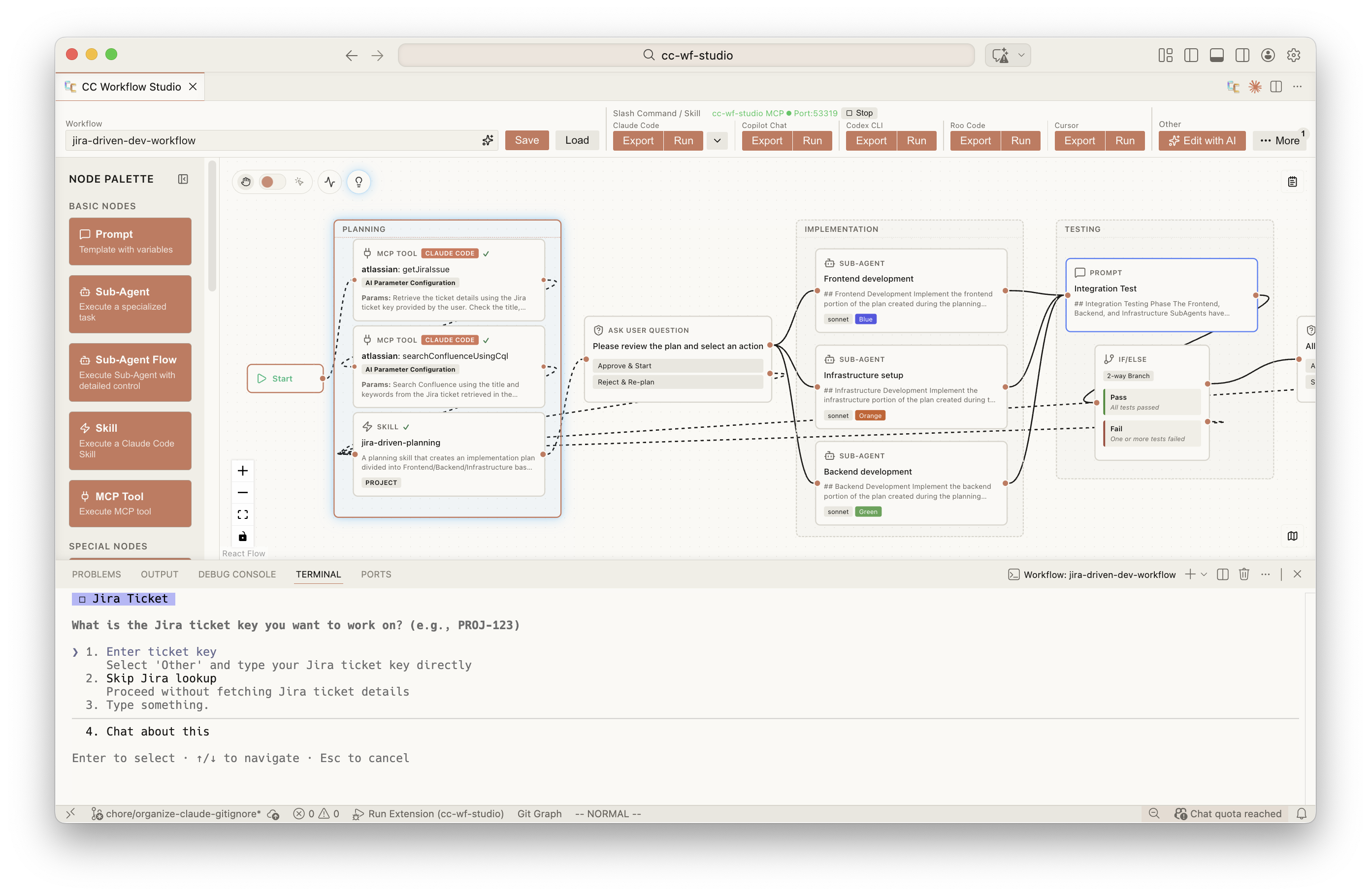
You think visually. AI thinks in .md. CC Workflow Studio speaks both.
Design workflows on a canvas. Export as Markdown your AI agent already understands. No more prompt-guessing.
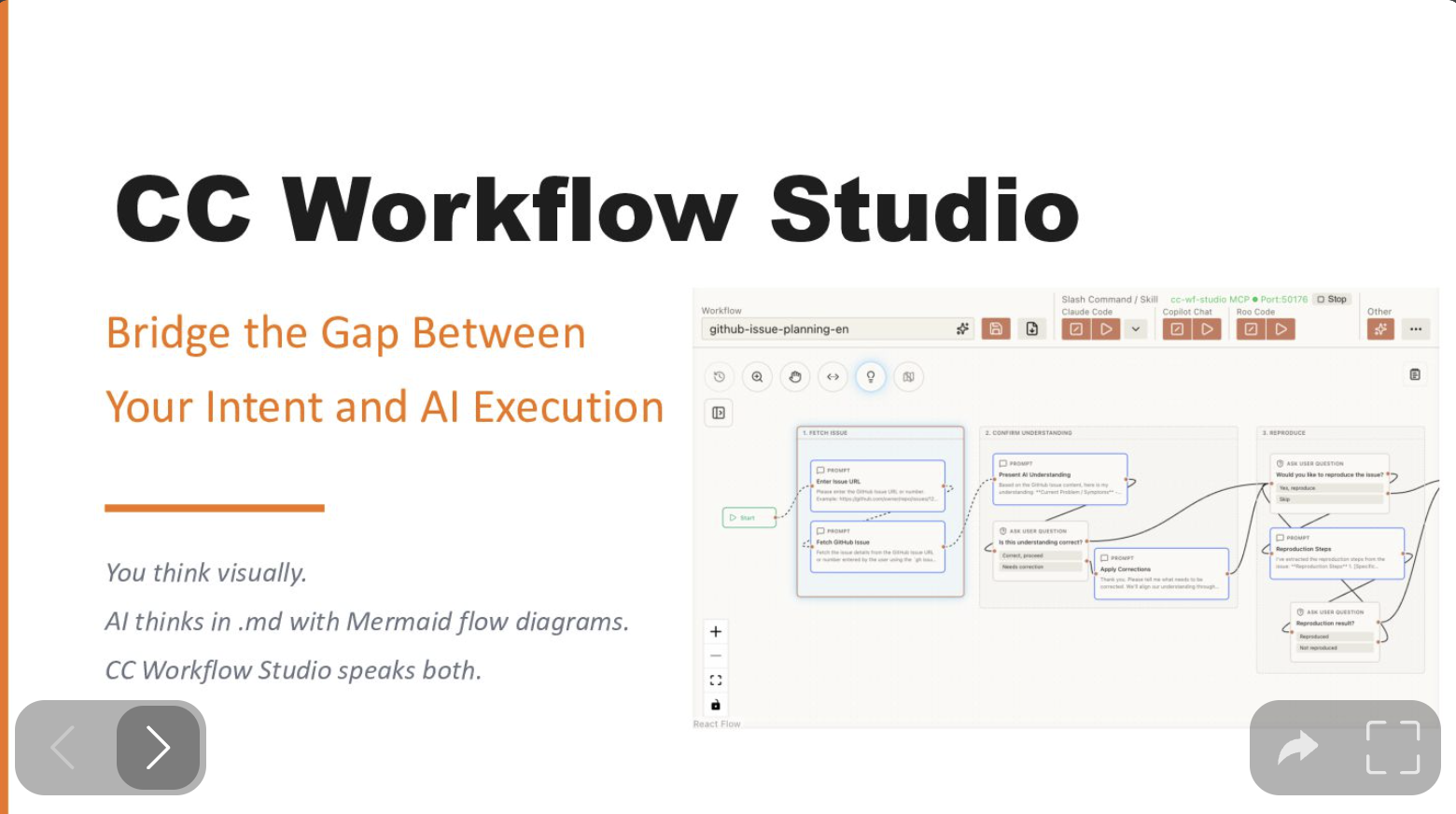
Why CC Workflow Studio? - Speaker Deck Link
Supported Agents
| Agent | Export Format | Requires |
|---|---|---|
| Claude Code | .claude/agents/ .claude/commands/ | Claude Code |
| GitHub Copilot Chat | .github/prompts/ | Copilot Chat |
| GitHub Copilot CLI | .github/skills/ | Copilot CLI |
| OpenAI Codex CLI | .codex/skills/ | Codex CLI |
| Zoo Code (formerly Roo Code) | .roo/skills/ | Zoo Code |
| Gemini CLI | .gemini/skills/ | Gemini CLI |
| Antigravity | .agent/skills/ | Antigravity |
| Cursor | .cursor/agents/ .cursor/skills/ | Cursor |
Note: Agents other than Claude Code require activation from Toolbar's More menu.
Use it without VSCode, too
The VSCode extension is the most ergonomic editor, but it isn't the only entry point. The same workflow.json drives a CLI and an MCP server — pick whichever interface fits the situation.
flowchart LR
    Wf(["workflow.json"])

    subgraph IDE["🪟 VSCode Extension"]
        Canvas["React Flow canvas<br/>+ editor + Slack share"]
    end

    subgraph Mcp["🔌 MCP Server"]
        AIClient["Claude Code,<br/>MCP Inspector, ..."]
        McpServer["@cc-wf-studio/mcp<br/>(stdio: <code>ccwf-mcp</code>)"]
        AIClient --> McpServer
    end

    subgraph Cli["💻 CLI"]
        CliBin["@cc-wf-studio/cli<br/>(<code>ccwf render | validate | export | run | preview | canvas | mcp</code>)"]
    end

    Wf <-->|edit| Canvas
    Wf <-->|read / write| McpServer
    Wf <-->|read / write| CliBin

    Canvas -.->|writes skills + agents| Output["Agent skills on disk<br/>(.claude/, .codex/, .cursor/, ...)"]
    McpServer -.-> Output
    CliBin -.-> Output
| Interface | Try it | Best for | Docs |
|---|---|---|---|
| VSCode extension | code --install-extension breaking-brake.cc-wf-studio | Designing workflows visually | packages/vscode |
CLI (ccwf) | npx @cc-wf-studio/cli --help | Terminal / CI / SSH / Codespaces — render, validate, preview, export, run a workflow without VSCode | packages/cli |
MCP server (ccwf-mcp) | Add to your MCP client's .mcp.json so Claude Code (or any MCP client) can read and edit workflows over stdio | Letting an external AI client read and edit your workflows through MCP tools | packages/mcp |
There is no "VSCode-only" path: a workflow you draw in the canvas is the same file ccwf preview will render in a browser, and the same file an external Claude Code can edit through MCP.
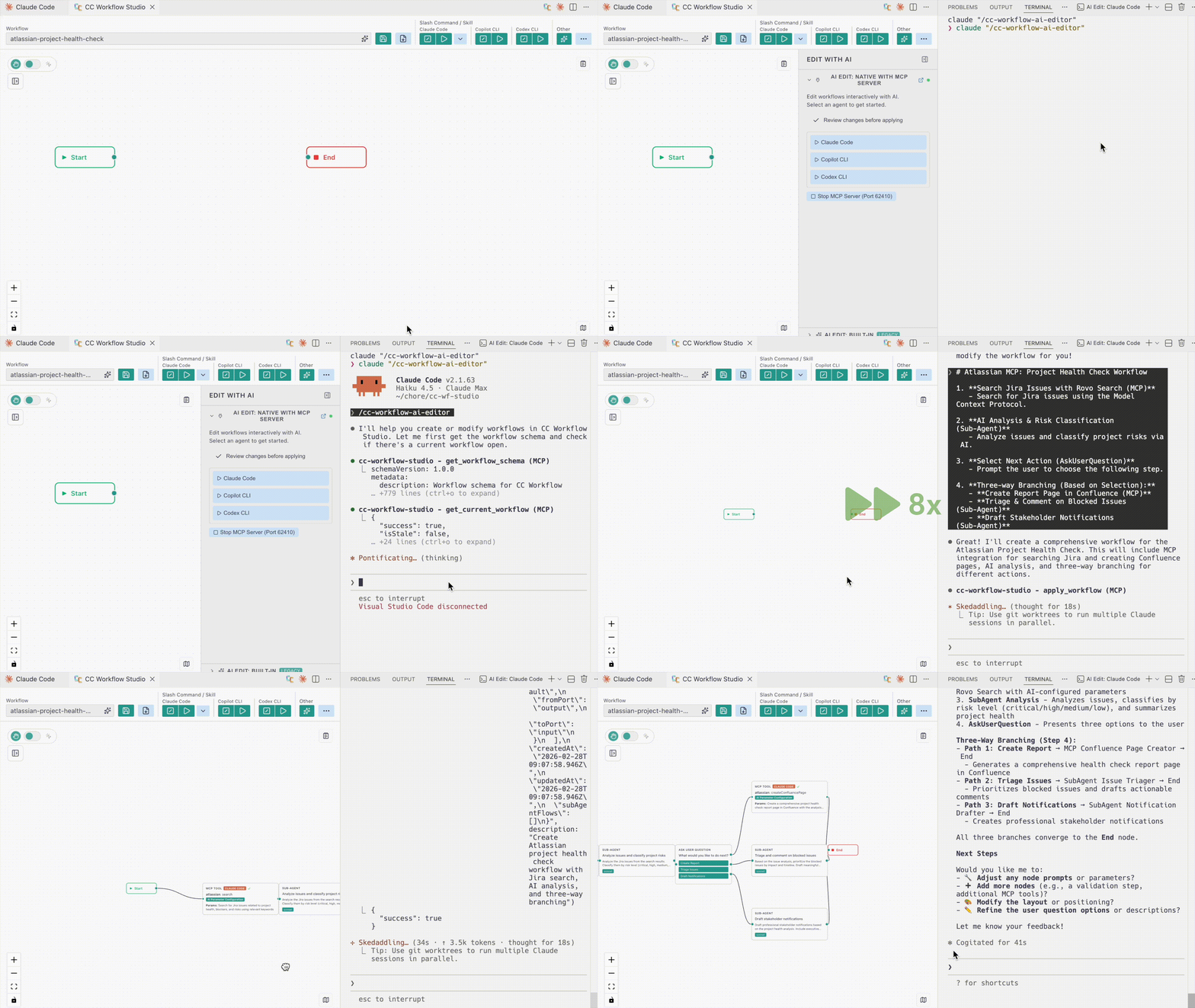
✨ Edit with AI: AI agents (Claude Code, GitHub Copilot, etc.) create workflows through natural language via MCP Server
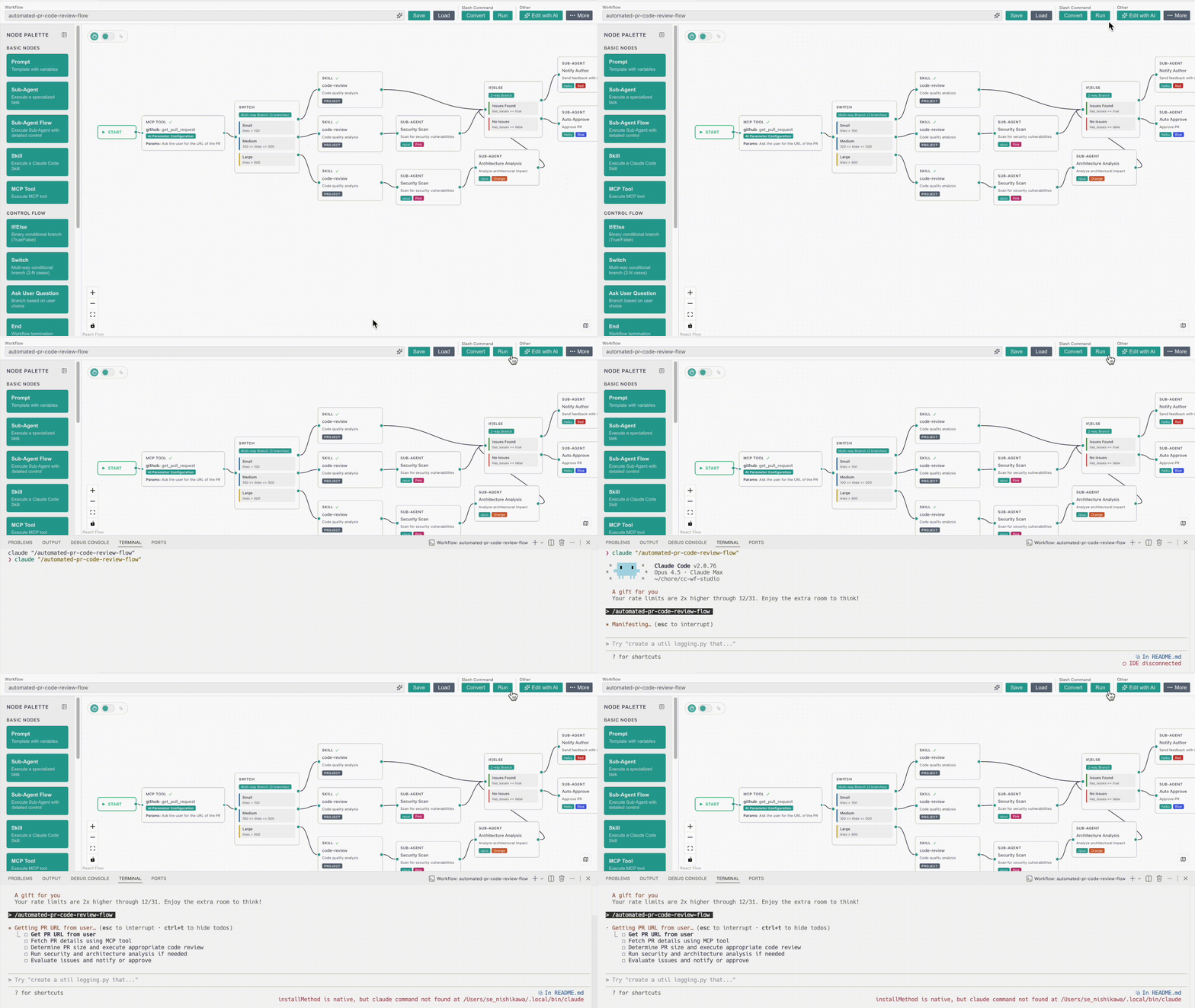
▶️ Run workflows directly from the editor – See your AI automation in action instantly
Key Features
🔀 Visual Workflow Editor - Intuitive drag-and-drop canvas for designing AI agent orchestrations without code
🤖 Agentic Engineering - Design multi-agent workflows with Sub-Agent orchestration, Agent Skills, and MCP tool integration — the building blocks of agentic engineering
✨ Edit with AI - Iteratively improve workflows through conversational AI - ask for changes, add features, or refine logic with natural language feedback
⚡ One-Click Export & Run - Export workflows to ready-to-use formats and run directly from the editor
How to Use
Launch the Extension
- Click the
 icon in the top-right corner of the editor
- Or: Command Palette (
Cmd+Shift+P) → "CC Workflow Studio: Open Editor"
Create a Workflow
- Add nodes from the palette and configure their settings, or use Edit with AI.
Save & Load
- Click Save
 button in the toolbar to store your workflow as
.vscode/workflows/*.json - Click Load
 button in the toolbar to open a saved
.jsonworkflow
Export & Run
- Click Export
 button in the toolbar to create a
.mdslash command or agent skill (use/workflow-namein AI coding agents) - Click Run
 button in the toolbar to run your workflow directly in AI coding agents
Edit with AI
- Click Edit with AI
 button in the toolbar to generate or refine workflows with natural language
- Native with MCP Server: Click an AI agent button in the Edit with AI panel to launch native AI editing. The MCP server starts automatically behind the scenes.
sequenceDiagram
    actor User
    box VS Code (CC Workflow Studio)
        participant UI as Editor UI
        participant MCP as MCP Server
    end
    participant Agent as AI Agent

    User->>UI: Click agent button
    UI->>MCP: Auto start server
    UI->>Agent: Launch with editing skill

    loop AI edits workflow
        Agent->>MCP: get_workflow
        MCP-->>Agent: workflow JSON
        Agent->>MCP: apply_workflow
        MCP->>UI: Update canvas
    end
Usage Examples
Coming soon - Sample workflows and tutorials are under development.
License
The VSCode extension (cc-wf-studio) is licensed under the GNU Affero General Public License v3.0 (AGPL-3.0-or-later).
See the LICENSE file for the full license text.
The reusable libraries published to npm — @cc-wf-studio/core, @cc-wf-studio/mcp, and @cc-wf-studio/cli — are released under the more permissive MIT license. Each package ships its own LICENSE file, which takes precedence for that package.
Copyright (c) 2025 breaking-brake
Star History
Acknowledgments
Built with React Flow • Powered by Claude Code • Inspired by Dify
Made with CC Workflow Studio

Ships withcc-wf-studio
5.4k10 skills2 MCP
Stars on GitHub
Momentum
- stars in total
- 5.4k
More MCP servers from other plugins.

paperclip
MCPShips with paperclip: Open-source orchestration for teams of AI agents. If OpenClaw is an employee, Paperclip is the company.…
 @paperclipaiInstall MCP

t
MCPShips with oh-my-claudecode: For Codex users: Check out oh-my-codex — the same orchestration experience for OpenAI Codex CLI.…
 @yeachan-heoInstall MCP
Questions about cc-workflow-studio.
- Which coding agents can use cc-workflow-studio?
- cc-workflow-studio works in any agent that reads an MCP config file: Claude Code, Codex, Cursor, Gemini CLI, GitHub Copilot, OpenCode and Windsurf. Each agent reads it from its own file; this page names the file for each one.
- How do I add cc-workflow-studio to Claude Code?
- Run this in your terminal: claude mcp add --transport http cc-workflow-studio http://127.0.0.1:6289/mcp