


Auto-invoked
Development
MCP
figma
Reads Figma files so the agent can pull frames, components and design tokens straight from the source.
Claude Code
> /plugin marketplace add bovinphang/frontend-craft> /plugin install frontend-craft@frontend-craft
Codex
$ codex mcp add figma --env FIGMA_API_KEY=YOUR_VALUE -- npx -y figma-developer-mcp --stdio
Cursor
{
  "mcpServers": {
    "figma": {
      "command": "npx",
      "args": [
        "-y",
        "figma-developer-mcp",
        "--stdio"
      ],
      "env": {
        "FIGMA_API_KEY": "YOUR_VALUE"
      }
    }
  }
}
Add it to mcp.json.
Gemini CLI
{
  "mcpServers": {
    "figma": {
      "command": "npx",
      "args": [
        "-y",
        "figma-developer-mcp",
        "--stdio"
      ],
      "env": {
        "FIGMA_API_KEY": "YOUR_VALUE"
      }
    }
  }
}
Add it to settings.json.
GitHub Copilot
$ copilot mcp add figma --env FIGMA_API_KEY=YOUR_VALUE -- npx -y figma-developer-mcp --stdio
OpenCode
{
  "mcp": {
    "figma": {
      "type": "local",
      "command": [
        "npx",
        "-y",
        "figma-developer-mcp",
        "--stdio"
      ],
      "environment": {
        "FIGMA_API_KEY": "YOUR_VALUE"
      }
    }
  }
}
Add it to opencode.json.
Windsurf
{
  "mcpServers": {
    "figma": {
      "command": "npx",
      "args": [
        "-y",
        "figma-developer-mcp",
        "--stdio"
      ],
      "env": {
        "FIGMA_API_KEY": "YOUR_VALUE"
      }
    }
  }
}
Add it to mcp_config.json.
Security report
Found
Low risk
Known flaws
None known
Signed build
Yes
Build provenance published
Maintained
Sep 26, 2026
Last push
Licence
MIT
Runs as
npx
On your machine
Deprecated
No
Signals from public registries, not an audit. Checked Nov 11, 2026.
figma README


Give Cursor and other AI-powered coding tools access to your Figma files with this Model Context Protocol server.
When Cursor has access to Figma design data, it's way better at one-shotting designs accurately than alternative approaches like pasting screenshots.
Demo
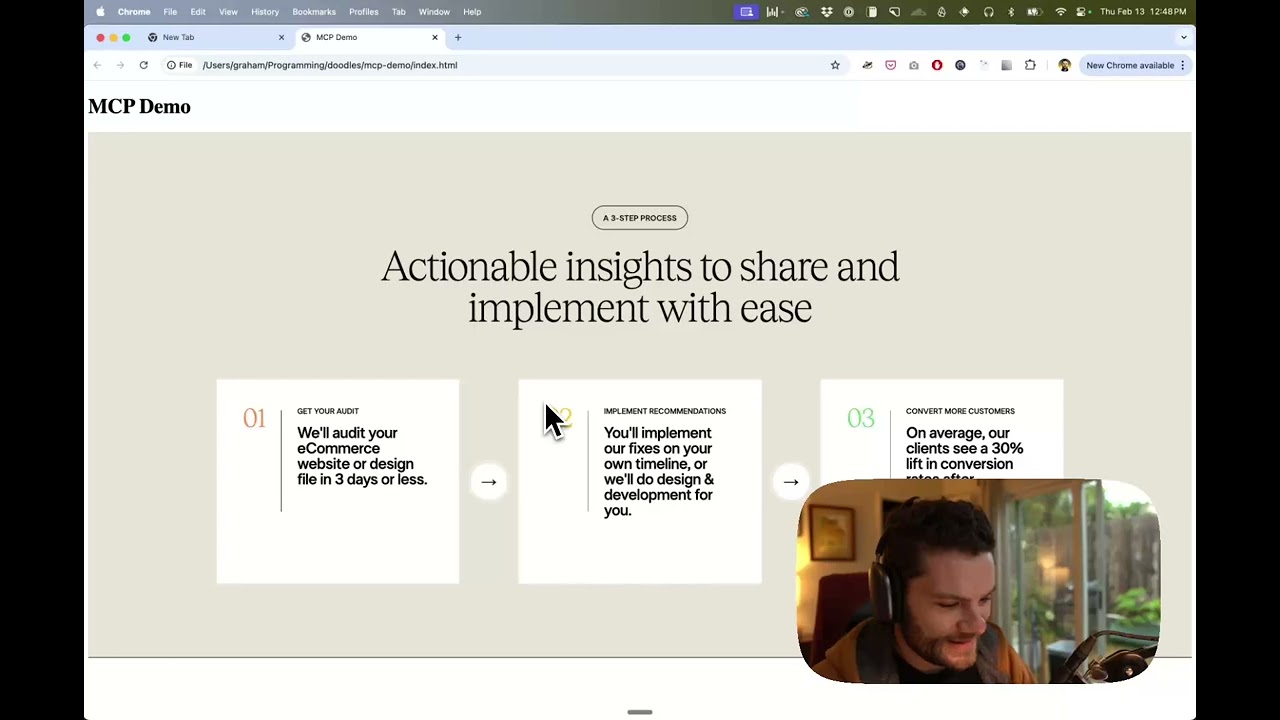
Watch a demo of building a UI in Cursor with Figma design data
How it works
- Open your IDE's chat (e.g. agent mode in Cursor).
- Paste a link to a Figma file, frame, or group.
- Ask Cursor to do something with the Figma file—e.g. implement the design.
- Cursor will fetch the relevant metadata from Figma and use it to write your code.
This MCP server is specifically designed for use with Cursor. Before responding with context from the Figma API, it simplifies and translates the response so only the most relevant layout and styling information is provided to the model.
Reducing the amount of context provided to the model helps make the AI more accurate and the responses more relevant.
Getting Started
Many code editors and other AI clients use a configuration file to manage MCP servers.
The figma-developer-mcp server can be configured by adding the following to your configuration file.
NOTE: You will need to create a Figma access token to use this server. Instructions on how to create a Figma API access token can be found here.
MacOS / Linux
{
  "mcpServers": {
    "Framelink MCP for Figma": {
      "command": "npx",
      "args": ["-y", "figma-developer-mcp", "--figma-api-key=YOUR-KEY", "--stdio"]
    }
  }
}
Windows
{
  "mcpServers": {
    "Framelink MCP for Figma": {
      "command": "cmd",
      "args": ["/c", "npx", "-y", "figma-developer-mcp", "--figma-api-key=YOUR-KEY", "--stdio"]
    }
  }
}
Or you can set FIGMA_API_KEY and PORT in the env field.
If you need more information on how to configure the Framelink MCP for Figma, see the Framelink docs.
Star History
Learn More
The Framelink MCP for Figma is simple but powerful. Get the most out of it by learning more at the Framelink site.
Stats
23
Stars
3
Forks
Active
Maintenance
TypeScript
Language
MIT
License
Last commit
Created

Ships withfrontend-craft
frontend-craft is a universal frontend plugin that brings the same opinionated engineering standards to all 15 AI coding assistants.
2256 skills14 agents6 MCP
Stars on GitHub
Momentum
- stars in total
- 22
More MCP servers from other plugins.




Questions about figma.
- Which coding agents can use figma?
- figma works in any agent that reads an MCP config file: Claude Code, Codex, Cursor, Gemini CLI, GitHub Copilot, OpenCode and Windsurf. Each agent reads it from its own file; this page names the file for each one.
- How do I add figma to Claude Code?
- Run these in order, one at a time. 1. In Claude Code: /plugin marketplace add bovinphang/frontend-craft 2. In Claude Code: /plugin install frontend-craft@frontend-craft
- Is figma safe to install?
- Low risk. Signals from public registries, not an audit.