
Development
Plugin
ccx
CCX is a high-performance AI API proxy and protocol translation gateway for Claude, OpenAI Chat, OpenAI Images, OpenAI Embeddings, Codex Responses, and Gemini.

Plugin Signal76/100Solid
maintained99
capable34
documented100
adopted77
Install
$ npx -y skills add BenedictKing/ccx --agent claude-code
Stats
3,986
Stars
323
Forks
Active
Maintenance
Go
Language
MIT
License
6h ago
Last commit
7mo ago
Created
Repo: BenedictKing/ccx
What's inside
Skill(4 skills)
/model-update新增或更新 CCX 项目中的模型注册技能。适用于 Claude 与非 Claude 模型,覆盖能力表、路由白名单、基准映射、代码生成与验证。/store-update在 CCX Desktop 发布后下载 Store MSIX 并生成发布公告。用户提到 Store 上架、MSIX、从 GitHub Release 下载 store.msix、发布后同步 Windows Store、从 release 填写商店更新内容时必须使用此技能。该技能会下载最新 GitHub Release 的 amd64/arm64 MSIX,校验 sha256,从 Release body 生成 Store listing releaseNotes 预览,并输出手动上传指引。/upstream-check检查 Claude Code / Codex 上游版本变更,对比本地版本,识别协议/工具/用法相关更新并追加 TODO 提醒/version-bump升级项目版本号并提交git,支持patch/minor/major版本升级或指定具体版本号,自动从git log生成CHANGELOG
README
Claude / OpenAI Chat / OpenAI Images / OpenAI Embeddings / Codex Responses / Gemini API Proxy - CCX
English | 简体中文


CCX is a high-performance AI API proxy and protocol translation gateway for Claude, OpenAI Chat, OpenAI Images, OpenAI Embeddings, Codex Responses, and Gemini. It provides a unified entrypoint, built-in web administration, channel orchestration, failover, multi-key management, and model routing.
Features
- Integrated backend + frontend architecture with single-port deployment
- Dual-key authentication with
PROXY_ACCESS_KEYand optionalADMIN_ACCESS_KEY - Web admin console for channel management, testing, logs, and monitoring
- Support for Claude Messages, OpenAI Chat Completions, OpenAI Images, OpenAI Embeddings, Codex Responses, and Gemini APIs
- Smart scheduling with priorities, promotion windows, health checks, failover, and circuit recovery
- Context routing filters candidate channels by actual model context window and max output capability
- Per-channel API key rotation, proxy support, custom headers, model allowlists, and route prefixes
- Responses session tracking for multi-turn workflows
- Embedded frontend assets for simple binary deployment
Sponsor
Screenshots
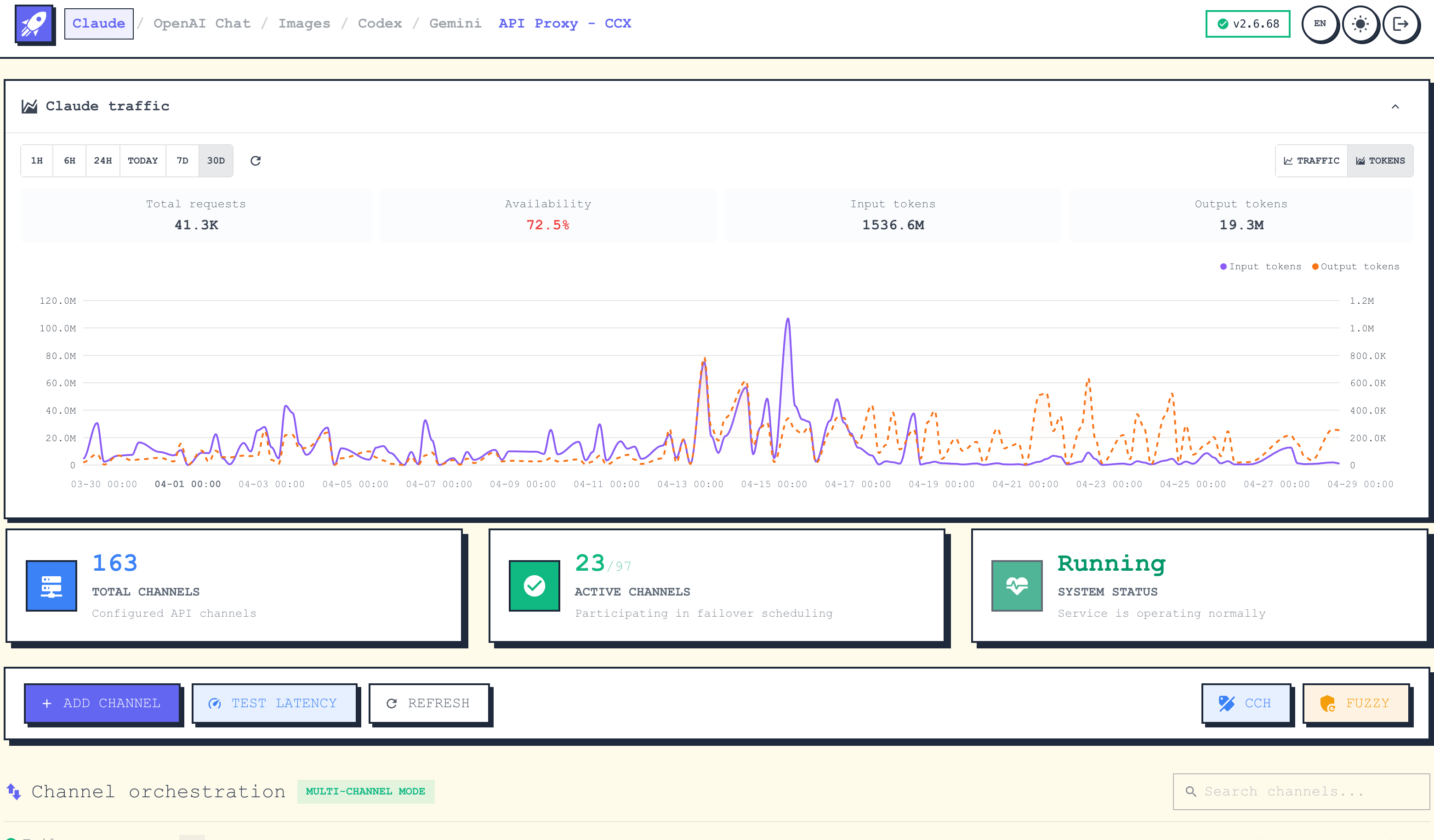
Channel Orchestration
Visual channel management with drag-and-drop priority adjustment and real-time health monitoring.
Add Channel
Supports multiple upstream service types and flexible API key, model mapping, and request parameter configuration.
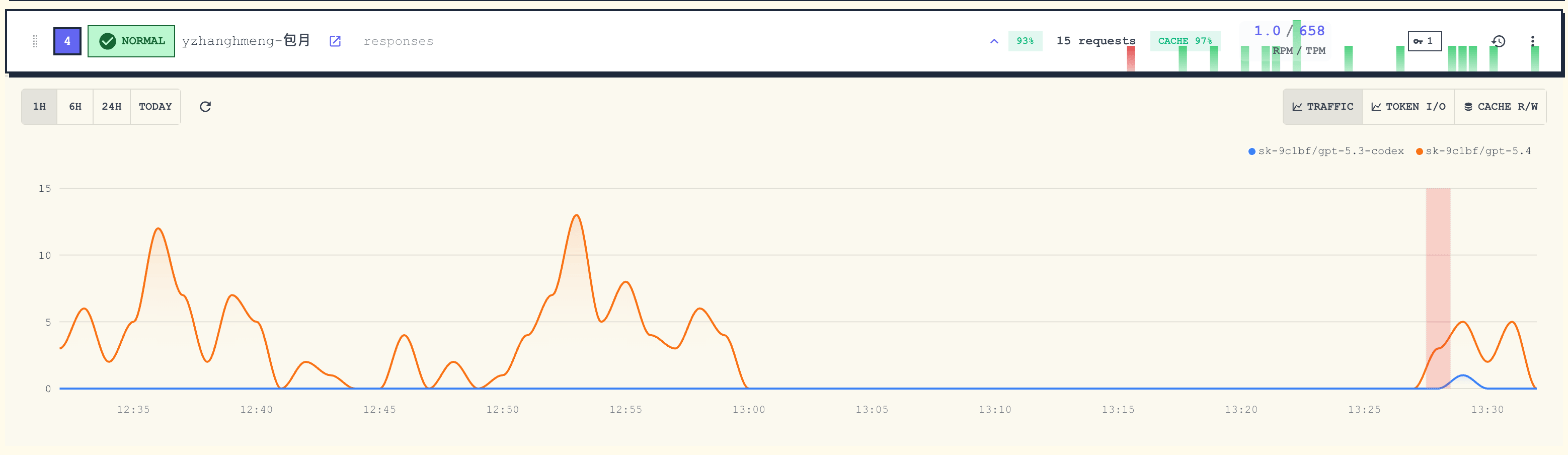
Traffic Stats
Real-time monitoring of per-channel request traffic, success rate, and latency.
Architecture
CCX exposes one backend entrypoint:
Client -> backend :3000 ->
  |- /                            -> Web UI
  |- /api/*                       -> Admin API
  |- /v1/messages                 -> Claude Messages proxy
  |- /v1/chat/completions         -> OpenAI Chat proxy
  |- /v1/responses                -> Codex Responses proxy
  |- /v1/images/{...}             -> OpenAI Images proxy
  |- /v1/embeddings               -> OpenAI Embeddings proxy
  |- /v1/models                   -> Models API
  `- /v1beta/models/*             -> Gemini proxy
Images endpoints currently include:
POST /v1/images/generationsPOST /v1/images/editsPOST /v1/images/variations
See ARCHITECTURE.md for the detailed design.
Quick Start
Option 0: CCX Desktop
CCX Desktop provides a native desktop experience with GUI for managing channels, keys, and agent configuration.
| Platform | Install Method | Notes |
|---|---|---|
| Windows | Search CCX Desktop in Microsoft Store | Recommended. Auto-update, no manual signing. Also available as setup.exe from GitHub Releases. |
| macOS | brew tap BenedictKing/ccx && brew install --cask ccx-desktop | Or download .dmg (arm64/amd64) from GitHub Releases. |
| Linux | Download .AppImage from GitHub Releases | Mark as executable and run. |
See CCX Desktop Guide for detailed setup instructions.
Option 1: Binary
- Download the latest binary from Releases.
- Create a
.envfile next to the binary:
PROXY_ACCESS_KEY=your-proxy-access-key
PORT=3688
ENABLE_WEB_UI=true
APP_UI_LANGUAGE=en
- Run the binary and open
http://localhost:3000
On Windows, if the client runs from cmd, PowerShell, WSL, or Docker and localhost does not reach CCX, use the Windows host IPv4 address instead, for example http://192.168.1.23:3000. When BIND_HOST is empty, CCX listens on all interfaces by default through :PORT; set BIND_HOST=127.0.0.1 for local-only access.
For background startup without Docker, see Service Startup.
Option 2: Docker
docker run -d \
  --name ccx \
  -p 3000:3000 \
  -e PROXY_ACCESS_KEY=your-proxy-access-key \
  -e APP_UI_LANGUAGE=en \
  -v $(pwd)/.config:/app/.config \
  crpi-i19l8zl0ugidq97v.cn-hangzhou.personal.cr.aliyuncs.com/bene/ccx:latest
Run in the background with Docker Compose:
docker compose up -d
Enable Watchtower auto-update:
docker compose -f docker-compose.yml -f docker-compose.watchtower.yml up -d
Pull the latest image immediately after setup if needed:
docker compose pull ccx
docker compose up -d ccx
Option 3: Build From Source
Prerequisites: Go 1.25+, Bun, and Make (macOS: xcode-select --install).
git clone https://github.com/BenedictKing/ccx
cd ccx
cp backend-go/.env.example backend-go/.env
make install   # install all dependencies (frontend + Go modules + dev tools)
make run
Useful commands:
make dev
make run
make build
make frontend-dev
Core Environment Variables
PORT=3688
ENV=production
ENABLE_WEB_UI=true
PROXY_ACCESS_KEY=your-proxy-access-key
ADMIN_ACCESS_KEY=your-admin-secret-key
APP_UI_LANGUAGE=en
LOG_LEVEL=info
Main Endpoints
- Web UI:
GET / - Health:
GET /health - Admin API:
/api/* - Claude Messages:
POST /v1/messages - OpenAI Chat:
POST /v1/chat/completions - Codex Responses:
POST /v1/responses - OpenAI Images:
POST /v1/images/generations,POST /v1/images/edits,POST /v1/images/variations - OpenAI Embeddings:
POST /v1/embeddings - Gemini:
POST /v1beta/models/{model}:generateContent - Models API:
GET /v1/models
Development
Recommended local workflow:
make dev
Frontend only:
cd "frontend"
bun install
bun run dev
Backend only:
cd "backend-go"
make dev
Additional Docs
- CCX Desktop
- Client Setup
- CCX Desktop (中文)
- Client Setup (中文)
- README.zh-CN.md
- backend-go/README.md
- ARCHITECTURE.md
- DEVELOPMENT.md
- ENVIRONMENT.md
- docs/service/README.md - non-Docker service startup
- RELEASE.md
Community
Join the QQ group for discussion: 642217364
Star History
Acknowledgments
License
MIT
File tree
FAQ
ccx is a Claude Code plugin with 4 hand-picked skills for development work, indexed on Flowy. Install it with the command on its page. It includes model-update, store-update, upstream-check. Its skills do not fire on their own yet. Request auto-invocation to have Flowy route them as you prompt. Free and open source.
- What is ccx?
- CCX is a high-performance AI API proxy and protocol translation gateway for Claude, OpenAI Chat, OpenAI Images, OpenAI Embeddings, Codex Responses, and Gemini.
- How do I install ccx?
- Run these in Claude Code: npx -y skills add BenedictKing/ccx --agent claude-code. Then prompt normally.
- Does ccx auto-invoke its skills?
- Not yet. It is indexed on Flowy as a plain plugin. Request auto-invocation on its page and Flowy will route its skills for you as you prompt.
- Is ccx free?
- Yes. Flowy is free and open source, with nothing gated. You can read every skill in full before you install.
Is this plugin yours?
Claim it with GitHubSubmit a pluginPromote it