Deliberation
Get a second opinion in Claude Code from GPT, Gemini, and Grok - plus 400+ more models through OpenRouter, including Qwen, Kimi, and DeepSeek. Seven domain experts (Architect, Code Reviewer, Security Analyst, and four more) review your plans, find bugs, and debate edge cases until they agree.
 Recent blog post: Meet Deliberation: 400+ models is easy, knowing which ones earn a place is hard.
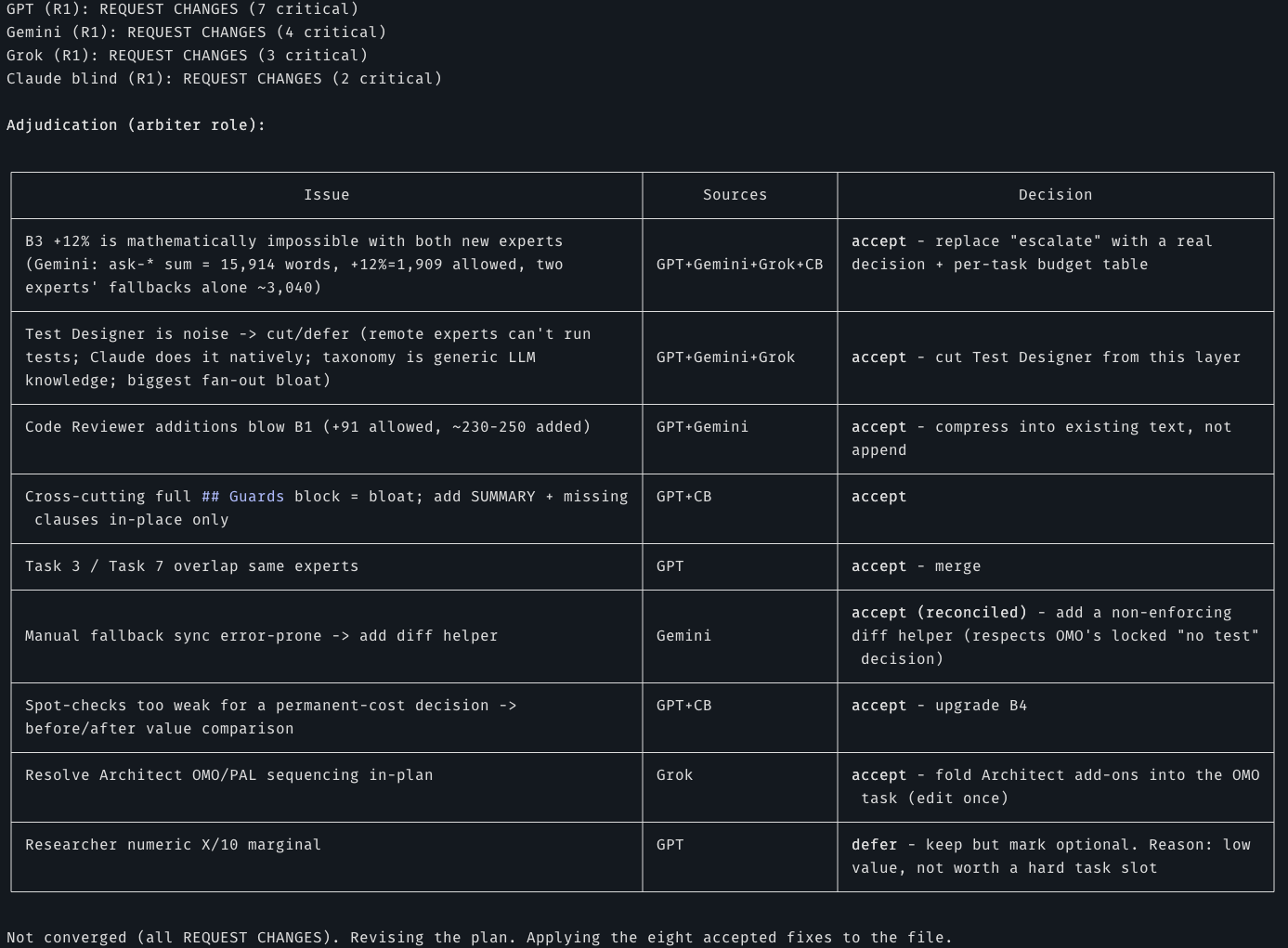

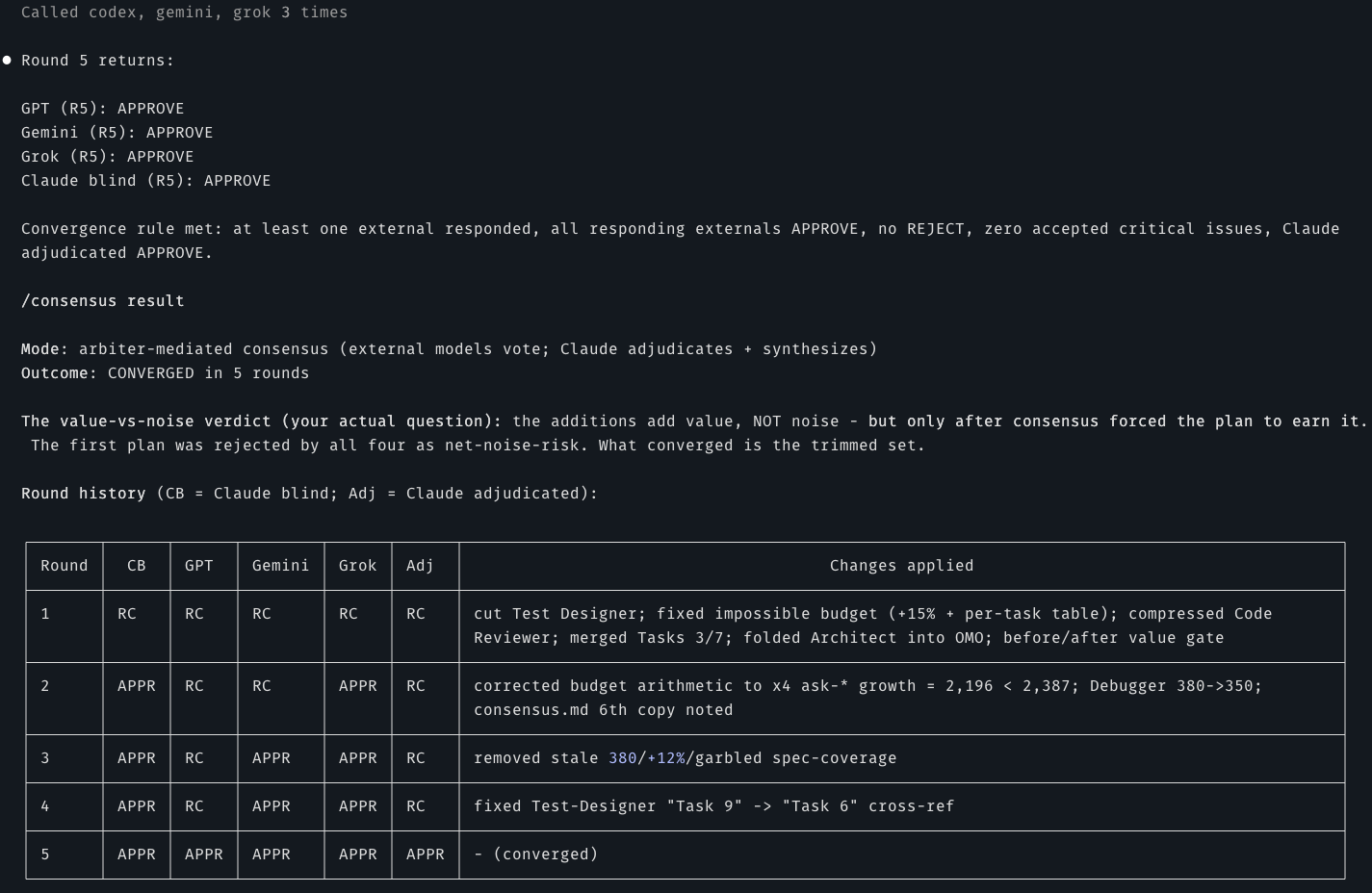
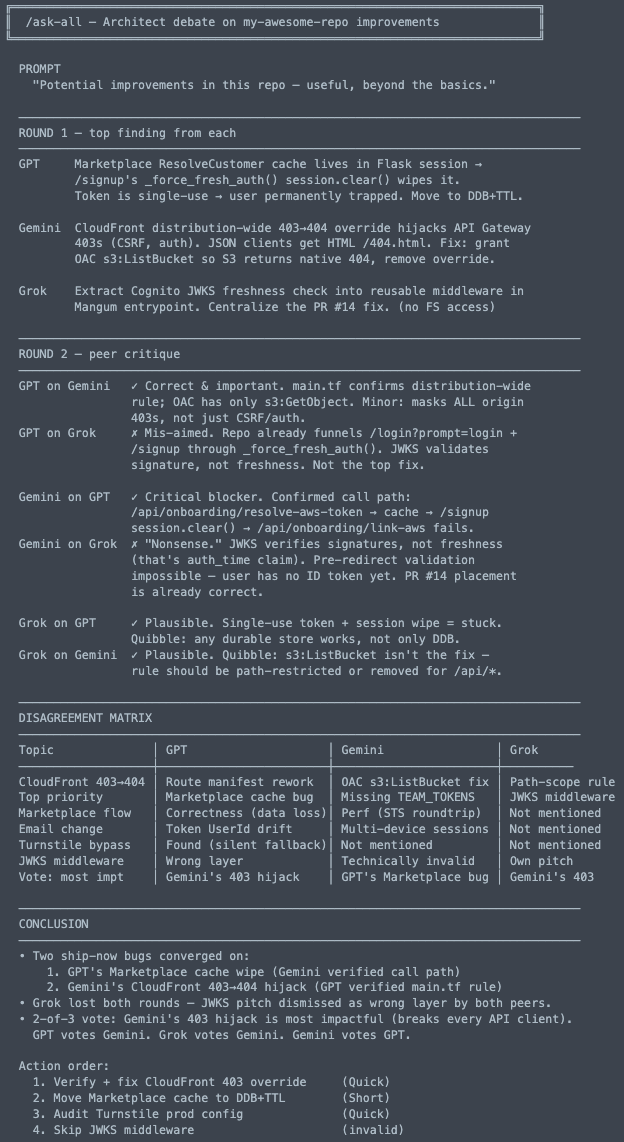
When three models argue, the real bug reveals itself. Round 1 = independent top findings. Round 2 = each model dunks on the others' picks. The disagreement matrix shows where they diverge; the conclusion shows what to actually fix first.
What is Deliberation?
Claude can ask GPT, Gemini, Grok, or any OpenAI-compatible model (via OpenRouter) for help
through MCP. The plugin handles the wiring for each provider so you just write the prompt.
Each expert has a distinct specialty and can advise or implement.
You can use any subset of the providers. The plugin detects which are configured and routes
accordingly. OpenRouter is advisory-only and config-driven: models are declared in
~/.config/deliberation/config.json (Windows: %APPDATA%\deliberation\config.json; override
with DELIBERATION_CONFIG) and hot-reload without restarting Claude Code.
| What you get | Why it matters |
|---|
| 7 domain experts | The right specialist for each problem type |
| GPT, Gemini, Grok, or OpenRouter models | Use your preferred provider(s) |
| Dual mode | Experts analyze (read-only) or implement (write) |
| Auto-routing | Claude detects when to delegate from your request |
| Synthesized responses | Claude interprets expert output, never raw passthrough |
Install
Claude Code plugin (recommended):
1. Add the marketplace - antonbabenko/agent-plugins
/plugin marketplace add antonbabenko/agent-plugins
2. Install the plugin
/plugin install deliberation@antonbabenko
3. Run setup
/deliberation:setup
Claude now routes complex tasks to your GPT, Gemini, Grok, and OpenRouter experts (GPT, Grok, and OpenRouter advise; only Gemini can also implement).
Setup is a one-time step. The MCP servers are registered by the plugin manifest, so they load
automatically and stay current across updates.
Updating (Claude Code)
/plugin marketplace update antonbabenko  # pull the new version from the marketplace
/reload-plugins                          # reconnect the MCP servers (or just restart Claude Code)
Updating on non-Claude hosts: hosts that run the standalone server via npx -y @antonbabenko/deliberation-mcp get the latest published version on each fresh resolve. npx
caches resolved packages, so if a host serves an old build, clear the npx cache
(rm -rf ~/.npm/_npx) or pin/refresh the version.
Alternative: Use deliberation MCP server (standalone, works with any agents)
The orchestration server is also published on its own - npm @antonbabenko/deliberation-mcp, Official MCP Registry name io.github.antonbabenko/deliberation.
One-click install:



Add this to your host's MCP config (most hosts use the mcpServers key):
{
  "mcpServers": {
    "deliberation": {
      "command": "npx",
      "args": ["-y", "@antonbabenko/deliberation-mcp"],
      "env": {
        "XAI_API_KEY": "xai-...",
        "OPENROUTER_API_KEY": "sk-or-v1-..."
      }
    }
  }
}
The env block is how you set provider keys outside Claude Code. GPT and Gemini do not read keys here - they use the codex and agy CLIs (logged in separately), so drop those lines if you only use GPT/Gemini. XAI_API_KEY enables Grok; OPENROUTER_API_KEY enables OpenRouter (which also needs models declared in ~/.config/deliberation/config.json - the canonical XDG path, Windows %APPDATA%\deliberation\config.json - or point elsewhere with DELIBERATION_CONFIG). The one-click buttons above cannot carry secrets - add the env block by hand after installing.
Per-host config location and the key it expects:
| Host | Config | Key |
|---|
| Claude Code | claude mcp add deliberation -- npx -y @antonbabenko/deliberation-mcp (or project .mcp.json) | mcpServers |
| Claude Desktop | ~/Library/Application Support/Claude/claude_desktop_config.json (macOS), %APPDATA%\Claude\claude_desktop_config.json (Windows) | mcpServers |
| Cursor | ~/.cursor/mcp.json (global) or .cursor/mcp.json (project) | mcpServers |
| VS Code | .vscode/mcp.json - note: each entry needs "type": "stdio" | servers |
| Codex CLI | ~/.codex/config.toml - TOML, e.g. [mcp_servers.deliberation] | mcp_servers |
| Gemini CLI | ~/.gemini/settings.json | mcpServers |
| Windsurf | ~/.codeium/windsurf/mcp_config.json | mcpServers |
| Zed | settings.json | context_servers |
| Cline | the extension's MCP settings (Cline panel -> MCP Servers) | mcpServers |
Provider prerequisites are the same as the plugin (see Requirements): the Codex CLI for GPT, agy for Gemini, XAI_API_KEY for Grok, and OPENROUTER_API_KEY plus ~/.config/deliberation/config.json for OpenRouter (Windows: %APPDATA%\deliberation\config.json; override the config path with DELIBERATION_CONFIG).
Tools exposed: ask-all, consensus (the full convergence loop in one call, or a single synthesis pass with synthesizeAlways:true), consensus-step (drive the loop yourself, one action per call), ask-gpt / ask-gemini / ask-grok / ask-openrouter, panel + ask-one (discover the active provider set, then call providers individually - issue them in parallel for visible per-provider progress), analyze (read-only run analytics over the debug log + sessions: per-model latency / tokens + verdict agreement, with advisory tuning suggestions; configuredOnly and since keep the report to models you still run and a period you choose), the seven experts (architect, plan-reviewer, scope-analyst, code-reviewer, security-analyst, researcher, debugger), and the session tools (session-get / session-revisit / session-annotate). Every result carries ms + the effective reasoningEffort (HTTP providers add token usage). An optional debug log ("debug": { "enabled": true }) records latency / tokens / votes - never prompts or responses. These are server-side, so they work on every MCP host, not just Claude Code (see AGENTS.md).
The package also ships a deliberation-setup bin. Run it once with npx -y --package @antonbabenko/deliberation-mcp deliberation-setup to write a starter ~/.config/deliberation/config.json (it never overwrites an existing one). The plain npx -y @antonbabenko/deliberation-mcp form runs the default bin (the server), which is what your MCP host launches. For host rule wiring, see AGENTS.md and the per-host snippets in examples/.
Run in Docker
The repo ships a Dockerfile for running the standalone server in a container. It wraps the stdio server in mcp-proxy, the same shape MCP hosting providers expect:
docker build -t deliberation-mcp .
docker run -i --rm \
  -e XAI_API_KEY -e OPENROUTER_API_KEY \
  -v ~/.config/deliberation:/home/node/.config/deliberation:ro \
  deliberation-mcp
Grok and OpenRouter work from the keys alone. GPT and Gemini do not - they shell out to the codex and agy CLIs, which are not in the image, so those two providers report not-found / missing-cli inside the container.
Native plugins per host (Cursor / Codex / Kiro / OpenCode)
Beyond the raw MCP config above, deliberation ships native plugin artifacts for four hosts so the experience matches the Claude Code plugin (persona-bearing experts + when-to-delegate guidance, not just bare tools). All of these are generated from the canonical sources by node scripts/sync-hosts.js and committed, so they never drift (a CI drift test enforces it). Each host scans the repo for its own files:
| Host | Native artifacts (in this repo) | Install |
|---|
| Cursor | .cursor/rules/deliberation.mdc | Use the one-click MCP button above, then copy the .mdc into your project's .cursor/rules/. |
| Codex CLI | plugins/deliberation/ (.codex-plugin/plugin.json + .mcp.json + skills/) and a repo-scoped .agents/plugins/marketplace.json | codex plugin marketplace add antonbabenko/deliberation, then install deliberation from /plugins. |
| Kiro | POWER.md + mcp.json + steering/ (a "Kiro Power") | In Kiro, "Add power from GitHub" -> this repo URL. Submit to the registry at kiro.dev/powers/submit. |
| OpenCode | .opencode/commands/*.md + .opencode/agents/*.md | Add the MCP server to opencode.json (mcp key, type: "local", command: ["npx","-y","@antonbabenko/deliberation-mcp"]), then copy .opencode/commands/ and .opencode/agents/ into your project. |
Provider credentials work the same as the standalone server (GPT via the Codex CLI, Gemini via agy, XAI_API_KEY for Grok, OPENROUTER_API_KEY for OpenRouter) - set only the providers you use. The MCP server already injects each expert persona server-side, so these native files add the host's command/steering surface, not duplicated logic.
Full per-host install guides: docs/hosts/ - Cursor, Codex CLI, Kiro, OpenCode.
Requirements
You need at least one provider:

 @antonbabenko