
Professional email management, deliverability optimization, and marketing strategy powered by Claude Code.
6 skills4 agents2 hooks+2+1132
 @agricidaniel
Audits paid ad accounts across platforms such as Google, Meta, Amazon, and Apple, plus budget planning and attribution checks. Built for agencies, consultants, and in-house marketing teams using Claude Code.
Auto-invoked ships a router so the right skill fires automatically as you prompt. No remembering which skill to call.
Normal is the plain upstream plugin, installed as-is. You invoke its skills yourself.
Claude Code
The plugin> /plugin marketplace add AgriciDaniel/claude-ads> /plugin install claude-ads@ai-marketing-hub-claude-adsAuto-invocation> /plugin marketplace add flowy-sh/flowy-core> /plugin install flowy-core> /plugin install flowy-claude-ads
Codex
$ npx skills add AgriciDaniel/claude-ads --skill ads-amazon ads-apple ads-attribution ads-audit ads-budget ads-competitor ads-create ads-creative ads-dna ads-generate ads-google ads-landing ads-launch ads-linkedin ads-math ads-meta ads-microsoft ads-monitor ads-optimize ads-photoshoot ads-pinterest ads-plan ads-reddit ads-report ads-research ads-server-side-tracking ads-setup ads-snapchat ads-test ads-tiktok ads-validate ads-x ads-youtube -a codex
Cursor
$ npx skills add AgriciDaniel/claude-ads --skill ads-amazon ads-apple ads-attribution ads-audit ads-budget ads-competitor ads-create ads-creative ads-dna ads-generate ads-google ads-landing ads-launch ads-linkedin ads-math ads-meta ads-microsoft ads-monitor ads-optimize ads-photoshoot ads-pinterest ads-plan ads-reddit ads-report ads-research ads-server-side-tracking ads-setup ads-snapchat ads-test ads-tiktok ads-validate ads-x ads-youtube -a cursor
Gemini CLI
$ npx skills add AgriciDaniel/claude-ads --skill ads-amazon ads-apple ads-attribution ads-audit ads-budget ads-competitor ads-create ads-creative ads-dna ads-generate ads-google ads-landing ads-launch ads-linkedin ads-math ads-meta ads-microsoft ads-monitor ads-optimize ads-photoshoot ads-pinterest ads-plan ads-reddit ads-report ads-research ads-server-side-tracking ads-setup ads-snapchat ads-test ads-tiktok ads-validate ads-x ads-youtube -a gemini-cli
GitHub Copilot
$ copilot plugin marketplace add AgriciDaniel/claude-ads$ copilot plugin install claude-ads@ai-marketing-hub-claude-ads
OpenCode
$ npx skills add AgriciDaniel/claude-ads --skill ads-amazon ads-apple ads-attribution ads-audit ads-budget ads-competitor ads-create ads-creative ads-dna ads-generate ads-google ads-landing ads-launch ads-linkedin ads-math ads-meta ads-microsoft ads-monitor ads-optimize ads-photoshoot ads-pinterest ads-plan ads-reddit ads-report ads-research ads-server-side-tracking ads-setup ads-snapchat ads-test ads-tiktok ads-validate ads-x ads-youtube -a opencode
Windsurf
$ npx skills add AgriciDaniel/claude-ads --skill ads-amazon ads-apple ads-attribution ads-audit ads-budget ads-competitor ads-create ads-creative ads-dna ads-generate ads-google ads-landing ads-launch ads-linkedin ads-math ads-meta ads-microsoft ads-monitor ads-optimize ads-photoshoot ads-pinterest ads-plan ads-reddit ads-report ads-research ads-server-side-tracking ads-setup ads-snapchat ads-test ads-tiktok ads-validate ads-x ads-youtube -a windsurf
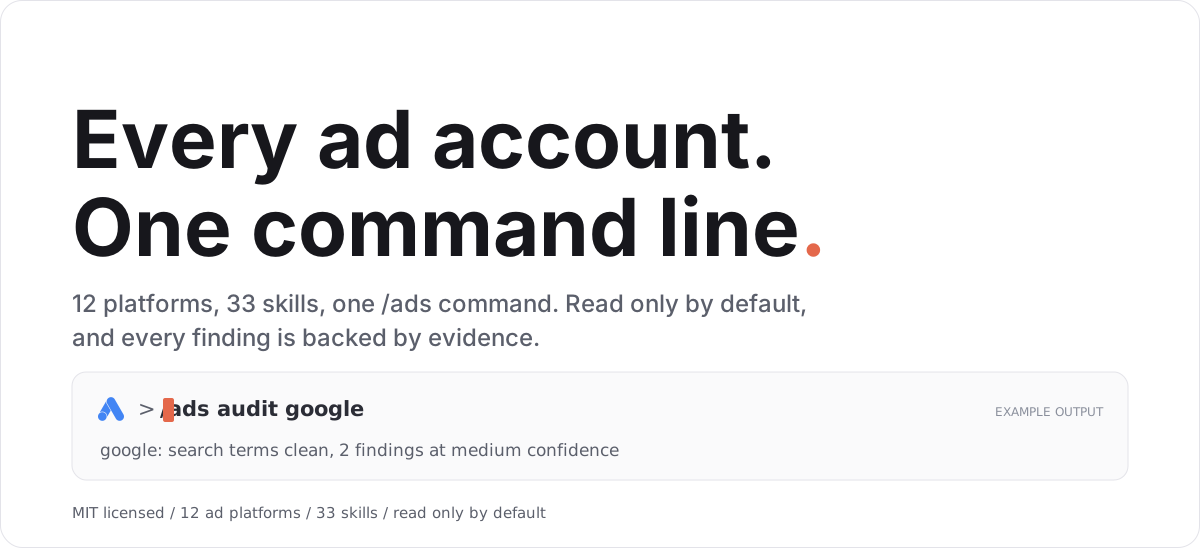
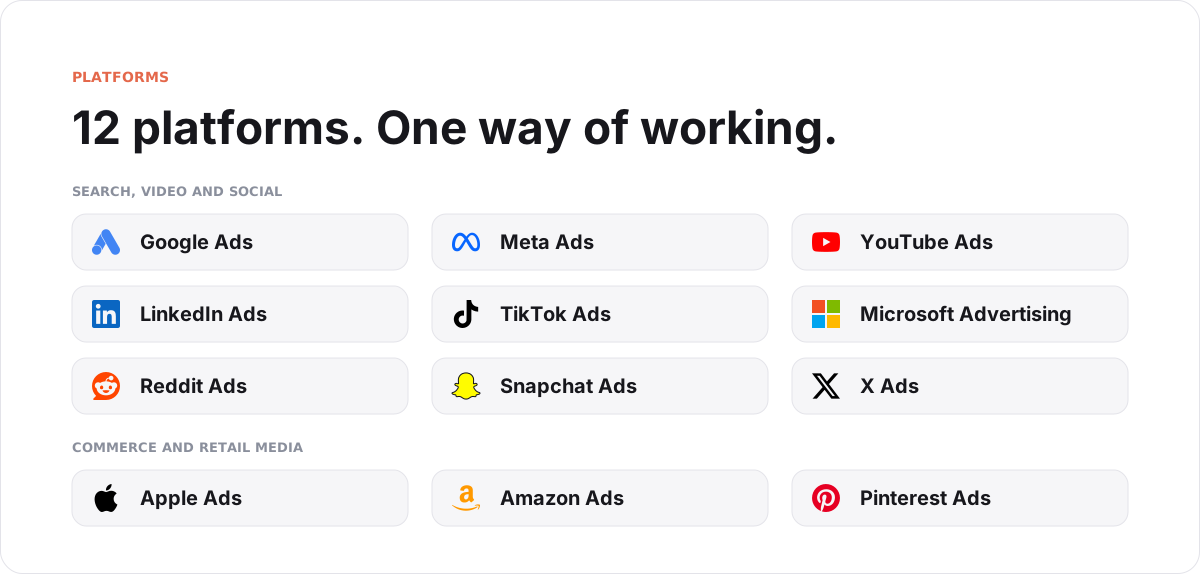
Claude Ads is a free, open source skill for Claude Code. Give it your ad account data and it tells you what is working, what is broken, and what to fix first, across twelve ad platforms.
It is made for agencies, consultants, and in-house marketing teams. It reads your data and reports back. It does not change your accounts on its own.
Note You can get Claude Ads from two places: the public release at
AgriciDaniel/claude-ads(MIT licensed, no membership needed), and the community mirror atAI-Marketing-Hub/claude-ads, where AI Marketing Hub Pro members get early access and direct collaboration.
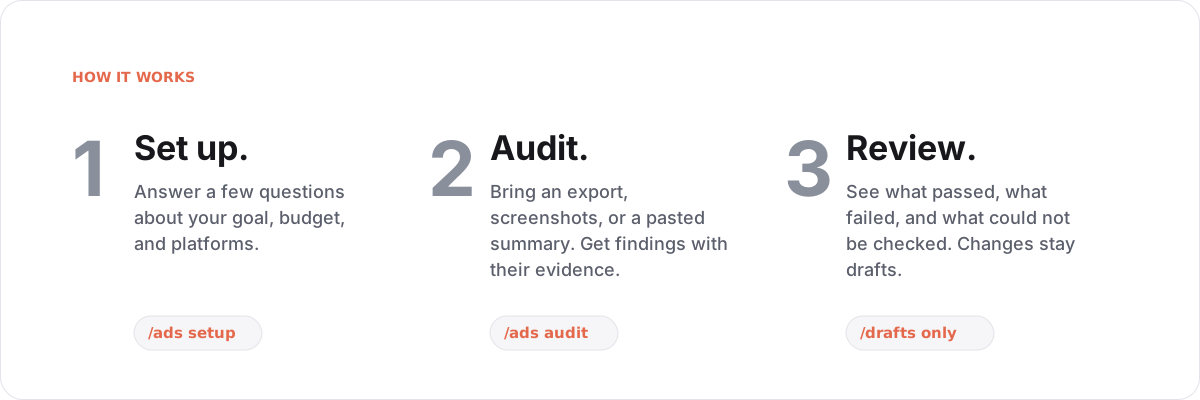
/plugin marketplace add agricidaniel/claude-ads, then /plugin install claude-ads@ai-marketing-hub-claude-ads./ads setup and answer a few questions: your business model, goal, main conversion, monthly spend, active platforms, and who approves changes. Never paste API keys or tokens./ads audit google (or /ads audit all). You get a report that states what passed, what failed, and what is missing./ads report to see a past run again, and /ads next to see the most important blocker.| You want to | Run | You get |
|---|---|---|
| Find out what is wrong | /ads audit | A report of passed, failed, and unchecked items, each with its evidence |
| Decide where to spend | /ads plan | Channel, budget, measurement, and competitor plans |
| Make ads | /ads create | Copy, image, video, and product-photo briefs and assets |
| Keep watch | /ads monitor | Checks on pacing, delivery, tracking, ad fatigue, and policy |
| Improve results | /ads optimize --draft | Suggested changes, written as drafts |
| Test an idea | /ads experiment | A test design, or a readout of a finished test |
Each platform has its own focused skill, audit worker, control reference, and capability declaration. The capability manifest is the authoritative record of what can be read or changed live.
Standalone installs use /ads. Claude Code plugins are namespaced and use
/claude-ads:ads. Both load the same ads/SKILL.md contract.
| Command | What it does |
|---|---|
/ads setup | Save your client, account, goal, privacy, and guardrail profile |
/ads audit [all|platform|scope] | Run a full or scoped audit backed by evidence |
/ads plan | Build channel, campaign, budget, competitor, and measurement plans |
/ads create | Produce copy, image, video, or product-photo assets |
/ads launch --draft | Draft a campaign change plan without touching the account |
/ads monitor | Review pacing, delivery, tracking, fatigue, policy, and performance |
/ads optimize --draft | Draft evidence-backed improvements |
/ads experiment | Design or read out a controlled test |
/ads report | Render a saved run as Markdown, HTML, or PDF |
/ads research refresh | Refresh platform, policy, API, and benchmark evidence |
/ads validate | Check contracts, runs, capabilities, or release readiness |
/ads status, /ads next | Show where things stand and the most important blocker |
Platform shortcuts such as /ads google, /ads meta, /ads amazon, and
/ads reddit go straight to that platform's audit.
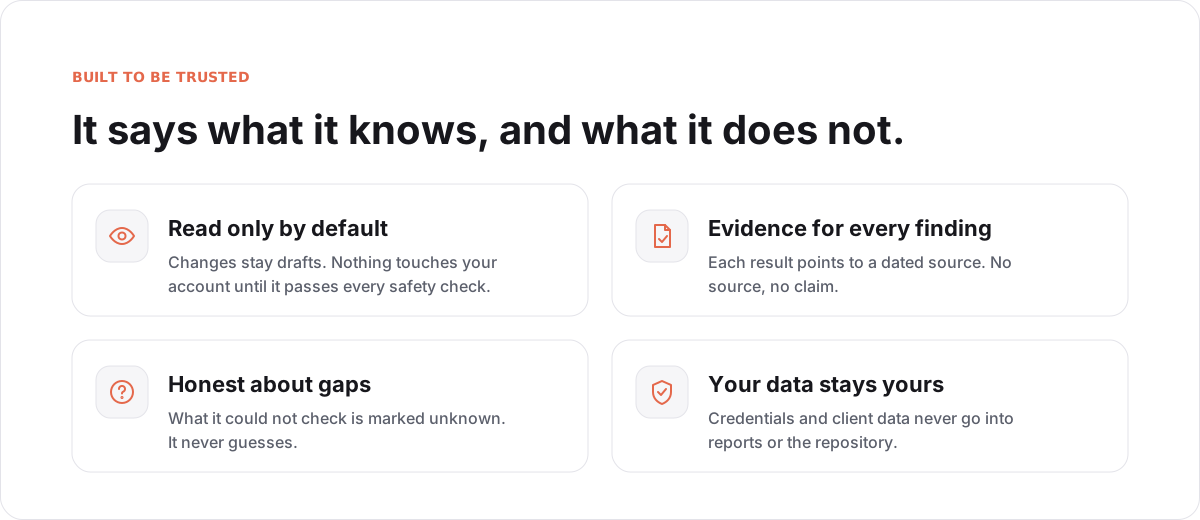
Every check ends in one of four results: pass, fail, unknown, or not_applicable. Unknown is a real answer. It means the data was missing, and it is never guessed.
Cockpit is a separate, optional companion (version 0.1.0, plugin ID ads-cockpit). /ads-cockpit opens a local workbench where you can look through a finished audit: its status, evidence, missing inputs, comparisons with an earlier run, and report receipts. A built-in demo with synthetic data lets you try it without any account.
Task counts stay separate from health scores, and every scoring profile in the scoring manifest stays disabled. See the Cockpit guide and its compatibility and acceptance limits.
Claude Code is the canonical runtime. Codex, Gemini, Cursor, Windsurf, Goose, and compatible Agent Skills hosts can consume the same skill files where their runtime supports them.
Prefer the host's native plugin flow or a tagged release archive with a verified SHA-256 checksum. Never pipe a remote installer directly to a shell.
For Claude Code, the native plugin flow is:
/plugin marketplace add agricidaniel/claude-ads
/plugin install claude-ads@ai-marketing-hub-claude-ads
If you added this marketplace before v2.0.0, Claude Code still holds it under
the stale local alias agricidaniel-claude-ads. Remove that alias, then re-add
and install:
/plugin marketplace remove agricidaniel-claude-ads
/plugin marketplace add agricidaniel/claude-ads
/plugin install claude-ads@ai-marketing-hub-claude-ads
Managed dependencies require CPython 3.11 or 3.12. Linux x86_64 requires glibc 2.28 or later; musl is unsupported. macOS 11 x86_64/arm64 and Windows amd64 remain declared wheel targets and require native CI qualification. CI checks the Linux minimum in an AlmaLinux 8 glibc 2.28 container with both supported interpreters. This checks Python wheels and the managed CLI lifecycle; browser payloads and PDF system libraries require separate host verification.
Or install from a local clone of the public repository:
git clone https://github.com/AgriciDaniel/claude-ads.git
cd claude-ads
bash install.sh --source=local
Select another standalone host explicitly:
bash install.sh --target=codex --source=local
bash install.sh --target=gemini --source=local --no-deps
Warning EXPERIMENTAL: Only Claude Code is verified. The Codex, Gemini, Cursor, Windsurf, and Goose targets install the same skill artifacts under each host's expected directory, but that host's runtime conventions may differ. Confirm the result in your host, and pin the install locations with
--skill-dirand--agent-dirif the auto-detected paths are wrong. The installer creates the managed Python environment only for theclaudeandcodextargets.
--source=git (the default when the installer is run outside a checkout) clones
the default branch HEAD, which is unpinned and is not a verified release. Prefer
--source=local from a checkout you have reviewed, or a release archive.
To pin a git install, add the opt-in --ref option (PowerShell: -Ref) with a
tag, branch, or commit. It is valid only with --source=git. The installer
validates the value strictly, checks it out detached, prints the resolved full
commit SHA, and fails before installing anything if the ref does not resolve:
bash install.sh --source=git --ref=v2.1.0
A git ref is not a checksum-verified release, and nothing here is signed. A
release zip checked with the SHA256SUMS recipe below remains the verified path.
PowerShell uses the same managed ownership model:
git clone https://github.com/AgriciDaniel/claude-ads.git
Set-Location claude-ads
.\install.ps1 -Source local
Verify a release archive before using it. Each GitHub release publishes the zip,
release-manifest.json, sbom.cdx.json, and a SHA256SUMS file. Releases are
checksummed, not signed, so a checksum confirms the files match what the release
published and is not an independent proof of origin. Download all four files into
one empty directory, then run:
sha256sum -c SHA256SUMS # macOS: shasum -a 256 -c SHA256SUMS
Every line must report OK before you unzip and run bash install.sh --source=local
from the extracted folder.
Managed dependencies support CPython 3.11 and 3.12 on the declared Linux,
macOS, and Windows wheel matrix. Unsupported interpreters fail before the
destination changes. Use --no-deps or -NoDeps for a skill-only install.
Browser capture requires an operator-installed Playwright browser payload. PDF rendering requires the host's WeasyPrint and Pango system libraries. These are documented in the external runtime dependency manifest.
Uninstall only manifest-owned files:
bash uninstall.sh --target=claude
The PowerShell equivalent is uninstall.ps1.
The Bash and PowerShell skill installers do not enable or load Cockpit. Its optional plugin has its own marketplace entry and curated archive, and requires an explicitly bound trusted core and Python executable. Installing the main skill alone preserves the existing experience.
Important Status: development candidate. Claude Ads is not release-ready until every gate in control-plane/RELEASE_REQUIREMENTS.md passes in a fresh verification context.
- All twelve account-health scoring profiles are disabled, so no health score is produced. Audits report findings, unknowns, and evidence coverage instead.
- The Cockpit companion is optional and not yet natively accepted; see its compatibility and acceptance limits.
- Account changes stay drafts unless the full mutation gate passes.
How it is built, how scoring works, safety gates, and how to run the tests
One conductor owns scope, policy, aggregation, and final artifacts. Workers analyze bounded slices and return schema-valid findings. Required-worker failure makes the run partial. It is never silently presented as a complete audit.
Agent definitions omit model pins. The host or invocation selects the model; Claude Code inherits the main conversation's model when no higher-priority selection applies. See the official subagent model documentation.
The canonical result is versioned JSON. Markdown, HTML, and PDF are renderings of the same validated run bundle.
Controls use pass, fail, unknown, or not_applicable.
Stars on GitHub
View @agricidaniel’s profileProfessional email management, deliverability optimization, and marketing strategy powered by Claude Code.
@agricidanielAn open-source SEO analysis plugin for Claude Code covering technical SEO, content quality, Schema.org markup, AI search optimization, local SEO and e-commerce, with specialist skills for keyword data, backlinks, image generation and site crawling.
@agricidanielProduction-grade Claude Code skill for AI avatar talking-head video generation, powered by the HeyGen REST API.
@agricidanielSee 12 claude-ads alternatives
Gives your AI agent the marketing know-how to plan A/B tests, write ad creative, set up analytics tracking, optimize for AI search answers, and run paid ad campaigns, so you can work through these tasks without starting from scratch.
 @coreyhaines31
An open-source SEO analysis plugin for Claude Code covering technical SEO, content quality, Schema.org markup, AI search optimization, local SEO and e-commerce, with specialist skills for keyword data, backlinks, image generation and site crawling.
@agricidanielTurns a project directory or website into a short, shareable launch video with music, motion, and share copy. Built for makers who want to promote what they have shipped.
 @latent-spaces
Audits a website for Generative Engine Optimization, scoring how likely AI assistants like ChatGPT, Claude, Perplexity and Gemini are to cite its content. Covers AI crawler access, schema markup, brand authority and content quality, with monthly progress comparisons for clients.
 @zubair-trabzada
Install it once and the right skill fires as you prompt, with no slash command to remember. It is listed on Flowy in the Marketing category. It includes ads-amazon, ads-apple, ads-attribution. Free and open source.
Is this plugin yours?
Claim it with GitHubSubmit a pluginPromote it