
Auto-invoked
Development
MCP
agent-base
Ships with agentbase: Multi-agent orchestrator for tracking and analyzing AI coding assistant conversations (Claude Code, Cursor, Windsurf)
Claude Code
$ claude mcp add --transport http agent-base http://localhost:3100/mcp
Codex
$ codex mcp add agent-base --url http://localhost:3100/mcp
Cursor
{
  "mcpServers": {
    "agent-base": {
      "url": "http://localhost:3100/mcp"
    }
  }
}
Add it to mcp.json.
Gemini CLI
$ gemini mcp add --transport http agent-base http://localhost:3100/mcp
GitHub Copilot
$ copilot mcp add --transport http agent-base http://localhost:3100/mcp
OpenCode
{
  "mcp": {
    "agent-base": {
      "type": "remote",
      "url": "http://localhost:3100/mcp"
    }
  }
}
Add it to opencode.json.
Windsurf
{
  "mcpServers": {
    "agent-base": {
      "serverUrl": "http://localhost:3100/mcp"
    }
  }
}
Add it to mcp_config.json.
From the README
What can you do with agent-base?
🎨 Visual Canvas
Infinite canvas to arrange, organize, and monitor all your running agents
⚡ Parallel Agents
Launch multiple agents with shared context to explore different tasks simultaneously
🔀 Isolated Edits
Toggle edit isolation so parallel agents don't overwrite each other's changes
📊 Progress Tracking
See todo list progress and request summaries for each agent at a glance
🎛️ Command Center
Handle all pending approval requests from multiple agents in one place
🤖 Multi-Agent Support
Works with Claude Code, Cursor, Codex, and more
🏠 Local-First
Everything runs on your machine
Security report
Info
Not enough data
Known flaws
Not published
Signed build
Not published
Maintained
Jan 25, 2026
Last push
Licence
Not published
Runs as
Remote
localhost
Deprecated
Not published
Signals from public registries, not an audit. Checked Nov 11, 2026.
agentbase README

Orchestrate multiple AI agents on a visual canvas — explore ideas in parallel, stay in control
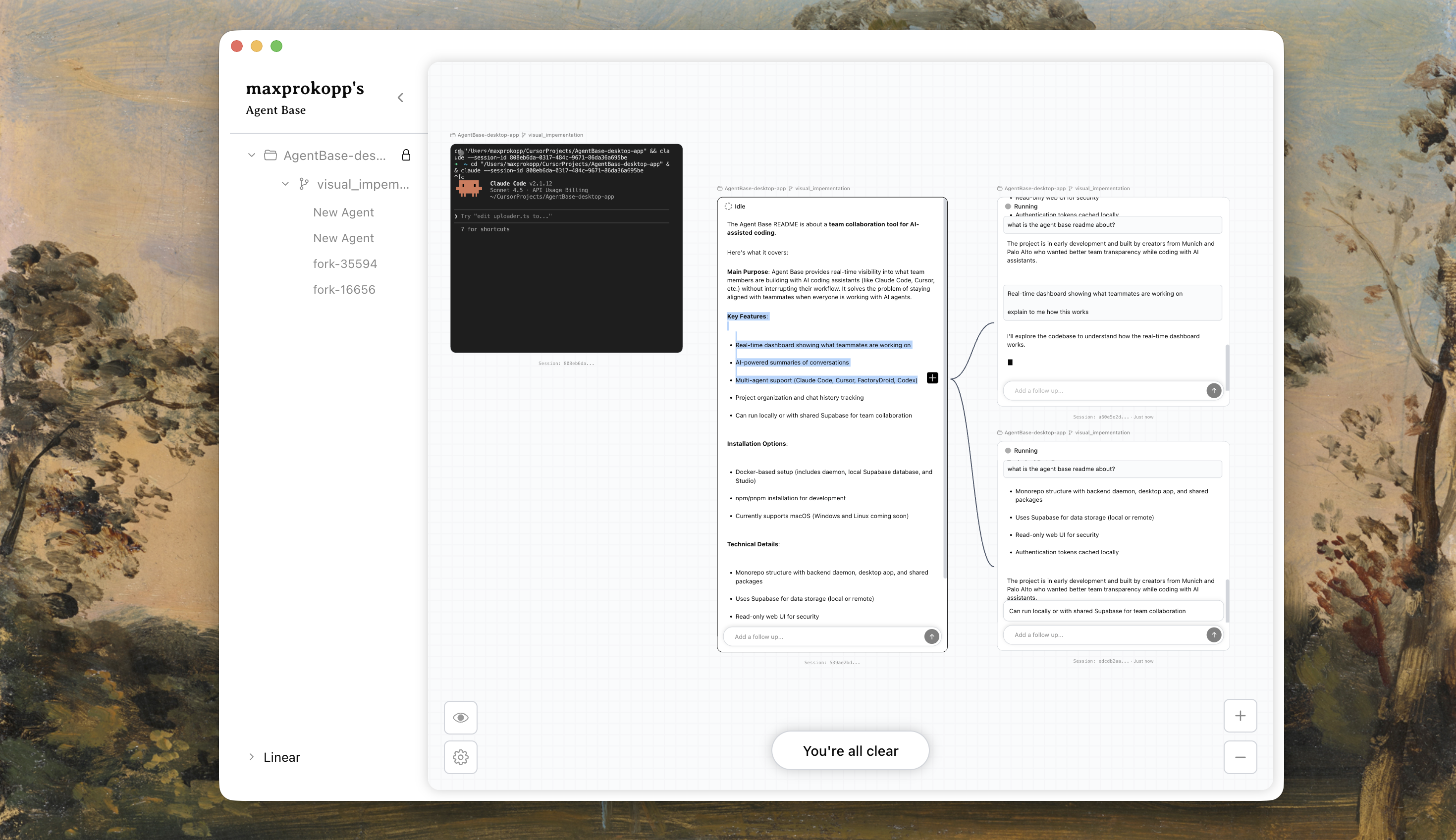
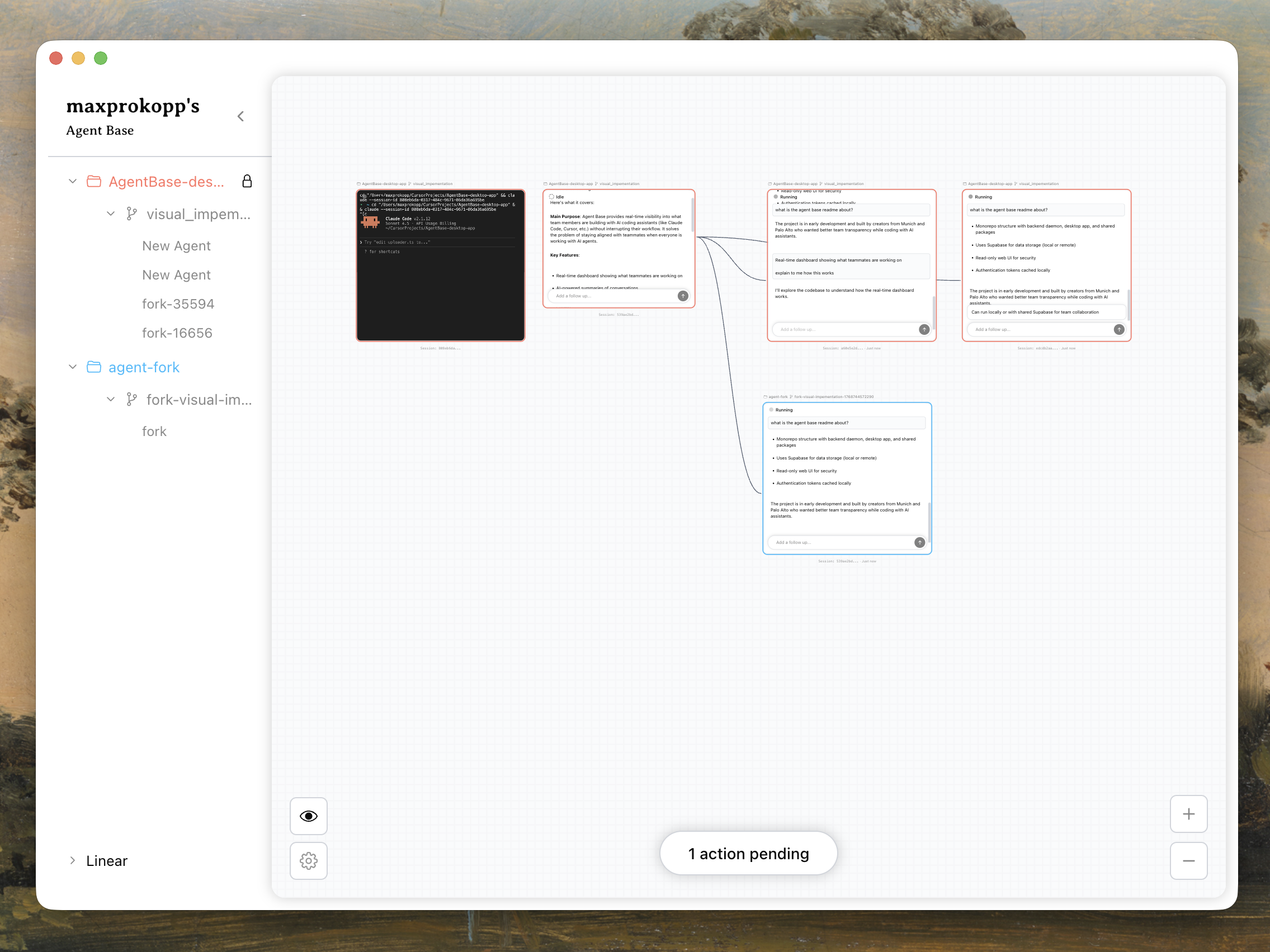
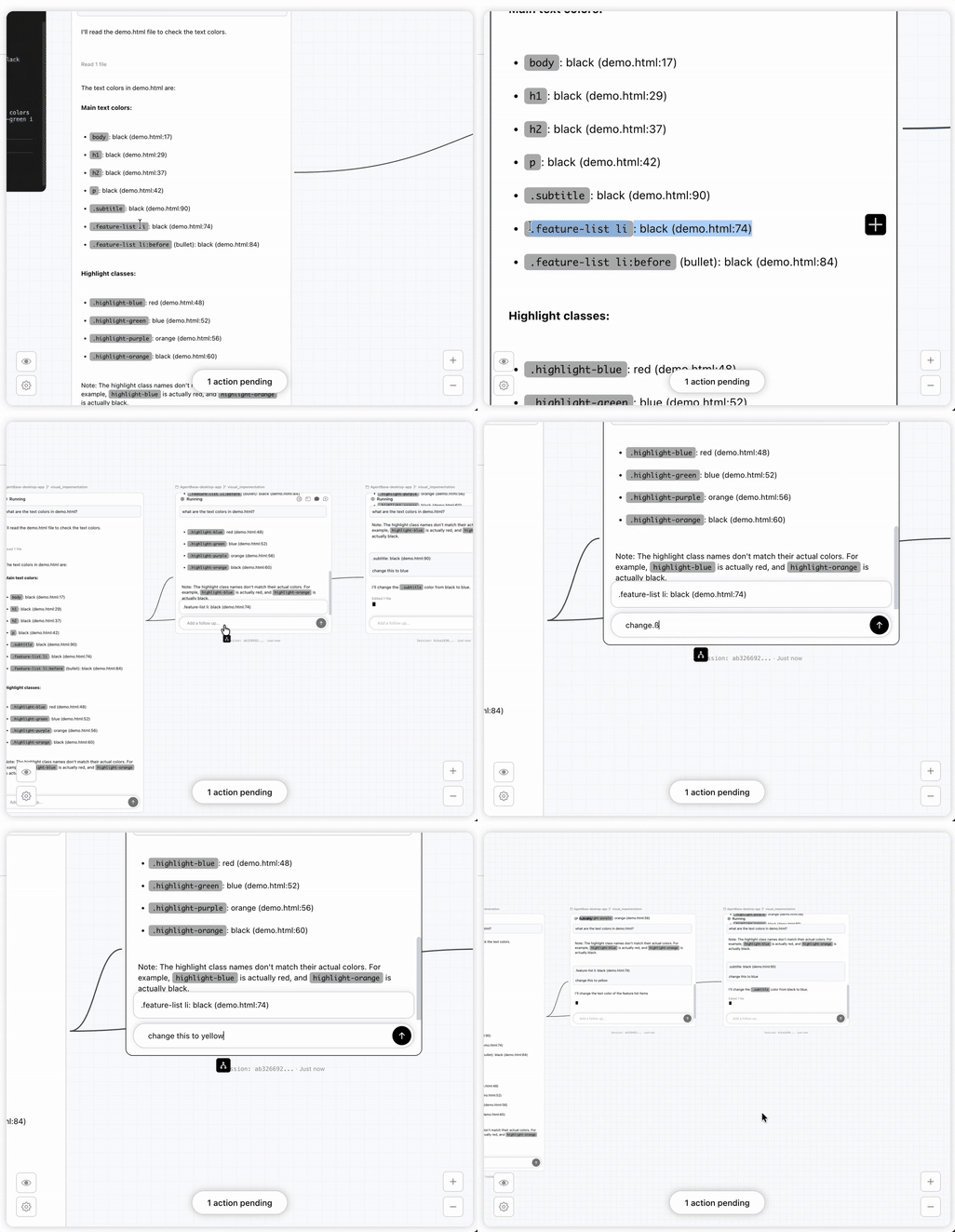
When working with AI coding agents, you often want to explore multiple approaches simultaneously. Agent Base gives you a visual canvas to launch and manage multiple agents working in parallel, each with shared context but isolated edits, so they don't step on each other's toes.
What Agent Base Does
-
Visual Canvas — Get a bird's-eye view of all your running agents. Zoom in on specific agents or zoom out to see the big picture of your parallel explorations.
-
Parallel Agent Execution — Launch multiple agents that share the same context. Explore different tasks, features, or approaches simultaneously without waiting for one to finish.
-
Isolated Edits — Choose whether agent edits are isolated from each other. Parallel agents can work on the same codebase without overwriting each other's changes.
-
Progress Tracking — Each agent's state is summarized with todo list progress and a summary of your initial request, so you can quickly understand what each agent is doing without diving into conversation logs.
-
Command Center — When multiple agents need your approval, open the command center to see all pending user requests in one place. No more switching between terminals.
Agent Base is local-first — everything runs on your machine.



Installation • Commands • Preview • Features • Integrations
🚀 Installation
Platform Compatibility:
- ✅ macOS
Choose your preferred installation method:
📦 npm Installation
git clone https://github.com/AgentOrchestrator/agentbase.git
cd agentbase
npm install
cp .env.example .env  # Configure your environment
npm run dev
Access:
- Desktop App: Launch the Electron desktop application
📋 Available Commands
| Command | Description |
|---|---|
npm install | Install all dependencies for the monorepo |
npm run dev | Start the desktop app in development mode with hot reload |
npm run dev:desktop | Start only the desktop app in development mode |
npm run build | Build all apps for production |
npm run start | Start all services in production mode (requires build first) |
💡 Why We Built This
The Problem: When working with AI coding agents, we kept running into the same friction: you want to explore multiple ideas at once, but managing multiple terminal sessions is chaotic. You lose track of what each agent is doing. When several agents need your input, you're alt-tabbing between windows. And if two agents are editing the same files, they conflict.
The Solution: We built Agent Base as a visual control center for parallel agent work:
- Canvas overview — See all your agents at a glance, zoom in on details or out for the big picture
- Parallel exploration — Launch multiple agents with shared context to explore different approaches simultaneously
- Isolated workspaces — Keep agent edits separate so parallel work doesn't conflict
- Progress at a glance — Todo list progress and request summaries let you track each agent without reading logs
- Centralized approvals — The command center collects all pending requests so you can handle them efficiently
This is the tool we wished we had: a way to orchestrate multiple AI agents visually, explore ideas in parallel, and stay in control of the chaos.
✨ Features
- 🎨 Visual Canvas — Infinite canvas to arrange, organize, and monitor all your running agents
- ⚡ Parallel Agents — Launch multiple agents with shared context to explore different tasks simultaneously
- 🔀 Isolated Edits — Toggle edit isolation so parallel agents don't overwrite each other's changes
- 📊 Progress Tracking — See todo list progress and request summaries for each agent at a glance
- 🎛️ Command Center — Handle all pending approval requests from multiple agents in one place
- 🤖 Multi-Agent Support — Works with Claude Code, Cursor, Codex, and more
- 🏠 Local-First — Everything runs on your machine
🔌 Integrations
The visual canvas currently supports Claude Code with full orchestration capabilities. Any other agent runs in the canvas via the terminal. We welcome contributions to integrate additional AI coding assistants.
Canvas Support:
| Integration | Canvas Support | Description |
|---|---|---|
| Claude Code | ✅ Full Support | Launch, monitor, and orchestrate multiple Claude Code agents on the canvas |
| Cursor | 🤝 Contributions Welcome | AI-first code editor |
| Codex | 🤝 Contributions Welcome | OpenAI's code generation model |
| FactoryDroid | 🤝 Contributions Welcome | Factory AI's coding agent |
| Windsurf | 🤝 Contributions Welcome | Codeium's AI coding assistant |
Feature Support (Claude Code):
| Feature | Status |
|---|---|
| Visual Canvas | ✅ |
| Parallel Agent Execution | ✅ |
| Isolated Edits | ✅ |
| Progress Tracking (Todo Lists) | ✅ |
| Command Center (Approval Requests) | ✅ |
| Shared Context | ✅ |
Legend:
- ✅ Fully supported
- 🤝 Contributions welcome
Want to help integrate your favorite AI assistant? Open an issue or contribute via PR!
⚠️ Early Stage Project
Note: We recently started building this project and it's in active development. Expect things to move fast, break occasionally, and evolve rapidly. We welcome contributions, feedback, and ideas as we shape the future of team collaboration for AI-assisted coding!
🤝 Contributing
Contributions welcome! This is a monorepo, so all code lives in one place:
- Desktop App:
apps/desktop/ - Shared code:
packages/shared/
Please open an issue or PR in this repository!

We want to build tools that enhance the experience of ai working alongside humans.
Made with ❤️ from Munich and Palo Alto
Stats
248
Stars
15
Forks
Quiet
Maintenance
TypeScript
Language
Last commit
Created

Ships withagentbase
2481 MCP
Stars on GitHub
Momentum
- stars in total
- 248
More MCP servers from other plugins.




Questions about agent-base.
- Which coding agents can use agent-base?
- agent-base works in any agent that reads an MCP config file: Claude Code, Codex, Cursor, Gemini CLI, GitHub Copilot, OpenCode and Windsurf. Each agent reads it from its own file; this page names the file for each one.
- How do I add agent-base to Claude Code?
- Run this in your terminal: claude mcp add --transport http agent-base http://localhost:3100/mcp