

playwright
MCPDrives a real browser so the agent can open pages, click, fill forms and read what actually rendered.
 @windmill-labsInstall MCP
Ships with ai-maestro: I was running 35 AI agents across multiple terminals and became the human mailman between them. So I built AI Maestro. The OS for AI-first organizations — orchestrate any AI agent…
Claude Code
$ git clone https://github.com/23blocks-OS/ai-maestro
Clone the repository
Codex
Cursor
$ git clone https://github.com/23blocks-OS/ai-maestro
Clone the repository
Gemini CLI
$ git clone https://github.com/23blocks-OS/ai-maestro
Clone the repository
GitHub Copilot
$ git clone https://github.com/23blocks-OS/ai-maestro
Clone the repository
OpenCode
$ git clone https://github.com/23blocks-OS/ai-maestro
Clone the repository
Windsurf
$ git clone https://github.com/23blocks-OS/ai-maestro
Clone the repository
Security report
Not enough data
Known flaws
Not published
Signed build
Not published
Maintained
Nov 1, 2026
Last push
Licence
MIT
Runs as
Local process
On your machine
Deprecated
Not published
Signals from public registries, not an audit. Checked Nov 14, 2026.

I was running 35 AI agents across multiple terminals and became the human mailman between them. So I built AI Maestro.
The OS for AI-first organizations — orchestrate any AI agent with persistent memory, agent-to-agent messaging, and multi-machine support.



Quick Start · Features · Skills · Protocols · Documentation · Contributing
I gave an AI agent a real task — not autocomplete, a real engineering problem. It checked the code, read the logs, queried the database, and came back with the answer. That was the moment. This thing can actually work.
Within a week I was running 35 agents across terminals. They were productive, but they couldn't talk to each other. I became the human message bus — copying context from one terminal, pasting into another. I was the bottleneck in my own AI team.
So I built AI Maestro — one dashboard to see every agent, on every machine, with persistent memory and direct agent-to-agent communication. Today I run 80+ agents across multiple computers, building real companies with them every day.
What makes this different:
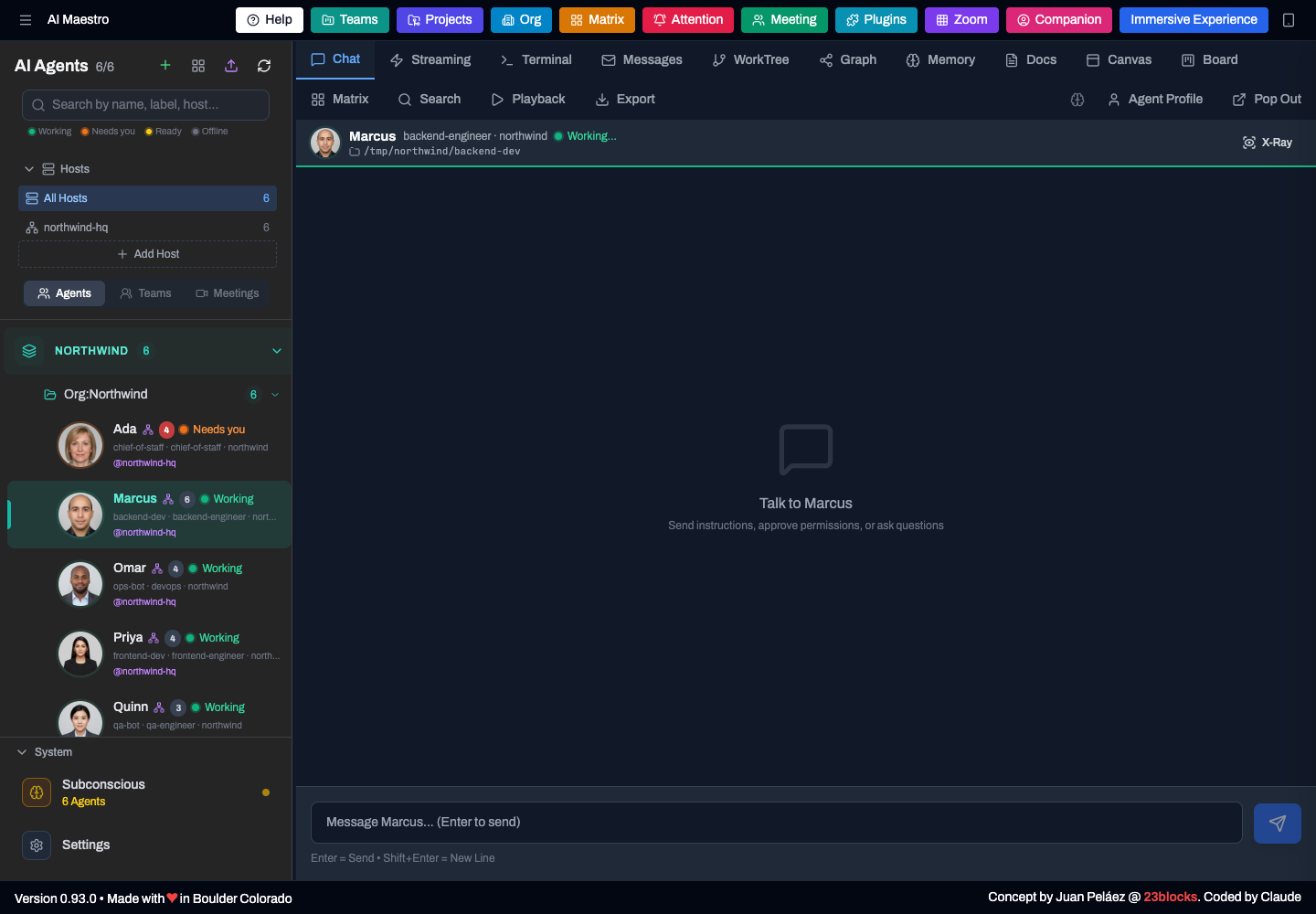
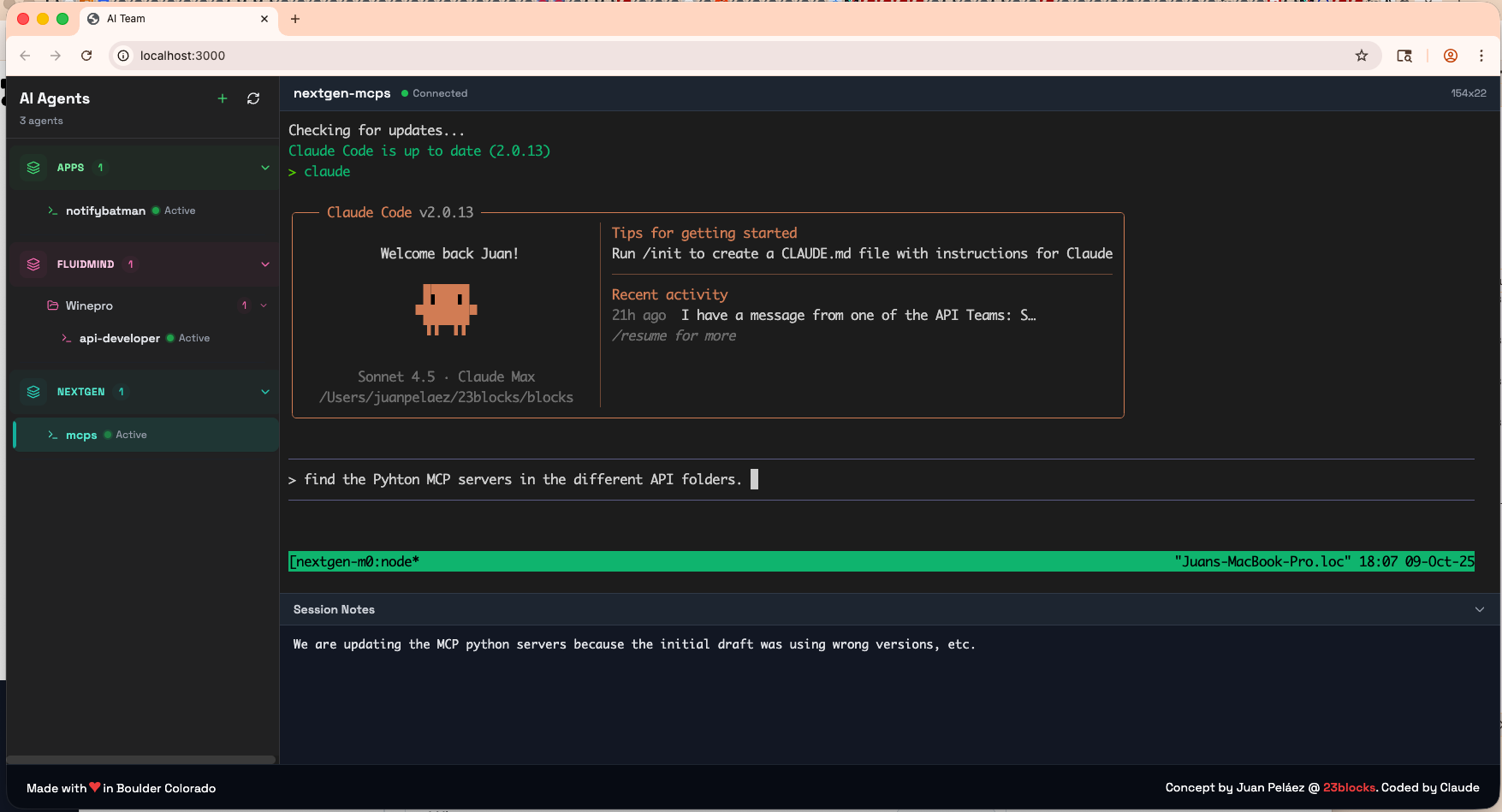
One dashboard for every agent: who is working, who needs you, who is ready. The header opens the extra pages (Teams, Org, Matrix, Attention, Zoom).
 Zoom. Every agent at a glance, with photo, status, role and tags. |  Agent profile. Name, role, picture, program, model, tags and the commits an agent made. |
 Matrix. Every open card in four squares, across agents and hosts. Due dates and co-owners show on the card. |  Attention. What needs you: overdue cards, work waiting on you, agents asking a question. |
 Card detail. Due date, several owners and where the card came from. |  Team meeting. A war room: agent tiles beside a shared Kanban board. |
 Secrets. An agent asks for a credential; you type it into a masked field in the chat; the agent uses it by name and never sees the value. |  Canvas. An agent draws an interactive page in the dashboard; your click goes back to it as an action. |
 Chat. Questions and approvals arrive as cards you answer with one click. |  Commit to session. Find which agent session made a commit. |
On a phone: Matrix · home · board.
Short videos (click to play):
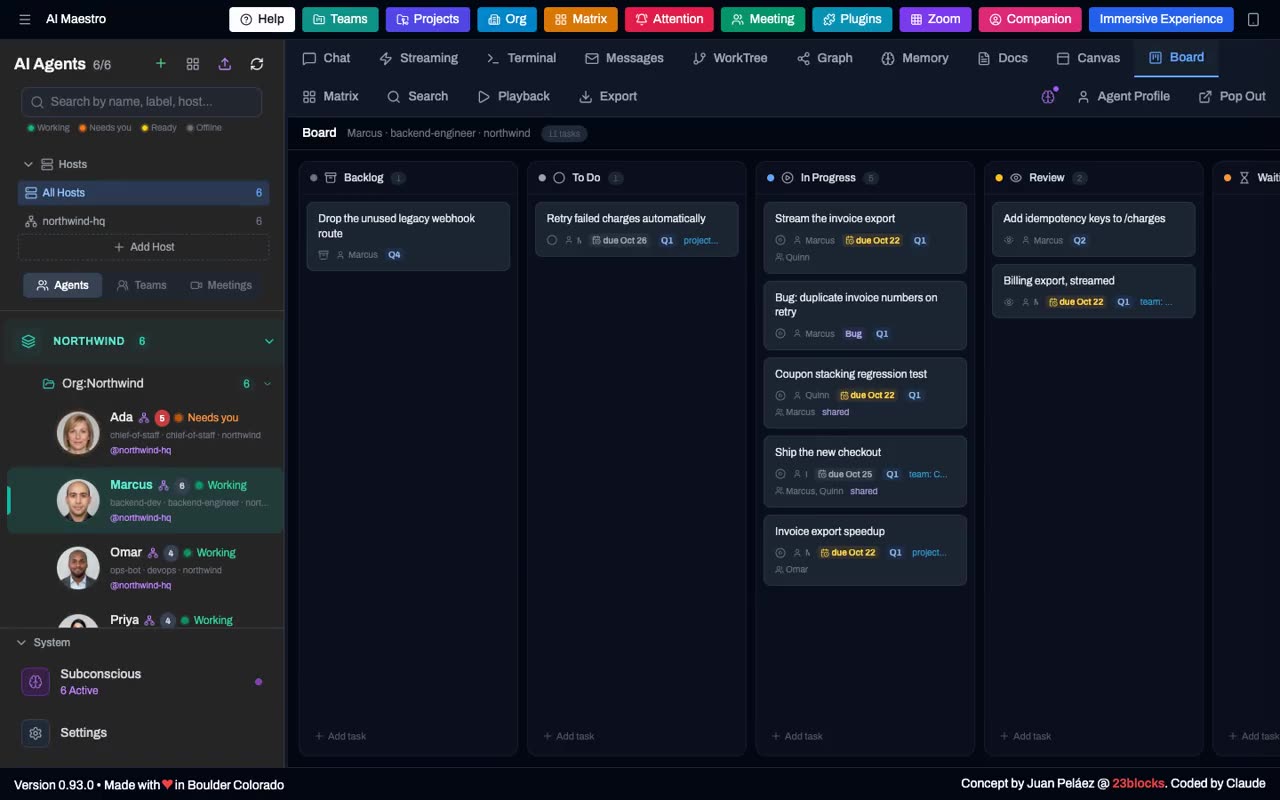
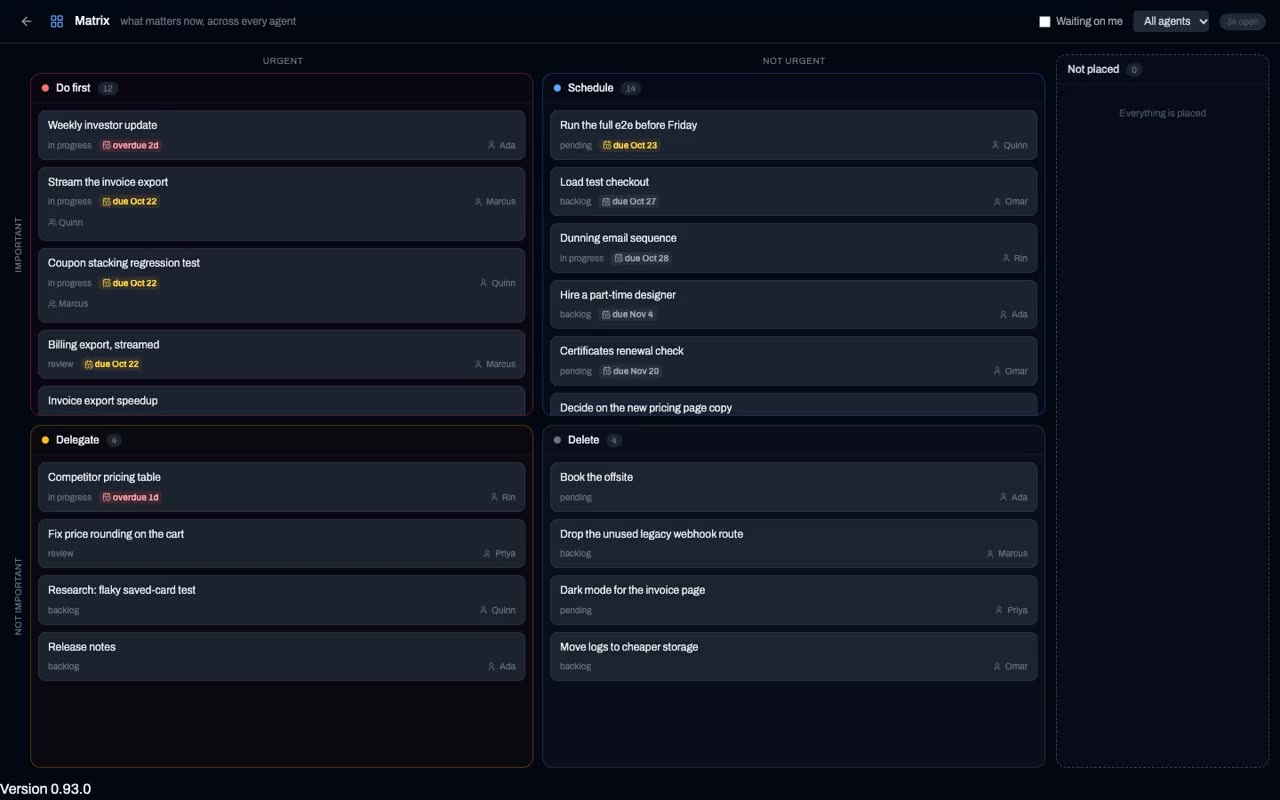
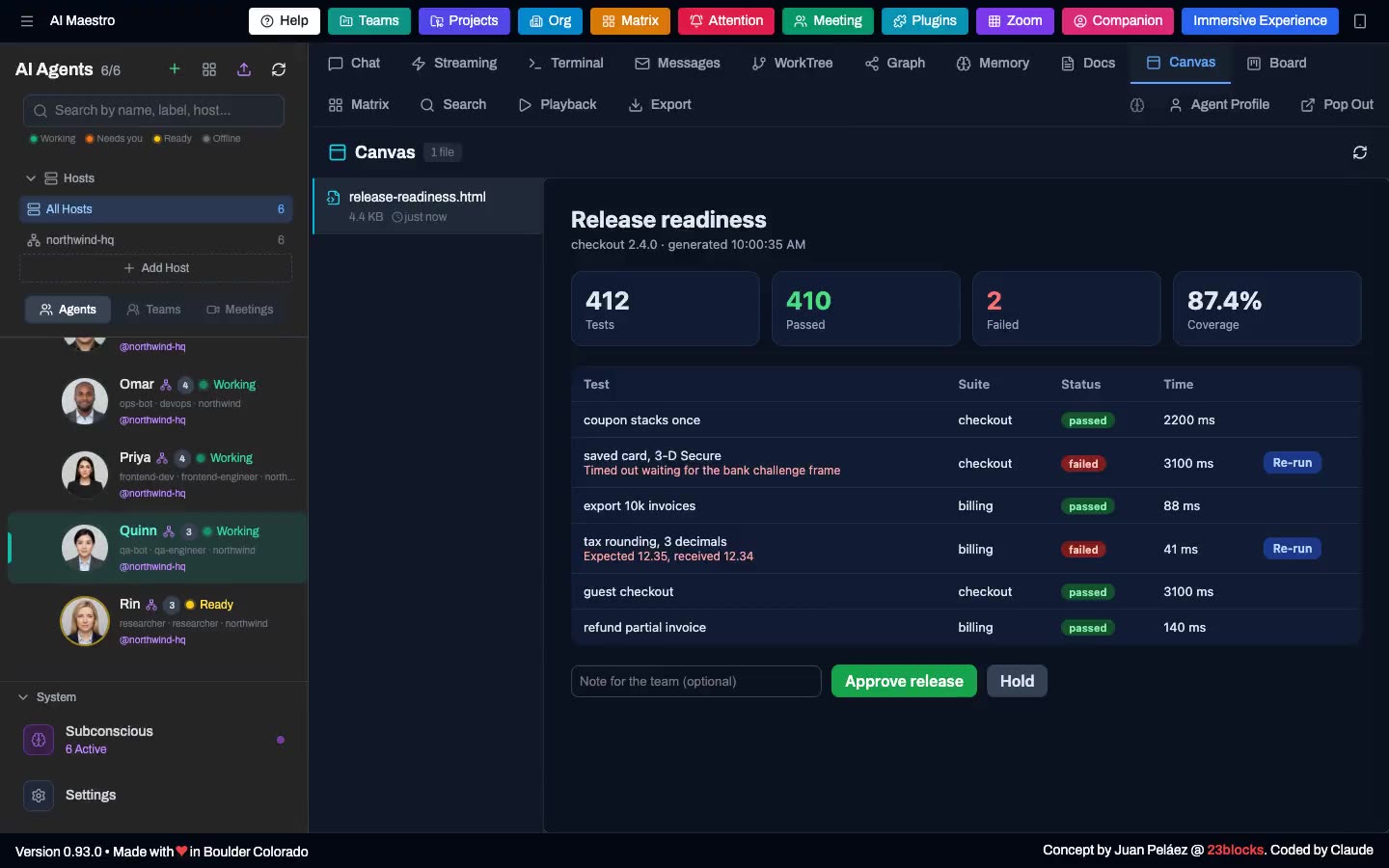
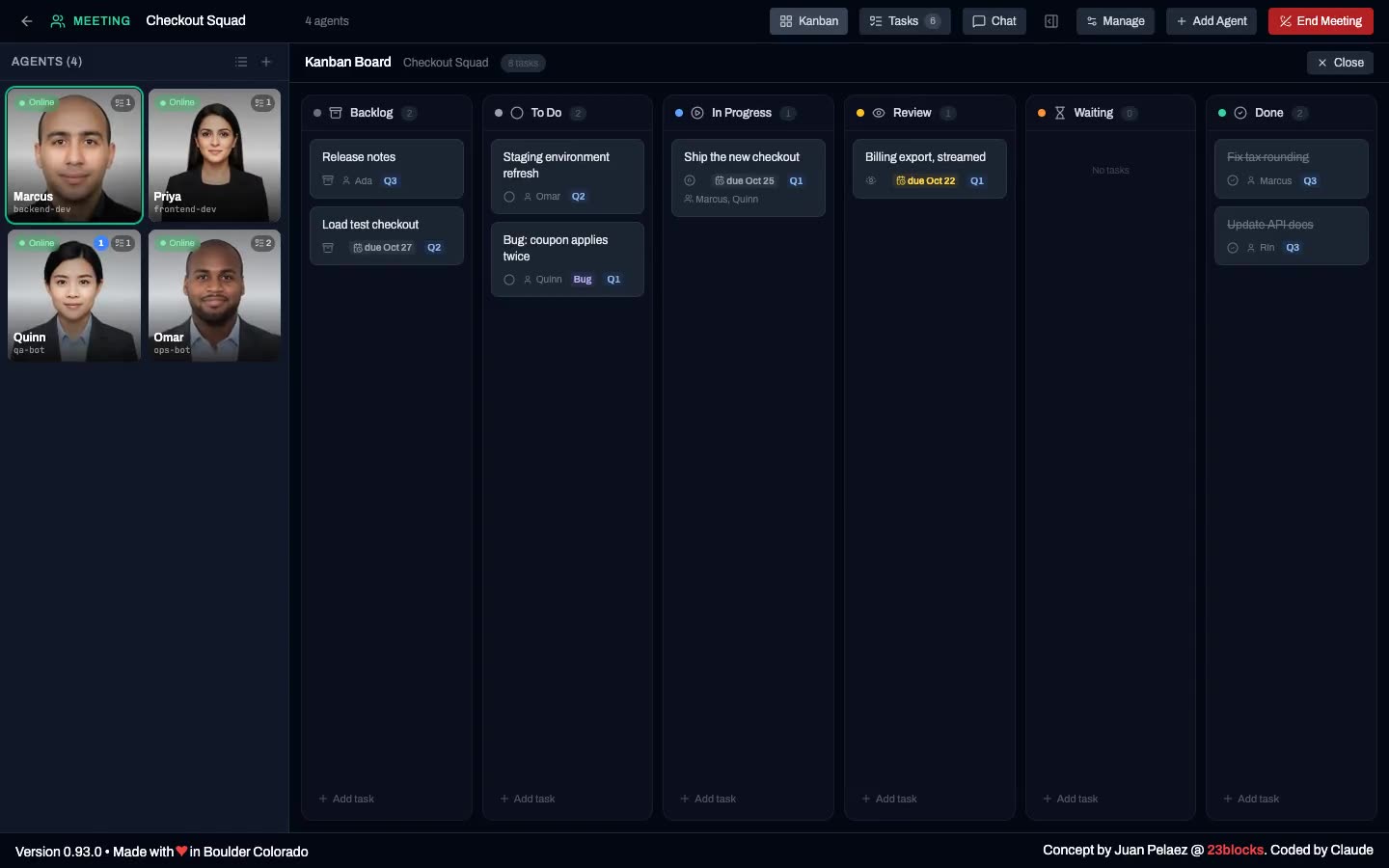
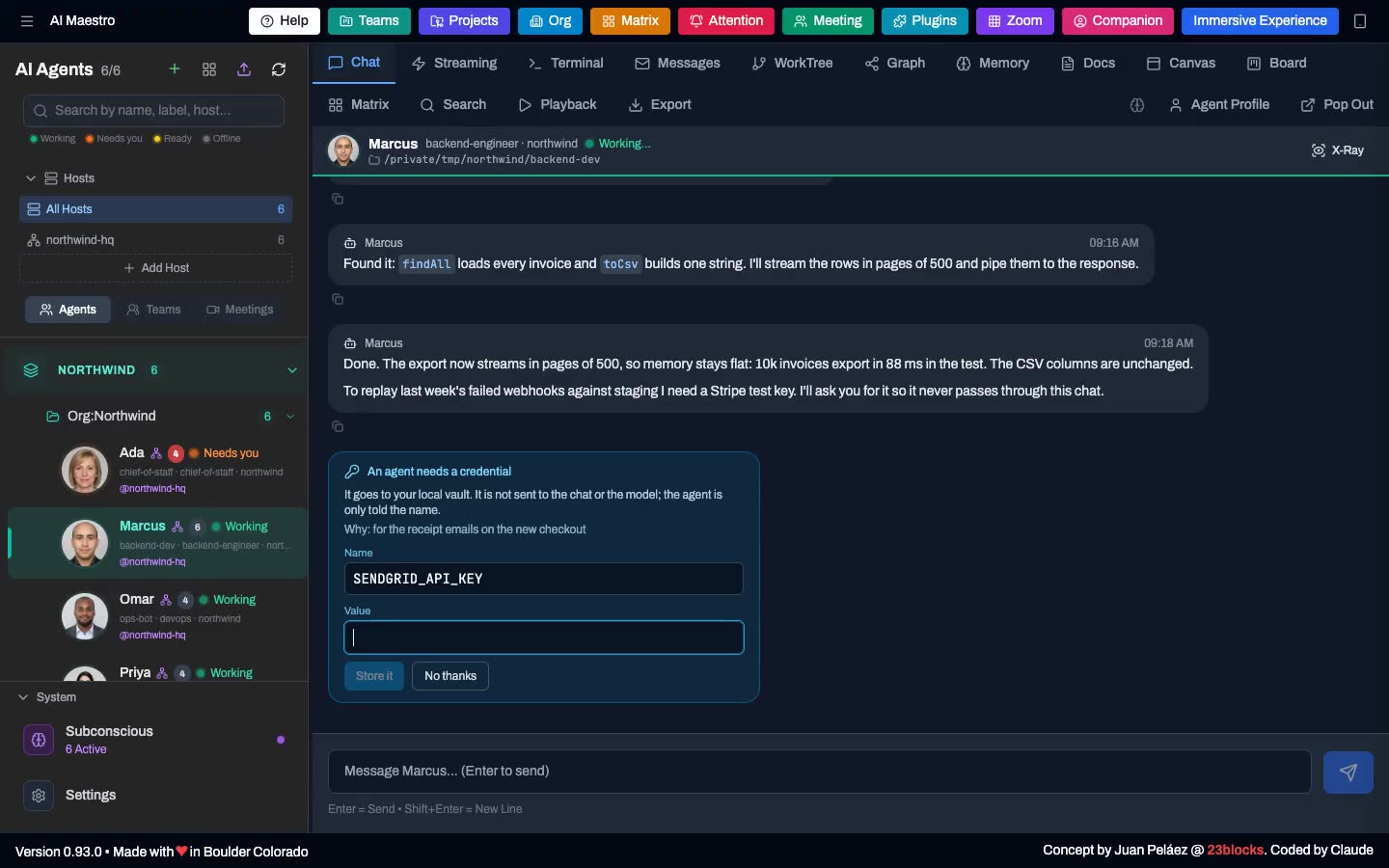
Screens are from a demo company ("Northwind Labs"); the multi-agent run uses scripted agents.
AI Maestro is an operating system for an AI-first company. Not a task runner — a place where a standing team works.
An agent here is closer to an employee than to a job. It has a name, a face, a memory that survives the session, an inbox — and it owns something: a product, a repository, a process, a customer. Its memory and code graph are indexed against what it owns, which is why it gets better at that thing over months rather than starting cold every morning.
Because agents own things, they don't share a working copy. Two agents that need the same repository each clone it, work on their own branch, and integrate through git — push, pull request, review, merge — exactly like two engineers on a team.
That's deliberate, and it follows from the one thing that defines this product: your agents run on different machines. A shared checkout needs a shared filesystem. Git worktrees — the isolation primitive the single-machine agent IDEs are built on — are several working directories over one .git store on one disk, so they stop working the moment your backend agent is on a Linux box and your iOS agent is on a Mac. A clone is the only primitive that survives the move. It's why transferring an agent to another host clones its repos to the destination: an agent's repositories travel with the agent.
curl -fsSL https://raw.githubusercontent.com/23blocks-OS/ai-maestro/main/scripts/remote-install.sh | bash
This installs everything you need:
aim-secret and safe-psql helpersTime: 5-10 minutes · Requires: Node.js 18+, tmux, and 4 GB of RAM to build (or 2 GB plus swap; once built it runs in a few hundred MB) · Optional: Claude Code 2.1.287+ for the inbox mod
Windows (WSL2) / Linux notes
Windows: Install WSL2 first (PowerShell as Administrator, then restart), then open Ubuntu from the Start menu and run the curl command there:
wsl --install
New to WSL? WSL is a Linux system with its own disk, so its home folder starts empty. Keep agents there (~/agents/<name>, the default), not in C:\ folders, which are much slower from WSL. Open their files from Windows at \\wsl.localhost\Ubuntu\home\<you>\agents. Windows in 5 minutes · Full Windows guide
Linux: Ensure build tools are installed: sudo apt install tmux build-essential. On a cloud VM, read the Linux sizing and deployment guide: the machine to ask for (4 GB RAM, 2 vCPU, 15-25 GB disk), the memory each part uses, and running under pm2.
Manual install
git clone https://github.com/23blocks-OS/ai-maestro.git
cd ai-maestro
yarn install
yarn dev
See QUICKSTART.md for detailed setup options.
Dashboard opens at http://localhost:23000
Update an existing install from its folder (pulls, updates submodules, builds, reinstalls hooks and the plugin, restarts):
./update-aimaestro.sh -y
Come back to it without remembering the address: the installer adds an ai-maestro command (ai-maestro open starts the server if it is down, then opens the dashboard; also start, stop, status) and, on a Mac, an AI Maestro app in ~/Applications you can drag to the Dock. It can also start at login. Chrome and Edge offer "Install app" from the dashboard too. Skip all of it with --skip-launcher; remove it with ./scripts/install-launcher.sh --remove.
Every feature was born from running a real AI-first organization. We built them in the order we needed them.
I had 35 terminals and couldn't tell which was which.
See and manage all your AI agents in one place. Create agents from the UI with a guided wizard, organize them with smart naming (project-backend-api becomes a 3-level tree with auto-coloring), and switch between any agent with a click. Four deployment modes: tmux (local), Docker (containerized), AWS EC2 (dedicated instance), and AWS ECS Fargate (serverless). Auto-discovers tmux sessions, Docker containers, cloud deployments, and standalone agents.
My Mac Mini was sitting there idle. What if I ran agents on that too?
A peer mesh network where every machine is equal. Add a computer, it joins the mesh. Every agent on every machine, visible from one dashboard. Use each machine for what it's best at — Mac for iOS builds, Linux for Docker, cloud for heavy compute. No central server required.
Worker machines can run headless (yarn headless) — the full API and agent runtime with no UI, in about 100MB of RAM. Run the dashboard where you sit; run agents wherever the compute is.

Stars on GitHub
Drives a real browser so the agent can open pages, click, fill forms and read what actually rendered.
@windmill-labsInstall MCPShips with open-computer-use: open-computer-use is an open-source Computer Use service wrapped as MCP. Any AI agent or MCP client…
 @ifurystInstall MCP

