Concept Loom
A portable AI learning workflow for Codex, Claude Code, OpenCode, and DeepSeek Harness.
Version 1.1.0 · MIT licensed · Node.js 20+
English · Русский
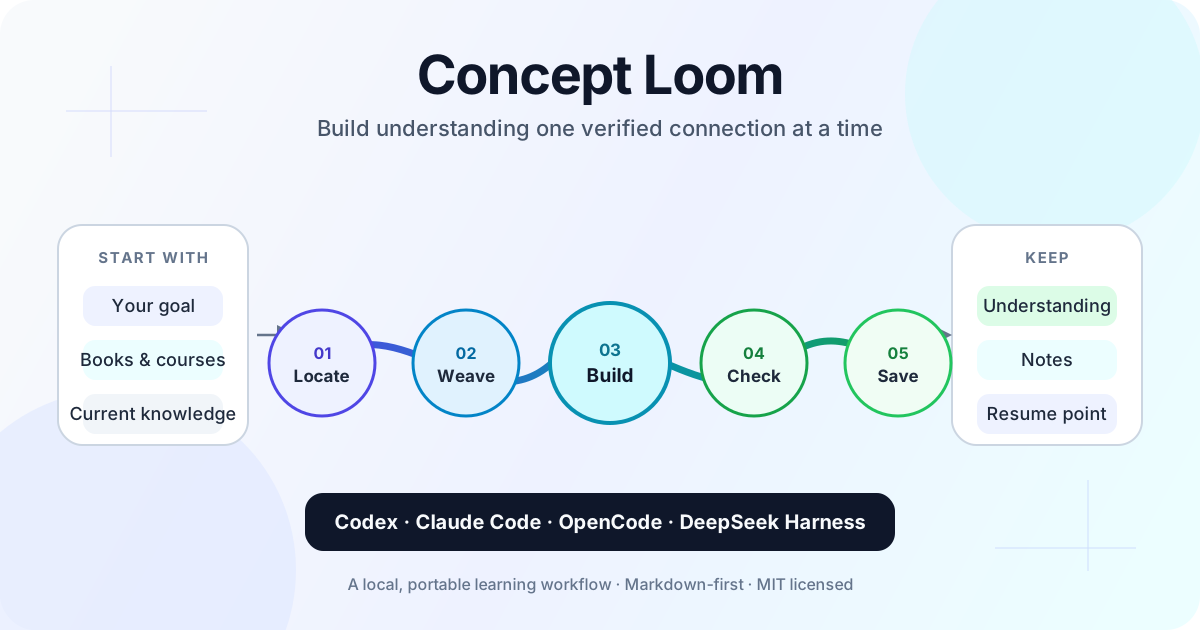
Concept Loom turns a coding agent into a structured learning partner. Instead of immediately producing a long explanation, it helps you define a useful goal, finds the edge of your current understanding, proposes a short dependency path, and teaches one connection at a time.
goal → knowledge frontier → learning map → one connection → check → transfer
It works with topics you explore from scratch and with your own books, courses, notes, code, and transcripts.
Why use it?
- Learn toward a practical outcome instead of surveying an entire field.
- Expose gaps and misconceptions before building on them.
- Check understanding with concealed-answer checkpoints.
- Measure recognition, recall, application, and transfer separately.
- Revisit due concepts through spaced retrieval across sessions.
- Keep concise Markdown learning notes between sessions.
- Use the same workflow in Codex, Claude Code, OpenCode, and DeepSeek Harness.
- Show compact text or Mermaid diagrams directly in the conversation.
Documentation
Russian documentation starts at docs/ru/README.md.
Quick start with Codex
Requirements: Node.js 20+ and Codex CLI.
# Install the adapter and register its MCP server automatically
node scripts/setup.mjs codex --target /path/to/learning-workspace

# Start learning
cd /path/to/learning-workspace
codex
Use --skip-mcp only if you want to install the workspace files without changing the global Codex MCP configuration.
After updating Concept Loom, refresh an already installed skill with node scripts/setup.mjs codex --target /path/to/learning-workspace --refresh.
Then ask:
Use $concept-coach. I want to understand database transactions well enough
to choose the right isolation level for a small web application.
Other clients
node scripts/setup.mjs claude-code --target /path/to/learning-workspace
node scripts/setup.mjs opencode --target /path/to/learning-workspace
node scripts/setup.mjs deepseek-harness --target /path/to/learning-workspace
DeepSeek Harness support uses its native project skill directory and an MCP patch. Start it from the learning workspace with:
npx @deepseek-ai/dsh --profile web --patch .dsh/concept-loom.patch.yml
DeepSeek Harness is currently a developer preview and may introduce breaking configuration changes. Use --skip-mcp if you only want the .dsh/skills/concept-coach skill and will connect the MCP server through your own Harness profile.
The installer refuses to overwrite existing configuration. Merge a generated Concept Loom file manually when guidance or MCP configuration already exists.
Concept Loom has no runtime npm dependencies. Small structures are displayed as monospace text diagrams; larger relationship maps are returned as Mermaid blocks that remain readable in the terminal and render in compatible Markdown viewers.
Verify the project
npm test
npm run check
License
MIT. Security reports: SECURITY.md. Release history: CHANGELOG.md.


 @rohitg00


