

promptschat
Gives Claude Code access to the prompts.chat library, letting you search, retrieve and improve AI prompt templates, and find and install Agent Skills from its registry.
2 skills2 agents2 commands1 MCP+3+2+2+2+1+1+1+1175k
 @gh-f
Turns a request for a visual artifact into finished HTML, such as a slide deck, landing page, interactive prototype or animation, so you can skip hand-building each layout. Built-in quality checks keep the output consistent with a design system.
Claude Code
> /plugin marketplace add zeroz-lab/cc-design> /plugin install cc-design@cc-design
Codex
$ npx skills add zeroz-lab/cc-design -a codex
Cursor
$ npx skills add zeroz-lab/cc-design -a cursor
Gemini CLI
$ npx skills add zeroz-lab/cc-design -a gemini-cli
GitHub Copilot
$ copilot plugin marketplace add zeroz-lab/cc-design$ copilot plugin install cc-design@cc-design
OpenCode
$ npx skills add zeroz-lab/cc-design -a opencode
Windsurf
$ npx skills add zeroz-lab/cc-design -a windsurf
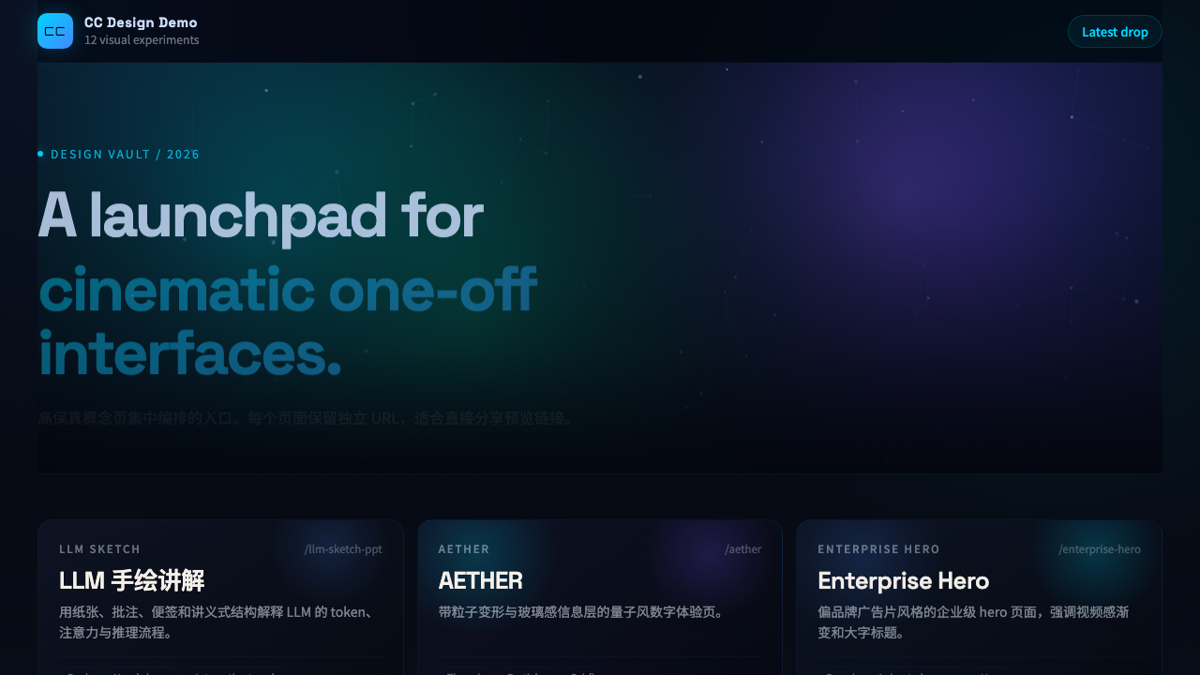

High-fidelity HTML design for Claude Code & Codex.
Slide decks, landing pages, interactive prototypes, interactive explainers, animations, design systems, and more — powered by structured design thinking and built-in quality guardrails.
Demo · Examples · Report Bug
# 1. Add the cc-design marketplace
/plugin marketplace add ZeroZ-lab/cc-design

# 2. Install the plugin
/plugin install cc-design@cc-design

# 3. Reload plugins to activate
/reload-plugins
After installation, cc-design activates via /cc-design:design command.
# 1. Add the cc-design marketplace from GitHub
/plugin marketplace add ZeroZ-lab/cc-design

# 2. Install the plugin
/plugin install cc-design@cc-design

# 3. Reload plugins to activate
/reload-plugins
After installation, cc-design activates via $cc-design reference.
"Design a landing page for our SaaS product"
"Create a 10-slide pitch deck for the Q3 board meeting"
"Build an interactive prototype of the checkout flow"
"Create an interactive explainer showing how our RAG pipeline works"
"Make a comparison explainer for React vs Vue"
"Build a decision tree for tech stack selection"
"Animate this logo reveal with the Pentagram style"
"Export the deck as editable PPTX"
cc-design handles context gathering, design planning, quality checks, and verification — you approve the plan, it builds.


| Category | What you get |
|---|---|
| Design outputs | Landing pages, slide decks, interactive prototypes, interactive explainers (flow, compare, decision tree), wireframes, animations, design systems, motion studies |
| Design thinking | 8-layer framework (Goal → Validation), 10 core principles, 20 philosophy schools |
| Brand cloning | Progressive loading of 68+ brand design systems from getdesign.md |
| Quality guardrails | Always-loaded core-constraints.md layer (Iron Law + 12-item anti-slop quick-ref + delivery checklist), typography system, spacing scale, mandatory screenshot verification |
| Variations | 3+ design directions across layout, interaction, visual intensity, and motion |
| Export | PDF (multi-file + single-file), PPTX (image + editable), MP4 video, inline HTML |
| Audio | Dual-track audio (SFX + BGM), 37 SFX catalog, ffmpeg mixing |
| Design review | 5-dimension scoring: philosophy, hierarchy, craft, functionality, originality |
| Animation | Stage+Sprite timeline engine, easing library, Seek-First numerical verification (__seek + getComputedStyle), signal protocol, pitfall guardrails |
| Prototyping | React + Babel inline JSX, device frames (iOS, Android, macOS, browser) |
Mention a philosophy school to set the direction:
"Use the Pentagram style for this infographic"
"Apply Experimental Jetset minimalism to this poster"
"Mix Takram restraint with Locomotive motion for the hero"
20 schools across 5 traditions — Information Architects, Motion Poets, Minimalists, Experimental Vanguard, Eastern Philosophy. See references/design-styles.md.
Mention a brand name to load its design system:
"Create a pricing page with Stripe's aesthetic"
"Notion-style kanban board"
"Mix Vercel's minimalism with Linear's purple accents"
Understand → Route → Plan → Approve → Build → Verify → Deliver
Key behavioral guarantees:
Core installation has no extra dependencies. For export features:
# Playwright browser (for export and verification)
npx playwright install chromium

# Video and audio export
brew install ffmpeg          # macOS
sudo apt install ffmpeg      # Ubuntu/Debian
choco install ffmpeg         # Windows
| Platform | Activation | Integration |
|---|---|---|
| Claude Code | /design command | Commands + SKILL.md |
| Codex / OpenAI | $cc-design reference | agents/openai.yaml |
SKILL.md under 200 lines — move technical content to references/load-manifest.json and the routing table in SKILL.mdnode scripts/lint-load-manifest.mjs and node scripts/generate-bundle-catalog.mjsVERSION, SKILL.md, README.md, references/workflow.md, then run ./scripts/check-behavior-contract.sh <base-ref>MIT
Stars on GitHub
Gives Claude Code access to the prompts.chat library, letting you search, retrieve and improve AI prompt templates, and find and install Agent Skills from its registry.
@gh-fA Claude Code skill for generating editable PPTX presentations and slides from a workflow, with reusable brand, style, layout, and deck workspaces, native charts, speaker notes, and template filling.
 @hugohe3
Gives AI agents control over Word, Excel and PowerPoint files, with skills for building .docx reports, academic papers, Excel dashboards and Morph-style animated slides.
 @iofficeai
A skill that builds animation-rich HTML presentations from scratch or converts PowerPoint files to web slides. Useful for anyone turning a deck into a web presentation.
 @zarazhangrui
Turns a request for a visual artifact into finished HTML, such as a slide deck, landing page, interactive prototype or animation, so you can skip hand-building each layout. Built-in quality checks keep the output consistent with a design system. Install it with the command on its page. It includes cc-design. Its skills do not fire on their own yet. Free and open source.
Is this plugin yours?
Claim it with GitHubSubmit a pluginPromote it