

context7
Fetches up-to-date documentation and code examples for libraries, frameworks, SDKs, CLI tools and cloud services, so an AI agent can answer API questions and generate code against current references.
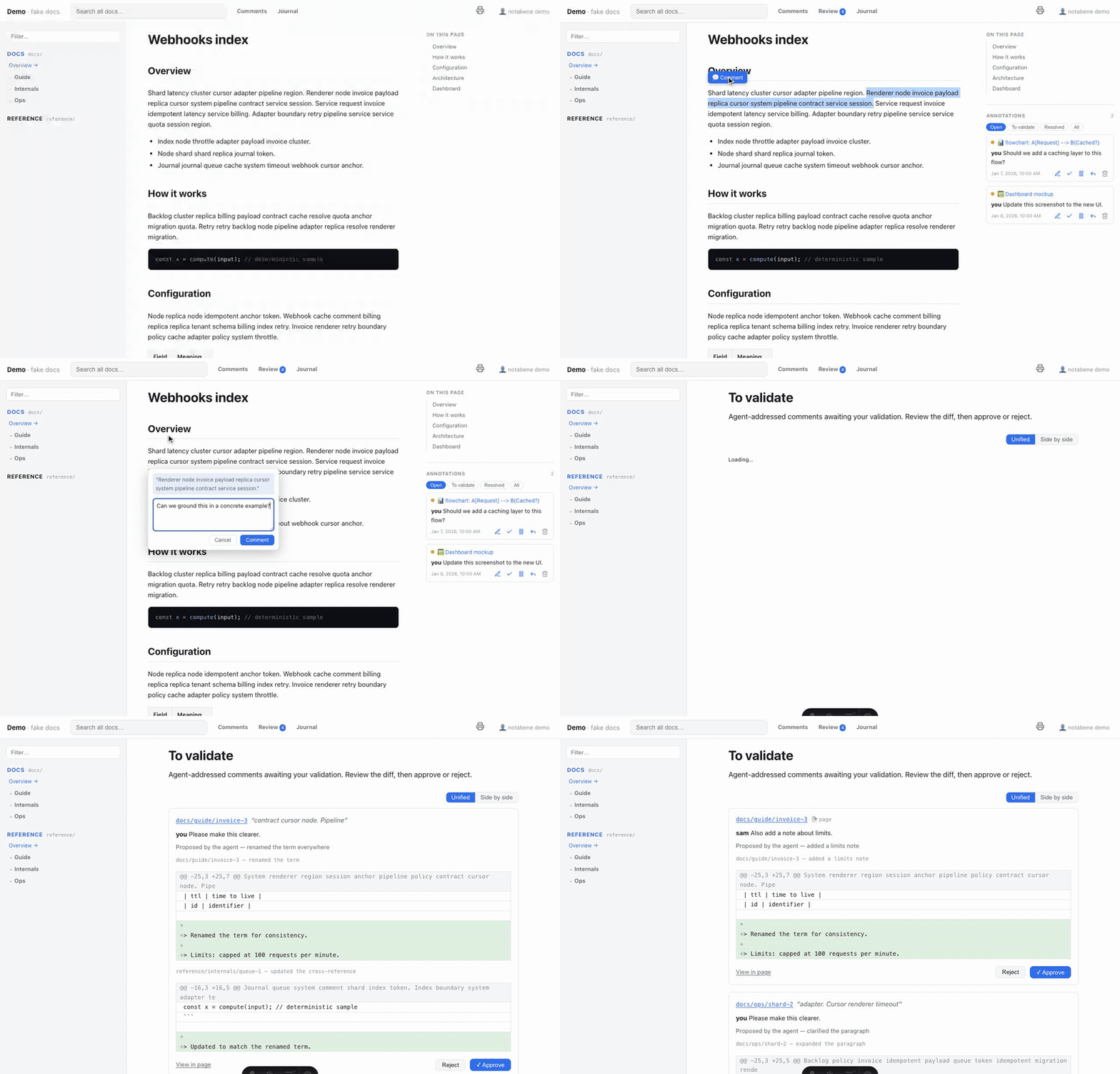
Lets you leave anchored review comments on a repo's docs, then have your AI agent apply the feedback, resolve the threads, and log what changed and why. Includes setup and an authoring guide for the doc rendering palette.
Claude Code
> /plugin marketplace add z29k/notabene> /plugin install notabene@z29k
Codex
$ npx skills add z29k/notabene -a codex
Cursor
$ npx skills add z29k/notabene -a cursor
Gemini CLI
$ npx skills add z29k/notabene -a gemini-cli
GitHub Copilot
$ copilot plugin marketplace add z29k/notabene$ copilot plugin install notabene@z29k
OpenCode
$ npx skills add z29k/notabene -a opencode
Windsurf
$ npx skills add z29k/notabene -a windsurf


Leave notes in the margins of your repo's docs - right on the rendered page - then let your AI agent apply them, resolve the threads, and journal what changed & why.
Iterate on your docs with an LLM - leave feedback anywhere, not squeezed into one prompt. A navigable doc site with multi-user comments, self-hosted in your git - no SaaS, no database. The anchored comment is the instruction: located, unambiguous, nothing to quote. Your agent reads it, edits the source, and journals what changed & why.
npx notabene dev → open the site, select any text → leave a comment (or comment a
whole page, diagram or image)..notabene/, edits the docs faithfully, marks each comment
resolved, and appends a journal entry (what / why / which comments)./journal - or validate each real git diff yourself in
approve mode.npm install -D @z29k/notabene # or pnpm / bun
npx notabene init # writes the config, the .notabene store + the agent protocol
npx notabene dev # → http://localhost:3009
Using Claude Code? /plugin marketplace add z29k/notabene then
/plugin install notabene@z29k - and just say "set up notabene".
→ Full install guide
Each one is a link into the documentation - go deep only where you're curious:
/comments view, touch-first on mobile./review..md, strict .mdx, mixable per extension - and mdxComponents publishes
your own components to those pages, globally or per space.notabene pdf.--nb-* design tokens,
your own fonts, a code theme, or your own stylesheet (cascade-layer-safe: your CSS
always wins).llms.txt, per-page
Markdown twins, sitemap, OpenGraph), private-content scoping, optional full-text
search (Pagefind: per-language stemming, highlighted excerpts — in the dev app
too), GitHub Pages workflow included. The documentation site is
notabene publishing itself.notabene lint
checks every internal link against the routes the last build actually emitted -
dead links with did-you-mean suggestions, plus public→private leaks after
build --public.packages/renderer - the @z29k/notabene npm package (Astro renderer + CLI).packages/claude-plugin - the Claude Code plugin (setup + the review skill/protocol).docs/ - this documentation, reviewed and published by notabene itself.Fetches up-to-date documentation and code examples for libraries, frameworks, SDKs, CLI tools and cloud services, so an AI agent can answer API questions and generate code against current references.
Gives Claude Code skills and agents for writing React documentation on react.dev, covering MDX components, voice and style rules, blog post structure, and interactive Sandpack code examples.
An agent skill that turns complex terminal output into styled HTML pages you actually want to read. Ask your agent to explain a system architecture, review a diff, or compare requirements against a plan.
A WYSIWYG markdown editor so you can edit markdown files like a Google Doc or Notion page, with a desktop app and web UI for navigation, search, and wiki-style linking. It also ships skills for working in codebase wiki, personal CRM, and knowledge base projects.
Lets you leave anchored review comments on a repo's docs, then have your AI agent apply the feedback, resolve the threads, and log what changed and why. Includes setup and an authoring guide for the doc rendering palette. Install it with the command on its page. It includes notabene-authoring, notabene-setup, notabene. Its skills do not fire on their own yet. Free and open source.
Is this plugin yours?
Claim it with GitHubSubmit a pluginPromote it