
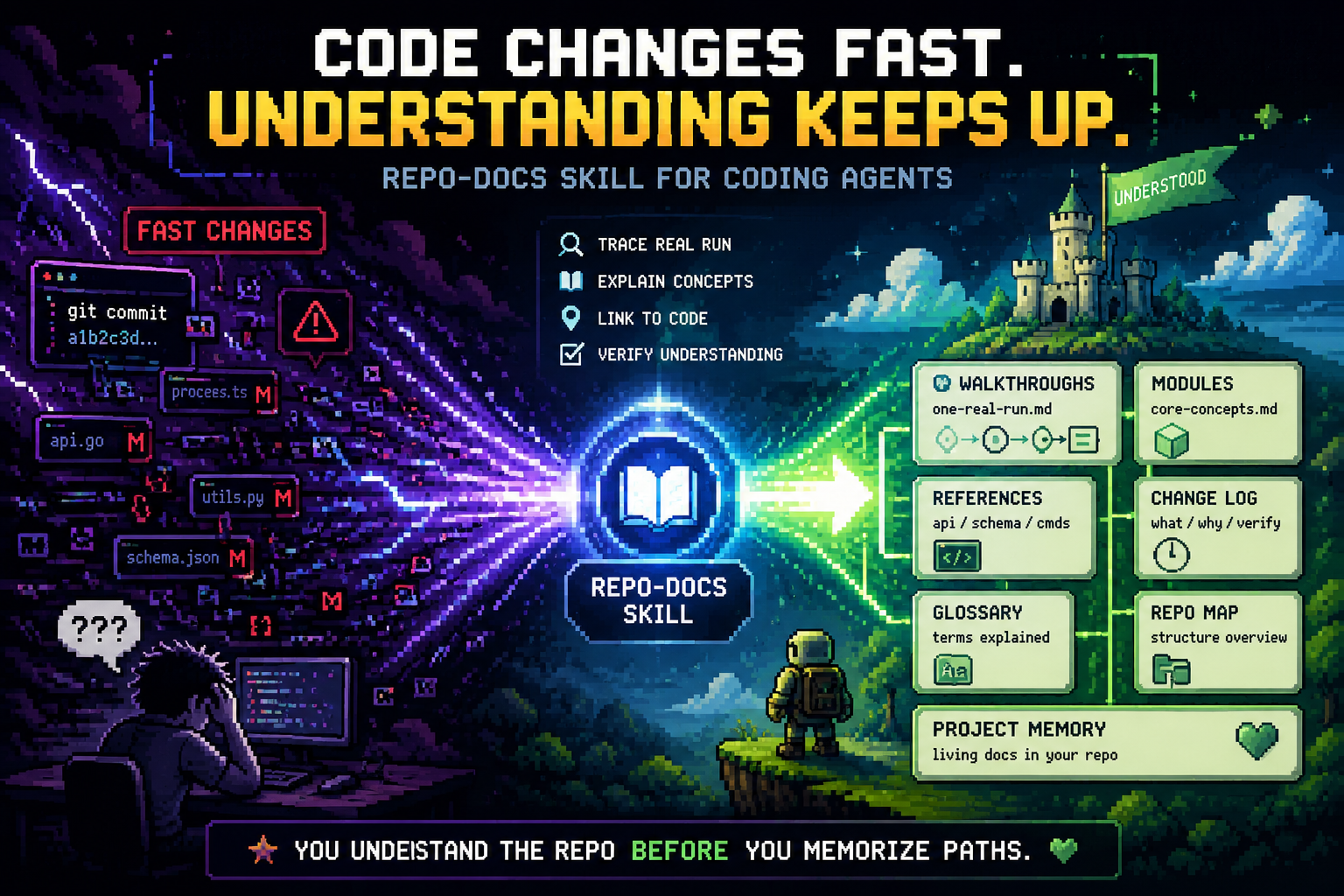
Vibe coding makes code move faster than memory. Repo-Docs turns each real
run into walkthroughs, concepts, references, and sync rules that live beside
the source.


Chinese README |
Skill contract |
Project homepage |
Install
Why now |
The loop |
Artifacts |
Quality bar
Understand the repo before you memorize paths.
The Problem
Repo-Docs is not a file-tree tour, a generated API dump, or a chat transcript.
It is a small project guide that tells a reader what the repo does, how the
behavior moves, where the proof lives, and how to keep that understanding fresh.
Why This Exists Now
AI coding is no longer a niche workflow. Two 2026 open-source studies make the
scale visible: AIDev reports 932,791
agent-authored pull requests across 116,211 GitHub repositories, while a
multi-method census of 180 million repositories
shows that many agent traces are missed by single-signal detection.
That growth creates a new maintenance problem: the code may be real, but the
project understanding is often temporary. Repo-Docs gives coding agents a
repeatable way to preserve the reasoning layer inside the repository itself.
The Repo-Docs Loop
flowchart LR
  A["User asks or agent changes repo"] --> B["Understanding sync check"]
  B --> C["Update README and walkthrough"]
  B --> D["Update change-log"]
  B --> E["Patch modules / glossary / references"]
  B --> F["Update AGENTS.md / CLAUDE.md"]
  C --> G["User can read the current project"]
  D --> G
  E --> G
  F --> G
The loop is intentionally conservative. A good update touches the page that
would otherwise mislead the next reader, not every page that could be polished.
What It Builds
| Artifact | Job |
|---|
repo-docs/README.md | Orient the reader and point to the first useful path. |
walkthroughs/one-real-run.md | Follow one real behavior from observable entry to output. |
code-map.md | Map in-scope source directories to responsibilities, important code, tests, and likely change points. |
modules/ | Explain durable concepts the walkthrough names. |
references/ | Hold source evidence and optional quality review. |
glossary.md | Translate repeated project terms into plain meaning. |
change-log.md | Record meaningful guide work, verification, and sync anchors. |
AGENTS.md / CLAUDE.md | Tell future coding agents when and how to keep docs current. |
Install In 30 Seconds
Give this natural-language install request to your coding agent:
Install the repo-docs skill from this project:
https://github.com/YurunChen/repo-docs-skills

Make both repo-docs and repo-docs-zh available in my agent skill directory.
Then ask it to run the skill in any repository:
Use the repo-docs skill to create docs for this repository.
Command-line install
Use this when you prefer a shell install. The URL is a GitHub repository raw-file URL; GitHub serves the raw script bytes through its raw content host after redirect.
curl -fsSL https://github.com/YurunChen/repo-docs-skills/raw/main/install.sh | bash
Windows PowerShell:
irm https://github.com/YurunChen/repo-docs-skills/raw/main/install.ps1 | iex
From this source checkout:
./install.sh

# Install into all known locations: ~/.codex/skills, ~/.claude/skills, ~/.agents/skills
./install.sh --agent all

# Install into one explicit skills directory
./install.sh --target ~/.agents/skills
Use It Naturally
Use the repo-docs skill to create docs for this repository.
Use repo-docs-zh to create a Chinese repo guide for this project.
Explain how this subsystem works using repo-docs and the current source.
Modes
| Mode | Use when | What it preserves |
|---|
| Seed | The repo is new or has little runtime evidence | Goals, decisions, planned work, and unknowns |
| Build | The repo needs its first guide | Walkthrough, concepts, references, glossary, and sync rule |
| Sync | A repo question or guide-covered behavior may make docs stale | The smallest page that would otherwise mislead |
| Cleanup | The user asks to remove generated docs | Docs package and stale root-agent pointers |
| Question refinement | A question exposes a wrong reader model | The corrected page, then an answer linked to it |
Validation
python skills/repo-docs/scripts/validate_repo_docs.py /path/to/repo-docs --repo-root /path/to/repo
Use --lite for small projects and --seed for repositories that still need
status-labeled plans instead of implementation claims. --repo-root checks
source locators and post-anchor drift.
Quality Bar
A good Repo-Docs package is useful after the chat ends.
| Principle | Meaning |
|---|
| Behavior before inventory | Teach one real workflow before listing files. |
| Reader handles before locators | Explain the concept, then link to the exact path, function, field, or command. |
| One durable fact, one home | Concepts and needed details live in modules; evidence and quality audit live in references; history lives in the change log. |
| Evidence stays visible | Current source, tests, config, data, commands, and artifacts outrank memory or stale docs. |
| Patches stay surgical | When understanding drifts, update the smallest page that fixes the reader model. |
Source Layout
repo-docs-skills/
├── skills/
│   ├── repo-docs/        # installable skill package
│   └── repo-docs-zh/     # Chinese language overlay
├── site/                 # homepage source
├── docs/                 # GitHub Pages publish tree
├── install.sh
├── install.ps1
├── README.md
└── README_CN.md
The installable skill source lives under skills/. The site/ directory is homepage source, while docs/ is the GitHub Pages publish tree.
Installed Package Contents
<skills-dir>/
├── repo-docs/
│   ├── SKILL.md
│   ├── REFERENCE.md
│   ├── WRITING.md
│   ├── PAGE_RULES.md
│   ├── SCOPE_MODES.md
│   ├── SYNC_RULES.md
│   ├── QUALITY_RULES.md
│   ├── EXAMPLES.md
│   ├── validate_repo_docs.py
│   └── scripts/
│       └── validate_repo_docs.py
└── repo-docs-zh/
    └── SKILL.md
Acknowledgements
Repo Docs Skills is developed by the AI4GC Lab at Zhejiang University.
Repo-Docs: make the repository explain itself.
Walkthroughs, evidence, references, sync rules, and project memory for fast-moving code.



 @upstash


