



在线网站
· 立即安装
· 快速开始
· 技能索引
· 其他安装
· 贡献方式
· English
Nature Skills 网页版:内置 Nature Polishing(论文润色)与 Nature Figure(科研绘图)核心功能,访问地址 https://natureskills.cn
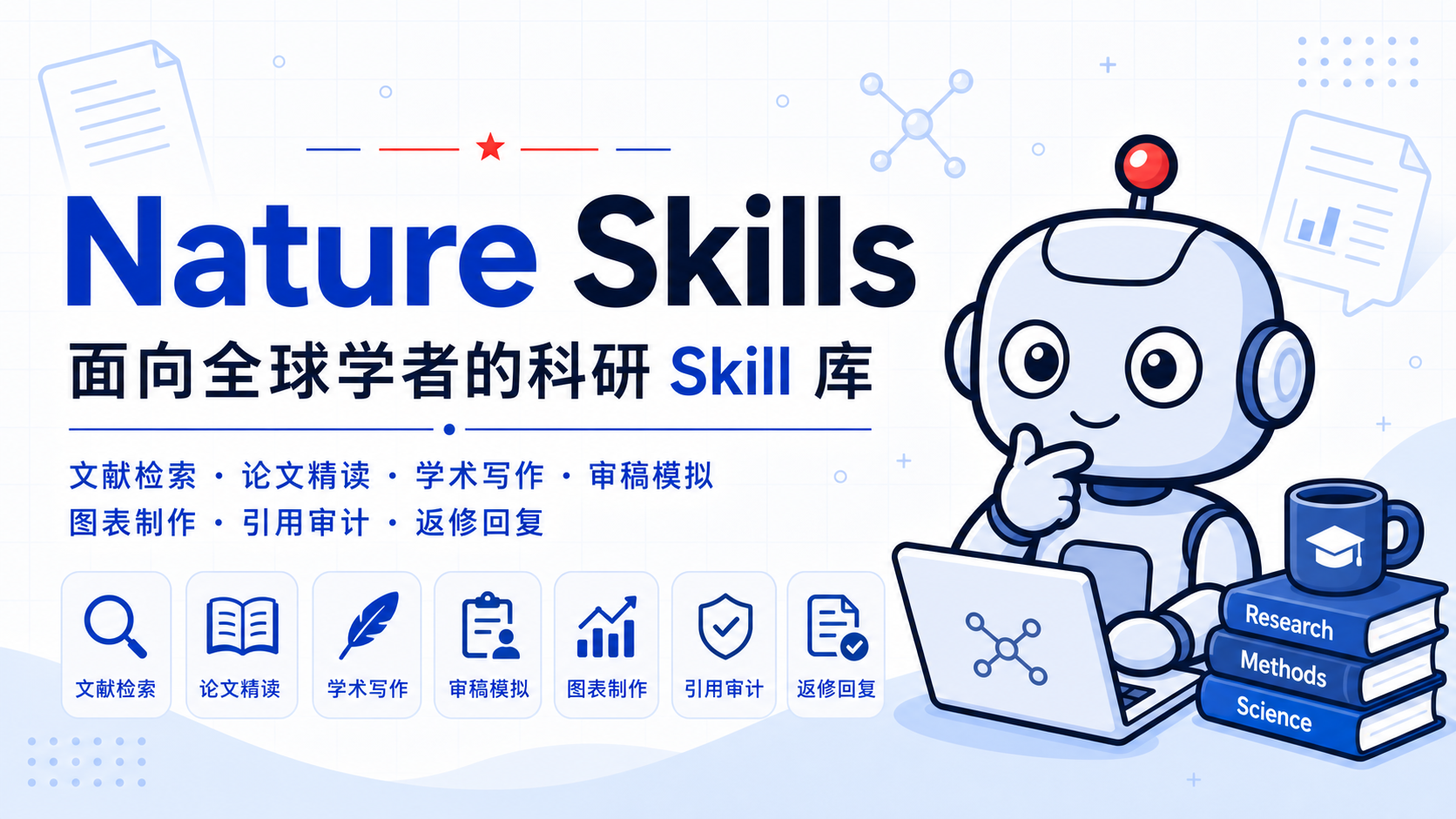
nature-skills 面向全球 AI 学者收录可复用科研技能,强调真实问题解决、可验证工作流与可直接使用的科研产物。
目录
- 1. 项目发起人与运营信息
- 1.1 创始人介绍
- 1.2 自营 GPT / Claude 代充与成品号
- 1.3 知识星球
- 1.4 商务合作
- 2. Skills 主要开发者
- 3. 项目理念与社区
- 4. 快速开始
- 5. 安装
- 5.1
npx skills 安装方式
- 5.2 Claude Code 安装方式
- 5.3 Codex 安装方式
- 5.4 Chatbox 安装与使用
- 5.5 其他 Agent 场景
- 6. 技能索引
- 7. 贡献与开发
- 8. Star 历史
1. 项目发起人与运营信息
1.1 创始人介绍
大家好,我是 nature-skills 的创立者袁一哲。感谢大家持续关注本项目。我们在抖音更新了许多视频教程,大家可以根据名称检索查看,希望能够真正帮助到科研工作。
1.2 自营 GPT / Claude 代充与成品号
严格筛选渠道商,提供完全正规的充值渠道与服务。欢迎访问 Nature AI 充值卡网(已上线plus一年代充,Pro5x,20x等等):
Nature AI 充值卡网
https://apiciyuan.top/

扫码添加微信客服
1.3 知识星球
知识星球名称:Nature Skills 以及背后的哲学,以加入知识星球代替打赏。

1.4 商务合作
如有商务合作意向,欢迎发送邮件至 natureskills2026@outlook.com。
2. Skills 主要开发者
| 开发者 | 项目角色 | 主要方向与贡献 | 主页与联系 |
|---|
| 袁一哲 | 创始人 / 维护者 | 项目发起、技能体系设计与社区运营 | — |
| 马昕瑞 | 核心开发者 | 核心开发、架构维护 | Gmail |
| 胡彬 | 主要贡献者 | Agentic Agent | Email |
3. 项目理念与社区
3.1 自己的一些浅薄观点
- 最近发现,我设计的 Nature Skills 被谷歌 DeepMind 关注并借鉴,他们参考了其中的引用体系、脚本思路以及技能设计哲学,推出了 Science Skills。说实话,这让我挺欣慰的——当国外的顶尖 AI 机构开始从我们的工作中汲取灵感时,说明中国开发者的原创思想正在被世界看见。这不是被复制的失落,而是中国力量在开源土壤里生根后,自然向外生长出的影响力。
- 我们设计 Skills 的重心,从来不是要求每个人都来啃透这套思想,而是这套思想本身就具备被机器理解并复用的能力。你如果想创立一个全新的 Skill,或者把它适配到自己的专属领域,根本不需要从头学起——直接把 Nature Skills 的 GitHub 地址发给 Codex,它就能自动学习其中的设计精髓,帮你完成新 Skill 的创建和修改。这才是思想的真正解放:它不再依赖口口相传,而是通过 AI 直接流淌进每一个需要它的角落。
- Nature Skills 真正的价值,或许并不在于那些具体的技能模块,而在于它悄悄推开了一扇新的大门——它让很多人第一次意识到,原来可以借助 Codex 或智能体来操控本地电脑做科研。我有幸见证并陪伴了许多人完成科研范式的转变。当他们惊叹“原来科研还可以这样去做”的那一刻,这种认知上的破壁和解放,远比 Skills 本身更让我觉得有意义。它不是一个工具的成功,而是一种新的思考方式开始在人群中蔓延。
- 在当下,几乎所有实用的工具都可以被提炼为标准化流程,而标准化流程恰好可以封装成可复用技能。
3.2 视频教程与社区


4. 快速开始
安装完成后,可以直接把论文、段落、审稿意见或任务描述交给 Agent。下面这些提示词可以直接复制使用:
| 想做什么 | 直接这样说 |
|---|
| 读论文 / 中英文对照 | 把这篇 PDF 做成图文对应的中英文对照 Markdown reader。 |
| 生成文献汇报 PPT | 把这篇论文做成中文组会汇报 PPT,保留关键图件和来源标注。 |
| 润色或翻译论文段落 | 把这段中文改写成 Nature 风格英文,保持学术含义不变。 |
| 写摘要、引言或讨论 | 根据这些结果和图件,帮我起草 Nature 风格的摘要和引言。 |
| 预投稿审稿模拟 | 从 Nature 审稿人视角评估这篇稿件,给出三份互盲 reviewer reports;全部定稿后再综合。 |
| 回复审稿意见 | 根据这封返修邮件,为每位互盲审稿人分别写逐点回复和 cover letter,并标出修改稿需要标红的位置。 |
| 查文献、他引和引用者画像 | 整理这篇文章的引用数、严格他引数、DOI,并看引用者里有没有院士、Fellow 或领域大牛。 |
| 做科研图或论文示意图 | 根据这段方法和结果,帮我生成投稿级科研图或论文示意图草稿。 |
如果你不确定该用哪个技能,直接描述任务即可;如果已经知道技能名,可以在提示词中明确写“使用 nature-reader”或“使用 nature-response”。
5. 安装
nature-skills 是一组围绕 SKILL.md 组织的可复用技能包。skills/ 下的每个顶层技能目录都是一个可安装单元,例如 nature-*;nature-shared 是供其他技能读取的共享支持包,默认不作为独立触发技能计入技能索引。
5.1 npx skills 安装方式
需要先安装 Node.js 18 或更高版本。无需全局安装 CLI;先查看仓库中可安装的技能名:
npx skills add Yuan1z0825/nature-skills --list
优先按当前任务选择需要的技能,并保留其共享依赖。只为当前项目安装时,省略 --global;需要跨项目使用时再加上它。例如:
npx skills add Yuan1z0825/nature-skills --agent codex --skill nature-figure --yes --copy
单独安装 nature-reader、nature-paper2ppt、nature-polishing 或 nature-writing 时,同时选择共享支持包:
npx skills add Yuan1z0825/nature-skills --global --agent codex \
  --skill nature-reader --skill nature-shared --yes --copy
如果确实需要完整技能集,也可以全局安装到 Codex。全量选择包含 nature-shared:
npx skills add Yuan1z0825/nature-skills --global --agent codex --skill '*' --yes --copy
需要把全部技能安装到 CLI 支持的所有 agent 时,使用:
npx skills add Yuan1z0825/nature-skills --all
检查全局安装结果并更新:
npx skills list --global --agent codex --json
npx skills update --global --yes
只更新一个技能,或只更新当前项目中的技能:
npx skills update nature-reader --global --yes
npx skills update --project --yes
技能选择参数使用 --list 显示的 frontmatter 名称;例如目录 nature-proposal-writer 当前显示为 researchwrite。npx skills 管理的是技能文件,Python、R、浏览器或 MCP 等可选运行依赖仍需按下文说明单独配置。
5.2 Claude Code 安装方式
Claude Code 不能直接使用 scripts/update-codex-skills.sh,因为这个脚本只负责同步到 Codex 的 ~/.codex/skills/。用于 Claude Code 时,推荐保留一个稳定的本地 clone,再用 subagent 或 slash command 指向真实的 skills/*/SKILL.md。这样不会破坏技能目录结构,也能继续读取 references/、static/、manifest.yaml、脚本、资产和 skills/nature-shared/。
如果还没有安装 Claude Code:
npm install -g @anthropic-ai/claude-code
claude
先把仓库 clone 到一个稳定路径:
mkdir -p ~/ai-skills
cd ~/ai-skills
git clone https://github.com/Yuan1z0825/nature-skills.git
推荐方式:为常用技能创建 Claude Code subagent wrapper。以 nature-reader 为例:
mkdir -p ~/.claude/agents
cat > ~/.claude/agents/nature-reader.md <<'EOF'
---
name: nature-reader
description: Use for Chinese-English paper reading, figure-aware translation, and source-grounded paper notes.
---

When invoked, first read `~/ai-skills/nature-skills/skills/nature-reader/SKILL.md` and follow it as the governing workflow.
Read supporting files from `~/ai-skills/nature-skills/skills/nature-reader/` and `~/ai-skills/nature-skills/skills/nature-shared/` only when needed.
Do not replace this skill with a generic paper-reading response.
EOF
然后开启新的 Claude Code 会话,直接请求使用这个 subagent:
Use the nature-reader subagent to turn this paper into a Chinese-English Markdown reader.
如果你更喜欢 slash command,也可以创建命令 wrapper:
mkdir -p ~/.claude/commands
cat > ~/.claude/commands/nature-reader.md <<'EOF'
Read `~/ai-skills/nature-skills/skills/nature-reader/SKILL.md` first and follow it strictly.
Read directly needed supporting files from `~/ai-skills/nature-skills/skills/nature-reader/` and `~/ai-skills/nature-skills/skills/nature-shared/`.

$ARGUMENTS
EOF
在 Claude Code 中使用:
/nature-reader 把这篇论文做成中英文对照的完整 Markdown reader。
安装其他技能时,把示例中的 nature-reader 换成对应目录名即可,例如 nature-polishing、nature-writing、nature-reviewer、nature-response 或 nature-figure。后续更新只需要:
cd ~/ai-skills/nature-skills
git pull
只要 wrapper 仍然指向这个稳定 clone 路径,就不需要重复复制技能文件。
自动更新(可选)
如果你希望 Claude Code 每次开启会话时自动拉取上游更新,可以用 scripts/autoupdate-skills.sh 配合一个 SessionStart 钩子。
这套方式把技能直接复制进 ~/.claude/skills/(Claude Code 会自动发现该目录,技能以目录名直接加载),而不是使用上面的 wrapper。两种方式二选一即可。
先保留一个专用的稳定 clone(只用于同步技能,请不要在里面做开发提交):
mkdir -p ~/ai-skills
git clone https://github.com/Yuan1z0825/nature-skills.git ~/ai-skills/nature-skills
首次安装,把技能复制进 Claude Code 的技能目录:
~/ai-skills/nature-skills/scripts/autoupdate-skills.sh --force
然后在 ~/.claude/settings.json 里加一个 SessionStart 钩子(若已有 hooks,把这一项合并进去,不要整体覆盖):
{
  "hooks": {
    "SessionStart": [
      {
        "hooks": [
          {
            "type": "command",
            "command": "$HOME/ai-skills/nature-skills/scripts/autoupdate-skills.sh",
            "async": true,
            "timeout": 120
          }
        ]
      }
    ]
  }
}
async: true 让它在后台运行、不阻塞启动。脚本自带保护:默认 1 小时内不重复联网检查、断网或拉取失败自动跳过(exit 0,绝不卡住会话)、上游变化或安装目录发生漂移时重新同步、并且拒绝在有未提交改动的 clone 上强行前进。拉到的新版会在下一次开启会话时生效(当前会话的技能已经加载完毕)。每个安装目标使用独立日志,路径为 ~/.local/state/nature-skills/<目标目录编号>/autoupdate.log。
目标目录与检查频率都可配置:
# 默认同步到 ~/.claude/skills;用 --dest 指到别处,例如 Codex:
~/ai-skills/nature-skills/scripts/autoupdate-skills.sh --dest ~/.codex/skills
# 最多每小时联网检查一次;每次运行仍会校验本地安装:
~/ai-skills/nature-skills/scripts/autoupdate-skills.sh --throttle 3600
5.3 Codex 安装方式
需要安装或更新完整技能集时,可以使用仓库自带脚本。脚本会同步 skills/ 下所有顶层技能目录,并在复制后做 diff 验证;它不会覆盖其他无关 Codex skills。只需要部分技能时,使用上面的 npx skills 按需安装方式。
git clone https://github.com/Yuan1z0825/nature-skills.git
cd nature-skills
scripts/update-codex-skills.sh --pull
如果已经 clone 过仓库:
cd nature-skills
scripts/update-codex-skills.sh --pull
验证当前 Codex 安装是否和这个 checkout 一致:
scripts/update-codex-skills.sh --check
如果你长期用这个脚本更新,并希望清理上游已经删除的旧技能目录:
scripts/update-codex-skills.sh --pull --prune
--prune 只会删除以前由这个脚本记录过、但当前仓库已经不再包含的目录。第一次运行没有历史记录时,它不会猜测删除旧目录。
也可以把仓库链接交给 Codex,让 Codex 执行安装脚本。推荐提示词:
请从这个仓库安装 Codex skills:
https://github.com/Yuan1z0825/nature-skills.git

请 clone 仓库后运行 scripts/update-codex-skills.sh --pull。
安装后再运行 scripts/update-codex-skills.sh --check 验证。
请保留 skills/ 下的完整技能目录,不要只复制 SKILL.md。
如果只安装单个技能,请明确说明技能名:
只安装这个仓库里的 nature-reader:
https://github.com/Yuan1z0825/nature-skills.git

如果该技能需要共享文件,也请一并安装 skills/nature-shared。
关键规则:保留完整目录结构。请复制或引用整个技能文件夹,而不是只复制 SKILL.md,因为许多技能依赖 references/、static/、manifest.yaml、脚本、资产或共享文件。
安装脚本不会自动安装 Python 依赖。需要使用相关脚本或 MCP 服务时,再按需安装:
python -m pip install -r skills/nature-paper-to-patent/requirements.txt
python -m pip install -r skills/nature-paper-to-patent/scripts/disclosure/requirements-cnipa.txt  # 可选:国知局公布公告检索
python -m pip install -r skills/nature-academic-search/mcp-server/requirements.txt
如果启用 nature-paper-to-patent 的国知局公布公告检索,还需要执行 python -m playwright install chromium。
nature-academic-search 的 MCP 服务还需要单独配置 PUBMED_EMAIL,Scopus / ScienceDirect 等可选 provider 需要使用本机凭据配置,不要把 API key 写入仓库文件。
安装后,请开启一个新的 Codex 会话,然后自然描述任务,例如:
把这篇论文做成中英文对照的完整 Markdown reader。
把这篇论文做成中文PPT。
如果你使用 OpenClaw、OpenCode、Hermes 等开源 agent / 编程框架,请看 OpenClaw / OpenCode / Hermes 接入教程。
自动更新(可选)
Codex 支持全局 SessionStart hook。保留一个专用 clone 后,可以在每次启动或恢复 Codex 会话时检查更新,并把新版同步到 ~/.codex/skills/。




 @bytedance


