🗂️ 最好的 SQL 转 ER 图生成器
优雅的在线 SQL / DBML 转 ER 图工具
English · 简体中文






🤖 作为 Skill 安装
通过一条命令安装 sql2er Agent Skill:
npx skills add ystemsrx/sql-to-ER
✨ 项目简介
一个基于网页的纯前端工具,用于从 SQL CREATE TABLE 语句和 DBML 代码生成 Chen 模型 ER 图。无需登录,无需付费,完全免费开源。
Note
为什么做这个?市面上绝大多数 DBML/SQL 转 ER 图的在线工具都需要登录甚至收费,且样式奇丑无比,体验令人失望。于是直接开源一个免费替代品。
Tip
如果你需要绘制的是逻辑模型(而非 Chen 模型),推荐使用 dbdiagram.io,同样免费。
🚀 快速使用
直接访问在线版本即可使用,无需安装:
🔗 ER Diagram Generator
或者克隆到本地开发运行:
本项目使用 pnpm 作为包管理器(已通过 packageManager 字段锁定版本,建议先 corepack enable 让其自动安装)。
git clone https://github.com/ystemsrx/sql-to-ER.git
cd sql-to-ER
corepack enable        # 一次性,启用 Corepack 自动管理 pnpm 版本
pnpm install
pnpm dev
Warning
请勿直接双击打开 sql2er.html。 本项目使用 Vite + TypeScript,源码中的 .ts/.tsx 和前端依赖需要 Vite 编译与模块解析。开发时请使用:
pnpm dev
然后在浏览器访问 Vite 输出的地址,例如 http://localhost:5173/sql2er.html。如果要用静态服务器,请先执行 pnpm build,再服务 dist/ 目录。
📖 使用步骤
- 通过
pnpm dev 打开 sql2er.html(参见上方快速使用,或直接访问在线版)
- 在输入区粘贴 SQL
CREATE TABLE 语句或 DBML 代码
- 点击 「生成 ER 图」 按钮
- 若对节点位置不满意,可拖拽节点调整布局;双击节点修改内容
- 在画布上使用滚轮可平滑缩放,按住 Ctrl + 滚轮可围绕图形中心平滑旋转(节点形状与文字方向保持不变)
- 若图形较复杂,只需将每个矩形(实体)拖到大致位置,再点击 「智能优化」,即可自动整理布局
🧩 支持格式
📘 SQL 示例
CREATE TABLE users (
    id INT PRIMARY KEY,
    username VARCHAR(255) NOT NULL,
    email VARCHAR(255) UNIQUE
);

CREATE TABLE posts (
    id INT PRIMARY KEY,
    author_id INT,
    title VARCHAR(255),
    FOREIGN KEY (author_id) REFERENCES users(id)
);
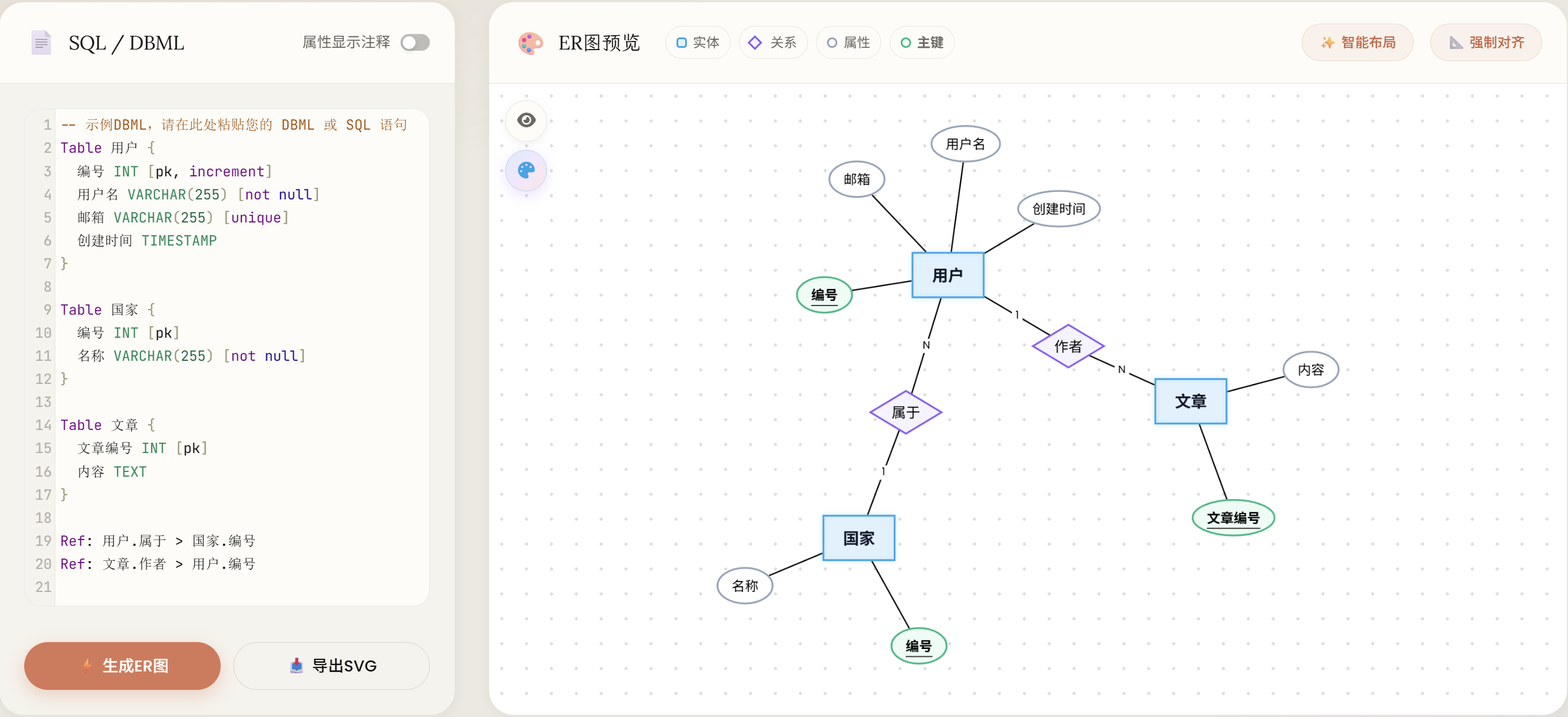
📗 DBML 示例
Table users {
  id INT [pk]
  username VARCHAR(255) [not null]
  email VARCHAR(255) [unique]
}

Table posts {
  id INT [pk]
  author_id INT
  title VARCHAR(255)
}

Ref: posts.author_id > users.id
🎨 Chen 模型元素
| 图形 | 含义 | 对应数据库概念 |
|---|
| 🟦 矩形 | 实体 | 表 |
| 🔶 菱形 | 关系 | 外键 |
| ⚪ 椭圆 | 属性 | 列 |
| 下划线 | 主键标识 | 主键属性 |
⚖️ 与标准 Chen 模型的差异
Important
本工具为简化使用,在以下方面对标准 Chen 模型做了妥协。如需严格符合学术规范,请参考下方说明手动调整。
- 关系命名:标准 Chen 模型要求菱形使用语义化名称(如 属于、拥有),本工具默认显示外键字段名。
- 实体与属性命名:标准建议使用业务术语,本工具默认直接使用表名与列名。
- 自定义修改:
- ✏️ 双击 图形元素可直接编辑显示内容
- 🔁 或在源代码(SQL / DBML)中修改后重新生成
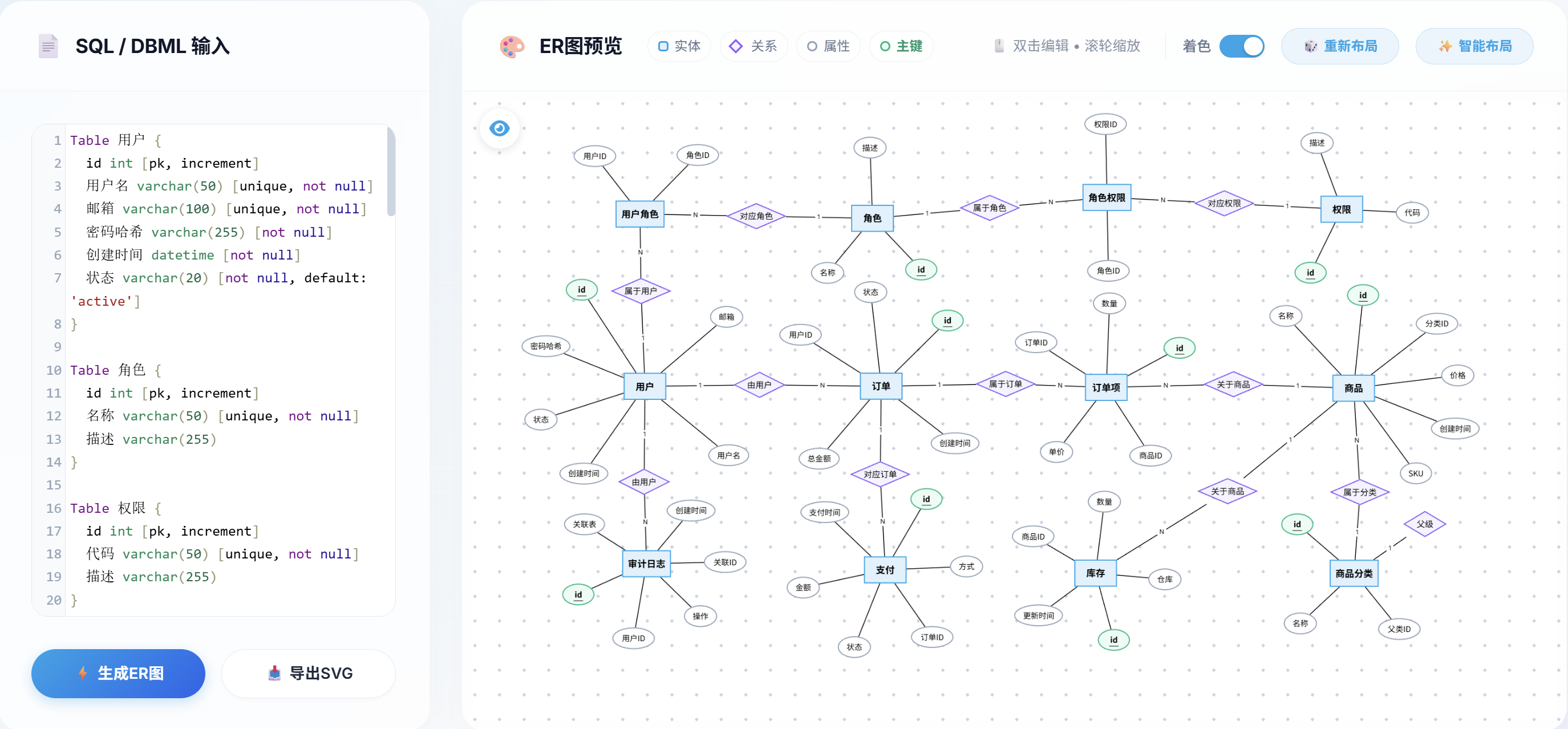
🖼️ 效果展示
Tip
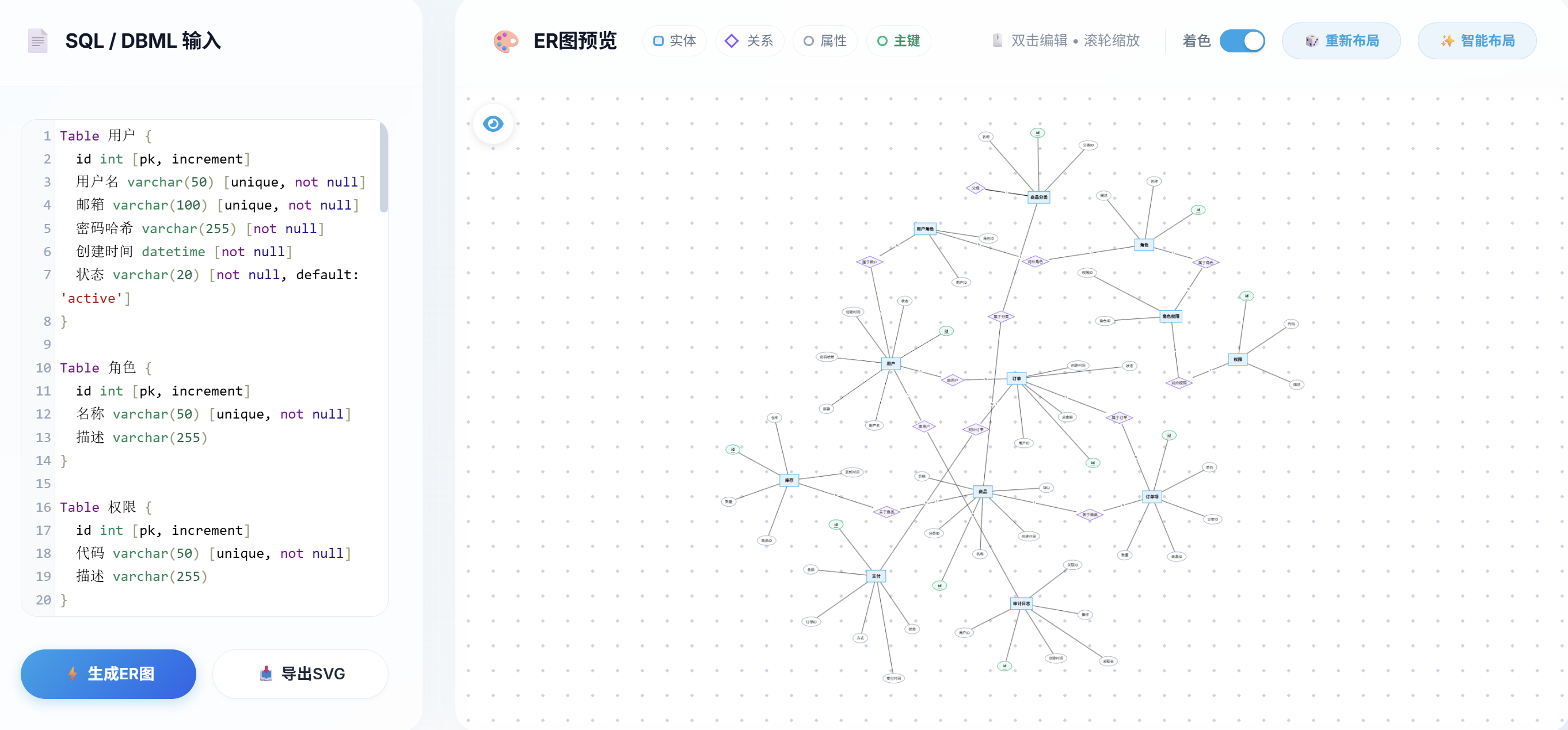
结构较复杂时,直接生成的图可能不够整齐。此时:
- 点击 「智能调整」 自动整理——通常此时已足够整齐,仅需微调。
- 若仍不理想,点击 「快速布局」 再配合「智能调整」通常可得到理想效果。
- 极少数情况下,可先手动将矩形(实体)拖到合适位置(其他元素无需调整),再点击「智能调整」即可。
- 实体 / 关系特别多时,可先点击画布左上角的 「隐藏属性」,先把矩形(实体)和菱形(关系)骨架摆到理想位置,再点一次切换回「显示属性」——属性会自动根据当前矩形的位置围绕其均匀分布,避免一上来就被属性干扰拖动。
🕘 生成历史
每次生成 ER 图时都会自动保存一份快照(含缩略图、节点位置、当前显示设置),整理过的布局不会因为重新生成而丢失。
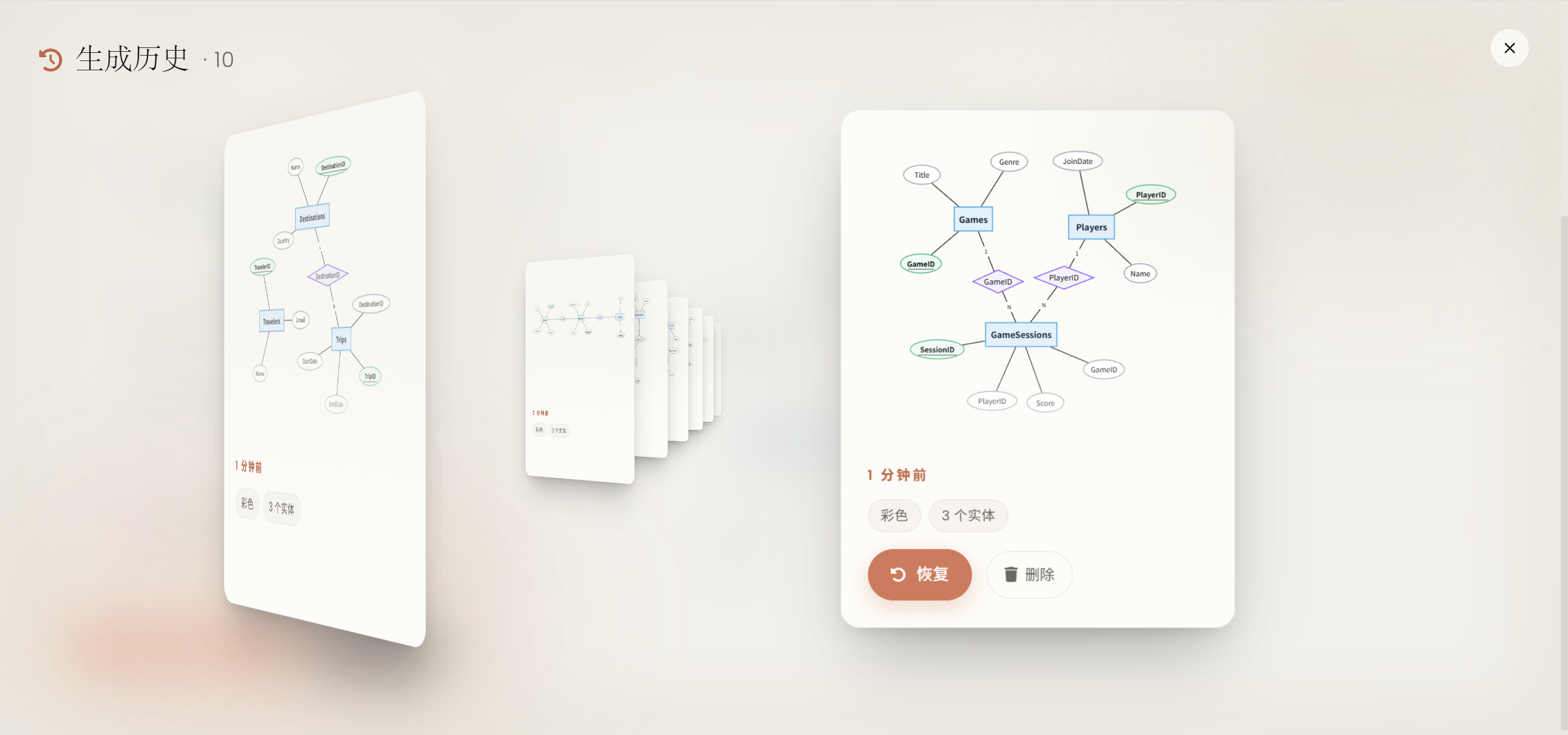
- 打开:点击画布左上角的 🕘 时钟图标打开历史页面。
- 浏览:直接 拖拽 卡片,或在面板上 滚轮 翻动;最近的快照在最前面。
- 恢复:拖拽任意卡片先把它吸附到中央,再次点击「恢复」即可按当时的节点位置 / 标签重建图(不会重新布局)。
- 删除:单张快照右下角的 🗑 按钮可单独移除该条记录。
- 持久化:所有数据都存在浏览器本地的 IndexedDB 中(首次生成非示例 ER 图后才会出现条目)。
- 会话恢复:刷新或重新打开页面时仅自动恢复 6 小时内编辑的图(含布局);超过 6 小时会显示初始示例,原有生成历史不会删除。输入框文本另有 localStorage 草稿兜底。
Tip
想撤回上一次手动调整?面板里的「恢复」是按输入文本归档的版本切换,单步撤销 / 重做请用 Ctrl + Z / Ctrl + Y。
🤝 贡献
欢迎提交 Issue 和 Pull Request!如果这个项目对你有帮助,请点一个 ⭐ Star 支持一下。
📄 开源协议
本项目基于 GNU AGPL v3.0 开源。


 @upstash


