
Education
Plugin
learn-harness-engineering
Harness engineering beginner tutorial, from 0 to 1

Plugin Signal68/100Solid
maintained87
capable14
documented100
adopted89
Install
$ npx -y skills add walkinglabs/learn-harness-engineering --agent claude-code
Stats
15,654
Stars
1,573
Forks
Active
Maintenance
TypeScript
Language
MIT
License
26d ago
Last commit
5mo ago
Created
20d ago
Added
Repo: walkinglabs/learn-harness-engineering
What's inside
Badges











README
🌍 This course is available in 15 languages: English, 简体中文, 繁體中文, 日本語, 한국어, Español, Français, Русский, Deutsch, العربية, Tiếng Việt, Oʻzbekcha, Türkçe, Portuguese (BR), Українська. Choose your language from the badges above.
🆕 What's New — August 2026
Frontier Harness Design Breakdowns — new section (4 breakdowns)
| What | Details |
|---|---|
| New section | Frontier Harness Design Breakdowns — Apply the course's five-subsystem framework (instructions, tools, environment, state, feedback) to reverse-engineer how four frontier products build real harnesses. |
| Pi | How Pi builds its harness — a minimal kernel, programmable expansion, and context engineering behind "ask Pi to build what you want." |
| Claude Code | How Claude Code builds its harness — four-layer memory, five-level compaction, hooks, and sub-agent isolation. |
| Codex | How Codex builds its harness — the repository as source of truth, AGENTS.md as a directory page, and worktree isolation. |
| DeepSeek | How DeepSeek builds its harness — "everything is a plugin," capability seams, and an event pipeline. |
| All 15 languages | Full translation coverage across all supported languages. |
Key idea: The course gives you a framework; these breakdowns show you how the same principles actually play out in production harnesses.
Graph Engineering Update — 1 new lecture, 1 new project
| What | Details |
|---|---|
| Lecture 14 | From Single Loops to Graph Engineering — Why a single loop grows into a graph: the four stacked layers (prompt → context → loop → graph) and where harness sits in that stack, the four parts of a graph (nodes, edges, shared state, routing), why in-loop checkpoints can't fix the three structural failures at scale (Goodhart, blindness upward, conflict), a framework-agnostic six-step walkthrough for building your first graph, graph vs. workflow, anchors, which open-source "graph engineering" projects existed before the name vs. after it, the orchestration tax, and when a graph is actually worth drawing. |
| Project 08 | Draw Your Workflow as a Graph — Three progressive experiments: draw your maker-checker loop as an explicit graph, add a parallel fan-out/fan-in node, then add a conditional rollback edge and a human-approval node. |
Key idea: A loop is a graph with one node. When your task needs specialization, parallelism, shared state, verification, and recovery — it has stopped being a loop. It's a graph.
🆕 What's New — July 2026
Loop Engineering Update — 1 new lecture, 1 new project
| What | Details |
|---|---|
| Lecture 13 | Why You Need to Stop Prompting Your Agent — From /goal to the six primitives of loop engineering (automations, worktrees, skills, connectors, sub-agents, external state), the generator/evaluator split, four silent costs, and a step-by-step guide to building your first loop. |
| Project 07 | Build Your First Automated Loop — Three progressive experiments: goal loop, timer loop, and maker-checker loop. Compare manual vs. automated, measure intervention reduction, and learn to step outside the loop. |
| Code templates | goal-template.md, loop-state-template.md, maker-prompt.md, checker-prompt.md — drop-in templates for building loops immediately. |
| All 15 languages | Full translation coverage across all supported languages. |
Key idea: Harness engineering builds the vehicle. Loop engineering designs the road it drives on — and you design the road from outside the car.
Learn Harness Engineering is a course dedicated to the engineering of AI coding agents. We have deeply studied and synthesized the most advanced Harness Engineering theories and practices in the industry. Our core references include:
- OpenAI: Harness engineering: leveraging Codex in an agent-first world
- Anthropic: Effective harnesses for long-running agents
- Anthropic: Harness design for long-running application development
- Awesome Harness Engineering
Quick start? The
skills/harness-creator/skill can help you scaffold a production-grade harness (AGENTS.md, feature lists, init.sh, verification workflows) for your own project in minutes.
Table of Contents
- 🆕 What's New
- ✨ Visual Preview
- What Harness Engineering Actually Means
- Quick Start: Improve Your Agent Today
- Capstone Project: A Real App
- Learning Path
- Syllabus
- Skills
- Other Courses
✨ Visual Preview
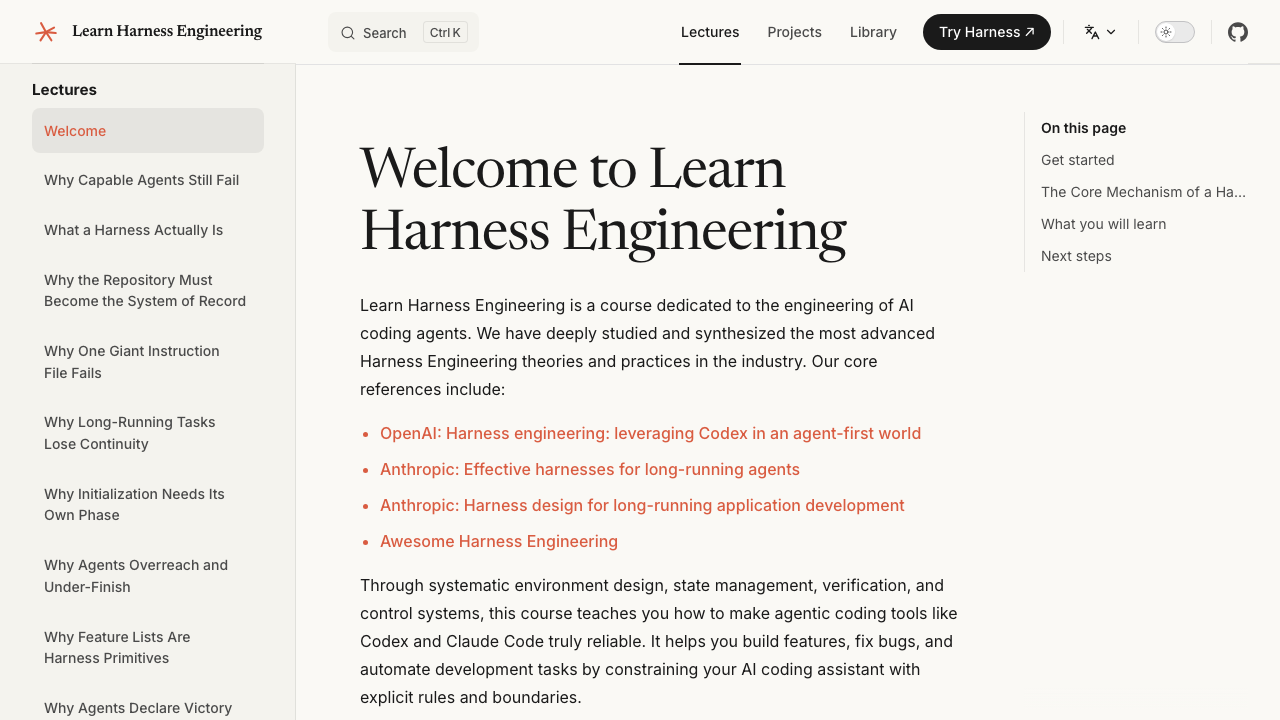
🏠 Course Homepage
A comprehensive course outline and introduction to core philosophies, providing a clear path to get started.
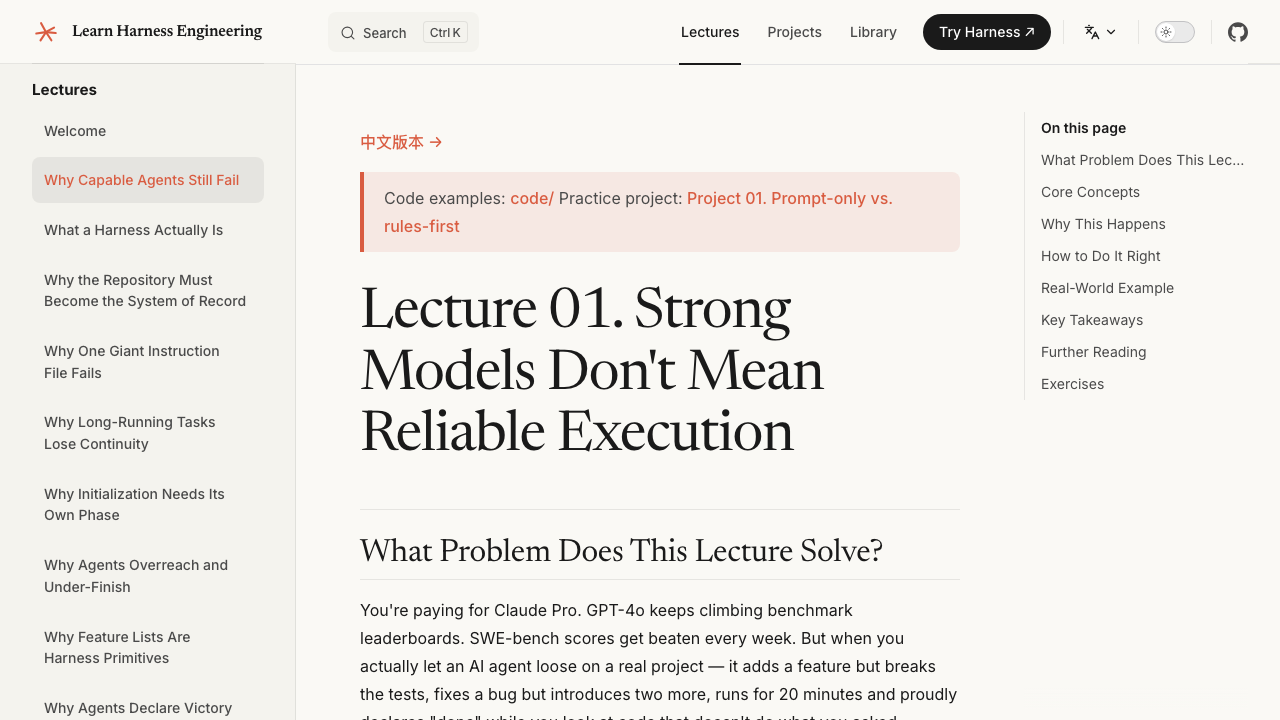
📖 Immersive Lectures
Deep dives into real-world pain points and hands-on projects (like Project 01) for an immersive learning experience.
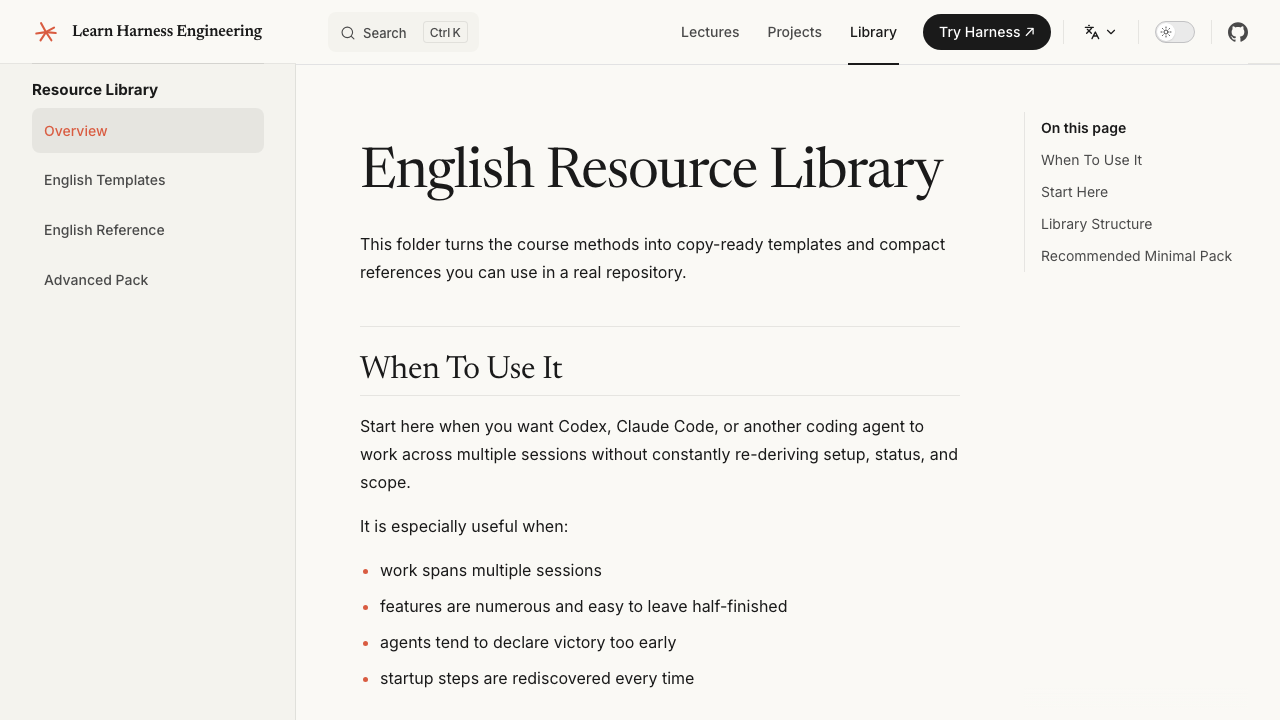
🗂️ Ready-to-Use Resource Library
Templates and reference configurations designed to solve common pitfalls in multi-turn AI agent development, such as context loss and premature task completion.
PDF Coursebooks
The repository now includes a PDF build pipeline for the course content.
- Run
npm run pdf:buildto generate the currently configured PDF coursebooks locally. - Output files are written to
artifacts/pdfs/. - Run
npm run screenshots:readmeif you want to refresh the README preview images. - GitHub Actions workflow
release-course-pdfs.ymlcan build the PDFs and publish them to GitHub Releases.
The Model Is Smart, The Harness Makes It Reliable
There's a hard truth most people learn the hard way: the strongest model in the world will still fail on real engineering tasks if you don't build a proper environment around it.
You've probably seen this yourself. You give Claude or GPT a task in your repo. It starts well — reads files, writes code, looks productive. Then something goes wrong. It skips a step. It breaks a test. It says "done" but nothing actually works. You spend more time cleaning up than if you'd done it yourself.
This isn't a model problem. It's a harness problem.
The evidence is clear. Anthropic ran a controlled experiment: same model (Opus 4.5), same prompt ("build a 2D retro game editor"). Without a harness, it spent $9 in 20 minutes and produced something that didn't work. With a full harness (planner + generator + evaluator), it spent $200 in 6 hours and built a game you could actually play. The model didn't change. The harness did.
OpenAI reported the same thing with Codex: in a well-harnessed repository, the same model goes from "unreliable" to "reliable." Not a marginal improvement — a qualitative shift.
This course teaches you how to build that environment.
                    THE HARNESS PATTERN
                    ====================

    You --> give task --> Agent reads harness files --> Agent executes
                                                        |
                                              harness governs every step:
                                              |
                                              +--> Instructions: what to do, in what order
                                              +--> Scope:        one feature at a time, no overreach
                                              +--> State:        progress log, feature list, git history
                                              +--> Verification: tests, lint, type-check, smoke runs
                                              +--> Lifecycle:    init at start, clean state at end
                                              |
                                              v
                                         Agent stops only when
                                         verification passes
What Harness Engineering Actually Means
File tree
Showing a partial view of a very large repo.
FAQ
learn-harness-engineering is a Claude Code plugin with 1 hand-picked skill for education work, indexed on Flowy. Install it with the command on its page. It includes harness-creator. Its skills do not fire on their own yet. Request auto-invocation to have Flowy route them as you prompt. Free and open source.
- What is learn-harness-engineering?
- Harness engineering beginner tutorial, from 0 to 1
- How do I install learn-harness-engineering?
- Run these in Claude Code: npx -y skills add walkinglabs/learn-harness-engineering --agent claude-code. Then prompt normally.
- Does learn-harness-engineering auto-invoke its skills?
- Not yet. It is indexed on Flowy as a plain plugin. Request auto-invocation on its page and Flowy will route its skills for you as you prompt.
- Is learn-harness-engineering free?
- Yes. Flowy is free and open source, with nothing gated. You can read every skill in full before you install.
Is this plugin yours?
Claim it with GitHubSubmit a pluginPromote it