


MCP
prompts.chat
Ships with promptschat: f.k.a. Awesome ChatGPT Prompts. Share, discover, and collect prompts from the community. Free and open…
 @gh-fInstall MCP
Ships with openwriter: Write and publish with your agent. A Markdown editor where your agent drafts and you review every change, then publish to your site, newsletter, X and LinkedIn.
Claude Code
$ claude mcp add openwriter -- npx -y openwriter@0.51.1 --no-open
Codex
$ codex mcp add openwriter -- npx -y openwriter@0.51.1 --no-open
Cursor
{
  "mcpServers": {
    "openwriter": {
      "command": "npx",
      "args": [
        "-y",
        "openwriter@0.51.1",
        "--no-open"
      ]
    }
  }
}
Add it to mcp.json.
Gemini CLI
{
  "mcpServers": {
    "openwriter": {
      "command": "npx",
      "args": [
        "-y",
        "openwriter@0.51.1",
        "--no-open"
      ]
    }
  }
}
Add it to settings.json.
GitHub Copilot
$ copilot mcp add openwriter -- npx -y openwriter@0.51.1 --no-open
OpenCode
{
  "mcp": {
    "openwriter": {
      "type": "local",
      "command": [
        "npx",
        "-y",
        "openwriter@0.51.1",
        "--no-open"
      ]
    }
  }
}
Add it to opencode.json.
Windsurf
{
  "mcpServers": {
    "openwriter": {
      "command": "npx",
      "args": [
        "-y",
        "openwriter@0.51.1",
        "--no-open"
      ]
    }
  }
}
Add it to mcp_config.json.
Security report
Low risk
Known flaws
None known
Signed build
No
No build provenance published
Maintained
Oct 27, 2026
Last push
Licence
MIT
Runs as
npx
On your machine
Deprecated
No
Signals from public registries, not an audit. Checked Oct 30, 2026.
Turn your ideas into posts, newsletters and books. Your agent drafts and edits, you review every change, and you publish to your site, your subscribers' inboxes, X and LinkedIn from the same place.
Website · Write in your browser · Docs · Reference
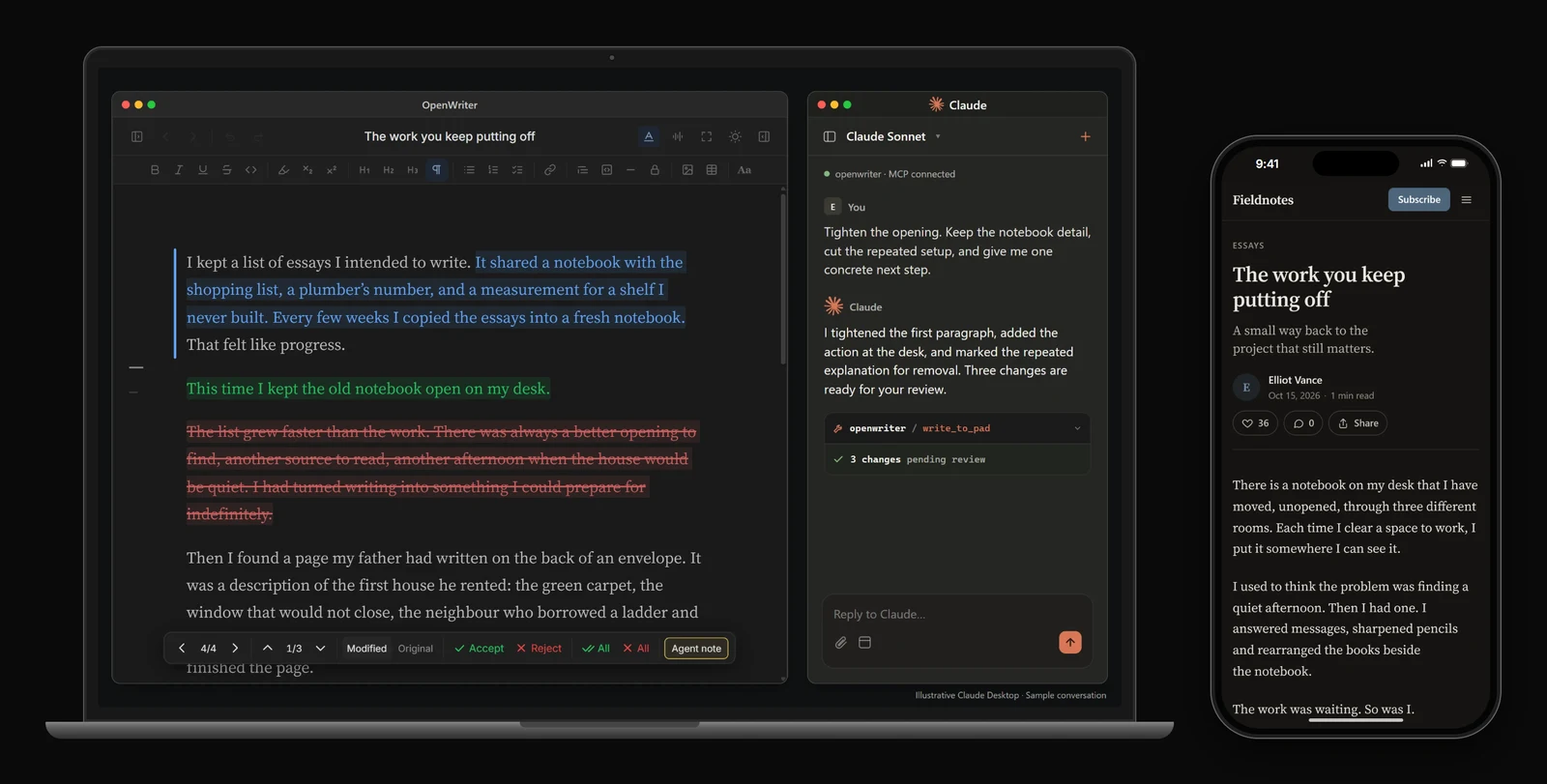
npx openwriter setup
Installs the editor and connects it to Claude Code. Restart Claude Code and ask it to write something in OpenWriter. The editor opens at localhost:5050, and your documents are plain Markdown files in ~/.openwriter/.
Codex, Cursor, OpenCode and other agents
npm install -g openwriter
codex mcp add openwriter -- openwriter --no-open
For any other MCP agent, add OpenWriter as a server in its config:
{
  "mcpServers": {
    "openwriter": { "command": "openwriter", "args": ["--no-open"] }
  }
}
Per-agent details are in the reference.
Rather not install anything? Write in your browser: sign in with your email, on a laptop or a phone.
Give the agent your notes, sources and past writing. Ask for a draft, a tighter argument or a different opening, in your voice.
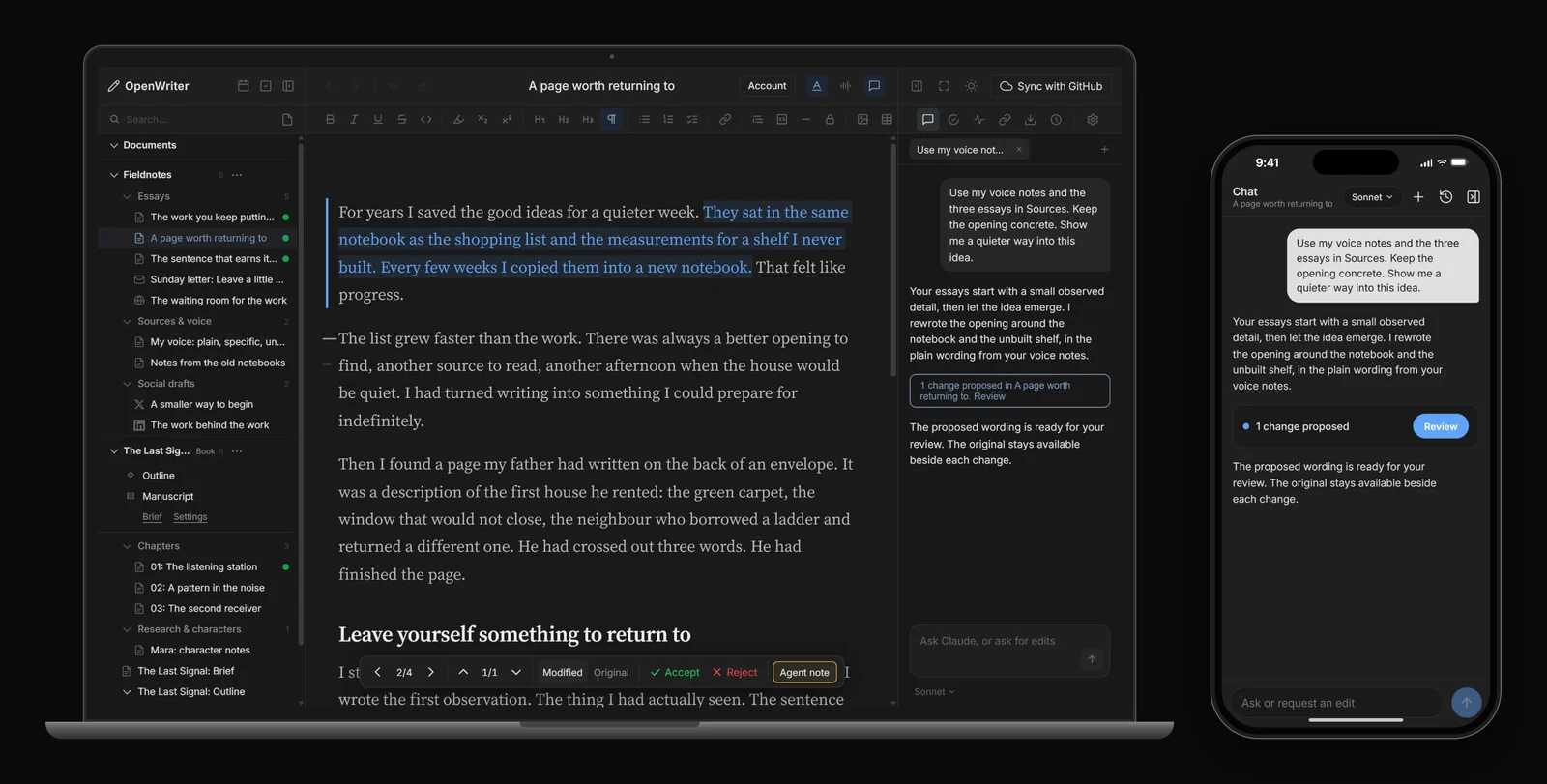
Every edit the agent makes arrives as a proposal: green for insertions, blue for rewrites, red for deletions. Accept the parts you want, reject the rest, and give another instruction when the piece needs more work. Move through changes with j and k, accept with a, reject with r.
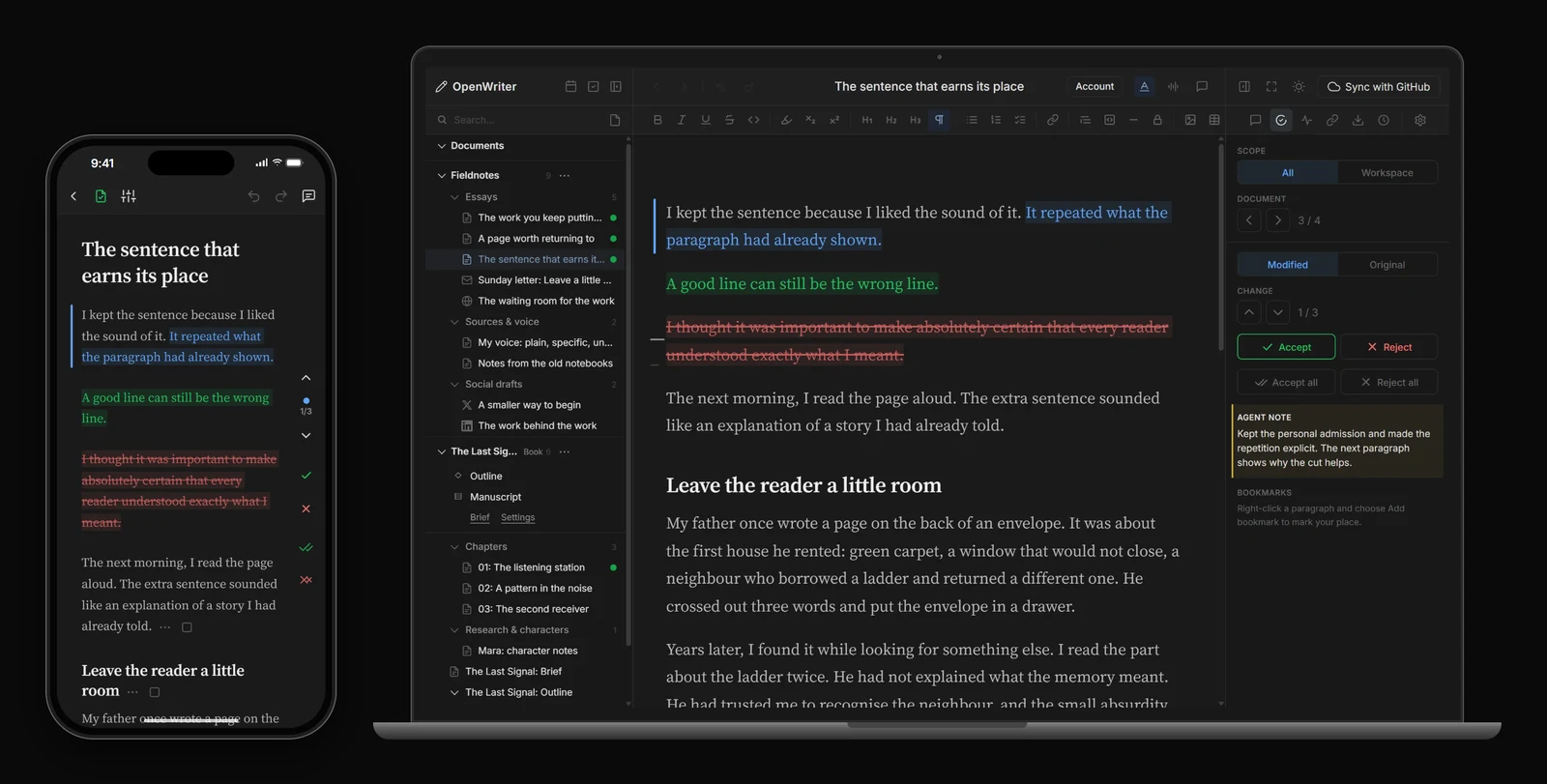
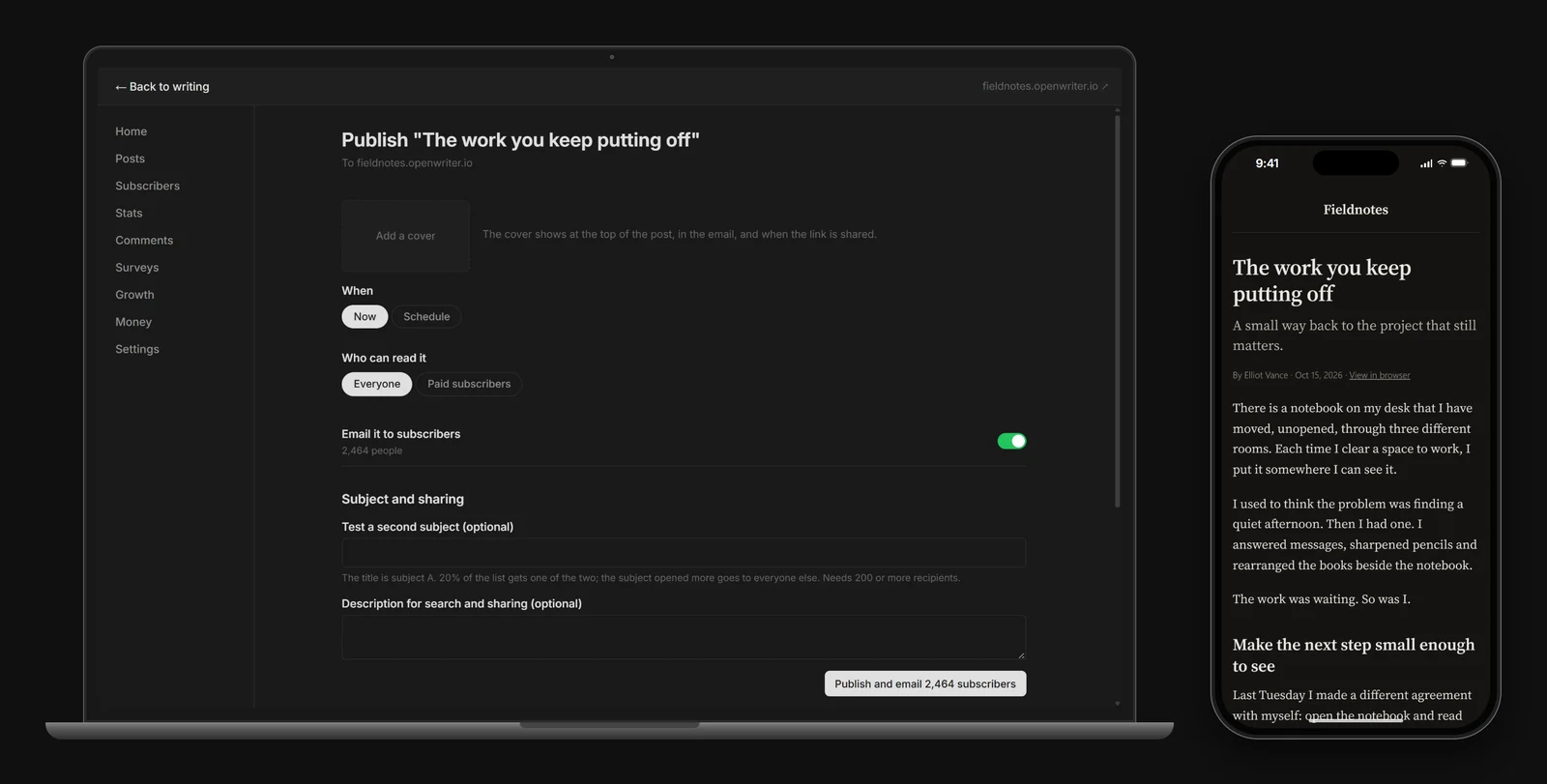
Publish a post, send it as a newsletter, or do both. Preview the page and the email, choose the audience, and release the version you're ready to share.
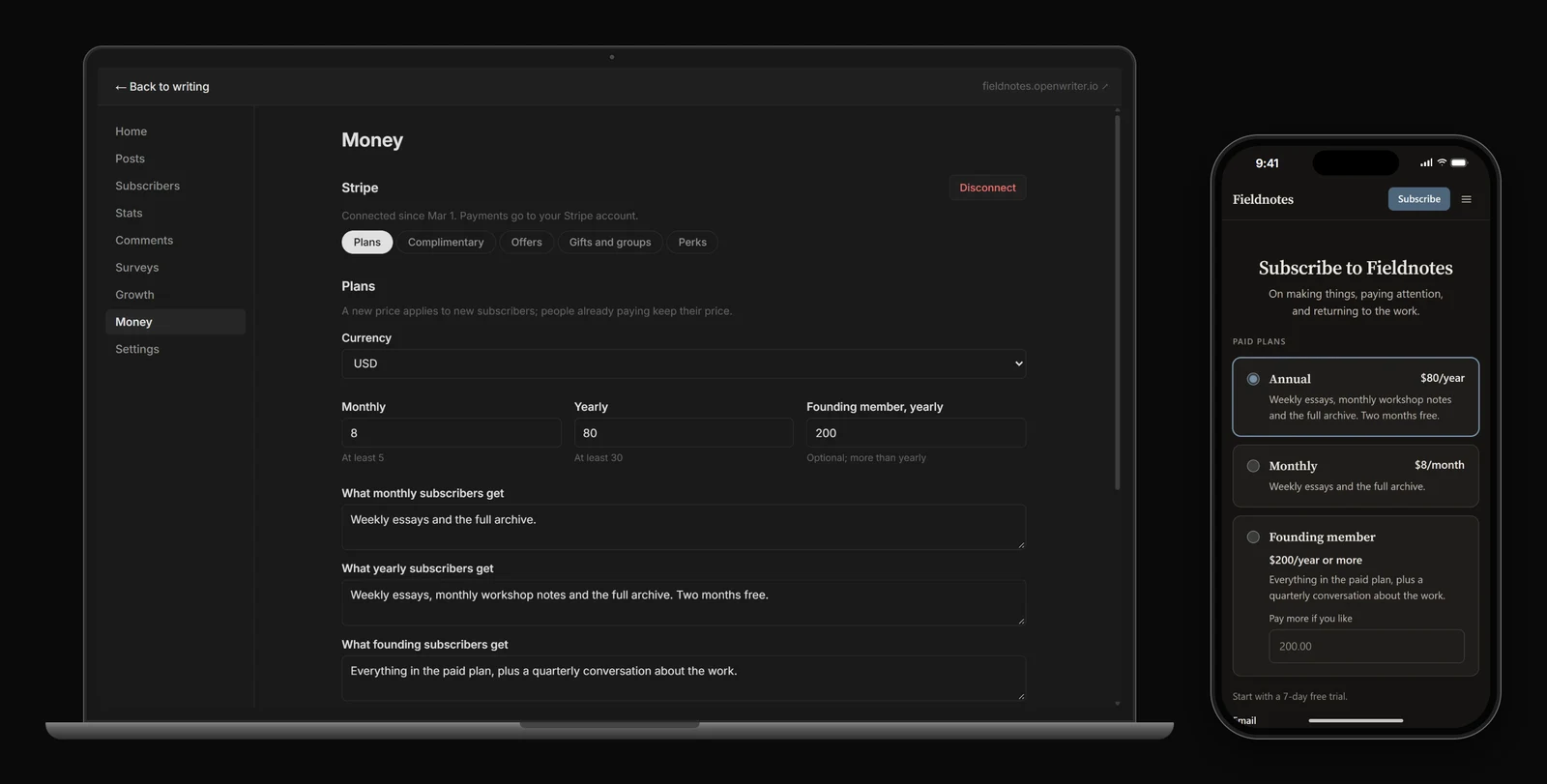
Choose what everyone can read and what belongs to members. Set your paid plans and manage access from the same publication. Payments go through your own Stripe account.
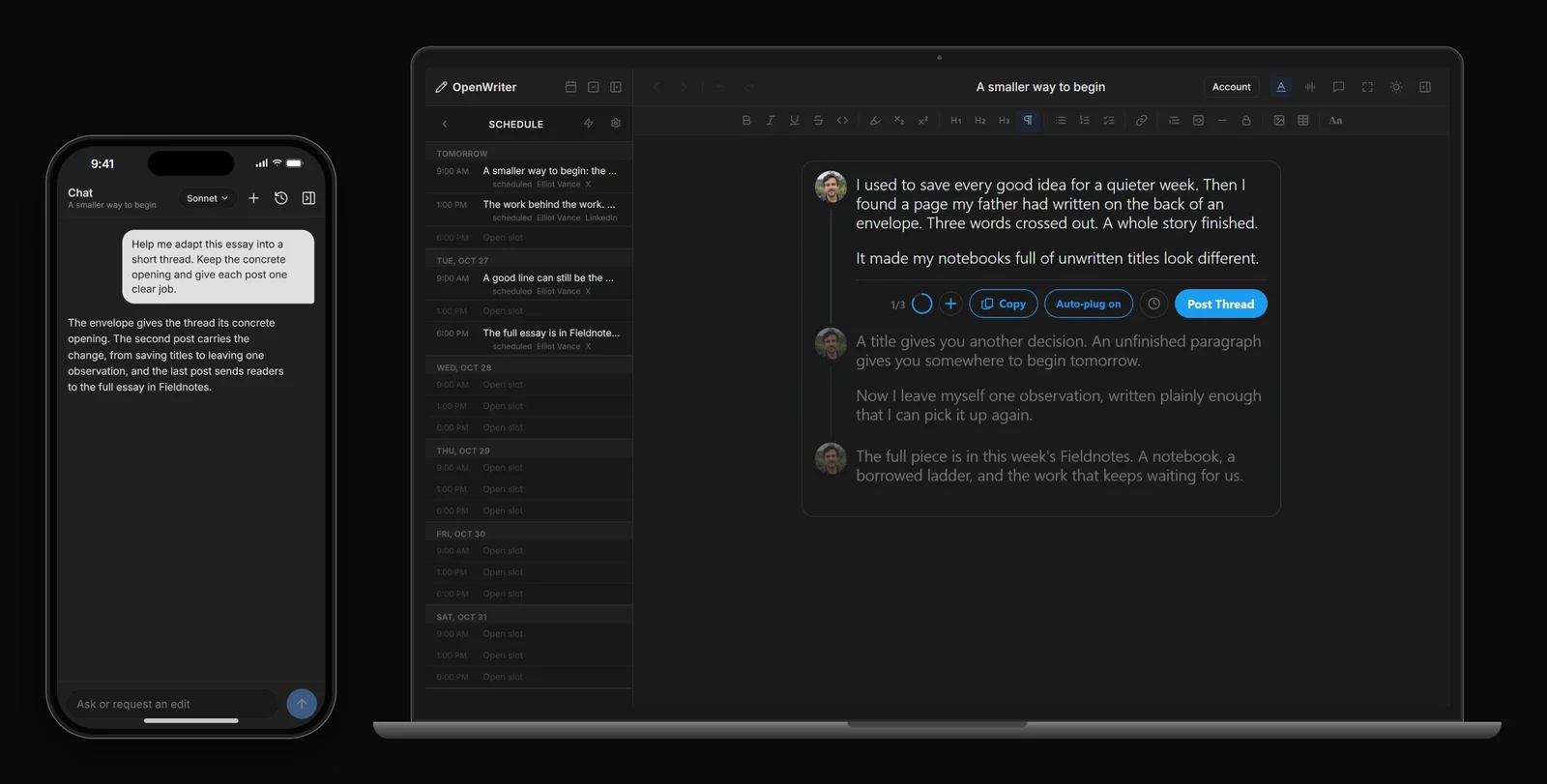
Adapt an idea for X or LinkedIn with your agent. Check each post in its own format, then publish now or schedule it for later.
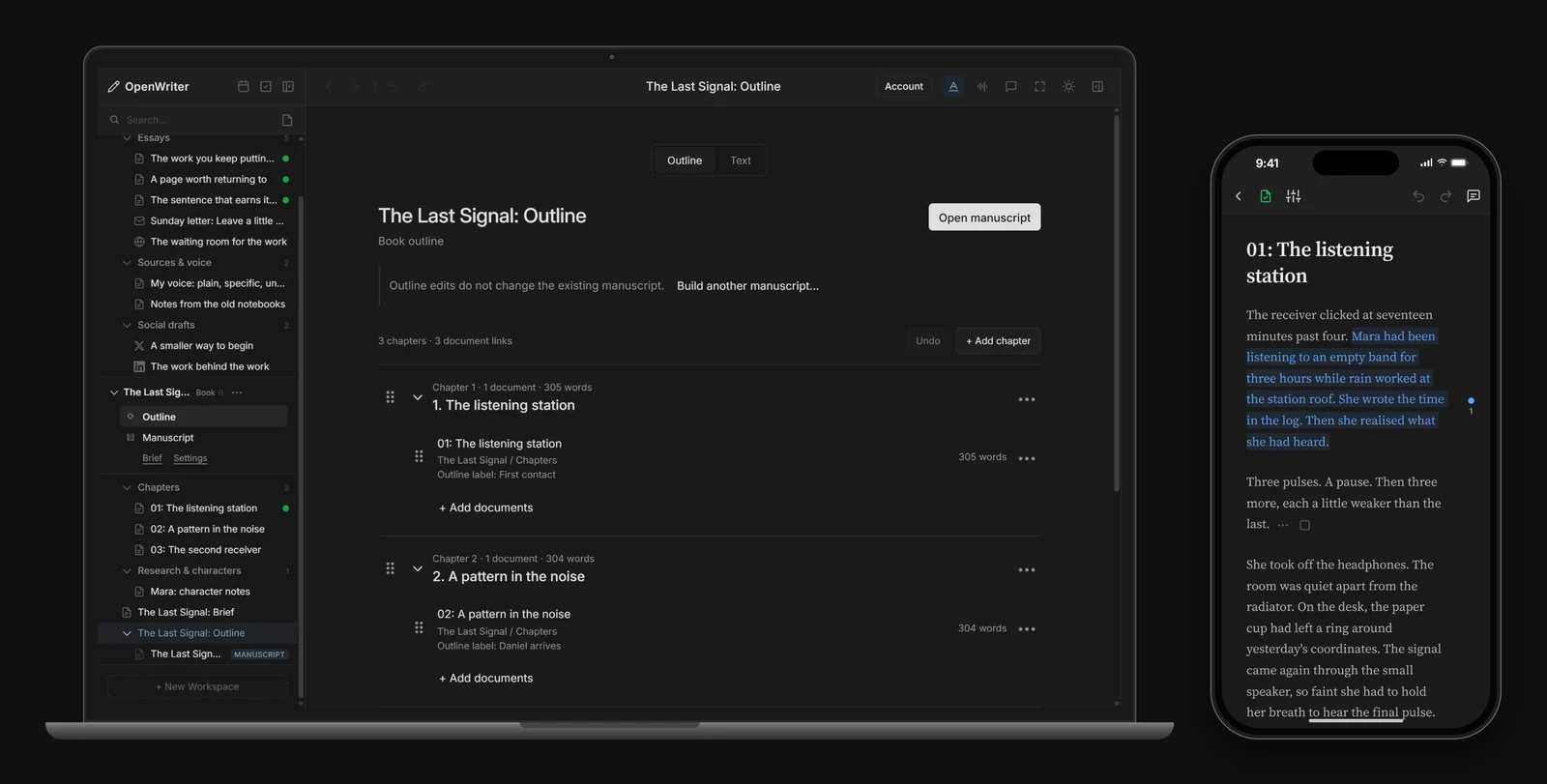
Keep your brief, sources and chapters together. Build a manuscript in your chosen order, revise it as its own draft, and export it as EPUB or Word.
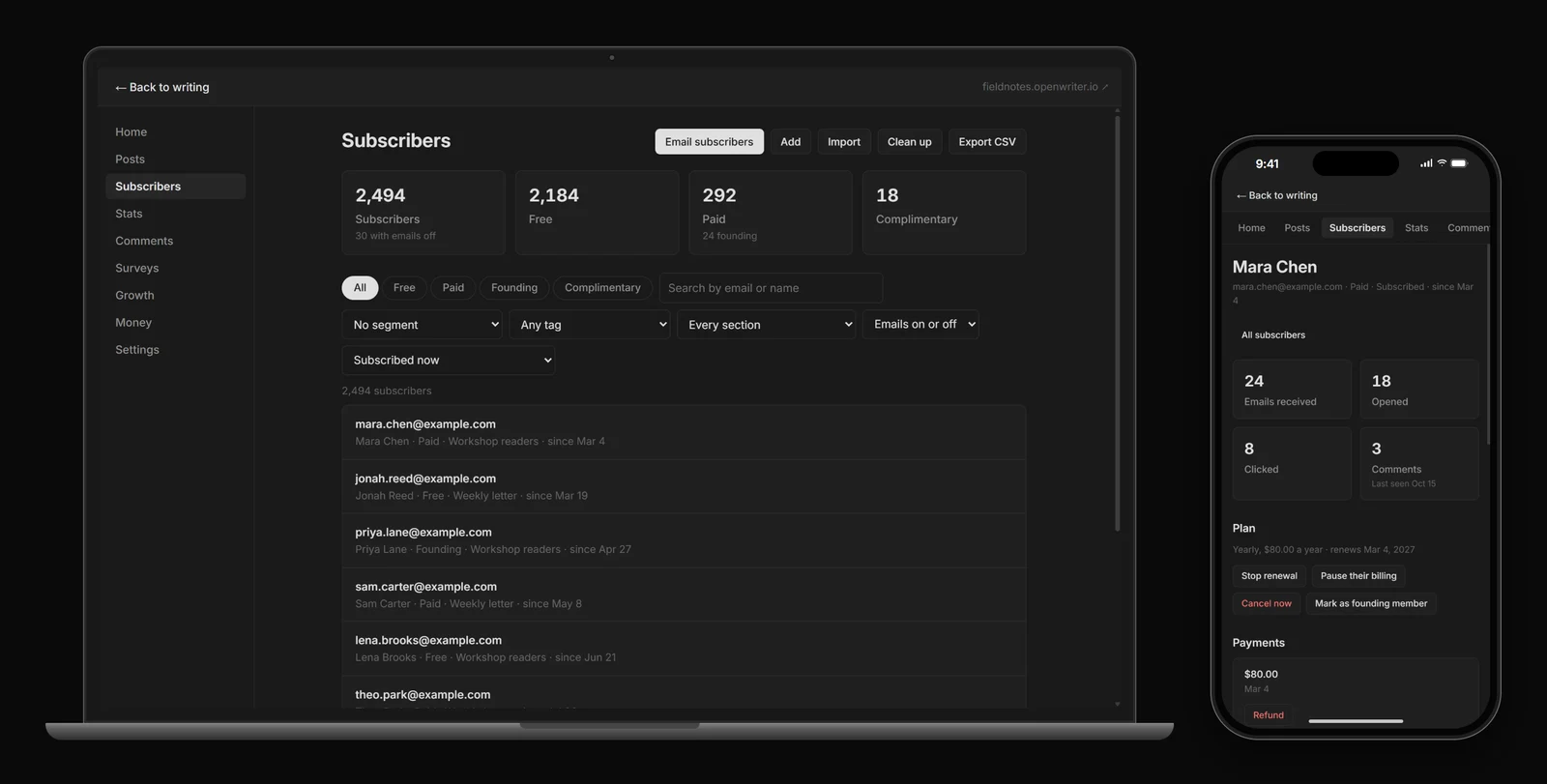
Find a subscriber, send to a chosen group, or follow a discussion. See how posts and paid readership are doing before you plan the next piece.
OpenWriter doesn't ship its own agent. It works with Claude Code, Claude Desktop, Codex, Cursor, OpenCode and any other agent that speaks MCP, and it tells your agent how to use it as it goes.
The right-click writing actions (Enhance, Shrink, Expand and more) run on your own Claude API key, or on your OpenWriter balance with a free daily allowance.
Details on openwriter.io.
Plugins add MCP tools, HTTP routes and right-click actions. The reference covers the full tool list, the plugin API, the architecture and local development.
Contributions are welcome. Please open an issue first to discuss what you'd like to change.

Stars on GitHub
Ships with promptschat: f.k.a. Awesome ChatGPT Prompts. Share, discover, and collect prompts from the community. Free and open…
@gh-fInstall MCPShips with emdash-cms-emdash: A full-stack TypeScript CMS built on Astro. EmDash takes the ideas that made WordPress dominant --…
 @emdash-cmsInstall MCP
