

awesome-gpt-image-2
1 skill1 agent36k
 @freestylefly
Generate Excalidraw diagrams from DSL, JSON, or Graphviz DOT. Built for agents and scripts.
Claude Code
> /plugin marketplace add swiftlysingh/excalidraw-cli> /plugin install excalidraw-cli@excalidraw-cli
Codex
$ npx skills add swiftlysingh/excalidraw-cli -a codex
Cursor
$ npx skills add swiftlysingh/excalidraw-cli -a cursor
Gemini CLI
$ npx skills add swiftlysingh/excalidraw-cli -a gemini-cli
GitHub Copilot
$ copilot plugin marketplace add swiftlysingh/excalidraw-cli$ copilot plugin install excalidraw-cli@excalidraw-cli
OpenCode
$ npx skills add swiftlysingh/excalidraw-cli -a opencode
Windsurf
$ npx skills add swiftlysingh/excalidraw-cli -a windsurf
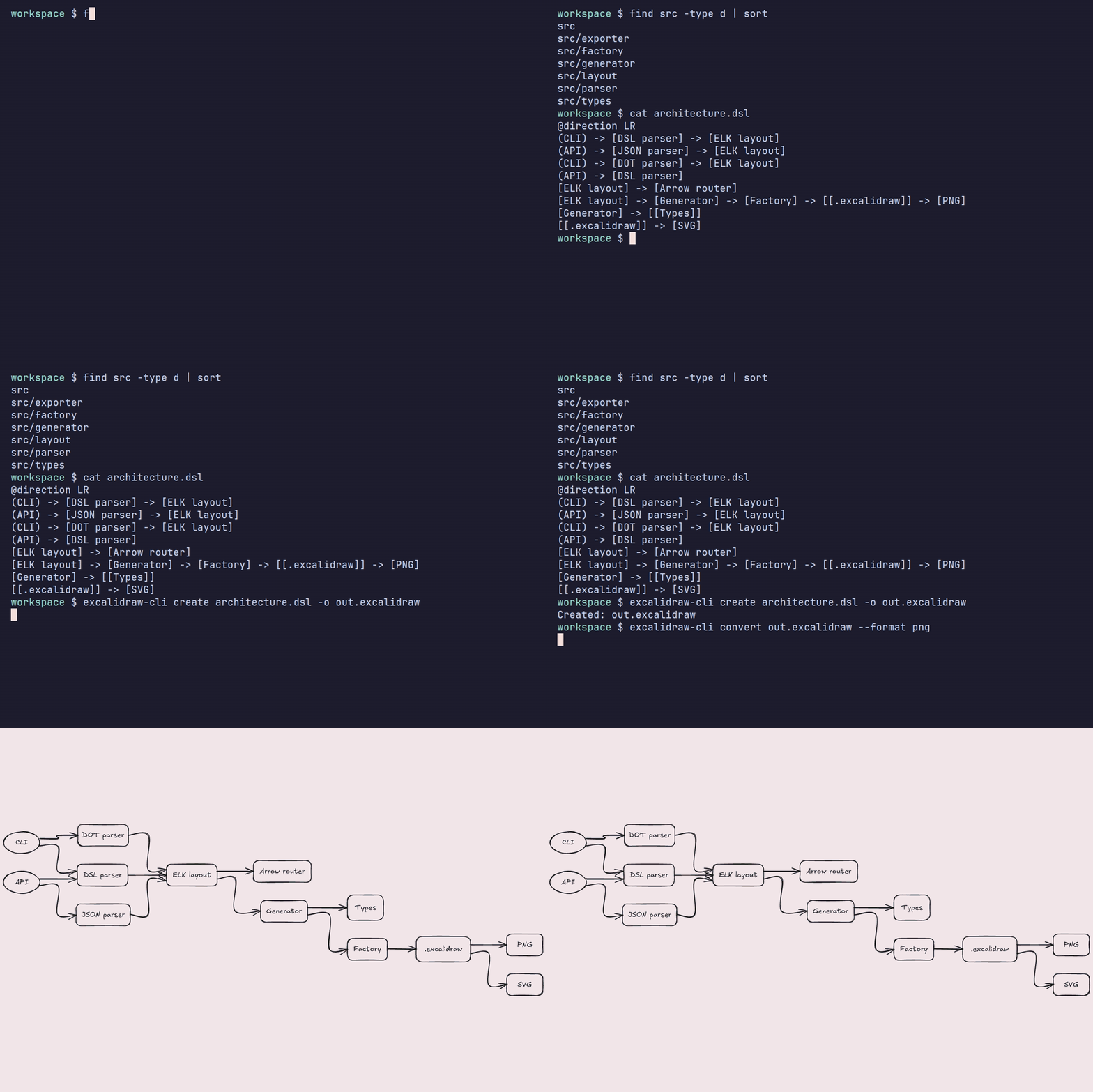


Generate Excalidraw diagrams from DSL, JSON, or Graphviz DOT. Built for agents and scripts.
Requires Node >=20.19.0. Node 18 is no longer supported.
Styling and extended arrow syntax require version 1.4.0 or later. See the releases for published versions.
npm install -g @swiftlysingh/excalidraw-cli
Install from the tap:
brew install swiftlysingh/tap/excalidraw-cli
Homebrew installs Node.js automatically. See the tap README for upgrades and switching from an existing npm installation.
git clone https://github.com/swiftlysingh/excalidraw-cli.git
cd excalidraw-cli
npm install
npm run build
npm link  # Makes 'excalidraw-cli' available globally
npx --yes @swiftlysingh/excalidraw-cli create --inline "[A] -> [B]" -o diagram.excalidraw
Install the Excalidraw skill for Claude Code, Codex, or Cursor:
npx skills add swiftlysingh/excalidraw-cli
Or copy skills/excalidraw-cli into ~/.claude/skills, ~/.cursor/skills, or ~/.codex/skills.
Gemini CLI:
gemini extensions install https://github.com/swiftlysingh/excalidraw-cli
Claude Code plugin:
/plugin marketplace add swiftlysingh/excalidraw-cli
/plugin install excalidraw-cli@excalidraw-cli
The same marketplace add works from a shell as claude plugin marketplace add swiftlysingh/excalidraw-cli.
# Inline DSL
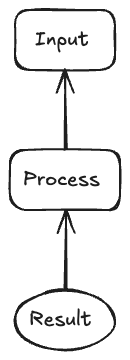
excalidraw-cli create --inline "(Start) -> [Process] -> {Decision?}" -o flow.excalidraw

# From file
excalidraw-cli create flowchart.dsl -o diagram.excalidraw

# From stdin
echo "[A] -> [B] -> [C]" | excalidraw-cli create --stdin -o diagram.excalidraw
excalidraw-cli create --format dot --inline 'digraph { A [label="Start"]; B [label="Process"]; A -> B; }' -o flow.excalidraw
DOT subgraphs are flattened. See man excalidraw-cli for supported attributes
and shape mappings.
# Convert an existing .excalidraw file to PNG
excalidraw-cli convert diagram.excalidraw --format png

# Convert with options
excalidraw-cli convert diagram.excalidraw --format png --scale 2 --dark

# Convert to SVG without background
excalidraw-cli convert diagram.excalidraw --format svg --no-export-background
| Syntax | Element | Description |
|---|---|---|
[Label] | Rectangle | Process steps, actions |
{Label} | Diamond | Decisions, conditionals |
(Label) | Ellipse | Start/End points |
[[Label]] | Database | Data storage |
![path] | Image | Local image node, default size 100x100 |
 | Image | Image node with an explicit size |
[Label @fillStyle:hachure @backgroundColor:#a5d8ff] | Styled node | Add inline node style attributes |
[A] -> [B] | Arrow | Forward connection |
[A] <- [B] | Reverse arrow | Connection from B to A |
[A] <-> [B] | Bidirectional arrow | Arrowheads on both ends |
[A] --> [B] | Dashed arrow | Dashed connection |
[A] <-- [B] | Dashed reverse arrow | Dashed connection from B to A |
[A] <--> [B] | Dashed bidirectional arrow | Dashed connection with arrowheads on both ends |
[A] -> "text" -> [B] | Labeled arrow | Double-quoted edge label |
[A] -> 'text' -> [B] | Labeled arrow | Single-quoted edge label |
(Start) -> [Enter Credentials] -> {Valid?}
{Valid?} -> "yes" -> [Dashboard] -> (End)
{Valid?} -> 'no' -> [Show Error] -> [Enter Credentials]
[API] -> "GET /users?name=\"pp\" \\ cache" -> [Client]
[Client] --> [Webhook]
[Worker] <-- [Queue]
[Service A] <--> [Service B]
[Reviewer] <- [Approved]
[Client] <-> [API]
Edge labels must use the fully specified form [A] -> "label" -> [B] (or single quotes instead of double quotes).
Mixed forms like [A] --> "x" -> [B] are rejected because they are ambiguous.
Shell escaping tips:
# easiest: wrap the whole DSL in single quotes, use double-quoted labels inside
excalidraw-cli create --inline '[API] -> "GET /users?name=\"pp\"" -> [Client]' -o api.excalidraw

# if the label itself needs apostrophes, flip it
excalidraw-cli create --inline "[Decision] -> 'team\'s call' -> [Next]" -o decision.excalidraw
Add shape-level styling directly to nodes with inline @key:value attributes:
(Start) -> [Enter Credentials @fillStyle:hachure @backgroundColor:#a5d8ff] -> {Valid?}
{Valid?} -> "no" -> [Show Error @backgroundColor:#ffc9c9 @strokeStyle:dashed] -> [Enter Credentials]
For repeated or shared nodes, define defaults with an @node block:
@node [Enter Credentials]
  fillStyle: solid
  backgroundColor: #a5d8ff

(Start) -> [Enter Credentials @fillStyle:hachure] -> {Valid?}
Supported node style keys:
fillStyle: solid, hachure, cross-hatchbackgroundColorstrokeColorstrokeWidthstrokeStyle: solid, dashed, dottedroughnessopacityPrecedence rules:
@node blocks provide defaults for matching nodes@direction LR # Left to Right (default: TB)
@spacing 60 # Node spacing in pixels
Use # for comments outside node definitions and quoted labels.
Images must be local files; relative paths resolve from the working directory.
Use ![path] for an image node. For positioning, decorations, stickers, and
scatter directives, see the man page.
| Command | Purpose |
|---|---|
create [input] | Generate an editable .excalidraw file. Accepts a file, --inline, or --stdin. |
convert <input> --format png|svg | Export an existing .excalidraw file. |
parse <input> | Validate input and print its graph without generating a file. |
Use --help with any command for its options, or man excalidraw-cli for the
full reference. create -o - writes to stdout.
Both create and parse detect .json, .dot, and .gv files. Other files
and inline/stdin input default to DSL; use --format json or --format dot
to override.
For programmatic flowchart creation:
{
  "nodes": [
    { "id": "start", "type": "ellipse", "label": "Start" },
    { "id": "process", "type": "rectangle", "label": "Process" },
    { "id": "end", "type": "ellipse", "label": "End" }
  ],
  "edges": [
    { "from": "start", "to": "process" },
    { "from": "process", "to": "end" }
  ],
  "options": {
    "direction": "TB",
    "nodeSpacing": 50
  }
}
excalidraw-cli create flowchart.json -o diagram.excalidraw
import {
  createFlowchartFromDSL,
  createFlowchartFromJSON,
} from '@swiftlysingh/excalidraw-cli';

// From DSL
const dsl = '(Start) -> [Process] -> (End)';
const json = await createFlowchartFromDSL(dsl);

// From JSON input
const json2 = await createFlowchartFromJSON({
  nodes: [
    { id: 'a', type: 'rectangle', label: 'Hello' },
    { id: 'b', type: 'rectangle', label: 'World' }
  ],
  edges: [{ from: 'a', to: 'b' }]
});
import { convertToSVG, convertToPNG } from '@swiftlysingh/excalidraw-cli';
import { readFileSync, writeFileSync } from 'fs';

// Load an existing .excalidraw file
const file = JSON.parse(readFileSync('diagram.excalidraw', 'utf-8'));

// Export to SVG
const svg = await convertToSVG(file, { padding: 20 });
writeFileSync('diagram.svg', svg);

// Export to PNG with 2x scale and dark mode
const png = await convertToPNG(file, {
  scale: 2,
  dark: true,
});
writeFileSync('diagram.png', png);
When no background is supplied, exports use file.appState.viewBackgroundColor
and fall back to #ffffff. PNG scale values are clamped to 0.1 through 10.
Here are some flowcharts created with excalidraw-cli:

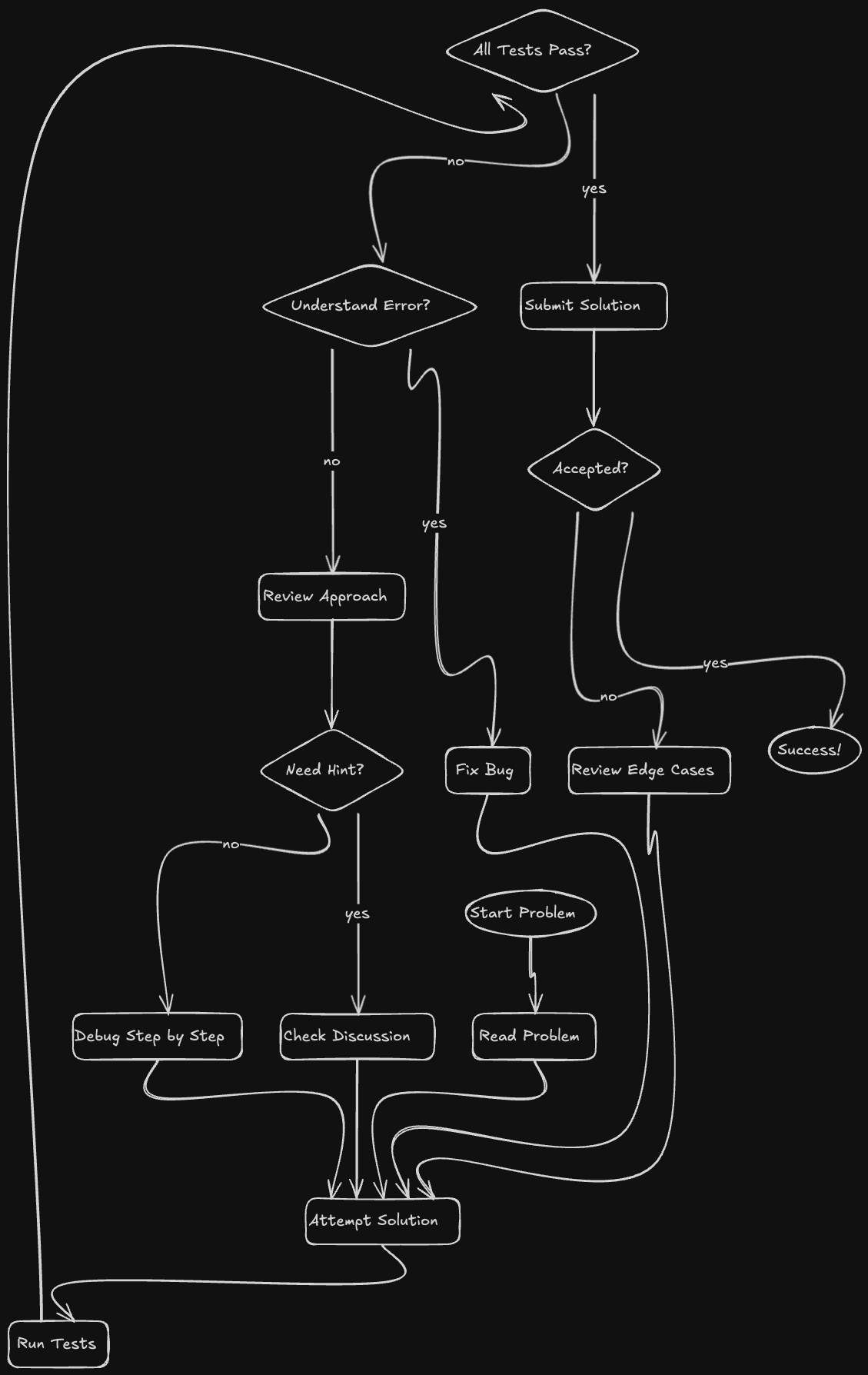
Generated .excalidraw files open in Excalidraw and
can be imported into Obsidian's Excalidraw plugin.
Run the Release workflow from main to create the next minor version from the
latest stable tag. It tests the updated package, creates a release commit and tag,
then publishes npm, GitHub, and Homebrew. The version commit stays on the tag;
protected main is unchanged.
To resume a partially published release, choose retry and enter its existing tag. A retry does not bump the version.
MIT
I also build Holder for storing cards and RetroBudget for tracking spending on iPhone.
Stars on GitHub
@freestyleflyAn open-source tool to remove Gemini watermarks from AI-generated images with high-fidelity, reproducible results on supported outputs.
 @gargantuax
A skill that turns natural language descriptions of workflows, architectures, or concepts into Excalidraw diagram JSON files. Useful for coding agents that support skills.
 @coleam00
A one-ink and controlled two-ink editorial image skill for posters, zines, portraits, packaging, and visual field notes. Turn a theme, sentence, object, or supplied photograph into an original editorial image.
 @yanliudesign
Generate Excalidraw diagrams from DSL, JSON, or Graphviz DOT. Built for agents and scripts. Install it with the command on its page. It includes excalidraw-cli. Its skills do not fire on their own yet. Free and open source.
Is this plugin yours?
Claim it with GitHubSubmit a pluginPromote it