

promptschat
Gives Claude Code access to the prompts.chat library, letting you search, retrieve and improve AI prompt templates, and find and install Agent Skills from its registry.
2 skills2 agents2 commands1 MCP+3+2+2+2+1+1+1+1175k
 @gh-f
Edits CapCut and JianYing video projects from the terminal or an LLM agent, covering subtitles, timing, speed, volume, templates, animations, and cutting long videos into shorts. The result opens in CapCut with every track still editable.
Claude Code
> /plugin marketplace add renezander030/capcut-cli> /plugin install capcut-cli@capcut-cli
Codex
$ npx skills add renezander030/capcut-cli -a codex
Cursor
$ npx skills add renezander030/capcut-cli -a cursor
Gemini CLI
$ npx skills add renezander030/capcut-cli -a gemini-cli
GitHub Copilot
$ copilot plugin marketplace add renezander030/capcut-cli$ copilot plugin install capcut-cli@capcut-cli
OpenCode
$ npx skills add renezander030/capcut-cli -a opencode
Windsurf
$ npx skills add renezander030/capcut-cli -a windsurf


English | 中文
Create and edit real CapCut / JianYing projects from the terminal — or any LLM agent.
Open the result in CapCut with every track still editable. capcut-cli works directly on the local draft store: JSON in, JSON out, with no upload, API, MCP server, or HTTP daemon. The one opt-in exception is the experimental caption --cloud, which uploads the audio it transcribes to ByteDance.
Also from the maintainer: 500 Years Frozen in Time: The Inca Children Mystery, a 14:49 documentary from Bronze Age Banter.
raw recording → silence-aware cuts + styled captions → editable CapCut / JianYing draft
▶ Captioned output example (35 seconds)
Prerequisites: Node ≥ 18 (built-ins only — no native modules). Optional tools unlock specific commands: Whisper for caption, FFmpeg for render, ffprobe for automatic media metadata, and ANTHROPIC_API_KEY for translate.
npm install -g capcut-cli
From Python: pip install capcut wraps the same binary — capcut.run("quickstart", "my-short", video="clip.mp4", ratio="9:16") — see python/README.md.
capcut doctor
capcut quickstart my-first --video clip.mp4 --srt captions.srt
capcut info ./my-first/ -H
Result: a real local project with video and captions on editable tracks — not a flattened export. Open it in CapCut or JianYing to review, adjust, and render. The publish click stays human.
Useful? Star capcut-cli to help other editors and agent builders find it.
For more practical tools for AI agents, from video automation to checks before they ship, follow René on GitHub.
Build from source instead: git clone https://github.com/renezander030/capcut-cli && cd capcut-cli && npm install && npm run build (then npm link to expose capcut). Or run any command without installing: npx capcut-cli <command>.
Important Upgrade before using older versions. Fixture bundles made with versions up to 0.17.2 may contain stable device identifiers and must be treated as unsanitised (#59). Versions up to 0.17.0 also contain local command/filter injection paths and unsafe temporary-file or credential-output behaviour. These issues are fixed in 0.18.0 and 0.17.1 respectively. Run
npm install -g capcut-cli@latestand see the changelog for full details.
Disclaimer: This is an independent, community-maintained project. It is not affiliated with, sponsored by, or endorsed by CapCut, JianYing, or ByteDance Ltd. "CapCut" and "JianYing" (剪映) are trademarks of ByteDance Ltd. All product names, logos, and brands are the property of their respective owners and are used here only for identification (nominative) purposes.
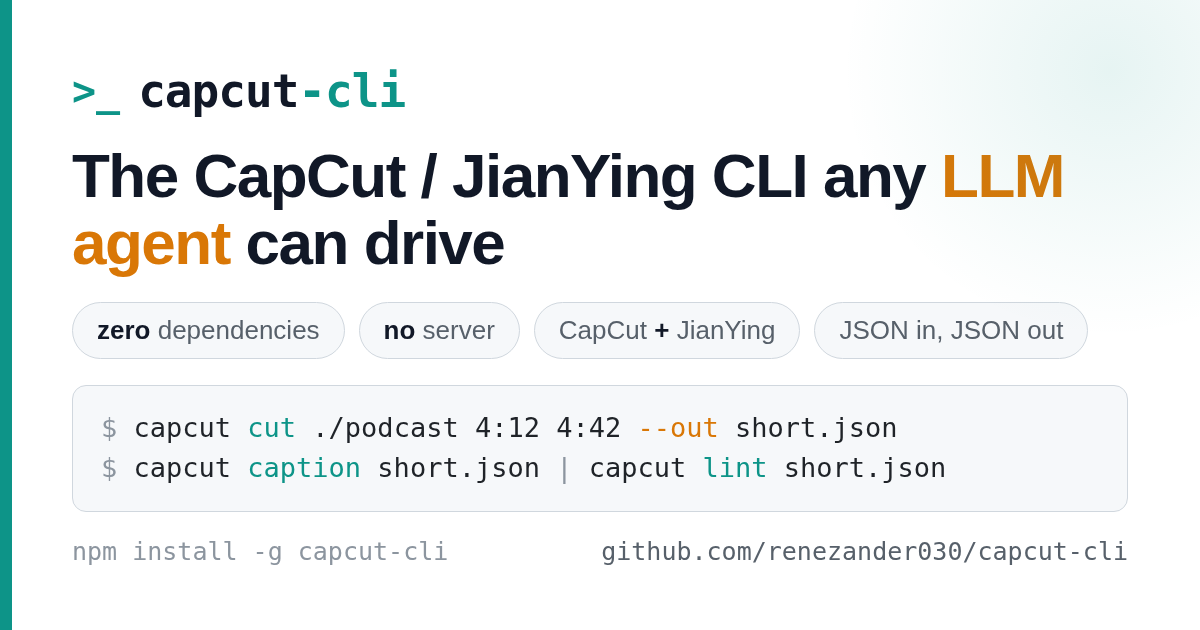
An independent CLI for CapCut / JianYing that any LLM agent can drive — zero dependencies, no server, both namespaces in one binary.
JSON in, JSON out: every command reads and writes the local draft store directly, with no MCP server or HTTP daemon. On newer CapCut versions it detects and synchronizes every readable timeline target instead of assuming draft_content.json is the only source of truth. That gives any model (Claude, DeepSeek, GLM, Kimi) a deterministic boundary for inspection, building, subtitles, captions, translation, and long-form cuts.
Use it four ways:
npm install -g capcut-cli, then capcut <command> <project>import { loadDraft, lintDraft, saveDraft } from "capcut-cli" (typed, zero-dep)capcut serve reads JSONL jobs from stdin, for n8n / Make / Cozecapcut-core.wasm for three read-only MCP tools with zero filesystem, network, environment, clock, random, stdio, or process importsOne command installs the capcut-edit skill into Claude Code, Codex, Cursor, OpenCode and the other agents the skills installer supports:
npx skills add renezander030/capcut-cli
Claude Code can also load it as a plugin:
/plugin marketplace add renezander030/capcut-cli
/plugin install capcut-cli@capcut-cli
The skill teaches the agent every command, the progressive-disclosure habit (inspect first, never dump a whole draft), where the draft store lives on macOS and Windows, and the deterministic scripts for fades, Ken Burns and long-to-short cuts. It triggers on English and Chinese requests alike (剪映, 字幕, 草稿).
Using an AI assistant with capcut-cli? Give it a safer “look, don’t touch” mode.
The optional Wasm tool lets an AI:
It can examine only the project information you hand to it. It cannot browse your files, go online, read passwords or API keys, open other apps, or change the project.
Use it when you want an AI to review a draft with the least possible access. Skip it when you are using capcut-cli yourself or want the AI to edit or render—the normal CLI still does those jobs. This feature is experimental, optional, and changes nothing unless you set it up. Technical details and setup →
The experimental wasm/capcut-core source package moves the deterministic, JSON-in/JSON-out boundary into a WebAssembly Component:
inspect matches capcut info for valid drafts.diff matches capcut diff for structural changes.lint-portable runs an explicit, parity-tested subset of capcut lint that needs no host files or media probing.The host reads a draft and passes its JSON as tool input. The component itself has no ambient capabilities, and CI proves the built world has zero imports before exercising all three functions through Wassette over MCP. From a source checkout, build it with npm --prefix wasm/capcut-core ci && npm run wasm:verify; setup and security details are in the component README.
New in v0.33.0:
captionreports speech its cues leave uncaptioned and reuses a cached transcription when only the styling changes;loudness --toleranceand--max-true-peakgate a delivery with an exit code;lintgains opt-in pacing and silent-stretch checks;diff --since-writeshows what CapCut changed after the CLI's last write;fixture --anonymizemakes a shareable bundle; andrender --burn-captionsdraws captions in the draft's own font. Full details in the changelog.
New in v0.32.0: time arguments reject malformed or unsafe values before writing; translation responses must contain exactly one string per input; and subtitle imports reject malformed UTF-8 instead of silently corrupting caption text. Full details in the changelog.
For an existing nested project, use capcut diagnose <project> --active-timeline to inspect the selected document before editing. The opt-in follows the pointer on unverified builds and refuses invalid or conflicting selected documents; it does not bypass write guards.
To populate a project that CapCut already owns, create an empty project in the app and quit CapCut, then run:
capcut compile spec.json --into /path/to/app-created-project --active-timeline --check
capcut compile spec.json --into /path/to/app-created-project --active-timeline
Omit --active-timeline for a flat project without Timelines/. Every root and active mirror must be empty. The project keeps its name and registration; canvas and frame rate change only when supplied in the spec. Imported media is staged under the project, with registration and timeline backups committed together. Reopen, save, close and reopen in CapCut to check that edits persist. Automated safety tests cover these paths; desktop acceptance on your app build remains unverified.
Built something with capcut-cli? Open a showcase issue with a public link, one sentence about what it does, and an optional screenshot or demo.
Project descriptions are approved by their maintainers. Inclusion does not imply endorsement or affiliation.
JSON by default (pipe to jq); add -H for a human-readable table. Pass --jianying to use the JianYing enum namespace. Run capcut <command> --help for full flags.
| Group | Commands |
|---|---|
| Inspect | info · tracks · materials · version · lint |
| Browse / drill in | segments · texts · segment · material |
| Create | init · quickstart · compile (build a draft from a JSON spec) |
| Preview | render (low-res ffmpeg proxy — not CapCut's final render) |
| Add | add-video · add-audio · add-text (Wikimedia URLs supported, license-checked) |
| Edit / animate | trim · speed · volume · transitions · masks · text/image animations · easing curves |
| Templates | apply and extract reusable layouts · make-preset (portable text-style presets) |
| Subtitles & i18n | caption · import-srt · export-srt (line/word SRT + VTT) · translate (multi-language draft clone) |
| Effects | sfx · chroma (chroma key) · matting (smart background removal) |
| Long-form → short | cut · detect-scenes (ffmpeg scene-cut detection) · detect-silence · detect-retakes (repeated takes) |
| Automation | serve (stateless JSONL runner) · migrate · doctor · sync-timelines (8.7 mirror repair) |
capcut describe --compact lists command names, summaries, usage, and write status. Fetch a complete contract with capcut describe --command compile; repeat --command for several commands. Plain capcut describe still emits the full registry.
Full reference for every command, option, and exit code: docs/command-reference.md (简体中文: docs/command-reference.zh-CN.md).
capcut-cli is MIT and free forever. Sponsoring funds faster releases and same-week support for new CapCut / JianYing versions — and unlocks power-user extras:
Stars on GitHub
See 12 capcut-cli alternatives
Gives Claude Code access to the prompts.chat library, letting you search, retrieve and improve AI prompt templates, and find and install Agent Skills from its registry.
@gh-fA Claude Code skill for generating editable PPTX presentations and slides from a workflow, with reusable brand, style, layout, and deck workspaces, native charts, speaker notes, and template filling.
 @hugohe3
Gives AI agents control over Word, Excel and PowerPoint files, with skills for building .docx reports, academic papers, Excel dashboards and Morph-style animated slides.
 @iofficeai
A skill that builds animation-rich HTML presentations from scratch or converts PowerPoint files to web slides. Useful for anyone turning a deck into a web presentation.
 @zarazhangrui
Install it with the command on its page. It includes capcut-edit. Its skills do not fire on their own yet. Free and open source.
Is this plugin yours?
Claim it with GitHubSubmit a pluginPromote it