
Documentation
llmwiki
LLM-powered knowledge base from your Claude Code, Codex CLI, Cursor, Gemini CLI, and Obsidian sessions. Built on Andrej Karpathy's LLM Wiki pattern.

Plugin Signal68/100Solid
maintained55
capable67
documented100
adopted55
Install on Claude Code
Auto-invoked ships a router so the right skill fires automatically as you prompt. No remembering which skill to call.
Normal is the plain upstream plugin, installed as-is. You invoke its skills yourself.
The plugin> /plugin marketplace add Pratiyush/llm-wiki> /plugin install llmwiki@llmwikiAuto-invocation> /plugin marketplace add flowy-sh/flowy-core> /plugin install flowy-core> /plugin install flowy-llmwiki
Stats
390
Stars
53
Forks
Maintained
Maintenance
Python
Language
MIT
License
3mo ago
Last commit
5mo ago
Created
Repo: Pratiyush/llm-wiki
What's inside
Skill(6 skills)
/llmwiki-ingestIngest one source document (or a folder of them) into the llmwiki. Use when the user drops a new markdown file, PDF, or URL into the wiki and asks you to process it. The user will typically say "ingest this", "add this to the wiki", "process this file into the wiki", or point at/llmwiki-queryAnswer a question by querying the user's llmwiki. Use when the user asks about their own past work — "what did I decide about X", "what have I been working on", "how did I solve Y", "what's my preferred approach to Z", or any question that the wiki (built from their session/llmwiki-syncSync Claude Code session transcripts into the user's llmwiki and ingest them into the wiki. Use when the user says "sync the wiki", "update llmwiki", "ingest recent sessions", "refresh the knowledge base", or asks a knowledge question that would benefit from up-to-date sessions.
README
llmwiki
LLM-powered knowledge base from your Claude Code, Codex CLI, Cursor, Gemini CLI, and Obsidian sessions. Built on Andrej Karpathy's LLM Wiki pattern.
👉 Live demo: pratiyush.github.io/llm-wiki
Rebuilt on every master push from the synthetic sessions in examples/demo-sessions/. No personal data. Shows every feature of the real tool (activity heatmap, tool charts, token usage, model info cards, vs-comparisons, project topics) running against safe reference data.









Every Claude Code, Codex CLI, Copilot, Cursor, and Gemini CLI session writes a full transcript to disk. You already have hundreds of them and never look at them again.
llmwiki turns that dormant history into a beautiful, searchable, interlinked knowledge base — locally, in two commands. Plus, it produces AI-consumable exports (llms.txt, llms-full.txt, JSON-LD graph, per-page .txt + .json siblings) so other AI agents can query your wiki directly.
./setup.sh                         # one-time install
./build.sh && ./serve.sh           # build + serve at http://127.0.0.1:8765
Want LLM-enriched wiki pages from the CLI? After ./setup.sh, llmwiki sync only fills raw/. To populate wiki/sources/ (semantic summaries), set synthesis.backend in examples/sessions_config.json (ollama for local Ollama, or keep dummy for stubs), then run llmwiki synthesize or chain it with llmwiki all --with-synth. See docs/modes/api/ and llmwiki sync --status for the current backend hint.
llmwiki sync
llmwiki all --with-synth --graph-engine builtin   # synthesize → build → graph → export → lint
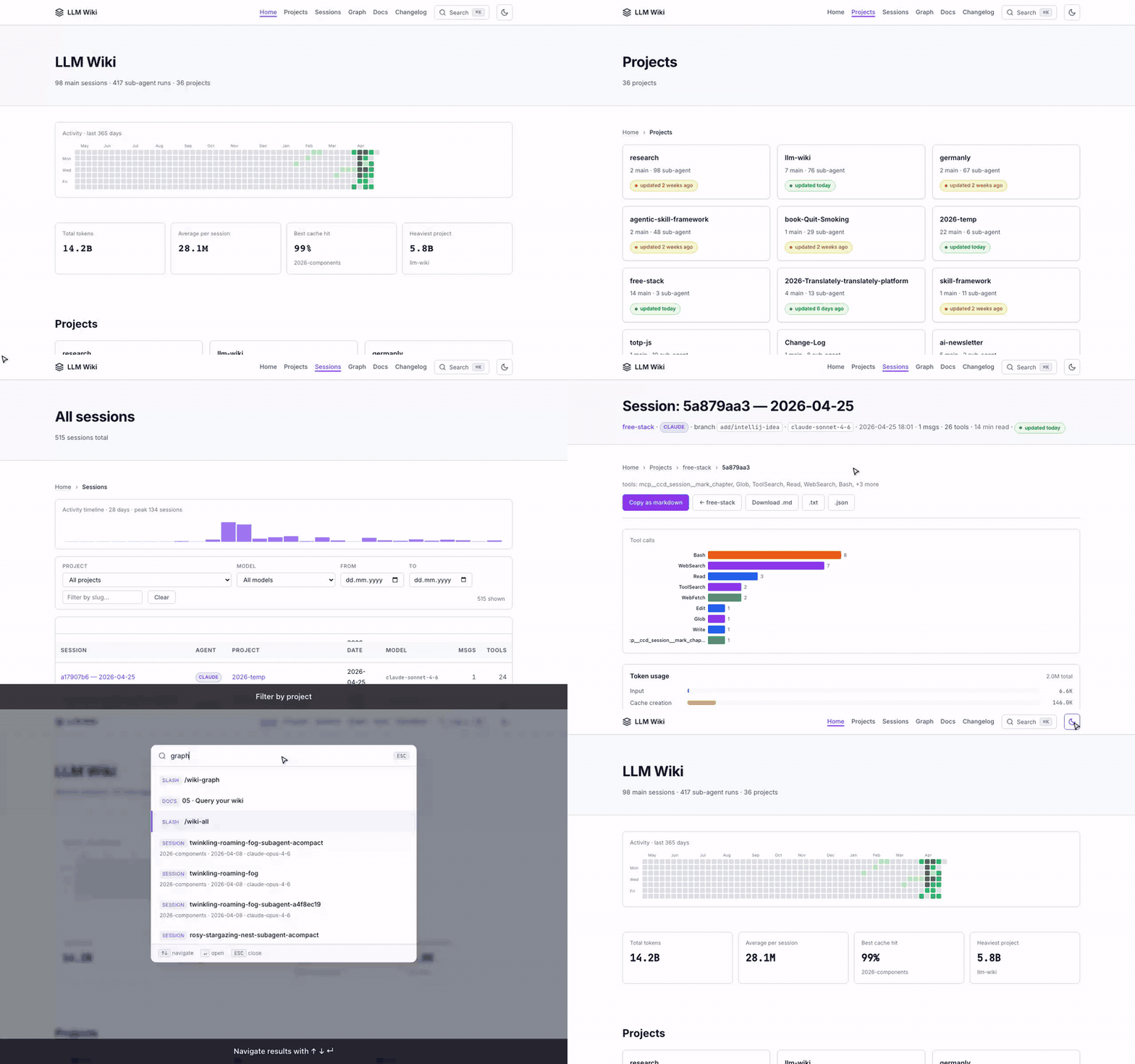
Contributing in one line: read CONTRIBUTING.md, keep PRs focused (one concern each), use feat: / fix: / docs: / chore: / test: commit prefixes, never commit real session data (raw/ is gitignored), no new runtime deps. CI must be green to merge.
Screenshots
All screenshots below are from the public demo site which is built on every master push from the dummy example sessions. Your own wiki will look identical — just with your real work.
Home — projects overview with activity heatmap
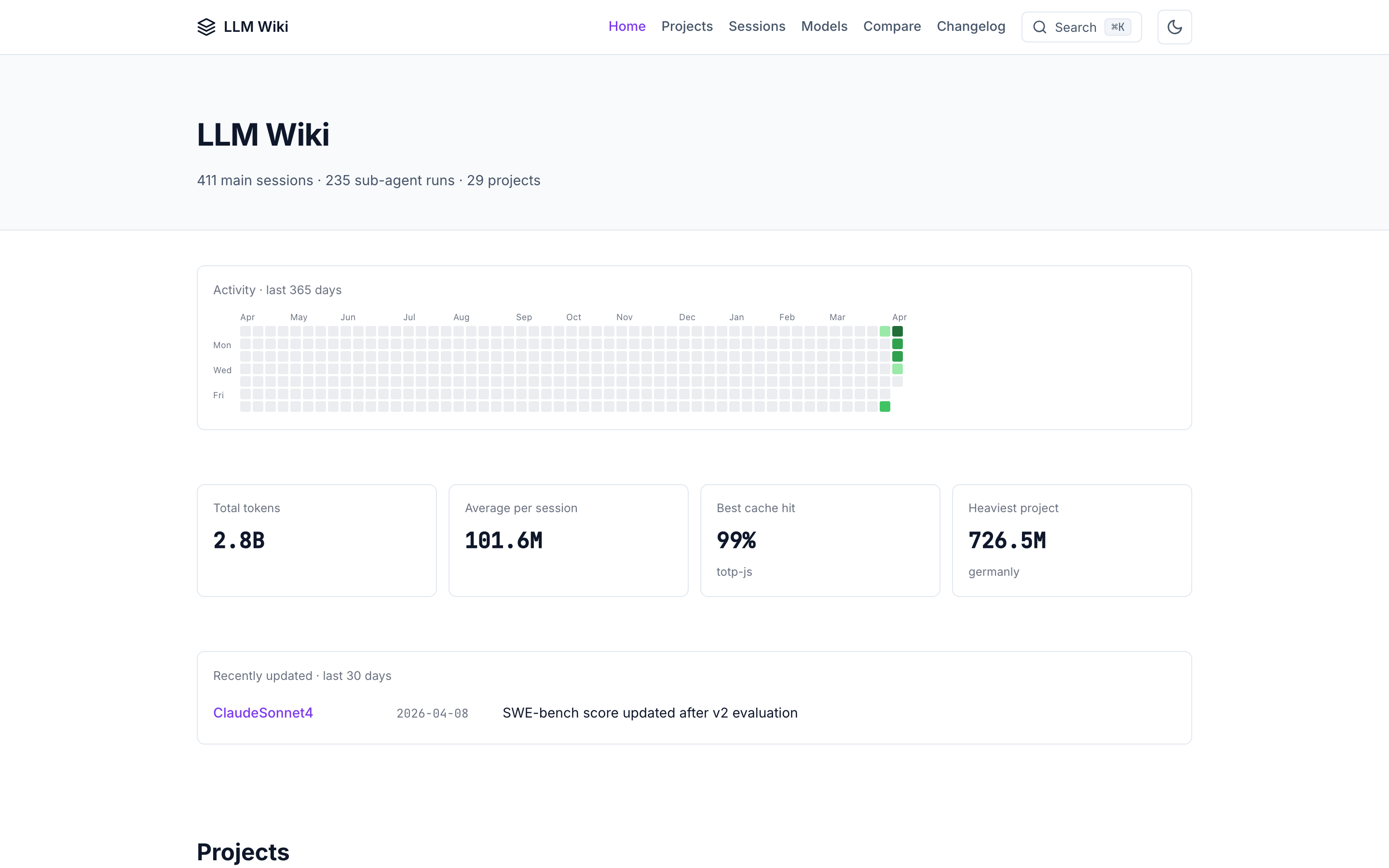
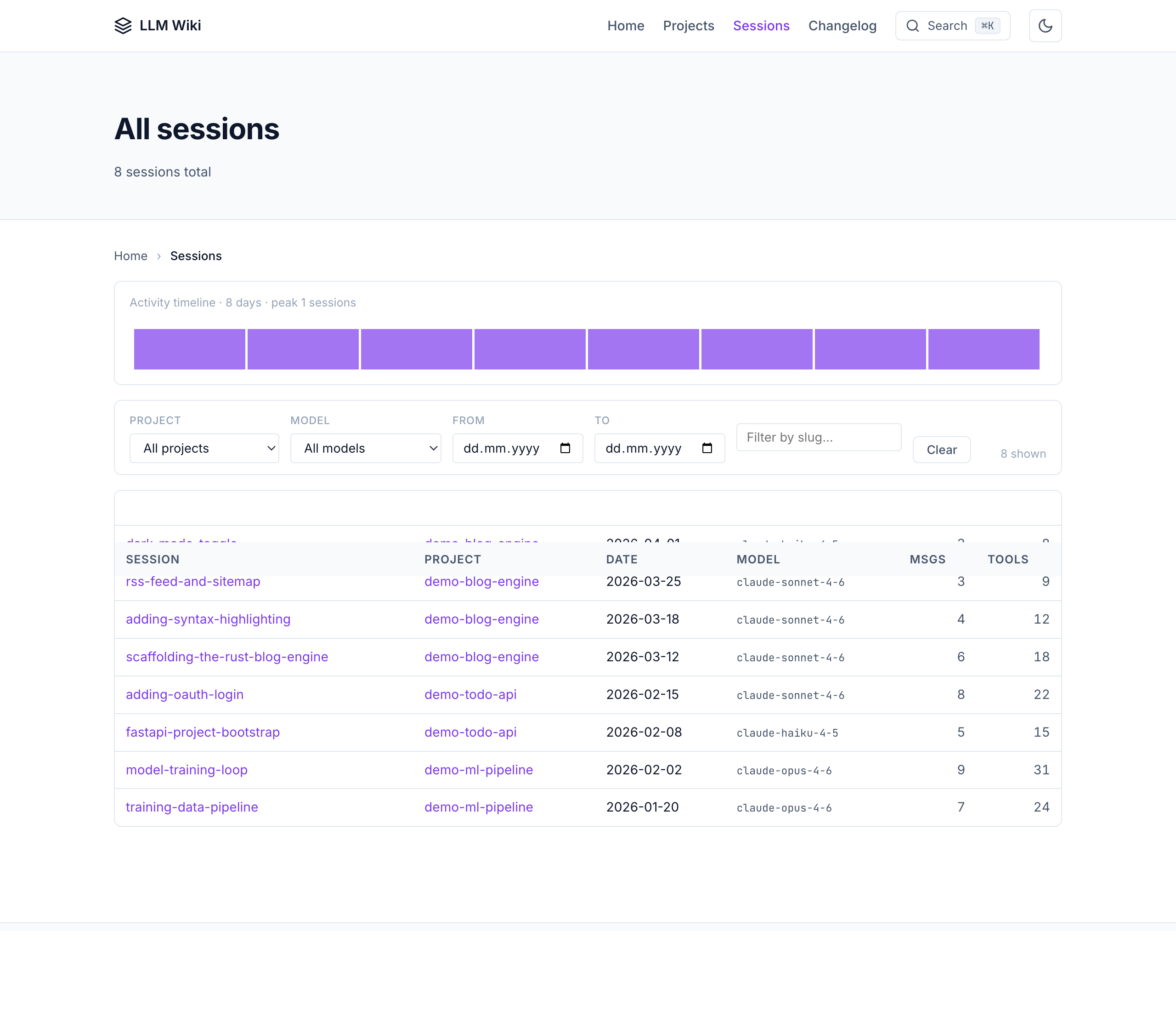
All sessions — filterable table across every project
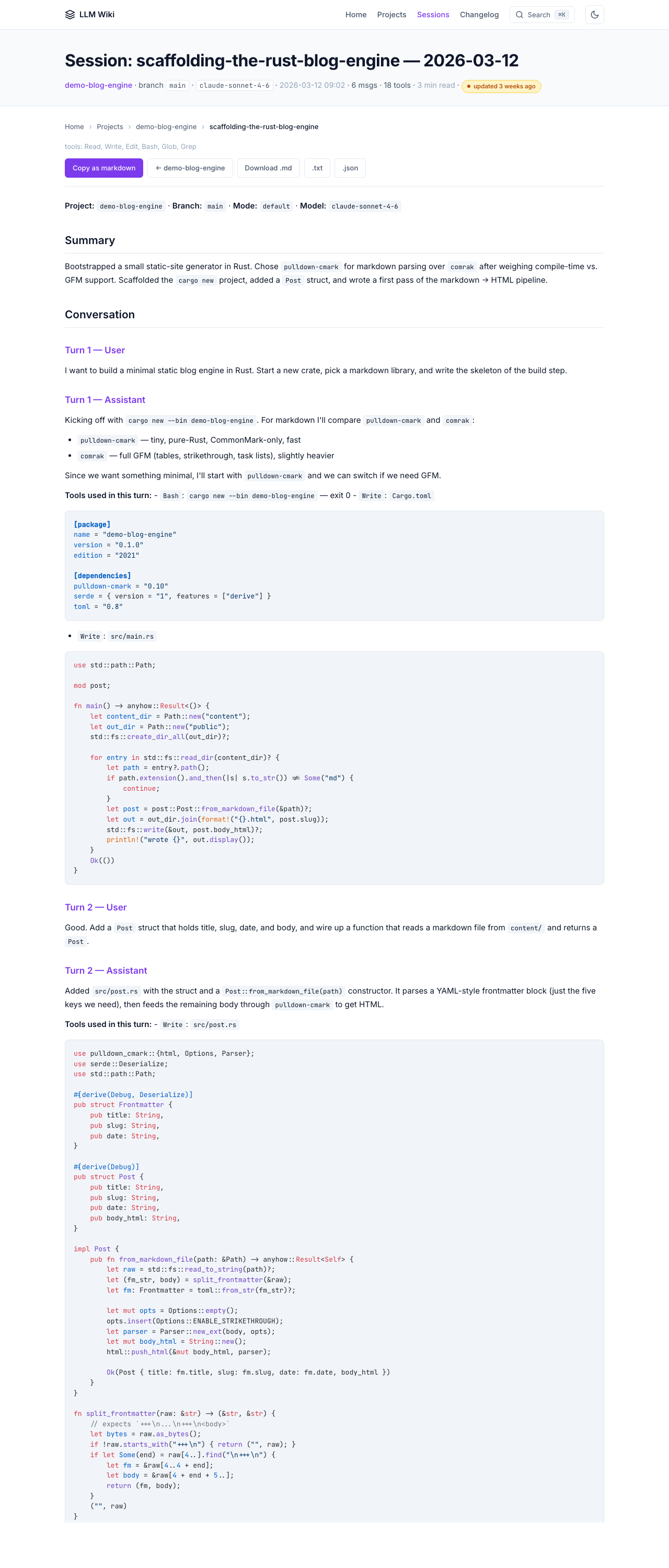
Session detail — full conversation + tool calls
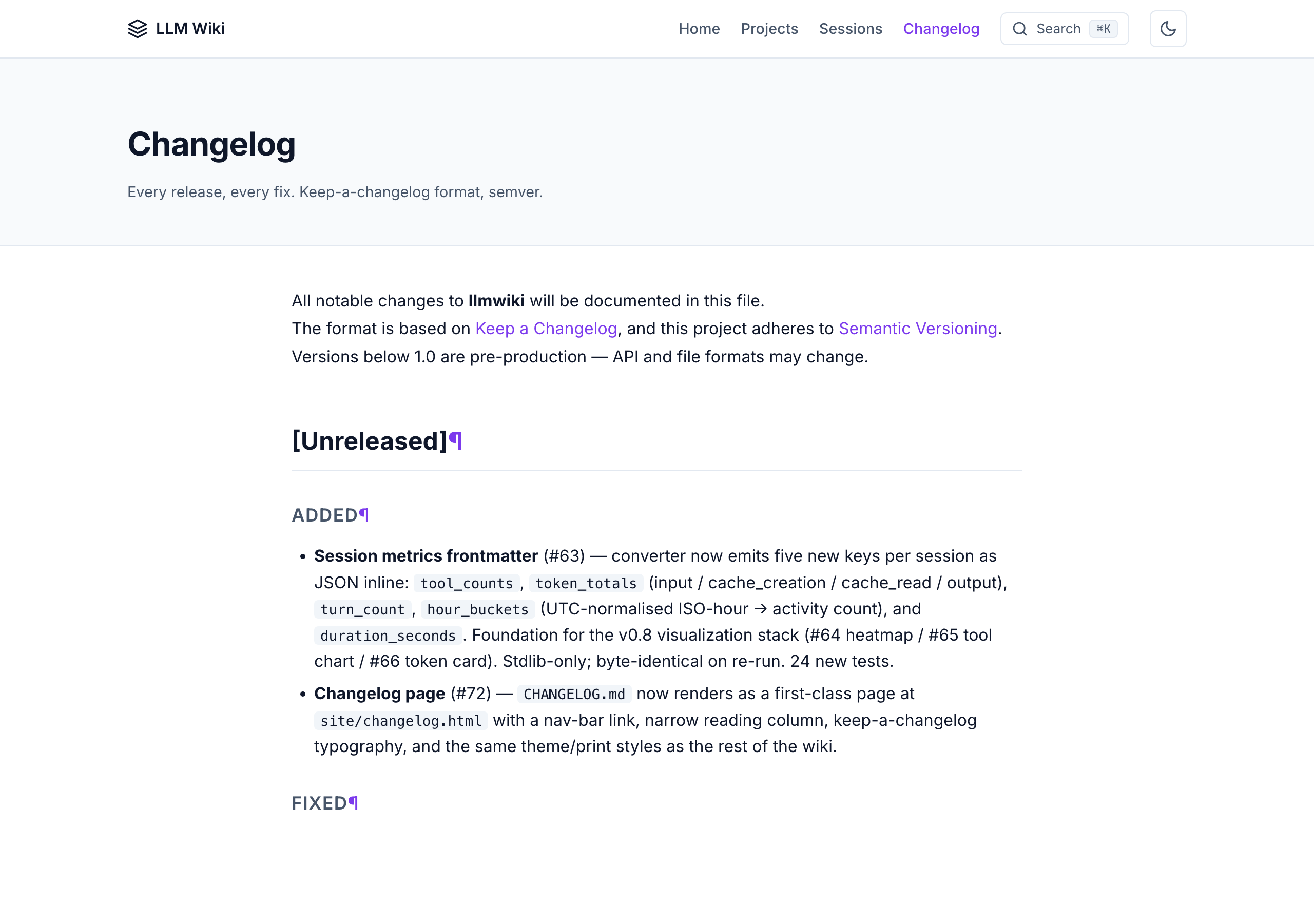
Changelog — renders CHANGELOG.md as a first-class page
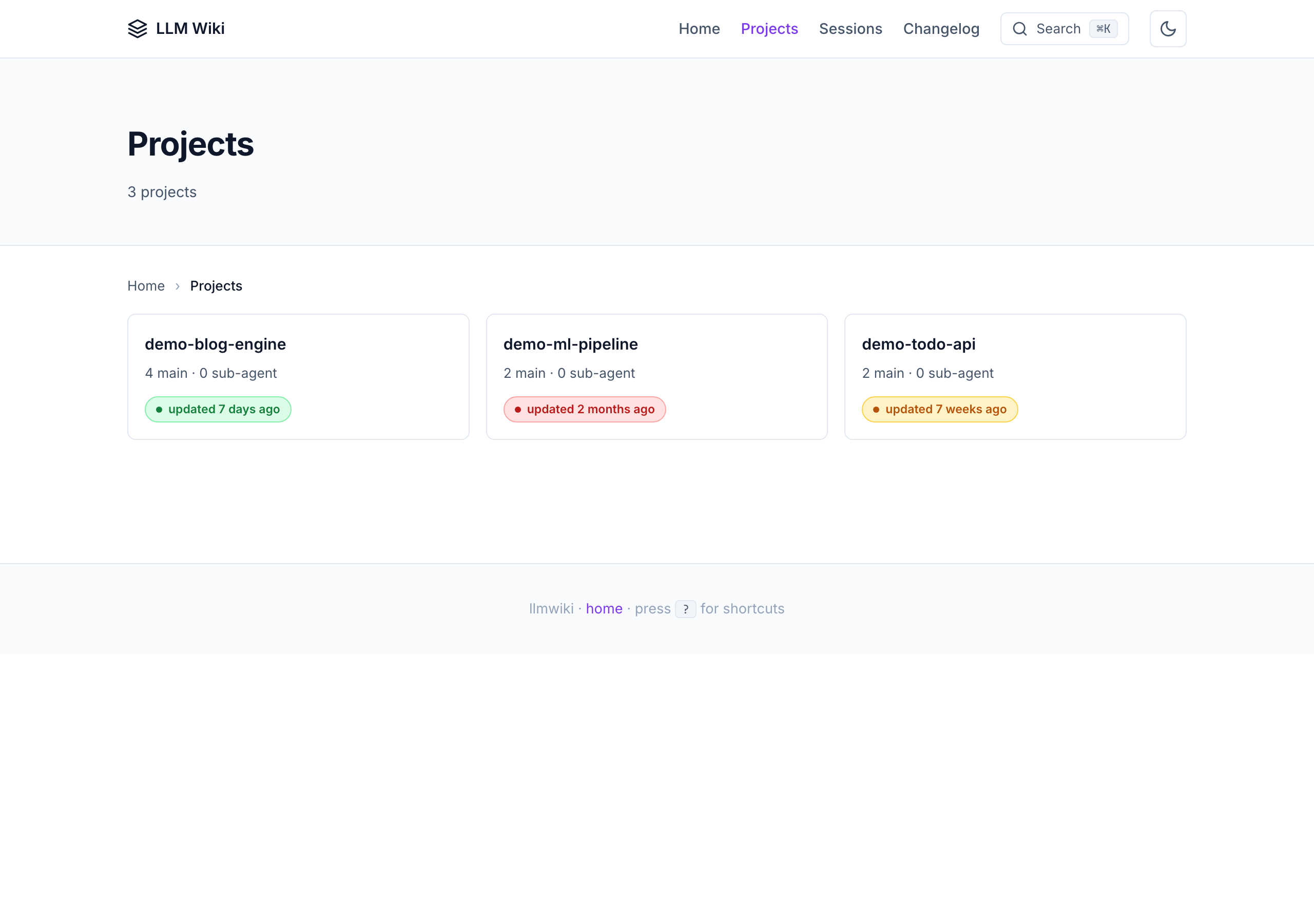
Projects index — freshness badges + per-project stats
What you get
Human-readable
- All your sessions, converted from
.jsonlto clean, redacted markdown - A Karpathy-style wiki —
sources/,entities/,concepts/,syntheses/,comparisons/,questions/linked with[[wikilinks]] - A beautiful static site you can browse locally or deploy to GitHub Pages
- Global search (Cmd+K command palette with fuzzy match over pre-built index)
- highlight.js client-side syntax highlighting (light + dark themes)
- Dark mode (system-aware + manual toggle with
data-theme) - Keyboard shortcuts:
/search ·g h/p/snav ·j/krows ·?help - Collapsible tool-result sections (auto-expand > 500 chars)
- Copy-as-markdown + copy-code buttons
- Breadcrumbs + reading progress bar
- Filter bar on sessions table (project/model/date/text)
- Reading time estimates (
X min read) - Related pages panel at the bottom of every session
- Activity heatmap on the home page
- Model info cards with structured schema (provider, pricing, benchmarks)
- Auto-generated vs-comparison pages between AI models
- Append-only changelog timeline with pricing sparkline
- Project topic chips (GitHub-style tags on project cards)
- Agent labels (colored badges: Claude/Codex/Copilot/Cursor/Gemini)
- Recently-updated card on the home page
- Dataview-style structured queries in the command palette
- Hover-to-preview wikilinks
- Deep-link icons next to every heading
- Mobile-responsive + print-friendly
AI-consumable (v0.4)
Every HTML page has sibling machine-readable files at the same URL:
<page>.html— human HTML with schema.org microdata<page>.txt— plain text version (no HTML tags)<page>.json— structured metadata + body
Site-level AI-agent entry points:
| File | What |
|---|---|
/llms.txt | Short index per llmstxt.org spec |
/llms-full.txt | Flattened plain-text dump (~5 MB cap) — paste into any LLM's context |
/graph.jsonld | Schema.org JSON-LD entity/concept/source graph |
/sitemap.xml | Standard sitemap with lastmod |
/rss.xml | RSS 2.0 feed of newest sessions |
/robots.txt | AI-friendly robots with llms.txt reference |
/ai-readme.md | AI-specific navigation instructions |
/manifest.json | Build manifest with SHA-256 hashes + perf budget |
Every page also includes an <!-- llmwiki:metadata --> HTML comment that AI agents can parse without fetching the separate .json sibling.
Recipe — query graph.jsonld from your terminal
The JSON-LD graph isn't just for crawlers — you can ask quick questions about your wiki without leaving the shell. Example: print every session as a tree, grouped by project:
python3 examples/scripts/tree_from_graph.py
Output:
📚 8 sessions across 3 projects
   (site/graph.jsonld v1.3.0)

llmwiki/
├── demo-blog-engine/  (4 sessions)
│   ├── 2026-03-12  scaffolding-the-rust-blog-engine
│   ├── 2026-03-18  adding-syntax-highlighting
│   ├── 2026-03-25  rss-feed-and-sitemap
│   └── 2026-04-01  dark-mode-toggle
├── demo-ml-pipeline/  (2 sessions)
│   ├── 2026-01-20  training-data-pipeline
│   └── 2026-02-02  model-training-loop
└── demo-todo-api/  (2 sessions)
    ├── 2026-02-08  fastapi-project-bootstrap
    └── 2026-02-15  adding-oauth-login
The full script is stdlib-only at examples/scripts/tree_from_graph.py. Same recipe pattern works for any aggregation question — count sessions per model, find the largest project by token usage, list every entity that appears in 3+ sessions, etc. The graph is yours to slice.
Quality & governance (v1.0)
- 4-factor confidence scoring — source count, source quality, recency, cross-references; with Ebbinghaus-inspired decay per content-type
- 5-state lifecycle machine — draft → reviewed → verified → stale → archived with 90-day auto-stale
- 16 lint rules — 8 structural (frontmatter, link integrity, orphans, freshness, duplicates, index sync…) + 3 LLM-powered (contradictions, claim verification, summary accuracy) + stale_candidates (#51) + tags_topics_convention (#302) + stale_reference_detection (#303) + frontmatter_count_consistency (#378) + tools_consistency (#378)
- Auto Dream — MEMORY.md consolidation after 24h + 5 sessions: resolve relative dates, prune outdated, 200-line cap
- 9 navigation files — CLAUDE.md, AGENTS.md, MEMORY.md, SOUL.md, CRITICAL_FACTS.md, hints.md, hot.md + per-project hot caches
Obsidian-native experience (v1.0)
link-obsidianCLI — symlinks the whole project into an Obsidian vault; graph view + backlinks + full-text search just work- Dataview dashboard — 10 ready-to-use queries (recently updated, by confidence, by lifecycle, by project, by entity type, open questions, stale pages)
- Templater templates — 4 templates for source/entity/concept/synthesis pages, seeded with confidence + lifecycle + today's date
- Category pages — tag-based index pages in both Dataview (Obsidian) and static markdown (HTML) modes
- Integration guide —
docs/obsidian-integration.mdcovers 6 recommended plugins with per-plugin configs
Automation
- SessionStart hook — auto-syncs new sessions in the background on every Claude Code launch
- Auto-build on sync —
/wiki-synctriggers/wiki-build(configurable; default on) - One-shot pipeline —
llmwiki allruns build → graph → export → lint in a single command (--strictfor CI) - MCP server — 12 production tools (query, search, list, read, lint, sync, export, + confidence, lifecycle, dashboard, entity search, category browse) queryable from any MCP client (Claude Desktop, Cline, Cursor, ChatGPT desktop)
- Pending ingest queue — SessionStart hook converts + queues;
/wiki-syncprocesses queue - No servers, no database, no npm — Python stdlib +
markdown. Syntax highlighting loads from a highlight.js CDN at view time.
Tutorial — every command in 90 seconds
A guided tour. Run these in order and you'll have a fully working wiki at http://127.0.0.1:8765/ by the end. Each command is idempotent and prints what it did.
A scripted recording of the same flow ships at docs/videos/cli-tutorial.gif (31 seconds against an 8-session sandbox). The reproducible source is docs/videos/cli-tutorial.tape — re-render anytime with vhs docs/videos/cli-tutorial.tape.
File tree
FAQ
llmwiki is a Claude Code plugin of 6 hand-picked skills with a FLOW.md router. Install it once and the right skill fires as you prompt, with no slash command to remember. It is built for documentation work. It includes llmwiki-ingest, llmwiki-query, llmwiki-sync. Free and open source.
- What is llmwiki?
- LLM-powered knowledge base from your Claude Code, Codex CLI, Cursor, Gemini CLI, and Obsidian sessions. Built on Andrej Karpathy's LLM Wiki pattern.
- How do I install llmwiki?
- Run these in Claude Code: /plugin marketplace add Pratiyush/llm-wiki then /plugin install llmwiki@llmwiki. Then prompt normally.
- Does llmwiki auto-invoke its skills?
- Yes. It ships a FLOW.md router that Flowy's hook fires, so the matching skill runs as you prompt. You never name a skill.
- Is llmwiki free?
- Yes. Flowy is free and open source, with nothing gated. You can read every skill in full before you install.
Is this plugin yours?
Claim it with GitHubSubmit a pluginPromote it