
VerifiedPlugin
power-platform-skills
Official agent skills/plugins for Power Platform development by Microsoft.
97 skills19 agents4 MCP+2+2+1922
 @microsoft
Azure work is not just a code problem. It is a decision problem: which service fits this app, what needs to be validated before deployment, which tools should run, and what guardrails matter.
Auto-invoked ships a router so the right skill fires automatically as you prompt. No remembering which skill to call.
Normal is the plain upstream plugin, installed as-is. You invoke its skills yourself.
The plugin> /plugin marketplace add microsoft/azure-skillsAuto-invocation> /plugin marketplace add flowy-sh/flowy-core> /plugin install flowy-core> /plugin install flowy-azure
Repo: microsoft/azure-skills
What's inside
Azure work is not just a code problem. It is a decision problem: which service fits this app, what needs to be validated before deployment, which tools should run, and what guardrails matter. The Azure Skills Plugin packages Azure expertise and MCP-backed execution together so compatible coding agents can do real Azure work instead of giving generic cloud advice.
Explore the Azure Skills site Landing page maintenance guide
Install the plugin
This plugin ships curated Azure skills that teach an agent how Azure work gets done. They provide workflows, decision trees, and guardrails for scenarios such as:
azure-prepare, azure-validate, azure-deploy, azure-upgrade, azure-enterprise-infra-planner, azure-hosted-copilot-sdk, azure-kubernetes, and airunway-aks-setupazure-diagnostics, appinsights-instrumentation, azure-compliance, azure-resource-lookup, and azure-quotasazure-cost, azure-compute, azure-resource-visualizer, and azure-cloud-migrateazure-ai, azure-aigateway, azure-storage, azure-kusto, azure-messaging, azure-rbac, entra-app-registration, and microsoft-foundryThe plugin wires in the Azure MCP Server, which gives your agent 200+ structured tools across 40+ Azure services. That is the execution layer for listing resources, checking prices, querying logs, diagnosing issues, and driving real Azure workflows.
The plugin also includes Foundry MCP for Microsoft Foundry scenarios such as model discovery, model deployment, and agent workflows.
This is not a prompt pack. It is a packaged Azure capability layer:
| Component | What it adds | Examples |
|---|---|---|
| Azure skills | Azure expertise, workflows, and guardrails | Prepare, validate, deploy, diagnostics, cost, AI, RBAC |
| Azure MCP Server | Live Azure tooling | Resource inventory, monitoring, pricing, storage, databases, messaging |
| Foundry MCP | Microsoft Foundry workflows | Model catalog, deployments, agents, evaluations |
The plugin payload lives in .github/plugins/azure-skills/, and the included MCP configuration shows how Azure and Foundry connectivity are wired for compatible hosts.
Before you install, make sure you have:
npx is used to start the MCP servers)az loginazd auth login if you plan to use deployment workflowsThe Azure Skills Plugin is multi-harness. If you use APM, one command installs it across GitHub Copilot, Claude Code, Cursor, OpenCode, Codex, and Gemini from a single apm.yml:
apm install microsoft/azure-skills
Add the marketplace (first time only):
/plugin marketplace add microsoft/azure-skills
Install the plugin:
/plugin install azure@azure-skills
Update the plugin:
/plugin update azure@azure-skills
Install the Azure MCP extension from the Visual Studio Marketplace:
The Azure MCP extension will also install a companion extension that brings the Azure skills into VS Code. Together they configure the Azure MCP Server, Foundry MCP, and the full skills layer automatically.
Note: The skills extension requires Git CLI to be installed on your machine. If you don't have it, ask Copilot to help you install Git for your OS.
Install the plugin — either run:
/plugin install azure@claude-plugins-official
Or run /plugin and search for "azure" in the marketplace:
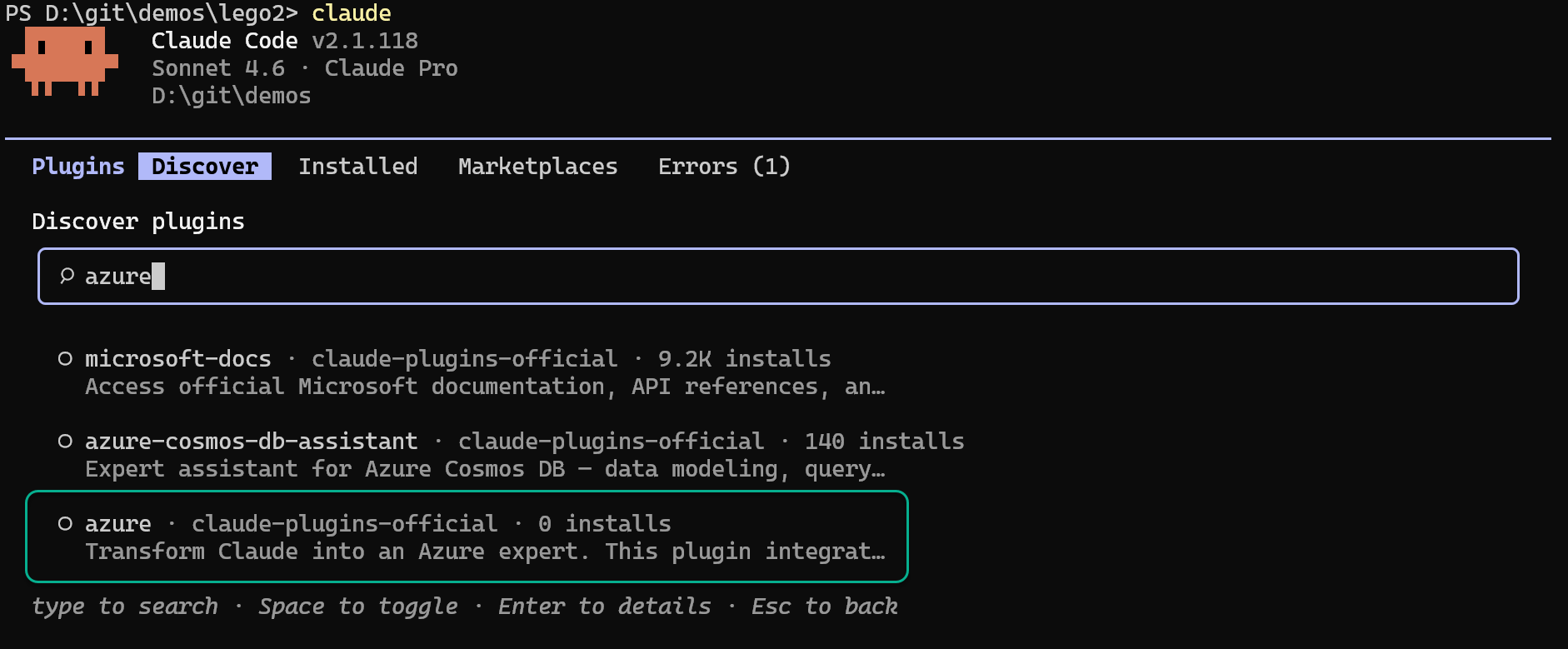
Update the plugin:
/plugin update azure@claude-plugins-official
Install the extension:
gemini extensions install https://github.com/microsoft/azure-skills
You can install the Azure plugin from the Cursor Marketplace or directly from Cursor settings by navigating to Settings > Plugins and searching for "Azure":
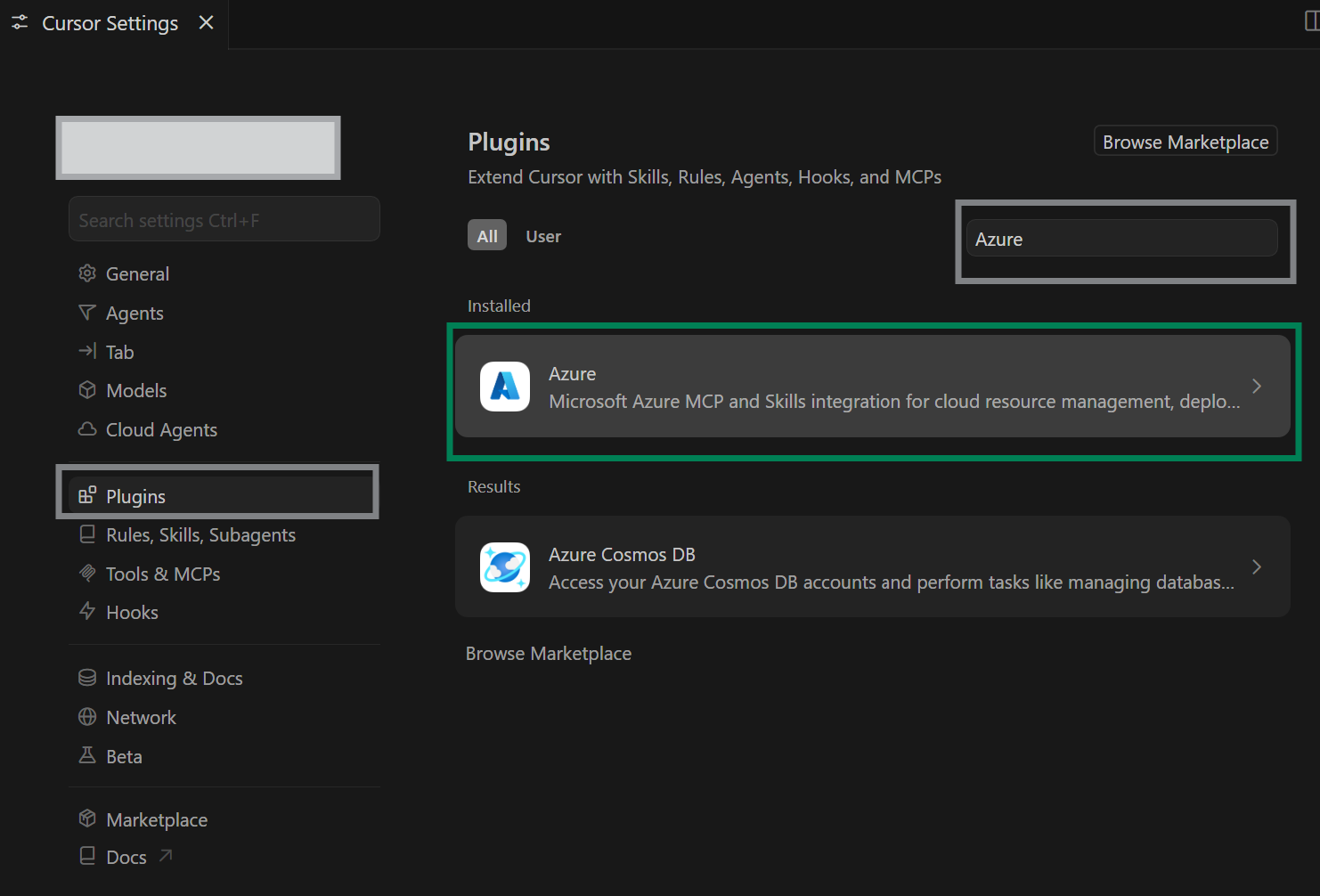
Add the marketplace (first time only):
codex plugin marketplace add microsoft/azure-skills
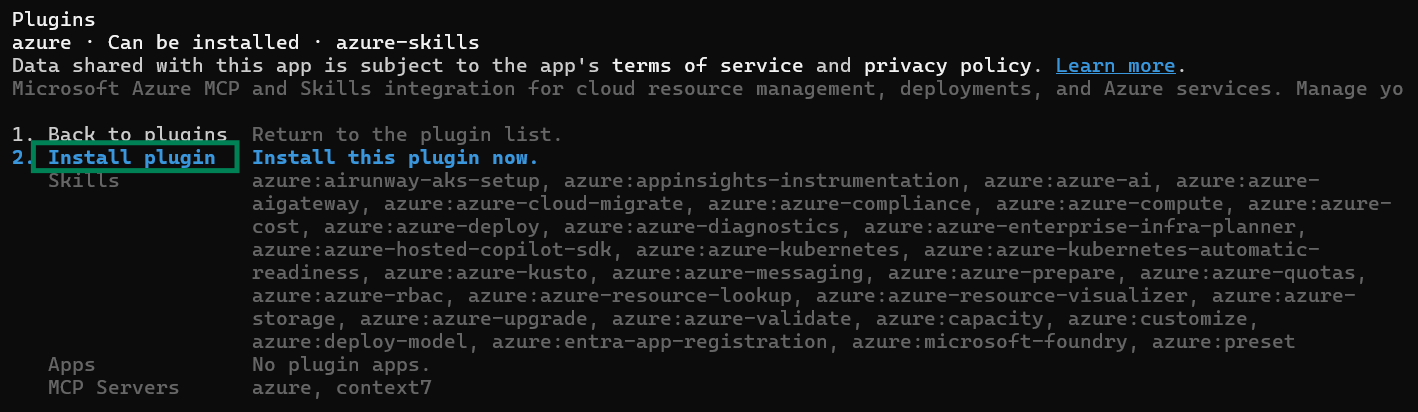
Install the plugin:
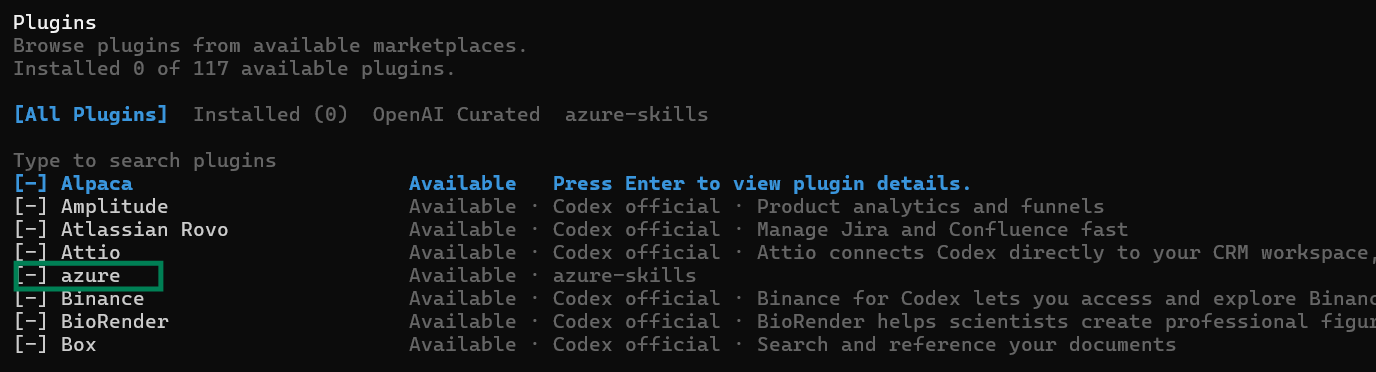
Browse plugins using /plugins and install azure:
Enable or disable skills:
You can choose to enable or disable specific skills by running /skills in Codex and selecting the appropriate option:
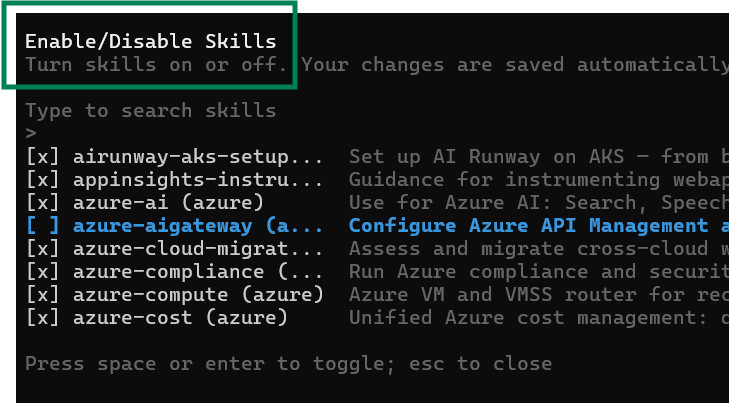
Note: A plugin installed from Codex CLI is also available in the Codex app.
Before installing Azure skills in IntelliJ IDEA, ensure you have:
npx available on your PATHYou can verify these prerequisites by running:
npx --version
git --version
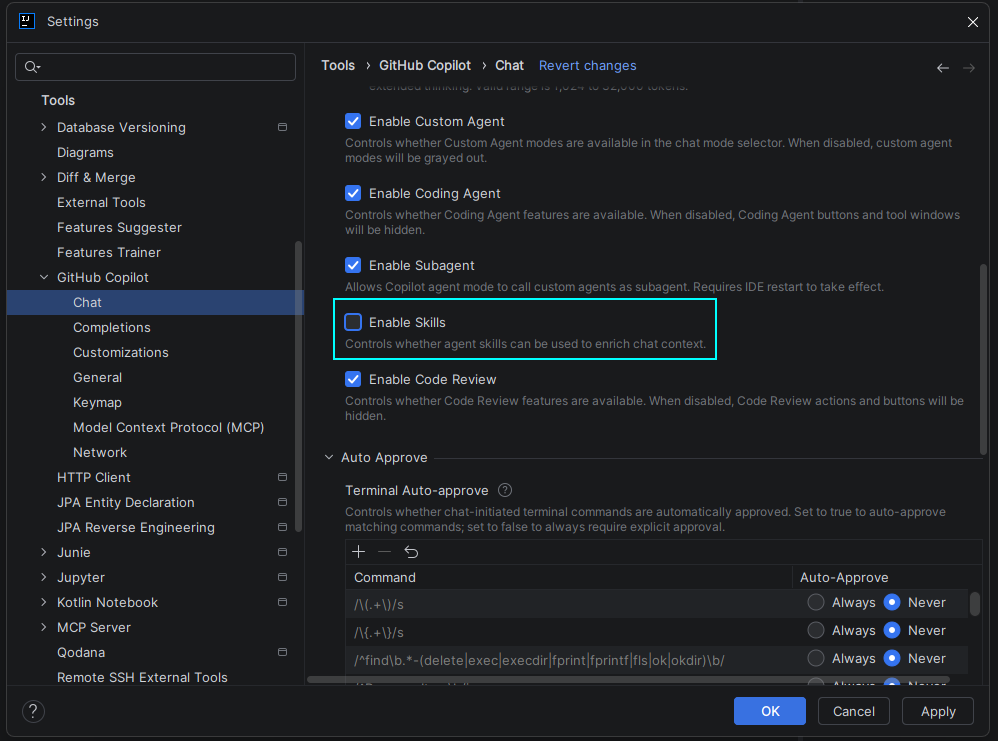
Option 1: Install Azure Toolkit For IntelliJ Plugin
Install the Azure Toolkit plugin from the JetBrains Marketplace: 👉 Azure Toolkit for IntelliJ
Restart IntelliJ IDEA to complete the plugin installation
Install Azure Skills when prompted:

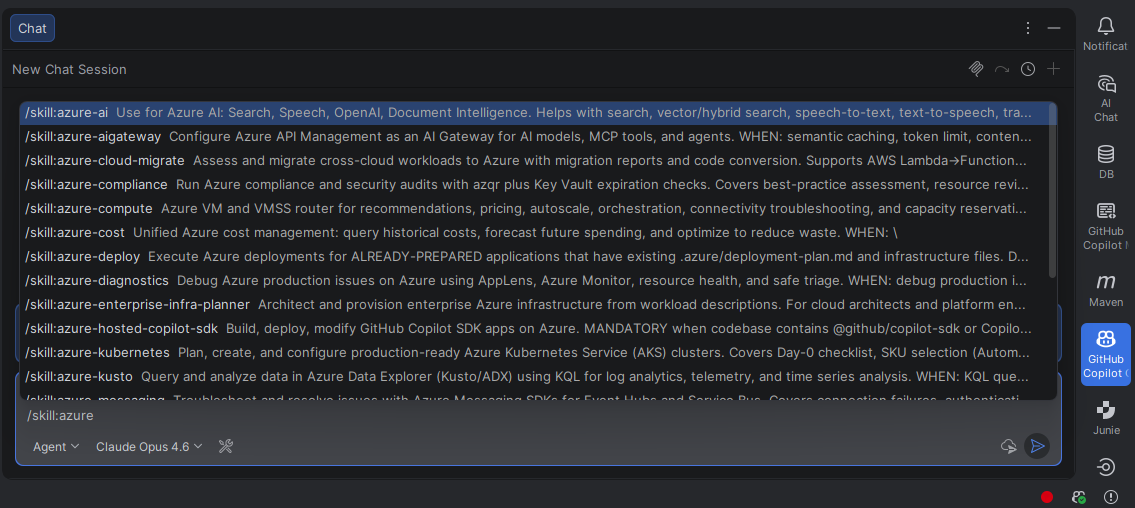
Verify installation by opening the GitHub Copilot chat window and typing:
/skill:azure
This will display all available Azure skills you can now use in your projects.
Option 2: Install Azure Skills manually
Open a terminal or command prompt
Run the following command to install Azure skills globally for GitHub Copilot:
npx skills add https://github.com/microsoft/azure-skills/tree/main/.github/plugins/azure-skills/skills -a github-copilot -g -y
Command explanation:
npx skills add - Uses the skills CLI to add a new skills package-a github-copilot - Specifies the skills are for GitHub Copilot-g - Installs the skills globally (available across all projects)-y - Automatically accepts prompts during installationWait for the installation to complete. You should see confirmation that the Azure skills have been successfully added.
By default, the Azure MCP server connects to the Azure Public Cloud. If you use a sovereign cloud (Azure China Cloud or Azure US Government), you need to configure the MCP server to use the appropriate cloud environment.
After installing the plugin, Azure MCP server should be configured for copilot as well. You can list the configured MCP servers by running /mcp show
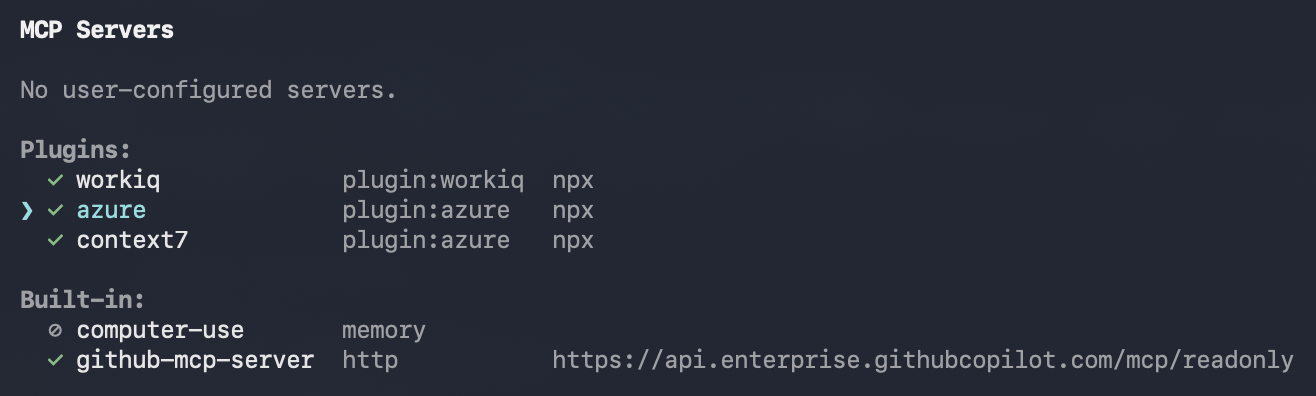
Edit the Azure MCP server named azure from plugin:azure to add the --cloud argument. Execute /mcp edit azure. Navigate to the Command section to add the --cloud argument, use AzureChinaCloud to access Azure China Cloud, and use AzureUSGovernment to access Azure US Government Cloud.
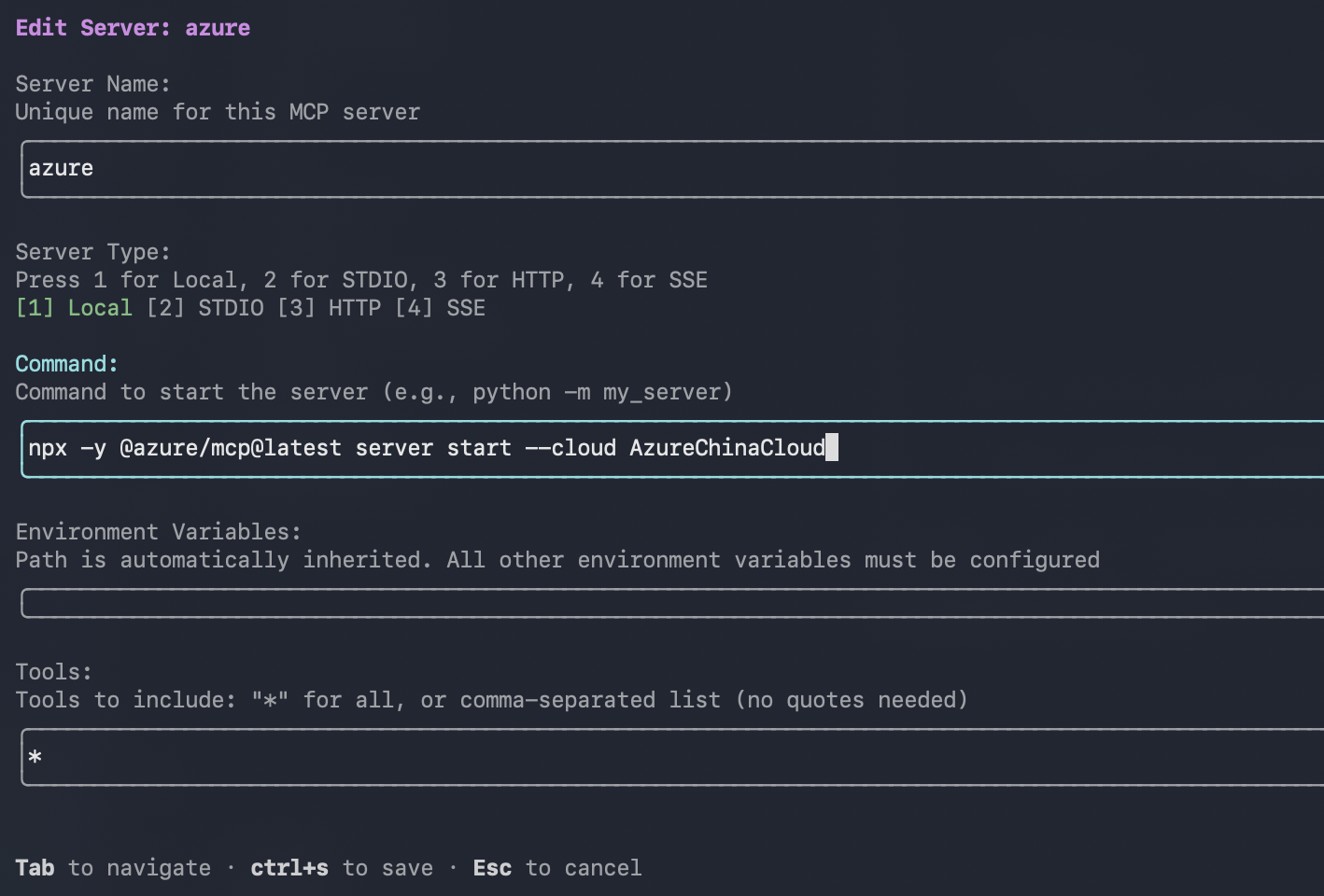
Before starting the MCP server, ensure your local CLI tools are authenticated against the correct cloud:
| Cloud | Azure CLI | Azure PowerShell | Azure Developer CLI |
|---|---|---|---|
| China | az cloud set --name AzureChinaCloud && az login | Connect-AzAccount -Environment AzureChinaCloud | azd config set cloud.name AzureChinaCloud && azd auth login |
| US Government | az cloud set --name AzureUSGovernment && az login | Connect-AzAccount -Environment AzureUSGovernment | azd config set cloud.name AzureUSGovernment && azd auth login |
For more details, see Connect to sovereign clouds in the Azure MCP Server documentation.
After install, try three quick checks.
Ask:
What Azure services would I need to deploy this project?
You should get structured Azure guidance, not just a generic cloud answer.
Ask:
List my Azure resource groups.
You should see a real tool-backed response from your Azure account.
Ask:
What AI models are available in Microsoft Foundry?
You should get a Foundry-backed response rather than a generic summary.
The recommended authentication path is Azure CLI:
az login
If you plan to deploy with azd, also run:
azd auth login
You can also authenticate with service principal credentials:
Bash/Zsh
export AZURE_TENANT_ID="your-tenant-id"
export AZURE_CLIENT_ID="your-client-id"
export AZURE_CLIENT_SECRET="your-client-secret"
PowerShell
$env:AZURE_TENANT_ID = "your-tenant-id"
$env:AZURE_CLIENT_ID = "your-client-id"
$env:AZURE_CLIENT_SECRET = "your-client-secret"
When the agent runs inside Azure, the Azure MCP Server can also use managed identity.
Once the plugin is installed, try prompts like these:
Prepare this app for Azure.Validate my Azure deployment files before I run azd up.Showing a partial view of a very large repo.
View @microsoft’s profileOfficial agent skills/plugins for Power Platform development by Microsoft.
@microsoftAn Agent Plugins 1.0 package with GitHub Copilot, Claude Code, and OpenAI Codex compatibility for building native Windows apps with WinUI 3 and the Windows App SDK. It covers the end-to-end inner loop: scaffold → design → build → run → test → package → ship.
@microsoftGitHub Copilot for Azure is a set of extensions for Visual Studio, VS Code, and Claude Code designed to streamline the process of developing for Azure.
@microsoftFAQ
azure is a Claude Code plugin of 38 hand-picked skills with a FLOW.md router. Install it once and the right skill fires as you prompt, with no slash command to remember. It is built for deployment work. It includes airunway-aks-setup, appinsights-instrumentation, azure-ai. Free and open source.
Is this plugin yours?
Claim it with GitHubSubmit a pluginPromote it