

promptschat
Gives Claude Code access to the prompts.chat library, letting you search, retrieve and improve AI prompt templates, and find and install Agent Skills from its registry.
2 skills2 agents2 commands1 MCP+3+2+2+2+1+1+1+1177k
 @gh-f
Builds consultant-grade PowerPoint decks from scratch with McKinsey-style design, using a Python library with a library of slide layouts, chart styles and a quality-check pipeline. Aimed at users who need polished business presentations.
Claude Code
> /plugin marketplace add likaku/Mck-ppt-design-skill> /plugin install mck-ppt-design@mck-ppt
Codex
$ npx skills add likaku/Mck-ppt-design-skill -a codex
Cursor
$ npx skills add likaku/Mck-ppt-design-skill -a cursor
Gemini CLI
$ npx skills add likaku/Mck-ppt-design-skill -a gemini-cli
GitHub Copilot
$ copilot plugin marketplace add likaku/Mck-ppt-design-skill$ copilot plugin install mck-ppt-design@mck-ppt
OpenCode
$ npx skills add likaku/Mck-ppt-design-skill -a opencode
Windsurf
$ npx skills add likaku/Mck-ppt-design-skill -a windsurf
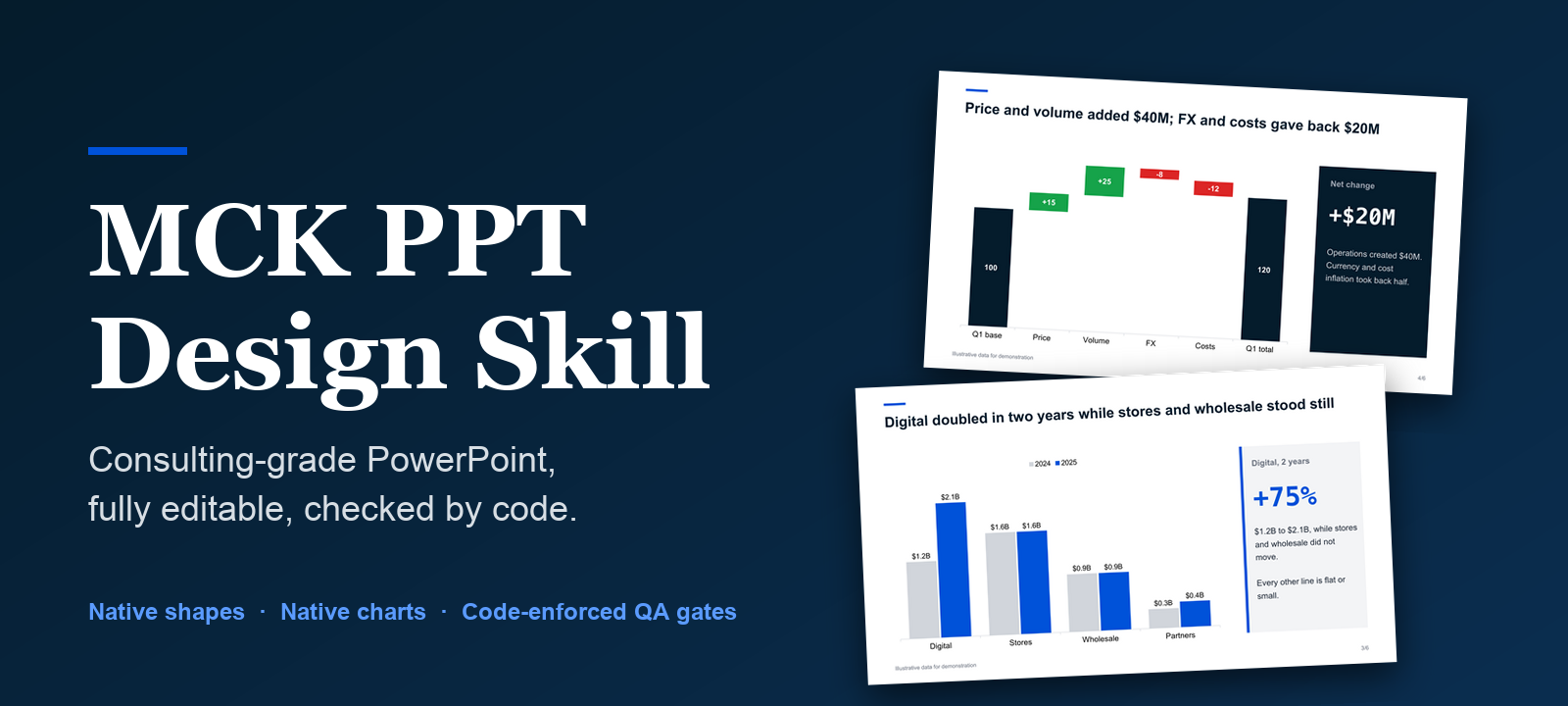





Try it in 60 seconds · Use with your agent · Gallery · 简体中文 · Architecture
Your AI agent writes the story. This skill draws the deck and checks the file. The output is a real
.pptx: native shapes, native charts, every element editable in PowerPoint, WPS or Keynote.
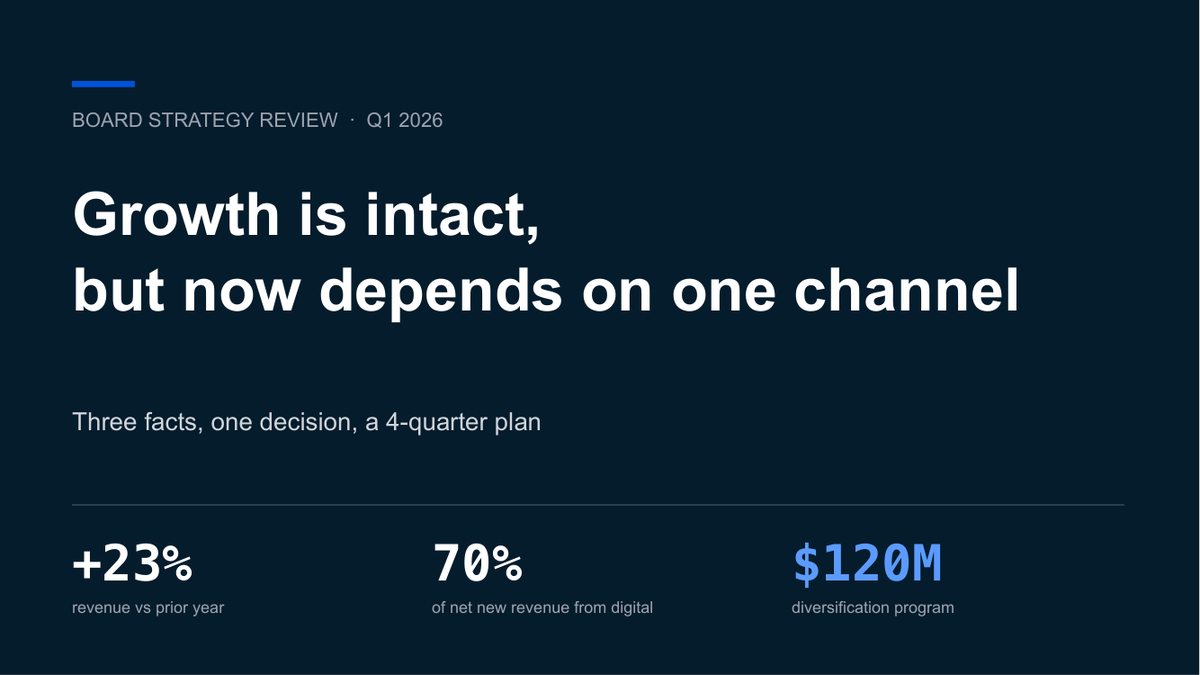
Prompt to deck. The slides and the gate result are real output; the terminal is a recreation. Data in the slides is illustrative.
All six slides come from examples/freeform_showcase.py, rendered with LibreOffice. Data is illustrative. Fonts differ slightly in PowerPoint.
Ask an agent for a deck and you usually get text boxes on a white page, or a picture you cannot edit. This skill gives the agent a third path.
Real, editable .pptx | Native shapes, text and charts. No screenshots. Change a number in the chart's data sheet and the bars move. |
| Consulting grammar built in | Action titles that state the conclusion, a source line on every slide, restrained navy and grey, flat design. |
| The agent decides, Python draws | eng.donut(...) costs the agent about 20 tokens; deterministic code does the rest. The author measured a 30-slide deck dropping from 40,000-60,000 output tokens to 9,000-12,000 in the v1 to v2 rewrite. |
| A gate that is code, not opinion | gate_check.py writes gate_result.json. passed is computed by the script, so the agent cannot declare its own work done. It catches overflow, out-of-bounds shapes, font inconsistency and legend overflow. It does not catch every visual flaw: render and look before you ship. |
| Files that open cleanly | No connectors, shadows or 3D; the post-save cleanup removes the XML that triggers PowerPoint's "repair" prompt. |
| CJK aware | An East Asian font (KaiTi by default) is written on every text run so Chinese does not fall back to boxes where that font is installed. |
No API key, no network. Needs Python 3.8+.
pip install "git+https://github.com/likaku/Mck-ppt-design-skill.git"
python -m mck_ppt demo        # writes mck_demo.pptx (13 slides, passes the built-in check)
python -m mck_ppt layouts     # lists every layout with a one-line description
Then the freeform example that produced the slides above:
git clone https://github.com/likaku/Mck-ppt-design-skill && cd Mck-ppt-design-skill
python examples/freeform_showcase.py out.pptx
python references/scripts/gate_check.py out.pptx .     # writes gate_result.json
The gate scripts live in
references/scripts/and are not part of the pip package; clone the repo to use them.
| Agent | How |
|---|---|
| Claude Code | git clone https://github.com/likaku/Mck-ppt-design-skill ~/.claude/skills/mck-ppt-design and pip install python-pptx lxml |
| WorkBuddy / CodeBuddy | Search mck-ppt-design in the skill market, or clone into ~/.workbuddy/skills/mck-ppt-design |
| Cursor / Continue / any LLM | Add SKILL.md as a project rule or paste it as context, and pip install the package |
Then ask in plain language:
Make a 12-slide board deck on why our Q1 growth now depends on one channel. Action titles, one chart per argument, a source line on every slide.
用麦肯锡风格做一份 15 页的年度战略汇报:先给执行摘要,再分三章,最后列出需要决策的四件事。
The agent follows five stages, and two of the gates are scripts it cannot argue with:
flowchart LR
    A[S1 Brief] --> B[S2 Structure<br/>outline.json]
    B --> C[S3 Content<br/>content.json]
    C --> G1{{gate_check_s3.py}}
    G1 -->|pass| D[S4 Render]
    D --> G2{{gate_check.py}}
    G2 -->|pass| E[S5 Deliver]
    G1 -.->|fail| C
    G2 -.->|fail| D
Details in docs/HARNESS.md.
| Layout methods | Free composition | |
|---|---|---|
| What | eng.cover(), eng.table_insight(), eng.donut() and 59 more | Drawing primitives and native charts, as in examples/freeform_showcase.py |
| Strength | Fast, consistent, hard to break | More visual: big numbers, native charts, custom composition |
| Risk | Fixed text boxes: long text overflows, the layout cannot bend | Needs a render-and-look pass; there is no template to lean on |
| Use when | Many slides, tight deadline, uniform look | The deck has to persuade, or a layout does not fit the message |
Both go through the same cleanup and the same gate. In our own tests the free-composition version of the same content looked clearly better; the layout version is faster.
from mck_ppt import MckEngine
from mck_ppt.constants import *

eng = MckEngine(total_slides=3)
eng.cover(title='Q1 strategy review', subtitle='Board presentation', date='2026')
eng.table_insight(
    title='Three shifts are restructuring the market',
    headers=['Dimension', 'Before', 'After'],
    rows=[['Distribution', 'Offline-first', 'Digital-first'], ['Pricing', 'Cost-plus', 'Value-based']],
    insights=['Digital channels now drive 60% of acquisition', 'Value pricing unlocks about 3x margin'])
eng.closing(title='Thank you')
eng.save('deck.pptx')
All 62 layout methods
| Category | Layouts |
|---|---|
| Structure | cover, section_divider, toc, agenda, appendix_title, closing |
| Key numbers | big_number, two_stat, three_stat, metric_cards, scorecard, kpi_tracker, rag_status, data_table, harvey_ball_table |
| Frameworks | table_insight, matrix_2x2, pyramid, process_chevron, temple, swot, value_chain, risk_matrix, stakeholder_map, decision_tree |
| Comparison | side_by_side, before_after, pros_cons, metric_comparison |
| Narrative | executive_summary, key_takeaway, four_column, two_column_text, case_study, action_items, checklist, quote, meet_the_team, numbered_list_panel, icon_grid |
| Timeline | timeline, vertical_steps |
| Charts | donut, waterfall, line_chart, pareto, bubble, grouped_bar, stacked_bar, horizontal_bar, stacked_area, multi_bar_panel, dashboard_kpi_chart, dashboard_table_chart |
| Image layouts | content_right_image, three_images, image_four_points, full_width_image, case_study_image, quote_bg_image, goals_illustration, two_col_image_grid |
Signatures: python -m mck_ppt layouts, or docs/GALLERY.md.
Guard rails enforced in code
p:style are stripped after save.BLOCK_ARC, 3-4 shapes instead of thousands of rectangles.Full list: docs/ARCHITECTURE.md.
Known limitations (read before you rely on it)
big_number).scripts/render_preview.py uses LibreOffice and poppler. Install KaiTi and Arial for faithful output; without KaiTi the text falls back to another font and wrapping changes.python run_qa_tests.py still reports layout errors on several layouts; they are tracked for v2.4.x.pip install ...[cover-image]).FAQ
Does it open in WPS and Keynote? The file uses standard shapes and charts. We test mainly in PowerPoint and LibreOffice; please open an issue if you see differences.
Chinese text looks different from the screenshots. The default East Asian font is KaiTi. If it is not installed, your viewer substitutes another font. Install KaiTi, or change the font in mck_ppt/constants.py.
Can I change the colors? Yes. Palette constants are in mck_ppt/constants.py.
Do I need an API key? No, except for the optional AI cover image.
python -m mck_ppt demo, layouts, pip install from GitHubpip install mck-ppt).pptx and restyle itWant something? Request a layout · Show a deck you built
KashinmotoStars on GitHub
Gives Claude Code access to the prompts.chat library, letting you search, retrieve and improve AI prompt templates, and find and install Agent Skills from its registry.
@gh-fA Claude Code skill for generating editable PPTX presentations and slides from a workflow, with reusable brand, style, layout, and deck workspaces, native charts, speaker notes, and template filling.
 @hugohe3
Gives AI agents control over Word, Excel and PowerPoint files, with skills for building .docx reports, academic papers, Excel dashboards and Morph-style animated slides.
 @iofficeai
A skill that builds animation-rich HTML presentations from scratch or converts PowerPoint files to web slides. Useful for anyone turning a deck into a web presentation.
 @zarazhangrui
Builds consultant-grade PowerPoint decks from scratch with McKinsey-style design, using a Python library with a library of slide layouts, chart styles and a quality-check pipeline. Aimed at users who need polished business presentations. Install it with the command on its page. It includes Mck-ppt-design-skill. Its skills do not fire on their own yet. Free and open source.
Is this plugin yours?
Claim it with GitHubSubmit a pluginPromote it