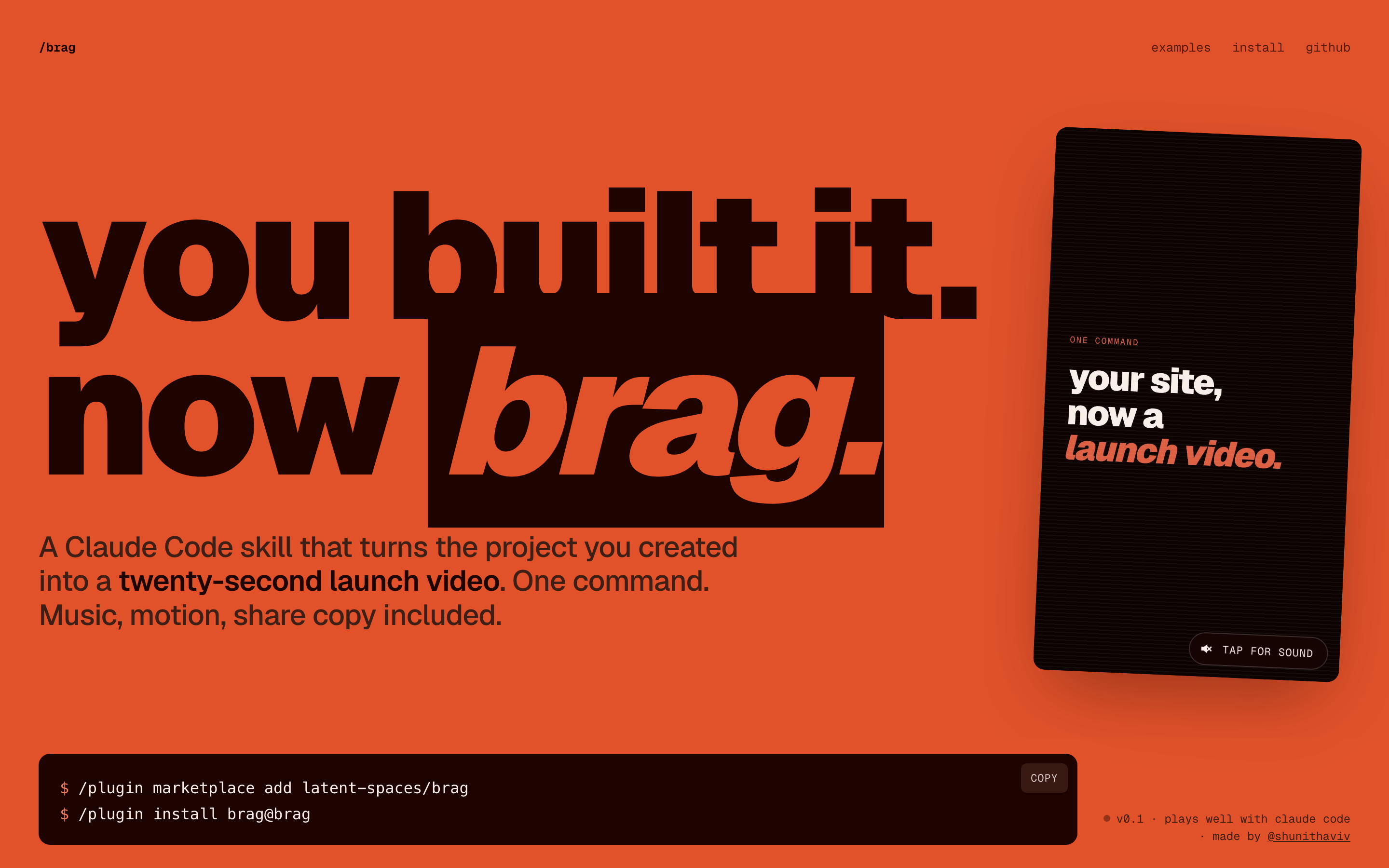
You built it. Now brag. /brag is a Claude Code skill that turns the project you created into a short, shareable launch video — music, motion, and share copy included. One command, powered by Hyperframes.
> /plugin marketplace add latent-spaces/brag> /plugin install brag@brag
Repo: latent-spaces/brag
What's inside
You built it. Now brag.
/brag is a Claude Code skill that turns the project you created into a short, shareable launch video — music, motion, and share copy included. One command, powered by Hyperframes.
The looping video on the launch site was made by /brag on this very repo.
/plugin marketplace add latent-spaces/brag
/plugin install brag@brag
Then run /brag inside any project.
Any other agent — one command via the skills CLI (Cursor, Codex, Copilot, Gemini CLI, opencode, and more):
npx skills add https://github.com/latent-spaces/brag --skill brag
Add -g to install globally (available in every project); drop it to scope to the current one. (browse on skills.sh)
rsync -a --exclude '.DS_Store' skills/brag/ ~/.claude/skills/brag/
Restart Claude Code after copying.
This repo exposes the skill at every agent's standard discovery path via symlinks. No extra config needed.
| Agent | How it discovers |
|---|---|
| opencode | Auto-detects from .opencode/skills/brag/ at project root |
| Codex CLI | Reads .agents/skills/brag/, walking up to repo root |
| Claude Code | Also reads .claude/skills/brag/ (in addition to the .claude-plugin/ marketplace install above) |
| Other agents | Point custom instructions at skills/brag/SKILL.md — see docs/other-agents.md |
Windows users: Git requires
git config core.symlinks true(orgit clone -c core.symlinks=true) and Windows Developer Mode or Administrator privileges to create symlinks. If symlinks don't work on your system, copyskills/brag/to the agent's skill directory manually instead.
From any project directory, ask your agent:
let's /brag
Or steer the tone:
/brag --tone "fake Series A launch from 2016"
Voiceover is off by default. Enable it explicitly with:
/brag --voice
Narration uses Kokoro through Hyperframes when enabled.
You get a brag-output/ folder with the plan, a composition brief, share copy, and the rendered brag.mp4.
/brag owns the story — the product angle, tone, and which moments to show. It hands a focused brief to Hyperframes, which builds, times, and renders the video.
PATHnpx hyperframes (check it with npx hyperframes doctor)skills/brag/ — the skill, references, and bundled music + SFXexamples/ — fake product sites used as a benchmark suitedocs/ — the launch site (GitHub Pages).claude-plugin/ — plugin manifest + marketplace catalog.claude/skills/brag/ — symlink → skills/brag/ (Claude Code discovery).agents/skills/brag/ — symlink → skills/brag/ (Codex CLI + opencode discovery).opencode/skills/brag/ — symlink → skills/brag/ (opencode discovery)Contributions, ideas, and new demo brags are welcome — open an issue or a PR.
.agents/
skills/
brag
.claude/
.claude-plugin/
marketplace.json
plugin.json
skills/
brag
.gitattributes
.gitignore
.opencode/
skills/
brag
docs/
.gitignore
assets/
brag-about-brag.mp4
hero-poster.jpg
hero.png
examples/
fish-flight-school/
brag.jpg
brag.mp4
index.html
site.jpg
styles.css
horse-tinder/
brag.jpg
brag.mp4
index.html
site.jpg
styles.css
taxi-for-taxis/
brag.jpg
brag.mp4
index.html
site.jpg
styles.css
index.html
main.js
other-agents.md
README.md
styles.css
examples/
bicycles-for-snakes/
brag.mp4
index.html
PRODUCT.md
styles.css
fish-flight-school/
brag.mp4
index.html
PRODUCT.md
styles.css
horse-tinder/
brag.mp4
index.html
PRODUCT.md
styles.css
psychologists-for-chatbots/
brag.mp4
index.html
PRODUCT.md
styles.css
taxi-for-taxis/
brag.mp4
index.html
PRODUCT.md
styles.css
LICENSE
PRODUCT.md
README.md
scripts/
check-docs.mjs
skills/
brag/
assets/
music/
cues/
happy-beats-business-moves-vol-1-by-ende-dot-app.music-cues.json
happy-beats-business-moves-vol-1-by-ende-dot-app.music-cues.md
happy-beats-business-moves-vol-10-by-ende-dot-app.music-cues.json
happy-beats-business-moves-vol-10-by-ende-dot-app.music-cues.md
happy-beats-business-moves-vol-11-by-ende-dot-app.music-cues.json
happy-beats-business-moves-vol-11-by-ende-dot-app.music-cues.md
happy-beats-business-moves-vol-12-by-ende-dot-app.music-cues.json
happy-beats-business-moves-vol-12-by-ende-dot-app.music-cues.md
happy-beats-business-moves-vol-9-by-ende-dot-app.music-cues.json
happy-beats-business-moves-vol-9-by-ende-dot-app.music-cues.md
happy-beats-business-moves-vol-1-by-ende-dot-app.mp3
happy-beats-business-moves-vol-10-by-ende-dot-app.mp3
happy-beats-business-moves-vol-11-by-ende-dot-app.mp3
happy-beats-business-moves-vol-12-by-ende-dot-app.mp3
happy-beats-business-moves-vol-9-by-ende-dot-app.mp3
README.md
sfx/
casino/
card-fan-1.ogg
card-fan-2.ogg
card-place-1.ogg
card-place-2.ogg
card-place-3.ogg
card-place-4.ogg
card-shove-1.ogg
card-shove-2.ogg
card-shove-3.ogg
card-shove-4.ogg
card-shuffle.ogg
card-slide-1.ogg
card-slide-2.ogg
card-slide-3.ogg
card-slide-4.ogg
card-slide-5.ogg
card-slide-6.ogg
card-slide-7.ogg
card-slide-8.ogg
cards-pack-open-1.ogg
cards-pack-open-2.ogg
chip-lay-1.ogg
chip-lay-2.ogg
chip-lay-3.ogg
chips-collide-1.ogg
chips-collide-2.ogg
chips-collide-3.ogg
chips-collide-4.ogg
chips-handle-1.ogg
chips-handle-2.ogg
chips-handle-3.ogg
chips-handle-4.ogg
chips-handle-6.ogg
chips-stack-1.ogg
chips-stack-2.ogg
chips-stack-3.ogg
chips-stack-4.ogg
chips-stack-5.ogg
chips-stack-6.ogg
dice-grab-1.ogg
dice-grab-2.ogg
dice-shake-1.ogg
dice-shake-2.ogg
dice-shake-3.ogg
dice-throw-1.ogg
dice-throw-2.ogg
dice-throw-3.ogg
die-throw-1.ogg
die-throw-2.ogg
die-throw-3.ogg
die-throw-4.ogg
impact/
footstep_carpet_000.ogg
footstep_carpet_003.ogg
footstep_carpet_004.ogg
footstep_concrete_000.ogg
footstep_concrete_001.ogg
footstep_concrete_002.ogg
footstep_concrete_003.ogg
footstep_concrete_004.ogg
footstep_grass_000.ogg
footstep_grass_001.ogg
footstep_grass_002.ogg
footstep_grass_003.ogg
footstep_grass_004.ogg
footstep_snow_000.ogg
footstep_snow_001.ogg
footstep_snow_002.ogg
footstep_snow_003.ogg
footstep_snow_004.ogg
footstep_wood_000.ogg
footstep_wood_001.ogg
footstep_wood_002.ogg
footstep_wood_003.ogg
footstep_wood_004.ogg
impactBell_heavy_000.ogg
impactBell_heavy_003.ogg
impactBell_heavy_004.ogg
impactGeneric_light_000.ogg
impactGeneric_light_001.ogg
impactGeneric_light_002.ogg
impactGeneric_light_003.ogg
impactGeneric_light_004.ogg
impactGlass_heavy_002.ogg
impactGlass_light_001.ogg
impactGlass_light_002.ogg
impactGlass_light_003.ogg
impactGlass_medium_000.ogg
impactGlass_medium_002.ogg
impactGlass_medium_004.ogg
impactMetal_heavy_000.ogg
impactMetal_heavy_002.ogg
impactMetal_heavy_004.ogg
impactMetal_light_002.ogg
impactMetal_light_003.ogg
impactMetal_medium_000.ogg
impactMetal_medium_001.ogg
impactMetal_medium_002.ogg
impactMetal_medium_003.ogg
impactMetal_medium_004.ogg
impactMining_001.ogg
impactPlank_medium_000.ogg
impactPlank_medium_001.ogg
impactPlank_medium_002.ogg
impactPlank_medium_003.ogg
impactPlank_medium_004.ogg
impactPlate_heavy_000.ogg
impactPlate_heavy_001.ogg
impactPlate_heavy_002.ogg
impactPlate_heavy_003.ogg
impactPlate_heavy_004.ogg
impactPlate_light_000.ogg
impactPlate_light_001.ogg
impactPlate_light_002.ogg
impactPlate_light_003.ogg
impactPlate_light_004.ogg
impactPlate_medium_000.ogg
impactPlate_medium_001.ogg
impactPlate_medium_002.ogg
impactPlate_medium_003.ogg
impactPlate_medium_004.ogg
impactPunch_heavy_000.ogg
impactPunch_heavy_001.ogg
impactPunch_heavy_002.ogg
impactPunch_heavy_003.ogg
impactPunch_heavy_004.ogg
impactPunch_medium_000.ogg
impactPunch_medium_001.ogg
impactPunch_medium_002.ogg
impactPunch_medium_003.ogg
impactPunch_medium_004.ogg
impactSoft_heavy_000.ogg
impactSoft_heavy_001.ogg
impactSoft_heavy_002.ogg
impactSoft_heavy_003.ogg
impactSoft_heavy_004.ogg
impactSoft_medium_000.ogg
impactSoft_medium_001.ogg
impactSoft_medium_002.ogg
impactSoft_medium_003.ogg
impactSoft_medium_004.ogg
impactTin_medium_000.ogg
impactTin_medium_001.ogg
impactTin_medium_002.ogg
impactTin_medium_003.ogg
impactTin_medium_004.ogg
impactWood_heavy_000.ogg
impactWood_heavy_001.ogg
impactWood_heavy_002.ogg
impactWood_heavy_003.ogg
impactWood_heavy_004.ogg
impactWood_light_000.ogg
impactWood_light_001.ogg
impactWood_light_002.ogg
impactWood_light_003.ogg
impactWood_light_004.ogg
impactWood_medium_000.ogg
impactWood_medium_001.ogg
impactWood_medium_002.ogg
impactWood_medium_003.ogg
impactWood_medium_004.ogg
interface/
bong_001.ogg
click_001.ogg
click_002.ogg
click_003.ogg
click_004.ogg
click_005.ogg
drop_001.ogg
drop_002.ogg
drop_003.ogg
error_005.ogg
error_006.ogg
glitch_002.ogg
glitch_004.ogg
select_008.ogg
switch_001.ogg
switch_002.ogg
switch_004.ogg
switch_005.ogg
switch_006.ogg
switch_007.ogg
keyboard/
keypress-001.wav
keypress-002.wav
keypress-003.wav
keypress-004.wav
keypress-005.wav
keypress-006.wav
keypress-007.wav
keypress-008.wav
keypress-009.wav
keypress-010.wav
keypress-011.wav
keypress-012.wav
keypress-013.wav
keypress-014.wav
keypress-015.wav
keypress-016.wav
keypress-017.wav
keypress-018.wav
keypress-019.wav
keypress-020.wav
keypress-021.wav
keypress-022.wav
keypress-023.wav
keypress-024.wav
keypress-025.wav
keypress-026.wav
keypress-027.wav
keypress-028.wav
keypress-029.wav
keypress-030.wav
keypress-031.wav
keypress-032.wav
sfx-analysis.json
sfx-analysis.md
ui/
click1.ogg
click2.ogg
click3.ogg
click4.ogg
click5.ogg
mouseclick1.ogg
rollover1.ogg
rollover2.ogg
rollover4.ogg
rollover5.ogg
switch1.ogg
switch10.ogg
switch11.ogg
switch12.ogg
switch13.ogg
switch14.ogg
switch15.ogg
switch16.ogg
switch17.ogg
switch18.ogg
switch19.ogg
switch2.ogg
switch20.ogg
switch21.ogg
switch22.ogg
switch23.ogg
switch24.ogg
switch25.ogg
switch26.ogg
switch27.ogg
switch28.ogg
switch29.ogg
switch3.ogg
switch30.ogg
switch31.ogg
switch32.ogg
switch33.ogg
switch34.ogg
switch35.ogg
switch36.ogg
switch37.ogg
switch38.ogg
switch4.ogg
switch5.ogg
switch6.ogg
switch7.ogg
switch8.ogg
switch9.ogg
references/
audio.md
step-1-inspect.md
step-2-plan.md
step-3-compose.md
step-4-deliver.md
tones.md
scripts/
analyze_music_cues.py
pyproject.toml
uv.lock
SKILL.mdFAQ
brag is a Claude Code plugin with 1 hand-picked skill for marketing work, indexed on Flowy. Install it with the command on its page. It includes brag. Its skills do not fire on their own yet. Request auto-invocation to have Flowy route them as you prompt. Free and open source.