







prompts.chat
MCPShips with promptschat: f.k.a. Awesome ChatGPT Prompts. Share, discover, and collect prompts from the community. Free and open…
 @gh-fInstall MCP
Runs machine learning models such as image, video and audio generators through a hosted API.
Claude Code
> /plugin marketplace add DojoCodingLabs/remotion-superpowers> /plugin install remotion-superpowers@remotion-superpowers
Codex
$ codex mcp add Replicate -- npx -y replicate-mcp@0.9.0
Cursor
{
  "mcpServers": {
    "Replicate": {
      "command": "npx",
      "args": [
        "-y",
        "replicate-mcp@0.9.0"
      ]
    }
  }
}
Add it to mcp.json.
Gemini CLI
{
  "mcpServers": {
    "Replicate": {
      "command": "npx",
      "args": [
        "-y",
        "replicate-mcp@0.9.0"
      ]
    }
  }
}
Add it to settings.json.
GitHub Copilot
$ copilot mcp add Replicate -- npx -y replicate-mcp@0.9.0
OpenCode
{
  "mcp": {
    "Replicate": {
      "type": "local",
      "command": [
        "npx",
        "-y",
        "replicate-mcp@0.9.0"
      ]
    }
  }
}
Add it to opencode.json.
Windsurf
{
  "mcpServers": {
    "Replicate": {
      "command": "npx",
      "args": [
        "-y",
        "replicate-mcp@0.9.0"
      ]
    }
  }
}
Add it to mcp_config.json.
Security report
Low risk
Known flaws
None known
Signed build
No
No build provenance published
Maintained
Oct 29, 2026
Last push
Licence
MIT
Runs as
npx
On your machine
Deprecated
No
Signals from public registries, not an audit. Checked Nov 13, 2026.
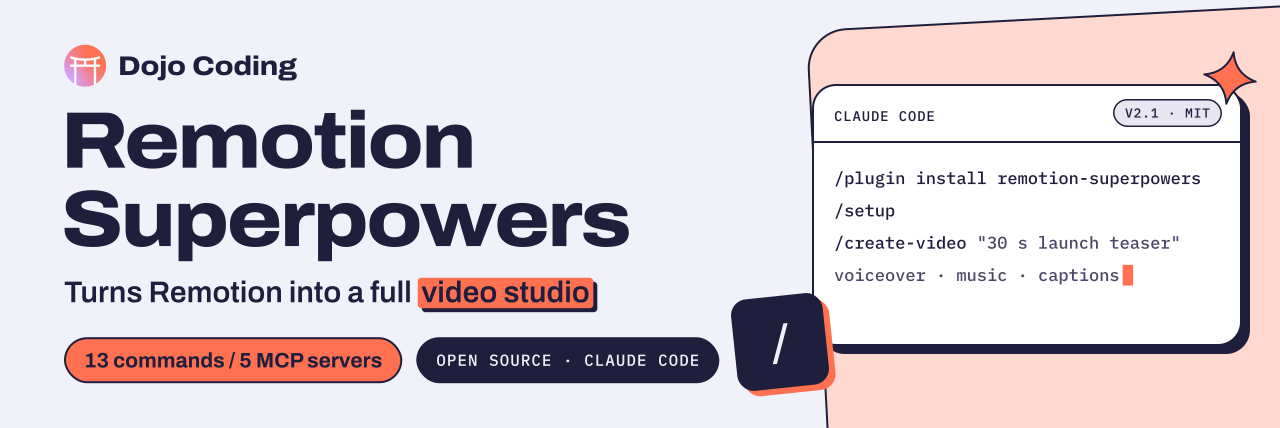
One prompt in, a finished MP4 out. Voiceover, music, sound effects, stock footage, AI images and clips, TikTok captions, transitions, and an AI review loop, all wired into Remotion by your coding agent.
Install · Quick start · Commands · API keys · Troubleshooting · Contribute
> /create-video "30-second promo for a coffee shop: drone shot of the city,
                 warm voiceover, background jazz, animated shop name and address"

  ✓ script & scene plan       ✓ voiceover (ElevenLabs)     ✓ jazz (Eleven Music)
  ✓ city footage (Pexels)     ✓ captions (Whisper)         ✓ transitions
  ✓ live preview in Studio    ✓ render → out/video.mp4     ✓ AI review → fixes
Remotion turns React into video, and Remotion's official Agent Skills teach your agent how to write it. Remotion Superpowers layers on top and gives your agent everything else a video needs. It can see (video analysis), speak (voiceovers), hear (music and SFX), source (stock footage and AI generation), caption, transition, and review its own render, then fix it.
| Agent | Start with (full steps below) |
|---|---|
| Claude Code | /plugin marketplace add DojoCodingLabs/remotion-superpowers |
| Codex | codex plugin marketplace add DojoCodingLabs/remotion-superpowers |
| Gemini CLI | gemini extensions install https://github.com/DojoCodingLabs/remotion-superpowers |
| Cursor, Copilot, others | npx skills add DojoCodingLabs/remotion-superpowers |
Requires Node.js 22.18+ (it runs the TypeScript audio script directly), plus the official skills this plugin builds on, which /setup installs for you: npx skills add remotion-dev/skills and npx skills add elevenlabs/skills (and replicate/skills if you use Replicate). uv is only needed for the optional ElevenLabs MCP server.
/plugin marketplace add DojoCodingLabs/remotion-superpowers
/plugin install remotion-superpowers@remotion-superpowers
Then run /setup.
codex plugin marketplace add DojoCodingLabs/remotion-superpowers
codex plugin add remotion-superpowers@remotion-superpowers
Export your API keys in the shell you start Codex from; the plugin forwards them to the MCP servers. Then ask Codex to run the setup skill.
gemini extensions install https://github.com/DojoCodingLabs/remotion-superpowers
Gemini asks for each API key during install (leave the optional ones blank). Change one later with gemini extensions config remotion-superpowers "ElevenLabs API key".
npx skills add DojoCodingLabs/remotion-superpowers
This installs the 15 skills into every agent it detects. Then add the servers from .mcp.json to your agent's MCP config and set the keys listed under each server's env_vars.
Note Built on the official skills. Remotion's own skills handle the markup, preview and rendering; ElevenLabs' handle voice, sound and music; Replicate's handle model choice. This plugin puts it all together for video: what to generate, where it goes, how it's timed, and the AI review loop.
Skills and MCP servers work in every agent above. The 3 subagents in
agents/and the hooks (API-key guard, captions tip) are Claude Code extras.
Updating
| Agent | Update |
|---|---|
| Claude Code | claude plugin marketplace update DojoCodingLabs/remotion-superpowers, then claude plugin update remotion-superpowers@remotion-superpowers, and restart the session |
| Codex | codex plugin marketplace upgrade |
| Gemini CLI | gemini extensions update remotion-superpowers |
| Agent Skills | npx skills update |
Local development
git clone https://github.com/DojoCodingLabs/remotion-superpowers.git
cd remotion-superpowers

# In Claude Code:
/plugin marketplace add .
/plugin install remotion-superpowers
Run bash scripts/ci/validate.sh before opening a PR. CI runs the same checks.
1. Set up. Run /setup to check dependencies, create or detect a Remotion project, install Remotion's official skills, configure API keys, and verify the MCP servers.
2. Make a video. Run /create-video, or just describe it. Remotion Studio opens right away, so you can watch the video come together and steer:
"Create a 30-second promo video for a coffee shop. Include drone footage of a city, a warm voiceover, background jazz music, and animated text overlays with the shop's name and address."
3. Render and make it better. Ask for the MP4 when you're happy, or run /review-video: the agent renders, watches the result, lists what to fix, fixes it, and re-renders.
Tip Start your agent from the Remotion project root. Generated audio, images and clips land in that directory's
public/.
| Capability | Powered by | |
|---|---|---|
| 🗣️ | Voiceovers from a script | ElevenLabs (eleven_v4) |
| 🎵 | Background music from a mood | Eleven Music, cleared for commercial use |
| 🔊 | Sound effects from a description | ElevenLabs SFX + Remotion's hosted SFX |
| 📸 | Free HD/4K stock video and photos | Pexels |
| 🖼️ | AI images | KIE (Nano Banana Pro) + Replicate (FLUX.2, GPT Image and more) |
| 🎬 | AI video clips, text-to-video and image-to-video | KIE (Veo 3.1) + Replicate (Kling, Seedance, Wan) |
| 👁️ | Video understanding: describe footage, find the best moments | TwelveLabs (Pegasus) |
| 🔄 | AI review of your render, with timestamped fixes | TwelveLabs (Pegasus) |
| 📝 | TikTok-style word-by-word captions | Remotion's official captions (local Whisper, or ElevenLabs Scribe) |
| 🎯 | Scene transitions: fade, slide, wipe, flip, clock-wipe | @remotion/transitions (official skills) |
| 📱 | 9:16 short-form pipeline for TikTok, Reels, Shorts | Built-in presets |
| 🎲 | 3D scenes and product showcases | @remotion/three (official skills) |
| 📊 | Animated charts, dashboards, counters | SVG + D3 |
| ✨ | Light leaks, film grain, vignettes, color grading, Lottie | @remotion/effects (official skills) |
| 🚀 | Render on PR or on demand | GitHub Actions |
In Claude Code these are slash commands. In Codex, Gemini CLI and other agents they're skills with the same names: ask for one ("use the create-video skill") or just describe what you want.
| Command | What it does | |
|---|---|---|
| Produce | /setup | First-run wizard: dependencies, project, keys, MCP check |
/create-video | Full pipeline from a prompt to a rendered MP4 | |
/create-short | 9:16 vertical video with a hook-first structure and captions | |
| Assets | /find-footage | Search and download Pexels stock footage |
/generate-image | AI backgrounds, thumbnails, characters, art | |
/generate-clip | AI clips from text or from a still image | |
| Audio | /add-voiceover | Generate narration and wire it into the composition |
/add-music | Generate a track with fades and ducking | |
/transcribe | Audio or video to text with word-level timestamps | |
| Polish | /add-captions | Animated word-by-word captions |
/add-transitions | Professional scene transitions | |
| Analyze | /analyze-footage | Understand existing footage with AI vision |
/review-video | Render, review, fix, repeat |
Your prompt → /create-video (or /create-short)
    │
    ├── 1. Studio     → Remotion Studio opens as soon as the project runs; watch it build
    ├── 2. Concept    → scenes, script, audio needs → you approve the plan
    ├── 3. Voiceover  → per-scene ElevenLabs TTS, measured for timing
    ├── 4. Music      → background track (Eleven Music)
    ├── 5. SFX        → hosted or generated sound effects
    ├── 6. Footage    → Pexels / AI images and clips (KIE, Replicate) / TwelveLabs analysis
    ├── 7. Visuals    → Remotion markup via the official skills: scenes, transitions, effects
    ├── 8. Captions   → word-level, TikTok-style
    ├── 9. Iterate    → tweak live in Studio
    ├── 10. Render    → when you ask: npx remotion render → MP4
    └── 11. Review    → /review-video → AI watches, suggests, iterates
| Service | Variable | Needed? | Cost | Unlocks |
|---|---|---|---|---|
| ElevenLabs | ELEVENLABS_API_KEY | ✅ Yes | Free tier; paid for commercial music | Voiceover, music, SFX, Scribe captions |
| KIE | KIE_API_KEY | ✅ Yes | Paid | AI images and clips (optional audio drafts) |
| TwelveLabs | TWELVELABS_API_KEY | ✅ Yes | Free tier | Footage analysis and AI review |
| Pexels | PEXELS_API_KEY | Recommended | Free | Stock photos and videos |
| Replicate | REPLICATE_API_TOKEN | Optional | Pay per use | Specific image and video models |
Important KIE can also generate audio (Suno music, TTS, SFX) cheaply, but it resells those models without their owners' licence. Use KIE audio for drafts only; final audio comes from ElevenLabs.

🎬 Full video production studio for Remotion — for Claude Code, Codex, Gemini CLI & any Agent Skills agent. AI voiceovers, music, stock footage, image/video generation, TikTok captions, transitions & AI review loop. 15 skills, 5 MCP servers. Free & open source by Dojo Coding.
Stars on GitHub
Ships with promptschat: f.k.a. Awesome ChatGPT Prompts. Share, discover, and collect prompts from the community. Free and open…
@gh-fInstall MCPShips with emdash: A full-stack TypeScript CMS built on Astro. EmDash takes the ideas that made WordPress dominant --…
 @emdash-cmsInstall MCP

